Compare commits
753 Commits
feature/async
...
v0.25.0
| Author | SHA1 | Date | |
|---|---|---|---|
 github-actions[bot] github-actions[bot]
|
77e491beea | ||
|
Chris Coutinho
|
7812ac0ee7 | ||
|
Chris Coutinho
|
659087e4c7 | ||
|
Chris Coutinho
|
bdb1ba2051 | ||
|
Chris Coutinho
|
7d9ab5559c | ||
|
Chris Coutinho
|
877c4c91e0 | ||
|
Chris Coutinho
|
5deb3132c3 | ||
|
Chris Coutinho
|
9fab6cb550 | ||
|
Chris Coutinho
|
28c2debf3e | ||
|
Chris Coutinho
|
461971a1a8 | ||
|
Chris Coutinho
|
3485b55e2d | ||
|
Chris Coutinho
|
4adb9de5f0 | ||
|
Chris Coutinho
|
bfa944d0e8 | ||
|
Chris Coutinho
|
01569497d7 | ||
|
Chris Coutinho
|
6cccd92b3b | ||
|
Chris Coutinho
|
9dcda0cd6a | ||
|
Chris Coutinho
|
7c2f39930a | ||
|
Chris Coutinho
|
205c3b013c | ||
|
Chris Coutinho
|
ed9a8677fe | ||
|
Chris Coutinho
|
e8c499938f | ||
|
renovate-bot-cbcoutinho[bot]
|
4d8b6fca49 | ||
|
renovate-bot-cbcoutinho[bot]
|
67eb4455fd | ||
|
github-actions[bot]
|
7052c19de0 | ||
|
Chris Coutinho
|
921854ce87 | ||
|
renovate-bot-cbcoutinho[bot]
|
3e988acb97 | ||
|
github-actions[bot]
|
f587a4e31f | ||
|
Chris Coutinho
|
6e95447272 | ||
|
Chris Coutinho
|
8983f25eaf | ||
|
Chris Coutinho
|
1675fc521b | ||
|
Chris Coutinho
|
dec02f17d1 | ||
|
Chris Coutinho
|
881b0ba03c | ||
|
Chris Coutinho
|
942fe35719 | ||
|
Chris Coutinho
|
723eb57060 | ||
|
Chris Coutinho
|
619d0e4be6 | ||
|
Chris Coutinho
|
dc7abcbd48 | ||
|
Chris Coutinho
|
3d4dfcbb35 | ||
|
Chris Coutinho
|
de99296779 | ||
|
Chris Coutinho
|
10dffd0c10 | ||
|
Chris Coutinho
|
737d62fe91 | ||
|
Chris Coutinho
|
192c4bf009 | ||
|
Chris Coutinho
|
01d1cf9190 | ||
|
Chris Coutinho
|
0ff85dbe4f | ||
|
Chris Coutinho
|
96789db29d | ||
|
Chris Coutinho
|
b20c9c6203 | ||
|
Chris Coutinho
|
15113dbb03 | ||
|
renovate-bot-cbcoutinho[bot]
|
615f345928 | ||
|
Chris Coutinho
|
d14f2f666d | ||
|
Chris Coutinho
|
d92945a388 | ||
|
Chris Coutinho
|
42426b4597 | ||
|
Chris Coutinho
|
c2dcb06fe1 | ||
|
Chris Coutinho
|
95b73019ab | ||
|
Chris Coutinho
|
6a0f537d66 | ||
|
Chris Coutinho
|
71e77e95bc | ||
|
Chris Coutinho
|
636bfd416f | ||
|
Chris Coutinho
|
64864db736 | ||
|
Chris Coutinho
|
027fc0b2d6 | ||
|
Chris Coutinho
|
d768909fd4 | ||
|
Chris Coutinho
|
3b4606b798 | ||
|
Chris Coutinho
|
63b457380a | ||
|
Chris Coutinho
|
b41bbd6c65 | ||
|
Chris Coutinho
|
9adfc72612 | ||
|
Chris Coutinho
|
c896a2de63 | ||
|
Chris Coutinho
|
d16bcdcfbb | ||
|
renovate-bot-cbcoutinho[bot]
|
6c3997b24c | ||
|
Chris Coutinho
|
9d514f52b0 | ||
|
Chris Coutinho
|
4e1d143e54 | ||
|
github-actions[bot]
|
02a2c4a16f | ||
|
Chris Coutinho
|
f37008fdc3 | ||
|
Chris Coutinho
|
0d45120470 | ||
|
Chris Coutinho
|
babd60e08b | ||
|
Chris Coutinho
|
f48e039e9e | ||
|
Chris Coutinho
|
14a8f70503 | ||
|
Chris Coutinho
|
bf8120682e | ||
|
Chris Coutinho
|
f2af5a39a8 | ||
|
Chris Coutinho
|
7cb616c7ce | ||
|
Chris Coutinho
|
34df5f5b9a | ||
|
Chris Coutinho
|
e26c5128b7 | ||
|
Chris Coutinho
|
ed813af45c | ||
|
Chris Coutinho
|
1e071c83a9 | ||
|
Chris Coutinho
|
76430bec21 | ||
|
Chris Coutinho
|
e81c2ad33d | ||
|
Chris Coutinho
|
23360485a8 | ||
|
Chris Coutinho
|
2ca6725fc6 | ||
|
Chris Coutinho
|
4c7d1cfc8d | ||
|
Chris Coutinho
|
b68c704c4d | ||
|
Chris Coutinho
|
849c67c32a | ||
|
Chris Coutinho
|
b3725dd2f5 | ||
|
Chris Coutinho
|
6117aaaed3 | ||
|
Chris Coutinho
|
403f8be429 | ||
|
Chris Coutinho
|
2a1274d8a8 | ||
|
Chris Coutinho
|
e331544cee | ||
|
Chris Coutinho
|
37b0b4a281 | ||
|
Chris Coutinho
|
f34366a260 | ||
|
Chris Coutinho
|
529dc4616b | ||
|
Chris Coutinho
|
f739330341 | ||
|
Chris Coutinho
|
136df2422b | ||
|
Chris Coutinho
|
eb8ca92bca | ||
|
Chris Coutinho
|
0f03541486 | ||
|
Chris Coutinho
|
ef07b1a6c9 | ||
|
Chris Coutinho
|
4f82357f24 | ||
|
renovate-bot-cbcoutinho[bot]
|
9ef2311c71 | ||
|
Chris Coutinho
|
c4293b6750 | ||
|
renovate-bot-cbcoutinho[bot]
|
72e4eb3d19 | ||
|
Chris Coutinho
|
47dd2df7aa | ||
|
renovate-bot-cbcoutinho[bot]
|
9fd2022151 | ||
|
Chris Coutinho
|
b99dc52c95 | ||
|
Chris Coutinho
|
78b27fb5e9 | ||
|
renovate-bot-cbcoutinho[bot]
|
03e39a3f94 | ||
|
github-actions[bot]
|
5259658458 | ||
|
Chris Coutinho
|
e03a3c2e83 | ||
|
Chris Coutinho
|
94cbd3015d | ||
|
renovate-bot-cbcoutinho[bot]
|
49a961cbcc | ||
|
github-actions[bot]
|
e1aca04aff | ||
|
Chris Coutinho
|
3b12e585ca | ||
|
github-actions[bot]
|
e647c87dd8 | ||
|
Chris Coutinho
|
cb74157d51 | ||
|
github-actions[bot]
|
202058bdc8 | ||
|
Chris Coutinho
|
c312911538 | ||
|
Chris Coutinho
|
e602684743 | ||
|
github-actions[bot]
|
8221046d8a | ||
|
Chris Coutinho
|
3e45b6ca25 | ||
|
github-actions[bot]
|
9ec7637579 | ||
|
Chris Coutinho
|
670188f9e4 | ||
|
github-actions[bot]
|
3878beaf65 | ||
|
Chris Coutinho
|
a5a0571bde | ||
|
github-actions[bot]
|
0e7e74867f | ||
|
Chris Coutinho
|
a29045cca4 | ||
|
Chris Coutinho
|
b11c3ddfb6 | ||
|
Chris Coutinho
|
562c102711 | ||
|
Chris Coutinho
|
3c3646bec2 | ||
|
renovate-bot-cbcoutinho[bot]
|
dd636e6a08 | ||
|
Chris Coutinho
|
d7a8719d0e | ||
|
Chris Coutinho
|
97fa9ef8a7 | ||
|
Chris Coutinho
|
77dd17b3e1 | ||
|
Chris Coutinho
|
d56ec33b77 | ||
|
Chris Coutinho
|
a1c5acc1c2 | ||
|
Chris Coutinho
|
e0de2e17e9 | ||
|
renovate-bot-cbcoutinho[bot]
|
4fc0cb5a41 | ||
|
Chris Coutinho
|
ff9cca716b | ||
|
Chris Coutinho
|
ef4a82e589 | ||
|
Chris Coutinho
|
301c502e57 | ||
|
renovate-bot-cbcoutinho[bot]
|
d4d291d6d2 | ||
|
renovate-bot-cbcoutinho[bot]
|
e4b0ea5093 | ||
|
Chris Coutinho
|
6833f7f117 | ||
|
renovate-bot-cbcoutinho[bot]
|
7db2a5c586 | ||
|
Chris Coutinho
|
b76c10f18c | ||
|
Chris Coutinho
|
ab7411d9fd | ||
|
Chris Coutinho
|
d02fe3c3b6 | ||
|
Chris Coutinho
|
49f9cead69 | ||
|
Chris Coutinho
|
415b1c901b | ||
|
Chris Coutinho
|
90b96a8afe | ||
|
github-actions[bot]
|
57a2157c58 | ||
|
Chris Coutinho
|
bfdc33c390 | ||
|
Chris Coutinho
|
8844c07ecb | ||
|
Chris Coutinho
|
0a0ef10989 | ||
|
Chris Coutinho
|
9414d9c9c3 | ||
|
Chris Coutinho
|
8a52df4a8e | ||
|
Chris Coutinho
|
a36038422b | ||
|
Chris Coutinho
|
2147fc1696 | ||
|
Chris Coutinho
|
a19017c686 | ||
|
yuisheaven
|
f0e5333e43 | ||
|
Chris Coutinho
|
553e84e5f2 | ||
|
renovate-bot-cbcoutinho[bot]
|
ff20031601 | ||
|
github-actions[bot]
|
04e0ab127a | ||
|
Chris Coutinho
|
1117a83a52 | ||
|
Chris Coutinho
|
01b43c96ba | ||
|
Chris Coutinho
|
c9db6afb59 | ||
|
Chris Coutinho
|
50b69a2531 | ||
|
Chris Coutinho
|
8e0a4d8ce5 | ||
|
Chris Coutinho
|
72fce189d2 | ||
|
Chris Coutinho
|
1e877f17f7 | ||
|
github-actions[bot]
|
50a824155c | ||
|
Chris Coutinho
|
0df9e41332 | ||
|
Chris Coutinho
|
13f76a7734 | ||
|
renovate-bot-cbcoutinho[bot]
|
3baf10662f | ||
|
Chris Coutinho
|
81ca799410 | ||
|
Chris Coutinho
|
2f1bd1bbe9 | ||
|
Chris Coutinho
|
d452684535 | ||
|
github-actions[bot]
|
bfbaed9a66 | ||
|
Chris Coutinho
|
ff32149220 | ||
|
Chris Coutinho
|
d55e5708c7 | ||
|
Chris Coutinho
|
d4ee5a74c2 | ||
|
yuisheaven
|
db79afacb9 | ||
|
Chris Coutinho
|
261749fcdc | ||
|
yuisheaven
|
6730dd4a4b | ||
|
yuisheaven
|
8734c4b292 | ||
|
yuisheaven
|
29df645d53 | ||
|
Chris Coutinho
|
bdb0e17401 | ||
|
Chris Coutinho
|
8942f3119c | ||
|
renovate-bot-cbcoutinho[bot]
|
3863cca2ed | ||
|
Chris Coutinho
|
a93e7a1e3b | ||
|
Chris Coutinho
|
f2d2dd8068 | ||
|
Chris Coutinho
|
d915efd3f6 | ||
|
Chris Coutinho
|
053cf7798b | ||
|
github-actions[bot]
|
87c6f077f3 | ||
|
Chris Coutinho
|
38e12db46a | ||
|
Chris Coutinho
|
1a7ce5b7a7 | ||
|
Chris Coutinho
|
737780b417 | ||
|
Chris Coutinho
|
b4039e2e40 | ||
|
Chris Coutinho
|
54e975198f | ||
|
Chris Coutinho
|
e9a16c43b5 | ||
|
Chris Coutinho
|
e48f5f3f30 | ||
|
Chris Coutinho
|
3ebc468a09 | ||
|
Chris Coutinho
|
1aecb099e6 | ||
|
Chris Coutinho
|
2c35e07675 | ||
|
Chris Coutinho
|
5cfdff0faf | ||
|
Chris Coutinho
|
eb7e15cac0 | ||
|
Chris Coutinho
|
894723c525 | ||
|
Chris Coutinho
|
8a3269f366 | ||
|
Chris Coutinho
|
c069d78f80 | ||
|
renovate-bot-cbcoutinho[bot]
|
e3436fecc0 | ||
|
Chris Coutinho
|
e3feb3eb2f | ||
|
renovate-bot-cbcoutinho[bot]
|
eedaa2e3f1 | ||
|
Chris Coutinho
|
d517fe09d8 | ||
|
yuisheaven
|
98627593d5 | ||
|
yuisheaven
|
64649c902d | ||
|
renovate-bot-cbcoutinho[bot]
|
08ebab9f48 | ||
|
Chris Coutinho
|
f4f9548681 | ||
|
renovate-bot-cbcoutinho[bot]
|
27bb0a4b56 | ||
|
Chris Coutinho
|
7f5828390c | ||
|
Chris Coutinho
|
8ad1937347 | ||
|
Chris Coutinho
|
0d29048155 | ||
|
Chris Coutinho
|
499429706c | ||
|
Chris Coutinho
|
2903094d67 | ||
|
renovate-bot-cbcoutinho[bot]
|
7abfa19d15 | ||
|
renovate-bot-cbcoutinho[bot]
|
c109626601 | ||
|
Chris Coutinho
|
a5a4e809c4 | ||
|
github-actions[bot]
|
4984496d81 | ||
|
Chris Coutinho
|
0e79ba06a9 | ||
|
Chris Coutinho
|
48744e8a6c | ||
|
Chris Coutinho
|
63b898c0e3 | ||
|
Chris Coutinho
|
e8f1340133 | ||
|
Chris Coutinho
|
fde68dac55 | ||
|
Chris Coutinho
|
460e2e190c | ||
|
Chris Coutinho
|
989b6de3c0 | ||
|
Chris Coutinho
|
aa0b6dc5dd | ||
|
Chris Coutinho
|
7ae78d3a39 | ||
|
Chris Coutinho
|
54326f9c64 | ||
|
Chris Coutinho
|
6ba87e7e05 | ||
|
github-actions[bot]
|
45bbf97033 | ||
|
Chris Coutinho
|
14a0f166fe | ||
|
Chris Coutinho
|
71f09a47ca | ||
|
Chris Coutinho
|
61bb8cc048 | ||
|
renovate-bot-cbcoutinho[bot]
|
ad9b9f25a1 | ||
|
Chris Coutinho
|
f4dd68735c | ||
|
Chris Coutinho
|
c75f0c0a17 | ||
|
Chris Coutinho
|
a143123acc | ||
|
Chris Coutinho
|
1dc2ddfdb7 | ||
|
Chris Coutinho
|
92e18825bc | ||
|
Chris Coutinho
|
d398a8c8e6 | ||
|
Chris Coutinho
|
39dfa13895 | ||
|
github-actions[bot]
|
cb7a609ec2 | ||
|
Chris Coutinho
|
b8d241b596 | ||
|
Chris Coutinho
|
5395f8d3d6 | ||
|
Chris Coutinho
|
198d7495f0 | ||
|
Chris Coutinho
|
c2f6c6ce0d | ||
|
Chris Coutinho
|
5757f2582b | ||
|
Chris Coutinho
|
d5e6411c45 | ||
|
Chris Coutinho
|
f0c03ceede | ||
|
Chris Coutinho
|
7818eb104e | ||
|
Chris Coutinho
|
b72514bb32 | ||
|
renovate-bot-cbcoutinho[bot]
|
f51d3a2101 | ||
|
Chris Coutinho
|
5de4055f9f | ||
|
Chris Coutinho
|
95da43ea0f | ||
|
Chris Coutinho
|
ae47c5f3e6 | ||
|
Chris Coutinho
|
31ffeba69b | ||
|
Chris Coutinho
|
963a504ae2 | ||
|
Chris Coutinho
|
ead298c132 | ||
|
Chris Coutinho
|
2f805e54b7 | ||
|
Chris Coutinho
|
6158a890af | ||
|
Chris Coutinho
|
240ceb3808 | ||
|
Chris Coutinho
|
1459fe9bc8 | ||
|
Chris Coutinho
|
37164dbdbc | ||
|
Chris Coutinho
|
c3ff92a8c1 | ||
|
Chris Coutinho
|
371d0c93a5 | ||
|
Chris Coutinho
|
644c59bf78 | ||
|
Chris Coutinho
|
056b6fc9d6 | ||
|
Chris Coutinho
|
83917b3786 | ||
|
Chris Coutinho
|
955ad78f13 | ||
|
Chris Coutinho
|
3f04449a86 | ||
|
renovate-bot-cbcoutinho[bot]
|
144a54c1ad | ||
|
Chris Coutinho
|
90b4b2a038 | ||
|
renovate-bot-cbcoutinho[bot]
|
cdfab26c75 | ||
|
github-actions[bot]
|
a389f2940e | ||
|
Chris Coutinho
|
5e829fc7e7 | ||
|
Chris Coutinho
|
9c909b6e42 | ||
|
renovate-bot-cbcoutinho[bot]
|
9b29eabfaa | ||
|
github-actions[bot]
|
7549c988f4 | ||
|
Chris Coutinho
|
0145be4bbd | ||
|
Chris Coutinho
|
b1207770ca | ||
|
Chris Coutinho
|
d694243723 | ||
|
Chris Coutinho
|
8e7191e0ea | ||
|
Chris Coutinho
|
dbcf9d93ca | ||
|
Chris Coutinho
|
27519d0f62 | ||
|
Chris Coutinho
|
2999d4b65e | ||
|
Chris Coutinho
|
0fd32ecd34 | ||
|
Chris Coutinho
|
604a2065cb | ||
|
github-actions[bot]
|
0aeef1b87e | ||
|
Chris Coutinho
|
b65f10ed8e | ||
|
Chris Coutinho
|
038fcddd48 | ||
|
Chris Coutinho
|
394b27ee4a | ||
|
Chris Coutinho
|
9de59db718 | ||
|
github-actions[bot]
|
6734de8389 | ||
|
Chris Coutinho
|
3cb31d07f1 | ||
|
renovate-bot-cbcoutinho[bot]
|
16b9123af3 | ||
|
Chris Coutinho
|
51d1f075f5 | ||
|
github-actions[bot]
|
e0a68d47a5 | ||
|
Chris Coutinho
|
832cb51dd3 | ||
|
Chris Coutinho
|
f6256c10db | ||
|
renovate-bot-cbcoutinho[bot]
|
7b2002c1b5 | ||
|
renovate-bot-cbcoutinho[bot]
|
d150cf2e72 | ||
|
Chris Coutinho
|
3921d9b982 | ||
|
github-actions[bot]
|
9e4c20a4b1 | ||
|
Chris Coutinho
|
f26bca13f1 | ||
|
Chris Coutinho
|
46c6f2f294 | ||
|
Chris Coutinho
|
3ad9198f36 | ||
|
Chris Coutinho
|
dafac734e6 | ||
|
Chris Coutinho
|
97bbc18121 | ||
|
github-actions[bot]
|
46deb0f726 | ||
|
Chris Coutinho
|
daacf08a54 | ||
|
Chris Coutinho
|
cc2a5c9d58 | ||
|
Chris Coutinho
|
26f8deff17 | ||
|
Chris Coutinho
|
fb3063e94e | ||
|
Chris Coutinho
|
83f89e9394 | ||
|
Chris Coutinho
|
5db02313a1 | ||
|
Chris Coutinho
|
b50e212f05 | ||
|
Chris Coutinho
|
85f8522085 | ||
|
Chris Coutinho
|
a38c795124 | ||
|
Chris Coutinho
|
7004104873 | ||
|
Chris Coutinho
|
7a4a31b52d | ||
|
Chris Coutinho
|
898c2e72ae | ||
|
Chris Coutinho
|
8652684466 | ||
|
Chris Coutinho
|
72ace9da9e | ||
|
Chris Coutinho
|
ab40127811 | ||
|
github-actions[bot]
|
52044ef053 | ||
|
Chris Coutinho
|
7103a795a1 | ||
|
Chris Coutinho
|
3ed24bd5e3 | ||
|
Chris Coutinho
|
1023a7d9c7 | ||
|
Chris Coutinho
|
afc82ce3dc | ||
|
Chris Coutinho
|
057e25b653 | ||
|
Chris Coutinho
|
3c4535da75 | ||
|
Chris Coutinho
|
a4ca3e00a0 | ||
|
Chris Coutinho
|
d879904540 | ||
|
Chris Coutinho
|
2ae3c423e9 | ||
|
Chris Coutinho
|
e886eff4ed | ||
|
Chris Coutinho
|
23688f3f85 | ||
|
Chris Coutinho
|
13e4915e38 | ||
|
Chris Coutinho
|
f48d3714d2 | ||
|
Chris Coutinho
|
558f5ab6a4 | ||
|
Chris Coutinho
|
23cffc606b | ||
|
Chris Coutinho
|
949d383606 | ||
|
Chris Coutinho
|
6ce411094c | ||
|
Chris Coutinho
|
37b0577bfd | ||
|
Chris Coutinho
|
4b19964817 | ||
|
Chris Coutinho
|
ea468889ce | ||
|
Chris Coutinho
|
bcf8daaa5d | ||
|
Chris Coutinho
|
9ef9fff2b0 | ||
|
Chris Coutinho
|
2489a714b8 | ||
|
Chris Coutinho
|
a4a7fb48d6 | ||
|
Chris Coutinho
|
f58a9883a6 | ||
|
Chris Coutinho
|
b3b7c90bd0 | ||
|
Chris Coutinho
|
b26ff4f9bc | ||
|
Chris Coutinho
|
e42cabb6ed | ||
|
Chris Coutinho
|
4fae78a090 | ||
|
Chris Coutinho
|
b7b83880c0 | ||
|
Chris Coutinho
|
879cd58db1 | ||
|
Chris Coutinho
|
0c5d9a46bd | ||
|
Chris Coutinho
|
605c8afacd | ||
|
Chris Coutinho
|
17979accb6 | ||
|
Chris Coutinho
|
7d8ba39434 | ||
|
Chris Coutinho
|
2b11718c43 | ||
|
Chris Coutinho
|
33b962a7fc | ||
|
Chris Coutinho
|
4d7e4b9a4b | ||
|
Chris Coutinho
|
fafede2282 | ||
|
renovate-bot-cbcoutinho[bot]
|
bad04573b5 | ||
|
Chris Coutinho
|
ec503e3f73 | ||
|
renovate-bot-cbcoutinho[bot]
|
55f326aa9a | ||
|
github-actions[bot]
|
b19eb37ee2 | ||
|
Chris Coutinho
|
0fdbd56cf0 | ||
|
Chris Coutinho
|
31b218f174 | ||
|
renovate-bot-cbcoutinho[bot]
|
34daaa380e | ||
|
Chris Coutinho
|
8d3a7775c9 | ||
|
Chris Coutinho
|
af7deff836 | ||
|
renovate-bot-cbcoutinho[bot]
|
7695fbca0c | ||
|
renovate-bot-cbcoutinho[bot]
|
f16af39b97 | ||
|
renovate-bot-cbcoutinho[bot]
|
3340a63f86 | ||
|
Chris Coutinho
|
5cda32098f | ||
|
Chris Coutinho
|
df09fff11c | ||
|
renovate-bot-cbcoutinho[bot]
|
391f418934 | ||
|
renovate-bot-cbcoutinho[bot]
|
e1f17c3386 | ||
|
Chris Coutinho
|
2e6f31ed41 | ||
|
renovate-bot-cbcoutinho[bot]
|
900d1bb462 | ||
|
Chris Coutinho
|
d7f2f2b302 | ||
|
renovate-bot-cbcoutinho[bot]
|
1402da0ac0 | ||
|
Chris Coutinho
|
6b50495c1d | ||
|
renovate-bot-cbcoutinho[bot]
|
0f7f5171a4 | ||
|
Chris Coutinho
|
f943fba432 | ||
|
renovate-bot-cbcoutinho[bot]
|
0d98d9dfa0 | ||
|
Chris Coutinho
|
5b3baa5959 | ||
|
Chris Coutinho
|
a8784993b2 | ||
|
renovate-bot-cbcoutinho[bot]
|
431644fff6 | ||
|
renovate-bot-cbcoutinho[bot]
|
fb2632e044 | ||
|
Chris Coutinho
|
3be62a095c | ||
|
yuisheaven
|
3ff6346c03 | ||
|
renovate-bot-cbcoutinho[bot]
|
aead059eaa | ||
|
Chris Coutinho
|
90eb43b926 | ||
|
renovate-bot-cbcoutinho[bot]
|
5f3ff60531 | ||
|
Chris Coutinho
|
60743a9f1c | ||
|
Chris Coutinho
|
669f678d63 | ||
|
yuisheaven
|
c9a687171a | ||
|
yuisheaven
|
df5f85e0c6 | ||
|
yuisheaven
|
76dce41ed9 | ||
|
yuisheaven
|
642108ee91 | ||
|
yuisheaven
|
ce5724f05e | ||
|
renovate-bot-cbcoutinho[bot]
|
1cf783d062 | ||
|
renovate-bot-cbcoutinho[bot]
|
7463234ccb | ||
|
github-actions[bot]
|
b60da57597 | ||
|
Chris Coutinho
|
0c9645bb3c | ||
|
renovate-bot-cbcoutinho[bot]
|
b10fba0678 | ||
|
Chris Coutinho
|
b23ccb57d5 | ||
|
renovate-bot-cbcoutinho[bot]
|
0faa32fd10 | ||
|
Chris Coutinho
|
8a9fa2a3c4 | ||
|
Chris Coutinho
|
8075d5fd9f | ||
|
renovate-bot-cbcoutinho[bot]
|
9be03ef0de | ||
|
renovate-bot-cbcoutinho[bot]
|
eda6753253 | ||
|
Chris Coutinho
|
360a15959c | ||
|
renovate-bot-cbcoutinho[bot]
|
e6dc14c31f | ||
|
Chris Coutinho
|
bcc909bb83 | ||
|
Chris Coutinho
|
e5fe7c6d84 | ||
|
renovate-bot-cbcoutinho[bot]
|
1a2a1f065f | ||
|
renovate-bot-cbcoutinho[bot]
|
7c677205bb | ||
|
Chris Coutinho
|
91cc76be8c | ||
|
renovate-bot-cbcoutinho[bot]
|
593c84345e | ||
|
Chris Coutinho
|
71fd823d84 | ||
|
Chris Coutinho
|
3723bf9a52 | ||
|
Chris Coutinho
|
7e3c2c9774 | ||
|
renovate-bot-cbcoutinho[bot]
|
0e0bfd9f98 | ||
|
Chris Coutinho
|
752c22147c | ||
|
Chris Coutinho
|
4c07ca9f0a | ||
|
renovate-bot-cbcoutinho[bot]
|
55945c6c0f | ||
|
renovate-bot-cbcoutinho[bot]
|
3f8312e6f3 | ||
|
Chris Coutinho
|
c39b69d08c | ||
|
renovate-bot-cbcoutinho[bot]
|
290ad2edc2 | ||
|
github-actions[bot]
|
144c08c339 | ||
|
Chris Coutinho
|
b461af8aa1 | ||
|
renovate-bot-cbcoutinho[bot]
|
4bdf67b042 | ||
|
github-actions[bot]
|
93b109e5b9 | ||
|
Chris Coutinho
|
0c5ebd5d84 | ||
|
Chris Coutinho
|
79e6250377 | ||
|
Chris Coutinho
|
a5ec712b88 | ||
|
Chris Coutinho
|
cc9650b077 | ||
|
renovate-bot-cbcoutinho[bot]
|
1a37a6c1fe | ||
|
Chris Coutinho
|
4572287870 | ||
|
renovate-bot-cbcoutinho[bot]
|
67617d7fcc | ||
|
github-actions[bot]
|
22811f29f6 | ||
|
Chris Coutinho
|
71da620099 | ||
|
Chris Coutinho
|
de7c848aa6 | ||
|
renovate-bot-cbcoutinho[bot]
|
8d4303a624 | ||
|
Chris Coutinho
|
4c7880a4e5 | ||
|
renovate-bot-cbcoutinho[bot]
|
0a307b87ae | ||
|
Chris Coutinho
|
48eced80fb | ||
|
renovate-bot-cbcoutinho[bot]
|
aafac732c6 | ||
|
Chris Coutinho
|
12d48bb920 | ||
|
renovate-bot-cbcoutinho[bot]
|
0600cea87b | ||
|
Chris Coutinho
|
145141e1d8 | ||
|
renovate-bot-cbcoutinho[bot]
|
948e7a4d91 | ||
|
Chris Coutinho
|
39ff811d1a | ||
|
Chris Coutinho
|
cfd03a761b | ||
|
renovate-bot-cbcoutinho[bot]
|
e7b37312a7 | ||
|
Chris Coutinho
|
4ad47b4fa3 | ||
|
renovate-bot-cbcoutinho[bot]
|
ffbb86df57 | ||
|
Chris Coutinho
|
7a57247a9c | ||
|
renovate-bot-cbcoutinho[bot]
|
4ea6ce3477 | ||
|
github-actions[bot]
|
fad2cd8dcb | ||
|
Chris Coutinho
|
06042357f8 | ||
|
Chris Coutinho
|
5bdf840098 | ||
|
Chris Coutinho
|
9711d1d161 | ||
|
Chris Coutinho
|
2d802483e5 | ||
|
Chris Coutinho
|
b3cd2ace34 | ||
|
Chris Coutinho
|
2cd91ceee7 | ||
|
github-actions[bot]
|
84106a059e | ||
|
Chris Coutinho
|
c1c5a61952 | ||
|
github-actions[bot]
|
e7c4eb0842 | ||
|
Chris Coutinho
|
2f60dec90d | ||
|
renovate-bot-cbcoutinho[bot]
|
59633017b0 | ||
|
Chris Coutinho
|
961f23b5ea | ||
|
github-actions[bot]
|
6fa59621bf | ||
|
Chris Coutinho
|
c2284298ce | ||
|
Chris Coutinho
|
7498b501eb | ||
|
Chris Coutinho
|
652c58d1fb | ||
|
Chris Coutinho
|
e7a5caa0d6 | ||
|
Chris Coutinho
|
d2d413afcd | ||
|
github-actions[bot]
|
3c3df0d3a5 | ||
|
Chris Coutinho
|
c59bcca053 | ||
|
Chris Coutinho
|
18973e061a | ||
|
Chris Coutinho
|
167053578d | ||
|
renovate-bot-cbcoutinho[bot]
|
2633b63a04 | ||
|
Pedro Ruiz
|
5d4902a73e | ||
|
Pedro Ruiz
|
b55b9640c6 | ||
|
github-actions[bot]
|
b1eb4d2497 | ||
|
Chris Coutinho
|
6c580fec01 | ||
|
Chris Coutinho
|
bbd8d1cf63 | ||
|
Chris Coutinho
|
d01c6ee0d0 | ||
|
renovate-bot-cbcoutinho[bot]
|
d48b93e8fc | ||
|
Chris Coutinho
|
7b663c5476 | ||
|
renovate-bot-cbcoutinho[bot]
|
73257e749f | ||
|
Chris Coutinho
|
d66faa9533 | ||
|
renovate-bot-cbcoutinho[bot]
|
58fd0283ea | ||
|
Chris Coutinho
|
3feac952da | ||
|
renovate-bot-cbcoutinho[bot]
|
6a2ed9815a | ||
|
Chris Coutinho
|
c1c01196a4 | ||
|
renovate-bot-cbcoutinho[bot]
|
930bb280fe | ||
|
Chris Coutinho
|
e36d020f6b | ||
|
Chris Coutinho
|
c13240819a | ||
|
Chris Coutinho
|
c2c2a71c4b | ||
|
renovate-bot-cbcoutinho[bot]
|
21f6164e07 | ||
|
Chris Coutinho
|
420fa9173d | ||
|
renovate-bot-cbcoutinho[bot]
|
da4d48c493 | ||
|
Chris Coutinho
|
404abe8695 | ||
|
renovate-bot-cbcoutinho[bot]
|
28dd24510d | ||
|
Chris Coutinho
|
f72bb7e996 | ||
|
renovate-bot-cbcoutinho[bot]
|
9c0a0e9bf3 | ||
|
Chris Coutinho
|
78b96177bd | ||
|
renovate-bot-cbcoutinho[bot]
|
70b0754a19 | ||
|
github-actions[bot]
|
f034012101 | ||
|
Chris Coutinho
|
7c4c0284f3 | ||
|
Chris Coutinho
|
892340fb66 | ||
|
Chris Coutinho
|
f79b957644 | ||
|
Chris Coutinho
|
ef1fb9e9aa | ||
|
Chris Coutinho
|
d712b5487c | ||
|
Chris Coutinho
|
892a8d2d23 | ||
|
github-actions[bot]
|
daeb95f3c3 | ||
|
Chris Coutinho
|
36d44d1781 | ||
|
Chris Coutinho
|
949fb7124b | ||
|
github-actions[bot]
|
6c4f071d2b | ||
|
Chris Coutinho
|
53b11f7fbb | ||
|
Chris Coutinho
|
336bc45637 | ||
|
renovate-bot-cbcoutinho[bot]
|
6c587bb265 | ||
|
github-actions[bot]
|
6b1f5c12c8 | ||
|
Chris Coutinho
|
f8dc1f060b | ||
|
Chris Coutinho
|
4cf5f2a95a | ||
|
Chris Coutinho
|
1cc65f0160 | ||
|
Chris Coutinho
|
9b00530e8e | ||
|
Chris Coutinho
|
938376425b | ||
|
Chris Coutinho
|
0484167a22 | ||
|
Chris Coutinho
|
84ad1958af | ||
|
Chris Coutinho
|
fa002296ff | ||
|
github-actions[bot]
|
464ff2c8b2 | ||
|
Chris Coutinho
|
0804ff8d17 | ||
|
Rémi Nivet
|
4f7023a16e | ||
|
Chris Coutinho
|
8f6656c546 | ||
|
Chris Coutinho
|
741c58d9a3 | ||
|
renovate-bot-cbcoutinho[bot]
|
e7b79d0316 | ||
|
renovate-bot-cbcoutinho[bot]
|
0e4cc8e56f | ||
|
Chris Coutinho
|
16da7a9a76 | ||
|
renovate-bot-cbcoutinho[bot]
|
520e515f2b | ||
|
Chris Coutinho
|
fd6ce7b294 | ||
|
renovate-bot-cbcoutinho[bot]
|
8063059f5f | ||
|
Chris Coutinho
|
20c5046b20 | ||
|
Chris Coutinho
|
68126640d8 | ||
|
renovate-bot-cbcoutinho[bot]
|
af617e3869 | ||
|
renovate-bot-cbcoutinho[bot]
|
04e5f7beca | ||
|
Chris Coutinho
|
6ed1efab24 | ||
|
renovate-bot-cbcoutinho[bot]
|
cffa002364 | ||
|
Chris Coutinho
|
951a7095b2 | ||
|
Chris Coutinho
|
ee31f33038 | ||
|
renovate-bot-cbcoutinho[bot]
|
0fdbfae198 | ||
|
renovate-bot-cbcoutinho[bot]
|
315f918d88 | ||
|
Chris Coutinho
|
96a8491a4c | ||
|
Chris Coutinho
|
0a311766f2 | ||
|
Chris Coutinho
|
d28c249f8d | ||
|
renovate-bot-cbcoutinho[bot]
|
ab6cac8799 | ||
|
renovate-bot-cbcoutinho[bot]
|
7127b9953f | ||
|
renovate-bot-cbcoutinho[bot]
|
49c9af3c76 | ||
|
Chris Coutinho
|
823151f42e | ||
|
renovate-bot-cbcoutinho[bot]
|
2bbd56e1cd | ||
|
Chris Coutinho
|
8a36a120a7 | ||
|
renovate-bot-cbcoutinho[bot]
|
9df8cc937d | ||
|
Chris Coutinho
|
325dcdf654 | ||
|
renovate-bot-cbcoutinho[bot]
|
945eb1eb4e | ||
|
Chris Coutinho
|
088343d003 | ||
|
renovate-bot-cbcoutinho[bot]
|
94d553985f | ||
|
github-actions[bot]
|
982dbd18ca | ||
|
Chris Coutinho
|
054fa38e3a | ||
|
Chris Coutinho
|
3836534205 | ||
|
Chris Coutinho
|
f852a18b12 | ||
|
renovate-bot-cbcoutinho[bot]
|
0450c5cc52 | ||
|
Chris Coutinho
|
f48fd0be60 | ||
|
renovate-bot-cbcoutinho[bot]
|
ee29194bc9 | ||
|
Chris Coutinho
|
fc32fa2852 | ||
|
renovate-bot-cbcoutinho[bot]
|
b7d6548741 | ||
|
Chris Coutinho
|
a9ffd49815 | ||
|
renovate-bot-cbcoutinho[bot]
|
538f861414 | ||
|
Chris Coutinho
|
b784651f7f | ||
|
renovate-bot-cbcoutinho[bot]
|
6f0baf5fca | ||
|
Chris Coutinho
|
664254ed95 | ||
|
Chris Coutinho
|
b976494ca2 | ||
|
renovate-bot-cbcoutinho[bot]
|
061f667e00 | ||
|
renovate-bot-cbcoutinho[bot]
|
3319c35798 | ||
|
Chris Coutinho
|
52c9293c37 | ||
|
Chris Coutinho
|
af6863a764 | ||
|
renovate-bot-cbcoutinho[bot]
|
77181f7c6f | ||
|
renovate-bot-cbcoutinho[bot]
|
61f3beac01 | ||
|
Chris Coutinho
|
49aaf24363 | ||
|
renovate-bot-cbcoutinho[bot]
|
4edd31ee28 | ||
|
github-actions[bot]
|
9ae2a0fc6f | ||
|
Chris Coutinho
|
8386644dfd | ||
|
Chris Coutinho
|
1dfdad5fad | ||
|
Chris Coutinho
|
72cb62a101 | ||
|
Chris Coutinho
|
21fc55320b | ||
|
Chris Coutinho
|
ad3e288203 | ||
|
Chris Coutinho
|
0a97357a9c | ||
|
Chris Coutinho
|
70f01bf40a | ||
|
Chris Coutinho
|
37b1057d2a | ||
|
Chris Coutinho
|
ad95140416 | ||
|
github-actions[bot]
|
73fb56f73d | ||
|
Chris Coutinho
|
9cc5300aa8 | ||
|
Chris Coutinho
|
be466abc0c | ||
|
Chris Coutinho
|
8956945e9d | ||
|
Chris Coutinho
|
a9f3e1b00d | ||
|
Chris Coutinho
|
a5e3f949c2 | ||
|
renovate-bot-cbcoutinho[bot]
|
acc505aa01 | ||
|
Chris Coutinho
|
69fccb496a | ||
|
Chris Coutinho
|
6bdbb6ea6c | ||
|
Chris Coutinho
|
0b8a3aa646 | ||
|
Chris Coutinho
|
ed270bb926 | ||
|
Chris Coutinho
|
56e5298cce | ||
|
Chris Coutinho
|
2bcfd3d7ee | ||
|
Chris Coutinho
|
75235d6013 | ||
|
Chris Coutinho
|
19631838bb | ||
|
Chris Coutinho
|
3cab343416 | ||
|
renovate-bot-cbcoutinho[bot]
|
1a253af1c0 | ||
|
Chris Coutinho
|
b81fe6dfa0 | ||
|
Chris Coutinho
|
2a5b12343c | ||
|
Chris Coutinho
|
66d306708d | ||
|
Chris Coutinho
|
e7598a5467 | ||
|
Chris Coutinho
|
fb6aa954b6 | ||
|
Chris Coutinho
|
02ad283a01 | ||
|
Chris Coutinho
|
13ba9ef2e6 | ||
|
github-actions[bot]
|
4767e88d2b | ||
|
Chris Coutinho
|
e38d0a8bdc | ||
|
Chris Coutinho
|
1dca929983 | ||
|
renovate-bot-cbcoutinho[bot]
|
6a2bd4d274 | ||
|
Neovasky
|
c91001d7e1 | ||
|
Neovasky
|
83748a27da | ||
|
Neovasky
|
3ddeeab67f | ||
|
Chris Coutinho
|
a2c78ee1ef | ||
|
Chris Coutinho
|
1e19061ee0 | ||
|
Neovasky
|
2e078498b1 | ||
|
Neovasky
|
7291c930c4 | ||
|
github-actions[bot]
|
b8191c134a | ||
|
Chris Coutinho
|
09061d9e4f | ||
|
Chris Coutinho
|
2d3cb85fb2 | ||
|
Chris Coutinho
|
3ad07d05dd | ||
|
Neovasky
|
50c1215676 | ||
|
Neovasky
|
bf5879d408 | ||
|
Chris Coutinho
|
442e82e994 | ||
|
Neovasky
|
9e96999f02 | ||
|
Chris Coutinho
|
e983693534 | ||
|
renovate-bot-cbcoutinho[bot]
|
b8a14a2229 | ||
|
Chris Coutinho
|
508f83dfad | ||
|
renovate-bot-cbcoutinho[bot]
|
ce8d5f92b1 | ||
|
Chris Coutinho
|
ca32ff39b8 | ||
|
renovate-bot-cbcoutinho[bot]
|
9da53e51f0 | ||
|
Chris Coutinho
|
2cbac7c4be | ||
|
Chris Coutinho
|
d2394465d7 | ||
|
renovate-bot-cbcoutinho[bot]
|
c2615ac24d | ||
|
renovate-bot-cbcoutinho[bot]
|
62e21f1f94 | ||
|
renovate-bot-cbcoutinho[bot]
|
9bd95a8b17 | ||
|
Chris Coutinho
|
bfd2eed97b | ||
|
renovate-bot-cbcoutinho[bot]
|
8a0b964add | ||
|
Chris Coutinho
|
59bab51090 | ||
|
Chris Coutinho
|
12fa550b60 | ||
|
renovate-bot-cbcoutinho[bot]
|
85cdf75a5b | ||
|
renovate-bot-cbcoutinho[bot]
|
0ee2b5b034 | ||
|
Chris Coutinho
|
0c4d140bb9 | ||
|
renovate-bot-cbcoutinho[bot]
|
f515d74a4d | ||
|
github-actions[bot]
|
79835b3439 | ||
|
Chris Coutinho
|
d518b76878 | ||
|
Chris Coutinho
|
5179db40db | ||
|
renovate-bot-cbcoutinho[bot]
|
9cbeecae64 | ||
|
Chris Coutinho
|
c5af81c94f | ||
|
Chris Coutinho
|
ae966710a9 | ||
|
Chris Coutinho
|
9b14135dd3 | ||
|
Chris Coutinho
|
6f92cd8157 | ||
|
Chris Coutinho
|
6545f8165f | ||
|
Chris Coutinho
|
4a742442fb | ||
|
renovate-bot-cbcoutinho[bot]
|
f84144fcaa | ||
|
Chris Coutinho
|
e09f373f84 | ||
|
Chris Coutinho
|
e50be7db07 | ||
|
Chris Coutinho
|
f03ab4ef55 | ||
|
Chris Coutinho
|
3d26c6c145 | ||
|
Chris Coutinho
|
a4b0c84f79 | ||
|
Chris Coutinho
|
e67e7c4246 | ||
|
Chris Coutinho
|
e0c4cc5d77 | ||
|
github-actions[bot]
|
b43ffad708 | ||
|
Chris Coutinho
|
cab7a59d2b | ||
|
Chris Coutinho
|
ca5bbb783a | ||
|
Chris Coutinho
|
d47e2bb8f0 | ||
|
Chris Coutinho
|
a1c186aa95 | ||
|
Chris Coutinho
|
57440f845f | ||
|
Chris Coutinho
|
a57c12591a | ||
|
Chris Coutinho
|
5b512f83bd | ||
|
renovate-bot-cbcoutinho[bot]
|
4a2fd67e51 | ||
|
renovate-bot-cbcoutinho[bot]
|
da3a0049a0 | ||
|
renovate-bot-cbcoutinho[bot]
|
bb53ba6275 | ||
|
renovate-bot-cbcoutinho[bot]
|
7a6c7c6efa | ||
|
Chris Coutinho
|
266d2dac8d | ||
|
renovate-bot-cbcoutinho[bot]
|
d64c6e112e | ||
|
Chris Coutinho
|
167517b95d | ||
|
renovate-bot-cbcoutinho[bot]
|
33aa778713 | ||
|
renovate-bot-cbcoutinho[bot]
|
251c9aaae6 | ||
|
Chris Coutinho
|
ded48acd31 | ||
|
renovate-bot-cbcoutinho[bot]
|
0dacd84cc2 | ||
|
Chris Coutinho
|
c0782dc69e | ||
|
Chris Coutinho
|
4a8f9f7f7e | ||
|
Chris Coutinho
|
db9f2cad43 | ||
|
renovate-bot-cbcoutinho[bot]
|
d52860c86d | ||
|
renovate-bot-cbcoutinho[bot]
|
4992f700c6 | ||
|
Chris Coutinho
|
cc2777210b | ||
|
renovate-bot-cbcoutinho[bot]
|
ad1320319b | ||
|
Chris Coutinho
|
9d9f1e1eaa | ||
|
Chris Coutinho
|
7b3b624403 | ||
|
renovate-bot-cbcoutinho[bot]
|
5c908bf8d2 | ||
|
Chris Coutinho
|
fe16f4db54 | ||
|
renovate-bot-cbcoutinho[bot]
|
7b10296058 | ||
|
Chris Coutinho
|
e6890ab24d | ||
|
renovate-bot-cbcoutinho[bot]
|
cf49866a87 | ||
|
Chris Coutinho
|
d8e7d0b465 | ||
|
renovate-bot-cbcoutinho[bot]
|
c336c5d2a2 | ||
|
Chris Coutinho
|
45c0622459 | ||
|
Lawrence Sinclair
|
7dfbe9dd62 | ||
|
renovate-bot-cbcoutinho[bot]
|
3d5da56d83 | ||
|
Chris Coutinho
|
2b1dbfef39 | ||
|
Chris Coutinho
|
2e016080fd | ||
|
renovate-bot-cbcoutinho[bot]
|
e0a966b4a6 | ||
|
renovate-bot-cbcoutinho[bot]
|
07a8b6e704 | ||
|
Chris Coutinho
|
659da9a770 | ||
|
renovate-bot-cbcoutinho[bot]
|
18f8b73982 | ||
|
Chris Coutinho
|
2bc0988e8d | ||
|
Chris Coutinho
|
74235ed8bb | ||
|
Chris Coutinho
|
89a9af7c25 | ||
|
renovate-bot-cbcoutinho[bot]
|
d247a07643 | ||
|
renovate-bot-cbcoutinho[bot]
|
794d4184d2 | ||
|
renovate-bot-cbcoutinho[bot]
|
cc17b28eab | ||
|
Chris Coutinho
|
5626f6fd6f | ||
|
renovate-bot-cbcoutinho[bot]
|
79a466d16c | ||
|
Chris Coutinho
|
6aa06b4c9d | ||
|
Chris Coutinho
|
c993872ab5 | ||
|
renovate-bot-cbcoutinho[bot]
|
e69819a49b | ||
|
renovate-bot-cbcoutinho[bot]
|
49868d2bb5 | ||
|
github-actions[bot]
|
33c8623d5c | ||
|
Chris Coutinho
|
150e656a36 |
+1
-2
@@ -1,8 +1,7 @@
|
||||
*
|
||||
|
||||
!pyproject.toml
|
||||
!poetry.lock
|
||||
!README.md
|
||||
!uv.lock
|
||||
|
||||
!nextcloud_mcp_server/
|
||||
!nextcloud_mcp_server/**/*.py
|
||||
|
||||
@@ -0,0 +1,138 @@
|
||||
# Keycloak OAuth Configuration for Nextcloud MCP Server
|
||||
#
|
||||
# This configuration uses Keycloak as the OAuth/OIDC identity provider
|
||||
# while still accessing Nextcloud APIs. Nextcloud's user_oidc app validates
|
||||
# Keycloak bearer tokens and provisions users automatically.
|
||||
#
|
||||
# Architecture: Client → Keycloak (OAuth) → MCP Server → Nextcloud (user_oidc validates) → APIs
|
||||
#
|
||||
# This enables ADR-002 authentication patterns without admin credentials!
|
||||
|
||||
# ==============================================================================
|
||||
# OAUTH PROVIDER SELECTION
|
||||
# ==============================================================================
|
||||
|
||||
# OAuth provider: "keycloak" or "nextcloud" (default)
|
||||
OAUTH_PROVIDER=keycloak
|
||||
|
||||
# ==============================================================================
|
||||
# KEYCLOAK CONFIGURATION
|
||||
# ==============================================================================
|
||||
|
||||
# Keycloak base URL (accessible from MCP server container)
|
||||
KEYCLOAK_URL=http://keycloak:8080
|
||||
|
||||
# Keycloak realm name
|
||||
KEYCLOAK_REALM=nextcloud-mcp
|
||||
|
||||
# OAuth client credentials (from Keycloak realm export or manual configuration)
|
||||
KEYCLOAK_CLIENT_ID=nextcloud-mcp-server
|
||||
KEYCLOAK_CLIENT_SECRET=mcp-secret-change-in-production
|
||||
|
||||
# OIDC discovery URL (auto-constructed from URL + realm, or specify explicitly)
|
||||
KEYCLOAK_DISCOVERY_URL=http://keycloak:8080/realms/nextcloud-mcp/.well-known/openid-configuration
|
||||
|
||||
# ==============================================================================
|
||||
# NEXTCLOUD CONFIGURATION
|
||||
# ==============================================================================
|
||||
|
||||
# Nextcloud URL (accessible from MCP server container)
|
||||
# Used for API access - Keycloak tokens are validated by user_oidc app
|
||||
NEXTCLOUD_HOST=http://app:80
|
||||
|
||||
# MCP server URL (for OAuth redirect URIs)
|
||||
# This is the publicly accessible URL that OAuth clients connect to
|
||||
NEXTCLOUD_MCP_SERVER_URL=http://localhost:8002
|
||||
|
||||
# Public Keycloak issuer URL (accessible from OAuth clients)
|
||||
# If clients access Keycloak via a different URL than the internal one,
|
||||
# set this to the public URL for OAuth flows
|
||||
NEXTCLOUD_PUBLIC_ISSUER_URL=http://localhost:8888
|
||||
|
||||
# ==============================================================================
|
||||
# REFRESH TOKEN STORAGE (ADR-002 Tier 1: Offline Access)
|
||||
# ==============================================================================
|
||||
|
||||
# Enable offline_access scope to get refresh tokens
|
||||
ENABLE_OFFLINE_ACCESS=true
|
||||
|
||||
# Encryption key for storing refresh tokens (generate with instructions below)
|
||||
# IMPORTANT: Keep this secret! Tokens are encrypted at rest using this key.
|
||||
#
|
||||
# Generate a key:
|
||||
# python -c "from cryptography.fernet import Fernet; print(Fernet.generate_key().decode())"
|
||||
#
|
||||
# Example (DO NOT use this in production!):
|
||||
# TOKEN_ENCRYPTION_KEY=your-base64-encoded-fernet-key-here
|
||||
|
||||
# Path to SQLite database for token storage
|
||||
TOKEN_STORAGE_DB=/app/data/tokens.db
|
||||
|
||||
# ==============================================================================
|
||||
# DOCKER COMPOSE NOTES
|
||||
# ==============================================================================
|
||||
|
||||
# When running via docker-compose, the mcp-keycloak service is pre-configured
|
||||
# with these environment variables. See docker-compose.yml for the full config.
|
||||
#
|
||||
# Start services:
|
||||
# docker-compose up -d keycloak app mcp-keycloak
|
||||
#
|
||||
# View logs:
|
||||
# docker-compose logs -f mcp-keycloak
|
||||
#
|
||||
# Check Keycloak realm:
|
||||
# curl http://localhost:8888/realms/nextcloud-mcp/.well-known/openid-configuration
|
||||
#
|
||||
# Check user_oidc provider:
|
||||
# docker compose exec app php occ user_oidc:provider keycloak
|
||||
|
||||
# ==============================================================================
|
||||
# KEYCLOAK SETUP VERIFICATION
|
||||
# ==============================================================================
|
||||
|
||||
# 1. Verify Keycloak is running and realm is imported:
|
||||
# curl http://localhost:8888/realms/nextcloud-mcp/.well-known/openid-configuration
|
||||
#
|
||||
# 2. Verify Nextcloud user_oidc provider is configured:
|
||||
# docker compose exec app php occ user_oidc:provider keycloak
|
||||
#
|
||||
# 3. Test OAuth flow manually:
|
||||
# - Get token from Keycloak:
|
||||
# curl -X POST "http://localhost:8888/realms/nextcloud-mcp/protocol/openid-connect/token" \
|
||||
# -d "grant_type=password" \
|
||||
# -d "client_id=nextcloud-mcp-server" \
|
||||
# -d "client_secret=mcp-secret-change-in-production" \
|
||||
# -d "username=admin" \
|
||||
# -d "password=admin" \
|
||||
# -d "scope=openid profile email offline_access"
|
||||
#
|
||||
# - Use token with Nextcloud API:
|
||||
# curl -H "Authorization: Bearer <access_token>" \
|
||||
# http://localhost:8080/ocs/v2.php/cloud/capabilities
|
||||
#
|
||||
# 4. Connect MCP client to server:
|
||||
# - Point your MCP client to http://localhost:8002
|
||||
# - Complete OAuth flow via Keycloak (credentials: admin/admin)
|
||||
# - Client should receive access token and be able to call MCP tools
|
||||
|
||||
# ==============================================================================
|
||||
# TROUBLESHOOTING
|
||||
# ==============================================================================
|
||||
|
||||
# If OAuth flow fails:
|
||||
# - Check that Keycloak is accessible: curl http://localhost:8888
|
||||
# - Check that user_oidc provider is configured: docker compose exec app php occ user_oidc:provider keycloak
|
||||
# - Check MCP server logs: docker-compose logs mcp-keycloak
|
||||
# - Verify redirect URIs match in Keycloak client configuration
|
||||
#
|
||||
# If token validation fails:
|
||||
# - Verify user_oidc has bearer validation enabled (--check-bearer=1)
|
||||
# - Check Nextcloud logs: docker compose exec app tail -f /var/www/html/data/nextcloud.log
|
||||
# - Verify Keycloak discovery URL is accessible from Nextcloud container:
|
||||
# docker compose exec app curl http://keycloak:8080/realms/nextcloud-mcp/.well-known/openid-configuration
|
||||
#
|
||||
# If offline_access/refresh tokens not working:
|
||||
# - Verify TOKEN_ENCRYPTION_KEY is set and valid
|
||||
# - Check token storage database: ls -lah /app/data/tokens.db (inside container)
|
||||
# - Check that offline_access scope is requested in realm configuration
|
||||
@@ -15,7 +15,7 @@ jobs:
|
||||
packages: write
|
||||
steps:
|
||||
- name: Check out
|
||||
uses: actions/checkout@11bd71901bbe5b1630ceea73d27597364c9af683 # v4
|
||||
uses: actions/checkout@08c6903cd8c0fde910a37f88322edcfb5dd907a8 # v5
|
||||
with:
|
||||
fetch-depth: 0
|
||||
token: "${{ secrets.PERSONAL_ACCESS_TOKEN }}"
|
||||
@@ -25,7 +25,7 @@ jobs:
|
||||
github_token: ${{ secrets.PERSONAL_ACCESS_TOKEN }}
|
||||
changelog_increment_filename: body.md
|
||||
- name: Release
|
||||
uses: softprops/action-gh-release@da05d552573ad5aba039eaac05058a918a7bf631 # v2
|
||||
uses: softprops/action-gh-release@6da8fa9354ddfdc4aeace5fc48d7f679b5214090 # v2.4.1
|
||||
with:
|
||||
body_path: "body.md"
|
||||
tag_name: v${{ env.REVISION }}
|
||||
|
||||
@@ -12,11 +12,11 @@ jobs:
|
||||
packages: write
|
||||
steps:
|
||||
- name: Checkout repository
|
||||
uses: actions/checkout@11bd71901bbe5b1630ceea73d27597364c9af683 # v4
|
||||
uses: actions/checkout@08c6903cd8c0fde910a37f88322edcfb5dd907a8 # v5
|
||||
|
||||
- name: Docker meta
|
||||
id: meta
|
||||
uses: docker/metadata-action@902fa8ec7d6ecbf8d84d538b9b233a880e428804 # v5
|
||||
uses: docker/metadata-action@318604b99e75e41977312d83839a89be02ca4893 # v5
|
||||
with:
|
||||
# list of Docker images to use as base name for tags
|
||||
images: |
|
||||
@@ -33,11 +33,11 @@ jobs:
|
||||
type=raw,value=latest,enable={{is_default_branch}}
|
||||
|
||||
- name: Set up Docker Buildx
|
||||
uses: docker/setup-buildx-action@b5ca514318bd6ebac0fb2aedd5d36ec1b5c232a2 # v3
|
||||
uses: docker/setup-buildx-action@e468171a9de216ec08956ac3ada2f0791b6bd435 # v3
|
||||
|
||||
- name: Log in to GitHub Container Registry
|
||||
if: github.event_name != 'pull_request'
|
||||
uses: docker/login-action@74a5d142397b4f367a81961eba4e8cd7edddf772 # v3
|
||||
uses: docker/login-action@5e57cd118135c172c3672efd75eb46360885c0ef # v3
|
||||
with:
|
||||
registry: ghcr.io
|
||||
username: ${{ github.actor }}
|
||||
|
||||
@@ -0,0 +1,122 @@
|
||||
name: Release Charts
|
||||
|
||||
on:
|
||||
push:
|
||||
tags:
|
||||
- v*
|
||||
|
||||
jobs:
|
||||
release:
|
||||
# depending on default permission settings for your org (contents being read-only or read-write for workloads), you will have to add permissions
|
||||
# see: https://docs.github.com/en/actions/security-guides/automatic-token-authentication#modifying-the-permissions-for-the-github_token
|
||||
permissions:
|
||||
contents: write
|
||||
runs-on: ubuntu-latest
|
||||
steps:
|
||||
- name: Checkout
|
||||
uses: actions/checkout@08c6903cd8c0fde910a37f88322edcfb5dd907a8 # v5
|
||||
with:
|
||||
fetch-depth: 0
|
||||
|
||||
|
||||
- name: Configure Git
|
||||
run: |
|
||||
git config user.name "$GITHUB_ACTOR"
|
||||
git config user.email "$GITHUB_ACTOR@users.noreply.github.com"
|
||||
|
||||
- name: Run chart-releaser
|
||||
uses: helm/chart-releaser-action@cae68fefc6b5f367a0275617c9f83181ba54714f # v1.7.0
|
||||
env:
|
||||
CR_TOKEN: "${{ secrets.GITHUB_TOKEN }}"
|
||||
|
||||
- name: Update gh-pages with Chart README and Index
|
||||
run: |
|
||||
# Get the repository name
|
||||
REPO_NAME="${GITHUB_REPOSITORY##*/}"
|
||||
REPO_OWNER="${GITHUB_REPOSITORY%/*}"
|
||||
|
||||
# Switch to gh-pages branch
|
||||
git fetch origin gh-pages
|
||||
git checkout gh-pages
|
||||
|
||||
# Copy Chart README to root
|
||||
git checkout ${GITHUB_REF#refs/tags/} -- charts/nextcloud-mcp-server/README.md
|
||||
mv charts/nextcloud-mcp-server/README.md README.md || true
|
||||
rm -rf charts 2>/dev/null || true
|
||||
|
||||
# Create index.html with installation instructions
|
||||
cat > index.html <<'EOF'
|
||||
<!DOCTYPE html>
|
||||
<html lang="en">
|
||||
<head>
|
||||
<meta charset="UTF-8">
|
||||
<meta name="viewport" content="width=device-width, initial-scale=1.0">
|
||||
<title>Nextcloud MCP Server Helm Chart</title>
|
||||
<style>
|
||||
body {
|
||||
font-family: -apple-system, BlinkMacSystemFont, "Segoe UI", Roboto, "Helvetica Neue", Arial, sans-serif;
|
||||
max-width: 800px;
|
||||
margin: 50px auto;
|
||||
padding: 20px;
|
||||
line-height: 1.6;
|
||||
}
|
||||
code {
|
||||
background: #f4f4f4;
|
||||
padding: 2px 6px;
|
||||
border-radius: 3px;
|
||||
font-family: "Monaco", "Courier New", monospace;
|
||||
}
|
||||
pre {
|
||||
background: #f4f4f4;
|
||||
padding: 15px;
|
||||
border-radius: 5px;
|
||||
overflow-x: auto;
|
||||
}
|
||||
h1, h2 { color: #0082c9; }
|
||||
a { color: #0082c9; text-decoration: none; }
|
||||
a:hover { text-decoration: underline; }
|
||||
</style>
|
||||
</head>
|
||||
<body>
|
||||
<h1>Nextcloud MCP Server Helm Chart</h1>
|
||||
|
||||
<p>A Helm chart for deploying the Nextcloud MCP (Model Context Protocol) Server on Kubernetes, enabling AI assistants to interact with your Nextcloud instance.</p>
|
||||
|
||||
<h2>Installation</h2>
|
||||
|
||||
<p>Add the Helm repository:</p>
|
||||
<pre><code>helm repo add nextcloud-mcp https://REPO_OWNER.github.io/REPO_NAME/
|
||||
helm repo update</code></pre>
|
||||
|
||||
<p>Install the chart:</p>
|
||||
<pre><code>helm install nextcloud-mcp nextcloud-mcp/nextcloud-mcp-server \
|
||||
--set nextcloud.host=https://cloud.example.com \
|
||||
--set auth.basic.username=myuser \
|
||||
--set auth.basic.password=mypassword</code></pre>
|
||||
|
||||
<h2>Documentation</h2>
|
||||
|
||||
<ul>
|
||||
<li><a href="README.md">Chart README</a> - Full documentation for the Helm chart</li>
|
||||
<li><a href="https://github.com/REPO_OWNER/REPO_NAME">GitHub Repository</a> - Source code and issues</li>
|
||||
<li><a href="index.yaml">Helm Repository Index</a> - Chart metadata</li>
|
||||
</ul>
|
||||
|
||||
<h2>Quick Start</h2>
|
||||
|
||||
<p>See the <a href="README.md">full documentation</a> for detailed configuration options, examples, and troubleshooting guides.</p>
|
||||
|
||||
<hr>
|
||||
<p><small>Generated by <a href="https://github.com/helm/chart-releaser">chart-releaser</a></small></p>
|
||||
</body>
|
||||
</html>
|
||||
EOF
|
||||
|
||||
# Replace placeholders
|
||||
sed -i "s/REPO_OWNER/$REPO_OWNER/g" index.html
|
||||
sed -i "s/REPO_NAME/$REPO_NAME/g" index.html
|
||||
|
||||
# Commit changes
|
||||
git add README.md index.html
|
||||
git commit -m "Update README and index from chart release" || echo "No changes to commit"
|
||||
git push origin gh-pages
|
||||
@@ -0,0 +1,33 @@
|
||||
name: Release
|
||||
|
||||
on:
|
||||
push:
|
||||
tags:
|
||||
- v*
|
||||
|
||||
jobs:
|
||||
pypi:
|
||||
name: Publish to PyPI
|
||||
runs-on: ubuntu-latest
|
||||
# Environment and permissions trusted publishing.
|
||||
environment:
|
||||
# Create this environment in the GitHub repository under Settings -> Environments
|
||||
name: pypi
|
||||
permissions:
|
||||
id-token: write
|
||||
contents: read
|
||||
steps:
|
||||
- name: Checkout
|
||||
uses: actions/checkout@08c6903cd8c0fde910a37f88322edcfb5dd907a8 # v5
|
||||
- name: Install uv
|
||||
uses: astral-sh/setup-uv@85856786d1ce8acfbcc2f13a5f3fbd6b938f9f41 # v7.1.2
|
||||
- name: Install Python 3.11
|
||||
run: uv python install 3.11
|
||||
- name: Build
|
||||
run: uv build
|
||||
- name: Smoke test (wheel)
|
||||
run: uv run --isolated --no-project --with dist/*.whl nextcloud-mcp-server --help
|
||||
- name: Smoke test (source distribution)
|
||||
run: uv run --isolated --no-project --with dist/*.tar.gz nextcloud-mcp-server --help
|
||||
- name: Publish
|
||||
run: uv publish
|
||||
@@ -9,29 +9,57 @@ jobs:
|
||||
linting:
|
||||
runs-on: ubuntu-latest
|
||||
steps:
|
||||
- uses: actions/checkout@11bd71901bbe5b1630ceea73d27597364c9af683 # v4.2.2
|
||||
- uses: actions/checkout@08c6903cd8c0fde910a37f88322edcfb5dd907a8 # v5.0.0
|
||||
- name: Install the latest version of uv
|
||||
uses: astral-sh/setup-uv@f0ec1fc3b38f5e7cd731bb6ce540c5af426746bb # v6
|
||||
uses: astral-sh/setup-uv@85856786d1ce8acfbcc2f13a5f3fbd6b938f9f41 # v7.1.2
|
||||
- name: Check format
|
||||
run: |
|
||||
uv run --frozen ruff format --diff
|
||||
- name: Linting
|
||||
run: |
|
||||
uv run --frozen ruff check
|
||||
- name: Linting
|
||||
run: |
|
||||
uv run --frozen ty check -- nextcloud_mcp_server
|
||||
|
||||
|
||||
integration-test:
|
||||
runs-on: ubuntu-latest
|
||||
|
||||
steps:
|
||||
- uses: actions/checkout@11bd71901bbe5b1630ceea73d27597364c9af683 # v4.2.2
|
||||
- uses: actions/checkout@08c6903cd8c0fde910a37f88322edcfb5dd907a8 # v5.0.0
|
||||
with:
|
||||
submodules: 'true'
|
||||
|
||||
|
||||
###### Required to build OIDC App ######
|
||||
|
||||
- name: Set up php 8.4
|
||||
uses: shivammathur/setup-php@bf6b4fbd49ca58e4608c9c89fba0b8d90bd2a39f # v2
|
||||
with:
|
||||
php-version: 8.4
|
||||
coverage: none
|
||||
|
||||
- name: Install OIDC app composer dependencies
|
||||
run: |
|
||||
cd third_party/oidc
|
||||
composer install --no-dev
|
||||
|
||||
###### Required to build OIDC App ######
|
||||
|
||||
|
||||
- name: Run docker compose
|
||||
uses: hoverkraft-tech/compose-action@8be2d741e891ac9b8ac20825e6f3904149599925 # v2.2.0
|
||||
uses: hoverkraft-tech/compose-action@3846bcd61da338e9eaaf83e7ed0234a12b099b72 # v2.4.1
|
||||
with:
|
||||
compose-file: "./docker-compose.yml"
|
||||
up-flags: "--build"
|
||||
|
||||
- name: Install the latest version of uv
|
||||
uses: astral-sh/setup-uv@f0ec1fc3b38f5e7cd731bb6ce540c5af426746bb # v6
|
||||
uses: astral-sh/setup-uv@85856786d1ce8acfbcc2f13a5f3fbd6b938f9f41 # v7.1.2
|
||||
|
||||
- name: Install Playwright dependencies
|
||||
run: |
|
||||
uv run playwright install chromium --with-deps
|
||||
|
||||
- name: Wait for service to be ready
|
||||
run: |
|
||||
@@ -56,4 +84,4 @@ jobs:
|
||||
NEXTCLOUD_USERNAME: "admin"
|
||||
NEXTCLOUD_PASSWORD: "admin"
|
||||
run: |
|
||||
uv run --frozen python -m pytest
|
||||
uv run pytest -v --log-cli-level=WARN --ignore=tests/manual
|
||||
|
||||
@@ -1,2 +1,9 @@
|
||||
__pycache__/
|
||||
.coverage
|
||||
.env
|
||||
*.env
|
||||
.env.local
|
||||
.env.*.local
|
||||
|
||||
# Generated by pytest used to login users
|
||||
.nextcloud_oauth_*.json
|
||||
|
||||
@@ -0,0 +1,6 @@
|
||||
[submodule "oidc"]
|
||||
path = third_party/oidc
|
||||
url = https://github.com/cbcoutinho/oidc
|
||||
[submodule "third_party/oidc"]
|
||||
path = third_party/oidc
|
||||
url = https://github.com/cbcoutinho/oidc
|
||||
+21
-3
@@ -1,8 +1,26 @@
|
||||
repos:
|
||||
- hooks:
|
||||
- repo: https://github.com/commitizen-tools/commitizen
|
||||
rev: v4.9.0
|
||||
hooks:
|
||||
- id: commitizen
|
||||
- id: commitizen-branch
|
||||
stages:
|
||||
- pre-push
|
||||
repo: https://github.com/commitizen-tools/commitizen
|
||||
rev: v4.8.2
|
||||
- repo: local
|
||||
hooks:
|
||||
- id: ruff-check
|
||||
name: ruff-check
|
||||
entry: uv run ruff check
|
||||
language: system
|
||||
types: [python]
|
||||
- id: ruff-format
|
||||
name: ruff-format
|
||||
entry: uv run ruff format
|
||||
language: system
|
||||
types: [python]
|
||||
- id: ty-check
|
||||
name: ty-check
|
||||
language: system
|
||||
types: [python]
|
||||
exclude: tests/.*
|
||||
entry: uv run ty check
|
||||
|
||||
+459
@@ -1,3 +1,462 @@
|
||||
## v0.25.0 (2025-11-05)
|
||||
|
||||
### BREAKING CHANGE
|
||||
|
||||
- All OAuth deployments must be reconfigured to specify
|
||||
resource URIs (NEXTCLOUD_MCP_SERVER_URL and NEXTCLOUD_RESOURCE_URI) and
|
||||
choose between multi-audience or token exchange mode.
|
||||
|
||||
### Feat
|
||||
|
||||
- Implement ADR-005 unified token verifier to eliminate token passthrough vulnerability
|
||||
|
||||
### Fix
|
||||
|
||||
- Implement proper OAuth resource parameters and PRM-based discovery
|
||||
- Simplify token verifier to be RFC 7519 compliant
|
||||
- Use Keycloak client ID for NEXTCLOUD_RESOURCE_URI in token exchange
|
||||
- Correct OAuth token audience validation for multi-audience mode
|
||||
|
||||
### Refactor
|
||||
|
||||
- Eliminate duplicate validation logic in UnifiedTokenVerifier
|
||||
|
||||
## v0.24.1 (2025-11-04)
|
||||
|
||||
### Fix
|
||||
|
||||
- **deps**: update dependency mcp to >=1.20,<1.21
|
||||
|
||||
## v0.24.0 (2025-11-04)
|
||||
|
||||
### Feat
|
||||
|
||||
- add scope protection to OAuth provisioning tools
|
||||
- enable authorization services for token exchange in Keycloak
|
||||
- implement scope-based audience mapping and RFC 9728 support
|
||||
- integrate token exchange into MCP server application
|
||||
- implement RFC 8693 Standard Token Exchange for Keycloak
|
||||
- Add userinfo route/page
|
||||
- add browser-based user info page with separate OAuth flow
|
||||
- Implement ADR-004 Progressive Consent foundation (partial)
|
||||
- Complete ADR-004 Progressive Consent OAuth flows implementation
|
||||
- Implement ADR-004 Progressive Consent foundation components
|
||||
- Implement ADR-004 Hybrid Flow with comprehensive integration tests
|
||||
|
||||
### Fix
|
||||
|
||||
- add missing await for get_nextcloud_client in capabilities resource
|
||||
- use valid Fernet encryption keys in token exchange tests
|
||||
- accept resource URL in token audience for Nextcloud JWT tokens
|
||||
- remove token-exchange-nextcloud scope and accept tokens without audience
|
||||
- move audience mapper from scope to nextcloud-mcp-server client
|
||||
- move token-exchange-nextcloud from default to optional scopes
|
||||
- restructure routes to prevent SessionAuthBackend from interfering with FastMCP OAuth
|
||||
- allow OAuth Bearer tokens on /mcp endpoint by excluding from session auth
|
||||
- correct OAuth token audience validation using RFC 8707 resource parameter
|
||||
- remove remaining references to deleted oauth_callback and oauth_token
|
||||
- remove Hybrid Flow, make Progressive Consent default (ADR-004)
|
||||
- browser OAuth userinfo endpoint and refresh token rotation
|
||||
- make ENABLE_PROGRESSIVE_CONSENT consistently opt-in (default false)
|
||||
- make provisioning checks opt-in (default false)
|
||||
- Disable Progressive Consent for mcp-oauth to enable Hybrid Flow tests
|
||||
|
||||
### Refactor
|
||||
|
||||
- integrate token exchange into unified get_client() pattern
|
||||
|
||||
## v0.23.0 (2025-11-03)
|
||||
|
||||
### Feat
|
||||
|
||||
- Auto-configure impersonation role in Keycloak realm import
|
||||
- Implement dual-tier token exchange (Standard V2 + Legacy V1 impersonation)
|
||||
- Add Keycloak external IdP integration with custom scopes
|
||||
- Implement RFC 8693 token exchange for Keycloak (ADR-002 Tier 2)
|
||||
- Add Keycloak OAuth provider support with refresh token storage
|
||||
|
||||
### Fix
|
||||
|
||||
- Complete Keycloak external IdP integration with all tests passing
|
||||
- Complete Keycloak external IdP integration with all tests passing
|
||||
- Update DCR token_type tests for OIDC app changes
|
||||
|
||||
### Refactor
|
||||
|
||||
- Remove NEXTCLOUD_OIDC_CLIENT_STORAGE environment variable
|
||||
- Remove unnecessary user_oidc patch - CORSMiddleware patch is sufficient
|
||||
- Unify OAuth configuration to be provider-agnostic
|
||||
|
||||
## v0.22.7 (2025-10-29)
|
||||
|
||||
### Fix
|
||||
|
||||
- **helm**: Remove image tag overide
|
||||
|
||||
## v0.22.6 (2025-10-29)
|
||||
|
||||
### Fix
|
||||
|
||||
- **helm**: Update helm chart with extraArgs
|
||||
|
||||
## v0.22.5 (2025-10-29)
|
||||
|
||||
### Fix
|
||||
|
||||
- Update helm chart variables
|
||||
|
||||
## v0.22.4 (2025-10-29)
|
||||
|
||||
### Fix
|
||||
|
||||
- **helm**: Update helm version with release
|
||||
- **helm**: Update helm version with release
|
||||
|
||||
## v0.22.3 (2025-10-29)
|
||||
|
||||
### Fix
|
||||
|
||||
- **helm**: Update helm version with release
|
||||
|
||||
## v0.22.2 (2025-10-29)
|
||||
|
||||
### Fix
|
||||
|
||||
- **helm**: Update helm version with release
|
||||
|
||||
## v0.22.1 (2025-10-29)
|
||||
|
||||
### Fix
|
||||
|
||||
- Trigger release
|
||||
|
||||
## v0.22.0 (2025-10-29)
|
||||
|
||||
### Feat
|
||||
|
||||
- **server**: Add /live & /health endpoints
|
||||
- Initialize helm chart
|
||||
|
||||
## v0.21.0 (2025-10-25)
|
||||
|
||||
### Feat
|
||||
|
||||
- Add text processing background worker for telling client about progress
|
||||
|
||||
### Refactor
|
||||
|
||||
- Transform document parsing into pluggable processor architecture
|
||||
|
||||
## v0.20.0 (2025-10-24)
|
||||
|
||||
### Feat
|
||||
|
||||
- **auth**: Add support for client registration deletion
|
||||
- Split read/write scopes into app:read/write scopes
|
||||
|
||||
### Fix
|
||||
|
||||
- Add support for RFC 7592 client registration and deletion
|
||||
- Update webdav models for proper serialization
|
||||
|
||||
## v0.19.1 (2025-10-24)
|
||||
|
||||
### Fix
|
||||
|
||||
- **deps**: update dependency mcp to >=1.19,<1.20
|
||||
|
||||
## v0.19.0 (2025-10-23)
|
||||
|
||||
### Feat
|
||||
|
||||
- Enable token introspection for opaque tokens
|
||||
|
||||
### Fix
|
||||
|
||||
- Add CORS middleware to allow browser-based clients like MCP Inspector
|
||||
|
||||
## v0.18.0 (2025-10-23)
|
||||
|
||||
### Feat
|
||||
|
||||
- **server**: Add support for custom OIDC scopes and permissions via JWTs
|
||||
- Initialize JWT-scoped tools
|
||||
|
||||
### Fix
|
||||
|
||||
- Use occ-created OAuth clients with allowed_scopes for all tests
|
||||
- Separate OAuth fixtures for opaque vs JWT tokens
|
||||
|
||||
### Refactor
|
||||
|
||||
- Update JWT client to use DCR, re-enable tool filtering
|
||||
|
||||
## v0.17.1 (2025-10-20)
|
||||
|
||||
### Fix
|
||||
|
||||
- **caldav**: Fix caldav search() due to missing todos
|
||||
|
||||
## v0.17.0 (2025-10-19)
|
||||
|
||||
### Feat
|
||||
|
||||
- **caldav**: Add support for tasks
|
||||
|
||||
### Fix
|
||||
|
||||
- **caldav**: Check that calendar exists after creation to avoid race condition
|
||||
- **caldav**: Properly parse datetimes as vDDDTypes
|
||||
|
||||
### Refactor
|
||||
|
||||
- Migrate from internal CalendarClient to caldav library
|
||||
|
||||
## v0.16.0 (2025-10-19)
|
||||
|
||||
### Feat
|
||||
|
||||
- **webdav**: Add search and list favorite response tools
|
||||
|
||||
### Perf
|
||||
|
||||
- **notes**: Improve notes search performance using async iterators
|
||||
|
||||
## v0.15.2 (2025-10-17)
|
||||
|
||||
### Refactor
|
||||
|
||||
- Unify logging & remove factory deployment
|
||||
|
||||
## v0.15.1 (2025-10-17)
|
||||
|
||||
### Fix
|
||||
|
||||
- Increase HTTP client timeout to 30s
|
||||
- Handle RequestError in mcp tools
|
||||
|
||||
## v0.15.0 (2025-10-17)
|
||||
|
||||
### Feat
|
||||
|
||||
- **cookbook**: Add full Cookbook app support with 13 tools and 2 resources
|
||||
|
||||
## v0.14.3 (2025-10-17)
|
||||
|
||||
### Fix
|
||||
|
||||
- **deps**: update dependency mcp to >=1.18,<1.19
|
||||
|
||||
## v0.14.2 (2025-10-16)
|
||||
|
||||
### Fix
|
||||
|
||||
- **deps**: update dependency pillow to v12
|
||||
|
||||
## v0.14.1 (2025-10-15)
|
||||
|
||||
### Fix
|
||||
|
||||
- **oauth**: Remove the option to force_register new clients
|
||||
|
||||
## v0.14.0 (2025-10-15)
|
||||
|
||||
### Feat
|
||||
|
||||
- Add Groups API client
|
||||
- add sharing API client and server tools
|
||||
- **users**: Initialize user API client
|
||||
|
||||
### Fix
|
||||
|
||||
- Update user/groups API to OCS v2
|
||||
|
||||
## v0.13.0 (2025-10-13)
|
||||
|
||||
### Feat
|
||||
|
||||
- **server**: Experimental support for OAuth2/OIDC authentication
|
||||
|
||||
## v0.12.6 (2025-10-11)
|
||||
|
||||
### Fix
|
||||
|
||||
- **deps**: update dependency mcp to >=1.17,<1.18
|
||||
|
||||
## v0.12.5 (2025-10-03)
|
||||
|
||||
### Fix
|
||||
|
||||
- **deps**: update dependency mcp to >=1.16,<1.17
|
||||
|
||||
## v0.12.4 (2025-09-25)
|
||||
|
||||
### Fix
|
||||
|
||||
- **deps**: update dependency mcp to >=1.15,<1.16
|
||||
|
||||
## v0.12.3 (2025-09-23)
|
||||
|
||||
### Refactor
|
||||
|
||||
- Add tools for all resources to enable tool-only workflows
|
||||
|
||||
## v0.12.2 (2025-09-20)
|
||||
|
||||
### Refactor
|
||||
|
||||
- Add `http` to --transport option
|
||||
|
||||
## v0.12.1 (2025-09-11)
|
||||
|
||||
### Fix
|
||||
|
||||
- **docker**: Provide --host 0.0.0.0 in default docker image
|
||||
|
||||
## v0.12.0 (2025-09-11)
|
||||
|
||||
### Feat
|
||||
|
||||
- **server**: Add support for `streamable-http` transport type
|
||||
|
||||
## v0.11.1 (2025-09-11)
|
||||
|
||||
### Fix
|
||||
|
||||
- **deps**: update dependency mcp to >=1.13,<1.14
|
||||
|
||||
## v0.11.0 (2025-09-11)
|
||||
|
||||
### Feat
|
||||
|
||||
- **deck**: Add support for stack, cards, labels
|
||||
- **deck**: Initialize Deck app client/server
|
||||
|
||||
## v0.10.0 (2025-09-10)
|
||||
|
||||
### Feat
|
||||
|
||||
- Add WebDAV resource copy functionality
|
||||
- Add WebDAV resource move/rename functionality
|
||||
|
||||
## v0.9.0 (2025-09-10)
|
||||
|
||||
### BREAKING CHANGE
|
||||
|
||||
- FASTMCP_-prefixed env vars have been replaced by CLI
|
||||
arguments. Refer to the README for updated usage.
|
||||
|
||||
### Feat
|
||||
|
||||
- **cli**: Replace `mcp run` with click CLI and runtime options
|
||||
|
||||
## v0.8.3 (2025-08-31)
|
||||
|
||||
### Fix
|
||||
|
||||
- **server**: Replace ErrorResponses with standard McpErrors
|
||||
- **notes**: Include ETags in responses to avoid accidently updates
|
||||
|
||||
## v0.8.2 (2025-08-31)
|
||||
|
||||
### Fix
|
||||
|
||||
- **notes**: Remove note contents from responses to reduce token usage
|
||||
|
||||
## v0.8.1 (2025-08-30)
|
||||
|
||||
### Fix
|
||||
|
||||
- **model**: Serialize timestamps in RFC3339 format
|
||||
|
||||
## v0.8.0 (2025-08-30)
|
||||
|
||||
### Feat
|
||||
|
||||
- **client**: Preserve fields when modifying contacts/calendar resources
|
||||
- **server**: Add structured output to all tool/resource output
|
||||
|
||||
### Refactor
|
||||
|
||||
- Use _make_request where available
|
||||
|
||||
## v0.7.2 (2025-08-30)
|
||||
|
||||
### Fix
|
||||
|
||||
- **client**: Use paging to fetch all notes
|
||||
|
||||
## v0.7.1 (2025-08-08)
|
||||
|
||||
### Fix
|
||||
|
||||
- **client**: Strip cookies from responses to avoid falsely raising CSRF errors
|
||||
|
||||
## v0.7.0 (2025-08-03)
|
||||
|
||||
### Feat
|
||||
|
||||
- **contacts**: Initialize Contacts App
|
||||
|
||||
## v0.6.1 (2025-08-01)
|
||||
|
||||
### Fix
|
||||
|
||||
- **calendar**: Fix iCalendar date vs datetime format
|
||||
- **calendar**: Remove try/except in calendar API
|
||||
|
||||
## v0.6.0 (2025-07-29)
|
||||
|
||||
### Feat
|
||||
|
||||
- **calendar**: add comprehensive Calendar app support via CalDAV protocol
|
||||
|
||||
### Fix
|
||||
|
||||
- apply ruff formatting to pass CI checks
|
||||
- **calendar**: address PR feedback from maintainer
|
||||
|
||||
### Refactor
|
||||
|
||||
- **calendar**: optimize logging for production readiness
|
||||
|
||||
## v0.5.0 (2025-07-26)
|
||||
|
||||
### Feat
|
||||
|
||||
- Update webdav client create_directory method to handle recursive directories
|
||||
- **webdav**: add complete file system support
|
||||
|
||||
### Fix
|
||||
|
||||
- apply ruff formatting to test_webdav_operations.py
|
||||
|
||||
## v0.4.1 (2025-07-10)
|
||||
|
||||
### Fix
|
||||
|
||||
- **deps**: update dependency mcp to >=1.10,<1.11
|
||||
|
||||
## v0.4.0 (2025-07-06)
|
||||
|
||||
### Feat
|
||||
|
||||
- Add TablesClient and associated tools
|
||||
|
||||
### Fix
|
||||
|
||||
- update tests
|
||||
|
||||
### Refactor
|
||||
|
||||
- Modularize NC and Notes app client
|
||||
|
||||
## v0.3.0 (2025-06-06)
|
||||
|
||||
### Feat
|
||||
|
||||
- Switch to using async client
|
||||
|
||||
## v0.2.5 (2025-05-25)
|
||||
|
||||
### Fix
|
||||
|
||||
@@ -0,0 +1,305 @@
|
||||
# CLAUDE.md
|
||||
|
||||
This file provides guidance to Claude Code (claude.ai/code) when working with code in this repository.
|
||||
|
||||
## Coding Conventions
|
||||
|
||||
### async/await Patterns
|
||||
- **Use anyio + asyncio hybrid** - Both libraries are available
|
||||
- pytest runs in `anyio` mode (`anyio_mode = "auto"` in pyproject.toml)
|
||||
- asyncio used in auth modules (refresh_token_storage.py, token_exchange.py, token_broker.py)
|
||||
- anyio used in calendar.py, client_registration.py, app.py
|
||||
- Prefer standard async/await syntax without explicit library imports when possible
|
||||
|
||||
### Type Hints
|
||||
- **Use Python 3.10+ union syntax**: `str | None` instead of `Optional[str]`
|
||||
- **Use lowercase generics**: `dict[str, Any]` instead of `Dict[str, Any]`
|
||||
- **Type all function signatures** - Parameters and return types
|
||||
- **No explicit type checker configured** - Ruff handles linting only
|
||||
|
||||
### Code Quality
|
||||
- **Run ruff before committing**:
|
||||
```bash
|
||||
uv run ruff check
|
||||
uv run ruff format
|
||||
```
|
||||
- **Ruff configuration** in pyproject.toml (extends select: ["I"] for import sorting)
|
||||
|
||||
### Error Handling
|
||||
- **Use custom decorators**: `@retry_on_429` for rate limiting (see base_client.py)
|
||||
- **Standard exceptions**: `HTTPStatusError` from httpx, `McpError` for MCP-specific errors
|
||||
- **Logging patterns**:
|
||||
- `logger.debug()` for expected 404s and normal operations
|
||||
- `logger.warning()` for retries and non-critical issues
|
||||
- `logger.error()` for actual errors
|
||||
|
||||
### Testing Patterns
|
||||
- **Use existing fixtures** from `tests/conftest.py` (2888 lines of test infrastructure)
|
||||
- **Session-scoped fixtures** handle anyio/pytest-asyncio incompatibility
|
||||
- **Mocked unit tests** use `mocker.AsyncMock(spec=httpx.AsyncClient)`
|
||||
- **pytest-timeout**: 180s default per test
|
||||
- **Mark tests appropriately**: `@pytest.mark.unit`, `@pytest.mark.integration`, `@pytest.mark.oauth`, `@pytest.mark.smoke`
|
||||
|
||||
### Architectural Patterns
|
||||
- **Base classes**: `BaseNextcloudClient` for all API clients
|
||||
- **Pydantic responses**: All MCP tools return Pydantic models inheriting from `BaseResponse`
|
||||
- **Decorators**: `@require_scopes`, `@require_provisioning` for access control
|
||||
- **Context pattern**: `await get_client(ctx)` to access authenticated NextcloudClient (async!)
|
||||
- **FastMCP decorators**: `@mcp.tool()`, `@mcp.resource()`
|
||||
- **Token acquisition**: `get_client()` handles both pass-through and token exchange modes
|
||||
- Pass-through (default): Simple, stateless (ENABLE_TOKEN_EXCHANGE=false)
|
||||
- Token exchange (opt-in): RFC 8693 delegation (ENABLE_TOKEN_EXCHANGE=true)
|
||||
|
||||
### Project Structure
|
||||
- `nextcloud_mcp_server/client/` - HTTP clients for Nextcloud APIs
|
||||
- `nextcloud_mcp_server/server/` - MCP tool/resource definitions
|
||||
- `nextcloud_mcp_server/auth/` - OAuth/OIDC authentication
|
||||
- `nextcloud_mcp_server/models/` - Pydantic response models
|
||||
- `tests/` - Layered test suite (unit, smoke, integration, load)
|
||||
|
||||
## Development Commands (Quick Reference)
|
||||
|
||||
### Testing
|
||||
```bash
|
||||
# Fast feedback (recommended)
|
||||
uv run pytest tests/unit/ -v # Unit tests (~5s)
|
||||
uv run pytest -m smoke -v # Smoke tests (~30-60s)
|
||||
|
||||
# Integration tests
|
||||
uv run pytest -m "integration and not oauth" -v # Without OAuth (~2-3min)
|
||||
uv run pytest -m oauth -v # OAuth only (~3min)
|
||||
uv run pytest # Full suite (~4-5min)
|
||||
|
||||
# Coverage
|
||||
uv run pytest --cov
|
||||
|
||||
# Specific tests after changes
|
||||
uv run pytest tests/server/test_mcp.py -k "notes" -v
|
||||
uv run pytest tests/client/notes/test_notes_api.py -v
|
||||
```
|
||||
|
||||
**Important**: After code changes, rebuild the correct container:
|
||||
- Single-user tests: `docker-compose up --build -d mcp`
|
||||
- OAuth tests: `docker-compose up --build -d mcp-oauth`
|
||||
- Keycloak tests: `docker-compose up --build -d mcp-keycloak`
|
||||
|
||||
### Running the Server
|
||||
```bash
|
||||
# Local development
|
||||
export $(grep -v '^#' .env | xargs)
|
||||
mcp run --transport sse nextcloud_mcp_server.app:mcp
|
||||
|
||||
# Docker development (rebuilds after code changes)
|
||||
docker-compose up --build -d mcp # Single-user (port 8000)
|
||||
docker-compose up --build -d mcp-oauth # Nextcloud OAuth (port 8001)
|
||||
docker-compose up --build -d mcp-keycloak # Keycloak OAuth (port 8002)
|
||||
```
|
||||
|
||||
### Environment Setup
|
||||
```bash
|
||||
uv sync # Install dependencies
|
||||
uv sync --group dev # Install with dev dependencies
|
||||
```
|
||||
|
||||
### Load Testing
|
||||
```bash
|
||||
# Quick test (default: 10 workers, 30 seconds)
|
||||
uv run python -m tests.load.benchmark
|
||||
|
||||
# Custom concurrency and duration
|
||||
uv run python -m tests.load.benchmark -c 20 -d 60
|
||||
|
||||
# Export results for analysis
|
||||
uv run python -m tests.load.benchmark --output results.json --verbose
|
||||
```
|
||||
|
||||
**Expected Performance**: 50-200 RPS for mixed workload, p50 <100ms, p95 <500ms, p99 <1000ms.
|
||||
|
||||
## Database Inspection
|
||||
|
||||
**Credentials**: root/password, nextcloud/password, database: `nextcloud`
|
||||
|
||||
```bash
|
||||
# Connect to database
|
||||
docker compose exec db mariadb -u root -ppassword nextcloud
|
||||
|
||||
# Check OAuth clients
|
||||
docker compose exec db mariadb -u root -ppassword nextcloud -e \
|
||||
"SELECT id, name, token_type FROM oc_oidc_clients ORDER BY id DESC LIMIT 10;"
|
||||
|
||||
# Check OAuth client scopes
|
||||
docker compose exec db mariadb -u root -ppassword nextcloud -e \
|
||||
"SELECT c.id, c.name, s.scope FROM oc_oidc_clients c LEFT JOIN oc_oidc_client_scopes s ON c.id = s.client_id WHERE c.name LIKE '%MCP%';"
|
||||
|
||||
# Check OAuth access tokens
|
||||
docker compose exec db mariadb -u root -ppassword nextcloud -e \
|
||||
"SELECT id, client_id, user_id, created_at FROM oc_oidc_access_tokens ORDER BY created_at DESC LIMIT 10;"
|
||||
```
|
||||
|
||||
**Important Tables**:
|
||||
- `oc_oidc_clients` - OAuth client registrations (DCR)
|
||||
- `oc_oidc_client_scopes` - Client allowed scopes
|
||||
- `oc_oidc_access_tokens` - Issued access tokens
|
||||
- `oc_oidc_authorization_codes` - Authorization codes
|
||||
- `oc_oidc_registration_tokens` - RFC 7592 registration tokens
|
||||
- `oc_oidc_redirect_uris` - Redirect URIs
|
||||
|
||||
## Architecture Quick Reference
|
||||
|
||||
**For detailed architecture, see:**
|
||||
- `docs/comparison-context-agent.md` - Overall architecture
|
||||
- `docs/oauth-architecture.md` - OAuth integration patterns
|
||||
- `docs/ADR-004-progressive-consent.md` - Progressive consent implementation
|
||||
|
||||
**Core Components**:
|
||||
- `nextcloud_mcp_server/app.py` - FastMCP server entry point
|
||||
- `nextcloud_mcp_server/client/` - HTTP clients (Notes, Calendar, Contacts, Tables, WebDAV)
|
||||
- `nextcloud_mcp_server/server/` - MCP tool/resource definitions
|
||||
- `nextcloud_mcp_server/auth/` - OAuth/OIDC authentication
|
||||
|
||||
**Supported Apps**: Notes, Calendar (CalDAV + VTODO tasks), Contacts (CardDAV), Tables, WebDAV, Deck, Cookbook
|
||||
|
||||
**Key Patterns**:
|
||||
1. `NextcloudClient` orchestrates all app-specific clients
|
||||
2. `BaseNextcloudClient` provides common HTTP functionality + retry logic
|
||||
3. MCP tools use context pattern: `get_client(ctx)` → `NextcloudClient`
|
||||
4. All operations are async using httpx
|
||||
|
||||
### Progressive Consent Architecture (ADR-004)
|
||||
|
||||
**Status**: Always enabled in OAuth mode (default)
|
||||
|
||||
**What is Progressive Consent?**
|
||||
- Dual OAuth flow architecture that separates client authentication (Flow 1) from resource provisioning (Flow 2)
|
||||
- Flow 1: MCP client authenticates directly to IdP with resource scopes (notes:*, calendar:*, etc.)
|
||||
- Token audience: "mcp-server"
|
||||
- Client receives resource-scoped token for MCP session
|
||||
- Flow 2: Server explicitly provisions Nextcloud access via separate login
|
||||
- Server requests: openid, profile, email, offline_access
|
||||
- Token audience: "nextcloud"
|
||||
- Server receives refresh token for offline access
|
||||
- Client never sees this token
|
||||
- Provides clear separation between session tokens and offline access tokens
|
||||
|
||||
**When to use OAuth mode:**
|
||||
- Multi-user deployments
|
||||
- Background jobs requiring offline access
|
||||
- Enhanced security with separate authorization contexts
|
||||
- Explicit user control over resource access
|
||||
|
||||
**When to use BasicAuth instead:**
|
||||
- Simple single-user deployments
|
||||
- Local development and testing
|
||||
|
||||
**Key features:**
|
||||
- No scope escalation - client gets exactly what it requests
|
||||
- User explicitly authorizes via `provision_nextcloud_access` tool
|
||||
- Clear security boundaries between MCP session and Nextcloud access
|
||||
|
||||
## MCP Response Patterns (CRITICAL)
|
||||
|
||||
**Never return raw `List[Dict]` from MCP tools** - FastMCP mangles them into dicts with numeric string keys.
|
||||
|
||||
**Correct Pattern**:
|
||||
1. Client methods return `List[Dict]` (raw data)
|
||||
2. MCP tools convert to Pydantic models and wrap in response object
|
||||
3. Response models inherit from `BaseResponse`, include `results` field + metadata
|
||||
|
||||
**Reference implementations**:
|
||||
- `nextcloud_mcp_server/models/notes.py:80` - `SearchNotesResponse`
|
||||
- `nextcloud_mcp_server/models/webdav.py:113` - `SearchFilesResponse`
|
||||
- `nextcloud_mcp_server/server/{notes,webdav}.py` - Tool examples
|
||||
|
||||
**Testing**: Extract `data["results"]` from MCP responses, not `data` directly.
|
||||
|
||||
## Testing Best Practices (MANDATORY)
|
||||
|
||||
### Always Run Tests
|
||||
- **Run tests to completion** before considering any task complete
|
||||
- **Rebuild the correct container** after code changes (see Development Commands above)
|
||||
- **If tests require modifications**, ask for permission before proceeding
|
||||
|
||||
### Use Existing Fixtures
|
||||
See `tests/conftest.py` for 2888 lines of test infrastructure:
|
||||
- `nc_mcp_client` - MCP client for tool/resource testing (uses `mcp` container)
|
||||
- `nc_mcp_oauth_client` - MCP client for OAuth testing (uses `mcp-oauth` container)
|
||||
- `nc_client` - Direct NextcloudClient for setup/cleanup
|
||||
- `temporary_note`, `temporary_addressbook`, `temporary_contact` - Auto-cleanup
|
||||
|
||||
### Writing Mocked Unit Tests
|
||||
For client-layer response parsing tests, use mocked HTTP responses:
|
||||
|
||||
```python
|
||||
async def test_notes_api_get_note(mocker):
|
||||
"""Test that get_note correctly parses the API response."""
|
||||
mock_response = create_mock_note_response(
|
||||
note_id=123, title="Test Note", content="Test content",
|
||||
category="Test", etag="abc123"
|
||||
)
|
||||
|
||||
mock_make_request = mocker.patch.object(
|
||||
NotesClient, "_make_request", return_value=mock_response
|
||||
)
|
||||
|
||||
client = NotesClient(mocker.AsyncMock(spec=httpx.AsyncClient), "testuser")
|
||||
note = await client.get_note(note_id=123)
|
||||
|
||||
assert note["id"] == 123
|
||||
mock_make_request.assert_called_once_with("GET", "/apps/notes/api/v1/notes/123")
|
||||
```
|
||||
|
||||
**Mock helpers in `tests/conftest.py`**: `create_mock_response()`, `create_mock_note_response()`, `create_mock_error_response()`
|
||||
|
||||
**When to use**: Response parsing, error handling, request parameter building
|
||||
**When NOT to use**: CalDAV/CardDAV/WebDAV protocols, OAuth flows, end-to-end MCP testing
|
||||
|
||||
### OAuth Testing
|
||||
OAuth tests use **Playwright browser automation** to complete flows programmatically.
|
||||
|
||||
**Test Environment**:
|
||||
- Three MCP containers: `mcp` (single-user), `mcp-oauth` (Nextcloud OIDC), `mcp-keycloak` (external IdP)
|
||||
- OAuth tests require `NEXTCLOUD_HOST`, `NEXTCLOUD_USERNAME`, `NEXTCLOUD_PASSWORD` environment variables
|
||||
- Playwright configuration: `--browser firefox --headed` for debugging
|
||||
- Install browsers: `uv run playwright install firefox`
|
||||
|
||||
**OAuth fixtures**: `nc_oauth_client`, `nc_mcp_oauth_client`, `alice_oauth_token`, `bob_oauth_token`, etc.
|
||||
|
||||
**Shared OAuth Client**: All test users authenticate using a single OAuth client (created via DCR, deleted at session end via RFC 7592). Matches production behavior.
|
||||
|
||||
**Run OAuth tests**:
|
||||
```bash
|
||||
uv run pytest -m oauth -v # All OAuth tests
|
||||
uv run pytest tests/server/oauth/ --browser firefox -v
|
||||
uv run pytest tests/server/oauth/test_oauth_core.py --browser firefox --headed -v
|
||||
```
|
||||
|
||||
### Keycloak OAuth Testing
|
||||
**Validates ADR-002 architecture** for external identity providers and offline access patterns.
|
||||
|
||||
**Architecture**: `MCP Client → Keycloak (OAuth) → MCP Server → Nextcloud user_oidc (validates token) → APIs`
|
||||
|
||||
**Setup**:
|
||||
```bash
|
||||
docker-compose up -d keycloak app mcp-keycloak
|
||||
curl http://localhost:8888/realms/nextcloud-mcp/.well-known/openid-configuration
|
||||
docker compose exec app php occ user_oidc:provider keycloak
|
||||
```
|
||||
|
||||
**Credentials**: admin/admin (Keycloak realm: `nextcloud-mcp`)
|
||||
|
||||
**For detailed Keycloak setup, see**:
|
||||
- `docs/oauth-setup.md` - OAuth configuration
|
||||
- `docs/ADR-002-vector-sync-authentication.md` - Offline access architecture
|
||||
- `docs/audience-validation-setup.md` - Token audience validation
|
||||
- `docs/keycloak-multi-client-validation.md` - Realm-level validation
|
||||
|
||||
## Integration Testing with Docker
|
||||
|
||||
**Nextcloud**: `docker compose exec app php occ ...` for occ commands
|
||||
**MariaDB**: `docker compose exec db mariadb -u [user] -p [password] [database]` for queries
|
||||
|
||||
**For detailed setup, see**:
|
||||
- `docs/installation.md` - Installation guide
|
||||
- `docs/configuration.md` - Configuration options
|
||||
- `docs/authentication.md` - Authentication modes
|
||||
- `docs/running.md` - Running the server
|
||||
+9
-2
@@ -1,4 +1,9 @@
|
||||
FROM ghcr.io/astral-sh/uv:0.7.11-python3.11-alpine@sha256:66d4d13288afecfeb2173b267a6c0765957d2122935c447d6963ea7b38929a99
|
||||
FROM ghcr.io/astral-sh/uv:0.9.7-python3.11-alpine@sha256:0006b77df7ebf46e68959fdc8d3af9d19f1adfae8c2e7e77907ad257e5d05be4
|
||||
|
||||
# Install dependencies
|
||||
# 1. git (required for caldav dependency from git)
|
||||
# 2. sqlite for development with token db
|
||||
RUN apk add --no-cache git sqlite
|
||||
|
||||
WORKDIR /app
|
||||
|
||||
@@ -6,4 +11,6 @@ COPY . .
|
||||
|
||||
RUN uv sync --locked --no-dev
|
||||
|
||||
CMD ["/app/.venv/bin/mcp", "run", "--transport", "sse", "/app/nextcloud_mcp_server/server.py:mcp"]
|
||||
ENV PYTHONUNBUFFERED=1
|
||||
|
||||
ENTRYPOINT ["/app/.venv/bin/nextcloud-mcp-server", "--host", "0.0.0.0"]
|
||||
|
||||
@@ -2,119 +2,364 @@
|
||||
|
||||
[](https://github.com/cbcoutinho/nextcloud-mcp-server/pkgs/container/nextcloud-mcp-server)
|
||||
|
||||
The Nextcloud MCP (Model Context Protocol) server allows Large Language Models (LLMs) like OpenAI's GPT, Google's Gemini, or Anthropic's Claude to interact with your Nextcloud instance. This enables automation of various Nextcloud actions, starting with the Notes API.
|
||||
**Enable AI assistants to interact with your Nextcloud instance.**
|
||||
|
||||
## Features
|
||||
The Nextcloud MCP (Model Context Protocol) server allows Large Language Models like Claude, GPT, and Gemini to interact with your Nextcloud data through a secure API. Create notes, manage calendars, organize contacts, work with files, and more - all through natural language.
|
||||
|
||||
Currently, the server primarily interacts with the Nextcloud Notes API, providing tools and resources to manage notes.
|
||||
> [!NOTE]
|
||||
> **Nextcloud has two ways to enable AI access:** Nextcloud provides [Context Agent](https://github.com/nextcloud/context_agent), an AI agent backend that powers the [Assistant](https://github.com/nextcloud/assistant) app and allows AI to interact with Nextcloud apps like Calendar, Talk, and Contacts. Context Agent runs as an ExApp inside Nextcloud and also _[exposes an MCP server](https://docs.nextcloud.com/server/stable/admin_manual/ai/app_context_agent.html#using-nextcloud-mcp-server)_ for external MCP clients.
|
||||
>
|
||||
> This project (Nextcloud MCP Server) is a **dedicated standalone MCP server** designed specifically for external MCP clients like Claude Code and IDEs, with deep CRUD operations and OAuth support. It does not require any additional AI-features to be enabled in Nextcloud beyond the apps that you intend to interact with.
|
||||
|
||||
### Available Tools
|
||||
### High-level Comparison: Nextcloud MCP Server vs. Nextcloud AI Stack
|
||||
|
||||
* `nc_notes_create_note`: Create a new note.
|
||||
* `nc_notes_update_note`: Update an existing note by ID.
|
||||
* `nc_notes_append_content`: Append content to an existing note with a clear separator.
|
||||
* `nc_notes_delete_note`: Delete a note by ID.
|
||||
* `nc_notes_search_notes`: Search notes by title or content.
|
||||
* `nc_get_note`: Get a specific note by ID.
|
||||
| Aspect | **Nextcloud MCP Server**<br/>(This Project) | **Nextcloud AI Stack**<br/>(Assistant + Context Agent) |
|
||||
|--------|---------------------------------------------|--------------------------------------------------------|
|
||||
| **Purpose** | External MCP client access to Nextcloud | AI assistance within Nextcloud UI |
|
||||
| **Deployment** | Standalone (Docker, VM, K8s) | Inside Nextcloud (ExApp via AppAPI) |
|
||||
| **Primary Users** | Claude Code, IDEs, external developers | Nextcloud end users via Assistant app |
|
||||
| **Authentication** | OAuth2/OIDC or Basic Auth | Session-based (integrated) |
|
||||
| **Notes Support** | ✅ Full CRUD + search (7 tools) | ❌ Not implemented |
|
||||
| **Calendar** | ✅ Full CalDAV + tasks (20+ tools) | ✅ Events, free/busy, tasks (4 tools) |
|
||||
| **Contacts** | ✅ Full CardDAV (8 tools) | ✅ Find person, current user (2 tools) |
|
||||
| **Files (WebDAV)** | ✅ Full filesystem access (12 tools) | ✅ Read, folder tree, sharing (3 tools) |
|
||||
| **Document Processing** | ✅ OCR with progress (PDF, DOCX, images) | ❌ Not implemented |
|
||||
| **Deck** | ✅ Full project management (15 tools) | ✅ Basic board/card ops (2 tools) |
|
||||
| **Tables** | ✅ Row operations (5 tools) | ❌ Not implemented |
|
||||
| **Cookbook** | ✅ Full recipe management (13 tools) | ❌ Not implemented |
|
||||
| **Talk** | ❌ Not implemented | ✅ Messages, conversations (4 tools) |
|
||||
| **Mail** | ❌ Not implemented | ✅ Send email (2 tools) |
|
||||
| **AI Features** | ❌ Not implemented | ✅ Image gen, transcription, doc gen (4 tools) |
|
||||
| **Web/Maps** | ❌ Not implemented | ✅ Search, weather, transit (5 tools) |
|
||||
| **MCP Resources** | ✅ Structured data URIs | ❌ Not supported |
|
||||
| **External MCP** | ❌ Pure server | ✅ Consumes external MCP servers |
|
||||
| **Safety Model** | Client-controlled | Built-in safe/dangerous distinction |
|
||||
| **Best For** | • Deep CRUD operations<br/>• External integrations<br/>• OAuth security<br/>• IDE/editor integration | • AI-driven actions in Nextcloud UI<br/>• Multi-service orchestration<br/>• User task automation<br/>• MCP aggregation hub |
|
||||
|
||||
### Available Resources
|
||||
See our [detailed comparison](docs/comparison-context-agent.md) for architecture diagrams, workflow examples, and guidance on when to use each approach.
|
||||
|
||||
* `notes://{note_id}`: Access a specific note by its ID.
|
||||
* `notes://all`: Access all notes.
|
||||
* `notes://settings`: Access note settings.
|
||||
* `nc://capabilities`: Access Nextcloud server capabilities.
|
||||
* `nc://Notes/{note_id}/attachments/{attachment_filename}`: Access attachments for notes.
|
||||
Want to see another Nextcloud app supported? [Open an issue](https://github.com/cbcoutinho/nextcloud-mcp-server/issues) or contribute a pull request!
|
||||
|
||||
### Note Attachments
|
||||
### Authentication
|
||||
|
||||
This server supports adding and retrieving note attachments via WebDAV. Please note the following behavior regarding attachments:
|
||||
| Mode | Security | Best For |
|
||||
|------|----------|----------|
|
||||
| **OAuth2/OIDC** ⚠️ **Experimental** | 🔒 High | Testing, evaluation (requires patch for app-specific APIs) |
|
||||
| **Basic Auth** ✅ | Lower | Development, testing, production |
|
||||
|
||||
* When a note is deleted, its attachments remain in the system. This matches the behavior of the official Nextcloud Notes app.
|
||||
* Orphaned attachments (attachments whose parent notes have been deleted) may accumulate over time.
|
||||
* WebDAV permissions must be properly configured for attachment operations to work correctly.
|
||||
> [!IMPORTANT]
|
||||
> **OAuth is experimental** and requires a manual patch to the `user_oidc` app for full functionality:
|
||||
> - **Required patch**: `user_oidc` app needs modifications for Bearer token support ([issue #1221](https://github.com/nextcloud/user_oidc/issues/1221))
|
||||
> - **Impact**: Without the patch, most app-specific APIs (Notes, Calendar, Contacts, Deck, etc.) will fail with 401 errors
|
||||
> - **What works without patches**: OAuth flow, PKCE support (with `oidc` v1.10.0+), OCS APIs
|
||||
> - **Production use**: Wait for upstream patch to be merged into official releases
|
||||
>
|
||||
> See [OAuth Upstream Status](docs/oauth-upstream-status.md) for detailed information on required patches and workarounds.
|
||||
|
||||
## Installation
|
||||
OAuth2/OIDC provides secure, per-user authentication with access tokens. See [Authentication Guide](docs/authentication.md) for details.
|
||||
|
||||
### Prerequisites
|
||||
## Quick Start
|
||||
|
||||
* Python 3.8+
|
||||
* Access to a Nextcloud instance
|
||||
|
||||
### Local Installation
|
||||
|
||||
1. Clone the repository (if running from source):
|
||||
```bash
|
||||
git clone https://github.com/cbcoutinho/nextcloud-mcp-server.git
|
||||
cd nextcloud-mcp-server
|
||||
```
|
||||
2. Install the package (if running as a library):
|
||||
```bash
|
||||
poetry install
|
||||
```
|
||||
|
||||
### Docker
|
||||
|
||||
A pre-built Docker image is available: `ghcr.io/cbcoutinho/nextcloud-mcp-server`
|
||||
|
||||
## Configuration
|
||||
|
||||
The server requires credentials to connect to your Nextcloud instance. Create a file named `.env` (or any name you prefer) in the directory where you'll run the server, based on the `env.sample` file:
|
||||
|
||||
```dotenv
|
||||
# .env
|
||||
NEXTCLOUD_HOST=https://your.nextcloud.instance.com
|
||||
NEXTCLOUD_USERNAME=your_nextcloud_username
|
||||
NEXTCLOUD_PASSWORD=your_nextcloud_app_password_or_login_password
|
||||
```
|
||||
|
||||
* `NEXTCLOUD_HOST`: The full URL of your Nextcloud instance.
|
||||
* `NEXTCLOUD_USERNAME`: Your Nextcloud username.
|
||||
* `NEXTCLOUD_PASSWORD`: **Important:** It is highly recommended to use a dedicated Nextcloud App Password for security. You can generate one in your Nextcloud Security settings. Alternatively, you can use your regular login password, but this is less secure.
|
||||
|
||||
## Running the Server
|
||||
|
||||
### Locally
|
||||
|
||||
Ensure your environment variables are loaded, then run the server using `mcp run`:
|
||||
### 1. Install
|
||||
|
||||
```bash
|
||||
# Load environment variables from your .env file
|
||||
# Clone the repository
|
||||
git clone https://github.com/cbcoutinho/nextcloud-mcp-server.git
|
||||
cd nextcloud-mcp-server
|
||||
|
||||
# Install with uv (recommended)
|
||||
uv sync
|
||||
|
||||
# Or using Docker
|
||||
docker pull ghcr.io/cbcoutinho/nextcloud-mcp-server:latest
|
||||
|
||||
# Or deploy to Kubernetes with Helm
|
||||
helm repo add nextcloud-mcp https://cbcoutinho.github.io/nextcloud-mcp-server
|
||||
helm repo update
|
||||
helm install nextcloud-mcp nextcloud-mcp/nextcloud-mcp-server \
|
||||
--set nextcloud.host=https://cloud.example.com \
|
||||
--set auth.basic.username=myuser \
|
||||
--set auth.basic.password=mypassword
|
||||
```
|
||||
|
||||
See [Installation Guide](docs/installation.md) for detailed instructions, or [Helm Chart README](charts/nextcloud-mcp-server/README.md) for Kubernetes deployment.
|
||||
|
||||
### 2. Configure
|
||||
|
||||
Create a `.env` file:
|
||||
|
||||
```bash
|
||||
# Copy the sample
|
||||
cp env.sample .env
|
||||
```
|
||||
|
||||
**For Basic Auth (recommended for most users):**
|
||||
```dotenv
|
||||
NEXTCLOUD_HOST=https://your.nextcloud.instance.com
|
||||
NEXTCLOUD_USERNAME=your_username
|
||||
NEXTCLOUD_PASSWORD=your_app_password
|
||||
```
|
||||
|
||||
**For OAuth (experimental - requires patches):**
|
||||
```dotenv
|
||||
NEXTCLOUD_HOST=https://your.nextcloud.instance.com
|
||||
```
|
||||
|
||||
See [Configuration Guide](docs/configuration.md) for all options.
|
||||
|
||||
### 3. Set Up Authentication
|
||||
|
||||
**Basic Auth Setup (recommended):**
|
||||
1. Create an app password in Nextcloud (Settings → Security → Devices & sessions)
|
||||
2. Add credentials to `.env` file
|
||||
3. Start the server
|
||||
|
||||
**OAuth Setup (experimental):**
|
||||
1. Install Nextcloud OIDC apps (`oidc` v1.10.0+ + `user_oidc`)
|
||||
2. **Apply required patch** to `user_oidc` app for Bearer token support (see [OAuth Upstream Status](docs/oauth-upstream-status.md))
|
||||
3. Enable dynamic client registration or create an OIDC client with id & secret
|
||||
4. Configure Bearer token validation in `user_oidc`
|
||||
5. Start the server
|
||||
|
||||
See [OAuth Quick Start](docs/quickstart-oauth.md) for 5-minute setup or [OAuth Setup Guide](docs/oauth-setup.md) for detailed instructions.
|
||||
|
||||
### 4. Run the Server
|
||||
|
||||
```bash
|
||||
# Load environment variables
|
||||
export $(grep -v '^#' .env | xargs)
|
||||
|
||||
# Run the server
|
||||
mcp run --transport sse nextcloud_mcp_server.server:mcp
|
||||
# Start with Basic Auth (default)
|
||||
uv run nextcloud-mcp-server
|
||||
|
||||
# Or start with OAuth (experimental - requires patches)
|
||||
uv run nextcloud-mcp-server --oauth
|
||||
|
||||
# Or with Docker
|
||||
docker run -p 127.0.0.1:8000:8000 --env-file .env --rm \
|
||||
ghcr.io/cbcoutinho/nextcloud-mcp-server:latest
|
||||
```
|
||||
|
||||
The server will start, typically listening on `http://0.0.0.0:8000`.
|
||||
The server starts on `http://127.0.0.1:8000` by default.
|
||||
|
||||
### Using Docker
|
||||
See [Running the Server](docs/running.md) for more options.
|
||||
|
||||
Mount your environment file when running the container:
|
||||
### 5. Connect an MCP Client
|
||||
|
||||
Test with MCP Inspector:
|
||||
|
||||
```bash
|
||||
docker run -p 127.0.0.1:8000:8000 --env-file .env --rm ghcr.io/cbcoutinho/nextcloud-mcp-server:latest
|
||||
uv run mcp dev
|
||||
```
|
||||
|
||||
This will start the server and expose it on port 8000 of your local machine.
|
||||
Or connect from:
|
||||
- Claude Desktop
|
||||
- Any MCP-compatible client
|
||||
|
||||
## Usage
|
||||
## Documentation
|
||||
|
||||
Once the server is running, you can connect to it using an MCP client like `uvx`. Add the server to your `uvx` configuration:
|
||||
### Getting Started
|
||||
- **[Installation](docs/installation.md)** - Install the server
|
||||
- **[Configuration](docs/configuration.md)** - Environment variables and settings
|
||||
- **[Authentication](docs/authentication.md)** - OAuth vs BasicAuth
|
||||
- **[Running the Server](docs/running.md)** - Start and manage the server
|
||||
|
||||
### Architecture
|
||||
- **[Comparison with Context Agent](docs/comparison-context-agent.md)** - How this MCP server differs from Nextcloud's Context Agent
|
||||
|
||||
### OAuth Documentation (Experimental)
|
||||
- **[OAuth Quick Start](docs/quickstart-oauth.md)** - 5-minute setup guide
|
||||
- **[OAuth Setup Guide](docs/oauth-setup.md)** - Detailed setup instructions
|
||||
- **[OAuth Architecture](docs/oauth-architecture.md)** - How OAuth works
|
||||
- **[OAuth Troubleshooting](docs/oauth-troubleshooting.md)** - OAuth-specific issues
|
||||
- **[Upstream Status](docs/oauth-upstream-status.md)** - **Required patches and PRs** ⚠️
|
||||
|
||||
### Reference
|
||||
- **[Troubleshooting](docs/troubleshooting.md)** - Common issues and solutions
|
||||
|
||||
### App-Specific Documentation
|
||||
- [Notes API](docs/notes.md)
|
||||
- [Calendar (CalDAV)](docs/calendar.md)
|
||||
- [Contacts (CardDAV)](docs/contacts.md)
|
||||
- [Cookbook](docs/cookbook.md)
|
||||
- [Deck](docs/deck.md)
|
||||
- [Tables](docs/table.md)
|
||||
- [WebDAV](docs/webdav.md)
|
||||
|
||||
## MCP Tools & Resources
|
||||
|
||||
The server exposes Nextcloud functionality through MCP tools (for actions) and resources (for data browsing).
|
||||
|
||||
### Tools
|
||||
|
||||
The server provides 90+ tools across 8 Nextcloud apps. When using OAuth, tools are dynamically filtered based on your granted scopes.
|
||||
|
||||
For a complete list of all supported OAuth scopes and their descriptions, see [OAuth Scopes Documentation](docs/oauth-architecture.md#oauth-scopes).
|
||||
|
||||
#### Available Tool Categories
|
||||
|
||||
| App | Tools | Read Scope | Write Scope | Operations |
|
||||
|-----|-------|-----------|-------------|------------|
|
||||
| **Notes** | 7 | `notes:read` | `notes:write` | Create, read, update, delete, search notes |
|
||||
| **Calendar** | 20+ | `calendar:read` `todo:read` | `calendar:write` `todo:write` | Events, todos (tasks), calendars, recurring events, attendees |
|
||||
| **Contacts** | 8 | `contacts:read` | `contacts:write` | Create, read, update, delete contacts and address books |
|
||||
| **Files (WebDAV)** | 12 | `files:read` | `files:write` | List, read, upload, delete, move files; **OCR/document processing** |
|
||||
| **Deck** | 15 | `deck:read` | `deck:write` | Boards, stacks, cards, labels, assignments |
|
||||
| **Cookbook** | 13 | `cookbook:read` | `cookbook:write` | Recipes, import from URLs, search, categories |
|
||||
| **Tables** | 5 | `tables:read` | `tables:write` | Row operations on Nextcloud Tables |
|
||||
| **Sharing** | 10+ | `sharing:read` | `sharing:write` | Create, manage, delete shares |
|
||||
|
||||
#### Document Processing (Optional)
|
||||
|
||||
The WebDAV file reading tool (`nc_webdav_read_file`) supports **automatic text extraction** from documents and images:
|
||||
|
||||
**Supported Formats:**
|
||||
- **Documents**: PDF, DOCX, PPTX, XLSX, RTF, ODT, EPUB
|
||||
- **Images**: PNG, JPEG, TIFF, BMP (with OCR)
|
||||
- **Email**: EML, MSG files
|
||||
|
||||
**Features:**
|
||||
- **Progress Notifications**: Long-running OCR operations (up to 120s) send progress updates every 10 seconds to prevent client timeouts
|
||||
- **Pluggable Architecture**: Multiple processor backends (Unstructured.io, Tesseract, custom HTTP APIs)
|
||||
- **Automatic Detection**: Files are processed based on MIME type
|
||||
- **Graceful Fallback**: Returns base64-encoded content if processing fails
|
||||
|
||||
**Configuration:**
|
||||
```dotenv
|
||||
# Enable document processing (optional)
|
||||
ENABLE_DOCUMENT_PROCESSING=true
|
||||
|
||||
# Unstructured.io processor (cloud/API-based, supports many formats)
|
||||
ENABLE_UNSTRUCTURED=true
|
||||
UNSTRUCTURED_API_URL=http://localhost:8002
|
||||
UNSTRUCTURED_STRATEGY=auto # auto, fast, or hi_res
|
||||
UNSTRUCTURED_LANGUAGES=eng,deu
|
||||
PROGRESS_INTERVAL=10 # Progress update interval in seconds
|
||||
|
||||
# Tesseract processor (local OCR, images only)
|
||||
ENABLE_TESSERACT=false
|
||||
TESSERACT_LANG=eng
|
||||
|
||||
# Custom HTTP processor
|
||||
ENABLE_CUSTOM_PROCESSOR=false
|
||||
CUSTOM_PROCESSOR_URL=http://localhost:9000/process
|
||||
CUSTOM_PROCESSOR_TYPES=application/pdf,image/jpeg
|
||||
```
|
||||
|
||||
**Example Usage:**
|
||||
```
|
||||
AI: "Read the contents of Documents/report.pdf"
|
||||
→ Uses nc_webdav_read_file tool with automatic OCR processing
|
||||
→ Returns extracted text with parsing metadata
|
||||
→ Sends progress updates during long operations
|
||||
```
|
||||
|
||||
See [env.sample](env.sample) for complete configuration options.
|
||||
|
||||
**Example Tools:**
|
||||
- `nc_notes_create_note` - Create a new note
|
||||
- `nc_cookbook_import_recipe` - Import recipes from URLs with schema.org metadata
|
||||
- `deck_create_card` - Create a Deck card
|
||||
- `nc_calendar_create_event` - Create a calendar event
|
||||
- `nc_calendar_create_todo` - Create a CalDAV task/todo
|
||||
- `nc_contacts_create_contact` - Create a contact
|
||||
- `nc_webdav_upload_file` - Upload a file to Nextcloud
|
||||
- And 80+ more...
|
||||
|
||||
> [!TIP]
|
||||
> **OAuth Scope Filtering**: When connecting via OAuth, MCP clients will only see tools for which you've granted access. For example, granting only `notes:read` and `notes:write` will show 7 Notes tools instead of all 90+ tools. See [OAuth Scopes Documentation](docs/oauth-architecture.md#oauth-scopes) for the complete scope reference, or [OAuth Troubleshooting - Limited Scopes](docs/oauth-troubleshooting.md#limited-scopes---only-seeing-notes-tools) if you're only seeing a subset of tools.
|
||||
>
|
||||
> **Known Issue**: Claude Code and some other MCP clients may only request/grant Notes scopes during initial connection. Track progress at [#234](https://github.com/cbcoutinho/nextcloud-mcp-server/issues/234).
|
||||
|
||||
### Resources
|
||||
Resources provide read-only access to Nextcloud data:
|
||||
- `nc://capabilities` - Server capabilities
|
||||
- `cookbook://version` - Cookbook app version info
|
||||
- `nc://Deck/boards/{board_id}` - Deck board data
|
||||
- `notes://settings` - Notes app settings
|
||||
- And more...
|
||||
|
||||
Run `uv run nextcloud-mcp-server --help` to see all available options.
|
||||
|
||||
## Examples
|
||||
|
||||
### Create a Note
|
||||
```
|
||||
AI: "Create a note called 'Meeting Notes' with today's agenda"
|
||||
→ Uses nc_notes_create_note tool
|
||||
```
|
||||
|
||||
### Manage Recipes
|
||||
```
|
||||
AI: "Import the recipe from this URL: https://www.example.com/recipe/chocolate-cake"
|
||||
→ Uses nc_cookbook_import_recipe tool to extract schema.org metadata
|
||||
```
|
||||
|
||||
### Manage Calendar
|
||||
```
|
||||
AI: "Schedule a team meeting for next Tuesday at 2pm"
|
||||
→ Uses nc_calendar_create_event tool
|
||||
```
|
||||
|
||||
### Organize Files
|
||||
```
|
||||
AI: "Create a folder called 'Project X' and move all PDFs there"
|
||||
→ Uses WebDAV tools (nc_webdav_create_directory, nc_webdav_move)
|
||||
```
|
||||
|
||||
### Project Management
|
||||
```
|
||||
AI: "Create a new Deck board for Q1 planning with Todo, In Progress, and Done stacks"
|
||||
→ Uses deck_create_board and deck_create_stack tools
|
||||
```
|
||||
|
||||
## Transport Protocols
|
||||
|
||||
The server supports multiple MCP transport protocols:
|
||||
|
||||
- **streamable-http** (recommended) - Modern streaming protocol
|
||||
- **sse** (default, deprecated) - Server-Sent Events for backward compatibility
|
||||
- **http** - Standard HTTP protocol
|
||||
|
||||
```bash
|
||||
uvx mcp add nextcloud-mcp http://localhost:8000 --default-transport sse
|
||||
# Use streamable-http (recommended)
|
||||
uv run nextcloud-mcp-server --transport streamable-http
|
||||
```
|
||||
|
||||
You can then interact with the server's tools and resources through your LLM interface connected to `uvx`.
|
||||
|
||||
## References:
|
||||
|
||||
- https://github.com/modelcontextprotocol/python-sdk
|
||||
> [!WARNING]
|
||||
> SSE transport is deprecated and will be removed in a future MCP specification version. Please migrate to `streamable-http`.
|
||||
|
||||
## Contributing
|
||||
|
||||
Contributions are welcome! Please feel free to submit issues or pull requests on the [GitHub repository](https://github.com/cbcoutinho/nextcloud-mcp-server).
|
||||
Contributions are welcome!
|
||||
|
||||
- Report bugs or request features: [GitHub Issues](https://github.com/cbcoutinho/nextcloud-mcp-server/issues)
|
||||
- Submit improvements: [Pull Requests](https://github.com/cbcoutinho/nextcloud-mcp-server/pulls)
|
||||
- Read [CLAUDE.md](CLAUDE.md) for development guidelines
|
||||
|
||||
## Security
|
||||
|
||||
[](https://mseep.ai/app/cbcoutinho-nextcloud-mcp-server)
|
||||
|
||||
This project takes security seriously:
|
||||
- OAuth2/OIDC support (experimental - requires upstream patches)
|
||||
- Basic Auth with app-specific passwords (recommended)
|
||||
- No credential storage with OAuth mode
|
||||
- Per-user access tokens
|
||||
- Regular security assessments
|
||||
|
||||
Found a security issue? Please report it privately to the maintainers.
|
||||
|
||||
## License
|
||||
|
||||
This project is licensed under the MIT License. See the LICENSE file for details.
|
||||
This project is licensed under the AGPL-3.0 License. See [LICENSE](./LICENSE) for details.
|
||||
|
||||
## Star History
|
||||
|
||||
[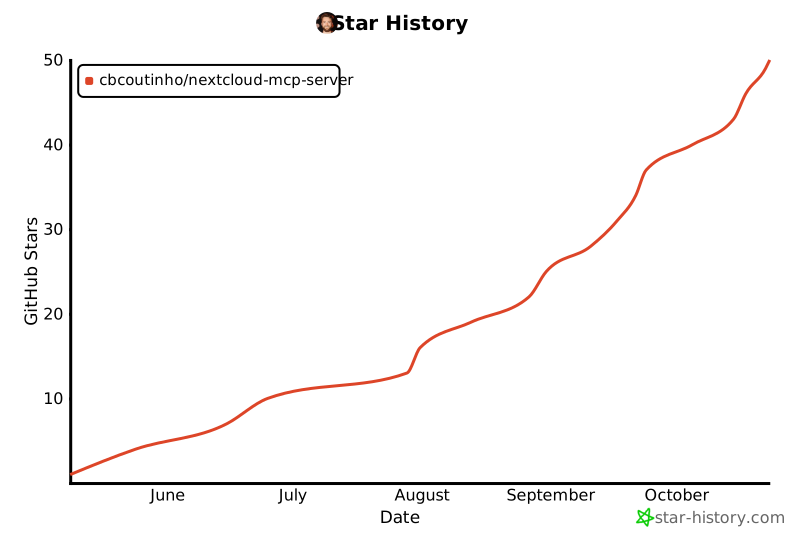](https://www.star-history.com/#cbcoutinho/nextcloud-mcp-server&Date)
|
||||
|
||||
## References
|
||||
|
||||
- [Model Context Protocol](https://github.com/modelcontextprotocol)
|
||||
- [MCP Python SDK](https://github.com/modelcontextprotocol/python-sdk)
|
||||
- [Nextcloud](https://nextcloud.com/)
|
||||
|
||||
@@ -0,0 +1,69 @@
|
||||
From deab2dac3d73d25f20a95c18103f327ab48f837a Mon Sep 17 00:00:00 2001
|
||||
From: Chris Coutinho <chris@coutinho.io>
|
||||
Date: Sun, 12 Oct 2025 21:09:29 +0200
|
||||
Subject: [PATCH 1/1] Fix Bearer token authentication causing session logout
|
||||
|
||||
When using Bearer token authentication with OIDC, API requests to
|
||||
endpoints with @CORS annotations (like Notes API) were failing with
|
||||
401 Unauthorized errors. This occurred because:
|
||||
|
||||
1. Bearer token validation successfully authenticated the user
|
||||
2. A session was created for the authenticated user
|
||||
3. Nextcloud's CORSMiddleware detected the logged-in session but no
|
||||
CSRF token, causing it to call session->logout()
|
||||
4. The logout invalidated the session, breaking the API request
|
||||
|
||||
This fix sets the 'app_api' session flag during Bearer token
|
||||
authentication, which instructs CORSMiddleware to skip the CSRF check
|
||||
and logout logic. This is the same mechanism used by Nextcloud's
|
||||
AppAPI framework for external application authentication.
|
||||
|
||||
The flag is set at all successful Bearer token authentication points:
|
||||
- Line 243: After OIDC Identity Provider validation
|
||||
- Line 310: After auto-provisioning with bearer provisioning
|
||||
- Line 315: After existing user authentication
|
||||
- Line 337: After LDAP user sync
|
||||
|
||||
Fixes: Bearer token authentication for all Nextcloud APIs
|
||||
Tested-with: nextcloud-mcp-server integration tests
|
||||
Signed-off-by: Chris Coutinho <chris@coutinho.io>
|
||||
---
|
||||
lib/User/Backend.php | 4 ++++
|
||||
1 file changed, 4 insertions(+)
|
||||
|
||||
diff --git a/lib/User/Backend.php b/lib/User/Backend.php
|
||||
index 23cfb18..65665cc 100644
|
||||
--- a/lib/User/Backend.php
|
||||
+++ b/lib/User/Backend.php
|
||||
@@ -240,6 +240,7 @@ class Backend extends ABackend implements IPasswordConfirmationBackend, IGetDisp
|
||||
$this->eventDispatcher->dispatchTyped($validationEvent);
|
||||
$oidcProviderUserId = $validationEvent->getUserId();
|
||||
if ($oidcProviderUserId !== null) {
|
||||
+ $this->session->set('app_api', true);
|
||||
return $oidcProviderUserId;
|
||||
} else {
|
||||
$this->logger->debug('[NextcloudOidcProviderValidator] The bearer token validation has failed');
|
||||
@@ -306,10 +307,12 @@ class Backend extends ABackend implements IPasswordConfirmationBackend, IGetDisp
|
||||
}
|
||||
|
||||
$this->session->set('last-password-confirm', strtotime('+4 year', time()));
|
||||
+ $this->session->set('app_api', true);
|
||||
return $userId;
|
||||
} elseif ($this->userExists($tokenUserId)) {
|
||||
$this->checkFirstLogin($tokenUserId);
|
||||
$this->session->set('last-password-confirm', strtotime('+4 year', time()));
|
||||
+ $this->session->set('app_api', true);
|
||||
return $tokenUserId;
|
||||
} else {
|
||||
// check if the user exists locally
|
||||
@@ -331,6 +334,7 @@ class Backend extends ABackend implements IPasswordConfirmationBackend, IGetDisp
|
||||
}
|
||||
$this->checkFirstLogin($tokenUserId);
|
||||
$this->session->set('last-password-confirm', strtotime('+4 year', time()));
|
||||
+ $this->session->set('app_api', true);
|
||||
return $tokenUserId;
|
||||
}
|
||||
}
|
||||
--
|
||||
2.51.0
|
||||
|
||||
@@ -0,0 +1,18 @@
|
||||
diff --git a/lib/private/AppFramework/Middleware/Security/CORSMiddleware.php b/lib/private/AppFramework/Middleware/Security/CORSMiddleware.php
|
||||
index 4453f5a7d4b..f1ca9b48d21 100644
|
||||
--- a/lib/private/AppFramework/Middleware/Security/CORSMiddleware.php
|
||||
+++ b/lib/private/AppFramework/Middleware/Security/CORSMiddleware.php
|
||||
@@ -73,6 +73,13 @@ class CORSMiddleware extends Middleware {
|
||||
$user = array_key_exists('PHP_AUTH_USER', $this->request->server) ? $this->request->server['PHP_AUTH_USER'] : null;
|
||||
$pass = array_key_exists('PHP_AUTH_PW', $this->request->server) ? $this->request->server['PHP_AUTH_PW'] : null;
|
||||
|
||||
+ // Allow Bearer token authentication for CORS requests
|
||||
+ // Bearer tokens are stateless and don't require CSRF protection
|
||||
+ $authorizationHeader = $this->request->getHeader('Authorization');
|
||||
+ if (!empty($authorizationHeader) && str_starts_with($authorizationHeader, 'Bearer ')) {
|
||||
+ return;
|
||||
+ }
|
||||
+
|
||||
// Allow to use the current session if a CSRF token is provided
|
||||
if ($this->request->passesCSRFCheck()) {
|
||||
return;
|
||||
@@ -0,0 +1,5 @@
|
||||
#!/bin/bash
|
||||
|
||||
set -euox pipefail
|
||||
|
||||
php /var/www/html/occ config:system:set trusted_domains 2 --value=host.docker.internal
|
||||
+37
@@ -0,0 +1,37 @@
|
||||
#!/bin/bash
|
||||
|
||||
set -euox pipefail
|
||||
|
||||
echo "Installing and configuring Calendar app..."
|
||||
|
||||
# Enable calendar app
|
||||
php /var/www/html/occ app:enable calendar
|
||||
php /var/www/html/occ app:enable tasks
|
||||
|
||||
# Wait for calendar app to be fully initialized
|
||||
echo "Waiting for calendar app to initialize..."
|
||||
sleep 5
|
||||
|
||||
# Disable rate limits on calendar creation for integration tests
|
||||
# Set to -1 to completely disable rate limiting
|
||||
# Reference: https://docs.nextcloud.com/server/stable/admin_manual/groupware/calendar.html#rate-limits
|
||||
php occ config:app:set dav rateLimitCalendarCreation --type=integer --value=100
|
||||
php occ config:app:set dav rateLimitPeriodCalendarCreation --type=integer --value=60
|
||||
php occ config:app:set dav maximumCalendarsSubscriptions --type=integer --value=-1
|
||||
|
||||
# Ensure maintenance mode is off before calendar operations
|
||||
php /var/www/html/occ maintenance:mode --off
|
||||
|
||||
# Sync DAV system to ensure proper initialization
|
||||
echo "Syncing DAV system..."
|
||||
php /var/www/html/occ dav:sync-system-addressbook
|
||||
|
||||
# Repair calendar app to ensure proper setup
|
||||
echo "Repairing calendar app..."
|
||||
php /var/www/html/occ maintenance:repair --include-expensive
|
||||
|
||||
# Final wait to ensure CalDAV service is fully ready
|
||||
echo "Final CalDAV initialization wait..."
|
||||
sleep 5
|
||||
|
||||
echo "Calendar app installation complete!"
|
||||
@@ -0,0 +1,5 @@
|
||||
#!/bin/bash
|
||||
|
||||
set -euox pipefail
|
||||
|
||||
php /var/www/html/occ app:enable contacts
|
||||
@@ -0,0 +1,5 @@
|
||||
#!/bin/bash
|
||||
|
||||
set -euox pipefail
|
||||
|
||||
php /var/www/html/occ app:enable cookbook
|
||||
+5
@@ -0,0 +1,5 @@
|
||||
#!/bin/bash
|
||||
|
||||
set -euox pipefail
|
||||
|
||||
php /var/www/html/occ app:enable deck
|
||||
+2
@@ -1,3 +1,5 @@
|
||||
#!/bin/bash
|
||||
|
||||
set -euox pipefail
|
||||
|
||||
php /var/www/html/occ app:enable notes
|
||||
+40
@@ -0,0 +1,40 @@
|
||||
#!/bin/bash
|
||||
|
||||
set -euox pipefail
|
||||
|
||||
echo "Installing and configuring OIDC app for testing..."
|
||||
|
||||
# Check if development OIDC app is mounted at /opt/apps/oidc
|
||||
if [ -d /opt/apps/oidc ]; then
|
||||
echo "Development OIDC app found at /opt/apps/oidc"
|
||||
|
||||
# Remove any existing OIDC app in custom_apps (from app store or old symlink)
|
||||
if [ -e /var/www/html/custom_apps/oidc ]; then
|
||||
echo "Removing existing OIDC in custom_apps..."
|
||||
rm -rf /var/www/html/custom_apps/oidc
|
||||
fi
|
||||
|
||||
# Create symlink from custom_apps to the mounted development version
|
||||
# Per Nextcloud docs: apps outside server root need symlinks in server root
|
||||
echo "Creating symlink: custom_apps/oidc -> /opt/apps/oidc"
|
||||
ln -sf /opt/apps/oidc /var/www/html/custom_apps/oidc
|
||||
|
||||
echo "Enabling OIDC app from /opt/apps (development mode via symlink)"
|
||||
php /var/www/html/occ app:enable oidc
|
||||
elif [ -d /var/www/html/custom_apps/oidc ]; then
|
||||
echo "OIDC app directory found in custom_apps (already installed)"
|
||||
php /var/www/html/occ app:enable oidc
|
||||
else
|
||||
echo "OIDC app not found, installing from app store..."
|
||||
php /var/www/html/occ app:install oidc
|
||||
php /var/www/html/occ app:enable oidc
|
||||
fi
|
||||
|
||||
# Configure OIDC Identity Provider with dynamic client registration enabled
|
||||
php /var/www/html/occ config:app:set oidc dynamic_client_registration --value='true' # NOTE: String
|
||||
php /var/www/html/occ config:app:set oidc proof_key_for_code_exchange --value=true --type=boolean
|
||||
php /var/www/html/occ config:app:set oidc allow_user_settings --value='enabled'
|
||||
php /var/www/html/occ config:app:set oidc default_token_type --value='jwt'
|
||||
php /var/www/html/occ config:app:set oidc default_resource_identifier --value='http://localhost:8080'
|
||||
|
||||
echo "OIDC app installed and configured successfully"
|
||||
@@ -0,0 +1,5 @@
|
||||
#!/bin/bash
|
||||
|
||||
set -euox pipefail
|
||||
|
||||
php /var/www/html/occ app:enable tables
|
||||
+21
@@ -0,0 +1,21 @@
|
||||
#!/bin/bash
|
||||
|
||||
set -euox pipefail
|
||||
|
||||
echo "Installing and configuring user_oidc app for testing..."
|
||||
|
||||
# Enable the user_oidc app (OIDC client for bearer token validation)
|
||||
php /var/www/html/occ app:enable user_oidc
|
||||
|
||||
# Configure user_oidc to validate bearer tokens from the OIDC Identity Provider
|
||||
php /var/www/html/occ config:system:set user_oidc oidc_provider_bearer_validation --value=true --type=boolean
|
||||
php /var/www/html/occ config:system:set user_oidc httpclient.allowselfsigned --value=true --type=boolean
|
||||
|
||||
# Allow Nextcloud to connect to local/internal servers (required for external IdP mode)
|
||||
# This enables user_oidc to fetch JWKS from internal Keycloak container
|
||||
php /var/www/html/occ config:system:set allow_local_remote_servers --value=true --type=boolean
|
||||
|
||||
# Note: The user_oidc app_api session flag patch is NOT required when using the
|
||||
# CORSMiddleware Bearer token patch (20-apply-cors-bearer-token-patch.sh).
|
||||
# The CORSMiddleware patch fixes the root cause by allowing Bearer tokens to bypass
|
||||
# CORS/CSRF checks at the framework level.
|
||||
+100
@@ -0,0 +1,100 @@
|
||||
#!/bin/bash
|
||||
#
|
||||
# Configure user_oidc to accept bearer tokens from Keycloak
|
||||
#
|
||||
# This script sets up Keycloak as an external OIDC provider for Nextcloud.
|
||||
# It enables bearer token validation, allowing the MCP server to use Keycloak
|
||||
# tokens to access Nextcloud APIs without admin credentials.
|
||||
#
|
||||
|
||||
set -e
|
||||
|
||||
echo "===================================================================="
|
||||
echo "Configuring user_oidc provider for Keycloak..."
|
||||
echo "===================================================================="
|
||||
|
||||
# Wait for Keycloak to be ready and realm to be available
|
||||
echo "Waiting for Keycloak realm to be available..."
|
||||
MAX_RETRIES=30
|
||||
RETRY_COUNT=0
|
||||
|
||||
while [ $RETRY_COUNT -lt $MAX_RETRIES ]; do
|
||||
if curl -sf http://keycloak:8080/realms/nextcloud-mcp/.well-known/openid-configuration > /dev/null 2>&1; then
|
||||
echo "✓ Keycloak realm is ready"
|
||||
break
|
||||
fi
|
||||
echo " Waiting for Keycloak... (attempt $((RETRY_COUNT + 1))/$MAX_RETRIES)"
|
||||
sleep 5
|
||||
RETRY_COUNT=$((RETRY_COUNT + 1))
|
||||
done
|
||||
|
||||
if [ $RETRY_COUNT -eq $MAX_RETRIES ]; then
|
||||
echo "⚠ Warning: Keycloak not available after $MAX_RETRIES attempts"
|
||||
echo " Keycloak provider will not be configured"
|
||||
echo " You can configure it manually using:"
|
||||
echo " docker compose exec app php occ user_oidc:provider keycloak \\"
|
||||
echo " --clientid='nextcloud' \\"
|
||||
echo " --clientsecret='nextcloud-secret-change-in-production' \\"
|
||||
echo " --discoveryuri='http://keycloak:8080/realms/nextcloud-mcp/.well-known/openid-configuration' \\"
|
||||
echo " --check-bearer=1 \\"
|
||||
echo " --bearer-provisioning=1 \\"
|
||||
echo " --unique-uid=1"
|
||||
exit 0
|
||||
fi
|
||||
|
||||
# Check if provider already exists
|
||||
if php /var/www/html/occ user_oidc:provider keycloak 2>/dev/null | grep -q "Identifier"; then
|
||||
echo " Keycloak provider already exists, updating configuration..."
|
||||
|
||||
# Update existing provider
|
||||
php /var/www/html/occ user_oidc:provider keycloak \
|
||||
--clientid="nextcloud" \
|
||||
--clientsecret="nextcloud-secret-change-in-production" \
|
||||
--discoveryuri="http://keycloak:8080/realms/nextcloud-mcp/.well-known/openid-configuration" \
|
||||
--check-bearer=1 \
|
||||
--bearer-provisioning=1 \
|
||||
--unique-uid=1 \
|
||||
--mapping-uid="sub" \
|
||||
--mapping-display-name="name" \
|
||||
--mapping-email="email" \
|
||||
--scope="openid profile email offline_access"
|
||||
|
||||
echo "✓ Updated Keycloak provider configuration"
|
||||
else
|
||||
echo " Creating new Keycloak provider..."
|
||||
|
||||
# Create new provider
|
||||
php /var/www/html/occ user_oidc:provider keycloak \
|
||||
--clientid="nextcloud" \
|
||||
--clientsecret="nextcloud-secret-change-in-production" \
|
||||
--discoveryuri="http://keycloak:8080/realms/nextcloud-mcp/.well-known/openid-configuration" \
|
||||
--check-bearer=1 \
|
||||
--bearer-provisioning=1 \
|
||||
--unique-uid=1 \
|
||||
--mapping-uid="sub" \
|
||||
--mapping-display-name="name" \
|
||||
--mapping-email="email" \
|
||||
--scope="openid profile email offline_access"
|
||||
|
||||
echo "✓ Created Keycloak provider"
|
||||
fi
|
||||
|
||||
# Display provider details
|
||||
echo ""
|
||||
echo "Keycloak provider configuration:"
|
||||
php /var/www/html/occ user_oidc:provider keycloak
|
||||
|
||||
echo ""
|
||||
echo "===================================================================="
|
||||
echo "✓ Keycloak provider configured successfully"
|
||||
echo "===================================================================="
|
||||
echo ""
|
||||
echo "Key features enabled:"
|
||||
echo " • Bearer token validation (--check-bearer=1)"
|
||||
echo " • Automatic user provisioning (--bearer-provisioning=1)"
|
||||
echo " • Unique user IDs (--unique-uid=1)"
|
||||
echo " • Offline access scope (for refresh tokens)"
|
||||
echo ""
|
||||
echo "MCP server can now use Keycloak tokens to access Nextcloud APIs"
|
||||
echo "without admin credentials (ADR-002 architecture)."
|
||||
echo ""
|
||||
@@ -0,0 +1,64 @@
|
||||
#!/bin/bash
|
||||
#
|
||||
# Apply upstream CORSMiddleware Bearer token authentication patch
|
||||
#
|
||||
# This patch allows Bearer tokens to bypass CORS/CSRF checks, fixing
|
||||
# authentication issues with app-specific APIs (Notes, Calendar, etc.)
|
||||
# when using OAuth/OIDC Bearer tokens.
|
||||
#
|
||||
# Upstream PR: https://github.com/nextcloud/server/pull/55878
|
||||
# Commit: 8fb5e77db82 (fix(cors): Allow Bearer token authentication)
|
||||
#
|
||||
|
||||
set -e
|
||||
|
||||
PATCH_FILE="/docker-entrypoint-hooks.d/patches/cors-bearer-token.patch"
|
||||
TARGET_FILE="/var/www/html/lib/private/AppFramework/Middleware/Security/CORSMiddleware.php"
|
||||
|
||||
echo "===================================================================="
|
||||
echo "Applying CORSMiddleware Bearer token authentication patch..."
|
||||
echo "===================================================================="
|
||||
|
||||
# Check if patch file exists
|
||||
if [ ! -f "$PATCH_FILE" ]; then
|
||||
echo "⚠ Warning: Patch file not found: $PATCH_FILE"
|
||||
echo " Skipping CORS Bearer token patch"
|
||||
exit 0
|
||||
fi
|
||||
|
||||
# Check if target file exists
|
||||
if [ ! -f "$TARGET_FILE" ]; then
|
||||
echo "⚠ Warning: Target file not found: $TARGET_FILE"
|
||||
echo " Skipping CORS Bearer token patch"
|
||||
exit 0
|
||||
fi
|
||||
|
||||
# Check if already patched
|
||||
if grep -q "Allow Bearer token authentication for CORS requests" "$TARGET_FILE"; then
|
||||
echo "✓ CORSMiddleware already patched for Bearer token support"
|
||||
exit 0
|
||||
fi
|
||||
|
||||
echo "Applying patch to CORSMiddleware.php..."
|
||||
|
||||
# Apply the patch
|
||||
cd /var/www/html
|
||||
if patch -p1 --dry-run < "$PATCH_FILE" > /dev/null 2>&1; then
|
||||
patch -p1 < "$PATCH_FILE"
|
||||
echo "✓ Patch applied successfully"
|
||||
else
|
||||
echo "⚠ Warning: Patch failed to apply (may already be applied or file changed)"
|
||||
echo " This is expected if using a Nextcloud version that already includes the fix"
|
||||
exit 0
|
||||
fi
|
||||
|
||||
echo ""
|
||||
echo "===================================================================="
|
||||
echo "✓ CORSMiddleware Bearer token patch applied"
|
||||
echo "===================================================================="
|
||||
echo ""
|
||||
echo "Benefits:"
|
||||
echo " • Bearer tokens now work with app-specific APIs (Notes, Calendar, etc.)"
|
||||
echo " • OAuth/OIDC authentication works without CORS errors"
|
||||
echo " • Stateless API authentication is properly supported"
|
||||
echo ""
|
||||
@@ -0,0 +1,3 @@
|
||||
#!/bin/bash
|
||||
|
||||
php /var/www/html/occ config:app:set --value false firstrunwizard wizard_enabled
|
||||
@@ -0,0 +1,23 @@
|
||||
# Patterns to ignore when building packages.
|
||||
# This supports shell glob matching, relative path matching, and
|
||||
# negation (prefixed with !). Only one pattern per line.
|
||||
.DS_Store
|
||||
# Common VCS dirs
|
||||
.git/
|
||||
.gitignore
|
||||
.bzr/
|
||||
.bzrignore
|
||||
.hg/
|
||||
.hgignore
|
||||
.svn/
|
||||
# Common backup files
|
||||
*.swp
|
||||
*.bak
|
||||
*.tmp
|
||||
*.orig
|
||||
*~
|
||||
# Various IDEs
|
||||
.project
|
||||
.idea/
|
||||
*.tmproj
|
||||
.vscode/
|
||||
@@ -0,0 +1,23 @@
|
||||
apiVersion: v2
|
||||
name: nextcloud-mcp-server
|
||||
description: A Helm chart for Nextcloud MCP Server - enables AI assistants to interact with Nextcloud
|
||||
type: application
|
||||
version: 0.25.0
|
||||
appVersion: "0.25.0"
|
||||
keywords:
|
||||
- nextcloud
|
||||
- mcp
|
||||
- model-context-protocol
|
||||
- llm
|
||||
- ai
|
||||
- claude
|
||||
- webdav
|
||||
- caldav
|
||||
- carddav
|
||||
maintainers:
|
||||
- name: Chris Coutinho
|
||||
email: chris@coutinho.io
|
||||
home: https://github.com/cbcoutinho/nextcloud-mcp-server
|
||||
sources:
|
||||
- https://github.com/cbcoutinho/nextcloud-mcp-server
|
||||
icon: https://raw.githubusercontent.com/nextcloud/server/master/core/img/logo/logo.svg
|
||||
@@ -0,0 +1,489 @@
|
||||
# Nextcloud MCP Server Helm Chart
|
||||
|
||||
This Helm chart deploys the Nextcloud MCP (Model Context Protocol) Server on a Kubernetes cluster, enabling AI assistants to interact with your Nextcloud instance.
|
||||
|
||||
## Prerequisites
|
||||
|
||||
- Kubernetes 1.19+
|
||||
- Helm 3.0+
|
||||
- A running Nextcloud instance (accessible from the Kubernetes cluster)
|
||||
- Nextcloud credentials (username/password for basic auth OR OAuth client for OAuth mode)
|
||||
|
||||
## Installation
|
||||
|
||||
### Quick Start with Basic Authentication
|
||||
|
||||
```bash
|
||||
# Install with basic auth (recommended for most users)
|
||||
helm install nextcloud-mcp ./helm/nextcloud-mcp-server \
|
||||
--set nextcloud.host=https://cloud.example.com \
|
||||
--set auth.basic.username=myuser \
|
||||
--set auth.basic.password=mypassword
|
||||
```
|
||||
|
||||
### Using a values file
|
||||
|
||||
Create a `custom-values.yaml` file:
|
||||
|
||||
```yaml
|
||||
nextcloud:
|
||||
host: https://cloud.example.com
|
||||
|
||||
auth:
|
||||
mode: basic
|
||||
basic:
|
||||
username: myuser
|
||||
password: mypassword
|
||||
|
||||
resources:
|
||||
limits:
|
||||
cpu: 1000m
|
||||
memory: 512Mi
|
||||
requests:
|
||||
cpu: 100m
|
||||
memory: 128Mi
|
||||
```
|
||||
|
||||
Install with your custom values:
|
||||
|
||||
```bash
|
||||
helm install nextcloud-mcp ./helm/nextcloud-mcp-server -f custom-values.yaml
|
||||
```
|
||||
|
||||
### OAuth Authentication Mode (Experimental)
|
||||
|
||||
**Warning:** OAuth mode is experimental and requires patches to the Nextcloud `user_oidc` app. See the [Authentication Guide](https://github.com/cbcoutinho/nextcloud-mcp-server#authentication) for details.
|
||||
|
||||
```yaml
|
||||
nextcloud:
|
||||
host: https://cloud.example.com
|
||||
mcpServerUrl: https://mcp.example.com
|
||||
publicIssuerUrl: https://cloud.example.com
|
||||
|
||||
auth:
|
||||
mode: oauth
|
||||
oauth:
|
||||
# Optional: provide pre-registered client credentials
|
||||
# If not provided, will use Dynamic Client Registration
|
||||
clientId: "your-client-id"
|
||||
clientSecret: "your-client-secret"
|
||||
persistence:
|
||||
enabled: true
|
||||
size: 100Mi
|
||||
|
||||
ingress:
|
||||
enabled: true
|
||||
className: nginx
|
||||
hosts:
|
||||
- host: mcp.example.com
|
||||
paths:
|
||||
- path: /
|
||||
pathType: Prefix
|
||||
tls:
|
||||
- secretName: nextcloud-mcp-tls
|
||||
hosts:
|
||||
- mcp.example.com
|
||||
```
|
||||
|
||||
## Configuration
|
||||
|
||||
### Key Configuration Parameters
|
||||
|
||||
#### Nextcloud Connection
|
||||
|
||||
| Parameter | Description | Default |
|
||||
|-----------|-------------|---------|
|
||||
| `nextcloud.host` | URL of your Nextcloud instance (required) | `""` |
|
||||
| `nextcloud.mcpServerUrl` | MCP server URL for OAuth callbacks (OAuth only, optional) | Smart default* |
|
||||
| `nextcloud.publicIssuerUrl` | Public issuer URL for OAuth (OAuth only, optional) | Smart default** |
|
||||
|
||||
**Smart Defaults:**
|
||||
- `*mcpServerUrl`: If not set, automatically uses ingress host (if enabled) or `http://localhost:8000` (for port-forward setups)
|
||||
- `**publicIssuerUrl`: If not set, automatically defaults to `nextcloud.host` (which works when both clients and MCP server access Nextcloud at the same URL)
|
||||
|
||||
#### Authentication
|
||||
|
||||
| Parameter | Description | Default |
|
||||
|-----------|-------------|---------|
|
||||
| `auth.mode` | Authentication mode: `basic` or `oauth` | `basic` |
|
||||
| `auth.basic.username` | Nextcloud username (basic auth) | `""` |
|
||||
| `auth.basic.password` | Nextcloud password (basic auth) | `""` |
|
||||
| `auth.basic.existingSecret` | Use existing secret for credentials | `""` |
|
||||
| `auth.oauth.clientId` | OAuth client ID (OAuth mode, optional) | `""` |
|
||||
| `auth.oauth.clientSecret` | OAuth client secret (OAuth mode, optional) | `""` |
|
||||
| `auth.oauth.persistence.enabled` | Enable persistent storage for OAuth | `true` |
|
||||
| `auth.oauth.persistence.size` | Size of OAuth storage PVC | `100Mi` |
|
||||
|
||||
#### MCP Server Configuration
|
||||
|
||||
| Parameter | Description | Default |
|
||||
|-----------|-------------|---------|
|
||||
| `mcp.transport` | Transport mode | `streamable-http` |
|
||||
| `mcp.port` | Server port (used by both auth modes) | `8000` |
|
||||
| `mcp.extraArgs` | Additional command-line arguments | `[]` |
|
||||
|
||||
The `extraArgs` parameter allows you to pass additional command-line arguments to the MCP server. This is useful for enabling debug logging, enabling specific apps, or other runtime configuration.
|
||||
|
||||
**Example:**
|
||||
```yaml
|
||||
mcp:
|
||||
extraArgs:
|
||||
- "--log-level"
|
||||
- "debug"
|
||||
- "--enable-app"
|
||||
- "notes"
|
||||
```
|
||||
|
||||
#### Image Configuration
|
||||
|
||||
| Parameter | Description | Default |
|
||||
|-----------|-------------|---------|
|
||||
| `image.repository` | Container image repository | `ghcr.io/cbcoutinho/nextcloud-mcp-server` |
|
||||
| `image.pullPolicy` | Image pull policy | `IfNotPresent` |
|
||||
|
||||
**Note:** Image tag is automatically set to the chart's `appVersion` and cannot be overridden.
|
||||
|
||||
#### Resources
|
||||
|
||||
| Parameter | Description | Default |
|
||||
|-----------|-------------|---------|
|
||||
| `resources.limits.cpu` | CPU limit | `1000m` |
|
||||
| `resources.limits.memory` | Memory limit | `512Mi` |
|
||||
| `resources.requests.cpu` | CPU request | `100m` |
|
||||
| `resources.requests.memory` | Memory request | `128Mi` |
|
||||
|
||||
#### Service
|
||||
|
||||
| Parameter | Description | Default |
|
||||
|-----------|-------------|---------|
|
||||
| `service.type` | Service type | `ClusterIP` |
|
||||
| `service.port` | Service port | `8000` |
|
||||
|
||||
#### Ingress
|
||||
|
||||
| Parameter | Description | Default |
|
||||
|-----------|-------------|---------|
|
||||
| `ingress.enabled` | Enable ingress | `false` |
|
||||
| `ingress.className` | Ingress class name | `""` |
|
||||
| `ingress.hosts` | Ingress host configuration | See values.yaml |
|
||||
| `ingress.tls` | Ingress TLS configuration | `[]` |
|
||||
|
||||
#### Autoscaling
|
||||
|
||||
| Parameter | Description | Default |
|
||||
|-----------|-------------|---------|
|
||||
| `autoscaling.enabled` | Enable HPA | `false` |
|
||||
| `autoscaling.minReplicas` | Minimum replicas | `1` |
|
||||
| `autoscaling.maxReplicas` | Maximum replicas | `10` |
|
||||
| `autoscaling.targetCPUUtilizationPercentage` | Target CPU % | `80` |
|
||||
|
||||
#### Health Probes
|
||||
|
||||
| Parameter | Description | Default |
|
||||
|-----------|-------------|---------|
|
||||
| `livenessProbe.httpGet.path` | Liveness probe endpoint | `/health/live` |
|
||||
| `livenessProbe.initialDelaySeconds` | Initial delay for liveness | `30` |
|
||||
| `livenessProbe.periodSeconds` | Check interval for liveness | `10` |
|
||||
| `readinessProbe.httpGet.path` | Readiness probe endpoint | `/health/ready` |
|
||||
| `readinessProbe.initialDelaySeconds` | Initial delay for readiness | `10` |
|
||||
| `readinessProbe.periodSeconds` | Check interval for readiness | `5` |
|
||||
|
||||
The application exposes HTTP health check endpoints:
|
||||
- `/health/live` - Liveness probe (checks if application is running)
|
||||
- `/health/ready` - Readiness probe (checks if application is ready to serve traffic)
|
||||
|
||||
#### Document Processing (Optional)
|
||||
|
||||
| Parameter | Description | Default |
|
||||
|-----------|-------------|---------|
|
||||
| `documentProcessing.enabled` | Enable document processing | `false` |
|
||||
| `documentProcessing.defaultProcessor` | Default processor | `unstructured` |
|
||||
| `documentProcessing.unstructured.enabled` | Enable Unstructured.io processor | `false` |
|
||||
| `documentProcessing.unstructured.apiUrl` | Unstructured API URL | `http://unstructured:8000` |
|
||||
| `documentProcessing.tesseract.enabled` | Enable Tesseract OCR | `false` |
|
||||
|
||||
## Examples
|
||||
|
||||
### Example 1: Basic Auth with Ingress
|
||||
|
||||
```yaml
|
||||
nextcloud:
|
||||
host: https://cloud.example.com
|
||||
|
||||
auth:
|
||||
mode: basic
|
||||
basic:
|
||||
username: admin
|
||||
password: secure-password
|
||||
|
||||
ingress:
|
||||
enabled: true
|
||||
className: nginx
|
||||
annotations:
|
||||
cert-manager.io/cluster-issuer: letsencrypt-prod
|
||||
hosts:
|
||||
- host: mcp.example.com
|
||||
paths:
|
||||
- path: /
|
||||
pathType: Prefix
|
||||
tls:
|
||||
- secretName: mcp-tls
|
||||
hosts:
|
||||
- mcp.example.com
|
||||
|
||||
resources:
|
||||
limits:
|
||||
cpu: 2000m
|
||||
memory: 1Gi
|
||||
requests:
|
||||
cpu: 200m
|
||||
memory: 256Mi
|
||||
```
|
||||
|
||||
### Example 2: Using Existing Secrets
|
||||
|
||||
#### Basic Auth with Existing Secret
|
||||
|
||||
Create a secret manually:
|
||||
|
||||
```bash
|
||||
kubectl create secret generic nextcloud-credentials \
|
||||
--from-literal=username=myuser \
|
||||
--from-literal=password=mypassword
|
||||
```
|
||||
|
||||
Then reference it in your values:
|
||||
|
||||
```yaml
|
||||
nextcloud:
|
||||
host: https://cloud.example.com
|
||||
|
||||
auth:
|
||||
mode: basic
|
||||
basic:
|
||||
existingSecret: nextcloud-credentials
|
||||
usernameKey: username
|
||||
passwordKey: password
|
||||
```
|
||||
|
||||
#### OAuth with Existing Secret (Pre-registered Client)
|
||||
|
||||
If you have a pre-registered OAuth client:
|
||||
|
||||
```bash
|
||||
kubectl create secret generic nextcloud-oauth-creds \
|
||||
--from-literal=clientId=my-oauth-client-id \
|
||||
--from-literal=clientSecret=my-oauth-client-secret
|
||||
```
|
||||
|
||||
Then reference it in your values:
|
||||
|
||||
```yaml
|
||||
nextcloud:
|
||||
host: https://cloud.example.com
|
||||
# mcpServerUrl and publicIssuerUrl are optional!
|
||||
# If not set, mcpServerUrl defaults to ingress host or localhost
|
||||
# publicIssuerUrl defaults to nextcloud.host
|
||||
|
||||
auth:
|
||||
mode: oauth
|
||||
oauth:
|
||||
existingSecret: nextcloud-oauth-creds
|
||||
clientIdKey: clientId
|
||||
clientSecretKey: clientSecret
|
||||
persistence:
|
||||
enabled: true
|
||||
|
||||
ingress:
|
||||
enabled: true
|
||||
hosts:
|
||||
- host: mcp.example.com
|
||||
paths:
|
||||
- path: /
|
||||
pathType: Prefix
|
||||
tls:
|
||||
- secretName: mcp-tls
|
||||
hosts:
|
||||
- mcp.example.com
|
||||
```
|
||||
|
||||
### Example 3: OAuth with Document Processing and Dynamic Client Registration
|
||||
|
||||
This example shows OAuth without pre-registered credentials (using DCR) and optional URL values:
|
||||
|
||||
```yaml
|
||||
nextcloud:
|
||||
host: https://cloud.example.com
|
||||
# mcpServerUrl will automatically use ingress host (https://mcp.example.com)
|
||||
# publicIssuerUrl will automatically default to nextcloud.host
|
||||
|
||||
auth:
|
||||
mode: oauth
|
||||
oauth:
|
||||
# No clientId/clientSecret - will use Dynamic Client Registration!
|
||||
persistence:
|
||||
enabled: true
|
||||
storageClass: fast-ssd
|
||||
size: 200Mi
|
||||
|
||||
documentProcessing:
|
||||
enabled: true
|
||||
defaultProcessor: unstructured
|
||||
unstructured:
|
||||
enabled: true
|
||||
apiUrl: http://unstructured-api:8000
|
||||
strategy: hi_res
|
||||
languages: eng,deu,fra
|
||||
|
||||
ingress:
|
||||
enabled: true
|
||||
className: nginx
|
||||
hosts:
|
||||
- host: mcp.example.com
|
||||
paths:
|
||||
- path: /
|
||||
pathType: Prefix
|
||||
```
|
||||
|
||||
### Example 4: High Availability with Autoscaling
|
||||
|
||||
```yaml
|
||||
replicaCount: 2
|
||||
|
||||
autoscaling:
|
||||
enabled: true
|
||||
minReplicas: 2
|
||||
maxReplicas: 20
|
||||
targetCPUUtilizationPercentage: 70
|
||||
targetMemoryUtilizationPercentage: 80
|
||||
|
||||
resources:
|
||||
limits:
|
||||
cpu: 2000m
|
||||
memory: 1Gi
|
||||
requests:
|
||||
cpu: 500m
|
||||
memory: 512Mi
|
||||
|
||||
affinity:
|
||||
podAntiAffinity:
|
||||
preferredDuringSchedulingIgnoredDuringExecution:
|
||||
- weight: 100
|
||||
podAffinityTerm:
|
||||
labelSelector:
|
||||
matchExpressions:
|
||||
- key: app.kubernetes.io/name
|
||||
operator: In
|
||||
values:
|
||||
- nextcloud-mcp-server
|
||||
topologyKey: kubernetes.io/hostname
|
||||
```
|
||||
|
||||
## Upgrading
|
||||
|
||||
### To upgrade an existing deployment:
|
||||
|
||||
```bash
|
||||
helm upgrade nextcloud-mcp ./helm/nextcloud-mcp-server -f custom-values.yaml
|
||||
```
|
||||
|
||||
### To upgrade with new values:
|
||||
|
||||
```bash
|
||||
helm upgrade nextcloud-mcp ./helm/nextcloud-mcp-server \
|
||||
--set resources.limits.memory=1Gi
|
||||
```
|
||||
|
||||
## Uninstalling
|
||||
|
||||
```bash
|
||||
helm uninstall nextcloud-mcp
|
||||
```
|
||||
|
||||
**Note:** This will delete all resources including PVCs. If you want to preserve OAuth client data, backup the PVC before uninstalling.
|
||||
|
||||
## Troubleshooting
|
||||
|
||||
### Check pod status
|
||||
|
||||
```bash
|
||||
kubectl get pods -l app.kubernetes.io/name=nextcloud-mcp-server
|
||||
```
|
||||
|
||||
### View logs
|
||||
|
||||
```bash
|
||||
kubectl logs -l app.kubernetes.io/name=nextcloud-mcp-server --tail=100 -f
|
||||
```
|
||||
|
||||
### Check health endpoints
|
||||
|
||||
The application exposes health check endpoints for monitoring:
|
||||
|
||||
```bash
|
||||
# Port forward to the service
|
||||
kubectl port-forward svc/nextcloud-mcp 8000:8000
|
||||
|
||||
# Check liveness (if app is running)
|
||||
curl http://localhost:8000/health/live
|
||||
|
||||
# Check readiness (if app is ready to serve traffic)
|
||||
curl http://localhost:8000/health/ready
|
||||
```
|
||||
|
||||
**Example responses:**
|
||||
|
||||
Liveness (always returns 200 if running):
|
||||
```json
|
||||
{
|
||||
"status": "alive",
|
||||
"mode": "basic"
|
||||
}
|
||||
```
|
||||
|
||||
Readiness (returns 200 if ready, 503 if not ready):
|
||||
```json
|
||||
{
|
||||
"status": "ready",
|
||||
"checks": {
|
||||
"nextcloud_configured": "ok",
|
||||
"auth_mode": "basic",
|
||||
"auth_configured": "ok"
|
||||
}
|
||||
}
|
||||
```
|
||||
|
||||
### Common Issues
|
||||
|
||||
1. **Connection refused to Nextcloud**
|
||||
- Verify `nextcloud.host` is accessible from the Kubernetes cluster
|
||||
- Check network policies and firewall rules
|
||||
|
||||
2. **Authentication failures**
|
||||
- For basic auth: verify username/password are correct
|
||||
- For OAuth: check that OIDC app is properly configured
|
||||
|
||||
3. **OAuth persistence issues**
|
||||
- Verify PVC is bound: `kubectl get pvc`
|
||||
- Check storage class exists: `kubectl get storageclass`
|
||||
|
||||
4. **Resource constraints**
|
||||
- Increase memory limits if seeing OOM errors
|
||||
- Adjust CPU requests based on load
|
||||
|
||||
## Security Considerations
|
||||
|
||||
1. **Secrets Management**: Consider using external secret management (e.g., Sealed Secrets, External Secrets Operator)
|
||||
2. **TLS**: Always use TLS/HTTPS for production deployments
|
||||
3. **Network Policies**: Restrict network access to necessary services only
|
||||
4. **RBAC**: Review and customize ServiceAccount permissions as needed
|
||||
5. **App Passwords**: For basic auth, use Nextcloud app passwords instead of main account passwords
|
||||
|
||||
## Support
|
||||
|
||||
- GitHub Issues: https://github.com/cbcoutinho/nextcloud-mcp-server/issues
|
||||
- Documentation: https://github.com/cbcoutinho/nextcloud-mcp-server#readme
|
||||
|
||||
## License
|
||||
|
||||
This chart is licensed under AGPL-3.0, consistent with the Nextcloud MCP Server project.
|
||||
@@ -0,0 +1,80 @@
|
||||
Thank you for installing {{ .Chart.Name }}!
|
||||
|
||||
Your Nextcloud MCP Server has been deployed in {{ .Values.auth.mode }} authentication mode.
|
||||
|
||||
1. Get the application URL by running these commands:
|
||||
{{- if .Values.ingress.enabled }}
|
||||
{{- range $host := .Values.ingress.hosts }}
|
||||
{{- range .paths }}
|
||||
http{{ if $.Values.ingress.tls }}s{{ end }}://{{ $host.host }}{{ .path }}
|
||||
{{- end }}
|
||||
{{- end }}
|
||||
{{- else if contains "NodePort" .Values.service.type }}
|
||||
export NODE_PORT=$(kubectl get --namespace {{ .Release.Namespace }} -o jsonpath="{.spec.ports[0].nodePort}" services {{ include "nextcloud-mcp-server.fullname" . }})
|
||||
export NODE_IP=$(kubectl get nodes --namespace {{ .Release.Namespace }} -o jsonpath="{.items[0].status.addresses[0].address}")
|
||||
echo http://$NODE_IP:$NODE_PORT
|
||||
{{- else if contains "LoadBalancer" .Values.service.type }}
|
||||
NOTE: It may take a few minutes for the LoadBalancer IP to be available.
|
||||
You can watch the status of by running 'kubectl get --namespace {{ .Release.Namespace }} svc -w {{ include "nextcloud-mcp-server.fullname" . }}'
|
||||
export SERVICE_IP=$(kubectl get svc --namespace {{ .Release.Namespace }} {{ include "nextcloud-mcp-server.fullname" . }} --template "{{"{{ range (index .status.loadBalancer.ingress 0) }}{{.}}{{ end }}"}}")
|
||||
echo http://$SERVICE_IP:{{ .Values.service.port }}
|
||||
{{- else if contains "ClusterIP" .Values.service.type }}
|
||||
export POD_NAME=$(kubectl get pods --namespace {{ .Release.Namespace }} -l "app.kubernetes.io/name={{ include "nextcloud-mcp-server.name" . }},app.kubernetes.io/instance={{ .Release.Name }}" -o jsonpath="{.items[0].metadata.name}")
|
||||
export CONTAINER_PORT=$(kubectl get pod --namespace {{ .Release.Namespace }} $POD_NAME -o jsonpath="{.spec.containers[0].ports[0].containerPort}")
|
||||
echo "Visit http://127.0.0.1:8080 to use your MCP server"
|
||||
kubectl --namespace {{ .Release.Namespace }} port-forward $POD_NAME 8080:$CONTAINER_PORT
|
||||
{{- end }}
|
||||
|
||||
2. Check the deployment status:
|
||||
kubectl --namespace {{ .Release.Namespace }} get pods -l "app.kubernetes.io/name={{ include "nextcloud-mcp-server.name" . }},app.kubernetes.io/instance={{ .Release.Name }}"
|
||||
|
||||
{{- if eq .Values.auth.mode "basic" }}
|
||||
|
||||
3. Basic Authentication Mode:
|
||||
{{- if .Values.auth.basic.existingSecret }}
|
||||
- Credentials: (using existing secret {{ .Values.auth.basic.existingSecret }})
|
||||
{{- else }}
|
||||
- Username: {{ .Values.auth.basic.username }}
|
||||
- Password: (stored in secret {{ include "nextcloud-mcp-server.basicAuthSecretName" . }})
|
||||
{{- end }}
|
||||
- Connected to: {{ .Values.nextcloud.host }}
|
||||
{{- else if eq .Values.auth.mode "oauth" }}
|
||||
|
||||
3. OAuth Authentication Mode:
|
||||
- Server URL: {{ include "nextcloud-mcp-server.mcpServerUrl" . }}
|
||||
- Issuer URL: {{ include "nextcloud-mcp-server.publicIssuerUrl" . }}
|
||||
- Connected to: {{ .Values.nextcloud.host }}
|
||||
{{- if .Values.auth.oauth.existingSecret }}
|
||||
- Using existing OAuth client secret: {{ .Values.auth.oauth.existingSecret }}
|
||||
{{- else if and .Values.auth.oauth.clientId .Values.auth.oauth.clientSecret }}
|
||||
- Using pre-registered OAuth client
|
||||
{{- else }}
|
||||
- Using Dynamic Client Registration (DCR)
|
||||
{{- end }}
|
||||
{{- if .Values.auth.oauth.persistence.enabled }}
|
||||
- OAuth client credentials are persisted in PVC: {{ include "nextcloud-mcp-server.oauthPvcName" . }}
|
||||
{{- end }}
|
||||
|
||||
IMPORTANT: OAuth mode is experimental and requires patches to the user_oidc app.
|
||||
See: https://github.com/cbcoutinho/nextcloud-mcp-server#authentication
|
||||
{{- end }}
|
||||
|
||||
{{- if .Values.documentProcessing.enabled }}
|
||||
|
||||
4. Document Processing:
|
||||
- Enabled: {{ .Values.documentProcessing.enabled }}
|
||||
- Default processor: {{ .Values.documentProcessing.defaultProcessor }}
|
||||
{{- if .Values.documentProcessing.unstructured.enabled }}
|
||||
- Unstructured API: {{ .Values.documentProcessing.unstructured.apiUrl }}
|
||||
{{- end }}
|
||||
{{- end }}
|
||||
|
||||
For more information and documentation:
|
||||
- GitHub: https://github.com/cbcoutinho/nextcloud-mcp-server
|
||||
- Documentation: https://github.com/cbcoutinho/nextcloud-mcp-server#readme
|
||||
|
||||
To upgrade this deployment:
|
||||
helm upgrade {{ .Release.Name }} nextcloud-mcp-server
|
||||
|
||||
To uninstall:
|
||||
helm uninstall {{ .Release.Name }}
|
||||
@@ -0,0 +1,142 @@
|
||||
{{/*
|
||||
Expand the name of the chart.
|
||||
*/}}
|
||||
{{- define "nextcloud-mcp-server.name" -}}
|
||||
{{- default .Chart.Name .Values.nameOverride | trunc 63 | trimSuffix "-" }}
|
||||
{{- end }}
|
||||
|
||||
{{/*
|
||||
Create a default fully qualified app name.
|
||||
We truncate at 63 chars because some Kubernetes name fields are limited to this (by the DNS naming spec).
|
||||
If release name contains chart name it will be used as a full name.
|
||||
*/}}
|
||||
{{- define "nextcloud-mcp-server.fullname" -}}
|
||||
{{- if .Values.fullnameOverride }}
|
||||
{{- .Values.fullnameOverride | trunc 63 | trimSuffix "-" }}
|
||||
{{- else }}
|
||||
{{- $name := default .Chart.Name .Values.nameOverride }}
|
||||
{{- if contains $name .Release.Name }}
|
||||
{{- .Release.Name | trunc 63 | trimSuffix "-" }}
|
||||
{{- else }}
|
||||
{{- printf "%s-%s" .Release.Name $name | trunc 63 | trimSuffix "-" }}
|
||||
{{- end }}
|
||||
{{- end }}
|
||||
{{- end }}
|
||||
|
||||
{{/*
|
||||
Create chart name and version as used by the chart label.
|
||||
*/}}
|
||||
{{- define "nextcloud-mcp-server.chart" -}}
|
||||
{{- printf "%s-%s" .Chart.Name .Chart.Version | replace "+" "_" | trunc 63 | trimSuffix "-" }}
|
||||
{{- end }}
|
||||
|
||||
{{/*
|
||||
Common labels
|
||||
*/}}
|
||||
{{- define "nextcloud-mcp-server.labels" -}}
|
||||
helm.sh/chart: {{ include "nextcloud-mcp-server.chart" . }}
|
||||
{{ include "nextcloud-mcp-server.selectorLabels" . }}
|
||||
{{- if .Chart.AppVersion }}
|
||||
app.kubernetes.io/version: {{ .Chart.AppVersion | quote }}
|
||||
{{- end }}
|
||||
app.kubernetes.io/managed-by: {{ .Release.Service }}
|
||||
{{- end }}
|
||||
|
||||
{{/*
|
||||
Selector labels
|
||||
*/}}
|
||||
{{- define "nextcloud-mcp-server.selectorLabels" -}}
|
||||
app.kubernetes.io/name: {{ include "nextcloud-mcp-server.name" . }}
|
||||
app.kubernetes.io/instance: {{ .Release.Name }}
|
||||
{{- end }}
|
||||
|
||||
{{/*
|
||||
Create the name of the service account to use
|
||||
*/}}
|
||||
{{- define "nextcloud-mcp-server.serviceAccountName" -}}
|
||||
{{- if .Values.serviceAccount.create }}
|
||||
{{- default (include "nextcloud-mcp-server.fullname" .) .Values.serviceAccount.name }}
|
||||
{{- else }}
|
||||
{{- default "default" .Values.serviceAccount.name }}
|
||||
{{- end }}
|
||||
{{- end }}
|
||||
|
||||
{{/*
|
||||
Create the name of the secret to use for basic auth
|
||||
*/}}
|
||||
{{- define "nextcloud-mcp-server.basicAuthSecretName" -}}
|
||||
{{- if .Values.auth.basic.existingSecret }}
|
||||
{{- .Values.auth.basic.existingSecret }}
|
||||
{{- else }}
|
||||
{{- include "nextcloud-mcp-server.fullname" . }}-basic-auth
|
||||
{{- end }}
|
||||
{{- end }}
|
||||
|
||||
{{/*
|
||||
Create the name of the secret to use for OAuth
|
||||
*/}}
|
||||
{{- define "nextcloud-mcp-server.oauthSecretName" -}}
|
||||
{{- if .Values.auth.oauth.existingSecret }}
|
||||
{{- .Values.auth.oauth.existingSecret }}
|
||||
{{- else }}
|
||||
{{- include "nextcloud-mcp-server.fullname" . }}-oauth
|
||||
{{- end }}
|
||||
{{- end }}
|
||||
|
||||
{{/*
|
||||
Create the name of the PVC to use for OAuth storage
|
||||
*/}}
|
||||
{{- define "nextcloud-mcp-server.oauthPvcName" -}}
|
||||
{{- if .Values.auth.oauth.persistence.existingClaim }}
|
||||
{{- .Values.auth.oauth.persistence.existingClaim }}
|
||||
{{- else }}
|
||||
{{- include "nextcloud-mcp-server.fullname" . }}-oauth-storage
|
||||
{{- end }}
|
||||
{{- end }}
|
||||
|
||||
{{/*
|
||||
Return the MCP server port
|
||||
*/}}
|
||||
{{- define "nextcloud-mcp-server.port" -}}
|
||||
{{- .Values.mcp.port }}
|
||||
{{- end }}
|
||||
|
||||
{{/*
|
||||
Return the image tag (always uses chart appVersion)
|
||||
*/}}
|
||||
{{- define "nextcloud-mcp-server.imageTag" -}}
|
||||
{{- .Chart.AppVersion }}
|
||||
{{- end }}
|
||||
|
||||
{{/*
|
||||
Return the public issuer URL for OAuth
|
||||
Defaults to nextcloud.host if not specified
|
||||
*/}}
|
||||
{{- define "nextcloud-mcp-server.publicIssuerUrl" -}}
|
||||
{{- if .Values.nextcloud.publicIssuerUrl }}
|
||||
{{- .Values.nextcloud.publicIssuerUrl }}
|
||||
{{- else }}
|
||||
{{- .Values.nextcloud.host }}
|
||||
{{- end }}
|
||||
{{- end }}
|
||||
|
||||
{{/*
|
||||
Return the MCP server URL for OAuth callbacks
|
||||
If not specified:
|
||||
- Uses ingress host if ingress is enabled
|
||||
- Otherwise defaults to http://localhost:8000 (for port-forward setups)
|
||||
*/}}
|
||||
{{- define "nextcloud-mcp-server.mcpServerUrl" -}}
|
||||
{{- if .Values.nextcloud.mcpServerUrl }}
|
||||
{{- .Values.nextcloud.mcpServerUrl }}
|
||||
{{- else if .Values.ingress.enabled }}
|
||||
{{- $host := index .Values.ingress.hosts 0 }}
|
||||
{{- if .Values.ingress.tls }}
|
||||
{{- printf "https://%s" $host.host }}
|
||||
{{- else }}
|
||||
{{- printf "http://%s" $host.host }}
|
||||
{{- end }}
|
||||
{{- else }}
|
||||
{{- printf "http://localhost:%d" (int .Values.mcp.port) }}
|
||||
{{- end }}
|
||||
{{- end }}
|
||||
@@ -0,0 +1,188 @@
|
||||
apiVersion: apps/v1
|
||||
kind: Deployment
|
||||
metadata:
|
||||
name: {{ include "nextcloud-mcp-server.fullname" . }}
|
||||
labels:
|
||||
{{- include "nextcloud-mcp-server.labels" . | nindent 4 }}
|
||||
spec:
|
||||
{{- if not .Values.autoscaling.enabled }}
|
||||
replicas: {{ .Values.replicaCount }}
|
||||
{{- end }}
|
||||
selector:
|
||||
matchLabels:
|
||||
{{- include "nextcloud-mcp-server.selectorLabels" . | nindent 6 }}
|
||||
template:
|
||||
metadata:
|
||||
annotations:
|
||||
checksum/secret: {{ include (print $.Template.BasePath "/secret.yaml") . | sha256sum }}
|
||||
{{- with .Values.podAnnotations }}
|
||||
{{- toYaml . | nindent 8 }}
|
||||
{{- end }}
|
||||
labels:
|
||||
{{- include "nextcloud-mcp-server.labels" . | nindent 8 }}
|
||||
{{- with .Values.podLabels }}
|
||||
{{- toYaml . | nindent 8 }}
|
||||
{{- end }}
|
||||
spec:
|
||||
{{- with .Values.imagePullSecrets }}
|
||||
imagePullSecrets:
|
||||
{{- toYaml . | nindent 8 }}
|
||||
{{- end }}
|
||||
serviceAccountName: {{ include "nextcloud-mcp-server.serviceAccountName" . }}
|
||||
securityContext:
|
||||
{{- toYaml .Values.podSecurityContext | nindent 8 }}
|
||||
{{- with .Values.initContainers }}
|
||||
initContainers:
|
||||
{{- toYaml . | nindent 8 }}
|
||||
{{- end }}
|
||||
containers:
|
||||
- name: {{ .Chart.Name }}
|
||||
securityContext:
|
||||
{{- toYaml .Values.securityContext | nindent 12 }}
|
||||
image: "{{ .Values.image.repository }}:{{ include "nextcloud-mcp-server.imageTag" . }}"
|
||||
imagePullPolicy: {{ .Values.image.pullPolicy }}
|
||||
args:
|
||||
- "--transport"
|
||||
- "{{ .Values.mcp.transport }}"
|
||||
{{- if eq .Values.auth.mode "oauth" }}
|
||||
- "--oauth"
|
||||
- "--oauth-token-type"
|
||||
- "{{ .Values.auth.oauth.tokenType }}"
|
||||
{{- end }}
|
||||
{{- with .Values.mcp.extraArgs }}
|
||||
{{- toYaml . | nindent 12 }}
|
||||
{{- end }}
|
||||
ports:
|
||||
- name: http
|
||||
containerPort: {{ include "nextcloud-mcp-server.port" . }}
|
||||
protocol: TCP
|
||||
env:
|
||||
# Nextcloud connection
|
||||
- name: NEXTCLOUD_HOST
|
||||
value: {{ .Values.nextcloud.host | quote }}
|
||||
{{- if eq .Values.auth.mode "basic" }}
|
||||
# Basic auth mode
|
||||
- name: NEXTCLOUD_USERNAME
|
||||
valueFrom:
|
||||
secretKeyRef:
|
||||
name: {{ include "nextcloud-mcp-server.basicAuthSecretName" . }}
|
||||
key: {{ .Values.auth.basic.usernameKey }}
|
||||
- name: NEXTCLOUD_PASSWORD
|
||||
valueFrom:
|
||||
secretKeyRef:
|
||||
name: {{ include "nextcloud-mcp-server.basicAuthSecretName" . }}
|
||||
key: {{ .Values.auth.basic.passwordKey }}
|
||||
{{- else if eq .Values.auth.mode "oauth" }}
|
||||
# OAuth mode
|
||||
- name: NEXTCLOUD_MCP_SERVER_URL
|
||||
value: {{ include "nextcloud-mcp-server.mcpServerUrl" . | quote }}
|
||||
- name: NEXTCLOUD_PUBLIC_ISSUER_URL
|
||||
value: {{ include "nextcloud-mcp-server.publicIssuerUrl" . | quote }}
|
||||
- name: NEXTCLOUD_OIDC_SCOPES
|
||||
value: {{ .Values.auth.oauth.scopes | quote }}
|
||||
{{- if .Values.auth.oauth.clientId }}
|
||||
- name: NEXTCLOUD_OIDC_CLIENT_ID
|
||||
valueFrom:
|
||||
secretKeyRef:
|
||||
name: {{ include "nextcloud-mcp-server.oauthSecretName" . }}
|
||||
key: {{ .Values.auth.oauth.clientIdKey }}
|
||||
- name: NEXTCLOUD_OIDC_CLIENT_SECRET
|
||||
valueFrom:
|
||||
secretKeyRef:
|
||||
name: {{ include "nextcloud-mcp-server.oauthSecretName" . }}
|
||||
key: {{ .Values.auth.oauth.clientSecretKey }}
|
||||
{{- end }}
|
||||
{{- end }}
|
||||
{{- if .Values.documentProcessing.enabled }}
|
||||
# Document processing
|
||||
- name: ENABLE_DOCUMENT_PROCESSING
|
||||
value: {{ .Values.documentProcessing.enabled | quote }}
|
||||
- name: DOCUMENT_PROCESSOR
|
||||
value: {{ .Values.documentProcessing.defaultProcessor | quote }}
|
||||
- name: PROGRESS_INTERVAL
|
||||
value: {{ .Values.documentProcessing.progressInterval | quote }}
|
||||
{{- if .Values.documentProcessing.unstructured.enabled }}
|
||||
- name: ENABLE_UNSTRUCTURED
|
||||
value: "true"
|
||||
- name: UNSTRUCTURED_API_URL
|
||||
value: {{ .Values.documentProcessing.unstructured.apiUrl | quote }}
|
||||
- name: UNSTRUCTURED_TIMEOUT
|
||||
value: {{ .Values.documentProcessing.unstructured.timeout | quote }}
|
||||
- name: UNSTRUCTURED_STRATEGY
|
||||
value: {{ .Values.documentProcessing.unstructured.strategy | quote }}
|
||||
- name: UNSTRUCTURED_LANGUAGES
|
||||
value: {{ .Values.documentProcessing.unstructured.languages | quote }}
|
||||
{{- end }}
|
||||
{{- if .Values.documentProcessing.tesseract.enabled }}
|
||||
- name: ENABLE_TESSERACT
|
||||
value: "true"
|
||||
{{- if .Values.documentProcessing.tesseract.cmd }}
|
||||
- name: TESSERACT_CMD
|
||||
value: {{ .Values.documentProcessing.tesseract.cmd | quote }}
|
||||
{{- end }}
|
||||
- name: TESSERACT_LANG
|
||||
value: {{ .Values.documentProcessing.tesseract.lang | quote }}
|
||||
{{- end }}
|
||||
{{- if .Values.documentProcessing.custom.enabled }}
|
||||
- name: ENABLE_CUSTOM_PROCESSOR
|
||||
value: "true"
|
||||
- name: CUSTOM_PROCESSOR_NAME
|
||||
value: {{ .Values.documentProcessing.custom.name | quote }}
|
||||
- name: CUSTOM_PROCESSOR_URL
|
||||
value: {{ .Values.documentProcessing.custom.url | quote }}
|
||||
{{- if .Values.documentProcessing.custom.apiKey }}
|
||||
- name: CUSTOM_PROCESSOR_API_KEY
|
||||
value: {{ .Values.documentProcessing.custom.apiKey | quote }}
|
||||
{{- end }}
|
||||
- name: CUSTOM_PROCESSOR_TIMEOUT
|
||||
value: {{ .Values.documentProcessing.custom.timeout | quote }}
|
||||
- name: CUSTOM_PROCESSOR_TYPES
|
||||
value: {{ .Values.documentProcessing.custom.types | quote }}
|
||||
{{- end }}
|
||||
{{- end }}
|
||||
{{- with .Values.extraEnv }}
|
||||
{{- toYaml . | nindent 12 }}
|
||||
{{- end }}
|
||||
{{- with .Values.extraEnvFrom }}
|
||||
envFrom:
|
||||
{{- toYaml . | nindent 12 }}
|
||||
{{- end }}
|
||||
livenessProbe:
|
||||
{{- toYaml .Values.livenessProbe | nindent 12 }}
|
||||
readinessProbe:
|
||||
{{- toYaml .Values.readinessProbe | nindent 12 }}
|
||||
resources:
|
||||
{{- toYaml .Values.resources | nindent 12 }}
|
||||
volumeMounts:
|
||||
- name: tmp
|
||||
mountPath: /tmp
|
||||
{{- if and (eq .Values.auth.mode "oauth") .Values.auth.oauth.persistence.enabled }}
|
||||
- name: oauth-storage
|
||||
mountPath: /app/.oauth
|
||||
{{- end }}
|
||||
{{- with .Values.volumeMounts }}
|
||||
{{- toYaml . | nindent 12 }}
|
||||
{{- end }}
|
||||
volumes:
|
||||
- name: tmp
|
||||
emptyDir: {}
|
||||
{{- if and (eq .Values.auth.mode "oauth") .Values.auth.oauth.persistence.enabled }}
|
||||
- name: oauth-storage
|
||||
persistentVolumeClaim:
|
||||
claimName: {{ include "nextcloud-mcp-server.oauthPvcName" . }}
|
||||
{{- end }}
|
||||
{{- with .Values.volumes }}
|
||||
{{- toYaml . | nindent 8 }}
|
||||
{{- end }}
|
||||
{{- with .Values.nodeSelector }}
|
||||
nodeSelector:
|
||||
{{- toYaml . | nindent 8 }}
|
||||
{{- end }}
|
||||
{{- with .Values.affinity }}
|
||||
affinity:
|
||||
{{- toYaml . | nindent 8 }}
|
||||
{{- end }}
|
||||
{{- with .Values.tolerations }}
|
||||
tolerations:
|
||||
{{- toYaml . | nindent 8 }}
|
||||
{{- end }}
|
||||
@@ -0,0 +1,32 @@
|
||||
{{- if .Values.autoscaling.enabled }}
|
||||
apiVersion: autoscaling/v2
|
||||
kind: HorizontalPodAutoscaler
|
||||
metadata:
|
||||
name: {{ include "nextcloud-mcp-server.fullname" . }}
|
||||
labels:
|
||||
{{- include "nextcloud-mcp-server.labels" . | nindent 4 }}
|
||||
spec:
|
||||
scaleTargetRef:
|
||||
apiVersion: apps/v1
|
||||
kind: Deployment
|
||||
name: {{ include "nextcloud-mcp-server.fullname" . }}
|
||||
minReplicas: {{ .Values.autoscaling.minReplicas }}
|
||||
maxReplicas: {{ .Values.autoscaling.maxReplicas }}
|
||||
metrics:
|
||||
{{- if .Values.autoscaling.targetCPUUtilizationPercentage }}
|
||||
- type: Resource
|
||||
resource:
|
||||
name: cpu
|
||||
target:
|
||||
type: Utilization
|
||||
averageUtilization: {{ .Values.autoscaling.targetCPUUtilizationPercentage }}
|
||||
{{- end }}
|
||||
{{- if .Values.autoscaling.targetMemoryUtilizationPercentage }}
|
||||
- type: Resource
|
||||
resource:
|
||||
name: memory
|
||||
target:
|
||||
type: Utilization
|
||||
averageUtilization: {{ .Values.autoscaling.targetMemoryUtilizationPercentage }}
|
||||
{{- end }}
|
||||
{{- end }}
|
||||
@@ -0,0 +1,61 @@
|
||||
{{- if .Values.ingress.enabled -}}
|
||||
{{- $fullName := include "nextcloud-mcp-server.fullname" . -}}
|
||||
{{- $svcPort := .Values.service.port -}}
|
||||
{{- if and .Values.ingress.className (not (semverCompare ">=1.18-0" .Capabilities.KubeVersion.GitVersion)) }}
|
||||
{{- if not (hasKey .Values.ingress.annotations "kubernetes.io/ingress.class") }}
|
||||
{{- $_ := set .Values.ingress.annotations "kubernetes.io/ingress.class" .Values.ingress.className}}
|
||||
{{- end }}
|
||||
{{- end }}
|
||||
{{- if semverCompare ">=1.19-0" .Capabilities.KubeVersion.GitVersion -}}
|
||||
apiVersion: networking.k8s.io/v1
|
||||
{{- else if semverCompare ">=1.14-0" .Capabilities.KubeVersion.GitVersion -}}
|
||||
apiVersion: networking.k8s.io/v1beta1
|
||||
{{- else -}}
|
||||
apiVersion: extensions/v1beta1
|
||||
{{- end }}
|
||||
kind: Ingress
|
||||
metadata:
|
||||
name: {{ $fullName }}
|
||||
labels:
|
||||
{{- include "nextcloud-mcp-server.labels" . | nindent 4 }}
|
||||
{{- with .Values.ingress.annotations }}
|
||||
annotations:
|
||||
{{- toYaml . | nindent 4 }}
|
||||
{{- end }}
|
||||
spec:
|
||||
{{- if and .Values.ingress.className (semverCompare ">=1.18-0" .Capabilities.KubeVersion.GitVersion) }}
|
||||
ingressClassName: {{ .Values.ingress.className }}
|
||||
{{- end }}
|
||||
{{- if .Values.ingress.tls }}
|
||||
tls:
|
||||
{{- range .Values.ingress.tls }}
|
||||
- hosts:
|
||||
{{- range .hosts }}
|
||||
- {{ . | quote }}
|
||||
{{- end }}
|
||||
secretName: {{ .secretName }}
|
||||
{{- end }}
|
||||
{{- end }}
|
||||
rules:
|
||||
{{- range .Values.ingress.hosts }}
|
||||
- host: {{ .host | quote }}
|
||||
http:
|
||||
paths:
|
||||
{{- range .paths }}
|
||||
- path: {{ .path }}
|
||||
{{- if and .pathType (semverCompare ">=1.18-0" $.Capabilities.KubeVersion.GitVersion) }}
|
||||
pathType: {{ .pathType }}
|
||||
{{- end }}
|
||||
backend:
|
||||
{{- if semverCompare ">=1.19-0" $.Capabilities.KubeVersion.GitVersion }}
|
||||
service:
|
||||
name: {{ $fullName }}
|
||||
port:
|
||||
number: {{ $svcPort }}
|
||||
{{- else }}
|
||||
serviceName: {{ $fullName }}
|
||||
servicePort: {{ $svcPort }}
|
||||
{{- end }}
|
||||
{{- end }}
|
||||
{{- end }}
|
||||
{{- end }}
|
||||
@@ -0,0 +1,17 @@
|
||||
{{- if and (eq .Values.auth.mode "oauth") .Values.auth.oauth.persistence.enabled (not .Values.auth.oauth.persistence.existingClaim) }}
|
||||
apiVersion: v1
|
||||
kind: PersistentVolumeClaim
|
||||
metadata:
|
||||
name: {{ include "nextcloud-mcp-server.fullname" . }}-oauth-storage
|
||||
labels:
|
||||
{{- include "nextcloud-mcp-server.labels" . | nindent 4 }}
|
||||
spec:
|
||||
accessModes:
|
||||
- {{ .Values.auth.oauth.persistence.accessMode }}
|
||||
{{- if .Values.auth.oauth.persistence.storageClass }}
|
||||
storageClassName: {{ .Values.auth.oauth.persistence.storageClass }}
|
||||
{{- end }}
|
||||
resources:
|
||||
requests:
|
||||
storage: {{ .Values.auth.oauth.persistence.size }}
|
||||
{{- end }}
|
||||
@@ -0,0 +1,29 @@
|
||||
{{- if eq .Values.auth.mode "basic" }}
|
||||
{{- if not .Values.auth.basic.existingSecret }}
|
||||
apiVersion: v1
|
||||
kind: Secret
|
||||
metadata:
|
||||
name: {{ include "nextcloud-mcp-server.fullname" . }}-basic-auth
|
||||
labels:
|
||||
{{- include "nextcloud-mcp-server.labels" . | nindent 4 }}
|
||||
type: Opaque
|
||||
data:
|
||||
{{ .Values.auth.basic.usernameKey }}: {{ .Values.auth.basic.username | b64enc | quote }}
|
||||
{{ .Values.auth.basic.passwordKey }}: {{ .Values.auth.basic.password | b64enc | quote }}
|
||||
{{- end }}
|
||||
{{- end }}
|
||||
---
|
||||
{{- if eq .Values.auth.mode "oauth" }}
|
||||
{{- if and .Values.auth.oauth.clientId (not .Values.auth.oauth.existingSecret) }}
|
||||
apiVersion: v1
|
||||
kind: Secret
|
||||
metadata:
|
||||
name: {{ include "nextcloud-mcp-server.fullname" . }}-oauth
|
||||
labels:
|
||||
{{- include "nextcloud-mcp-server.labels" . | nindent 4 }}
|
||||
type: Opaque
|
||||
data:
|
||||
{{ .Values.auth.oauth.clientIdKey }}: {{ .Values.auth.oauth.clientId | b64enc | quote }}
|
||||
{{ .Values.auth.oauth.clientSecretKey }}: {{ .Values.auth.oauth.clientSecret | b64enc | quote }}
|
||||
{{- end }}
|
||||
{{- end }}
|
||||
@@ -0,0 +1,19 @@
|
||||
apiVersion: v1
|
||||
kind: Service
|
||||
metadata:
|
||||
name: {{ include "nextcloud-mcp-server.fullname" . }}
|
||||
labels:
|
||||
{{- include "nextcloud-mcp-server.labels" . | nindent 4 }}
|
||||
{{- with .Values.service.annotations }}
|
||||
annotations:
|
||||
{{- toYaml . | nindent 4 }}
|
||||
{{- end }}
|
||||
spec:
|
||||
type: {{ .Values.service.type }}
|
||||
ports:
|
||||
- port: {{ .Values.service.port }}
|
||||
targetPort: http
|
||||
protocol: TCP
|
||||
name: http
|
||||
selector:
|
||||
{{- include "nextcloud-mcp-server.selectorLabels" . | nindent 4 }}
|
||||
@@ -0,0 +1,13 @@
|
||||
{{- if .Values.serviceAccount.create -}}
|
||||
apiVersion: v1
|
||||
kind: ServiceAccount
|
||||
metadata:
|
||||
name: {{ include "nextcloud-mcp-server.serviceAccountName" . }}
|
||||
labels:
|
||||
{{- include "nextcloud-mcp-server.labels" . | nindent 4 }}
|
||||
{{- with .Values.serviceAccount.annotations }}
|
||||
annotations:
|
||||
{{- toYaml . | nindent 4 }}
|
||||
{{- end }}
|
||||
automountServiceAccountToken: {{ .Values.serviceAccount.automount }}
|
||||
{{- end }}
|
||||
@@ -0,0 +1,266 @@
|
||||
# Default values for nextcloud-mcp-server
|
||||
# This is a YAML-formatted file.
|
||||
# Declare variables to be passed into your templates.
|
||||
|
||||
# Number of replicas
|
||||
replicaCount: 1
|
||||
|
||||
image:
|
||||
repository: ghcr.io/cbcoutinho/nextcloud-mcp-server
|
||||
pullPolicy: IfNotPresent
|
||||
# Image tag is automatically set to chart appVersion
|
||||
|
||||
imagePullSecrets: []
|
||||
nameOverride: ""
|
||||
fullnameOverride: ""
|
||||
|
||||
# Nextcloud connection settings
|
||||
nextcloud:
|
||||
# URL of your Nextcloud instance (required)
|
||||
# Example: https://cloud.example.com
|
||||
host: ""
|
||||
|
||||
# MCP server URL for OAuth callbacks (OAuth mode only)
|
||||
# If not specified, will be constructed from ingress.hosts[0] if ingress is enabled,
|
||||
# or defaults to http://localhost:8000 (suitable for port-forward setups)
|
||||
# Example: https://mcp.example.com
|
||||
mcpServerUrl: ""
|
||||
|
||||
# Public issuer URL for OAuth (OAuth mode only)
|
||||
# If not specified, defaults to nextcloud.host
|
||||
# Only set this if your Nextcloud is accessible at a different URL for OAuth
|
||||
# Example: https://cloud.example.com
|
||||
publicIssuerUrl: ""
|
||||
|
||||
# Authentication configuration
|
||||
# Choose either basic auth OR oauth (not both)
|
||||
auth:
|
||||
# Authentication mode: "basic" or "oauth"
|
||||
# basic: Uses username/password (recommended for most users)
|
||||
# oauth: Uses OAuth2/OIDC (experimental, requires patches)
|
||||
mode: basic
|
||||
|
||||
# Basic authentication settings
|
||||
basic:
|
||||
# Nextcloud username (ignored if existingSecret is set)
|
||||
username: ""
|
||||
# Nextcloud password or app password (recommended) (ignored if existingSecret is set)
|
||||
password: ""
|
||||
# Use existing secret instead of creating one
|
||||
# If set, username and password above are ignored
|
||||
# Secret must contain keys specified in usernameKey and passwordKey
|
||||
# Example:
|
||||
# kubectl create secret generic my-nextcloud-creds \
|
||||
# --from-literal=username=myuser \
|
||||
# --from-literal=password=mypassword
|
||||
existingSecret: ""
|
||||
# Keys in the existing secret
|
||||
usernameKey: "username"
|
||||
passwordKey: "password"
|
||||
|
||||
# OAuth2/OIDC settings (experimental)
|
||||
oauth:
|
||||
# OAuth token type: "jwt" or "opaque"
|
||||
tokenType: "jwt"
|
||||
# Pre-registered OAuth client ID (optional, ignored if existingSecret is set)
|
||||
# If not provided and no existingSecret, will use Dynamic Client Registration (DCR)
|
||||
clientId: ""
|
||||
# Pre-registered OAuth client secret (optional, ignored if existingSecret is set)
|
||||
clientSecret: ""
|
||||
# OAuth scopes to request (space-separated)
|
||||
scopes: "openid profile email notes:read notes:write calendar:read calendar:write contacts:read contacts:write cookbook:read cookbook:write deck:read deck:write tables:read tables:write files:read files:write sharing:read sharing:write todo:read todo:write"
|
||||
# Use existing secret for OAuth client credentials
|
||||
# If set, clientId and clientSecret above are ignored
|
||||
# Secret must contain keys specified in clientIdKey and clientSecretKey
|
||||
# Example:
|
||||
# kubectl create secret generic my-oauth-creds \
|
||||
# --from-literal=clientId=my-client-id \
|
||||
# --from-literal=clientSecret=my-client-secret
|
||||
existingSecret: ""
|
||||
# Keys in the existing secret
|
||||
clientIdKey: "clientId"
|
||||
clientSecretKey: "clientSecret"
|
||||
# Persistent storage for OAuth client credentials
|
||||
persistence:
|
||||
enabled: true
|
||||
# Storage class (leave empty for default)
|
||||
storageClass: ""
|
||||
accessMode: ReadWriteOnce
|
||||
size: 100Mi
|
||||
# Use existing PVC
|
||||
existingClaim: ""
|
||||
|
||||
# MCP server configuration
|
||||
mcp:
|
||||
# Transport mode (default: streamable-http for SSE)
|
||||
transport: "streamable-http"
|
||||
# Port for MCP server (both basic auth and OAuth modes)
|
||||
port: 8000
|
||||
# Additional command-line arguments to pass to nextcloud-mcp-server
|
||||
# Example: ["--log-level", "debug", "--enable-app", "notes"]
|
||||
extraArgs: []
|
||||
|
||||
# Document processing configuration (optional)
|
||||
documentProcessing:
|
||||
# Enable document processing (PDF, DOCX, images, etc.)
|
||||
enabled: false
|
||||
# Default processor: unstructured, tesseract, or custom
|
||||
defaultProcessor: "unstructured"
|
||||
# Progress reporting interval in seconds
|
||||
progressInterval: 10
|
||||
|
||||
# Unstructured.io processor
|
||||
unstructured:
|
||||
enabled: false
|
||||
# Unstructured API endpoint
|
||||
apiUrl: "http://unstructured:8000"
|
||||
# Request timeout in seconds
|
||||
timeout: 120
|
||||
# Parsing strategy: auto, fast, or hi_res
|
||||
strategy: "auto"
|
||||
# OCR languages (comma-separated ISO 639-3 codes)
|
||||
languages: "eng,deu"
|
||||
|
||||
# Tesseract processor (local OCR)
|
||||
tesseract:
|
||||
enabled: false
|
||||
# Path to tesseract executable (optional, auto-detected if in PATH)
|
||||
cmd: ""
|
||||
# OCR language (e.g., eng, deu, eng+deu for multiple)
|
||||
lang: "eng"
|
||||
|
||||
# Custom processor
|
||||
custom:
|
||||
enabled: false
|
||||
# Unique name for your processor
|
||||
name: "my_ocr"
|
||||
# Custom processor API endpoint
|
||||
url: ""
|
||||
# Optional API key for authentication
|
||||
apiKey: ""
|
||||
# Request timeout in seconds
|
||||
timeout: 60
|
||||
# Comma-separated MIME types your processor supports
|
||||
types: "application/pdf,image/jpeg,image/png"
|
||||
|
||||
serviceAccount:
|
||||
# Specifies whether a service account should be created
|
||||
create: true
|
||||
# Automatically mount a ServiceAccount's API credentials?
|
||||
automount: true
|
||||
# Annotations to add to the service account
|
||||
annotations: {}
|
||||
# The name of the service account to use.
|
||||
# If not set and create is true, a name is generated using the fullname template
|
||||
name: ""
|
||||
|
||||
podAnnotations: {}
|
||||
podLabels: {}
|
||||
|
||||
podSecurityContext:
|
||||
fsGroup: 2000
|
||||
|
||||
securityContext:
|
||||
capabilities:
|
||||
drop:
|
||||
- ALL
|
||||
readOnlyRootFilesystem: true
|
||||
runAsNonRoot: true
|
||||
runAsUser: 1000
|
||||
|
||||
service:
|
||||
type: ClusterIP
|
||||
port: 8000
|
||||
annotations: {}
|
||||
|
||||
ingress:
|
||||
enabled: false
|
||||
className: ""
|
||||
annotations: {}
|
||||
# kubernetes.io/ingress.class: nginx
|
||||
# kubernetes.io/tls-acme: "true"
|
||||
# cert-manager.io/cluster-issuer: letsencrypt-prod
|
||||
hosts:
|
||||
- host: mcp.example.com
|
||||
paths:
|
||||
- path: /
|
||||
pathType: Prefix
|
||||
tls: []
|
||||
# - secretName: nextcloud-mcp-tls
|
||||
# hosts:
|
||||
# - mcp.example.com
|
||||
|
||||
resources:
|
||||
# We recommend setting resource requests and limits
|
||||
limits:
|
||||
cpu: 1000m
|
||||
memory: 512Mi
|
||||
requests:
|
||||
cpu: 100m
|
||||
memory: 128Mi
|
||||
|
||||
# Liveness probe configuration
|
||||
# Checks if the application process is running
|
||||
livenessProbe:
|
||||
httpGet:
|
||||
path: /health/live
|
||||
port: http
|
||||
scheme: HTTP
|
||||
initialDelaySeconds: 30
|
||||
periodSeconds: 10
|
||||
timeoutSeconds: 5
|
||||
failureThreshold: 3
|
||||
|
||||
# Readiness probe configuration
|
||||
# Checks if the application is ready to serve traffic
|
||||
readinessProbe:
|
||||
httpGet:
|
||||
path: /health/ready
|
||||
port: http
|
||||
scheme: HTTP
|
||||
initialDelaySeconds: 10
|
||||
periodSeconds: 5
|
||||
timeoutSeconds: 3
|
||||
failureThreshold: 3
|
||||
|
||||
# Autoscaling configuration
|
||||
autoscaling:
|
||||
enabled: false
|
||||
minReplicas: 1
|
||||
maxReplicas: 10
|
||||
targetCPUUtilizationPercentage: 80
|
||||
# targetMemoryUtilizationPercentage: 80
|
||||
|
||||
# Additional volumes on the output Deployment definition.
|
||||
volumes: []
|
||||
# - name: foo
|
||||
# secret:
|
||||
# secretName: mysecret
|
||||
# optional: false
|
||||
|
||||
# Additional volumeMounts on the output Deployment definition.
|
||||
volumeMounts: []
|
||||
# - name: foo
|
||||
# mountPath: "/etc/foo"
|
||||
# readOnly: true
|
||||
|
||||
nodeSelector: {}
|
||||
|
||||
tolerations: []
|
||||
|
||||
affinity: {}
|
||||
|
||||
# Init containers
|
||||
initContainers: []
|
||||
|
||||
# Additional environment variables
|
||||
extraEnv: []
|
||||
# - name: CUSTOM_VAR
|
||||
# value: "custom_value"
|
||||
|
||||
# Additional environment variables from ConfigMaps or Secrets
|
||||
extraEnvFrom: []
|
||||
# - configMapRef:
|
||||
# name: my-configmap
|
||||
# - secretRef:
|
||||
# name: my-secret
|
||||
+144
-10
@@ -3,7 +3,7 @@ services:
|
||||
# https://hub.docker.com/_/mariadb
|
||||
db:
|
||||
# Note: Check the recommend version here: https://docs.nextcloud.com/server/latest/admin_manual/installation/system_requirements.html#server
|
||||
image: mariadb:lts@sha256:1d18f91deb21136d1881705720071d1b474a9904ecca827058bf1c0fc64d3118
|
||||
image: docker.io/library/mariadb:lts@sha256:ae6119716edac6998ae85508431b3d2e666530ddf4e94c61a10710caec9b0f71
|
||||
restart: always
|
||||
command: --transaction-isolation=READ-COMMITTED
|
||||
volumes:
|
||||
@@ -17,24 +17,24 @@ services:
|
||||
# Note: Redis is an external service. You can find more information about the configuration here:
|
||||
# https://hub.docker.com/_/redis
|
||||
redis:
|
||||
image: redis:alpine@sha256:48501c5ad00d5563bc30c075c7bcef41d7d98de3e9a1e6c752068c66f0a8463b
|
||||
image: docker.io/library/redis:alpine@sha256:28c9c4d7596949a24b183eaaab6455f8e5d55ecbf72d02ff5e2c17fe72671d31
|
||||
restart: always
|
||||
|
||||
app:
|
||||
image: nextcloud:31.0.5@sha256:3f71577339ef1db0d1900c8574853d11fa7100452bf24f0a06fae5d9ee019cb4
|
||||
#user: www-data:www-data
|
||||
image: docker.io/library/nextcloud:32.0.1@sha256:40b1b5dc35bcc9a0e922ec847451e43fa14222c9a99dcd5dfcc03b08f6c15775
|
||||
restart: always
|
||||
#post_start:
|
||||
#- command: chown -R www-data:www-data /var/www/html && while ! nc -z db 3306; do sleep 1; echo sleeping; done
|
||||
#user: root
|
||||
ports:
|
||||
- 8080:80
|
||||
- 0.0.0.0:8080:80
|
||||
depends_on:
|
||||
- redis
|
||||
- db
|
||||
- keycloak
|
||||
volumes:
|
||||
- nextcloud:/var/www/html
|
||||
- ./app-hooks/post-installation:/docker-entrypoint-hooks.d/post-installation:ro
|
||||
- ./app-hooks:/docker-entrypoint-hooks.d:ro
|
||||
# Mount OIDC development directory outside /var/www/html to avoid rsync conflicts
|
||||
# The post-installation hook will register /opt/apps as an additional app directory
|
||||
- ./third_party:/opt/apps:ro
|
||||
environment:
|
||||
- NEXTCLOUD_TRUSTED_DOMAINS=app
|
||||
- NEXTCLOUD_ADMIN_USER=admin
|
||||
@@ -43,16 +43,150 @@ services:
|
||||
- MYSQL_DATABASE=nextcloud
|
||||
- MYSQL_USER=nextcloud
|
||||
- MYSQL_HOST=db
|
||||
- REDIS_HOST=redis
|
||||
healthcheck:
|
||||
test: ["CMD-SHELL", "curl -Ss http://localhost/status.php | grep '\"installed\":true' || exit 1"]
|
||||
interval: 10s
|
||||
timeout: 30s
|
||||
retries: 30
|
||||
|
||||
recipes:
|
||||
image: docker.io/library/nginx:alpine@sha256:b3c656d55d7ad751196f21b7fd2e8d4da9cb430e32f646adcf92441b72f82b14
|
||||
restart: always
|
||||
volumes:
|
||||
- ./tests/fixtures/test_recipe.html:/usr/share/nginx/html/test_recipe.html:ro
|
||||
- ./tests/fixtures/nginx.conf:/etc/nginx/nginx.conf:ro
|
||||
|
||||
unstructured:
|
||||
image: downloads.unstructured.io/unstructured-io/unstructured-api:latest@sha256:a43ab55898599157fb0e0e097dabb8ecdd1d8e3df1ae5b67c6e15a136b171a6c
|
||||
restart: always
|
||||
ports:
|
||||
- 127.0.0.1:8002:8000
|
||||
# Unstructured API runs on port 8000 internally
|
||||
# We expose it on 8002 externally to avoid conflict
|
||||
profiles:
|
||||
- unstructured
|
||||
|
||||
mcp:
|
||||
build: .
|
||||
command: ["--transport", "streamable-http"]
|
||||
restart: always
|
||||
depends_on:
|
||||
app:
|
||||
condition: service_healthy
|
||||
ports:
|
||||
- 8000:8000
|
||||
- 127.0.0.1:8000:8000
|
||||
environment:
|
||||
- NEXTCLOUD_HOST=http://app:80
|
||||
- NEXTCLOUD_USERNAME=admin
|
||||
- NEXTCLOUD_PASSWORD=admin
|
||||
|
||||
mcp-oauth:
|
||||
build: .
|
||||
command: ["--transport", "streamable-http", "--oauth", "--port", "8001", "--oauth-token-type", "jwt"]
|
||||
restart: always
|
||||
depends_on:
|
||||
app:
|
||||
condition: service_healthy
|
||||
ports:
|
||||
- 127.0.0.1:8001:8001
|
||||
environment:
|
||||
# Generic OIDC configuration (integrated mode - Nextcloud OIDC app)
|
||||
# OIDC_DISCOVERY_URL not set - defaults to NEXTCLOUD_HOST/.well-known/openid-configuration
|
||||
# OIDC_CLIENT_ID not set - uses Dynamic Client Registration (DCR)
|
||||
- NEXTCLOUD_HOST=http://app:80
|
||||
- NEXTCLOUD_MCP_SERVER_URL=http://localhost:8001
|
||||
- NEXTCLOUD_RESOURCE_URI=http://localhost:8080 # ADR-005: Nextcloud resource identifier for audience validation
|
||||
- NEXTCLOUD_PUBLIC_ISSUER_URL=http://localhost:8080
|
||||
- NEXTCLOUD_OIDC_SCOPES=openid profile email notes:read notes:write calendar:read calendar:write contacts:read contacts:write cookbook:read cookbook:write deck:read deck:write tables:read tables:write files:read files:write sharing:read sharing:write todo:read todo:write
|
||||
|
||||
# Refresh token storage (ADR-002 Tier 1)
|
||||
- ENABLE_OFFLINE_ACCESS=true
|
||||
- TOKEN_ENCRYPTION_KEY=ESF1BvEQdGYsCluwMx9Cxvw3uh5pFowPH7Rg_nIliyo=
|
||||
- TOKEN_STORAGE_DB=/app/data/tokens.db
|
||||
|
||||
# ADR-005: Multi-audience mode (default - ENABLE_TOKEN_EXCHANGE=false)
|
||||
# Tokens must contain BOTH MCP and Nextcloud audiences
|
||||
# No token exchange needed - tokens work for both MCP auth and Nextcloud APIs
|
||||
|
||||
# NO admin credentials - using OAuth with Dynamic Client Registration (DCR)
|
||||
# Client credentials registered via RFC 7591 and stored in volume
|
||||
# JWT token type is used for testing (faster validation, scopes embedded in token)
|
||||
volumes:
|
||||
- oauth-client-storage:/app/.oauth
|
||||
- oauth-tokens:/app/data
|
||||
|
||||
keycloak:
|
||||
image: quay.io/keycloak/keycloak:26.4.2@sha256:3617b09bb4b7510a8d8d9b9fc5707399e2d70688dbcc2f8fb013a144829be1b9
|
||||
command:
|
||||
- "start-dev"
|
||||
- "--import-realm"
|
||||
- "--hostname=http://localhost:8888"
|
||||
- "--hostname-strict=false"
|
||||
- "--hostname-backchannel-dynamic=true"
|
||||
- "--features=preview" # Enable Legacy V1 token exchange (supports both Standard V2 and Legacy V1)
|
||||
ports:
|
||||
- 127.0.0.1:8888:8080
|
||||
environment:
|
||||
- KC_BOOTSTRAP_ADMIN_USERNAME=admin
|
||||
- KC_BOOTSTRAP_ADMIN_PASSWORD=admin
|
||||
volumes:
|
||||
- ./keycloak/realm-export.json:/opt/keycloak/data/import/realm.json:ro
|
||||
healthcheck:
|
||||
test: ["CMD-SHELL", "exec 3<>/dev/tcp/localhost/8080 && echo -e 'GET /realms/nextcloud-mcp HTTP/1.1\\r\\nHost: localhost\\r\\nConnection: close\\r\\n\\r\\n' >&3 && cat <&3 | grep -q 'HTTP/1.1 200'"]
|
||||
interval: 10s
|
||||
timeout: 5s
|
||||
retries: 30
|
||||
|
||||
mcp-keycloak:
|
||||
build: .
|
||||
command: ["--transport", "streamable-http", "--oauth", "--port", "8002"]
|
||||
restart: always
|
||||
depends_on:
|
||||
keycloak:
|
||||
condition: service_healthy
|
||||
app:
|
||||
condition: service_started
|
||||
ports:
|
||||
- 127.0.0.1:8002:8002
|
||||
environment:
|
||||
# Generic OIDC configuration (external IdP mode - Keycloak)
|
||||
# Provider auto-detected from OIDC_DISCOVERY_URL issuer
|
||||
# Using internal Docker hostname for discovery to get consistent issuer
|
||||
- OIDC_DISCOVERY_URL=http://keycloak:8080/realms/nextcloud-mcp/.well-known/openid-configuration
|
||||
- OIDC_CLIENT_ID=nextcloud-mcp-server
|
||||
- OIDC_CLIENT_SECRET=mcp-secret-change-in-production
|
||||
- OIDC_JWKS_URI=http://keycloak:8080/realms/nextcloud-mcp/protocol/openid-connect/certs
|
||||
|
||||
# Nextcloud API endpoint (for accessing APIs with validated token)
|
||||
- NEXTCLOUD_HOST=http://app:80
|
||||
- NEXTCLOUD_MCP_SERVER_URL=http://localhost:8002
|
||||
- NEXTCLOUD_RESOURCE_URI=nextcloud # ADR-005: Keycloak uses client IDs as audiences, not URLs
|
||||
- NEXTCLOUD_PUBLIC_ISSUER_URL=http://localhost:8888/realms/nextcloud-mcp
|
||||
|
||||
# Refresh token storage (ADR-002 Tier 1 & 2)
|
||||
- ENABLE_OFFLINE_ACCESS=true
|
||||
- TOKEN_ENCRYPTION_KEY=ESF1BvEQdGYsCluwMx9Cxvw3uh5pFowPH7Rg_nIliyo=
|
||||
- TOKEN_STORAGE_DB=/app/data/tokens.db
|
||||
|
||||
# ADR-005: Token exchange mode (RFC 8693)
|
||||
# Exchange MCP tokens (aud: nextcloud-mcp-server) for Nextcloud tokens (aud: http://localhost:8080)
|
||||
# Provides strict audience separation between MCP session and Nextcloud API access
|
||||
- ENABLE_TOKEN_EXCHANGE=true
|
||||
- TOKEN_EXCHANGE_CACHE_TTL=300 # Cache exchanged tokens for 5 minutes (default)
|
||||
|
||||
# OAuth scopes (optional - uses defaults if not specified)
|
||||
- NEXTCLOUD_OIDC_SCOPES=openid profile email offline_access notes:read notes:write calendar:read calendar:write contacts:read contacts:write cookbook:read cookbook:write deck:read deck:write tables:read tables:write files:read files:write sharing:read sharing:write todo:read todo:write
|
||||
|
||||
# NO admin credentials - using external IdP OAuth only!
|
||||
volumes:
|
||||
- keycloak-tokens:/app/data
|
||||
- keycloak-oauth-storage:/app/.oauth
|
||||
|
||||
volumes:
|
||||
nextcloud:
|
||||
db:
|
||||
oauth-client-storage:
|
||||
oauth-tokens:
|
||||
keycloak-tokens:
|
||||
keycloak-oauth-storage:
|
||||
|
||||
@@ -0,0 +1,964 @@
|
||||
# ADR-002: Vector Database Background Sync Authentication
|
||||
|
||||
> **⚠️ DEPRECATED**: This ADR has been superseded by [ADR-004: MCP Server as OAuth Client for Offline Access](./ADR-004-mcp-application-oauth.md).
|
||||
>
|
||||
> **Reason for Deprecation**: This ADR fundamentally misunderstood the MCP protocol's authentication architecture. The MCP server receives tokens from clients but cannot initiate OAuth flows or store refresh tokens, making the proposed solutions ineffective for true offline access. ADR-004 provides the correct architectural pattern where the MCP server acts as its own OAuth client.
|
||||
|
||||
## Status
|
||||
~~Accepted - Tier 2 (Token Exchange with Delegation) Implemented~~
|
||||
**Superseded by ADR-004** - The token exchange implementation exists but doesn't solve the offline access problem.
|
||||
|
||||
**Important**: Service account tokens (old Tier 1) have been rejected as they violate OAuth "act on-behalf-of" principles by creating Nextcloud user accounts for the MCP server.
|
||||
|
||||
## Context
|
||||
|
||||
To enable semantic search capabilities, the MCP server needs to index user content (notes, files, calendar events) into a vector database. This requires a background sync worker that:
|
||||
|
||||
1. **Runs independently** of user requests (periodic or continuous operation)
|
||||
2. **Accesses multiple users' content** to build a comprehensive search index
|
||||
3. **Respects user permissions** - only index content users have access to
|
||||
4. **Operates in OAuth mode** - where the MCP server doesn't have traditional admin credentials
|
||||
|
||||
### Current OAuth Architecture
|
||||
|
||||
The MCP server currently operates in two authentication modes:
|
||||
|
||||
1. **BasicAuth Mode**: Uses username/password credentials (typically admin account)
|
||||
2. **OAuth Mode**: Single OAuth client, multiple user tokens
|
||||
- Users authenticate via OAuth flow
|
||||
- Each request includes user's access token
|
||||
- Server creates per-request `NextcloudClient` with user's bearer token
|
||||
- No tokens are stored server-side
|
||||
|
||||
### The Challenge
|
||||
|
||||
Background workers need long-lived authentication to:
|
||||
- Index content continuously/periodically
|
||||
- Process multiple users' data in batch operations
|
||||
- Operate when users are not actively making requests
|
||||
|
||||
However, in OAuth mode:
|
||||
- User access tokens are ephemeral (exist only during request)
|
||||
- MCP server doesn't store user credentials
|
||||
- Admin credentials defeat the purpose of OAuth
|
||||
|
||||
We need an OAuth-native solution that maintains security while enabling background operations.
|
||||
|
||||
## Decision
|
||||
|
||||
We will implement a **tiered OAuth authentication strategy** for background operations in OAuth mode. When OAuth authentication is not configured or available, the background sync feature is not available.
|
||||
|
||||
**Note**: This ADR applies only to **OAuth mode**. In BasicAuth mode (single-user deployments), credentials are already available via environment variables, and background operations work without additional configuration.
|
||||
|
||||
### OAuth "Act On-Behalf-Of" Principle
|
||||
|
||||
**Core Requirement**: The MCP server must NEVER create its own user identity in Nextcloud when operating in OAuth mode.
|
||||
|
||||
**Valid Patterns**:
|
||||
- ✅ **Foreground operations**: Use user's access token from MCP request (currently implemented)
|
||||
- ✅ **Background operations**: Token exchange to impersonate/delegate as user (requires provider support)
|
||||
- ❌ **Service account**: Creates independent identity in Nextcloud (violates OAuth principles)
|
||||
|
||||
**Why This Matters**:
|
||||
1. **Audit Trail**: All operations must be attributable to the actual user, not a service account
|
||||
2. **Stateless Server**: MCP server should not have persistent identity/state in Nextcloud
|
||||
3. **Security Model**: Avoid creating "admin by another name" with broad cross-user permissions
|
||||
4. **OAuth Design**: OAuth tokens represent user authorization, not server authorization
|
||||
|
||||
**If Token Exchange Not Available**:
|
||||
- Background operations simply cannot happen in OAuth mode
|
||||
- This is correct behavior - not a limitation to work around
|
||||
- Don't create service accounts as "workaround" - this defeats OAuth's purpose
|
||||
- Use BasicAuth mode if background operations are critical to your deployment
|
||||
|
||||
### Tier 1: Token Exchange with Impersonation (RFC 8693) ⚠️ **NOT IMPLEMENTED**
|
||||
|
||||
**Better Security** - Requires provider support for user impersonation
|
||||
|
||||
- Service account exchanges token to impersonate specific users
|
||||
- Each background operation runs as the target user
|
||||
- Uses `requested_subject` parameter in token exchange
|
||||
- Per-user permission enforcement at API level
|
||||
|
||||
**Requirements**:
|
||||
- OIDC provider supports RFC 8693 token exchange
|
||||
- Provider supports user impersonation (rare - requires Legacy Keycloak V1 with preview features)
|
||||
- Service account has impersonation permissions
|
||||
|
||||
**Status**: ⚠️ Not implemented - Keycloak Standard V2 doesn't support impersonation
|
||||
**Reference**: See `docs/oauth-impersonation-findings.md` for investigation details
|
||||
|
||||
### Tier 2: Token Exchange with Delegation (RFC 8693) ✅ **IMPLEMENTED**
|
||||
|
||||
**Best Security** - Requires provider support for delegation with `act` claim
|
||||
|
||||
- Service account exchanges token on behalf of users (delegation, not impersonation)
|
||||
- Token includes `act` claim showing service account as actor
|
||||
- API sees both the user (`sub`) and actor (`act`) in token
|
||||
- Full audit trail of delegated operations
|
||||
- **Implementation**: `KeycloakOAuthClient.exchange_token_for_user()` (keycloak_oauth.py:397-495)
|
||||
- **Testing**: Manual test in `tests/manual/test_token_exchange.py`
|
||||
- **Limitation**: Keycloak doesn't support `act` claim yet - [Issue #38279](https://github.com/keycloak/keycloak/issues/38279)
|
||||
|
||||
**Requirements**:
|
||||
- OIDC provider supports RFC 8693 token exchange
|
||||
- Provider supports delegation with `act` claim (very rare)
|
||||
- Proper token exchange permissions configured
|
||||
|
||||
**Current Implementation**: Internal-to-internal token exchange with audience modification (without `act` claim)
|
||||
|
||||
### ❌ Will Not Implement
|
||||
|
||||
**1. Service Account with Independent Identity (client_credentials)**
|
||||
- **Status**: Previously proposed as Tier 1, now rejected
|
||||
- **Why Invalid**: Creates Nextcloud user account for MCP server (e.g., `service-account-nextcloud-mcp-server`)
|
||||
- **Problems**:
|
||||
- **Violates OAuth "act on-behalf-of" principle**: Actions attributed to service account instead of real user
|
||||
- **Breaks audit trail**: Can't determine which user initiated the action
|
||||
- **Creates stateful server identity**: MCP server has persistent identity/data in Nextcloud
|
||||
- **Security risk**: Service account becomes "admin by another name" with broad cross-user permissions
|
||||
- **User provisioning side effect**: Nextcloud's `user_oidc` app auto-provisions service account as real user
|
||||
- **Code Status**: Implementation exists (`KeycloakOAuthClient.get_service_account_token()`) but marked with warnings
|
||||
- **Alternative**: If service account pattern truly needed, use BasicAuth mode instead of OAuth mode
|
||||
- **Reference**: See commit c12df98 for detailed analysis of why this approach was rejected
|
||||
|
||||
**2. Offline Access with Refresh Tokens**
|
||||
- **MCP Protocol Architecture**: FastMCP SDK manages OAuth where MCP Client handles refresh tokens
|
||||
- **Security Model**: Refresh tokens must never be shared between client and server (OAuth best practice)
|
||||
- **Technical Impossibility**: MCP Server has no access to refresh tokens from the OAuth callback
|
||||
- **Alternative**: Token exchange provides similar benefits without violating OAuth security model
|
||||
|
||||
**3. Admin Credentials Fallback**
|
||||
- **Out of Scope**: This ADR focuses on OAuth mode only
|
||||
- **Not Appropriate**: Admin credentials bypass OAuth security model
|
||||
- **BasicAuth Mode**: For single-user deployments needing background operations, use BasicAuth mode instead
|
||||
|
||||
### Key Architectural Principles
|
||||
|
||||
1. **Capability Detection**: Automatically detect which OAuth methods are supported
|
||||
2. **Dual-Phase Authorization**:
|
||||
- Sync worker indexes with service credentials
|
||||
- User requests verify access with user's OAuth token
|
||||
3. **Defense in Depth**: Vector database is search accelerator, not security boundary
|
||||
4. **Separation of Concerns**: Sync credentials ≠ Request credentials
|
||||
|
||||
## Implementation Details
|
||||
|
||||
### 1. Token Exchange with Impersonation (Tier 1) ✅ IMPLEMENTED (Legacy V1 only)
|
||||
|
||||
**Status**: Implemented and working with Keycloak Legacy V1 (`--features=preview`). Requires additional permission configuration. Recommended for advanced use cases only.
|
||||
|
||||
**When to Use**: When you need the exchanged token to have the exact same identity as the target user (sub claim changes). This provides the cleanest separation but requires preview features.
|
||||
|
||||
#### 1.1 Impersonation Flow
|
||||
|
||||
```python
|
||||
async def exchange_token_for_user(
|
||||
subject_token: str,
|
||||
target_user_id: str,
|
||||
audience: str | None = None,
|
||||
scopes: list[str] | None = None,
|
||||
) -> dict:
|
||||
"""Exchange service token to impersonate specific user.
|
||||
|
||||
Requires Keycloak Legacy V1 (--features=preview) and impersonation permissions.
|
||||
The returned token will have the target_user_id as the 'sub' claim.
|
||||
"""
|
||||
data = {
|
||||
"grant_type": "urn:ietf:params:oauth:grant-type:token-exchange",
|
||||
"subject_token": subject_token,
|
||||
"subject_token_type": "urn:ietf:params:oauth:token-type:access_token",
|
||||
"requested_token_type": "urn:ietf:params:oauth:token-type:access_token",
|
||||
"requested_subject": target_user_id, # ← KEY: Impersonate this user
|
||||
}
|
||||
|
||||
if audience:
|
||||
data["audience"] = audience
|
||||
if scopes:
|
||||
data["scope"] = " ".join(scopes)
|
||||
|
||||
response = await self._http_client.post(
|
||||
self.token_endpoint,
|
||||
data=data,
|
||||
auth=(self.client_id, self.client_secret),
|
||||
)
|
||||
response.raise_for_status()
|
||||
return response.json()
|
||||
```
|
||||
|
||||
**Implementation Requirements**:
|
||||
- ✅ Keycloak Legacy V1 with `--features=preview` flag
|
||||
- ✅ Impersonation role granted to service account (see configuration below)
|
||||
- ❌ NOT supported in Keycloak Standard V2 (rejects `requested_subject` parameter)
|
||||
- ⚠️ Very few OIDC providers support user impersonation via token exchange
|
||||
|
||||
**Empirical Testing (2025-11-02)**:
|
||||
|
||||
Tested impersonation with `requested_subject` parameter against Keycloak 26.4.2:
|
||||
|
||||
**Test Command**: `uv run python tests/manual/test_impersonation.py`
|
||||
|
||||
**Keycloak Standard V2 Result**:
|
||||
```
|
||||
HTTP/1.1 400 Bad Request
|
||||
{
|
||||
"error": "invalid_request",
|
||||
"error_description": "Parameter 'requested_subject' is not supported for standard token exchange"
|
||||
}
|
||||
```
|
||||
|
||||
**Confirmation**: Keycloak explicitly rejects `requested_subject` in Standard V2, confirming this feature is unsupported. The error message is unambiguous - this parameter is not available in the current production token exchange implementation.
|
||||
|
||||
**Keycloak Legacy V1 Result - Initial Test** (with `--features=preview`):
|
||||
```
|
||||
HTTP/1.1 403 Forbidden
|
||||
{
|
||||
"error": "access_denied",
|
||||
"error_description": "Client not allowed to exchange"
|
||||
}
|
||||
|
||||
Keycloak logs:
|
||||
reason="subject not allowed to impersonate"
|
||||
impersonator="service-account-nextcloud-mcp-server"
|
||||
requested_subject="admin"
|
||||
```
|
||||
|
||||
**Analysis**: Legacy V1 **accepts** the `requested_subject` parameter (error changed from "not supported" to "not allowed"), indicating the feature is present but requires permission configuration.
|
||||
|
||||
**Configuration Steps to Enable Impersonation**:
|
||||
|
||||
1. **Enable Keycloak preview features** (in docker-compose.yml):
|
||||
```yaml
|
||||
command:
|
||||
- "start-dev"
|
||||
- "--features=preview" # Required for Legacy V1 token exchange
|
||||
```
|
||||
|
||||
2. **Grant impersonation role to service account** (using Keycloak CLI):
|
||||
```bash
|
||||
docker compose exec keycloak /opt/keycloak/bin/kcadm.sh config credentials \
|
||||
--server http://localhost:8080 \
|
||||
--realm master \
|
||||
--user admin \
|
||||
--password admin
|
||||
|
||||
docker compose exec keycloak /opt/keycloak/bin/kcadm.sh add-roles \
|
||||
-r nextcloud-mcp \
|
||||
--uusername service-account-nextcloud-mcp-server \
|
||||
--cclientid realm-management \
|
||||
--rolename impersonation
|
||||
```
|
||||
|
||||
**Keycloak Legacy V1 Result - After Permission Grant**:
|
||||
```
|
||||
✅ Token exchange with impersonation SUCCEEDED!
|
||||
|
||||
📊 Response details:
|
||||
Issued token type: urn:ietf:params:oauth:token-type:access_token
|
||||
Token type: Bearer
|
||||
Expires in: 300s
|
||||
|
||||
📋 Token claims analysis:
|
||||
Subject (sub): 47c3ba5a-9104-45e0-b84e-0e39ab942c9c (admin user)
|
||||
Preferred username: admin
|
||||
Client ID (azp): nextcloud-mcp-server
|
||||
|
||||
✅ IMPERSONATION VERIFIED:
|
||||
Original sub: service-account-nextcloud-mcp-server
|
||||
New sub: 47c3ba5a-9104-45e0-b84e-0e39ab942c9c
|
||||
➡️ The subject claim CHANGED - impersonation worked!
|
||||
```
|
||||
|
||||
**Nextcloud API Validation**:
|
||||
The impersonated token successfully authenticated with Nextcloud APIs, confirming the token is valid and properly represents the target user.
|
||||
|
||||
**Implementation Status**: Impersonation **IS IMPLEMENTED** and working with Keycloak Legacy V1. The implementation has been tested and verified to work correctly when properly configured.
|
||||
|
||||
**Production Considerations**:
|
||||
- ⚠️ Requires preview features (`--features=preview`) - not production-ready
|
||||
- ⚠️ Requires Legacy V1 token exchange (may be deprecated in future Keycloak versions)
|
||||
- ⚠️ Requires manual CLI configuration for each service account
|
||||
- ⚠️ More complex permission model compared to delegation
|
||||
|
||||
**When to Use Tier 1 (Impersonation)**:
|
||||
- ✅ You need the exchanged token to have the exact same identity as the target user
|
||||
- ✅ You want the cleanest separation (sub claim changes completely)
|
||||
- ✅ Your environment can support preview features
|
||||
- ✅ You have operational processes to manage impersonation permissions
|
||||
|
||||
**Recommendation**: For most use cases, use Tier 2 (Delegation) instead. It provides equivalent "act on-behalf-of" capability using production-ready Standard V2 token exchange. Use Tier 1 only when you specifically need identity impersonation.
|
||||
|
||||
**Test Scripts**:
|
||||
- `tests/manual/test_impersonation.py` - Complete impersonation test with validation
|
||||
- `tests/manual/configure_impersonation.py` - Automated permission configuration helper
|
||||
- **See**: `docs/oauth-impersonation-findings.md` for detailed investigation
|
||||
|
||||
### 2. Token Exchange with Delegation (Tier 2) ✅ IMPLEMENTED (Standard V2)
|
||||
|
||||
**Status**: Implemented and working with Keycloak Standard V2 (production-ready). This is the **recommended** approach for most use cases.
|
||||
|
||||
**When to Use**: When you need "act on-behalf-of" functionality with production-ready features. The service account maintains its identity (sub claim unchanged) but acts on behalf of the user. Fully supported in Keycloak Standard V2 without preview features.
|
||||
|
||||
#### 2.1 Capability Detection
|
||||
```python
|
||||
async def check_token_exchange_support(discovery_url: str) -> bool:
|
||||
"""Check if OIDC provider supports RFC 8693 token exchange"""
|
||||
|
||||
async with httpx.AsyncClient() as client:
|
||||
response = await client.get(discovery_url)
|
||||
discovery = response.json()
|
||||
|
||||
# Check for token exchange grant type
|
||||
grant_types = discovery.get("grant_types_supported", [])
|
||||
return "urn:ietf:params:oauth:grant-type:token-exchange" in grant_types
|
||||
```
|
||||
|
||||
#### 2.2 Delegation Token Exchange
|
||||
```python
|
||||
async def exchange_for_user_token(
|
||||
service_token: str,
|
||||
target_user_id: str,
|
||||
audience: str,
|
||||
scopes: list[str]
|
||||
) -> str:
|
||||
"""Exchange service token for user-scoped token via RFC 8693"""
|
||||
|
||||
async with httpx.AsyncClient() as client:
|
||||
response = await client.post(
|
||||
token_endpoint,
|
||||
data={
|
||||
"grant_type": "urn:ietf:params:oauth:grant-type:token-exchange",
|
||||
"subject_token": service_token,
|
||||
"subject_token_type": "urn:ietf:params:oauth:token-type:access_token",
|
||||
"requested_token_type": "urn:ietf:params:oauth:token-type:access_token",
|
||||
"audience": audience, # Target resource server (e.g., "nextcloud")
|
||||
"scope": " ".join(scopes)
|
||||
},
|
||||
auth=(client_id, client_secret)
|
||||
)
|
||||
|
||||
if response.status_code != 200:
|
||||
logger.warning(f"Token exchange failed: {response.status_code}")
|
||||
raise TokenExchangeNotSupportedError()
|
||||
|
||||
return response.json()["access_token"]
|
||||
```
|
||||
|
||||
**Implementation**: `KeycloakOAuthClient.exchange_token_for_user()` (keycloak_oauth.py:397-495)
|
||||
|
||||
**Note**: Full delegation with `act` claim requires provider support that is currently very rare. Keycloak tracking: [Issue #38279](https://github.com/keycloak/keycloak/issues/38279)
|
||||
|
||||
### 3. Comparison: When to Use Each Tier
|
||||
|
||||
| Feature | Tier 1: Impersonation | Tier 2: Delegation (Recommended) |
|
||||
|---------|----------------------|-----------------------------------|
|
||||
| **Status** | ✅ Implemented (Legacy V1) | ✅ Implemented (Standard V2) |
|
||||
| **Token Identity** | Target user (`sub` changes) | Service account (`sub` unchanged) |
|
||||
| **Keycloak Version** | Legacy V1 (`--features=preview`) | Standard V2 (production-ready) |
|
||||
| **Setup Complexity** | High (manual permissions) | Low (automatic) |
|
||||
| **Production Ready** | ⚠️ Preview features required | ✅ Fully production-ready |
|
||||
| **Permission Grant** | Manual CLI per service account | Automatic via token exchange |
|
||||
| **Audit Trail** | Shows as target user | Shows as service account acting for user |
|
||||
| **Token Claims** | `sub: user-id` | `sub: service-account-id` |
|
||||
| **Provider Support** | Rare (Keycloak Legacy V1 only) | Common (Keycloak, Auth0, Okta) |
|
||||
| **Use Case** | Need exact user identity | Standard OAuth workflows |
|
||||
| **Recommendation** | Advanced use only | **Default choice** |
|
||||
|
||||
**Decision Guide**:
|
||||
- ✅ **Use Tier 2 (Delegation)** for:
|
||||
- Production deployments
|
||||
- Standard OAuth workflows
|
||||
- Clear audit trails (service account visible)
|
||||
- Maximum provider compatibility
|
||||
|
||||
- ⚠️ **Use Tier 1 (Impersonation)** only if:
|
||||
- You specifically need exact user identity (sub claim must match)
|
||||
- You can accept preview/experimental features
|
||||
- You have operational processes for permission management
|
||||
- Your IdP supports `requested_subject` parameter
|
||||
|
||||
### 4. Sync Worker with Tiered Authentication
|
||||
|
||||
```python
|
||||
# nextcloud_mcp_server/sync_worker.py
|
||||
class VectorSyncWorker:
|
||||
"""Background worker for indexing content into vector database"""
|
||||
|
||||
def __init__(self):
|
||||
self.auth_method = None
|
||||
self.oauth_client = None # KeycloakOAuthClient or similar
|
||||
self.vector_service = None
|
||||
|
||||
async def initialize(self):
|
||||
"""Detect and configure authentication method"""
|
||||
|
||||
from nextcloud_mcp_server.auth.keycloak_oauth import KeycloakOAuthClient
|
||||
|
||||
try:
|
||||
self.oauth_client = KeycloakOAuthClient.from_env()
|
||||
await self.oauth_client.discover()
|
||||
|
||||
# Verify service account access (Tier 1)
|
||||
service_token = await self.oauth_client.get_service_account_token()
|
||||
logger.info("✓ Service account token acquired")
|
||||
|
||||
# Check if token exchange is supported (Tier 2/3)
|
||||
if await check_token_exchange_support(self.oauth_client.discovery_url):
|
||||
self.auth_method = "token_exchange_delegation"
|
||||
logger.info(
|
||||
"✓ Token exchange supported (RFC 8693) - will use delegation for user-scoped operations"
|
||||
)
|
||||
else:
|
||||
self.auth_method = "service_account"
|
||||
logger.info(
|
||||
"ℹ Token exchange not supported - using service account token for all operations"
|
||||
)
|
||||
|
||||
except Exception as e:
|
||||
logger.error(f"Failed to initialize OAuth authentication: {e}")
|
||||
raise RuntimeError(
|
||||
"OAuth authentication is required for background sync. "
|
||||
"Either configure OIDC_CLIENT_ID/OIDC_CLIENT_SECRET with service account enabled, "
|
||||
"or use BasicAuth mode for single-user deployments."
|
||||
) from e
|
||||
|
||||
async def get_user_client(self, user_id: str) -> NextcloudClient:
|
||||
"""Get authenticated client for user based on auth method"""
|
||||
|
||||
if self.auth_method == "token_exchange_delegation":
|
||||
# Tier 2/3: Get service token and exchange for user-scoped token
|
||||
service_token_data = await self.oauth_client.get_service_account_token()
|
||||
|
||||
user_token_data = await self.oauth_client.exchange_token_for_user(
|
||||
subject_token=service_token_data["access_token"],
|
||||
target_user_id=user_id,
|
||||
audience="nextcloud",
|
||||
scopes=["notes:read", "files:read", "calendar:read"]
|
||||
)
|
||||
|
||||
return NextcloudClient.from_token(
|
||||
base_url=nextcloud_host,
|
||||
token=user_token_data["access_token"],
|
||||
username=user_id
|
||||
)
|
||||
|
||||
elif self.auth_method == "service_account":
|
||||
# Tier 1: Use service account token directly (no user scoping)
|
||||
service_token_data = await self.oauth_client.get_service_account_token()
|
||||
|
||||
return NextcloudClient.from_token(
|
||||
base_url=nextcloud_host,
|
||||
token=service_token_data["access_token"],
|
||||
username="service-account"
|
||||
)
|
||||
|
||||
raise RuntimeError(f"Unknown auth method: {self.auth_method}")
|
||||
|
||||
async def sync_user_content(self, user_id: str):
|
||||
"""Index a user's content into vector database"""
|
||||
|
||||
try:
|
||||
# Get authenticated client for this user
|
||||
client = await self.get_user_client(user_id)
|
||||
|
||||
# Sync notes
|
||||
notes = await client.notes.list_notes()
|
||||
for note in notes:
|
||||
embedding = await self.vector_service.embed(note.content)
|
||||
await self.vector_service.upsert(
|
||||
collection="nextcloud_content",
|
||||
id=f"note_{note.id}",
|
||||
vector=embedding,
|
||||
metadata={
|
||||
"user_id": user_id,
|
||||
"content_type": "note",
|
||||
"note_id": note.id,
|
||||
"title": note.title,
|
||||
"category": note.category
|
||||
}
|
||||
)
|
||||
|
||||
logger.info(f"Synced {len(notes)} notes for user: {user_id}")
|
||||
|
||||
except Exception as e:
|
||||
logger.error(f"Failed to sync user {user_id}: {e}")
|
||||
|
||||
async def run(self):
|
||||
"""Main sync loop"""
|
||||
|
||||
await self.initialize()
|
||||
|
||||
while True:
|
||||
try:
|
||||
# Get list of users to sync
|
||||
# Implementation depends on how you track authenticated users
|
||||
# Options:
|
||||
# - Audit logs of MCP authentication events
|
||||
# - MCP session history
|
||||
# - Configured user list
|
||||
# - If using service account with broad permissions: list all users
|
||||
user_ids = await self.get_active_users()
|
||||
|
||||
logger.info(f"Syncing content for {len(user_ids)} users")
|
||||
|
||||
for user_id in user_ids:
|
||||
await self.sync_user_content(user_id)
|
||||
|
||||
logger.info("Sync complete, sleeping...")
|
||||
await asyncio.sleep(300) # 5 minutes
|
||||
|
||||
except Exception as e:
|
||||
logger.error(f"Sync failed: {e}")
|
||||
await asyncio.sleep(60) # Retry after 1 minute
|
||||
```
|
||||
|
||||
### 4. User Request Verification (Dual-Phase Authorization)
|
||||
|
||||
```python
|
||||
@mcp.tool()
|
||||
@require_scopes("notes:read")
|
||||
async def nc_notes_semantic_search(
|
||||
query: str,
|
||||
ctx: Context,
|
||||
limit: int = 10
|
||||
) -> SemanticSearchResponse:
|
||||
"""Semantic search with permission verification"""
|
||||
|
||||
# Get user's OAuth client (uses their access token from request)
|
||||
user_client = get_client(ctx)
|
||||
username = user_client.username
|
||||
|
||||
# Phase 1: Vector search (fast, may include false positives)
|
||||
embedding = await vector_service.embed(query)
|
||||
candidate_results = await qdrant.search(
|
||||
collection_name="nextcloud_content",
|
||||
query_vector=embedding,
|
||||
query_filter={
|
||||
"must": [
|
||||
{
|
||||
"should": [
|
||||
{"key": "user_id", "match": {"value": username}},
|
||||
{"key": "shared_with", "match": {"any": [username]}}
|
||||
]
|
||||
},
|
||||
{"key": "content_type", "match": {"value": "note"}}
|
||||
]
|
||||
},
|
||||
limit=limit * 2 # Get extra candidates
|
||||
)
|
||||
|
||||
# Phase 2: Verify access via Nextcloud API (authoritative)
|
||||
verified_results = []
|
||||
for candidate in candidate_results:
|
||||
note_id = candidate.payload["note_id"]
|
||||
try:
|
||||
# This uses user's OAuth token - will fail if no access
|
||||
note = await user_client.notes.get_note(note_id)
|
||||
verified_results.append({
|
||||
"note": note,
|
||||
"score": candidate.score
|
||||
})
|
||||
if len(verified_results) >= limit:
|
||||
break
|
||||
except HTTPStatusError as e:
|
||||
if e.response.status_code == 403:
|
||||
# User doesn't have access - skip silently
|
||||
logger.debug(f"Filtered out note {note_id} for {username}")
|
||||
continue
|
||||
raise
|
||||
|
||||
return SemanticSearchResponse(results=verified_results)
|
||||
```
|
||||
|
||||
### 5. Security Implementation
|
||||
|
||||
#### 5.1 Service Account Credentials Protection
|
||||
```python
|
||||
# Store OAuth client credentials securely
|
||||
# NEVER commit to source control
|
||||
|
||||
# Option 1: Environment variables (for development)
|
||||
export OIDC_CLIENT_ID="nextcloud-mcp-server"
|
||||
export OIDC_CLIENT_SECRET="<secure-secret>"
|
||||
|
||||
# Option 2: Secrets manager (for production)
|
||||
import boto3
|
||||
secrets = boto3.client('secretsmanager')
|
||||
secret = secrets.get_secret_value(SecretId='nextcloud-mcp-oauth')
|
||||
client_secret = json.loads(secret['SecretString'])['client_secret']
|
||||
|
||||
# Option 3: Encrypted storage (for self-hosted)
|
||||
from nextcloud_mcp_server.auth.refresh_token_storage import RefreshTokenStorage
|
||||
|
||||
storage = RefreshTokenStorage.from_env()
|
||||
await storage.initialize()
|
||||
|
||||
# Client credentials are encrypted at rest using Fernet
|
||||
client_data = await storage.get_oauth_client()
|
||||
```
|
||||
|
||||
#### 5.2 Token Lifecycle Management
|
||||
```python
|
||||
async def manage_service_token_lifecycle():
|
||||
"""Cache and refresh service account tokens"""
|
||||
|
||||
# Cache service token (avoid repeated requests)
|
||||
cached_token = None
|
||||
token_expires_at = 0
|
||||
|
||||
async def get_fresh_service_token() -> str:
|
||||
nonlocal cached_token, token_expires_at
|
||||
|
||||
now = time.time()
|
||||
|
||||
# Return cached token if still valid (with 5-minute buffer)
|
||||
if cached_token and now < (token_expires_at - 300):
|
||||
return cached_token
|
||||
|
||||
# Request new token
|
||||
token_data = await oauth_client.get_service_account_token()
|
||||
|
||||
cached_token = token_data["access_token"]
|
||||
token_expires_at = now + token_data.get("expires_in", 3600)
|
||||
|
||||
logger.info("Service account token refreshed")
|
||||
return cached_token
|
||||
|
||||
return get_fresh_service_token
|
||||
```
|
||||
|
||||
#### 5.3 Audit Logging
|
||||
```python
|
||||
async def audit_log(
|
||||
event: str,
|
||||
user_id: str,
|
||||
resource_type: str,
|
||||
resource_id: str,
|
||||
auth_method: str
|
||||
):
|
||||
"""Log sync operations for audit trail"""
|
||||
|
||||
await audit_db.execute(
|
||||
"INSERT INTO audit_logs VALUES (?, ?, ?, ?, ?, ?, ?)",
|
||||
(
|
||||
int(time.time()),
|
||||
event, # "index_note", "index_file"
|
||||
user_id,
|
||||
resource_type,
|
||||
resource_id,
|
||||
auth_method,
|
||||
socket.gethostname()
|
||||
)
|
||||
)
|
||||
```
|
||||
|
||||
### 6. Configuration
|
||||
|
||||
#### 6.1 Environment Variables
|
||||
```bash
|
||||
# OAuth Configuration (Required for Background Sync in OAuth Mode)
|
||||
# Requires external OIDC provider with client_credentials support
|
||||
OIDC_DISCOVERY_URL=http://keycloak:8080/realms/nextcloud-mcp/.well-known/openid-configuration
|
||||
OIDC_CLIENT_ID=nextcloud-mcp-server
|
||||
OIDC_CLIENT_SECRET=<secure-secret>
|
||||
NEXTCLOUD_HOST=http://app:80
|
||||
|
||||
# Tier selection is automatic:
|
||||
# - Tier 1 (service_account): Always available if client has service account enabled
|
||||
# - Tier 2/3 (token_exchange): Used if provider supports RFC 8693 token exchange
|
||||
|
||||
# Vector Database
|
||||
QDRANT_URL=http://qdrant:6333
|
||||
QDRANT_API_KEY=<api-key>
|
||||
|
||||
# Sync Configuration
|
||||
SYNC_INTERVAL_SECONDS=300
|
||||
SYNC_BATCH_SIZE=100
|
||||
|
||||
# Note: For BasicAuth mode (single-user), background sync uses NEXTCLOUD_USERNAME/NEXTCLOUD_PASSWORD
|
||||
# This ADR focuses on OAuth mode only
|
||||
```
|
||||
|
||||
#### 6.2 Keycloak Configuration (for Token Exchange)
|
||||
|
||||
**Client Settings** (`nextcloud-mcp-server`):
|
||||
```json
|
||||
{
|
||||
"clientId": "nextcloud-mcp-server",
|
||||
"serviceAccountsEnabled": true,
|
||||
"authorizationServicesEnabled": false,
|
||||
"attributes": {
|
||||
"token.exchange.grant.enabled": "true",
|
||||
"client.token.exchange.standard.enabled": "true"
|
||||
}
|
||||
}
|
||||
```
|
||||
|
||||
**Service Account Roles**:
|
||||
- Assign appropriate Nextcloud roles/scopes to the service account
|
||||
- Configure token exchange permissions
|
||||
|
||||
#### 6.3 Docker Compose
|
||||
```yaml
|
||||
services:
|
||||
mcp-sync:
|
||||
build: .
|
||||
command: ["python", "-m", "nextcloud_mcp_server.sync_worker"]
|
||||
environment:
|
||||
- NEXTCLOUD_HOST=http://app:80
|
||||
|
||||
# External OIDC provider (Keycloak)
|
||||
- OIDC_DISCOVERY_URL=http://keycloak:8080/realms/nextcloud-mcp/.well-known/openid-configuration
|
||||
- OIDC_CLIENT_ID=nextcloud-mcp-server
|
||||
- OIDC_CLIENT_SECRET=${OIDC_CLIENT_SECRET}
|
||||
|
||||
# Vector database
|
||||
- QDRANT_URL=http://qdrant:6333
|
||||
- QDRANT_API_KEY=${QDRANT_API_KEY}
|
||||
volumes:
|
||||
- sync-data:/app/data # For OAuth client credential storage
|
||||
depends_on:
|
||||
- app
|
||||
- keycloak
|
||||
- qdrant
|
||||
|
||||
volumes:
|
||||
sync-data: # Persistent storage for encrypted OAuth client credentials
|
||||
```
|
||||
|
||||
## Consequences
|
||||
|
||||
### Benefits
|
||||
|
||||
1. **OAuth-Native Authentication**
|
||||
- Leverages standard OAuth flows (offline_access, token exchange)
|
||||
- No reliance on admin passwords in production
|
||||
- Compatible with enterprise OIDC providers
|
||||
|
||||
2. **User-Level Permissions**
|
||||
- Each user's content indexed with their own credentials
|
||||
- Respects sharing, permissions, and access controls
|
||||
- Full audit trail of which user's token was used
|
||||
|
||||
3. **Security**
|
||||
- Tokens encrypted at rest
|
||||
- Short-lived access tokens (refreshed as needed)
|
||||
- Token rotation support
|
||||
- Defense in depth with dual-phase authorization
|
||||
|
||||
4. **Flexibility**
|
||||
- Automatic capability detection
|
||||
- Graceful degradation through authentication tiers
|
||||
- Works with varying OIDC provider capabilities
|
||||
|
||||
5. **Operational**
|
||||
- Background sync independent of user activity
|
||||
- Efficient batch processing
|
||||
- Clear separation of sync vs request credentials
|
||||
|
||||
### Limitations
|
||||
|
||||
1. **Complexity**
|
||||
- Multiple authentication paths to maintain
|
||||
- Token storage and encryption infrastructure
|
||||
- More moving parts than simple admin auth
|
||||
|
||||
2. **User Experience**
|
||||
- `offline_access` scope may require additional consent
|
||||
- Users must authenticate at least once for indexing
|
||||
- New users not automatically indexed
|
||||
|
||||
3. **OIDC Provider Dependency**
|
||||
- Token exchange requires RFC 8693 support (rare)
|
||||
- Refresh token rotation varies by provider
|
||||
- Some providers may not support offline_access
|
||||
|
||||
4. **Operational Overhead**
|
||||
- Token database maintenance
|
||||
- Monitoring token expiration
|
||||
- Handling revoked tokens gracefully
|
||||
|
||||
### Security Considerations
|
||||
|
||||
#### Threat Model
|
||||
|
||||
**Threat 1: Token Storage Breach**
|
||||
- **Mitigation**: Encryption at rest using Fernet
|
||||
- **Mitigation**: Secure key management (secrets manager)
|
||||
- **Mitigation**: Minimal token lifetime
|
||||
- **Detection**: Audit logs for unusual access patterns
|
||||
|
||||
**Threat 2: Token Replay**
|
||||
- **Mitigation**: Short-lived access tokens (refreshed frequently)
|
||||
- **Mitigation**: Token rotation on each refresh
|
||||
- **Mitigation**: Revocation support
|
||||
|
||||
**Threat 3: Privilege Escalation**
|
||||
- **Mitigation**: Dual-phase authorization (vector DB + Nextcloud API)
|
||||
- **Mitigation**: Sync worker uses same scopes as user requests
|
||||
- **Mitigation**: Per-user token isolation
|
||||
|
||||
**Threat 4: Vector Database Poisoning**
|
||||
- **Mitigation**: User requests always verify via Nextcloud API
|
||||
- **Mitigation**: Vector DB is cache/accelerator, not source of truth
|
||||
- **Mitigation**: Sync operations audited per user
|
||||
|
||||
#### Security Best Practices
|
||||
|
||||
1. **OAuth Client Secret Management**
|
||||
```bash
|
||||
# Store in secrets manager (Vault, AWS Secrets Manager, etc.)
|
||||
# Or use environment variable with restricted permissions
|
||||
|
||||
# For self-hosted: Use encrypted storage
|
||||
# OAuth client credentials stored in SQLite with Fernet encryption
|
||||
# Encryption key: TOKEN_ENCRYPTION_KEY environment variable
|
||||
|
||||
# Generate encryption key:
|
||||
python -c "from cryptography.fernet import Fernet; print(Fernet.generate_key().decode())"
|
||||
```
|
||||
|
||||
2. **Service Account Token Lifecycle**
|
||||
- Cache service tokens to minimize requests (with expiry buffer)
|
||||
- Automatically refresh expired tokens
|
||||
- Use short-lived tokens (provider default, typically 1 hour)
|
||||
- Monitor token request rates and failures
|
||||
|
||||
3. **Database Permissions (for Client Credential Storage)**
|
||||
```bash
|
||||
# Restrict database file permissions
|
||||
chmod 600 /app/data/tokens.db
|
||||
chown mcp-server:mcp-server /app/data/tokens.db
|
||||
```
|
||||
|
||||
4. **Monitoring and Alerting**
|
||||
- Alert on token exchange failures
|
||||
- Monitor for unusual access patterns
|
||||
- Track service account token usage
|
||||
- Audit sync operations per user (if delegation supported)
|
||||
|
||||
### Future Enhancements
|
||||
|
||||
1. **Token Revocation Handling**
|
||||
- Webhook endpoint for token revocation events
|
||||
- Periodic validation of stored tokens
|
||||
- Graceful handling of revoked tokens
|
||||
|
||||
2. **Selective Sync**
|
||||
- Allow users to opt-in/opt-out of indexing
|
||||
- Per-content-type sync preferences
|
||||
- Privacy controls for sensitive content
|
||||
|
||||
3. **Multi-Tenant Token Storage**
|
||||
- Separate token databases per tenant
|
||||
- Key rotation per tenant
|
||||
- Tenant isolation
|
||||
|
||||
4. **Token Lifecycle Management**
|
||||
- Automatic cleanup of expired tokens
|
||||
- Token usage analytics
|
||||
- Token health dashboard
|
||||
|
||||
5. **Alternative OAuth Flows**
|
||||
- Device flow for headless sync
|
||||
- Resource owner password credentials (ROPC) as fallback
|
||||
- SAML assertion grants
|
||||
|
||||
## Alternatives Considered
|
||||
|
||||
### Alternative 1: Admin BasicAuth Only
|
||||
|
||||
**Approach**: Background worker always uses admin credentials
|
||||
|
||||
**Pros**:
|
||||
- Simple implementation
|
||||
- No token storage complexity
|
||||
- Works with any authentication backend
|
||||
|
||||
**Cons**:
|
||||
- Violates principle of least privilege
|
||||
- Single powerful credential
|
||||
- No per-user audit trail
|
||||
- Bypasses OAuth entirely
|
||||
|
||||
**Decision**: Rejected for production use; kept as fallback only
|
||||
|
||||
### Alternative 2: Client Credentials Grant Only
|
||||
|
||||
**Approach**: Service account with broad read permissions
|
||||
|
||||
**Pros**:
|
||||
- OAuth-native pattern
|
||||
- No user token storage
|
||||
- Standard OAuth flow
|
||||
|
||||
**Cons**:
|
||||
- Requires client_credentials support (may not be available)
|
||||
- Still needs broad cross-user permissions
|
||||
- Not well-suited for multi-user indexing
|
||||
|
||||
**Decision**: Rejected; token exchange is better fit for multi-user scenario
|
||||
|
||||
### Alternative 3: Per-User Access Token Storage
|
||||
|
||||
**Approach**: Store user access tokens (not refresh tokens)
|
||||
|
||||
**Pros**:
|
||||
- Simpler than refresh token flow
|
||||
- No token refresh logic needed
|
||||
|
||||
**Cons**:
|
||||
- Access tokens are short-lived (1-24 hours)
|
||||
- Requires frequent re-authentication
|
||||
- Poor user experience
|
||||
- Sync gaps when tokens expire
|
||||
|
||||
**Decision**: Rejected; refresh tokens provide better UX
|
||||
|
||||
### Alternative 4: On-Demand Indexing Only
|
||||
|
||||
**Approach**: Index content when user searches (no background worker)
|
||||
|
||||
**Pros**:
|
||||
- Uses user's request token
|
||||
- No background auth needed
|
||||
- Simpler architecture
|
||||
|
||||
**Cons**:
|
||||
- Very slow first search
|
||||
- Poor user experience
|
||||
- Incomplete index
|
||||
- Can't pre-compute embeddings
|
||||
|
||||
**Decision**: Rejected; background indexing is essential for semantic search
|
||||
|
||||
### Alternative 5: Nextcloud App Tokens
|
||||
|
||||
**Approach**: Generate app-specific passwords for each user
|
||||
|
||||
**Pros**:
|
||||
- Nextcloud-native feature
|
||||
- User-controlled revocation
|
||||
- Scoped per-application
|
||||
|
||||
**Cons**:
|
||||
- Requires user interaction to create
|
||||
- May not support programmatic creation
|
||||
- Still requires secure storage
|
||||
- Not standard OAuth
|
||||
|
||||
**Decision**: Rejected; not automatable for background worker
|
||||
|
||||
## Related Decisions
|
||||
|
||||
- ADR-001: Enhanced Note Search (establishes need for vector search)
|
||||
- [Future] ADR-003: Vector Database Selection
|
||||
- [Future] ADR-004: Embedding Model Strategy
|
||||
|
||||
## References
|
||||
|
||||
- [RFC 8693: OAuth 2.0 Token Exchange](https://datatracker.ietf.org/doc/html/rfc8693)
|
||||
- [RFC 6749: OAuth 2.0 - Refresh Tokens](https://datatracker.ietf.org/doc/html/rfc6749#section-1.5)
|
||||
- [OpenID Connect Core - Offline Access](https://openid.net/specs/openid-connect-core-1_0.html#OfflineAccess)
|
||||
- [OWASP: OAuth Security Cheat Sheet](https://cheatsheetseries.owasp.org/cheatsheets/OAuth2_Cheat_Sheet.html)
|
||||
- [RFC 8707: Resource Indicators for OAuth 2.0](https://datatracker.ietf.org/doc/html/rfc8707)
|
||||
File diff suppressed because it is too large
Load Diff
@@ -0,0 +1,65 @@
|
||||
Excellent and incredibly thorough work on ADR-004. It outlines a robust, secure, and modern approach to federated authentication that aligns with industry best practices. The Progressive Consent architecture with dual OAuth flows is the right direction for a system with these requirements.
|
||||
|
||||
Here is a review of the current implementation in light of the architecture proposed in the ADR.
|
||||
|
||||
### High-Level Assessment
|
||||
|
||||
The project is in a good state, with a clear vision for its authentication architecture. The current implementation provides a backward-compatible "Hybrid Flow" while also containing the scaffolding for the target "Progressive Consent" flow. The hybrid flow is well-tested, which is a great foundation.
|
||||
|
||||
The following points are intended to help bridge the gap between the current implementation and the final vision outlined in ADR-004.
|
||||
|
||||
### Critical Security Review
|
||||
|
||||
#### 1. Missing Token Audience (`aud`) Validation
|
||||
|
||||
This is the most critical issue. The `require_scopes` decorator currently checks for scopes but does not validate the `audience` (`aud` claim) of the incoming JWT.
|
||||
|
||||
* **Risk:** This creates a "confused deputy" vulnerability. An access token issued for a different application could be used to access the MCP server, as long as the scope names happen to match.
|
||||
* **ADR Reference:** The ADR correctly identifies this and proposes an `MCPTokenVerifier` that validates `aud: "mcp-server"`.
|
||||
* **Recommendation:** Implement the audience validation as a central part of your token verification middleware. An incoming token should be rejected immediately if its audience is not `mcp-server`. This check should happen before any tool-specific scope checks.
|
||||
|
||||
### Architecture and Implementation Review
|
||||
|
||||
#### 2. Progressive Consent Flow is Untested
|
||||
|
||||
The code for the Progressive Consent flow (behind the `ENABLE_PROGRESSIVE_CONSENT` flag) exists in `oauth_routes.py` and `oauth_tools.py`. However, there are no integration tests to validate it.
|
||||
|
||||
* **Risk:** Given the complexity of OAuth flows, it's likely there are bugs in the untested implementation.
|
||||
* **Recommendation:** Create a new test file, `test_adr004_progressive_flow.py`, that uses Playwright to test the dual-flow architecture end-to-end:
|
||||
1. **Flow 1:** A test MCP client authenticates directly with the IdP to get an `mcp-server` token.
|
||||
2. **Provisioning Check:** The test verifies that calling a Nextcloud tool fails with a `ProvisioningRequiredError`.
|
||||
3. **Flow 2:** The test calls the `provision_nextcloud_access` tool and automates the second OAuth flow to grant the server offline access.
|
||||
4. **Tool Execution:** The test verifies that Nextcloud tools can now be successfully called.
|
||||
|
||||
#### 3. Inconsistent Authorization URL Generation
|
||||
|
||||
There is duplicated and inconsistent logic for generating the IdP authorization URL.
|
||||
|
||||
* **Location 1:** `oauth_tools.py` in `generate_oauth_url_for_flow2` hardcodes the authorization endpoint path.
|
||||
* **Location 2:** `oauth_routes.py` in `oauth_authorize_nextcloud` correctly uses the OIDC discovery document to find the `authorization_endpoint`.
|
||||
* **Risk:** The hardcoded path is brittle and will break with IdPs that use different endpoint paths (like Keycloak).
|
||||
* **Recommendation:** Consolidate this logic. The `provision_nextcloud_access` tool should not build the URL itself. Instead, it should return a URL pointing to the MCP server's own `/oauth/authorize-nextcloud` endpoint. This endpoint (which you've already created as `oauth_authorize_nextcloud` in `oauth_routes.py`) can then be the single source of truth for generating the IdP redirect.
|
||||
|
||||
#### 4. Poor User Experience due to Missing Token Refresh
|
||||
|
||||
The `/oauth/token` endpoint does not implement the `refresh_token` grant type. This means that when the client's `mcp-server` access token expires (e.g., after one hour), the user must go through the entire browser-based login flow again.
|
||||
|
||||
* **Risk:** This creates a frustrating user experience, especially for long-lived desktop clients.
|
||||
* **ADR Reference:** A proper Flow 1 should result in the MCP client receiving both an access token and a refresh token from the IdP.
|
||||
* **Recommendation:**
|
||||
1. Ensure the IdP is configured to issue refresh tokens to the MCP client for Flow 1.
|
||||
2. The MCP client should securely store this refresh token.
|
||||
3. The client should use the refresh token to get new `mcp-server` access tokens directly from the IdP, without involving the MCP server or the user. The MCP server should not be involved in the client's session management with the IdP.
|
||||
|
||||
### Summary
|
||||
|
||||
The project is on the right track. The ADR is a solid plan, and the initial implementation is a good starting point.
|
||||
|
||||
My recommendations in order of priority are:
|
||||
|
||||
1. **Implement Audience Validation** to close the security gap.
|
||||
2. **Add Integration Tests** for the Progressive Consent flow.
|
||||
3. **Refactor the client-side token refresh** to improve user experience.
|
||||
4. **Consolidate the URL generation** logic to fix the inconsistency.
|
||||
|
||||
Addressing these points will align the implementation with the excellent vision in ADR-004 and result in a secure, robust, and user-friendly system.
|
||||
File diff suppressed because it is too large
Load Diff
File diff suppressed because it is too large
Load Diff
@@ -0,0 +1,651 @@
|
||||
# ADR-006: Progressive Consent via URL Elicitation (SEP-1036)
|
||||
|
||||
**Status**: Proposed
|
||||
**Date**: 2025-01-05
|
||||
**Related**: [SEP-1036](https://github.com/modelcontextprotocol/specification/pull/887), ADR-004
|
||||
**Depends On**: ADR-005 (token validation)
|
||||
|
||||
## Context
|
||||
|
||||
The current progressive consent implementation (ADR-004) requires users to manually visit OAuth URLs returned by MCP tools. This creates a poor user experience:
|
||||
|
||||
1. User calls `provision_nextcloud_access` tool
|
||||
2. Tool returns a URL as text in the response
|
||||
3. User must manually copy URL and open in browser
|
||||
4. No indication when provisioning is complete
|
||||
5. User must retry the original operation manually
|
||||
|
||||
### SEP-1036: URL Mode Elicitation
|
||||
|
||||
The MCP specification now supports **URL mode elicitation** ([SEP-1036](https://github.com/modelcontextprotocol/specification/pull/887)), which enables servers to:
|
||||
|
||||
- Request out-of-band user interactions via secure URLs
|
||||
- Handle sensitive operations like OAuth flows without exposing credentials to the client
|
||||
- Provide progress tracking for async operations
|
||||
- Return errors that automatically trigger elicitation flows
|
||||
|
||||
**Key benefits for progressive consent**:
|
||||
- **Automatic URL Opening**: Client opens URL in browser automatically (with user consent)
|
||||
- **Progress Tracking**: Server can notify client when provisioning is complete
|
||||
- **Error-Triggered Flows**: Server can return `ElicitationRequired` error to trigger provisioning
|
||||
- **Better UX**: User doesn't manually copy/paste URLs
|
||||
|
||||
### Current Implementation Limitations
|
||||
|
||||
The current progressive consent flow in `nextcloud_mcp_server/server/oauth_tools.py`:
|
||||
|
||||
```python
|
||||
@mcp.tool(name="provision_nextcloud_access")
|
||||
async def tool_provision_access(ctx: Context) -> ProvisioningResult:
|
||||
"""Returns OAuth URL as text - user must manually open it."""
|
||||
return ProvisioningResult(
|
||||
success=True,
|
||||
authorization_url=auth_url, # User must copy this
|
||||
message="Please visit the authorization URL..."
|
||||
)
|
||||
```
|
||||
|
||||
**Problems**:
|
||||
1. Manual URL handling (copy/paste)
|
||||
2. No progress tracking
|
||||
3. No automatic retry after provisioning
|
||||
4. Tool call required just to get URL
|
||||
5. No client integration (URL just displayed as text)
|
||||
|
||||
## Decision
|
||||
|
||||
We will **migrate progressive consent from manual tools to URL mode elicitation**, leveraging SEP-1036 for better user experience and OAuth security.
|
||||
|
||||
### New Architecture: Elicitation-Driven Consent
|
||||
|
||||
Instead of explicit tools, use **automatic elicitation** triggered by authorization errors:
|
||||
|
||||
```
|
||||
User → Calls Nextcloud Tool → Server Checks Provisioning
|
||||
↓ Not Provisioned
|
||||
Error: ElicitationRequired
|
||||
↓
|
||||
Client Shows Consent UI
|
||||
↓ User Accepts
|
||||
Client Opens OAuth URL
|
||||
↓
|
||||
User Completes OAuth
|
||||
↓
|
||||
Server Sends Progress Update
|
||||
↓
|
||||
Original Tool Call Auto-Retries
|
||||
```
|
||||
|
||||
### Mode 1: Elicitation-Required Error (Primary)
|
||||
|
||||
When a tool requires provisioning, return an **ElicitationRequired error** (-32000):
|
||||
|
||||
```python
|
||||
# In any Nextcloud tool decorated with @require_provisioning
|
||||
@mcp.tool()
|
||||
@require_provisioning # New decorator
|
||||
async def nc_notes_list_notes(ctx: Context):
|
||||
"""List notes - auto-triggers provisioning if needed."""
|
||||
# If not provisioned, decorator returns ElicitationRequired error
|
||||
# If provisioned, continues normally
|
||||
client = await get_client(ctx)
|
||||
return await client.notes.list_notes()
|
||||
```
|
||||
|
||||
**Error response structure**:
|
||||
```json
|
||||
{
|
||||
"jsonrpc": "2.0",
|
||||
"id": 1,
|
||||
"error": {
|
||||
"code": -32000,
|
||||
"message": "Nextcloud access provisioning required",
|
||||
"data": {
|
||||
"elicitations": [
|
||||
{
|
||||
"mode": "url",
|
||||
"elicitationId": "550e8400-e29b-41d4-a716-446655440000",
|
||||
"url": "https://mcp.example.com/oauth/provision?id=550e8400...",
|
||||
"message": "Grant the MCP server access to your Nextcloud account to continue."
|
||||
}
|
||||
]
|
||||
}
|
||||
}
|
||||
}
|
||||
```
|
||||
|
||||
**Client behavior**:
|
||||
1. Receives error with elicitation
|
||||
2. Shows consent UI: "App wants to access Nextcloud. Open authorization page?"
|
||||
3. On user acceptance, opens URL in browser
|
||||
4. Optionally tracks progress via `elicitation/track`
|
||||
5. Auto-retries original tool call when complete
|
||||
|
||||
### Mode 2: Explicit Elicitation Request (Fallback)
|
||||
|
||||
For clients that don't support error-triggered elicitation, provide explicit tool:
|
||||
|
||||
```python
|
||||
@mcp.tool(name="request_nextcloud_access")
|
||||
async def request_access(ctx: Context) -> ElicitationResponse:
|
||||
"""Explicitly request provisioning via elicitation."""
|
||||
# Send elicitation/create request
|
||||
return await create_elicitation(
|
||||
mode="url",
|
||||
url=generate_oauth_url(),
|
||||
message="Grant access to Nextcloud",
|
||||
elicitation_id=generate_id()
|
||||
)
|
||||
```
|
||||
|
||||
**Note**: This is a fallback for compatibility. Primary flow uses error-triggered elicitation.
|
||||
|
||||
## Implementation
|
||||
|
||||
### 1. New Decorator: `@require_provisioning`
|
||||
|
||||
Replace explicit provisioning checks with a decorator that returns `ElicitationRequired`:
|
||||
|
||||
```python
|
||||
# nextcloud_mcp_server/auth/provisioning_decorator.py
|
||||
|
||||
def require_provisioning(func):
|
||||
"""
|
||||
Decorator that ensures user has provisioned Nextcloud access.
|
||||
|
||||
If not provisioned, returns ElicitationRequired error with OAuth URL.
|
||||
Otherwise, proceeds with normal tool execution.
|
||||
"""
|
||||
@functools.wraps(func)
|
||||
async def wrapper(ctx: Context, *args, **kwargs):
|
||||
# Extract user ID from token
|
||||
user_id = get_user_id_from_context(ctx)
|
||||
|
||||
# Check if provisioned
|
||||
storage = RefreshTokenStorage.from_env()
|
||||
await storage.initialize()
|
||||
|
||||
if not await storage.has_refresh_token(user_id):
|
||||
# Not provisioned - return ElicitationRequired error
|
||||
elicitation_id = str(uuid.uuid4())
|
||||
oauth_url = await generate_oauth_url_for_provisioning(
|
||||
user_id=user_id,
|
||||
elicitation_id=elicitation_id,
|
||||
ctx=ctx
|
||||
)
|
||||
|
||||
# Store elicitation for tracking
|
||||
await storage.store_elicitation(
|
||||
elicitation_id=elicitation_id,
|
||||
user_id=user_id,
|
||||
status="pending",
|
||||
created_at=datetime.now(timezone.utc)
|
||||
)
|
||||
|
||||
raise McpError(
|
||||
code=ErrorCode.ELICITATION_REQUIRED, # -32000
|
||||
message="Nextcloud access provisioning required",
|
||||
data={
|
||||
"elicitations": [
|
||||
{
|
||||
"mode": "url",
|
||||
"elicitationId": elicitation_id,
|
||||
"url": oauth_url,
|
||||
"message": (
|
||||
"Grant the MCP server access to your Nextcloud "
|
||||
"account to continue. This is a one-time setup."
|
||||
)
|
||||
}
|
||||
]
|
||||
}
|
||||
)
|
||||
|
||||
# Already provisioned - proceed normally
|
||||
return await func(ctx, *args, **kwargs)
|
||||
|
||||
return wrapper
|
||||
```
|
||||
|
||||
### 2. Elicitation Tracking Endpoint
|
||||
|
||||
Implement `elicitation/track` to provide progress updates:
|
||||
|
||||
```python
|
||||
# nextcloud_mcp_server/server/elicitation.py
|
||||
|
||||
@mcp.request_handler("elicitation/track")
|
||||
async def track_elicitation(
|
||||
elicitation_id: str,
|
||||
_meta: dict = None
|
||||
) -> dict:
|
||||
"""
|
||||
Track progress of an elicitation request.
|
||||
|
||||
Returns when elicitation is complete or times out.
|
||||
"""
|
||||
progress_token = _meta.get("progressToken") if _meta else None
|
||||
|
||||
storage = RefreshTokenStorage.from_env()
|
||||
await storage.initialize()
|
||||
|
||||
# Poll for completion (with timeout)
|
||||
timeout = 300 # 5 minutes
|
||||
start_time = datetime.now(timezone.utc)
|
||||
|
||||
while (datetime.now(timezone.utc) - start_time).seconds < timeout:
|
||||
elicitation = await storage.get_elicitation(elicitation_id)
|
||||
|
||||
if not elicitation:
|
||||
raise McpError(
|
||||
code=-32602, # Invalid params
|
||||
message=f"Unknown elicitation ID: {elicitation_id}"
|
||||
)
|
||||
|
||||
# Send progress notification if token provided
|
||||
if progress_token and elicitation["status"] == "pending":
|
||||
await send_progress_notification(
|
||||
progress_token=progress_token,
|
||||
progress=50,
|
||||
message="Waiting for OAuth authorization..."
|
||||
)
|
||||
|
||||
# Check if complete
|
||||
if elicitation["status"] == "complete":
|
||||
return {"status": "complete"}
|
||||
|
||||
# Check if failed
|
||||
if elicitation["status"] == "failed":
|
||||
return {
|
||||
"status": "failed",
|
||||
"error": elicitation.get("error_message")
|
||||
}
|
||||
|
||||
# Wait before polling again
|
||||
await asyncio.sleep(2)
|
||||
|
||||
# Timeout
|
||||
raise McpError(
|
||||
code=-32000,
|
||||
message="Elicitation timed out - user did not complete authorization"
|
||||
)
|
||||
```
|
||||
|
||||
### 3. OAuth Callback Updates
|
||||
|
||||
Update the OAuth callback to mark elicitations as complete:
|
||||
|
||||
```python
|
||||
# nextcloud_mcp_server/auth/oauth_routes.py
|
||||
|
||||
async def oauth_callback(request: Request) -> Response:
|
||||
"""Handle OAuth callback and mark elicitation complete."""
|
||||
code = request.query_params.get("code")
|
||||
state = request.query_params.get("state")
|
||||
|
||||
# Validate and exchange code for tokens
|
||||
tokens = await exchange_authorization_code(code)
|
||||
|
||||
# Store refresh token
|
||||
await storage.store_refresh_token(
|
||||
user_id=user_id,
|
||||
refresh_token=tokens["refresh_token"]
|
||||
)
|
||||
|
||||
# Mark elicitation as complete
|
||||
elicitation_id = request.query_params.get("elicitation_id")
|
||||
if elicitation_id:
|
||||
await storage.update_elicitation(
|
||||
elicitation_id=elicitation_id,
|
||||
status="complete",
|
||||
completed_at=datetime.now(timezone.utc)
|
||||
)
|
||||
|
||||
return Response(
|
||||
content="<h1>Authorization Complete!</h1>"
|
||||
"<p>You can close this window and return to the application.</p>",
|
||||
media_type="text/html"
|
||||
)
|
||||
```
|
||||
|
||||
### 4. Update All Nextcloud Tools
|
||||
|
||||
Add `@require_provisioning` decorator to all Nextcloud tools:
|
||||
|
||||
```python
|
||||
# nextcloud_mcp_server/server/notes.py
|
||||
|
||||
@mcp.tool()
|
||||
@require_scopes("notes:read")
|
||||
@require_provisioning # NEW: Auto-triggers provisioning
|
||||
async def nc_notes_list_notes(
|
||||
ctx: Context,
|
||||
category: Optional[str] = None
|
||||
) -> NotesListResponse:
|
||||
"""List all notes - automatically handles provisioning."""
|
||||
client = await get_client(ctx)
|
||||
# Tool logic proceeds only if provisioned
|
||||
notes = await client.notes.list_notes(category=category)
|
||||
return NotesListResponse(results=notes)
|
||||
```
|
||||
|
||||
### 5. Capability Declaration
|
||||
|
||||
Declare URL elicitation support during initialization:
|
||||
|
||||
```python
|
||||
# nextcloud_mcp_server/app.py
|
||||
|
||||
capabilities = {
|
||||
"elicitation": {
|
||||
"url": {} # Declare URL mode support
|
||||
# Note: We don't support "form" mode (in-band data collection)
|
||||
},
|
||||
# ... other capabilities
|
||||
}
|
||||
```
|
||||
|
||||
### 6. Environment Variables
|
||||
|
||||
**New variables**:
|
||||
```bash
|
||||
# ELICITATION_CALLBACK_URL: Base URL for OAuth callbacks with elicitation tracking
|
||||
# Default: NEXTCLOUD_MCP_SERVER_URL + /oauth/callback
|
||||
ELICITATION_CALLBACK_URL=http://localhost:8000/oauth/callback
|
||||
|
||||
# ELICITATION_TIMEOUT_SECONDS: How long to wait for user to complete OAuth
|
||||
# Default: 300 (5 minutes)
|
||||
ELICITATION_TIMEOUT_SECONDS=300
|
||||
```
|
||||
|
||||
**Removed variables** (no longer needed):
|
||||
```bash
|
||||
# ENABLE_PROGRESSIVE_CONSENT - removed, now always enabled in OAuth mode
|
||||
# MCP_SERVER_CLIENT_ID - merged into OIDC_CLIENT_ID
|
||||
```
|
||||
|
||||
## User Experience Comparison
|
||||
|
||||
### Before (ADR-004 Manual Tools)
|
||||
|
||||
```
|
||||
User: "List my notes"
|
||||
Assistant: *calls nc_notes_list_notes*
|
||||
Server: Error - not provisioned
|
||||
Assistant: "You need to provision access first. Let me do that."
|
||||
Assistant: *calls provision_nextcloud_access*
|
||||
Server: {authorization_url: "https://..."}
|
||||
Assistant: "Please visit this URL: https://..."
|
||||
User: *copies URL, opens browser, completes OAuth*
|
||||
User: "OK, I'm done"
|
||||
Assistant: *calls nc_notes_list_notes again*
|
||||
Server: Success! [notes...]
|
||||
```
|
||||
|
||||
**Issues**: 4 interactions, manual URL handling, no automation
|
||||
|
||||
### After (ADR-006 Elicitation)
|
||||
|
||||
```
|
||||
User: "List my notes"
|
||||
Assistant: *calls nc_notes_list_notes*
|
||||
Server: ElicitationRequired error
|
||||
Client: Shows dialog: "Grant access to Nextcloud? [Yes] [No]"
|
||||
User: *clicks Yes*
|
||||
Client: Opens OAuth URL in browser automatically
|
||||
User: *completes OAuth*
|
||||
Server: Sends progress notification "Complete!"
|
||||
Client: Auto-retries nc_notes_list_notes
|
||||
Server: Success! [notes...]
|
||||
Assistant: "Here are your notes: ..."
|
||||
```
|
||||
|
||||
**Benefits**: 1 interaction, automatic URL opening, seamless retry
|
||||
|
||||
## Migration Path
|
||||
|
||||
### Phase 1: Add Elicitation Support (v0.26.0)
|
||||
|
||||
- Implement `@require_provisioning` decorator
|
||||
- Add `elicitation/track` endpoint
|
||||
- Keep existing tools (`provision_nextcloud_access`) for compatibility
|
||||
- Update OAuth callback to track elicitations
|
||||
- Add capability declaration
|
||||
|
||||
**Breaking changes**: None (additive)
|
||||
|
||||
### Phase 2: Update Documentation (v0.27.0)
|
||||
|
||||
- Document elicitation-based flow as primary
|
||||
- Mark manual tools as deprecated
|
||||
- Update examples and guides
|
||||
|
||||
**Breaking changes**: None (documentation only)
|
||||
|
||||
### Phase 3: Remove Manual Tools (v0.28.0)
|
||||
|
||||
- Remove `provision_nextcloud_access` tool
|
||||
- Remove `check_provisioning_status` tool (status in error message)
|
||||
- Remove `revoke_nextcloud_access` (or keep for explicit revocation?)
|
||||
|
||||
**Breaking changes**: Yes (removed tools)
|
||||
|
||||
### Phase 4: Optimize (v0.29.0+)
|
||||
|
||||
- Add elicitation result caching
|
||||
- Implement retry strategies
|
||||
- Add metrics and monitoring
|
||||
|
||||
## Testing
|
||||
|
||||
### Test Cases
|
||||
|
||||
1. **First-Time User Flow**
|
||||
```python
|
||||
@pytest.mark.oauth
|
||||
async def test_elicitation_first_time_user(nc_mcp_oauth_client):
|
||||
"""Test that first tool call triggers elicitation."""
|
||||
# User has no provisioning
|
||||
with pytest.raises(McpError) as exc:
|
||||
await nc_mcp_oauth_client.call_tool("nc_notes_list_notes")
|
||||
|
||||
# Should get ElicitationRequired error
|
||||
assert exc.value.code == -32000
|
||||
assert "elicitations" in exc.value.data
|
||||
assert exc.value.data["elicitations"][0]["mode"] == "url"
|
||||
|
||||
# Verify URL is valid OAuth URL
|
||||
url = exc.value.data["elicitations"][0]["url"]
|
||||
assert "oauth" in url
|
||||
assert "elicitationId" in url
|
||||
```
|
||||
|
||||
2. **Progress Tracking**
|
||||
```python
|
||||
@pytest.mark.oauth
|
||||
async def test_elicitation_progress_tracking(nc_mcp_oauth_client):
|
||||
"""Test progress tracking during OAuth flow."""
|
||||
# Trigger elicitation
|
||||
elicitation_id = trigger_elicitation()
|
||||
|
||||
# Start tracking
|
||||
track_task = asyncio.create_task(
|
||||
nc_mcp_oauth_client.track_elicitation(
|
||||
elicitation_id=elicitation_id,
|
||||
progress_token="test-token"
|
||||
)
|
||||
)
|
||||
|
||||
# Simulate OAuth completion
|
||||
await asyncio.sleep(1)
|
||||
await complete_oauth_flow(elicitation_id)
|
||||
|
||||
# Track should complete
|
||||
result = await track_task
|
||||
assert result["status"] == "complete"
|
||||
```
|
||||
|
||||
3. **Auto-Retry After Provisioning**
|
||||
```python
|
||||
@pytest.mark.oauth
|
||||
async def test_auto_retry_after_provisioning(nc_mcp_oauth_client):
|
||||
"""Test that client auto-retries after elicitation."""
|
||||
# Mock client that auto-retries on ElicitationRequired
|
||||
client = AutoRetryMcpClient(nc_mcp_oauth_client)
|
||||
|
||||
# First call triggers elicitation, client handles it, retries
|
||||
result = await client.call_tool_with_elicitation("nc_notes_list_notes")
|
||||
|
||||
# Should succeed after provisioning
|
||||
assert result.success
|
||||
assert "notes" in result.data
|
||||
```
|
||||
|
||||
4. **Timeout Handling**
|
||||
```python
|
||||
@pytest.mark.oauth
|
||||
async def test_elicitation_timeout(nc_mcp_oauth_client):
|
||||
"""Test timeout if user doesn't complete OAuth."""
|
||||
elicitation_id = trigger_elicitation()
|
||||
|
||||
# Track with short timeout
|
||||
with pytest.raises(McpError, match="timed out"):
|
||||
await nc_mcp_oauth_client.track_elicitation(
|
||||
elicitation_id=elicitation_id,
|
||||
timeout=5 # 5 seconds
|
||||
)
|
||||
```
|
||||
|
||||
## Security Considerations
|
||||
|
||||
### Out-of-Band OAuth Flow
|
||||
|
||||
**Benefit**: OAuth credentials never pass through MCP client
|
||||
- User enters credentials directly on IdP page
|
||||
- MCP server receives only authorization code
|
||||
- Client never sees passwords or refresh tokens
|
||||
|
||||
**Threat mitigation**:
|
||||
- **Credential theft**: Client can't intercept credentials (out-of-band)
|
||||
- **Token exposure**: Client never receives Nextcloud refresh tokens
|
||||
- **CSRF**: State parameter validates OAuth callback
|
||||
- **URL tampering**: Elicitation ID ties OAuth flow to user session
|
||||
|
||||
### Elicitation ID as Security Token
|
||||
|
||||
The `elicitationId` serves as a capability token:
|
||||
- Cryptographically random (UUID v4)
|
||||
- Single-use (invalidated after completion)
|
||||
- Time-limited (expires after timeout)
|
||||
- User-scoped (tied to user session)
|
||||
|
||||
**Validation**:
|
||||
```python
|
||||
async def validate_elicitation_id(elicitation_id: str, user_id: str) -> bool:
|
||||
"""Validate that elicitation belongs to user and is still valid."""
|
||||
elicitation = await storage.get_elicitation(elicitation_id)
|
||||
|
||||
if not elicitation:
|
||||
return False
|
||||
|
||||
# Check ownership
|
||||
if elicitation["user_id"] != user_id:
|
||||
logger.warning(f"Elicitation ID mismatch: {elicitation_id}")
|
||||
return False
|
||||
|
||||
# Check expiry
|
||||
if elicitation["expires_at"] < datetime.now(timezone.utc):
|
||||
return False
|
||||
|
||||
# Check not already used
|
||||
if elicitation["status"] != "pending":
|
||||
return False
|
||||
|
||||
return True
|
||||
```
|
||||
|
||||
### Progress Tracking Security
|
||||
|
||||
**Risk**: Progress token reuse across users
|
||||
|
||||
**Mitigation**:
|
||||
- Progress tokens tied to elicitation ID
|
||||
- Elicitation ID tied to user session
|
||||
- Server validates ownership before sending updates
|
||||
|
||||
## Consequences
|
||||
|
||||
### Positive
|
||||
|
||||
1. **Better UX**: Automatic URL opening, no manual copy/paste
|
||||
2. **Seamless Flow**: Auto-retry after provisioning
|
||||
3. **Progress Feedback**: User knows when OAuth is complete
|
||||
4. **Spec Compliance**: Implements SEP-1036 correctly
|
||||
5. **Secure by Design**: Out-of-band OAuth prevents credential exposure
|
||||
6. **Simpler API**: No explicit provisioning tools needed
|
||||
|
||||
### Negative
|
||||
|
||||
1. **Client Dependency**: Requires client support for URL elicitation
|
||||
2. **Complexity**: More moving parts (elicitation tracking, callbacks)
|
||||
3. **Polling**: Progress tracking uses polling (not ideal)
|
||||
4. **Breaking Change**: Removes manual provisioning tools (in v0.28.0)
|
||||
|
||||
### Neutral
|
||||
|
||||
1. **Storage Requirements**: Need to store elicitation state
|
||||
2. **Timeout Management**: Must handle long-running OAuth flows
|
||||
3. **Fallback Support**: Still need compatibility for older clients
|
||||
|
||||
## Alternatives Considered
|
||||
|
||||
### 1. Keep Manual Tools Only (Rejected)
|
||||
|
||||
**Pros**: Simple, no client changes needed
|
||||
**Cons**: Poor UX, doesn't leverage SEP-1036
|
||||
|
||||
**Rejection reason**: SEP-1036 provides better UX and security
|
||||
|
||||
### 2. Form Mode Elicitation (Rejected)
|
||||
|
||||
**Pros**: No browser redirect needed
|
||||
**Cons**: Would expose OAuth credentials to client (security violation)
|
||||
|
||||
**Rejection reason**: Form mode only for non-sensitive data per SEP-1036
|
||||
|
||||
### 3. Hybrid: Both Tools and Elicitation (Considered)
|
||||
|
||||
**Pros**: Maximum compatibility, gradual migration
|
||||
**Cons**: API duplication, maintenance burden, confusing for users
|
||||
|
||||
**Decision**: Support during migration (v0.26-0.27), remove in v0.28
|
||||
|
||||
### 4. WebSocket for Progress (Rejected)
|
||||
|
||||
**Pros**: Real-time updates instead of polling
|
||||
**Cons**: MCP spec uses polling pattern, adds complexity
|
||||
|
||||
**Rejection reason**: Follow spec pattern (polling via elicitation/track)
|
||||
|
||||
## References
|
||||
|
||||
- [SEP-1036: URL Mode Elicitation](https://github.com/modelcontextprotocol/specification/pull/887)
|
||||
- [MCP Elicitation Specification](https://modelcontextprotocol.io/specification/draft/client/elicitation)
|
||||
- [ADR-004: Federated Authentication Architecture](./ADR-004-mcp-application-oauth.md)
|
||||
- [ADR-005: Token Audience Validation](./ADR-005-token-audience-validation.md)
|
||||
- [RFC 8252: OAuth 2.0 for Native Apps](https://datatracker.ietf.org/doc/html/rfc8252)
|
||||
|
||||
## Implementation Checklist
|
||||
|
||||
- [ ] Implement `@require_provisioning` decorator with ElicitationRequired error
|
||||
- [ ] Add `elicitation/track` request handler
|
||||
- [ ] Update OAuth callback to mark elicitations complete
|
||||
- [ ] Add elicitation storage (ID, user, status, timestamps)
|
||||
- [ ] Update all Nextcloud tools with `@require_provisioning`
|
||||
- [ ] Add URL elicitation capability declaration
|
||||
- [ ] Write integration tests for elicitation flow
|
||||
- [ ] Write tests for progress tracking
|
||||
- [ ] Update documentation with elicitation examples
|
||||
- [ ] Add migration guide for manual tools → elicitation
|
||||
- [ ] Keep manual tools with deprecation warnings (v0.26-0.27)
|
||||
- [ ] Remove manual tools (v0.28.0)
|
||||
- [ ] Update CHANGELOG.md with migration timeline
|
||||
@@ -0,0 +1,348 @@
|
||||
# Token Acquisition Patterns for ADR-004 Progressive Consent
|
||||
|
||||
## Overview
|
||||
|
||||
ADR-004 Progressive Consent establishes the authorization architecture (Flow 1 for client auth, Flow 2 for resource provisioning). This document describes **how tokens are acquired for different operational contexts** within that architecture.
|
||||
|
||||
**Key Principle**: Refresh tokens from Flow 2 (Progressive Consent) should **NEVER** be used for MCP tool calls - they are exclusively for background jobs.
|
||||
|
||||
## Implementation Status
|
||||
|
||||
**Current Status**: ✅ Token exchange infrastructure implemented, available as opt-in feature
|
||||
|
||||
The MCP server supports two token acquisition modes:
|
||||
1. **Pass-through mode** (default, `ENABLE_TOKEN_EXCHANGE=false`): Simple, stateless
|
||||
2. **Token exchange mode** (opt-in, `ENABLE_TOKEN_EXCHANGE=true`): Enhanced security with token delegation
|
||||
|
||||
Both modes maintain the critical separation: **refresh tokens are never used for tool calls**.
|
||||
|
||||
## Current Default (Pass-Through Mode)
|
||||
|
||||
### What Happens (ENABLE_TOKEN_EXCHANGE=false):
|
||||
1. Client gets Flow 1 token (`aud: "mcp-server"`)
|
||||
2. Client calls MCP tool
|
||||
3. Server validates Flow 1 token
|
||||
4. Server passes Flow 1 token to Nextcloud
|
||||
5. Nextcloud validates token with IdP
|
||||
6. Refresh tokens (from Flow 2) used **only** for background jobs
|
||||
|
||||
### Characteristics:
|
||||
- ✅ Simple, stateless operation
|
||||
- ✅ Clear separation: Flow 1 tokens for sessions, refresh tokens for background
|
||||
- ✅ Lower latency (no token exchange round-trip)
|
||||
- ✅ Works with any OAuth IdP
|
||||
|
||||
## Optional Token Exchange Mode
|
||||
|
||||
### Token Exchange Pattern (ENABLE_TOKEN_EXCHANGE=true)
|
||||
|
||||
**MCP Session (Foreground Operations)**:
|
||||
|
||||
```
|
||||
┌─────────────┐ Flow 1 Token ┌──────────────┐
|
||||
│ MCP Client │ ───(aud: mcp-server)──> │ MCP Server │
|
||||
└─────────────┘ └──────────────┘
|
||||
│
|
||||
Tool Call │
|
||||
"search_notes()" │
|
||||
▼
|
||||
┌─────────────────────┐
|
||||
│ Token Exchange │
|
||||
│ 1. Validate Flow 1 │
|
||||
│ 2. Check permission │
|
||||
│ 3. Request delegated│
|
||||
│ Nextcloud token │
|
||||
└─────────────────────┘
|
||||
│
|
||||
│ Exchange Request
|
||||
▼
|
||||
┌─────────────────────┐
|
||||
│ IdP Token Endpoint │
|
||||
│ (Token Exchange) │
|
||||
└─────────────────────┘
|
||||
│
|
||||
│ Delegated Token
|
||||
│ (aud: nextcloud)
|
||||
│ (limited scopes)
|
||||
│ (short-lived)
|
||||
▼
|
||||
┌─────────────────────┐
|
||||
│ Nextcloud API Call │
|
||||
│ GET /notes │
|
||||
└─────────────────────┘
|
||||
```
|
||||
|
||||
**Key Properties of Session Tokens:**
|
||||
- ✅ Generated **on-demand** during tool execution
|
||||
- ✅ **Ephemeral** - used only for current operation
|
||||
- ✅ **NOT stored** - discarded after use
|
||||
- ✅ **Limited scopes** - only what tool needs (e.g., `notes:read` for search)
|
||||
- ✅ **Short-lived** - expires quickly (e.g., 5 minutes)
|
||||
|
||||
**Background Jobs (Offline Operations)**:
|
||||
|
||||
```
|
||||
┌─────────────────┐ Scheduled Job ┌──────────────┐
|
||||
│ Background │ ──────────────────────> │ Worker │
|
||||
│ Scheduler │ │ Process │
|
||||
└─────────────────┘ └──────────────┘
|
||||
│
|
||||
│ Use stored
|
||||
│ refresh token
|
||||
▼
|
||||
┌─────────────────────┐
|
||||
│ Refresh Token Store │
|
||||
│ (Flow 2 provisioned)│
|
||||
└─────────────────────┘
|
||||
│
|
||||
│ Refresh Token
|
||||
▼
|
||||
┌─────────────────────┐
|
||||
│ IdP Token Endpoint │
|
||||
│ (Refresh Grant) │
|
||||
└─────────────────────┘
|
||||
│
|
||||
│ Background Token
|
||||
│ (aud: nextcloud)
|
||||
│ (different scopes)
|
||||
│ (longer-lived)
|
||||
▼
|
||||
┌─────────────────────┐
|
||||
│ Nextcloud API │
|
||||
│ (Background Sync) │
|
||||
└─────────────────────┘
|
||||
```
|
||||
|
||||
**Key Properties of Background Tokens:**
|
||||
- ✅ Obtained from **stored refresh token** (Flow 2)
|
||||
- ✅ **Different scopes** than session tokens (e.g., `notes:sync`, `files:sync`)
|
||||
- ✅ **Longer-lived** for background operations
|
||||
- ✅ **Never used for MCP sessions**
|
||||
- ✅ **Only for offline/background jobs**
|
||||
|
||||
## Implementation Requirements
|
||||
|
||||
### 1. Token Exchange Endpoint
|
||||
|
||||
Implement RFC 8693 Token Exchange:
|
||||
|
||||
```python
|
||||
# nextcloud_mcp_server/auth/token_exchange.py
|
||||
|
||||
async def exchange_token_for_delegation(
|
||||
flow1_token: str,
|
||||
requested_audience: str = "nextcloud",
|
||||
requested_scopes: list[str] | None = None
|
||||
) -> tuple[str, int]:
|
||||
"""
|
||||
Exchange Flow 1 MCP token for delegated Nextcloud token.
|
||||
|
||||
This implements RFC 8693 Token Exchange for on-behalf-of delegation.
|
||||
|
||||
IMPORTANT: Nextcloud doesn't support OAuth scopes natively. Scopes are
|
||||
soft-scopes enforced by the MCP server via @require_scopes decorator,
|
||||
not by the IdP or Nextcloud. Therefore, requested_scopes are not passed
|
||||
to the IdP during token exchange.
|
||||
|
||||
Args:
|
||||
flow1_token: The MCP session token (aud: "mcp-server")
|
||||
requested_audience: Target audience (usually "nextcloud")
|
||||
requested_scopes: Ignored (Nextcloud doesn't support scopes)
|
||||
|
||||
Returns:
|
||||
Tuple of (delegated_token, expires_in)
|
||||
"""
|
||||
# 1. Validate Flow 1 token (audience check)
|
||||
# 2. Check user has provisioned Nextcloud access (Flow 2)
|
||||
# 3. Request token exchange from IdP (without scopes - Nextcloud doesn't support them)
|
||||
# 4. Return ephemeral delegated token
|
||||
```
|
||||
|
||||
### 2. Unified get_client() Pattern
|
||||
|
||||
The token acquisition mode is handled transparently by `get_client()`:
|
||||
|
||||
```python
|
||||
# nextcloud_mcp_server/context.py
|
||||
|
||||
async def get_client(ctx: Context) -> NextcloudClient:
|
||||
"""
|
||||
Get the appropriate Nextcloud client based on authentication mode.
|
||||
|
||||
This function handles three modes:
|
||||
1. BasicAuth mode: Returns shared client from lifespan context
|
||||
2. OAuth pass-through mode (ENABLE_TOKEN_EXCHANGE=false, default):
|
||||
Verifies Flow 1 token and passes it to Nextcloud
|
||||
3. OAuth token exchange mode (ENABLE_TOKEN_EXCHANGE=true):
|
||||
Exchanges Flow 1 token for ephemeral Nextcloud token via RFC 8693
|
||||
"""
|
||||
settings = get_settings()
|
||||
lifespan_ctx = ctx.request_context.lifespan_context
|
||||
|
||||
# BasicAuth mode - use shared client (no token exchange)
|
||||
if hasattr(lifespan_ctx, "client"):
|
||||
return lifespan_ctx.client
|
||||
|
||||
# OAuth mode (has 'nextcloud_host' attribute)
|
||||
if hasattr(lifespan_ctx, "nextcloud_host"):
|
||||
# Check if token exchange is enabled
|
||||
if settings.enable_token_exchange:
|
||||
# Token exchange mode: Exchange Flow 1 token for ephemeral Nextcloud token
|
||||
return await get_session_client_from_context(
|
||||
ctx, lifespan_ctx.nextcloud_host
|
||||
)
|
||||
else:
|
||||
# Pass-through mode (default): Verify and pass Flow 1 token to Nextcloud
|
||||
return get_client_from_context(ctx, lifespan_ctx.nextcloud_host)
|
||||
```
|
||||
|
||||
### 3. MCP Tool Pattern (No Changes Required!)
|
||||
|
||||
Tools use the same pattern regardless of token acquisition mode:
|
||||
|
||||
```python
|
||||
@mcp.tool()
|
||||
@require_scopes("notes:read") # Soft-scope enforced by MCP server, not Nextcloud
|
||||
@require_provisioning
|
||||
async def nc_notes_search_notes(query: str, ctx: Context) -> SearchNotesResponse:
|
||||
"""Search notes by title or content."""
|
||||
|
||||
# get_client() handles both pass-through and token exchange modes
|
||||
client = await get_client(ctx)
|
||||
|
||||
# Execute operation
|
||||
results = await client.notes.search_notes(query=query)
|
||||
|
||||
# In token exchange mode, ephemeral token is automatically discarded
|
||||
# In pass-through mode, Flow 1 token was validated and passed through
|
||||
return SearchNotesResponse(results=results)
|
||||
```
|
||||
|
||||
**Key Benefit**: Tools don't need to know which mode is active. The token acquisition pattern is configured at the server level via `ENABLE_TOKEN_EXCHANGE`.
|
||||
|
||||
### 4. Background Job Pattern
|
||||
|
||||
Background jobs use a **different token acquisition pattern** - they use refresh tokens from Flow 2:
|
||||
|
||||
```python
|
||||
# Background worker
|
||||
async def sync_notes_job(user_id: str):
|
||||
"""Background job to sync notes."""
|
||||
|
||||
# Get refresh token stored during Flow 2 (Progressive Consent)
|
||||
token_storage = get_token_storage()
|
||||
refresh_token = await token_storage.get_refresh_token(user_id)
|
||||
|
||||
if not refresh_token:
|
||||
logger.warning(f"No refresh token for user {user_id}")
|
||||
return
|
||||
|
||||
# Use refresh token to get Nextcloud access token
|
||||
idp_client = get_idp_client()
|
||||
response = await idp_client.refresh_token(
|
||||
refresh_token=refresh_token,
|
||||
audience='nextcloud'
|
||||
)
|
||||
|
||||
# Create client with background token (can be cached)
|
||||
client = NextcloudClient.from_token(
|
||||
base_url=NEXTCLOUD_HOST,
|
||||
token=response.access_token,
|
||||
username=user_id
|
||||
)
|
||||
|
||||
# Perform background sync
|
||||
await client.notes.sync_all()
|
||||
```
|
||||
|
||||
**Key differences from tool calls:**
|
||||
- Uses refresh tokens from Flow 2 (Progressive Consent provisioning)
|
||||
- Tokens can be cached for efficiency (longer-lived operations)
|
||||
- No user interaction possible (offline)
|
||||
- Never triggered during MCP tool execution
|
||||
|
||||
## Security Benefits
|
||||
|
||||
### Proper Token Exchange:
|
||||
1. ✅ **Least Privilege**: Each operation gets only needed scopes
|
||||
2. ✅ **Time-Limited**: Session tokens expire quickly
|
||||
3. ✅ **Audit Trail**: Each exchange can be logged
|
||||
4. ✅ **Token Isolation**: Session ≠ Background tokens
|
||||
5. ✅ **Revocation**: Can revoke background access without affecting active sessions
|
||||
|
||||
### Current Incorrect Pattern:
|
||||
1. ❌ **Over-Privileged**: Refresh token has all scopes
|
||||
2. ❌ **Long-Lived**: Same token reused indefinitely
|
||||
3. ❌ **No Separation**: Sessions and background jobs use same credential
|
||||
4. ❌ **Revocation Issues**: Revoking affects everything
|
||||
|
||||
## Implementation Steps
|
||||
|
||||
### Phase 1: Token Exchange (High Priority)
|
||||
1. Implement RFC 8693 token exchange endpoint
|
||||
2. Update Token Broker with `get_session_token()` vs `get_background_token()`
|
||||
3. Modify tool pattern to use token exchange
|
||||
|
||||
### Phase 2: Scope Separation (High Priority)
|
||||
1. Define session scopes vs background scopes
|
||||
2. Update provisioning flow to request appropriate scopes
|
||||
3. Validate scopes in token exchange
|
||||
|
||||
### Phase 3: Background Jobs (Medium Priority)
|
||||
1. Implement background worker pattern
|
||||
2. Create scheduled jobs (note sync, etc.)
|
||||
3. Use background token pattern
|
||||
|
||||
### Phase 4: Testing (High Priority)
|
||||
1. Test token exchange flow end-to-end
|
||||
2. Verify session tokens are ephemeral
|
||||
3. Verify background tokens are separate
|
||||
4. Load test token exchange performance
|
||||
|
||||
## References
|
||||
|
||||
- **RFC 8693**: OAuth 2.0 Token Exchange
|
||||
- **RFC 9068**: JSON Web Token (JWT) Profile for OAuth 2.0 Access Tokens
|
||||
- **ADR-004**: Progressive Consent OAuth Flows
|
||||
- **OAuth 2.0 Delegation**: On-Behalf-Of vs Impersonation patterns
|
||||
|
||||
## Status
|
||||
|
||||
**Current Status**: ✅ Token exchange infrastructure implemented, available as opt-in feature
|
||||
**Modes Available**:
|
||||
- ✅ Pass-through mode (default, `ENABLE_TOKEN_EXCHANGE=false`): Simple, stateless
|
||||
- ✅ Token exchange mode (opt-in, `ENABLE_TOKEN_EXCHANGE=true`): Enhanced security
|
||||
|
||||
**Implementation Complete**:
|
||||
- ✅ `token_exchange.py` module with RFC 8693 support
|
||||
- ✅ Fallback to refresh grant when RFC 8693 not supported
|
||||
- ✅ `get_client()` unified pattern (handles both modes transparently)
|
||||
- ✅ Tokens never cached in token exchange mode (ephemeral)
|
||||
- ✅ Background jobs use separate pattern (refresh tokens from Flow 2)
|
||||
|
||||
## Configuration
|
||||
|
||||
To enable token exchange mode:
|
||||
|
||||
```bash
|
||||
# docker-compose.yml or .env
|
||||
ENABLE_TOKEN_EXCHANGE=true
|
||||
```
|
||||
|
||||
When enabled, all MCP tool calls will use token exchange (RFC 8693) to obtain ephemeral Nextcloud tokens. When disabled (default), Flow 1 tokens are passed through to Nextcloud.
|
||||
|
||||
## Nextcloud Scope Limitation
|
||||
|
||||
**IMPORTANT**: Nextcloud does not support OAuth scopes natively. Scopes like "notes:read" are **soft-scopes** enforced by the MCP server via `@require_scopes` decorator, not by the IdP or Nextcloud.
|
||||
|
||||
This means:
|
||||
- Token exchange provides audit and delegation benefits, not scope restriction
|
||||
- All Nextcloud tokens have equivalent permissions at the Nextcloud level
|
||||
- Fine-grained access control is enforced by MCP server, not Nextcloud
|
||||
|
||||
## Next Actions (Optional Enhancements)
|
||||
|
||||
1. [ ] Add integration tests for token exchange mode with actual MCP tools
|
||||
2. [ ] Document background job patterns for scheduled sync operations
|
||||
3. [ ] Add metrics for token exchange performance
|
||||
4. [ ] Consider making token exchange the default in future major version
|
||||
@@ -0,0 +1,521 @@
|
||||
# Audience Validation Setup
|
||||
|
||||
## Overview
|
||||
|
||||
This document explains the **separate clients architecture** for Keycloak → MCP Server → Nextcloud integration, following OAuth 2.0 best practices and RFC 8707 (Resource Indicators).
|
||||
|
||||
## Architecture: Separate Clients Pattern
|
||||
|
||||
```
|
||||
Keycloak Realm: nextcloud-mcp
|
||||
├── Client: "nextcloud" (Resource Server)
|
||||
│ └── Represents Nextcloud as a protected resource
|
||||
│ └── Used by user_oidc for bearer token validation
|
||||
│ └── Validates tokens with aud="nextcloud"
|
||||
│
|
||||
└── Client: "nextcloud-mcp-server" (OAuth Client)
|
||||
└── MCP Server uses this to REQUEST tokens
|
||||
└── Issues tokens with aud="nextcloud" (targeting resource)
|
||||
└── Future: aud=["nextcloud", "other-service"]
|
||||
|
||||
Token Flow:
|
||||
MCP Server (client: nextcloud-mcp-server)
|
||||
↓ requests token from Keycloak
|
||||
Token issued:
|
||||
- aud: "nextcloud" (intended for Nextcloud resource)
|
||||
- azp: "nextcloud-mcp-server" (requested by MCP Server)
|
||||
- preferred_username: "admin" (on behalf of user)
|
||||
↓ sent to Nextcloud API
|
||||
Nextcloud user_oidc (client: nextcloud)
|
||||
✓ validates aud matches configured client_id
|
||||
```
|
||||
|
||||
**Key Benefits**:
|
||||
- ✅ **Proper OAuth separation**: OAuth client ≠ resource server
|
||||
- ✅ **Future extensibility**: MCP Server can request multi-resource tokens
|
||||
- ✅ **RFC 8707 compliance**: Audience indicates intended resource
|
||||
- ✅ **Clear requester identification**: azp claim identifies MCP Server
|
||||
|
||||
## Token Claims
|
||||
|
||||
Tokens issued by the `nextcloud-mcp-server` client contain:
|
||||
|
||||
- **`aud: "nextcloud"`** - Audience: Token intended for Nextcloud resource server (matches user_oidc client_id)
|
||||
- **`azp: "nextcloud-mcp-server"`** - Authorized Party: Identifies MCP Server as the OAuth client that requested the token
|
||||
- **`preferred_username: "admin"`** - User identifier (Keycloak uses this for password grant; `sub` for authorization_code grant)
|
||||
- **`scope: "openid profile email offline_access"`** - Requested scopes including offline access for background jobs
|
||||
|
||||
**How user_oidc Validates**:
|
||||
1. SelfEncodedValidator checks: `aud == user_oidc.client_id`?
|
||||
- ✓ "nextcloud" == "nextcloud" → PASS
|
||||
2. Fast JWT verification with JWKS (no HTTP call to userinfo endpoint)
|
||||
3. User provisioned based on `preferred_username` or `sub` claim
|
||||
|
||||
**For Background Jobs**:
|
||||
- MCP Server stores encrypted refresh tokens
|
||||
- Refreshes access tokens when needed
|
||||
- All tokens have `aud: "nextcloud"` → validated by user_oidc
|
||||
- No admin credentials required
|
||||
|
||||
## Configuration
|
||||
|
||||
The configuration requires **two separate clients** in Keycloak:
|
||||
|
||||
1. **`nextcloud`** - Resource server client (for user_oidc validation)
|
||||
2. **`nextcloud-mcp-server`** - OAuth client (for MCP Server to request tokens)
|
||||
|
||||
### 1. Keycloak - Create Resource Server Client
|
||||
|
||||
First, create the `nextcloud` client that represents Nextcloud as a resource server:
|
||||
|
||||
**Via Keycloak Admin API:**
|
||||
|
||||
```bash
|
||||
# Get admin token
|
||||
ADMIN_TOKEN=$(curl -X POST "http://localhost:8888/realms/master/protocol/openid-connect/token" \
|
||||
-d "grant_type=password" \
|
||||
-d "client_id=admin-cli" \
|
||||
-d "username=admin" \
|
||||
-d "password=admin" | jq -r '.access_token')
|
||||
|
||||
# Create 'nextcloud' resource server client
|
||||
curl -X POST "http://localhost:8888/admin/realms/nextcloud-mcp/clients" \
|
||||
-H "Authorization: Bearer $ADMIN_TOKEN" \
|
||||
-H "Content-Type: application/json" \
|
||||
-d '{
|
||||
"clientId": "nextcloud",
|
||||
"name": "Nextcloud Resource Server",
|
||||
"description": "Resource server for Nextcloud APIs - used by user_oidc for bearer token validation",
|
||||
"enabled": true,
|
||||
"clientAuthenticatorType": "client-secret",
|
||||
"secret": "nextcloud-secret-change-in-production",
|
||||
"bearerOnly": true,
|
||||
"standardFlowEnabled": false,
|
||||
"directAccessGrantsEnabled": false,
|
||||
"serviceAccountsEnabled": false,
|
||||
"publicClient": false
|
||||
}'
|
||||
```
|
||||
|
||||
**Via Realm Export** (`keycloak/realm-export.json`):
|
||||
|
||||
```json
|
||||
{
|
||||
"clients": [
|
||||
{
|
||||
"clientId": "nextcloud",
|
||||
"name": "Nextcloud Resource Server",
|
||||
"enabled": true,
|
||||
"bearerOnly": true,
|
||||
"secret": "nextcloud-secret-change-in-production"
|
||||
}
|
||||
]
|
||||
}
|
||||
```
|
||||
|
||||
### 2. Keycloak - Create OAuth Client with Audience Mapper
|
||||
|
||||
Next, create the `nextcloud-mcp-server` client that MCP Server uses to request tokens:
|
||||
|
||||
**Via Keycloak Admin API:**
|
||||
|
||||
```bash
|
||||
# Create 'nextcloud-mcp-server' OAuth client
|
||||
curl -X POST "http://localhost:8888/admin/realms/nextcloud-mcp/clients" \
|
||||
-H "Authorization: Bearer $ADMIN_TOKEN" \
|
||||
-H "Content-Type: application/json" \
|
||||
-d '{
|
||||
"clientId": "nextcloud-mcp-server",
|
||||
"name": "Nextcloud MCP Server",
|
||||
"enabled": true,
|
||||
"clientAuthenticatorType": "client-secret",
|
||||
"secret": "mcp-secret-change-in-production",
|
||||
"standardFlowEnabled": true,
|
||||
"directAccessGrantsEnabled": true,
|
||||
"redirectUris": ["http://localhost:*/callback"]
|
||||
}'
|
||||
|
||||
# Get client internal ID
|
||||
CLIENT_ID=$(curl "http://localhost:8888/admin/realms/nextcloud-mcp/clients" \
|
||||
-H "Authorization: Bearer $ADMIN_TOKEN" | jq -r '.[] | select(.clientId=="nextcloud-mcp-server") | .id')
|
||||
|
||||
# Add audience mapper targeting 'nextcloud' resource
|
||||
curl -X POST "http://localhost:8888/admin/realms/nextcloud-mcp/clients/$CLIENT_ID/protocol-mappers/models" \
|
||||
-H "Authorization: Bearer $ADMIN_TOKEN" \
|
||||
-H "Content-Type: application/json" \
|
||||
-d '{
|
||||
"name": "audience-nextcloud",
|
||||
"protocol": "openid-connect",
|
||||
"protocolMapper": "oidc-audience-mapper",
|
||||
"consentRequired": false,
|
||||
"config": {
|
||||
"included.custom.audience": "nextcloud",
|
||||
"access.token.claim": "true",
|
||||
"id.token.claim": "false"
|
||||
}
|
||||
}'
|
||||
```
|
||||
|
||||
**Option B: Via Realm Export** (for infrastructure-as-code)
|
||||
|
||||
Update `keycloak/realm-export.json`:
|
||||
|
||||
```json
|
||||
{
|
||||
"clients": [
|
||||
{
|
||||
"clientId": "nextcloud-mcp-server",
|
||||
"name": "Nextcloud MCP Server",
|
||||
"protocolMappers": [
|
||||
{
|
||||
"name": "audience-nextcloud-mcp-server",
|
||||
"protocol": "openid-connect",
|
||||
"protocolMapper": "oidc-audience-mapper",
|
||||
"consentRequired": false,
|
||||
"config": {
|
||||
"included.custom.audience": "nextcloud-mcp-server",
|
||||
"access.token.claim": "true",
|
||||
"id.token.claim": "false"
|
||||
}
|
||||
}
|
||||
]
|
||||
}
|
||||
]
|
||||
}
|
||||
```
|
||||
|
||||
Then re-import realm or restart Keycloak.
|
||||
|
||||
**Option C: Via Keycloak Admin UI**
|
||||
|
||||
1. Go to Keycloak Admin Console → Realm → Clients → `nextcloud-mcp-server`
|
||||
2. Click "Client scopes" tab
|
||||
3. Click "Add client scope" → "Create dedicated scope"
|
||||
4. Add protocol mapper: "Audience"
|
||||
- Mapper Type: `Audience`
|
||||
- Included Custom Audience: `nextcloud`
|
||||
- Add to access token: ON
|
||||
- Add to ID token: OFF
|
||||
|
||||
### 3. Nextcloud user_oidc - Configure Resource Server Client
|
||||
|
||||
Configure user_oidc to use the `nextcloud` resource server client:
|
||||
|
||||
```bash
|
||||
docker compose exec app php occ user_oidc:provider keycloak \
|
||||
--clientid="nextcloud" \
|
||||
--clientsecret="nextcloud-secret-change-in-production" \
|
||||
--discoveryuri="http://keycloak:8080/realms/nextcloud-mcp/.well-known/openid-configuration" \
|
||||
--check-bearer=1 \
|
||||
--bearer-provisioning=1 \
|
||||
--unique-uid=1 \
|
||||
--mapping-uid="sub" \
|
||||
--mapping-display-name="name" \
|
||||
--mapping-email="email"
|
||||
```
|
||||
|
||||
**Result**: user_oidc validates tokens with `aud="nextcloud"` using SelfEncodedValidator (fast JWT verification).
|
||||
|
||||
### 3. Nextcloud user_oidc - Realm-Level Validation
|
||||
|
||||
Nextcloud's `user_oidc` app validates at **realm level** via userinfo endpoint:
|
||||
|
||||
- ✅ **No configuration needed** - works automatically
|
||||
- ✅ Validates any token from Keycloak realm
|
||||
- ✅ Audience check is **optional** (disabled by default)
|
||||
|
||||
**Optional: Disable strict audience checking** (if enabled):
|
||||
|
||||
```bash
|
||||
docker compose exec app php occ config:app:set user_oidc \
|
||||
selfencoded_bearer_validation_audience_check --value=false --type=boolean
|
||||
```
|
||||
|
||||
## Verification
|
||||
|
||||
### 1. Check Token Claims
|
||||
|
||||
```bash
|
||||
# Get token from Keycloak
|
||||
TOKEN=$(curl -X POST "http://localhost:8888/realms/nextcloud-mcp/protocol/openid-connect/token" \
|
||||
-d "grant_type=password" \
|
||||
-d "client_id=nextcloud-mcp-server" \
|
||||
-d "client_secret=mcp-secret-change-in-production" \
|
||||
-d "username=admin" \
|
||||
-d "password=admin" | jq -r '.access_token')
|
||||
|
||||
# Decode JWT
|
||||
echo $TOKEN | cut -d'.' -f2 | base64 -d | jq '.'
|
||||
|
||||
# Should show:
|
||||
{
|
||||
"aud": "nextcloud", # ✓ Intended for Nextcloud
|
||||
"azp": "nextcloud-mcp-server", # ✓ Requested by MCP Server
|
||||
"iss": "http://localhost:8888/realms/nextcloud-mcp",
|
||||
"scope": "openid email profile offline_access",
|
||||
...
|
||||
}
|
||||
```
|
||||
|
||||
### 2. Test with Nextcloud API
|
||||
|
||||
```bash
|
||||
# Token should be accepted
|
||||
curl -H "Authorization: Bearer $TOKEN" \
|
||||
"http://localhost:8080/ocs/v2.php/cloud/capabilities"
|
||||
|
||||
# Should return HTTP 200 OK
|
||||
```
|
||||
|
||||
### 3. Test Audience Rejection
|
||||
|
||||
```bash
|
||||
# Get token from different client (without audience mappers)
|
||||
TOKEN_WRONG=$(curl -X POST "http://localhost:8888/realms/nextcloud-mcp/protocol/openid-connect/token" \
|
||||
-d "grant_type=password" \
|
||||
-d "client_id=test-client-b" \
|
||||
-d "client_secret=test-secret-b" \
|
||||
-d "username=admin" \
|
||||
-d "password=admin" | jq -r '.access_token')
|
||||
|
||||
# This token has NO audience claim - should be rejected by MCP server
|
||||
# (But accepted by Nextcloud user_oidc which validates at realm level)
|
||||
```
|
||||
|
||||
## Token Flow Example
|
||||
|
||||
### Successful Request (Background Job)
|
||||
|
||||
```
|
||||
1. User authorizes MCP Client via OAuth
|
||||
└─ MCP Server gets refresh token (stored encrypted)
|
||||
|
||||
2. Background worker needs to sync data
|
||||
└─ MCP Server refreshes access token from Keycloak
|
||||
└─ Token issued with aud: "nextcloud", azp: "nextcloud-mcp-server"
|
||||
|
||||
3. MCP Server → Nextcloud API (with token)
|
||||
└─ user_oidc validates via userinfo endpoint ✓
|
||||
└─ Nextcloud identifies:
|
||||
- Token intended for Nextcloud (aud: "nextcloud")
|
||||
- Request from MCP Server (azp: "nextcloud-mcp-server")
|
||||
- On behalf of user (sub: "user-id")
|
||||
|
||||
4. Success! MCP Server can act on behalf of user in background.
|
||||
```
|
||||
|
||||
### Rejected Request
|
||||
|
||||
```
|
||||
1. Attacker gets token for different client
|
||||
└─ Token has aud: "other-service"
|
||||
|
||||
2. Attacker → Nextcloud API (with wrong token)
|
||||
└─ user_oidc validates via userinfo endpoint
|
||||
└─ Token validation fails (invalid/expired/wrong realm)
|
||||
└─ HTTP 401 Unauthorized
|
||||
|
||||
3. Request blocked - token not valid for this realm/service
|
||||
```
|
||||
|
||||
## OAuth Flows and User Consent
|
||||
|
||||
### When Does the User Grant Consent?
|
||||
|
||||
User consent happens during the **Authorization Code Flow** (production OAuth):
|
||||
|
||||
```
|
||||
1. User clicks "Connect" in MCP Client (e.g., Claude Desktop)
|
||||
2. MCP Client initiates OAuth flow by opening browser to Keycloak:
|
||||
https://keycloak/realms/nextcloud-mcp/protocol/openid-connect/auth?
|
||||
client_id=nextcloud-mcp-server&
|
||||
redirect_uri=<mcp-client-redirect-uri>&
|
||||
response_type=code&
|
||||
scope=openid profile email offline_access
|
||||
|
||||
3. Keycloak shows login screen (if not logged in)
|
||||
4. **Keycloak shows consent screen:**
|
||||
"Nextcloud MCP Server wants to access your Nextcloud data on your behalf"
|
||||
Requested permissions:
|
||||
- Access your profile (openid, profile, email)
|
||||
- Offline access (background operations with refresh tokens)
|
||||
|
||||
5. User clicks "Allow" → grants consent
|
||||
6. Keycloak redirects back to MCP Client with authorization code
|
||||
7. MCP Client exchanges code for tokens (receives access + refresh tokens)
|
||||
8. MCP Client shares tokens with MCP Server via MCP protocol
|
||||
9. MCP Server stores refresh token encrypted for background operations
|
||||
```
|
||||
|
||||
**Key Architecture Notes:**
|
||||
- **MCP Server is a protected resource** (requires OAuth to access)
|
||||
- **MCP Client** (Claude Desktop) is the OAuth client that initiates the flow
|
||||
- **MCP Client handles the redirect** and token exchange with Keycloak
|
||||
- **MCP Client shares refresh token** with MCP Server so it can act on behalf of user in background
|
||||
|
||||
**Key Points:**
|
||||
- ✅ **Explicit user consent** before any access
|
||||
- ✅ **Scopes displayed** so user knows what's being requested
|
||||
- ✅ **Offline access** must be explicitly granted (for background jobs)
|
||||
- ✅ **Revocable** - user can revoke consent in Keycloak at any time
|
||||
|
||||
### Grant Types
|
||||
|
||||
Our architecture supports multiple OAuth grant types:
|
||||
|
||||
**1. Authorization Code + PKCE (Production)**
|
||||
```
|
||||
Use case: Interactive login from MCP clients
|
||||
Consent: Yes - explicit user authorization
|
||||
Tokens: Access token + Refresh token (if offline_access granted)
|
||||
Security: PKCE prevents authorization code interception
|
||||
```
|
||||
|
||||
**2. Password Grant (Testing Only)**
|
||||
```
|
||||
Use case: Integration testing with docker-compose
|
||||
Consent: No - username/password provided directly
|
||||
Tokens: Access token + Refresh token
|
||||
Security: NOT for production - exposes user credentials
|
||||
```
|
||||
|
||||
**3. Refresh Token Grant (Background Jobs)**
|
||||
```
|
||||
Use case: MCP Server refreshing expired access tokens
|
||||
Consent: No new consent - uses previously granted refresh token
|
||||
Tokens: New access token (refresh token may rotate)
|
||||
Security: Refresh tokens stored encrypted, rotated on use
|
||||
```
|
||||
|
||||
## Authentication Strategies for Background Jobs
|
||||
|
||||
> **Note on Service Account Tokens**: Service account tokens (`client_credentials` grant) were evaluated but **rejected** as they create Nextcloud user accounts (e.g., `service-account-{client_id}`) which violates OAuth "act on-behalf-of" principles. See ADR-002 "Will Not Implement" section for details.
|
||||
|
||||
### Current Approach: Offline Access with Refresh Tokens
|
||||
|
||||
The MCP server uses **offline_access** scope to enable background operations:
|
||||
|
||||
**How it works:**
|
||||
1. User grants `offline_access` scope during OAuth consent
|
||||
2. MCP Client receives refresh token from Keycloak
|
||||
3. MCP Client shares refresh token with MCP Server via MCP protocol
|
||||
4. MCP Server stores refresh token encrypted (see ADR-002)
|
||||
5. Background jobs exchange refresh token for fresh access tokens as needed
|
||||
|
||||
**Benefits:**
|
||||
- ✅ Works today with Keycloak and all OIDC providers
|
||||
- ✅ Standard OAuth pattern (RFC 6749)
|
||||
- ✅ Explicit user consent to `offline_access` scope
|
||||
- ✅ MCP Server can act on behalf of user in background
|
||||
|
||||
**Limitations:**
|
||||
- ⚠️ Requires secure token storage on MCP Server
|
||||
- ⚠️ MCP Client must trust MCP Server with refresh token
|
||||
- ⚠️ Weak audit trail - API requests appear to come from user directly
|
||||
- ⚠️ No visibility that MCP Server is the actual actor
|
||||
|
||||
### Token Exchange with Delegation (ADR-002 Tier 2 - Implemented)
|
||||
|
||||
**RFC 8693 Delegation** would provide better audit trail and security:
|
||||
|
||||
**How it would work:**
|
||||
1. User grants `may_act:nextcloud-mcp-server` scope during authentication
|
||||
2. Subject token includes: `{ "may_act": { "client": "nextcloud-mcp-server" } }`
|
||||
3. MCP Server has its own service account token (actor_token)
|
||||
4. Background job requests token exchange:
|
||||
- `subject_token` (user's token with may_act claim)
|
||||
- `actor_token` (mcp-server's service token)
|
||||
5. Keycloak validates actor matches may_act claim
|
||||
6. Returns delegated token: `{ "sub": "user", "act": "nextcloud-mcp-server" }`
|
||||
|
||||
**Benefits:**
|
||||
- ✅ Better audit trail - Nextcloud APIs see both user and actor
|
||||
- ✅ No token storage needed (tokens generated on-demand)
|
||||
- ✅ Fine-grained permissions via `may_act` claim
|
||||
- ✅ User explicitly consents to MCP Server acting on their behalf
|
||||
- ✅ RFC 8693 compliant
|
||||
|
||||
**Current Status:**
|
||||
- ❌ **NOT implemented in Keycloak yet** ([Issue #38279](https://github.com/keycloak/keycloak/issues/38279))
|
||||
- ❌ Would require custom implementation or waiting for upstream
|
||||
- 📝 Proposal includes `act` claim and `may_act` consent mechanism
|
||||
|
||||
**Why Not Available:**
|
||||
- Keycloak supports **impersonation** (changes `sub` claim), but not **delegation** (`act` claim)
|
||||
- Impersonation has poor audit trail (actor invisible)
|
||||
- Delegation proposal is open but not implemented yet
|
||||
|
||||
**Reference:** See `docs/ADR-002-vector-sync-authentication.md` for detailed comparison of authentication tiers.
|
||||
|
||||
## Security Benefits
|
||||
|
||||
1. **Intent Validation**: Tokens explicitly declare Nextcloud as the intended recipient via `aud` claim
|
||||
2. **Requester Identification**: The `azp` claim identifies MCP Server as the requester
|
||||
3. **User Context**: The `sub` claim preserves user identity for audit and authorization
|
||||
4. **Background Jobs**: Refresh tokens enable MCP Server to act on behalf of users without admin credentials
|
||||
5. **OAuth Standards**: Follows RFC 8707 (Resource Indicators) and RFC 6749 (OAuth 2.0)
|
||||
|
||||
**Current Limitations:**
|
||||
- API requests from background jobs appear to come from user directly (no `act` claim yet)
|
||||
- See "Authentication Strategies for Background Jobs" section for future delegation support
|
||||
|
||||
## Token Claims
|
||||
|
||||
### Key Claims
|
||||
|
||||
- **`aud: "nextcloud"`** - Audience: Token intended for Nextcloud APIs
|
||||
- **`azp: "nextcloud-mcp-server"`** - Authorized Party: MCP Server requested the token
|
||||
- **`sub: "user-id"`** - Subject: User on whose behalf the request is made
|
||||
- **`scope: "openid profile email offline_access"`** - Requested scopes including offline access for background jobs
|
||||
|
||||
### Client Naming
|
||||
|
||||
The Keycloak client is named `nextcloud-mcp-server` to clarify:
|
||||
- **MCP Server** uses this client to get tokens for Nextcloud
|
||||
- **MCP Clients** (like Claude Desktop) connect to MCP Server via separate OAuth flows
|
||||
- **Not** named "mcp-client" to avoid confusion about which component is the client
|
||||
|
||||
## Troubleshooting
|
||||
|
||||
### Token Has No Audience
|
||||
|
||||
**Symptom**: `"aud": null` in decoded JWT
|
||||
|
||||
**Cause**: Protocol mappers not configured
|
||||
|
||||
**Solution**: Add audience mappers via Keycloak Admin API (see Configuration section)
|
||||
|
||||
### MCP Server Rejects Token
|
||||
|
||||
**Symptom**: HTTP 401 with "JWT validation failed"
|
||||
|
||||
**Cause**: Token audience doesn't match expected value
|
||||
|
||||
**Solution**:
|
||||
1. Check token has correct `aud` claim
|
||||
2. Verify MCP server expects correct audience value in code
|
||||
3. Check logs for specific JWT validation error
|
||||
|
||||
### Nextcloud Rejects Token
|
||||
|
||||
**Symptom**: HTTP 401 from Nextcloud API
|
||||
|
||||
**Cause**: User not provisioned or token invalid
|
||||
|
||||
**Solution**:
|
||||
1. Check user_oidc provider is configured: `php occ user_oidc:provider keycloak`
|
||||
2. Check bearer validation enabled: `--check-bearer=1`
|
||||
3. Test token with userinfo endpoint: `curl -H "Authorization: Bearer $TOKEN" http://keycloak/realms/.../userinfo`
|
||||
|
||||
## Related Documentation
|
||||
|
||||
- **Multi-client validation**: `docs/keycloak-multi-client-validation.md`
|
||||
- **ADR-002**: `docs/ADR-002-vector-sync-authentication.md`
|
||||
- **OAuth setup**: `docs/oauth-setup.md`
|
||||
- **Keycloak integration**: `docs/keycloak-integration.md` (if created)
|
||||
|
||||
## References
|
||||
|
||||
- [RFC 8707 - Resource Indicators for OAuth 2.0](https://datatracker.ietf.org/doc/html/rfc8707)
|
||||
- [OIDC Core - ID Token aud claim](https://openid.net/specs/openid-connect-core-1_0.html#IDToken)
|
||||
- [Keycloak Audience Protocol Mappers](https://www.keycloak.org/docs/latest/server_admin/#_audience)
|
||||
@@ -0,0 +1,161 @@
|
||||
# Authentication
|
||||
|
||||
The Nextcloud MCP server supports two authentication modes for connecting to your Nextcloud instance.
|
||||
|
||||
## Authentication Modes Comparison
|
||||
|
||||
| Mode | Status | Security | Use Case |
|
||||
|------|--------|----------|----------|
|
||||
| **OAuth2/OIDC** | ✅ Recommended | 🔒 High | Production deployments, multi-user scenarios |
|
||||
| **Basic Auth** | ⚠️ Legacy | ⚠️ Lower | Development, backward compatibility |
|
||||
|
||||
## OAuth2/OIDC (Recommended)
|
||||
|
||||
OAuth2/OIDC authentication provides secure, token-based authentication following modern security standards.
|
||||
|
||||
### Architecture
|
||||
|
||||
The Nextcloud MCP Server acts as an **OAuth 2.0 Resource Server**, protecting access to Nextcloud resources:
|
||||
|
||||
```
|
||||
MCP Client ←→ MCP Server (Resource Server) ←→ Nextcloud (Authorization Server + APIs)
|
||||
OAuth Flow with PKCE Bearer Token Auth
|
||||
```
|
||||
|
||||
**Key Components**:
|
||||
- **MCP Server**: OAuth Resource Server (validates tokens, provides MCP tools)
|
||||
- **Nextcloud `oidc` app**: OAuth Authorization Server (issues tokens)
|
||||
- **Nextcloud `user_oidc` app**: Token validation middleware
|
||||
- **MCP Client**: Any MCP-compatible client (Claude, custom clients)
|
||||
|
||||
For detailed architecture, see [OAuth Architecture](oauth-architecture.md).
|
||||
|
||||
### Required Nextcloud Apps
|
||||
|
||||
OAuth authentication requires **two Nextcloud apps** to work together:
|
||||
|
||||
#### 1. `oidc` - OIDC Identity Provider
|
||||
**Purpose:** Makes Nextcloud an OAuth2/OIDC authorization server
|
||||
|
||||
**Provides:**
|
||||
- OAuth2 authorization endpoint (`/apps/oidc/authorize`)
|
||||
- Token endpoint (`/apps/oidc/token`)
|
||||
- User info endpoint (`/apps/oidc/userinfo`)
|
||||
- JWKS endpoint for token validation (`/apps/oidc/jwks`)
|
||||
- Dynamic client registration endpoint (`/apps/oidc/register`)
|
||||
|
||||
**Installation:** Available in Nextcloud App Store under "Security"
|
||||
|
||||
#### 2. `user_oidc` - OpenID Connect User Backend
|
||||
**Purpose:** Authenticates users and validates Bearer tokens
|
||||
|
||||
**Provides:**
|
||||
- Bearer token validation against the OIDC provider
|
||||
- User authentication via OIDC
|
||||
- Session management for authenticated users
|
||||
|
||||
**Installation:** Available in Nextcloud App Store under "Security"
|
||||
|
||||
**Important:** The `user_oidc` app requires a patch for Bearer token support on non-OCS endpoints (like Notes API). See [Upstream Status](oauth-upstream-status.md) for details.
|
||||
|
||||
### Benefits
|
||||
- **Zero-config deployment** via dynamic client registration
|
||||
- **No credential storage** in environment variables
|
||||
- **Per-user authentication** with access tokens
|
||||
- **Per-user permissions** - each user has their own Nextcloud client
|
||||
- **Automatic token validation** via Nextcloud OIDC userinfo endpoint
|
||||
- **Token caching** for performance (default: 1 hour TTL)
|
||||
- **PKCE required** for enhanced security (S256 code challenge)
|
||||
- **Secure by design** following OAuth 2.0 and OpenID Connect standards
|
||||
|
||||
### Current Implementation Limitations
|
||||
|
||||
> [!IMPORTANT]
|
||||
> **Tested Configuration:**
|
||||
> - ✅ Nextcloud `oidc` app (OIDC Identity Provider) + `user_oidc` app (OIDC User Backend)
|
||||
> - ✅ Nextcloud acting as its own identity provider (self-hosted OIDC)
|
||||
> - ✅ MCP server as OAuth Resource Server
|
||||
> - ✅ PKCE with S256 code challenge method
|
||||
>
|
||||
> **Not Tested:**
|
||||
> - ❌ External identity providers (Azure AD, Keycloak, Okta, etc.)
|
||||
> - ❌ Using `user_oidc` with external OIDC providers
|
||||
>
|
||||
> **Known Requirements:**
|
||||
> - 🔧 The `user_oidc` app requires a patch for Bearer token support on non-OCS endpoints (see [Upstream Status](oauth-upstream-status.md))
|
||||
> - ⏱️ Dynamic client registration credentials expire (default: 1 hour) - use pre-configured clients for production
|
||||
> - 🔐 PKCE must be advertised in OIDC discovery (see [Upstream Status](oauth-upstream-status.md))
|
||||
|
||||
### How OAuth Works
|
||||
|
||||
The MCP server implements the OAuth 2.0 Resource Server pattern:
|
||||
|
||||
**Phase 1: Authorization (OAuth Flow with PKCE)**
|
||||
1. MCP client connects and receives OAuth settings (issuer URL, scopes)
|
||||
2. Client initiates OAuth flow with PKCE (Proof Key for Code Exchange)
|
||||
3. User authenticates via browser to Nextcloud
|
||||
4. Nextcloud redirects back with authorization code
|
||||
5. Client exchanges code + code_verifier for access token
|
||||
|
||||
**Phase 2: API Access (Bearer Token Validation)**
|
||||
6. Client sends MCP requests with `Authorization: Bearer <token>` header
|
||||
7. MCP server validates token by calling Nextcloud's userinfo endpoint
|
||||
8. Server creates per-user NextcloudClient instance with the token
|
||||
9. All Nextcloud API requests use the user's Bearer token
|
||||
10. User-specific permissions and audit trails apply
|
||||
|
||||
This ensures:
|
||||
- Each user has their own authenticated session
|
||||
- Actions appear from the correct user in Nextcloud logs
|
||||
- Proper permission boundaries are maintained
|
||||
- No shared credentials between users
|
||||
|
||||
### See Also
|
||||
- [OAuth Quick Start](quickstart-oauth.md) - 5-minute setup for development
|
||||
- [OAuth Setup Guide](oauth-setup.md) - Detailed production setup
|
||||
- [OAuth Architecture](oauth-architecture.md) - Technical details
|
||||
- [Upstream Status](oauth-upstream-status.md) - Required patches and PR status
|
||||
- [OAuth Troubleshooting](oauth-troubleshooting.md) - OAuth-specific issues
|
||||
- [Configuration](configuration.md) - Environment variables
|
||||
|
||||
## Basic Authentication (Legacy)
|
||||
|
||||
Basic Authentication uses username and password credentials directly.
|
||||
|
||||
### Benefits
|
||||
- **Simple setup** with username/password
|
||||
- **Single-user** server instances
|
||||
- **Quick for development** and testing
|
||||
|
||||
### Limitations
|
||||
- **Credentials in environment** (less secure)
|
||||
- **Single user only** - all requests use the same account
|
||||
- **No audit trail** - all actions appear from the same user
|
||||
- **Maintained for compatibility** - will be deprecated in future versions
|
||||
|
||||
> [!WARNING]
|
||||
> **Security Notice:** Basic Authentication stores credentials in environment variables and is less secure than OAuth. It's maintained for backward compatibility only and may be deprecated in future versions. Use OAuth for production deployments.
|
||||
|
||||
### See Also
|
||||
- [Configuration](configuration.md#basic-authentication-legacy) - BasicAuth environment variables
|
||||
- [Running the Server](running.md#basicauth-mode-legacy) - BasicAuth examples
|
||||
|
||||
## Mode Detection
|
||||
|
||||
The server automatically detects the authentication mode:
|
||||
|
||||
- **OAuth mode**: When `NEXTCLOUD_USERNAME` and `NEXTCLOUD_PASSWORD` are NOT set
|
||||
- **BasicAuth mode**: When both username and password are provided
|
||||
|
||||
You can also force a specific mode using CLI flags:
|
||||
```bash
|
||||
# Force OAuth mode
|
||||
uv run nextcloud-mcp-server --oauth
|
||||
|
||||
# Force BasicAuth mode
|
||||
uv run nextcloud-mcp-server --no-oauth
|
||||
```
|
||||
|
||||
## Switching Between Modes
|
||||
|
||||
See [Troubleshooting: Switching Between OAuth and BasicAuth](troubleshooting.md#switching-between-oauth-and-basicauth) for instructions.
|
||||
@@ -0,0 +1,109 @@
|
||||
# Calendar App
|
||||
|
||||
### Calendar Tools
|
||||
|
||||
| Tool | Description |
|
||||
|------|-------------|
|
||||
| `nc_calendar_list_calendars` | List all available calendars for the user |
|
||||
| `nc_calendar_create_event` | Create a comprehensive calendar event with full feature support (recurring, reminders, attendees, etc.) |
|
||||
| `nc_calendar_list_events` | **Enhanced:** List events with advanced filtering (min attendees, duration, categories, status, search across all calendars) |
|
||||
| `nc_calendar_get_event` | Get detailed information about a specific event |
|
||||
| `nc_calendar_update_event` | Update any aspect of an existing event |
|
||||
| `nc_calendar_delete_event` | Delete a calendar event |
|
||||
| `nc_calendar_create_meeting` | Quick meeting creation with smart defaults |
|
||||
| `nc_calendar_get_upcoming_events` | Get upcoming events in the next N days |
|
||||
| `nc_calendar_find_availability` | **New:** Intelligent availability finder - find free time slots for meetings with attendee conflict detection |
|
||||
| `nc_calendar_bulk_operations` | **New:** Bulk update, delete, or move events matching filter criteria |
|
||||
| `nc_calendar_manage_calendar` | **New:** Create, delete, and manage calendar properties |
|
||||
|
||||
### Calendar Integration
|
||||
|
||||
The server provides comprehensive calendar integration through CalDAV, enabling you to:
|
||||
|
||||
- List all available calendars
|
||||
- Create, read, update, and delete calendar events
|
||||
- Handle recurring events with RRULE support
|
||||
- Manage event reminders and notifications
|
||||
- Support all-day and timed events
|
||||
- Handle attendees and meeting invitations
|
||||
- Organize events with categories and priorities
|
||||
|
||||
**Usage Examples:**
|
||||
|
||||
```python
|
||||
# List available calendars
|
||||
calendars = await nc_calendar_list_calendars()
|
||||
|
||||
# Create a simple event
|
||||
await nc_calendar_create_event(
|
||||
calendar_name="personal",
|
||||
title="Team Meeting",
|
||||
start_datetime="2025-07-28T14:00:00",
|
||||
end_datetime="2025-07-28T15:00:00",
|
||||
description="Weekly team sync",
|
||||
location="Conference Room A"
|
||||
)
|
||||
|
||||
# Create a recurring weekly meeting
|
||||
await nc_calendar_create_event(
|
||||
calendar_name="work",
|
||||
title="Weekly Standup",
|
||||
start_datetime="2025-07-28T09:00:00",
|
||||
end_datetime="2025-07-28T09:30:00",
|
||||
recurring=True,
|
||||
recurrence_rule="FREQ=WEEKLY;BYDAY=MO"
|
||||
)
|
||||
|
||||
# Quick meeting creation
|
||||
await nc_calendar_create_meeting(
|
||||
title="Client Call",
|
||||
date="2025-07-28",
|
||||
time="15:00",
|
||||
duration_minutes=60,
|
||||
attendees="client@example.com,colleague@company.com"
|
||||
)
|
||||
|
||||
# Get upcoming events
|
||||
events = await nc_calendar_get_upcoming_events(days_ahead=7)
|
||||
|
||||
# Advanced search - find all meetings with 5+ attendees lasting 2+ hours
|
||||
long_meetings = await nc_calendar_list_events(
|
||||
calendar_name="", # Search all calendars
|
||||
search_all_calendars=True,
|
||||
start_date="2025-07-01",
|
||||
end_date="2025-07-31",
|
||||
min_attendees=5,
|
||||
min_duration_minutes=120,
|
||||
title_contains="meeting"
|
||||
)
|
||||
|
||||
# Find availability for a 1-hour meeting with specific attendees
|
||||
availability = await nc_calendar_find_availability(
|
||||
duration_minutes=60,
|
||||
attendees="sarah@company.com,mike@company.com",
|
||||
date_range_start="2025-07-28",
|
||||
date_range_end="2025-08-04",
|
||||
business_hours_only=True,
|
||||
exclude_weekends=True,
|
||||
preferred_times="09:00-12:00,14:00-17:00"
|
||||
)
|
||||
|
||||
# Bulk update all team meetings to new location
|
||||
bulk_result = await nc_calendar_bulk_operations(
|
||||
operation="update",
|
||||
title_contains="team meeting",
|
||||
start_date="2025-08-01",
|
||||
end_date="2025-08-31",
|
||||
new_location="Conference Room B",
|
||||
new_reminder_minutes=15
|
||||
)
|
||||
|
||||
# Create a new project calendar
|
||||
new_calendar = await nc_calendar_manage_calendar(
|
||||
action="create",
|
||||
calendar_name="project-alpha",
|
||||
display_name="Project Alpha Calendar",
|
||||
description="Calendar for Project Alpha team",
|
||||
color="#FF5722"
|
||||
)
|
||||
```
|
||||
@@ -0,0 +1,698 @@
|
||||
# MCP Server Comparison: Nextcloud MCP Server vs Context Agent
|
||||
|
||||
This document compares the two MCP server implementations in the Nextcloud ecosystem:
|
||||
|
||||
1. **Nextcloud MCP Server** (this project) - Standalone MCP server for external access to Nextcloud
|
||||
2. **Context Agent MCP Server** - MCP server embedded within Nextcloud as an External App
|
||||
|
||||
## Executive Summary
|
||||
|
||||
Both projects expose Nextcloud functionality via the Model Context Protocol (MCP), but serve different purposes and audiences:
|
||||
|
||||
- **Nextcloud MCP Server**: Brings Nextcloud OUT to external MCP clients (Claude Code, etc.)
|
||||
- **Context Agent**: Brings external MCP servers IN to Nextcloud's AI Assistant
|
||||
|
||||
## Architecture Overview
|
||||
|
||||
```mermaid
|
||||
graph TB
|
||||
subgraph External["External Clients"]
|
||||
CC[Claude Code]
|
||||
IDE[IDEs with MCP]
|
||||
APP[Other MCP Clients]
|
||||
end
|
||||
|
||||
subgraph NMCP["Nextcloud MCP Server<br/>(This Project)"]
|
||||
NMCP_Server[FastMCP Server]
|
||||
NMCP_Client[HTTP Clients]
|
||||
NMCP_Auth[OAuth/BasicAuth]
|
||||
end
|
||||
|
||||
subgraph NC["Nextcloud Instance"]
|
||||
subgraph CA["Context Agent ExApp"]
|
||||
CA_Agent[LangGraph Agent]
|
||||
CA_MCP[MCP Server /mcp]
|
||||
CA_Tools[Tool Loader]
|
||||
end
|
||||
|
||||
NC_Apps[Nextcloud Apps<br/>Notes, Calendar, Files, etc.]
|
||||
NC_Assistant[Assistant App]
|
||||
end
|
||||
|
||||
subgraph ExtMCP["External MCP Servers"]
|
||||
Weather[Weather MCP]
|
||||
Other[Other Services]
|
||||
end
|
||||
|
||||
%% External clients connect to standalone MCP server
|
||||
CC --> NMCP_Server
|
||||
IDE --> NMCP_Server
|
||||
APP --> NMCP_Server
|
||||
|
||||
%% Standalone MCP server talks to Nextcloud over HTTP
|
||||
NMCP_Server --> NMCP_Auth
|
||||
NMCP_Auth --> NMCP_Client
|
||||
NMCP_Client -->|HTTP/HTTPS| NC_Apps
|
||||
|
||||
%% Context Agent is inside Nextcloud
|
||||
CA_Agent --> CA_Tools
|
||||
CA_Tools --> NC_Apps
|
||||
CA_MCP -->|Exposes to| NC_Assistant
|
||||
NC_Assistant -->|User requests| CA_Agent
|
||||
|
||||
%% Context Agent can consume external MCP servers
|
||||
CA_Tools -->|Consumes| ExtMCP
|
||||
|
||||
%% Context Agent could consume Nextcloud MCP Server
|
||||
CA_Tools -.->|Could consume| NMCP_Server
|
||||
|
||||
classDef external fill:#e1f5ff
|
||||
classDef standalone fill:#fff4e1
|
||||
classDef internal fill:#e8f5e9
|
||||
|
||||
class CC,IDE,APP external
|
||||
class NMCP_Server,NMCP_Client,NMCP_Auth standalone
|
||||
class CA_Agent,CA_MCP,CA_Tools,NC_Apps,NC_Assistant internal
|
||||
```
|
||||
|
||||
## Deployment Models
|
||||
|
||||
```mermaid
|
||||
graph LR
|
||||
subgraph Deploy1["Nextcloud MCP Server Deployment"]
|
||||
direction TB
|
||||
D1[Docker Container]
|
||||
D2[Cloud VM]
|
||||
D3[Local Machine]
|
||||
D4[Kubernetes Pod]
|
||||
end
|
||||
|
||||
subgraph Deploy2["Context Agent Deployment"]
|
||||
direction TB
|
||||
NC[Nextcloud Instance<br/>with AppAPI]
|
||||
ExApp[External App Container<br/>Managed by Nextcloud]
|
||||
end
|
||||
|
||||
Deploy1 -.->|HTTP/HTTPS| NC
|
||||
ExApp -->|Integrated| NC
|
||||
|
||||
classDef deploy fill:#fff4e1
|
||||
classDef integrated fill:#e8f5e9
|
||||
|
||||
class D1,D2,D3,D4 deploy
|
||||
class NC,ExApp integrated
|
||||
```
|
||||
|
||||
### Nextcloud MCP Server
|
||||
- **Location**: Runs anywhere with network access to Nextcloud
|
||||
- **Deployment**: Docker, VM, local machine, Kubernetes
|
||||
- **Connection**: HTTP/HTTPS to Nextcloud APIs
|
||||
- **Independence**: Fully standalone service
|
||||
|
||||
### Context Agent
|
||||
- **Location**: Runs inside Nextcloud as External App
|
||||
- **Deployment**: Managed by Nextcloud AppAPI
|
||||
- **Connection**: Native nc-py-api integration
|
||||
- **Integration**: Deep Nextcloud integration
|
||||
|
||||
## Authentication Architecture
|
||||
|
||||
```mermaid
|
||||
graph TB
|
||||
subgraph NMCP_Auth["Nextcloud MCP Server Authentication"]
|
||||
direction TB
|
||||
Client1[MCP Client]
|
||||
|
||||
subgraph BasicAuth["BasicAuth Mode"]
|
||||
BA_Shared[Shared NextcloudClient]
|
||||
BA_Creds[Username + Password]
|
||||
end
|
||||
|
||||
subgraph OAuth["OAuth Mode"]
|
||||
OAuth_Token[OAuth Token]
|
||||
OAuth_Verify[Token Verifier]
|
||||
OAuth_OIDC[OIDC Discovery]
|
||||
OAuth_Client[Per-Request Client]
|
||||
end
|
||||
|
||||
Client1 -->|Basic Auth| BasicAuth
|
||||
Client1 -->|Bearer Token| OAuth
|
||||
BA_Creds --> BA_Shared
|
||||
OAuth_Token --> OAuth_Verify
|
||||
OAuth_OIDC --> OAuth_Verify
|
||||
OAuth_Verify --> OAuth_Client
|
||||
end
|
||||
|
||||
subgraph CA_Auth["Context Agent Authentication"]
|
||||
direction TB
|
||||
Client2[MCP Client]
|
||||
CA_Header[Authorization Header]
|
||||
CA_OCS[OCS API Validation]
|
||||
CA_User[User Context]
|
||||
CA_NC[nc-py-api Client]
|
||||
|
||||
Client2 --> CA_Header
|
||||
CA_Header --> CA_OCS
|
||||
CA_OCS -->|Extract user_id| CA_User
|
||||
CA_User -->|nc.set_user| CA_NC
|
||||
end
|
||||
|
||||
classDef auth fill:#fff4e1
|
||||
classDef user fill:#e1f5ff
|
||||
|
||||
class BasicAuth,OAuth auth
|
||||
class CA_User user
|
||||
```
|
||||
|
||||
## Tool Registration & Loading
|
||||
|
||||
```mermaid
|
||||
sequenceDiagram
|
||||
participant Startup
|
||||
participant NMCP as Nextcloud MCP<br/>Server
|
||||
participant CA as Context Agent
|
||||
participant Request as Client Request
|
||||
|
||||
Note over Startup,NMCP: Nextcloud MCP Server (Static)
|
||||
Startup->>NMCP: Server starts
|
||||
NMCP->>NMCP: configure_notes_tools(mcp)
|
||||
NMCP->>NMCP: configure_calendar_tools(mcp)
|
||||
NMCP->>NMCP: configure_contacts_tools(mcp)
|
||||
Note over NMCP: Tools registered once<br/>at startup
|
||||
Request->>NMCP: Call tool
|
||||
NMCP->>NMCP: Use pre-registered tool
|
||||
|
||||
Note over Startup,CA: Context Agent (Dynamic)
|
||||
Startup->>CA: Server starts
|
||||
CA->>CA: Install ToolListMiddleware
|
||||
Request->>CA: List tools (or 60s elapsed)
|
||||
CA->>CA: get_tools(nc)
|
||||
CA->>CA: Import all_tools/*.py
|
||||
CA->>CA: Call module.get_tools(nc)
|
||||
CA->>CA: Regenerate tool functions
|
||||
Note over CA: Tools refreshed every 60s<br/>or on demand
|
||||
Request->>CA: Call tool
|
||||
CA->>CA: Regenerate with fresh nc
|
||||
```
|
||||
|
||||
## Tool Definition Patterns
|
||||
|
||||
### Nextcloud MCP Server
|
||||
|
||||
```python
|
||||
# Static registration at startup
|
||||
def configure_notes_tools(mcp: FastMCP):
|
||||
@mcp.tool()
|
||||
async def nc_notes_create_note(
|
||||
title: str,
|
||||
content: str,
|
||||
category: str,
|
||||
ctx: Context
|
||||
) -> CreateNoteResponse:
|
||||
"""Create a new note"""
|
||||
client = get_client(ctx) # Auto-detects auth mode
|
||||
note_data = await client.notes.create_note(
|
||||
title=title,
|
||||
content=content,
|
||||
category=category
|
||||
)
|
||||
return CreateNoteResponse(
|
||||
id=note_data["id"],
|
||||
title=note_data["title"],
|
||||
etag=note_data["etag"]
|
||||
)
|
||||
|
||||
# Resources for structured data access
|
||||
@mcp.resource("nc://Notes/{note_id}")
|
||||
async def nc_get_note_resource(note_id: int):
|
||||
"""Get user note using note id"""
|
||||
ctx = mcp.get_context()
|
||||
client = get_client(ctx)
|
||||
note_data = await client.notes.get_note(note_id)
|
||||
return Note(**note_data)
|
||||
```
|
||||
|
||||
**Key Features**:
|
||||
- Native FastMCP `@mcp.tool()` decorator
|
||||
- Pydantic models for type safety
|
||||
- MCP Resources support
|
||||
- Comprehensive error handling with McpError
|
||||
- Context-based client resolution
|
||||
|
||||
### Context Agent
|
||||
|
||||
```python
|
||||
# Dynamic loading at runtime
|
||||
async def get_tools(nc: Nextcloud):
|
||||
@tool
|
||||
@safe_tool
|
||||
def list_calendars():
|
||||
"""List all existing calendars by name"""
|
||||
principal = nc.cal.principal()
|
||||
calendars = principal.calendars()
|
||||
return ", ".join([cal.name for cal in calendars])
|
||||
|
||||
@tool
|
||||
@dangerous_tool
|
||||
def schedule_event(
|
||||
calendar_name: str,
|
||||
title: str,
|
||||
description: str,
|
||||
start_date: str,
|
||||
end_date: str,
|
||||
attendees: list[str] | None,
|
||||
start_time: str | None,
|
||||
end_time: str | None
|
||||
):
|
||||
"""Create a new event or meeting in a calendar"""
|
||||
# Parse dates and times
|
||||
start_datetime = datetime.strptime(start_date, "%Y-%m-%d")
|
||||
# ... event creation logic
|
||||
principal = nc.cal.principal()
|
||||
calendar = {cal.name: cal for cal in calendars}[calendar_name]
|
||||
calendar.add_event(str(c))
|
||||
return True
|
||||
|
||||
return [list_calendars, schedule_event, ...]
|
||||
|
||||
def get_category_name():
|
||||
return "Calendar and Tasks"
|
||||
|
||||
def is_available(nc: Nextcloud):
|
||||
return True # or check capabilities
|
||||
```
|
||||
|
||||
**Key Features**:
|
||||
- LangChain `@tool` decorator
|
||||
- `@safe_tool` / `@dangerous_tool` decorators
|
||||
- Dynamic tool regeneration with fresh context
|
||||
- Tools returned as list from async function
|
||||
- Availability checking per module
|
||||
|
||||
## Client Architecture
|
||||
|
||||
```mermaid
|
||||
graph TB
|
||||
subgraph NMCP_Client["Nextcloud MCP Server Clients"]
|
||||
direction TB
|
||||
NMCP_Main[NextcloudClient]
|
||||
NMCP_Base[BaseNextcloudClient]
|
||||
|
||||
NMCP_Notes[NotesClient]
|
||||
NMCP_Cal[CalendarClient]
|
||||
NMCP_Contacts[ContactsClient]
|
||||
NMCP_Tables[TablesClient]
|
||||
NMCP_WebDAV[WebDAVClient]
|
||||
NMCP_Deck[DeckClient]
|
||||
|
||||
NMCP_Main --> NMCP_Notes
|
||||
NMCP_Main --> NMCP_Cal
|
||||
NMCP_Main --> NMCP_Contacts
|
||||
NMCP_Main --> NMCP_Tables
|
||||
NMCP_Main --> NMCP_WebDAV
|
||||
NMCP_Main --> NMCP_Deck
|
||||
|
||||
NMCP_Notes -.->|extends| NMCP_Base
|
||||
NMCP_Cal -.->|extends| NMCP_Base
|
||||
NMCP_Contacts -.->|extends| NMCP_Base
|
||||
|
||||
NMCP_Base --> HTTPX["httpx.AsyncClient"]
|
||||
NMCP_Base --> Retry["@retry_on_429"]
|
||||
end
|
||||
|
||||
subgraph CA_Client["Context Agent Client"]
|
||||
direction TB
|
||||
CA_NC["nc-py-api<br/>NextcloudApp"]
|
||||
|
||||
CA_NC --> CA_Cal["nc.cal<br/>CalDAV"]
|
||||
CA_NC --> CA_Talk["nc.talk<br/>Talk API"]
|
||||
CA_NC --> CA_OCS["nc.ocs<br/>OCS API"]
|
||||
CA_NC --> CA_Session["nc._session<br/>HTTP Adapter"]
|
||||
end
|
||||
|
||||
HTTPX -->|"HTTP/HTTPS"| NextcloudAPI["Nextcloud APIs"]
|
||||
CA_Session -->|"HTTP/HTTPS"| NextcloudAPI
|
||||
|
||||
classDef custom fill:#fff4e1
|
||||
classDef native fill:#e8f5e9
|
||||
|
||||
class NMCP_Main,NMCP_Base,NMCP_Notes,NMCP_Cal custom
|
||||
class CA_NC,CA_Cal,CA_Talk,CA_OCS native
|
||||
```
|
||||
|
||||
## Functionality Comparison
|
||||
|
||||
### Available Tools & Features
|
||||
|
||||
| Feature Category | Nextcloud MCP Server | Context Agent MCP |
|
||||
|-----------------|---------------------|-------------------|
|
||||
| **Notes** | ✅ Full CRUD, search, attachments (7 tools) | ❌ Not implemented |
|
||||
| **Calendar** | ✅ Full CalDAV (events, recurring, attendees) | ✅ Schedule events, list calendars, free/busy, tasks (4 tools) |
|
||||
| **Contacts** | ✅ Full CardDAV (address books, contacts) | ✅ Find person, current user details (2 tools) |
|
||||
| **Files** | ✅ Full WebDAV (read, write, directories) | ✅ Get content, folder tree, sharing (3 tools) |
|
||||
| **Tables** | ✅ Row CRUD operations | ❌ Not implemented |
|
||||
| **Deck** | ✅ Boards, stacks, cards | ✅ Create board, add card (2 tools) |
|
||||
| **Talk** | ❌ Not implemented | ✅ List/send messages, create conversation (4 tools) |
|
||||
| **Mail** | ❌ Not implemented | ✅ Send email, list mailboxes (2 tools) |
|
||||
| **AI Features** | ❌ Not implemented | ✅ Image gen, audio2text, doc-gen, context_chat (4 tools) |
|
||||
| **Web Search** | ❌ Not implemented | ✅ DuckDuckGo, YouTube search (2 tools) |
|
||||
| **Location** | ❌ Not implemented | ✅ OpenStreetMap, HERE transit, weather (3 tools) |
|
||||
| **OpenProject** | ❌ Not implemented | ✅ Integration (2 tools) |
|
||||
| **MCP Resources** | ✅ notes://, nc:// URIs | ❌ Not supported |
|
||||
| **External MCP** | ❌ Pure server only | ✅ Consumes external MCP servers |
|
||||
| **Sharing** | ✅ Share management API | ❌ Not implemented |
|
||||
| **Capabilities** | ✅ Server info resource | ❌ Not exposed |
|
||||
|
||||
### Tool Count Summary
|
||||
|
||||
- **Nextcloud MCP Server**: ~50+ tools and resources
|
||||
- Deep integration with specific apps
|
||||
- Full CRUD operations
|
||||
- MCP Resources for structured data
|
||||
|
||||
- **Context Agent**: ~28+ tools
|
||||
- Broader feature coverage
|
||||
- Action-oriented (agent tasks)
|
||||
- Can aggregate external MCP servers
|
||||
|
||||
## Tool Safety & Confirmation
|
||||
|
||||
### Context Agent Safety Model
|
||||
|
||||
```mermaid
|
||||
graph TD
|
||||
Request[User Request] --> Agent[LangGraph Agent]
|
||||
Agent --> Model[LLM generates tool calls]
|
||||
Model --> Check{Tool type?}
|
||||
|
||||
Check -->|"@safe_tool"| Execute[Execute immediately]
|
||||
Check -->|"@dangerous_tool"| Queue[Queue for confirmation]
|
||||
|
||||
Queue --> UserNode[Request user confirmation]
|
||||
UserNode -->|Approved| Execute
|
||||
UserNode -->|Denied| Cancel[Cancel with reason]
|
||||
|
||||
Execute --> Result[Return result to agent]
|
||||
Cancel --> Result
|
||||
|
||||
Result --> Agent
|
||||
|
||||
classDef safe fill:#e8f5e9
|
||||
classDef danger fill:#ffe8e8
|
||||
|
||||
class Execute safe
|
||||
class Queue,UserNode,Cancel danger
|
||||
```
|
||||
|
||||
**Safe Tools** (read-only):
|
||||
- `list_calendars`
|
||||
- `find_person_in_contacts`
|
||||
- `list_talk_conversations`
|
||||
- `get_file_content`
|
||||
- `get_folder_tree`
|
||||
|
||||
**Dangerous Tools** (write operations):
|
||||
- `schedule_event`
|
||||
- `send_message_to_conversation`
|
||||
- `create_public_sharing_link`
|
||||
- `send_email`
|
||||
|
||||
### Nextcloud MCP Server Safety
|
||||
|
||||
**No built-in safety classification**:
|
||||
- All tools treated equally
|
||||
- Relies on MCP client for validation
|
||||
- OAuth scopes could control permissions
|
||||
- User must review all actions
|
||||
|
||||
## Error Handling
|
||||
|
||||
### Nextcloud MCP Server
|
||||
|
||||
```python
|
||||
try:
|
||||
note_data = await client.notes.create_note(...)
|
||||
return CreateNoteResponse(...)
|
||||
except HTTPStatusError as e:
|
||||
if e.response.status_code == 403:
|
||||
raise McpError(ErrorData(
|
||||
code=-1,
|
||||
message="Access denied: insufficient permissions"
|
||||
))
|
||||
elif e.response.status_code == 413:
|
||||
raise McpError(ErrorData(
|
||||
code=-1,
|
||||
message="Note content too large"
|
||||
))
|
||||
elif e.response.status_code == 409:
|
||||
raise McpError(ErrorData(
|
||||
code=-1,
|
||||
message="Note with this title already exists"
|
||||
))
|
||||
```
|
||||
|
||||
**Features**:
|
||||
- Comprehensive HTTP status code handling
|
||||
- User-friendly error messages
|
||||
- Specific error codes
|
||||
- Guidance on resolution
|
||||
|
||||
### Context Agent
|
||||
|
||||
```python
|
||||
def schedule_event(...):
|
||||
"""Create event"""
|
||||
# ... implementation
|
||||
calendar.add_event(str(c))
|
||||
return True # Simple boolean return
|
||||
```
|
||||
|
||||
**Features**:
|
||||
- Minimal error handling
|
||||
- Exceptions propagate to agent
|
||||
- LangChain handles retries
|
||||
- Agent interprets failures
|
||||
|
||||
## Use Cases
|
||||
|
||||
### When to Use Nextcloud MCP Server
|
||||
|
||||
```mermaid
|
||||
graph LR
|
||||
Root[Nextcloud MCP Server]
|
||||
|
||||
Root --> ExtAccess[External Access]
|
||||
Root --> OAuth[OAuth Security]
|
||||
Root --> DeepAPI[Deep API Access]
|
||||
Root --> Deploy[Standalone Deployment]
|
||||
|
||||
ExtAccess --> EA1[Claude Code integration]
|
||||
ExtAccess --> EA2[IDE plugins with MCP]
|
||||
ExtAccess --> EA3[Custom MCP clients]
|
||||
ExtAccess --> EA4[Cross-platform tools]
|
||||
|
||||
OAuth --> O1[Token-based auth]
|
||||
OAuth --> O2[OIDC compliance]
|
||||
OAuth --> O3[Per-user permissions]
|
||||
OAuth --> O4[Secure external access]
|
||||
|
||||
DeepAPI --> DA1[Full CRUD operations]
|
||||
DeepAPI --> DA2[Notes management]
|
||||
DeepAPI --> DA3[Calendar CalDAV]
|
||||
DeepAPI --> DA4[Contacts CardDAV]
|
||||
DeepAPI --> DA5[File operations]
|
||||
DeepAPI --> DA6[Table data]
|
||||
|
||||
Deploy --> D1[Docker containers]
|
||||
Deploy --> D2[Cloud VMs]
|
||||
Deploy --> D3[Kubernetes]
|
||||
Deploy --> D4[On-premise servers]
|
||||
|
||||
classDef rootStyle fill:#4a90e2,stroke:#2e5c8a,color:#fff
|
||||
classDef categoryStyle fill:#f39c12,stroke:#d68910,color:#fff
|
||||
classDef itemStyle fill:#e8f5e9,stroke:#81c784
|
||||
|
||||
class Root rootStyle
|
||||
class ExtAccess,OAuth,DeepAPI,Deploy categoryStyle
|
||||
class EA1,EA2,EA3,EA4,O1,O2,O3,O4,DA1,DA2,DA3,DA4,DA5,DA6,D1,D2,D3,D4 itemStyle
|
||||
```
|
||||
|
||||
**Best for**:
|
||||
1. External clients accessing Nextcloud (Claude Code, IDEs)
|
||||
2. OAuth/OIDC authentication requirements
|
||||
3. Full CRUD on Notes, Calendar, Contacts, Tables
|
||||
4. WebDAV file system access
|
||||
5. MCP Resources for structured data
|
||||
6. Flexible deployment scenarios
|
||||
7. Building external integrations
|
||||
|
||||
### When to Use Context Agent MCP Server
|
||||
|
||||
```mermaid
|
||||
graph LR
|
||||
Root[Context Agent MCP]
|
||||
|
||||
Root --> Assistant[AI Assistant]
|
||||
Root --> ActionOriented[Action-Oriented]
|
||||
Root --> MCPAgg[MCP Aggregation]
|
||||
Root --> Safety[Safety Features]
|
||||
|
||||
Assistant --> A1[Nextcloud UI integration]
|
||||
Assistant --> A2[Task Processing API]
|
||||
Assistant --> A3[User requests in Assistant]
|
||||
Assistant --> A4[Human-in-the-loop]
|
||||
|
||||
ActionOriented --> AO1[Send emails]
|
||||
ActionOriented --> AO2[Create calendar events]
|
||||
ActionOriented --> AO3[Post Talk messages]
|
||||
ActionOriented --> AO4[Generate images]
|
||||
ActionOriented --> AO5[Search web]
|
||||
|
||||
MCPAgg --> M1[Consume external MCP servers]
|
||||
MCPAgg --> M2[Weather services]
|
||||
MCPAgg --> M3[Maps and transit]
|
||||
MCPAgg --> M4[Custom integrations]
|
||||
MCPAgg --> M5[Unified tool interface]
|
||||
|
||||
Safety --> S1[Read operations auto-execute]
|
||||
Safety --> S2[Write operations require approval]
|
||||
Safety --> S3[User confirmation flow]
|
||||
Safety --> S4[Agent safety]
|
||||
|
||||
classDef rootStyle fill:#9b59b6,stroke:#6c3483,color:#fff
|
||||
classDef categoryStyle fill:#e74c3c,stroke:#c0392b,color:#fff
|
||||
classDef itemStyle fill:#fff4e1,stroke:#f39c12
|
||||
|
||||
class Root rootStyle
|
||||
class Assistant,ActionOriented,MCPAgg,Safety categoryStyle
|
||||
class A1,A2,A3,A4,AO1,AO2,AO3,AO4,AO5,M1,M2,M3,M4,M5,S1,S2,S3,S4 itemStyle
|
||||
```
|
||||
|
||||
**Best for**:
|
||||
1. AI-driven actions inside Nextcloud UI
|
||||
2. Assistant app integration
|
||||
3. Safe/dangerous tool distinction
|
||||
4. Talk, Mail, Deck operations
|
||||
5. AI features (image gen, audio2text)
|
||||
6. Web search and maps
|
||||
7. Aggregating external MCP servers
|
||||
8. Agent acting on behalf of users
|
||||
|
||||
## Complementary Architecture
|
||||
|
||||
The two MCP servers can work together in complementary ways:
|
||||
|
||||
```mermaid
|
||||
graph TB
|
||||
User[User] -->|Requests AI assistance| Assistant[Nextcloud Assistant App]
|
||||
|
||||
Assistant --> ContextAgent[Context Agent]
|
||||
|
||||
subgraph ContextAgent["Context Agent (Inside Nextcloud)"]
|
||||
direction TB
|
||||
Agent[LangGraph Agent]
|
||||
MCPServer[MCP Server /mcp]
|
||||
ToolLoader[Tool Loader]
|
||||
|
||||
Agent --> ToolLoader
|
||||
ToolLoader --> InternalTools[Internal Tools<br/>Talk, Mail, Calendar]
|
||||
end
|
||||
|
||||
subgraph ExternalMCP["External MCP Ecosystem"]
|
||||
NextcloudMCP[Nextcloud MCP Server<br/>This Project]
|
||||
WeatherMCP[Weather MCP]
|
||||
CustomMCP[Custom MCP Services]
|
||||
end
|
||||
|
||||
ToolLoader -->|Consumes| NextcloudMCP
|
||||
ToolLoader -->|Consumes| WeatherMCP
|
||||
ToolLoader -->|Consumes| CustomMCP
|
||||
|
||||
subgraph ExternalClients["External Clients"]
|
||||
Claude[Claude Code]
|
||||
IDE[IDEs with MCP]
|
||||
end
|
||||
|
||||
Claude -->|Direct access| NextcloudMCP
|
||||
IDE -->|Direct access| NextcloudMCP
|
||||
|
||||
NextcloudMCP -->|OAuth/HTTP| NextcloudApps[Nextcloud Apps<br/>Notes, Calendar, Files]
|
||||
InternalTools -->|nc-py-api| NextcloudApps
|
||||
|
||||
classDef internal fill:#e8f5e9
|
||||
classDef external fill:#e1f5ff
|
||||
classDef mcp fill:#fff4e1
|
||||
|
||||
class Assistant,Agent,MCPServer,ToolLoader,InternalTools,NextcloudApps internal
|
||||
class Claude,IDE external
|
||||
class NextcloudMCP,WeatherMCP,CustomMCP mcp
|
||||
```
|
||||
|
||||
### Example Workflows
|
||||
|
||||
**Workflow 1: External Client → Nextcloud MCP Server**
|
||||
```
|
||||
Claude Code → Nextcloud MCP Server → Nextcloud Notes API
|
||||
```
|
||||
- User asks Claude Code to search notes
|
||||
- Claude Code calls `nc_notes_search_notes` tool
|
||||
- Returns results directly to user
|
||||
|
||||
**Workflow 2: Assistant → Context Agent → Internal Tools**
|
||||
```
|
||||
User → Assistant → Context Agent → Send Email Tool
|
||||
```
|
||||
- User asks Assistant to send an email
|
||||
- Context Agent identifies "send_email" as dangerous
|
||||
- Requests user confirmation
|
||||
- Sends email via nc-py-api
|
||||
|
||||
**Workflow 3: Assistant → Context Agent → External MCP**
|
||||
```
|
||||
User → Assistant → Context Agent → Nextcloud MCP Server → Notes
|
||||
```
|
||||
- User asks Assistant about notes
|
||||
- Context Agent consumes Nextcloud MCP Server as external MCP
|
||||
- Gets notes data via MCP protocol
|
||||
- Returns to user via Assistant
|
||||
|
||||
## Technical Comparison Matrix
|
||||
|
||||
| Aspect | Nextcloud MCP Server | Context Agent MCP |
|
||||
|--------|---------------------|-------------------|
|
||||
| **Framework** | FastMCP (native) | FastMCP + LangChain |
|
||||
| **Tool Decorator** | `@mcp.tool()` | `@tool` from LangChain |
|
||||
| **Tool Loading** | Static (startup) | Dynamic (runtime) |
|
||||
| **Tool Refresh** | No (restart required) | Every 60 seconds |
|
||||
| **Resources** | Yes (`@mcp.resource()`) | No |
|
||||
| **Transports** | SSE, HTTP, Streamable-HTTP | Stateless HTTP only |
|
||||
| **MCP Mode** | Server only | Server + Client (hybrid) |
|
||||
| **Client Type** | httpx (custom HTTP) | nc-py-api (native) |
|
||||
| **Deployment** | Standalone external | Inside Nextcloud (ExApp) |
|
||||
| **Auth** | BasicAuth or OAuth/OIDC | Session-based (ExApp) |
|
||||
| **User Context** | Shared or per-token | Per-request `nc.set_user()` |
|
||||
| **Error Handling** | McpError with codes | Basic exceptions |
|
||||
| **Type Safety** | Pydantic models | Python types |
|
||||
| **Safety Model** | No built-in | Safe/Dangerous classification |
|
||||
| **Dependencies** | FastMCP, httpx, Pydantic | nc-py-api, LangChain, LangGraph |
|
||||
| **Integration** | HTTP APIs | AppAPI + Task Processing |
|
||||
| **External MCP** | No | Yes (consumes) |
|
||||
|
||||
## Summary
|
||||
|
||||
Both MCP servers serve important but different roles in the Nextcloud ecosystem:
|
||||
|
||||
### Nextcloud MCP Server (This Project)
|
||||
- **Purpose**: Expose Nextcloud to external MCP clients
|
||||
- **Strength**: Deep CRUD operations, OAuth security, standalone deployment
|
||||
- **Audience**: External developers, Claude Code users, integration builders
|
||||
|
||||
### Context Agent MCP Server
|
||||
- **Purpose**: Bring AI agent capabilities to Nextcloud users
|
||||
- **Strength**: Action-oriented, safe/dangerous tools, MCP aggregation
|
||||
- **Audience**: Nextcloud users via Assistant app, AI-driven workflows
|
||||
|
||||
**Key Insight**: These are complementary, not competing. Context Agent could even consume Nextcloud MCP Server as one of its external MCP sources, creating a unified ecosystem where:
|
||||
- External clients access Nextcloud via Nextcloud MCP Server
|
||||
- Internal users leverage Context Agent for AI assistance
|
||||
- Context Agent aggregates both internal tools and external MCP servers (including Nextcloud MCP Server)
|
||||
@@ -0,0 +1,244 @@
|
||||
# Configuration
|
||||
|
||||
The Nextcloud MCP server requires configuration to connect to your Nextcloud instance. Configuration is provided through environment variables, typically stored in a `.env` file.
|
||||
|
||||
## Quick Start
|
||||
|
||||
Create a `.env` file based on `env.sample`:
|
||||
|
||||
```bash
|
||||
cp env.sample .env
|
||||
# Edit .env with your Nextcloud details
|
||||
```
|
||||
|
||||
Then choose your authentication mode:
|
||||
|
||||
- [OAuth2/OIDC Configuration](#oauth2oidc-configuration) (Recommended)
|
||||
- [Basic Authentication Configuration](#basic-authentication-legacy)
|
||||
|
||||
---
|
||||
|
||||
## OAuth2/OIDC Configuration
|
||||
|
||||
OAuth2/OIDC is the recommended authentication mode for production deployments.
|
||||
|
||||
### Minimal Configuration (Auto-registration)
|
||||
|
||||
```dotenv
|
||||
# .env file for OAuth with auto-registration
|
||||
NEXTCLOUD_HOST=https://your.nextcloud.instance.com
|
||||
|
||||
# Leave these EMPTY for OAuth mode
|
||||
NEXTCLOUD_USERNAME=
|
||||
NEXTCLOUD_PASSWORD=
|
||||
```
|
||||
|
||||
This minimal configuration uses dynamic client registration to automatically register an OAuth client at startup.
|
||||
|
||||
### Full Configuration (Pre-configured Client)
|
||||
|
||||
```dotenv
|
||||
# .env file for OAuth with pre-configured client
|
||||
NEXTCLOUD_HOST=https://your.nextcloud.instance.com
|
||||
|
||||
# OAuth Client Credentials (optional - auto-registers if not provided)
|
||||
NEXTCLOUD_OIDC_CLIENT_ID=your-client-id
|
||||
NEXTCLOUD_OIDC_CLIENT_SECRET=your-client-secret
|
||||
|
||||
# OAuth Callback Settings (optional)
|
||||
NEXTCLOUD_MCP_SERVER_URL=http://localhost:8000
|
||||
|
||||
# Leave these EMPTY for OAuth mode
|
||||
NEXTCLOUD_USERNAME=
|
||||
NEXTCLOUD_PASSWORD=
|
||||
```
|
||||
|
||||
### Environment Variables Reference
|
||||
|
||||
| Variable | Required | Default | Description |
|
||||
|----------|----------|---------|-------------|
|
||||
| `NEXTCLOUD_HOST` | ✅ Yes | - | Full URL of your Nextcloud instance (e.g., `https://cloud.example.com`) |
|
||||
| `NEXTCLOUD_OIDC_CLIENT_ID` | ⚠️ Optional | - | OAuth client ID (auto-registers if empty) |
|
||||
| `NEXTCLOUD_OIDC_CLIENT_SECRET` | ⚠️ Optional | - | OAuth client secret (auto-registers if empty) |
|
||||
| `NEXTCLOUD_MCP_SERVER_URL` | ⚠️ Optional | `http://localhost:8000` | MCP server URL for OAuth callbacks |
|
||||
| `NEXTCLOUD_USERNAME` | ❌ Must be empty | - | Leave empty to enable OAuth mode |
|
||||
| `NEXTCLOUD_PASSWORD` | ❌ Must be empty | - | Leave empty to enable OAuth mode |
|
||||
|
||||
### Prerequisites
|
||||
|
||||
Before using OAuth configuration:
|
||||
|
||||
1. **Install required Nextcloud apps** (both are required):
|
||||
- **`oidc`** - OIDC Identity Provider (Apps → Security)
|
||||
- **`user_oidc`** - OpenID Connect user backend (Apps → Security)
|
||||
|
||||
2. **Configure the apps**:
|
||||
- Enable dynamic client registration (if using auto-registration) - Settings → OIDC
|
||||
- Enable Bearer token validation: `php occ config:system:set user_oidc oidc_provider_bearer_validation --value=true --type=boolean`
|
||||
|
||||
3. **Apply Bearer token patch** - The `user_oidc` app requires a patch for non-OCS endpoints - See [Upstream Status](oauth-upstream-status.md) for details
|
||||
|
||||
See the [OAuth Setup Guide](oauth-setup.md) for detailed step-by-step instructions, or [OAuth Quick Start](quickstart-oauth.md) for a 5-minute setup.
|
||||
|
||||
---
|
||||
|
||||
## Basic Authentication (Legacy)
|
||||
|
||||
Basic Authentication is maintained for backward compatibility. It uses username and password credentials.
|
||||
|
||||
> [!WARNING]
|
||||
> **Security Notice:** Basic Authentication stores credentials in environment variables and is less secure than OAuth. Use OAuth for production deployments.
|
||||
|
||||
### Configuration
|
||||
|
||||
```dotenv
|
||||
# .env file for BasicAuth mode
|
||||
NEXTCLOUD_HOST=https://your.nextcloud.instance.com
|
||||
NEXTCLOUD_USERNAME=your_nextcloud_username
|
||||
NEXTCLOUD_PASSWORD=your_app_password_or_password
|
||||
```
|
||||
|
||||
### Environment Variables Reference
|
||||
|
||||
| Variable | Required | Description |
|
||||
|----------|----------|-------------|
|
||||
| `NEXTCLOUD_HOST` | ✅ Yes | Full URL of your Nextcloud instance |
|
||||
| `NEXTCLOUD_USERNAME` | ✅ Yes | Your Nextcloud username |
|
||||
| `NEXTCLOUD_PASSWORD` | ✅ Yes | **Recommended:** Use a dedicated [Nextcloud App Password](https://docs.nextcloud.com/server/latest/user_manual/en/session_management.html#managing-devices). Generate one in Nextcloud Security settings. Alternatively, use your login password (less secure). |
|
||||
|
||||
---
|
||||
|
||||
## Loading Environment Variables
|
||||
|
||||
After creating your `.env` file, load the environment variables:
|
||||
|
||||
### On Linux/macOS
|
||||
|
||||
```bash
|
||||
# Load all variables from .env
|
||||
export $(grep -v '^#' .env | xargs)
|
||||
```
|
||||
|
||||
### On Windows (PowerShell)
|
||||
|
||||
```powershell
|
||||
# Load variables from .env
|
||||
Get-Content .env | ForEach-Object {
|
||||
if ($_ -match '^\s*([^#][^=]*)\s*=\s*(.*)$') {
|
||||
[Environment]::SetEnvironmentVariable($matches[1].Trim(), $matches[2].Trim(), "Process")
|
||||
}
|
||||
}
|
||||
```
|
||||
|
||||
### Via Docker
|
||||
|
||||
```bash
|
||||
# Docker automatically loads .env when using --env-file
|
||||
docker run -p 127.0.0.1:8000:8000 --env-file .env --rm \
|
||||
ghcr.io/cbcoutinho/nextcloud-mcp-server:latest
|
||||
```
|
||||
|
||||
---
|
||||
|
||||
## CLI Configuration
|
||||
|
||||
Some configuration options can also be provided via CLI arguments. CLI arguments take precedence over environment variables.
|
||||
|
||||
### OAuth-related CLI Options
|
||||
|
||||
```bash
|
||||
uv run nextcloud-mcp-server --help
|
||||
|
||||
Options:
|
||||
--oauth / --no-oauth Force OAuth mode (if enabled) or
|
||||
BasicAuth mode (if disabled). By default,
|
||||
auto-detected based on environment
|
||||
variables.
|
||||
--oauth-client-id TEXT OAuth client ID (can also use
|
||||
NEXTCLOUD_OIDC_CLIENT_ID env var)
|
||||
--oauth-client-secret TEXT OAuth client secret (can also use
|
||||
NEXTCLOUD_OIDC_CLIENT_SECRET env var)
|
||||
--mcp-server-url TEXT MCP server URL for OAuth callbacks (can
|
||||
also use NEXTCLOUD_MCP_SERVER_URL env
|
||||
var) [default: http://localhost:8000]
|
||||
```
|
||||
|
||||
### Server Options
|
||||
|
||||
```bash
|
||||
Options:
|
||||
-h, --host TEXT Server host [default: 127.0.0.1]
|
||||
-p, --port INTEGER Server port [default: 8000]
|
||||
-w, --workers INTEGER Number of worker processes
|
||||
-r, --reload Enable auto-reload
|
||||
-l, --log-level [critical|error|warning|info|debug|trace]
|
||||
Logging level [default: info]
|
||||
-t, --transport [sse|streamable-http|http]
|
||||
MCP transport protocol [default: sse]
|
||||
```
|
||||
|
||||
### App Selection
|
||||
|
||||
```bash
|
||||
Options:
|
||||
-e, --enable-app [notes|tables|webdav|calendar|contacts|deck]
|
||||
Enable specific Nextcloud app APIs. Can
|
||||
be specified multiple times. If not
|
||||
specified, all apps are enabled.
|
||||
```
|
||||
|
||||
### Example CLI Usage
|
||||
|
||||
```bash
|
||||
# OAuth mode with custom client and port
|
||||
uv run nextcloud-mcp-server --oauth \
|
||||
--oauth-client-id abc123 \
|
||||
--oauth-client-secret xyz789 \
|
||||
--port 8080
|
||||
|
||||
# BasicAuth mode with specific apps only
|
||||
uv run nextcloud-mcp-server --no-oauth \
|
||||
--enable-app notes \
|
||||
--enable-app calendar
|
||||
```
|
||||
|
||||
---
|
||||
|
||||
## Configuration Best Practices
|
||||
|
||||
### For Development
|
||||
|
||||
- Use BasicAuth for quick setup and testing
|
||||
- Or use OAuth with auto-registration (dynamic client registration)
|
||||
- Store `.env` file in your project directory
|
||||
- Add `.env` to `.gitignore`
|
||||
|
||||
### For Production
|
||||
|
||||
- **Always use OAuth2/OIDC** with pre-configured clients
|
||||
- Store OAuth client credentials securely
|
||||
- Use environment variables from your deployment platform (Docker secrets, Kubernetes ConfigMaps, etc.)
|
||||
- Never commit credentials to version control
|
||||
- SQLite database permissions are handled automatically by the server
|
||||
|
||||
### For Docker
|
||||
|
||||
- Mount OAuth client storage as a volume for persistence:
|
||||
```bash
|
||||
docker run -v $(pwd)/.oauth:/app/.oauth --env-file .env \
|
||||
ghcr.io/cbcoutinho/nextcloud-mcp-server:latest
|
||||
```
|
||||
- Use Docker secrets for sensitive values in production
|
||||
|
||||
---
|
||||
|
||||
## See Also
|
||||
|
||||
- [OAuth Quick Start](quickstart-oauth.md) - 5-minute OAuth setup for development
|
||||
- [OAuth Setup Guide](oauth-setup.md) - Detailed OAuth configuration for production
|
||||
- [OAuth Architecture](oauth-architecture.md) - How OAuth works in the MCP server
|
||||
- [Upstream Status](oauth-upstream-status.md) - Required patches and upstream PRs
|
||||
- [Authentication](authentication.md) - Authentication modes comparison
|
||||
- [Running the Server](running.md) - Starting the server with different configurations
|
||||
- [Troubleshooting](troubleshooting.md) - Common configuration issues
|
||||
- [OAuth Troubleshooting](oauth-troubleshooting.md) - OAuth-specific troubleshooting
|
||||
@@ -0,0 +1,12 @@
|
||||
# Contacts App
|
||||
|
||||
### Contacts Tools
|
||||
|
||||
| Tool | Description |
|
||||
|------|-------------|
|
||||
| `nc_contacts_list_addressbooks` | List all available addressbooks for the user |
|
||||
| `nc_contacts_list_contacts` | List all contacts in a specific addressbook |
|
||||
| `nc_contacts_create_addressbook` | Create a new addressbook |
|
||||
| `nc_contacts_delete_addressbook` | Delete an addressbook |
|
||||
| `nc_contacts_create_contact` | Create a new contact in an addressbook |
|
||||
| `nc_contacts_delete_contact` | Delete a contact from an addressbook |
|
||||
@@ -0,0 +1,189 @@
|
||||
# Cookbook App
|
||||
|
||||
### Cookbook Tools
|
||||
|
||||
| Tool | Description |
|
||||
|------|-------------|
|
||||
| `nc_cookbook_import_recipe` | Import a recipe from a URL using schema.org metadata |
|
||||
| `nc_cookbook_create_recipe` | Create a new recipe with all schema.org fields |
|
||||
| `nc_cookbook_get_recipe` | Get a specific recipe by ID |
|
||||
| `nc_cookbook_update_recipe` | Update an existing recipe |
|
||||
| `nc_cookbook_delete_recipe` | Delete a recipe permanently |
|
||||
| `nc_cookbook_list_recipes` | Get all recipes in the database |
|
||||
| `nc_cookbook_search_recipes` | Search for recipes by keywords, tags, and categories |
|
||||
| `nc_cookbook_list_categories` | Get all known recipe categories |
|
||||
| `nc_cookbook_get_recipes_in_category` | Get all recipes in a specific category |
|
||||
| `nc_cookbook_list_keywords` | Get all known recipe keywords/tags |
|
||||
| `nc_cookbook_get_recipes_with_keywords` | Get all recipes that have specific keywords |
|
||||
| `nc_cookbook_set_config` | Set Cookbook app configuration |
|
||||
| `nc_cookbook_reindex` | Trigger a rescan of all recipes into the search database |
|
||||
|
||||
### Cookbook Resources
|
||||
|
||||
| Resource | Description |
|
||||
|----------|-------------|
|
||||
| `cookbook://version` | Get Cookbook app and API version information |
|
||||
| `cookbook://config` | Get Cookbook app configuration |
|
||||
| `nc://Cookbook/{recipe_id}` | Get a specific recipe by ID |
|
||||
|
||||
## Recipe Management
|
||||
|
||||
The server provides complete Nextcloud Cookbook integration, enabling you to manage your recipe collection:
|
||||
|
||||
- **Import recipes from websites** using schema.org metadata
|
||||
- Full CRUD operations for recipes
|
||||
- Search and organize with categories and keywords
|
||||
- Support for structured recipe data (ingredients, instructions, nutrition, etc.)
|
||||
- Configure app settings and trigger reindexing
|
||||
|
||||
### Schema.org Recipe Format
|
||||
|
||||
The Cookbook app uses the [schema.org/Recipe](https://schema.org/Recipe) specification for structured recipe data. This standard format includes:
|
||||
|
||||
- **Basic info**: Name, description, image, URL
|
||||
- **Timing**: Preparation time, cooking time, total time (ISO8601 format like `PT30M`)
|
||||
- **Ingredients**: List of ingredients with quantities
|
||||
- **Instructions**: Step-by-step cooking instructions
|
||||
- **Metadata**: Category, keywords/tags, yield (servings)
|
||||
- **Nutrition**: Optional nutrition information
|
||||
|
||||
### Usage Examples
|
||||
|
||||
#### Import Recipe from URL
|
||||
|
||||
Many recipe websites include schema.org metadata. The import tool automatically extracts this data:
|
||||
|
||||
```python
|
||||
# Import from a recipe website
|
||||
await nc_cookbook_import_recipe(
|
||||
url="https://www.example.com/recipes/chocolate-cake"
|
||||
)
|
||||
# Returns: Recipe object with all extracted data
|
||||
```
|
||||
|
||||
#### Create Recipe Manually
|
||||
|
||||
```python
|
||||
# Create a new recipe from scratch
|
||||
await nc_cookbook_create_recipe(
|
||||
name="Homemade Pizza",
|
||||
description="Classic homemade pizza with fresh ingredients",
|
||||
ingredients=[
|
||||
"500g pizza dough",
|
||||
"200g tomato sauce",
|
||||
"300g mozzarella cheese",
|
||||
"Fresh basil leaves",
|
||||
"Olive oil"
|
||||
],
|
||||
instructions=[
|
||||
"Preheat oven to 250°C (480°F)",
|
||||
"Roll out the pizza dough",
|
||||
"Spread tomato sauce evenly",
|
||||
"Add mozzarella cheese",
|
||||
"Bake for 10-12 minutes",
|
||||
"Top with fresh basil and olive oil"
|
||||
],
|
||||
category="Main Course",
|
||||
keywords="italian,vegetarian,quick",
|
||||
prep_time="PT20M", # 20 minutes
|
||||
cook_time="PT12M", # 12 minutes
|
||||
total_time="PT32M", # 32 minutes
|
||||
recipe_yield=4 # 4 servings
|
||||
)
|
||||
```
|
||||
|
||||
#### Update Recipe
|
||||
|
||||
```python
|
||||
# Update recipe details (only specified fields are changed)
|
||||
await nc_cookbook_update_recipe(
|
||||
recipe_id=123,
|
||||
description="Updated: Classic homemade pizza - now with video tutorial!",
|
||||
url="https://example.com/videos/pizza-tutorial",
|
||||
keywords="italian,vegetarian,quick,video"
|
||||
)
|
||||
```
|
||||
|
||||
#### Search and Filter
|
||||
|
||||
```python
|
||||
# Search recipes by keyword
|
||||
results = await nc_cookbook_search_recipes(query="chocolate")
|
||||
|
||||
# List all categories
|
||||
categories = await nc_cookbook_list_categories()
|
||||
# Returns: [{"name": "Desserts", "recipe_count": 15}, ...]
|
||||
|
||||
# Get recipes in a category
|
||||
desserts = await nc_cookbook_get_recipes_in_category(category="Desserts")
|
||||
|
||||
# List all keywords/tags
|
||||
keywords = await nc_cookbook_list_keywords()
|
||||
# Returns: [{"name": "chocolate", "recipe_count": 8}, ...]
|
||||
|
||||
# Get recipes with specific tags
|
||||
quick_meals = await nc_cookbook_get_recipes_with_keywords(keywords=["quick", "30min"])
|
||||
```
|
||||
|
||||
#### Manage Configuration
|
||||
|
||||
```python
|
||||
# Configure the Cookbook app
|
||||
await nc_cookbook_set_config(
|
||||
folder="Recipes", # Folder path in user's files
|
||||
update_interval=15, # Auto-rescan every 15 minutes
|
||||
print_image=True # Print images with recipes
|
||||
)
|
||||
|
||||
# Trigger manual reindex after file changes
|
||||
await nc_cookbook_reindex()
|
||||
```
|
||||
|
||||
### Time Format (ISO8601 Duration)
|
||||
|
||||
Recipe times use ISO8601 duration format:
|
||||
|
||||
| Duration | Format | Example |
|
||||
|----------|--------|---------|
|
||||
| 15 minutes | `PT15M` | Prep time |
|
||||
| 1 hour | `PT1H` | Baking time |
|
||||
| 1 hour 30 minutes | `PT1H30M` | Total time |
|
||||
| 45 seconds | `PT45S` | Mixing time |
|
||||
| 2 hours 15 minutes | `PT2H15M` | Slow cooking |
|
||||
|
||||
### Tips for Recipe Import
|
||||
|
||||
**Best practices for importing recipes from URLs:**
|
||||
|
||||
1. **Look for schema.org support**: Most modern recipe sites include schema.org metadata
|
||||
2. **Check import quality**: Review imported recipes for completeness
|
||||
3. **Handle duplicates**: The API prevents duplicate imports by recipe name
|
||||
4. **Edit after import**: Update imported recipes with personal notes or adjustments
|
||||
|
||||
**Common recipe websites with good schema.org support:**
|
||||
- AllRecipes
|
||||
- Food Network
|
||||
- BBC Good Food
|
||||
- Serious Eats
|
||||
- Bon Appétit
|
||||
- Many food blogs using recipe plugins
|
||||
|
||||
### Organizing Your Recipes
|
||||
|
||||
**Categories**: Organize recipes by type (Appetizers, Main Course, Desserts, etc.)
|
||||
- Use `nc_cookbook_list_categories` to see all categories
|
||||
- Filter by category with `nc_cookbook_get_recipes_in_category`
|
||||
|
||||
**Keywords/Tags**: Tag recipes with searchable terms (vegetarian, quick, spicy, etc.)
|
||||
- Use `nc_cookbook_list_keywords` to see all tags
|
||||
- Filter by tags with `nc_cookbook_get_recipes_with_keywords`
|
||||
- Search across all fields with `nc_cookbook_search_recipes`
|
||||
|
||||
**Reindexing**: The Cookbook app maintains a search index
|
||||
- Automatically scans at configured intervals
|
||||
- Manually trigger with `nc_cookbook_reindex` after bulk changes
|
||||
- Required after modifying recipe files directly in WebDAV
|
||||
|
||||
## API Reference
|
||||
|
||||
For detailed API documentation, see the [Nextcloud Cookbook OpenAPI specification](https://github.com/nextcloud/cookbook/tree/master/docs/dev/api/0.1.2).
|
||||
+108
@@ -0,0 +1,108 @@
|
||||
# Deck App
|
||||
|
||||
### Deck Tools
|
||||
|
||||
| Tool | Description |
|
||||
|------|-------------|
|
||||
| `deck_create_board` | Create a new Deck board with title and color |
|
||||
| `deck_create_stack` | Create a new stack in a board |
|
||||
| `deck_update_stack` | Update stack title and order |
|
||||
| `deck_delete_stack` | Delete a stack and all its cards |
|
||||
| `deck_create_card` | Create a new card in a stack with full options (title, description, due date, etc.) |
|
||||
| `deck_update_card` | Update any aspect of a card (title, description, owner, order, etc.) |
|
||||
| `deck_delete_card` | Delete a card |
|
||||
| `deck_archive_card` | Archive a card |
|
||||
| `deck_unarchive_card` | Unarchive a card |
|
||||
| `deck_reorder_card` | Move/reorder cards within or between stacks |
|
||||
| `deck_create_label` | Create a new label in a board |
|
||||
| `deck_update_label` | Update label title and color |
|
||||
| `deck_delete_label` | Delete a label |
|
||||
| `deck_assign_label_to_card` | Assign a label to a card |
|
||||
| `deck_remove_label_from_card` | Remove a label from a card |
|
||||
| `deck_assign_user_to_card` | Assign a user to a card |
|
||||
| `deck_unassign_user_from_card` | Remove a user assignment from a card |
|
||||
|
||||
### Deck Resources
|
||||
| Resource | Description |
|
||||
|----------|-------------|
|
||||
| `nc://Deck/boards` | List all deck boards |
|
||||
| `nc://Deck/boards/{board_id}` | Get details of a specific board |
|
||||
| `nc://Deck/boards/{board_id}/stacks` | List all stacks in a board |
|
||||
| `nc://Deck/boards/{board_id}/stacks/{stack_id}` | Get details of a specific stack |
|
||||
| `nc://Deck/boards/{board_id}/stacks/{stack_id}/cards` | List all cards in a stack |
|
||||
| `nc://Deck/boards/{board_id}/stacks/{stack_id}/cards/{card_id}` | Get details of a specific card |
|
||||
| `nc://Deck/boards/{board_id}/labels` | List all labels in a board |
|
||||
| `nc://Deck/boards/{board_id}/labels/{label_id}` | Get details of a specific label |
|
||||
|
||||
|
||||
|
||||
### Deck Project Management
|
||||
|
||||
The server provides complete Nextcloud Deck integration, enabling you to manage projects, tasks, and workflows:
|
||||
|
||||
- Create and manage boards, stacks, and cards
|
||||
- Organize tasks with labels and user assignments
|
||||
- Archive/unarchive cards and reorder within or between stacks
|
||||
- Full CRUD operations on all Deck entities
|
||||
- Browse project structure through hierarchical resources
|
||||
|
||||
**Usage Examples:**
|
||||
|
||||
```python
|
||||
# Create a new project board
|
||||
await deck_create_board(title="Website Redesign", color="1976D2")
|
||||
|
||||
# Create workflow stacks
|
||||
await deck_create_stack(board_id=1, title="To Do", order=1)
|
||||
await deck_create_stack(board_id=1, title="In Progress", order=2)
|
||||
await deck_create_stack(board_id=1, title="Done", order=3)
|
||||
|
||||
# Create task cards with details
|
||||
await deck_create_card(
|
||||
board_id=1,
|
||||
stack_id=1,
|
||||
title="Design new homepage",
|
||||
description="Create mockups for the new homepage layout",
|
||||
type="plain",
|
||||
order=1,
|
||||
duedate="2025-08-15T17:00:00"
|
||||
)
|
||||
|
||||
# Create and assign labels for organization
|
||||
await deck_create_label(board_id=1, title="High Priority", color="F44336")
|
||||
await deck_create_label(board_id=1, title="UI/UX", color="9C27B0")
|
||||
|
||||
# Assign labels and users to cards
|
||||
await deck_assign_label_to_card(board_id=1, stack_id=1, card_id=1, label_id=1)
|
||||
await deck_assign_user_to_card(board_id=1, stack_id=1, card_id=1, user_id="designer")
|
||||
|
||||
# Move cards through workflow
|
||||
await deck_reorder_card(
|
||||
board_id=1,
|
||||
stack_id=1, # From "To Do"
|
||||
card_id=1,
|
||||
order=1,
|
||||
target_stack_id=2 # To "In Progress"
|
||||
)
|
||||
|
||||
# Update task progress
|
||||
await deck_update_card(
|
||||
board_id=1,
|
||||
stack_id=2,
|
||||
card_id=1,
|
||||
description="Homepage mockups completed, starting development",
|
||||
order=1
|
||||
)
|
||||
|
||||
# Complete tasks
|
||||
await deck_reorder_card(
|
||||
board_id=1,
|
||||
stack_id=2, # From "In Progress"
|
||||
card_id=1,
|
||||
order=1,
|
||||
target_stack_id=3 # To "Done"
|
||||
)
|
||||
|
||||
# Archive completed cards
|
||||
await deck_archive_card(board_id=1, stack_id=3, card_id=1)
|
||||
```
|
||||
@@ -0,0 +1,215 @@
|
||||
# Installation
|
||||
|
||||
This guide covers installing the Nextcloud MCP server on your system.
|
||||
|
||||
## Prerequisites
|
||||
|
||||
- **Python 3.11+** - Check with `python3 --version`
|
||||
- **Access to a Nextcloud instance** - Self-hosted or cloud-hosted
|
||||
- **Administrator access** (for OAuth setup) - Required to install OIDC app
|
||||
|
||||
## Installation Methods
|
||||
|
||||
Choose one of the following installation methods:
|
||||
|
||||
- [From Source (Recommended)](#from-source-recommended)
|
||||
- [Using Docker](#using-docker)
|
||||
|
||||
---
|
||||
|
||||
## From Source (Recommended)
|
||||
|
||||
Install from the GitHub repository using uv or pip.
|
||||
|
||||
### Prerequisites
|
||||
|
||||
Install [uv](https://github.com/astral-sh/uv) (recommended) or ensure pip is available:
|
||||
|
||||
```bash
|
||||
# Install uv (recommended)
|
||||
# On macOS/Linux
|
||||
curl -LsSf https://astral.sh/uv/install.sh | sh
|
||||
|
||||
# On Windows
|
||||
powershell -c "irm https://astral.sh/uv/install.ps1 | iex"
|
||||
```
|
||||
|
||||
### Clone the Repository
|
||||
|
||||
```bash
|
||||
git clone https://github.com/cbcoutinho/nextcloud-mcp-server.git
|
||||
cd nextcloud-mcp-server
|
||||
```
|
||||
|
||||
### Install Dependencies
|
||||
|
||||
#### Using uv (Recommended)
|
||||
|
||||
```bash
|
||||
# Install dependencies
|
||||
uv sync
|
||||
|
||||
# Install development dependencies (optional)
|
||||
uv sync --group dev
|
||||
```
|
||||
|
||||
#### Using pip
|
||||
|
||||
```bash
|
||||
# Create virtual environment
|
||||
python3 -m venv venv
|
||||
source venv/bin/activate # On Windows: venv\Scripts\activate
|
||||
|
||||
# Install in development mode
|
||||
pip install -e .
|
||||
|
||||
# Install development dependencies (optional)
|
||||
pip install -e ".[dev]"
|
||||
```
|
||||
|
||||
### Verify Installation
|
||||
|
||||
```bash
|
||||
# With uv
|
||||
uv run nextcloud-mcp-server --help
|
||||
|
||||
# With pip/venv
|
||||
nextcloud-mcp-server --help
|
||||
```
|
||||
|
||||
---
|
||||
|
||||
## Using Docker
|
||||
|
||||
A pre-built Docker image is available for easy deployment.
|
||||
|
||||
### Pull the Image
|
||||
|
||||
```bash
|
||||
docker pull ghcr.io/cbcoutinho/nextcloud-mcp-server:latest
|
||||
```
|
||||
|
||||
### Run the Container
|
||||
|
||||
```bash
|
||||
# Prepare your .env file first (see Configuration guide)
|
||||
|
||||
# Run with environment file
|
||||
docker run -p 127.0.0.1:8000:8000 --env-file .env --rm \
|
||||
ghcr.io/cbcoutinho/nextcloud-mcp-server:latest
|
||||
```
|
||||
|
||||
### Docker Compose
|
||||
|
||||
Create a `docker-compose.yml`:
|
||||
|
||||
```yaml
|
||||
version: '3.8'
|
||||
|
||||
services:
|
||||
mcp:
|
||||
image: ghcr.io/cbcoutinho/nextcloud-mcp-server:latest
|
||||
ports:
|
||||
- "127.0.0.1:8000:8000"
|
||||
env_file:
|
||||
- .env
|
||||
volumes:
|
||||
# For persistent OAuth client storage
|
||||
- ./oauth-storage:/app/.oauth
|
||||
restart: unless-stopped
|
||||
```
|
||||
|
||||
Start the service:
|
||||
|
||||
```bash
|
||||
docker-compose up -d
|
||||
```
|
||||
|
||||
---
|
||||
|
||||
## Next Steps
|
||||
|
||||
After installation:
|
||||
|
||||
1. **Configure the server** - See [Configuration Guide](configuration.md)
|
||||
2. **Set up authentication** - See [OAuth Setup Guide](oauth-setup.md) or [Authentication](authentication.md)
|
||||
3. **Run the server** - See [Running the Server](running.md)
|
||||
|
||||
## Updating
|
||||
|
||||
### Update from Source
|
||||
|
||||
```bash
|
||||
cd nextcloud-mcp-server
|
||||
git pull origin master
|
||||
|
||||
# Using uv
|
||||
uv sync
|
||||
|
||||
# Or using pip
|
||||
pip install -e .
|
||||
```
|
||||
|
||||
### Update Docker Image
|
||||
|
||||
```bash
|
||||
docker pull ghcr.io/cbcoutinho/nextcloud-mcp-server:latest
|
||||
|
||||
# If using docker-compose
|
||||
docker-compose up -d # Restart with new image
|
||||
|
||||
# If using docker run
|
||||
# Stop the old container and start a new one with the updated image
|
||||
```
|
||||
|
||||
## Troubleshooting Installation
|
||||
|
||||
### Issue: "Python version too old"
|
||||
|
||||
**Cause:** Python 3.11+ is required.
|
||||
|
||||
**Solution:**
|
||||
```bash
|
||||
# Check your Python version
|
||||
python3 --version
|
||||
|
||||
# Install Python 3.11+ from:
|
||||
# - https://www.python.org/downloads/
|
||||
# - Or use your system package manager (apt, brew, etc.)
|
||||
```
|
||||
|
||||
### Issue: "Command not found: nextcloud-mcp-server"
|
||||
|
||||
**Cause:** The package is not in your PATH.
|
||||
|
||||
**Solution:**
|
||||
```bash
|
||||
# Ensure your virtual environment is activated
|
||||
source venv/bin/activate
|
||||
|
||||
# Or use uv run
|
||||
uv run nextcloud-mcp-server --help
|
||||
|
||||
# Or use python -m
|
||||
python -m nextcloud_mcp_server.app --help
|
||||
```
|
||||
|
||||
### Issue: Docker permission denied
|
||||
|
||||
**Cause:** Docker requires elevated permissions.
|
||||
|
||||
**Solution:**
|
||||
```bash
|
||||
# Add your user to the docker group (Linux)
|
||||
sudo usermod -aG docker $USER
|
||||
# Log out and back in
|
||||
|
||||
# Or use sudo
|
||||
sudo docker run ...
|
||||
```
|
||||
|
||||
## See Also
|
||||
|
||||
- [Configuration Guide](configuration.md) - Environment variables and settings
|
||||
- [OAuth Setup Guide](oauth-setup.md) - OAuth authentication setup
|
||||
- [Running the Server](running.md) - Starting and managing the server
|
||||
@@ -0,0 +1,898 @@
|
||||
# JWT OAuth Reference - Nextcloud MCP Server
|
||||
|
||||
**Last Updated:** 2025-10-23
|
||||
**Status:** Production Ready
|
||||
|
||||
## Table of Contents
|
||||
|
||||
- [Overview](#overview)
|
||||
- [JWT vs Opaque Tokens](#jwt-vs-opaque-tokens)
|
||||
- [Scope-Based Authorization](#scope-based-authorization)
|
||||
- [Configuration](#configuration)
|
||||
- [Architecture](#architecture)
|
||||
- [Testing](#testing)
|
||||
- [Troubleshooting](#troubleshooting)
|
||||
- [Production Deployment](#production-deployment)
|
||||
|
||||
---
|
||||
|
||||
## Overview
|
||||
|
||||
The Nextcloud MCP Server supports OAuth authentication with both **JWT** (RFC 9068) and **opaque** tokens. JWT tokens are recommended for production use as they enable:
|
||||
|
||||
- **Faster validation** - No HTTP call needed for token verification
|
||||
- **Direct scope extraction** - Scopes embedded in token claims
|
||||
- **Dynamic tool filtering** - Users only see tools they have permission to use
|
||||
- **Signature verification** - Cryptographic validation using JWKS
|
||||
|
||||
### Key Features
|
||||
|
||||
- ✅ **JWT Token Support** - RFC 9068 compliant access tokens with RS256 signatures
|
||||
- ✅ **Custom Scopes** - `mcp:notes:read` and `mcp:notes:write` for read/write access control
|
||||
- ✅ **Dynamic Tool Filtering** - Tools filtered based on user's token scopes
|
||||
- ✅ **Scope Challenges** - RFC-compliant `WWW-Authenticate` headers for insufficient scopes
|
||||
- ✅ **Protected Resource Metadata** - RFC 9728 endpoint for scope discovery
|
||||
- ✅ **Backward Compatible** - BasicAuth mode bypasses all scope checks
|
||||
|
||||
### Supported Scopes
|
||||
|
||||
| Scope | Description | Tool Count |
|
||||
|-------|-------------|------------|
|
||||
| `mcp:notes:read` | Read-only access to Nextcloud data | 36 tools |
|
||||
| `mcp:notes:write` | Write access to create/modify/delete data | 54 tools |
|
||||
|
||||
All MCP tools (90 total) require at least one of these scopes. Standard OIDC scopes (`openid`, `profile`, `email`) are also supported.
|
||||
|
||||
---
|
||||
|
||||
## JWT vs Opaque Tokens
|
||||
|
||||
The Nextcloud OIDC app supports two token formats, configured per-client:
|
||||
|
||||
### JWT Tokens (Recommended)
|
||||
|
||||
**Advantages:**
|
||||
- ✅ Fast validation - JWT signature verified locally using JWKS
|
||||
- ✅ Direct scope extraction from `scope` claim in payload
|
||||
- ✅ Standard approach (RFC 9068)
|
||||
- ✅ No additional HTTP calls for validation
|
||||
|
||||
**Disadvantages:**
|
||||
- ⚠️ Larger size (~800-1200 chars vs 72 chars for opaque)
|
||||
- ⚠️ Token payload visible to client (not an issue for access tokens)
|
||||
|
||||
**Token Structure:**
|
||||
```json
|
||||
{
|
||||
"header": {
|
||||
"typ": "at+JWT",
|
||||
"alg": "RS256",
|
||||
"kid": "..."
|
||||
},
|
||||
"payload": {
|
||||
"iss": "http://localhost:8080",
|
||||
"sub": "admin",
|
||||
"aud": "client_id",
|
||||
"exp": 1234567890,
|
||||
"iat": 1234567890,
|
||||
"scope": "openid profile email mcp:notes:read mcp:notes:write",
|
||||
"client_id": "...",
|
||||
"jti": "..."
|
||||
}
|
||||
}
|
||||
```
|
||||
|
||||
### Opaque Tokens
|
||||
|
||||
**Advantages:**
|
||||
- ✅ Smaller size (72 characters)
|
||||
- ✅ No payload visible to client
|
||||
- ✅ Direct scope access via introspection endpoint (RFC 7662)
|
||||
|
||||
**Disadvantages:**
|
||||
- ❌ Higher latency - Requires HTTP call to introspection endpoint
|
||||
- ❌ Slower than JWT signature verification (network roundtrip)
|
||||
|
||||
**Validation Method:**
|
||||
Opaque tokens are validated using the **introspection endpoint** (`/apps/oidc/introspect`), which returns:
|
||||
- Token active status
|
||||
- Scope claim (direct access, no inference needed)
|
||||
- User information (`sub`, `username`)
|
||||
- Token metadata (`exp`, `iat`, `client_id`)
|
||||
|
||||
Falls back to userinfo endpoint only if introspection is unavailable.
|
||||
|
||||
**When to Use:**
|
||||
- Use **JWT tokens** for production (better performance, no HTTP call)
|
||||
- Use **opaque tokens** for compatibility with clients that don't support JWT
|
||||
|
||||
---
|
||||
|
||||
## Scope-Based Authorization
|
||||
|
||||
### Scope Definitions
|
||||
|
||||
The MCP server uses **coarse-grained scopes** for simplicity:
|
||||
|
||||
| Scope | Operations | Examples |
|
||||
|-------|------------|----------|
|
||||
| `mcp:notes:read` | Read-only access | Get notes, search files, list calendars, read contacts |
|
||||
| `mcp:notes:write` | Write operations | Create notes, update events, delete files, modify contacts |
|
||||
|
||||
### Standard OIDC Scopes
|
||||
|
||||
| Scope | Description | Required |
|
||||
|-------|-------------|----------|
|
||||
| `openid` | OIDC authentication | Yes |
|
||||
| `profile` | User profile information | Recommended |
|
||||
| `email` | Email address | Recommended |
|
||||
|
||||
### Recommended Configurations
|
||||
|
||||
**Full Access:**
|
||||
```
|
||||
openid profile email mcp:notes:read mcp:notes:write
|
||||
```
|
||||
|
||||
**Read-Only:**
|
||||
```
|
||||
openid profile email mcp:notes:read
|
||||
```
|
||||
|
||||
**No Custom Scopes (OIDC only):**
|
||||
```
|
||||
openid profile email
|
||||
```
|
||||
|
||||
### Implementation
|
||||
|
||||
All 90 MCP tools are decorated with scope requirements:
|
||||
|
||||
```python
|
||||
@mcp.tool()
|
||||
@require_scopes("mcp:notes:read")
|
||||
async def nc_notes_get_note(note_id: int, ctx: Context):
|
||||
"""Get a note by ID (requires mcp:notes:read scope)"""
|
||||
...
|
||||
|
||||
@mcp.tool()
|
||||
@require_scopes("mcp:notes:write")
|
||||
async def nc_notes_create_note(title: str, content: str, ctx: Context):
|
||||
"""Create a note (requires mcp:notes:write scope)"""
|
||||
...
|
||||
```
|
||||
|
||||
**Coverage:**
|
||||
- ✅ 36 read tools decorated with `@require_scopes("mcp:notes:read")`
|
||||
- ✅ 54 write tools decorated with `@require_scopes("mcp:notes:write")`
|
||||
- ✅ 90/90 tools covered (100%)
|
||||
|
||||
### Dynamic Tool Filtering
|
||||
|
||||
The MCP server implements **dynamic tool filtering** - users only see tools they have permission to use. This applies to **both JWT and Bearer (opaque) tokens** in OAuth mode:
|
||||
|
||||
**Token with `mcp:notes:read` only:**
|
||||
- `list_tools()` returns 36 read-only tools
|
||||
- Write tools are hidden from the tool list
|
||||
|
||||
**Token with `mcp:notes:write` only:**
|
||||
- `list_tools()` returns 54 write-only tools
|
||||
- Read tools are hidden from the tool list
|
||||
|
||||
**Token with both scopes:**
|
||||
- `list_tools()` returns all 90 tools
|
||||
|
||||
**Token with no custom scopes:**
|
||||
- `list_tools()` returns 0 tools (all require `mcp:notes:read` or `mcp:notes:write`)
|
||||
|
||||
**BasicAuth mode:**
|
||||
- `list_tools()` returns all 90 tools (no filtering)
|
||||
|
||||
**Note:** JWT tokens include scopes in the token payload, while Bearer tokens retrieve scopes via the introspection endpoint. Both methods provide reliable scope information for filtering.
|
||||
|
||||
### Scope Challenges
|
||||
|
||||
When a tool is called without required scopes, the server returns a `403 Forbidden` response with a `WWW-Authenticate` header:
|
||||
|
||||
```http
|
||||
HTTP/1.1 403 Forbidden
|
||||
WWW-Authenticate: Bearer error="insufficient_scope",
|
||||
scope="mcp:notes:write",
|
||||
resource_metadata="http://server/.well-known/oauth-protected-resource/mcp"
|
||||
```
|
||||
|
||||
This enables **step-up authorization** - clients can detect missing scopes and trigger re-authentication to obtain additional permissions.
|
||||
|
||||
### Protected Resource Metadata (PRM)
|
||||
|
||||
The server implements RFC 9728's Protected Resource Metadata endpoint:
|
||||
|
||||
**Endpoint:** `GET /.well-known/oauth-protected-resource/mcp`
|
||||
|
||||
**Response:**
|
||||
```json
|
||||
{
|
||||
"resource": "http://localhost:8001/mcp",
|
||||
"scopes_supported": ["mcp:notes:read", "mcp:notes:write"],
|
||||
"authorization_servers": ["http://localhost:8080"],
|
||||
"bearer_methods_supported": ["header"],
|
||||
"resource_signing_alg_values_supported": ["RS256"]
|
||||
}
|
||||
```
|
||||
|
||||
This allows OAuth clients to discover supported scopes before requesting authorization.
|
||||
|
||||
---
|
||||
|
||||
## Configuration
|
||||
|
||||
### Docker Services
|
||||
|
||||
The development environment includes two MCP server variants:
|
||||
|
||||
| Service | Port | Auth Type | Token Type | Use Case |
|
||||
|---------|------|-----------|------------|----------|
|
||||
| `mcp` | 8000 | BasicAuth | N/A | Development, testing |
|
||||
| `mcp-oauth` | 8001 | OAuth | JWT (configurable) | OAuth testing with JWT tokens |
|
||||
|
||||
### OAuth Service Configuration
|
||||
|
||||
The `mcp-oauth` service uses **Dynamic Client Registration (DCR)** by default and is configured to request JWT tokens:
|
||||
|
||||
**Default Configuration (DCR with JWT tokens):**
|
||||
```yaml
|
||||
mcp-oauth:
|
||||
build: .
|
||||
command: ["--transport", "streamable-http", "--oauth", "--port", "8001", "--oauth-token-type", "jwt"]
|
||||
ports:
|
||||
- 127.0.0.1:8001:8001
|
||||
environment:
|
||||
- NEXTCLOUD_HOST=http://app:80
|
||||
- NEXTCLOUD_MCP_SERVER_URL=http://localhost:8001
|
||||
- NEXTCLOUD_PUBLIC_ISSUER_URL=http://localhost:8080
|
||||
- NEXTCLOUD_OIDC_SCOPES=openid profile email mcp:notes:read mcp:notes:write
|
||||
volumes:
|
||||
- oauth-client-storage:/app/.oauth # Persist DCR credentials
|
||||
```
|
||||
|
||||
**With Pre-Configured Credentials:**
|
||||
```yaml
|
||||
mcp-oauth:
|
||||
build: .
|
||||
command: ["--transport", "streamable-http", "--oauth", "--port", "8001", "--oauth-token-type", "jwt"]
|
||||
ports:
|
||||
- 127.0.0.1:8001:8001
|
||||
environment:
|
||||
- NEXTCLOUD_HOST=http://app:80
|
||||
- NEXTCLOUD_MCP_SERVER_URL=http://localhost:8001
|
||||
- NEXTCLOUD_PUBLIC_ISSUER_URL=http://localhost:8080
|
||||
- NEXTCLOUD_OIDC_CLIENT_ID=<your_client_id> # Skips DCR
|
||||
- NEXTCLOUD_OIDC_CLIENT_SECRET=<your_client_secret> # Skips DCR
|
||||
```
|
||||
|
||||
**Key Points:**
|
||||
- **No credentials needed** - DCR automatically registers the client on first start
|
||||
- **Credentials persist** - Saved to SQLite database and reused
|
||||
- **JWT tokens** - Use `--oauth-token-type jwt` for better performance
|
||||
- **Token verifier supports both** - Can handle JWT and opaque tokens
|
||||
- **Pre-configured credentials** - Providing `CLIENT_ID`/`CLIENT_SECRET` skips DCR
|
||||
|
||||
### Environment Variables
|
||||
|
||||
| Variable | Description | Default |
|
||||
|----------|-------------|---------|
|
||||
| `NEXTCLOUD_HOST` | Nextcloud base URL | `http://localhost:8080` |
|
||||
| `NEXTCLOUD_MCP_SERVER_URL` | MCP server external URL for OAuth callbacks | (required in OAuth mode) |
|
||||
| `NEXTCLOUD_PUBLIC_ISSUER_URL` | Public issuer URL for JWT validation | (uses `NEXTCLOUD_HOST`) |
|
||||
| `NEXTCLOUD_OIDC_CLIENT_ID` | Pre-configured OAuth client ID | (optional - uses DCR if unset) |
|
||||
| `NEXTCLOUD_OIDC_CLIENT_SECRET` | Pre-configured OAuth client secret | (optional - uses DCR if unset) |
|
||||
| `NEXTCLOUD_OIDC_SCOPES` | Space-separated scopes to request | `"openid profile email mcp:notes:read mcp:notes:write"` |
|
||||
| `NEXTCLOUD_OIDC_TOKEN_TYPE` | Token format: `"jwt"` or `"Bearer"` | `"Bearer"` |
|
||||
|
||||
### Dynamic Client Registration (DCR)
|
||||
|
||||
The MCP server supports **automatic OAuth client registration** using the OIDC Discovery registration endpoint. This eliminates the need for manual client creation in most cases.
|
||||
|
||||
**How It Works:**
|
||||
|
||||
When the MCP server starts in OAuth mode, it follows this **three-tier credential loading strategy**:
|
||||
|
||||
```
|
||||
1. Environment Variables (Highest Priority)
|
||||
├─ NEXTCLOUD_OIDC_CLIENT_ID
|
||||
└─ NEXTCLOUD_OIDC_CLIENT_SECRET
|
||||
|
||||
2. SQLite Database (Second Priority)
|
||||
└─ OAuth client credentials table
|
||||
|
||||
3. Dynamic Client Registration (Automatic Fallback)
|
||||
├─ Discovers registration endpoint from /.well-known/openid-configuration
|
||||
├─ Registers new client with requested scopes and token type
|
||||
├─ Saves credentials to storage file for future use
|
||||
└─ Client credentials persist across restarts
|
||||
```
|
||||
|
||||
**Configuration:**
|
||||
|
||||
DCR automatically configures the client based on environment variables:
|
||||
|
||||
```bash
|
||||
# Minimal DCR configuration (no credentials needed!)
|
||||
export NEXTCLOUD_HOST=http://localhost:8080
|
||||
export NEXTCLOUD_MCP_SERVER_URL=http://localhost:8000
|
||||
export NEXTCLOUD_OIDC_SCOPES="openid profile email mcp:notes:read mcp:notes:write"
|
||||
export NEXTCLOUD_OIDC_TOKEN_TYPE=jwt # or "Bearer" for opaque tokens
|
||||
```
|
||||
|
||||
**Credential Storage:**
|
||||
|
||||
- Registered credentials are saved to SQLite database
|
||||
- Database is encrypted and protected by file system permissions
|
||||
- Credentials are reused on subsequent starts (no re-registration needed)
|
||||
- Stored credentials are checked for expiration (auto-regenerates if expired)
|
||||
|
||||
**Format:**
|
||||
```json
|
||||
{
|
||||
"client_id": "XBd2xqIisu3Kswg39Ub4BUhC36PEYjwwivx3G5nZdDgigvwKXrTHozs7m9DeoLSY",
|
||||
"client_secret": "xNKcy0qpUSau36T60pGGdb03pMEVLXtqykxjK8YkDpoNxNcZ4ClyAT3IAEse2AKT",
|
||||
"client_id_issued_at": 1761097039,
|
||||
"client_secret_expires_at": 2076457039,
|
||||
"redirect_uris": ["http://localhost:8000/oauth/callback"]
|
||||
}
|
||||
```
|
||||
|
||||
**Benefits:**
|
||||
- ✅ Zero-configuration OAuth setup
|
||||
- ✅ Automatic credential management
|
||||
- ✅ Supports both JWT and opaque tokens
|
||||
- ✅ Credentials persist across container restarts
|
||||
- ✅ Automatic re-registration if credentials expire
|
||||
- ✅ Properly sets `allowed_scopes` for JWT token validation
|
||||
|
||||
### Manual Client Creation
|
||||
|
||||
Manual client creation is **optional** but may be preferred when:
|
||||
- You want explicit control over client configuration
|
||||
- You're deploying to production environments with strict security policies
|
||||
- You need to pre-provision OAuth clients before deployment
|
||||
|
||||
**Create Client via OCC Command:**
|
||||
|
||||
```bash
|
||||
docker compose exec app php occ oidc:create \
|
||||
--token_type=jwt \
|
||||
--allowed_scopes="openid profile email mcp:notes:read mcp:notes:write" \
|
||||
"Nextcloud MCP Server" \
|
||||
"http://localhost:8000/oauth/callback"
|
||||
```
|
||||
|
||||
**Output:**
|
||||
```json
|
||||
{
|
||||
"client_id": "XBd2xqIisu3Kswg39Ub4BUhC36PEYjwwivx3G5nZdDgigvwKXrTHozs7m9DeoLSY",
|
||||
"client_secret": "xNKcy0qpUSau36T60pGGdb03pMEVLXtqykxjK8YkDpoNxNcZ4ClyAT3IAEse2AKT",
|
||||
"token_type": "jwt",
|
||||
"allowed_scopes": "openid profile email mcp:notes:read mcp:notes:write"
|
||||
}
|
||||
```
|
||||
|
||||
**Configure MCP Server with Pre-Configured Credentials:**
|
||||
|
||||
```bash
|
||||
# Option 1: Environment variables (highest priority)
|
||||
export NEXTCLOUD_OIDC_CLIENT_ID="<client_id>"
|
||||
export NEXTCLOUD_OIDC_CLIENT_SECRET="<client_secret>"
|
||||
export NEXTCLOUD_OIDC_TOKEN_TYPE="jwt"
|
||||
|
||||
# Option 2: SQLite database (second priority)
|
||||
# Credentials are automatically saved to the database after DCR
|
||||
# Server will automatically load them on startup
|
||||
```
|
||||
|
||||
When credentials are provided via environment variables or storage file, **DCR is skipped**.
|
||||
|
||||
---
|
||||
|
||||
## Architecture
|
||||
|
||||
### Component Overview
|
||||
|
||||
```
|
||||
┌──────────────────┐ OAuth Flow ┌──────────────────┐
|
||||
│ OAuth Client │<─────────────────────>│ Nextcloud OIDC │
|
||||
│ (Claude, etc) │ │ Server │
|
||||
└────────┬─────────┘ └────────┬─────────┘
|
||||
│ │
|
||||
│ JWT Access Token │
|
||||
│ { │
|
||||
│ "scope": "openid mcp:notes:read mcp:notes:write" │
|
||||
│ ... │
|
||||
│ } │
|
||||
│ │
|
||||
v │
|
||||
┌────────────────────────────────────────────────────────────┐
|
||||
│ Nextcloud MCP Server │
|
||||
│ ┌───────────────────────────────────────────────────┐ │
|
||||
│ │ NextcloudTokenVerifier │ │
|
||||
│ │ - JWT signature verification (JWKS) │ │
|
||||
│ │ - Introspection endpoint (opaque tokens) │ │
|
||||
│ │ - Userinfo fallback (last resort) │ │
|
||||
│ └───────────────────┬───────────────────────────────┘ │
|
||||
│ │ │
|
||||
│ v │
|
||||
│ ┌───────────────────────────────────────────────────┐ │
|
||||
│ │ Dynamic Tool Filtering (list_tools) │ │
|
||||
│ │ - Get user scopes from verified token │ │
|
||||
│ │ - Filter tools based on @require_scopes metadata │ │
|
||||
│ │ - Return only accessible tools │ │
|
||||
│ └───────────────────┬───────────────────────────────┘ │
|
||||
│ │ │
|
||||
│ v │
|
||||
│ ┌───────────────────────────────────────────────────┐ │
|
||||
│ │ Tool Execution (@require_scopes decorator) │ │
|
||||
│ │ - Check token scopes before execution │ │
|
||||
│ │ - Raise InsufficientScopeError if missing │ │
|
||||
│ │ - Return 403 with WWW-Authenticate header │ │
|
||||
│ └───────────────────────────────────────────────────┘ │
|
||||
└────────────────────────────────────────────────────────────┘
|
||||
```
|
||||
|
||||
### Key Components
|
||||
|
||||
**1. Token Verification** (`nextcloud_mcp_server/auth/token_verifier.py`)
|
||||
- **Three-tier validation strategy:**
|
||||
1. **JWT verification** (lines 116-124): JWKS signature validation for JWT tokens
|
||||
2. **Introspection** (lines 126-134): RFC 7662 endpoint for opaque tokens
|
||||
3. **Userinfo fallback** (lines 137-142): Last resort if introspection unavailable
|
||||
- Scope extraction from token payload (JWT) or introspection response (opaque)
|
||||
- Token caching with TTL to reduce repeated validations
|
||||
- Supports both access token formats transparently
|
||||
|
||||
**2. Scope Authorization** (`nextcloud_mcp_server/auth/scope_authorization.py`)
|
||||
- `@require_scopes()` decorator for tools
|
||||
- `get_required_scopes()` - Extract scope requirements from functions
|
||||
- `has_required_scopes()` - Check if user has necessary scopes
|
||||
- `InsufficientScopeError` exception for WWW-Authenticate challenges
|
||||
|
||||
**3. Dynamic Filtering** (`nextcloud_mcp_server/app.py:473-516`)
|
||||
- Overrides FastMCP's `list_tools()` method
|
||||
- Filters based on user's OAuth token scopes (JWT and Bearer)
|
||||
- Only active in OAuth mode
|
||||
- Bypassed in BasicAuth mode
|
||||
|
||||
**4. PRM Endpoint** (`nextcloud_mcp_server/app.py:503-532`)
|
||||
- `GET /.well-known/oauth-protected-resource/mcp`
|
||||
- Advertises `["mcp:notes:read", "mcp:notes:write"]`
|
||||
- RFC 9728 compliant
|
||||
|
||||
**5. Exception Handler** (`nextcloud_mcp_server/app.py:540-563`)
|
||||
- Catches `InsufficientScopeError`
|
||||
- Returns 403 with `WWW-Authenticate` header
|
||||
- Includes missing scopes and PRM endpoint URL
|
||||
|
||||
### Token Validation Flow
|
||||
|
||||
The `NextcloudTokenVerifier` implements a **cascading validation strategy** that handles both JWT and opaque tokens efficiently:
|
||||
|
||||
```
|
||||
┌─────────────────────────────────────────────────────────┐
|
||||
│ verify_token(token) │
|
||||
│ (nextcloud_mcp_server/auth/token_verifier.py:88-142) │
|
||||
└────────────────────────┬────────────────────────────────┘
|
||||
│
|
||||
├──> 1. Check cache (lines 106-109)
|
||||
│ ├─ Hit: Return cached AccessToken
|
||||
│ └─ Miss: Continue to validation
|
||||
│
|
||||
├──> 2. JWT Format Check (lines 112-124)
|
||||
│ ├─ Token has 3 parts (header.payload.signature)?
|
||||
│ │ └─ Yes: Attempt JWT verification
|
||||
│ │ ├─ Verify signature with JWKS (RS256)
|
||||
│ │ ├─ Validate issuer, expiration
|
||||
│ │ ├─ Extract scopes from payload
|
||||
│ │ └─ Success: Return AccessToken
|
||||
│ └─ Fail/Not JWT: Continue to introspection
|
||||
│
|
||||
├──> 3. Introspection (lines 126-134)
|
||||
│ ├─ POST to /apps/oidc/introspect
|
||||
│ ├─ Authenticate with client credentials
|
||||
│ ├─ Response contains:
|
||||
│ │ • active: true/false
|
||||
│ │ • scope: "openid mcp:notes:read mcp:notes:write"
|
||||
│ │ • sub, exp, iat, client_id
|
||||
│ ├─ Extract scopes from response
|
||||
│ └─ Success: Return AccessToken
|
||||
│
|
||||
└──> 4. Userinfo Fallback (lines 137-142)
|
||||
├─ GET /apps/oidc/userinfo
|
||||
├─ Bearer token in Authorization header
|
||||
├─ Infer scopes from response claims
|
||||
└─ Return AccessToken or None
|
||||
```
|
||||
|
||||
**Validation Priorities:**
|
||||
|
||||
| Token Type | Method | Performance | Scope Access | Code Reference |
|
||||
|------------|--------|-------------|--------------|----------------|
|
||||
| JWT | JWKS Signature | ⚡ Fastest (local) | Direct (`scope` claim) | `token_verifier.py:156-234` |
|
||||
| Opaque | Introspection | 🔄 Medium (HTTP) | Direct (`scope` field) | `token_verifier.py:236-328` |
|
||||
| Any | Userinfo | 🐌 Slowest (HTTP + inference) | Inferred (from claims) | `token_verifier.py:330-386` |
|
||||
|
||||
**Configuration** (`nextcloud_mcp_server/app.py:391-399`):
|
||||
```python
|
||||
token_verifier = NextcloudTokenVerifier(
|
||||
nextcloud_host=nextcloud_host,
|
||||
userinfo_uri=userinfo_uri,
|
||||
jwks_uri=jwks_uri, # Enables JWT verification
|
||||
issuer=jwt_validation_issuer, # For JWT issuer validation
|
||||
introspection_uri=introspection_uri, # Enables introspection for opaque tokens
|
||||
client_id=client_id, # Required for introspection auth
|
||||
client_secret=client_secret, # Required for introspection auth
|
||||
)
|
||||
```
|
||||
|
||||
## Testing
|
||||
|
||||
### Test Infrastructure
|
||||
|
||||
The test suite includes comprehensive coverage for JWT OAuth and scope authorization:
|
||||
|
||||
**Test Files:**
|
||||
- `tests/server/test_scope_authorization.py` - Scope-based authorization tests (4 tests)
|
||||
- `tests/server/test_mcp_oauth_jwt.py` - JWT OAuth integration tests
|
||||
- `tests/conftest.py` - Shared fixtures for JWT testing
|
||||
|
||||
### Consent Scenario Tests
|
||||
|
||||
Four test scenarios verify scope-based tool filtering with different consent levels:
|
||||
|
||||
#### 1. No Custom Scopes (0 tools)
|
||||
```bash
|
||||
uv run pytest tests/server/test_scope_authorization.py::test_jwt_with_no_custom_scopes_returns_zero_tools -v
|
||||
```
|
||||
|
||||
**Scenario:** JWT token with only OIDC defaults (`openid profile email`)
|
||||
**Expected:** 0 tools returned (all require `mcp:notes:read` or `mcp:notes:write`)
|
||||
**Verifies:** Security - users who decline custom scopes cannot access any MCP tools
|
||||
|
||||
#### 2. Read-Only Access (36 tools)
|
||||
```bash
|
||||
uv run pytest tests/server/test_scope_authorization.py::test_jwt_consent_scenarios_read_only -v
|
||||
```
|
||||
|
||||
**Scenario:** JWT token with `mcp:notes:read` only
|
||||
**Expected:** 36 read-only tools visible, write tools hidden
|
||||
**Verifies:** Read tools accessible, write tools filtered out
|
||||
|
||||
#### 3. Write-Only Access (54 tools)
|
||||
```bash
|
||||
uv run pytest tests/server/test_scope_authorization.py::test_jwt_consent_scenarios_write_only -v
|
||||
```
|
||||
|
||||
**Scenario:** JWT token with `mcp:notes:write` only
|
||||
**Expected:** 54 write tools visible, read tools hidden
|
||||
**Verifies:** Write tools accessible, read tools filtered out
|
||||
|
||||
#### 4. Full Access (90 tools)
|
||||
```bash
|
||||
uv run pytest tests/server/test_scope_authorization.py::test_jwt_consent_scenarios_full_access -v
|
||||
```
|
||||
|
||||
**Scenario:** JWT token with both `mcp:notes:read` and `mcp:notes:write`
|
||||
**Expected:** All 90 tools visible
|
||||
**Verifies:** Full access when user grants all custom scopes
|
||||
|
||||
### Test Fixtures
|
||||
|
||||
**OAuth Client Fixtures:**
|
||||
- `read_only_oauth_client_credentials` - Client with `mcp:notes:read` only
|
||||
- `write_only_oauth_client_credentials` - Client with `mcp:notes:write` only
|
||||
- `full_access_oauth_client_credentials` - Client with both scopes
|
||||
- `no_custom_scopes_oauth_client_credentials` - Client with OIDC defaults only
|
||||
|
||||
**Token Fixtures:**
|
||||
- `playwright_oauth_token_read_only` - Obtains token with `mcp:notes:read`
|
||||
- `playwright_oauth_token_write_only` - Obtains token with `mcp:notes:write`
|
||||
- `playwright_oauth_token_full_access` - Obtains token with both scopes
|
||||
- `playwright_oauth_token_no_custom_scopes` - Obtains token with no custom scopes
|
||||
|
||||
**MCP Client Fixtures:**
|
||||
- `nc_mcp_oauth_client_read_only` - MCP session with read-only token
|
||||
- `nc_mcp_oauth_client_write_only` - MCP session with write-only token
|
||||
- `nc_mcp_oauth_client_full_access` - MCP session with full access token
|
||||
- `nc_mcp_oauth_client_no_custom_scopes` - MCP session with no custom scopes
|
||||
|
||||
### Running Tests
|
||||
|
||||
**All consent scenario tests:**
|
||||
```bash
|
||||
uv run pytest tests/server/test_scope_authorization.py -v
|
||||
```
|
||||
|
||||
**JWT OAuth integration tests:**
|
||||
```bash
|
||||
uv run pytest tests/server/test_mcp_oauth_jwt.py -v --browser firefox
|
||||
```
|
||||
|
||||
**With visible browser (debugging):**
|
||||
```bash
|
||||
uv run pytest tests/server/test_mcp_oauth_jwt.py -v --browser firefox --headed
|
||||
```
|
||||
|
||||
### Test Configuration
|
||||
|
||||
**Playwright Browser:**
|
||||
- Default: Chromium
|
||||
- Recommended for CI: Firefox (`--browser firefox`)
|
||||
- Debugging: Add `--headed` flag
|
||||
|
||||
**OAuth Flow:**
|
||||
- Uses automated Playwright browser automation
|
||||
- Completes OAuth consent flow programmatically
|
||||
- Creates separate OAuth client for each scenario
|
||||
- Each user gets unique access token
|
||||
|
||||
---
|
||||
|
||||
## Troubleshooting
|
||||
|
||||
### Issue: JWT Issuer Validation Failed
|
||||
|
||||
**Symptom:**
|
||||
```
|
||||
WARNING JWT issuer validation failed: Invalid issuer
|
||||
WARNING JWT verification failed, will try other methods
|
||||
✅ Extracted scopes from access token: {'openid', 'profile'}
|
||||
```
|
||||
|
||||
**Cause:** Token's `iss` claim doesn't match expected issuer URL. This often happens when:
|
||||
- Using `localhost` vs `127.0.0.1` inconsistently
|
||||
- MCP server uses internal URL but clients use public URL
|
||||
|
||||
**Solution:**
|
||||
```bash
|
||||
# Option 1: Use consistent URLs
|
||||
export NEXTCLOUD_PUBLIC_ISSUER_URL=http://localhost:8080
|
||||
# Ensure all test fixtures also use localhost:8080
|
||||
|
||||
# Option 2: Check discovery document
|
||||
curl http://localhost:8080/.well-known/openid-configuration | jq .issuer
|
||||
# Use this exact issuer in NEXTCLOUD_PUBLIC_ISSUER_URL
|
||||
```
|
||||
|
||||
**Impact if not fixed:**
|
||||
- JWT validation falls back to userinfo endpoint
|
||||
- Scopes inferred from userinfo (only standard OIDC scopes, no custom scopes)
|
||||
- Result: 0 tools visible or incorrect tool filtering
|
||||
|
||||
### Issue: Scopes Not Present in JWT
|
||||
|
||||
**Symptom:** JWT token doesn't contain `scope` claim or contains empty string
|
||||
|
||||
**Cause:** Client's `allowed_scopes` is empty or not configured
|
||||
|
||||
**Solution:**
|
||||
```bash
|
||||
# Check client configuration
|
||||
docker compose exec app php occ oidc:list
|
||||
|
||||
# Look for allowed_scopes in output
|
||||
# If empty, recreate client with --allowed_scopes
|
||||
docker compose exec app php occ oidc:create \
|
||||
--token_type=jwt \
|
||||
--allowed_scopes="openid profile email mcp:notes:read mcp:notes:write" \
|
||||
"Client Name" \
|
||||
"http://callback/url"
|
||||
```
|
||||
|
||||
### Issue: All Tools Visible Despite Read-Only Token
|
||||
|
||||
**Symptom:** User with `mcp:notes:read` token can see all 90 tools including write tools
|
||||
|
||||
**Cause:** Server running in BasicAuth mode, not OAuth mode
|
||||
|
||||
**Solution:**
|
||||
```bash
|
||||
# Verify OAuth mode is active
|
||||
docker compose logs mcp-oauth | grep "OAuth mode"
|
||||
|
||||
# Should see: "Running in OAuth mode"
|
||||
|
||||
# If not, check environment variables:
|
||||
docker compose exec mcp-oauth env | grep NEXTCLOUD_OIDC
|
||||
|
||||
# Ensure no NEXTCLOUD_USERNAME or NEXTCLOUD_PASSWORD set
|
||||
```
|
||||
|
||||
### Verifying DCR Scope Configuration
|
||||
|
||||
DCR **now properly sets `allowed_scopes`** when the `scope` parameter is provided during registration.
|
||||
|
||||
**To verify DCR scopes are working:**
|
||||
|
||||
```bash
|
||||
# Check the registered client's allowed_scopes via database
|
||||
docker compose exec db mariadb -u nextcloud -ppassword nextcloud \
|
||||
-e "SELECT name, allowed_scopes FROM oc_oauth2_clients WHERE name LIKE 'DCR-%' ORDER BY id DESC LIMIT 1;"
|
||||
|
||||
# Should show your requested scopes (e.g., "openid profile email mcp:notes:read mcp:notes:write")
|
||||
```
|
||||
|
||||
**If scopes are missing:**
|
||||
1. Ensure `NEXTCLOUD_OIDC_SCOPES` environment variable is set correctly
|
||||
2. Check MCP server startup logs for the scopes being requested
|
||||
3. Verify DCR is enabled in Nextcloud OIDC app settings
|
||||
4. Clear the SQLite database OAuth client entry and restart to force re-registration
|
||||
|
||||
### Issue: Token Type Case Sensitivity
|
||||
|
||||
**Symptom:** JWT tokens not generated even though `token_type=JWT` set
|
||||
|
||||
**Cause:** OIDC app checks `token_type === 'jwt'` (lowercase)
|
||||
|
||||
**Solution:** Always use lowercase:
|
||||
```bash
|
||||
# Correct
|
||||
export NEXTCLOUD_OIDC_TOKEN_TYPE=jwt
|
||||
|
||||
# Incorrect (will generate opaque tokens)
|
||||
export NEXTCLOUD_OIDC_TOKEN_TYPE=JWT
|
||||
```
|
||||
|
||||
### Issue: Missing WWW-Authenticate Header
|
||||
|
||||
**Symptom:** 403 error doesn't include `WWW-Authenticate` header
|
||||
|
||||
**Cause:** Server not in OAuth mode, or exception not being caught
|
||||
|
||||
**Solution:**
|
||||
```bash
|
||||
# Check server logs for OAuth mode
|
||||
docker compose logs mcp-oauth | grep "WWW-Authenticate scope challenges enabled"
|
||||
|
||||
# Should see this during startup
|
||||
|
||||
# Check exception handling
|
||||
docker compose logs mcp-oauth | grep "InsufficientScopeError"
|
||||
```
|
||||
|
||||
### Debugging Tools
|
||||
|
||||
**Check JWT contents:**
|
||||
```bash
|
||||
# Decode JWT (base64 decode the payload)
|
||||
echo "JWT_PAYLOAD_PART" | base64 -d | jq .
|
||||
```
|
||||
|
||||
**Check database scopes:**
|
||||
```bash
|
||||
# View access tokens with scopes
|
||||
docker compose exec db mariadb -u nextcloud -ppassword nextcloud \
|
||||
-e "SELECT id, client_id, user_id, scope FROM oc_oidc_access_tokens ORDER BY id DESC LIMIT 5;"
|
||||
|
||||
# View user consents
|
||||
docker compose exec db mariadb -u nextcloud -ppassword nextcloud \
|
||||
-e "SELECT user_id, client_id, scopes_granted FROM oc_oidc_user_consents;"
|
||||
```
|
||||
|
||||
**Check server logs:**
|
||||
```bash
|
||||
# Follow JWT verification logs
|
||||
docker compose logs -f mcp-oauth | grep -E "JWT|scope|tool"
|
||||
|
||||
# Check for issuer mismatches
|
||||
docker compose logs mcp-oauth | grep -i issuer
|
||||
```
|
||||
|
||||
---
|
||||
|
||||
## Production Deployment
|
||||
|
||||
### Deployment Checklist
|
||||
|
||||
✅ **Use JWT Tokens** - Enable `token_type=jwt` for better performance
|
||||
✅ **Configure Allowed Scopes** - Always set `allowed_scopes` on OAuth clients
|
||||
✅ **Use Pre-Configured Clients** - Avoid DCR limitation with manual client creation
|
||||
✅ **Consistent URLs** - Use same URL for `NEXTCLOUD_HOST` and `PUBLIC_ISSUER_URL`
|
||||
✅ **Secure Credentials** - Store client credentials securely (environment variables or secrets management)
|
||||
✅ **Monitor Token Size** - JWT tokens are 10-15x larger than opaque (not usually an issue)
|
||||
✅ **Enable Logging** - Configure appropriate log levels for JWT verification
|
||||
|
||||
### Production Configuration Example
|
||||
|
||||
```yaml
|
||||
# docker-compose.yml (production)
|
||||
mcp-oauth:
|
||||
image: ghcr.io/yourusername/nextcloud-mcp-server:latest
|
||||
command: ["--transport", "streamable-http", "--oauth", "--port", "8001", "--oauth-token-type", "jwt"]
|
||||
environment:
|
||||
- NEXTCLOUD_HOST=https://nextcloud.example.com
|
||||
- NEXTCLOUD_MCP_SERVER_URL=https://mcp.example.com
|
||||
- NEXTCLOUD_PUBLIC_ISSUER_URL=https://nextcloud.example.com
|
||||
- NEXTCLOUD_OIDC_CLIENT_ID=${JWT_CLIENT_ID}
|
||||
- NEXTCLOUD_OIDC_CLIENT_SECRET=${JWT_CLIENT_SECRET}
|
||||
- NEXTCLOUD_OIDC_SCOPES=openid profile email mcp:notes:read mcp:notes:write
|
||||
ports:
|
||||
- "8001:8001"
|
||||
```
|
||||
|
||||
### Security Considerations
|
||||
|
||||
**Token Storage:**
|
||||
- Never commit credentials to version control
|
||||
- Use environment variables or secrets management
|
||||
- Rotate client secrets periodically
|
||||
|
||||
**Scope Configuration:**
|
||||
- Grant minimum necessary scopes to clients
|
||||
- Use read-only tokens for AI assistants that don't need write access
|
||||
- Review OAuth client list regularly
|
||||
|
||||
**Network Security:**
|
||||
- Use HTTPS in production
|
||||
- Ensure issuer URL matches public URL
|
||||
- Configure proper CORS headers
|
||||
|
||||
### Monitoring
|
||||
|
||||
**Key Metrics:**
|
||||
- JWT verification success/failure rate
|
||||
- Scope challenge frequency (indicates clients with insufficient scopes)
|
||||
- Token validation latency
|
||||
- Tool execution by scope (identify unused scopes)
|
||||
|
||||
**Log Patterns:**
|
||||
```bash
|
||||
# Success
|
||||
INFO JWT verified successfully for user: admin
|
||||
INFO ✅ Extracted scopes from access token: {'openid', 'profile', 'email', 'mcp:notes:read', 'mcp:notes:write'}
|
||||
|
||||
# Failures
|
||||
WARNING JWT issuer validation failed: Invalid issuer
|
||||
WARNING Missing required scopes: mcp:notes:write
|
||||
```
|
||||
|
||||
### Known Limitations
|
||||
|
||||
1. **No Fine-Grained Scopes** - Only coarse `mcp:notes:read` and `mcp:notes:write` (not per-app scopes)
|
||||
2. **No Refresh Token Support** - Tokens must be reacquired when expired
|
||||
|
||||
### Future Enhancements
|
||||
|
||||
**Potential Improvements:**
|
||||
- Per-app scopes (`nc:notes:read`, `nc:calendar:write`)
|
||||
- Resource-level filtering (apply to MCP resources, not just tools)
|
||||
- Automatic scope discovery from decorated tools
|
||||
- Admin UI for scope management
|
||||
|
||||
---
|
||||
|
||||
## References
|
||||
|
||||
### Standards
|
||||
|
||||
- [RFC 9068: JWT Profile for OAuth 2.0 Access Tokens](https://www.rfc-editor.org/rfc/rfc9068.html)
|
||||
- [RFC 7519: JSON Web Token (JWT)](https://www.rfc-editor.org/rfc/rfc7519.html)
|
||||
- [RFC 7517: JSON Web Key (JWK)](https://www.rfc-editor.org/rfc/rfc7517.html)
|
||||
- [RFC 9728: OAuth 2.0 Protected Resource Metadata](https://www.rfc-editor.org/rfc/rfc9728.html)
|
||||
- [RFC 7662: OAuth 2.0 Token Introspection](https://www.rfc-editor.org/rfc/rfc7662.html)
|
||||
|
||||
### Related Documentation
|
||||
|
||||
- [OAuth Setup Guide](oauth-setup.md) - Complete OAuth configuration guide
|
||||
- [OAuth Architecture](oauth-architecture.md) - Detailed architecture documentation
|
||||
- [OAuth Troubleshooting](oauth-troubleshooting.md) - Common OAuth issues and solutions
|
||||
- [Authentication Guide](authentication.md) - BasicAuth vs OAuth comparison
|
||||
|
||||
### External Resources
|
||||
|
||||
- [Nextcloud OIDC App](https://github.com/H2CK/oidc) - OIDC identity provider for Nextcloud
|
||||
- [PyJWT Documentation](https://pyjwt.readthedocs.io/) - JWT library used for verification
|
||||
- [FastMCP Documentation](https://github.com/jlowin/fastmcp) - MCP server framework
|
||||
|
||||
---
|
||||
|
||||
**Implementation Date:** 2025-10-21 to 2025-10-23
|
||||
**Version:** 1.0.0
|
||||
**Status:** ✅ Production Ready
|
||||
@@ -0,0 +1,298 @@
|
||||
# Keycloak Multi-Client Token Validation
|
||||
|
||||
## Executive Summary
|
||||
|
||||
**Question**: Can Nextcloud's `user_oidc` app (configured with client A) validate bearer tokens from client B in the same Keycloak realm?
|
||||
|
||||
**Answer**: ✅ **YES** - user_oidc validates tokens at the **realm level**, not per-client.
|
||||
|
||||
## Test Results
|
||||
|
||||
### Setup
|
||||
- **Keycloak Realm**: `nextcloud-mcp`
|
||||
- **Provider in user_oidc**: Configured with `mcp-client` credentials
|
||||
- **Test**: Get token from `test-client-b`, validate via Nextcloud API
|
||||
|
||||
### Result
|
||||
```bash
|
||||
# Token from test-client-b (client B)
|
||||
$ TOKEN=$(curl -X POST ".../token" -d "client_id=test-client-b" ...)
|
||||
|
||||
# Validated successfully by Nextcloud (configured with mcp-client = client A)
|
||||
$ curl -H "Authorization: Bearer $TOKEN" "http://nextcloud/ocs/.../capabilities"
|
||||
HTTP/1.1 200 OK
|
||||
{"ocs":{"meta":{"status":"ok"}}}
|
||||
```
|
||||
|
||||
✅ **Token from client B validated successfully!**
|
||||
|
||||
## How It Works
|
||||
|
||||
### Token Structure from Keycloak
|
||||
|
||||
**Access Token** (password grant):
|
||||
```json
|
||||
{
|
||||
"iss": "http://keycloak/realms/nextcloud-mcp",
|
||||
"azp": "test-client-b", // Authorized party = client B
|
||||
"typ": "Bearer",
|
||||
"exp": 1234567890,
|
||||
// NO "sub" claim
|
||||
// NO "aud" claim
|
||||
"scope": "openid profile email"
|
||||
}
|
||||
```
|
||||
|
||||
**ID Token** (for comparison):
|
||||
```json
|
||||
{
|
||||
"iss": "http://keycloak/realms/nextcloud-mcp",
|
||||
"aud": "test-client-b", // Audience = client B
|
||||
"sub": "923da741-7ebe-4cf9-baf2-37fcf2ecc95d",
|
||||
"azp": "test-client-b"
|
||||
}
|
||||
```
|
||||
|
||||
**Key Observation**: Access tokens from Keycloak's password grant **do not contain** `sub` or `aud` claims!
|
||||
|
||||
### Validation Flow in user_oidc
|
||||
|
||||
From source code analysis (`~/Software/user_oidc/lib/User/Backend.php`):
|
||||
|
||||
```
|
||||
1. Request with Bearer token arrives
|
||||
↓
|
||||
2. user_oidc loops through providers with checkBearer=true
|
||||
↓
|
||||
3. Try SelfEncodedValidator (JWT/JWKS validation):
|
||||
- Validates JWT signature using Keycloak's JWKS
|
||||
- Tries to extract 'sub' claim → FAILS (no sub in access token)
|
||||
↓
|
||||
4. Fallback to UserInfoValidator:
|
||||
- Calls Keycloak userinfo endpoint with bearer token
|
||||
- Keycloak validates token server-side
|
||||
- Returns userinfo with 'sub' claim
|
||||
→ SUCCESS!
|
||||
↓
|
||||
5. User identified, request authorized
|
||||
```
|
||||
|
||||
### Why This Works
|
||||
|
||||
**Realm-Level Trust**:
|
||||
- Keycloak's userinfo endpoint validates ANY valid token from the realm
|
||||
- It doesn't matter which client issued the token
|
||||
- The token is validated by Keycloak itself (via userinfo call)
|
||||
|
||||
**No Audience Check**:
|
||||
- Access tokens have no `aud` claim
|
||||
- SelfEncodedValidator's audience check is bypassed (no audience to validate)
|
||||
- UserInfoValidator doesn't check audience (delegates to Keycloak)
|
||||
|
||||
**Client Credentials Role**:
|
||||
- The configured `client_id`/`client_secret` in user_oidc are **NOT used** for bearer token validation
|
||||
- They're only used for OAuth login flows (authorization code exchange)
|
||||
- Userinfo endpoint doesn't require client authentication
|
||||
|
||||
## Source Code Evidence
|
||||
|
||||
### SelfEncodedValidator - Audience Check
|
||||
|
||||
```php
|
||||
// ~/Software/user_oidc/lib/User/Validator/SelfEncodedValidator.php:64-76
|
||||
|
||||
$checkAudience = !isset($oidcSystemConfig['selfencoded_bearer_validation_audience_check'])
|
||||
|| !in_array($oidcSystemConfig['selfencoded_bearer_validation_audience_check'],
|
||||
[false, 'false', 0, '0'], true);
|
||||
|
||||
if ($checkAudience) {
|
||||
$tokenAudience = $payload->aud ?? null;
|
||||
|
||||
if ((is_string($tokenAudience) && $tokenAudience !== $providerClientId)
|
||||
|| (is_array($tokenAudience) && !in_array($providerClientId, $tokenAudience))) {
|
||||
$this->logger->debug('Audience does not match client ID');
|
||||
return null; // REJECT
|
||||
}
|
||||
}
|
||||
|
||||
// If $tokenAudience is null (our case), both conditions are false → validation continues
|
||||
```
|
||||
|
||||
### UserInfoValidator - No Client Auth
|
||||
|
||||
```php
|
||||
// ~/Software/user_oidc/lib/Service/OIDCService.php:28-45
|
||||
|
||||
public function userinfo(Provider $provider, string $accessToken): array {
|
||||
$url = $this->discoveryService->obtainDiscovery($provider)['userinfo_endpoint'];
|
||||
|
||||
// Bearer token passed directly - NO client credentials used
|
||||
$options = ['headers' => ['Authorization' => 'Bearer ' . $accessToken]];
|
||||
|
||||
return json_decode($this->clientService->get($url, [], $options), true);
|
||||
}
|
||||
```
|
||||
|
||||
### Keycloak Userinfo Response
|
||||
|
||||
```bash
|
||||
$ curl -H "Authorization: Bearer $TOKEN_FROM_CLIENT_B" \
|
||||
"http://keycloak/realms/nextcloud-mcp/protocol/openid-connect/userinfo"
|
||||
|
||||
{
|
||||
"sub": "923da741-7ebe-4cf9-baf2-37fcf2ecc95d",
|
||||
"email_verified": true,
|
||||
"name": "Admin User",
|
||||
"email": "admin@example.com"
|
||||
}
|
||||
```
|
||||
|
||||
Keycloak validates the token **regardless of which client issued it**, as long as it's from the same realm.
|
||||
|
||||
## Implications for Your Architecture
|
||||
|
||||
### Desired Architecture
|
||||
```
|
||||
MCP Server (client A) ← DCR with Keycloak
|
||||
MCP Clients (client B, C, D...) ← DCR with Keycloak
|
||||
Nextcloud user_oidc ← configured once with any client from realm
|
||||
```
|
||||
|
||||
### What This Means
|
||||
|
||||
✅ **You can do exactly what you want!**
|
||||
|
||||
1. **Configure user_oidc once** with any client from the Keycloak realm (e.g., a dedicated `nextcloud-validator` client)
|
||||
|
||||
2. **MCP Server registers via DCR** as a unique client (e.g., `mcp-server-abc123`)
|
||||
- Gets its own client credentials
|
||||
- Issues tokens with `azp: "mcp-server-abc123"`
|
||||
- These tokens will be validated by user_oidc!
|
||||
|
||||
3. **MCP Clients also use DCR** (each gets unique identity)
|
||||
- Client A: `client-123`
|
||||
- Client B: `client-456`
|
||||
- Tokens from all clients validated by user_oidc!
|
||||
|
||||
4. **Tokens from ANY client** in the realm can access Nextcloud APIs
|
||||
- user_oidc validates via Keycloak userinfo endpoint
|
||||
- Realm-level trust (not per-client)
|
||||
|
||||
### Configuration
|
||||
|
||||
**Step 1: Configure user_oidc Provider**
|
||||
```bash
|
||||
php occ user_oidc:provider keycloak-realm \
|
||||
--clientid="nextcloud-validator" \
|
||||
--clientsecret="***" \
|
||||
--discoveryuri="https://keycloak/realms/my-realm/.well-known/openid-configuration" \
|
||||
--check-bearer=1 \
|
||||
--bearer-provisioning=1
|
||||
```
|
||||
|
||||
**Step 2: MCP Server Registers with Keycloak (DCR)**
|
||||
```python
|
||||
# MCP server startup
|
||||
registration_response = await keycloak_client.register_client(
|
||||
client_name="MCP Server Instance",
|
||||
redirect_uris=["http://mcp-server/oauth/callback"]
|
||||
)
|
||||
# Store: client_id, client_secret
|
||||
```
|
||||
|
||||
**Step 3: Issue Tokens to Users**
|
||||
- Users authenticate via Keycloak
|
||||
- MCP server gets tokens issued to its `client_id`
|
||||
- These tokens validated by user_oidc!
|
||||
|
||||
**Step 4: Background Operations (ADR-002)**
|
||||
- Store user refresh tokens (encrypted)
|
||||
- Refresh access tokens as needed
|
||||
- All tokens validated by user_oidc regardless of issuing client
|
||||
|
||||
## Important Notes
|
||||
|
||||
### Token Grant Types Matter
|
||||
|
||||
**Password Grant** (what we tested):
|
||||
- Access tokens have NO `sub` or `aud`
|
||||
- Forces validation via userinfo endpoint
|
||||
- Works with any client in realm
|
||||
|
||||
**Authorization Code Grant** (production):
|
||||
- Tokens MAY include `aud` claim
|
||||
- Need to verify behavior with real OAuth flows
|
||||
- May require disabling audience check
|
||||
|
||||
### Recommendation for Production
|
||||
|
||||
**Option 1: Disable Audience Check (Simplest)**
|
||||
```php
|
||||
// config.php
|
||||
'user_oidc' => [
|
||||
'selfencoded_bearer_validation_audience_check' => false,
|
||||
],
|
||||
```
|
||||
|
||||
**Option 2: Rely on UserInfo Validation**
|
||||
```php
|
||||
// config.php
|
||||
'user_oidc' => [
|
||||
'userinfo_bearer_validation' => true, // Enable userinfo validation
|
||||
],
|
||||
```
|
||||
|
||||
**Option 3: Configure Keycloak to Not Include aud in Access Tokens**
|
||||
- Keep default behavior (works as tested)
|
||||
- Tokens validated via userinfo endpoint
|
||||
|
||||
## Testing Script
|
||||
|
||||
```bash
|
||||
#!/bin/bash
|
||||
# Test multi-client validation
|
||||
|
||||
# Create second client in Keycloak
|
||||
curl -X POST "http://keycloak/admin/realms/my-realm/clients" \
|
||||
-H "Authorization: Bearer $ADMIN_TOKEN" \
|
||||
-d '{
|
||||
"clientId": "test-client-b",
|
||||
"secret": "test-secret-b",
|
||||
"standardFlowEnabled": true,
|
||||
"directAccessGrantsEnabled": true
|
||||
}'
|
||||
|
||||
# Get token from client B
|
||||
TOKEN=$(curl -X POST "http://keycloak/realms/my-realm/protocol/openid-connect/token" \
|
||||
-d "grant_type=password" \
|
||||
-d "client_id=test-client-b" \
|
||||
-d "client_secret=test-secret-b" \
|
||||
-d "username=testuser" \
|
||||
-d "password=password" | jq -r '.access_token')
|
||||
|
||||
# Test with Nextcloud (configured with client A)
|
||||
curl -H "Authorization: Bearer $TOKEN" \
|
||||
"http://nextcloud/ocs/v2.php/cloud/capabilities"
|
||||
|
||||
# Should return 200 OK!
|
||||
```
|
||||
|
||||
## Conclusion
|
||||
|
||||
✅ **Your proposed architecture is fully supported!**
|
||||
|
||||
- user_oidc configured once with ANY client from Keycloak realm
|
||||
- MCP server registers dynamically via DCR
|
||||
- MCP clients also register dynamically
|
||||
- ALL tokens from realm validated successfully
|
||||
- No per-client configuration needed
|
||||
|
||||
The key insight: **user_oidc validates tokens at the realm level** (via Keycloak's userinfo endpoint), not at the client level.
|
||||
|
||||
## References
|
||||
|
||||
- Source code: `~/Software/user_oidc/lib/User/Backend.php:260-343`
|
||||
- SelfEncodedValidator: `~/Software/user_oidc/lib/User/Validator/SelfEncodedValidator.php`
|
||||
- UserInfoValidator: `~/Software/user_oidc/lib/User/Validator/UserInfoValidator.php`
|
||||
- Test setup: `docker-compose.yml` (mcp-keycloak service)
|
||||
- Configuration: `.env.keycloak.sample`
|
||||
@@ -0,0 +1,19 @@
|
||||
# Notes App
|
||||
|
||||
### Notes Tools
|
||||
|
||||
| Tool | Description |
|
||||
|------|-------------|
|
||||
| `nc_notes_create_note` | Create a new note with title, content, and category |
|
||||
| `nc_notes_update_note` | Update an existing note by ID |
|
||||
| `nc_notes_append_content` | Append content to an existing note with a clear separator |
|
||||
| `nc_notes_delete_note` | Delete a note by ID |
|
||||
| `nc_notes_search_notes` | Search notes by title or content |
|
||||
|
||||
### Note Attachments
|
||||
|
||||
This server supports adding and retrieving note attachments via WebDAV. Please note the following behavior regarding attachments:
|
||||
|
||||
* When a note is deleted, its attachments remain in the system. This matches the behavior of the official Nextcloud Notes app.
|
||||
* Orphaned attachments (attachments whose parent notes have been deleted) may accumulate over time.
|
||||
* WebDAV permissions must be properly configured for attachment operations to work correctly.
|
||||
@@ -0,0 +1,323 @@
|
||||
# OAuth Architecture Comparison: MCP Server Authentication Patterns
|
||||
|
||||
This document compares three authentication architectures for the MCP server, explaining the evolution from pass-through authentication to true offline access capabilities.
|
||||
|
||||
## Pattern 1: Pass-Through Authentication (Current Implementation)
|
||||
|
||||
### Architecture
|
||||
```
|
||||
┌─────────────┐ OAuth Flow ┌─────────────┐
|
||||
│ MCP Client │◄──────────────────│ OAuth │
|
||||
│ (Claude) │ │ Provider │
|
||||
└──────┬──────┘ └─────────────┘
|
||||
│
|
||||
│ Access Token
|
||||
│ (per request)
|
||||
▼
|
||||
┌─────────────┐ ┌─────────────┐
|
||||
│ MCP Server │───────────────────►│ Nextcloud │
|
||||
│(Pass-through) │ APIs │
|
||||
└─────────────┘ └─────────────┘
|
||||
```
|
||||
|
||||
### Characteristics
|
||||
| Aspect | Description |
|
||||
|--------|-------------|
|
||||
| **Token Flow** | MCP Client → MCP Server → Nextcloud |
|
||||
| **Token Storage** | None (tokens exist only during request) |
|
||||
| **Offline Access** | ❌ Impossible |
|
||||
| **Background Workers** | ❌ Not supported |
|
||||
| **User Consent** | Single OAuth flow (client-managed) |
|
||||
| **Complexity** | Low |
|
||||
| **Security** | High (no token persistence) |
|
||||
|
||||
### How It Works
|
||||
1. MCP Client performs OAuth with provider
|
||||
2. Client includes access token in each MCP request
|
||||
3. MCP Server validates token and forwards to Nextcloud
|
||||
4. Token discarded after request completes
|
||||
|
||||
### Limitations
|
||||
- No operations possible without active MCP session
|
||||
- Background sync/indexing impossible
|
||||
- Cannot refresh tokens independently
|
||||
|
||||
---
|
||||
|
||||
## Pattern 2: Token Exchange Delegation (ADR-002 - Flawed)
|
||||
|
||||
### Architecture
|
||||
```
|
||||
┌─────────────┐ ┌─────────────┐
|
||||
│ MCP Client │────────────────────│ OAuth │
|
||||
│ (Claude) │ │ Provider │
|
||||
└──────┬──────┘ └──────┬──────┘
|
||||
│ │
|
||||
│ Access Token │ Service Account Token
|
||||
▼ ▼
|
||||
┌─────────────────────────────────────────────┐
|
||||
│ MCP Server │
|
||||
│ ┌────────────────────────────────────┐ │
|
||||
│ │ Token Exchange (RFC 8693) │ │
|
||||
│ │ Subject: Service Account │ │
|
||||
│ │ Target: User │ │
|
||||
│ └────────────────────────────────────┘ │
|
||||
└───────────────┬─────────────────────────────┘
|
||||
│ Exchanged Token
|
||||
▼
|
||||
┌─────────────┐
|
||||
│ Nextcloud │
|
||||
│ APIs │
|
||||
└─────────────┘
|
||||
```
|
||||
|
||||
### Characteristics
|
||||
| Aspect | Description |
|
||||
|--------|-------------|
|
||||
| **Token Flow** | Service Account → Exchange → User Token |
|
||||
| **Token Storage** | None (MCP server still stateless) |
|
||||
| **Offline Access** | ❌ Still impossible (circular dependency) |
|
||||
| **Background Workers** | ❌ Requires service account (rejected) |
|
||||
| **User Consent** | Implicit through service account |
|
||||
| **Complexity** | High |
|
||||
| **Security** | ⚠️ Service accounts violate OAuth principles |
|
||||
|
||||
### Why It Fails
|
||||
1. **Circular Dependency**: To exchange tokens, you need a token to exchange
|
||||
2. **Service Account Problem**: Creates Nextcloud user identity for service
|
||||
3. **OAuth Violation**: Service acts as itself, not on behalf of users
|
||||
4. **No Bootstrap**: Still can't obtain initial tokens offline
|
||||
|
||||
### The Fatal Flaw
|
||||
```
|
||||
Q: How does background worker get tokens?
|
||||
A: Use token exchange with service account
|
||||
|
||||
Q: How does service account get authorized?
|
||||
A: Client credentials grant creates user account (violates OAuth)
|
||||
|
||||
Q: Can we use user's refresh token?
|
||||
A: MCP server never sees refresh tokens (by design)
|
||||
```
|
||||
|
||||
---
|
||||
|
||||
## Pattern 3: Sign-in with Nextcloud (Previous ADR-004 Draft)
|
||||
|
||||
### Architecture
|
||||
```
|
||||
┌─────────────┐ ┌─────────────────┐ ┌────────────┐
|
||||
│ MCP Client ├───────────────────> │ MCP Server ├────────────────────>│ Nextcloud │
|
||||
│ (Claude) │ (MCP Protocol) │ (OAuth Client) │ (OIDC + APIs) │ (IdP) │
|
||||
└─────────────┘ └─────────────────┘ └────────────┘
|
||||
│
|
||||
┌──────▼────────┐
|
||||
│ Token Storage │
|
||||
│ (NC Tokens) │
|
||||
└───────────────┘
|
||||
```
|
||||
|
||||
### Characteristics
|
||||
| Aspect | Description |
|
||||
|--------|-------------|
|
||||
| **Token Flow** | MCP Server uses Nextcloud as identity provider |
|
||||
| **Token Storage** | ✅ Encrypted Nextcloud refresh tokens |
|
||||
| **Offline Access** | ✅ Full support |
|
||||
| **Background Workers** | ✅ Use stored refresh tokens |
|
||||
| **User Consent** | Single OAuth flow (Nextcloud only) |
|
||||
| **Complexity** | Medium |
|
||||
| **Security** | High (with token rotation) |
|
||||
|
||||
### How It Works
|
||||
1. **Initial Setup**:
|
||||
- User tries to use MCP tool
|
||||
- MCP server returns auth required
|
||||
- User authenticates with Nextcloud's OIDC endpoint
|
||||
- Nextcloud may use user_oidc to delegate to external IdP (Keycloak, etc.)
|
||||
- MCP server stores Nextcloud-issued refresh token (encrypted)
|
||||
|
||||
2. **Subsequent Requests**:
|
||||
- MCP server uses stored Nextcloud tokens
|
||||
- Refreshes automatically when expired
|
||||
- No client involvement needed
|
||||
|
||||
3. **Background Operations**:
|
||||
- Worker retrieves stored refresh token
|
||||
- Refreshes with Nextcloud directly
|
||||
- Performs operations independently
|
||||
|
||||
### Advantages
|
||||
- ✅ Single sign-on with Nextcloud
|
||||
- ✅ True offline access capability
|
||||
- ✅ OAuth-compliant with proper consent
|
||||
- ✅ Supports external IdPs via user_oidc
|
||||
- ✅ Simpler integration - only one OAuth endpoint
|
||||
|
||||
### Trade-offs
|
||||
- Authentication flows through Nextcloud
|
||||
- Nextcloud manages IdP relationships (via user_oidc)
|
||||
- MCP server only knows about Nextcloud, not the underlying IdP
|
||||
|
||||
---
|
||||
|
||||
## Pattern 4: Federated Authentication Architecture (ADR-004 - Solution)
|
||||
|
||||
### Architecture
|
||||
```
|
||||
┌─────────────┐ ┌─────────────────┐ ┌──────────────┐ ┌────────────┐
|
||||
│ MCP Client │◄──────401──────│ MCP Server │◄────OAuth──────│ Shared IdP │──Validates──►│ Nextcloud │
|
||||
│ (Claude) │ │ (OAuth Client) │ (On-Behalf) │ (Keycloak) │ Tokens │(Resource) │
|
||||
└─────────────┘ └─────────────────┘ └──────────────┘ └────────────┘
|
||||
│
|
||||
┌───────▼────────┐
|
||||
│ Token Storage │
|
||||
│ (IdP Tokens) │
|
||||
└────────────────┘
|
||||
```
|
||||
|
||||
### Characteristics
|
||||
| Aspect | Description |
|
||||
|--------|-------------|
|
||||
| **Token Flow** | Shared IdP issues tokens for Nextcloud access |
|
||||
| **Token Storage** | ✅ Encrypted IdP refresh tokens |
|
||||
| **Offline Access** | ✅ Full support |
|
||||
| **Background Workers** | ✅ Use stored IdP refresh tokens |
|
||||
| **User Consent** | Single OAuth flow (IdP manages consent) |
|
||||
| **Complexity** | Medium-High |
|
||||
| **Security** | Highest (enterprise-grade IdP) |
|
||||
|
||||
### How It Works
|
||||
1. **Initial Setup**:
|
||||
- MCP client connects, receives 401
|
||||
- Browser opens MCP server OAuth URL
|
||||
- MCP server redirects to shared IdP
|
||||
- User authenticates once to IdP
|
||||
- IdP shows consent for both identity and Nextcloud access
|
||||
- MCP server stores IdP refresh token (encrypted)
|
||||
- MCP server issues session token to client
|
||||
|
||||
2. **Subsequent Requests**:
|
||||
- MCP server validates session token
|
||||
- Uses stored IdP token for Nextcloud
|
||||
- Refreshes with IdP when expired
|
||||
- No client involvement needed
|
||||
|
||||
3. **Background Operations**:
|
||||
- Worker retrieves stored IdP refresh token
|
||||
- Gets new access token from IdP
|
||||
- Uses token to access Nextcloud
|
||||
- Performs operations independently
|
||||
|
||||
### Advantages
|
||||
- ✅ True single sign-on (SSO)
|
||||
- ✅ Enterprise-ready with SAML/LDAP support
|
||||
- ✅ OAuth-compliant with proper delegation
|
||||
- ✅ Direct IdP relationship - no intermediary
|
||||
- ✅ Flexible - can swap resource servers
|
||||
- ✅ Industry-standard federated pattern
|
||||
|
||||
### Trade-offs
|
||||
- Requires shared IdP infrastructure
|
||||
- More complex initial setup
|
||||
- Token validation overhead
|
||||
|
||||
---
|
||||
|
||||
## Comparison Matrix
|
||||
|
||||
| Feature | Pass-Through | Token Exchange | Sign-in with NC | Federated Auth |
|
||||
|---------|--------------|----------------|-----------------|----------------|
|
||||
| **Offline Access** | ❌ No | ❌ No | ✅ Yes | ✅ Yes |
|
||||
| **Background Workers** | ❌ No | ❌ No* | ✅ Yes | ✅ Yes |
|
||||
| **Token Storage** | None | None | NC refresh tokens | IdP refresh tokens |
|
||||
| **OAuth Compliance** | ✅ Full | ⚠️ Violates | ✅ Full | ✅ Full |
|
||||
| **User Consent** | Once | Implicit | Once (NC) | Once (IdP) |
|
||||
| **Implementation Complexity** | Low | High | Medium | Medium-High |
|
||||
| **Security** | High | Medium | High | Highest |
|
||||
| **Enterprise Ready** | ❌ No | ❌ No | ⚠️ Indirect | ✅ Yes |
|
||||
| **Identity Provider** | Client-managed | N/A | Nextcloud (+user_oidc) | Shared IdP |
|
||||
| **Suitable For** | Interactive only | N/A (flawed) | Small teams | Enterprise |
|
||||
|
||||
\* *Requires service accounts that violate OAuth principles*
|
||||
|
||||
---
|
||||
|
||||
## Evolution Summary
|
||||
|
||||
### Stage 1: Simple Pass-Through ✅
|
||||
- **Goal**: Basic MCP functionality
|
||||
- **Result**: Works well for interactive use
|
||||
- **Limitation**: No offline capabilities
|
||||
|
||||
### Stage 2: Attempted Delegation ❌
|
||||
- **Goal**: Enable offline access without changing architecture
|
||||
- **Result**: Circular dependencies, OAuth violations
|
||||
- **Learning**: MCP protocol constraints are fundamental
|
||||
|
||||
### Stage 3: Sign-in with Nextcloud ⚠️
|
||||
- **Goal**: True offline access with OAuth compliance
|
||||
- **Result**: MCP server uses Nextcloud as identity provider
|
||||
- **Limitation**: Tight coupling to Nextcloud, no enterprise IdP
|
||||
|
||||
### Stage 4: Federated Pattern ✅
|
||||
- **Goal**: Enterprise-ready offline access
|
||||
- **Result**: Shared IdP for both MCP server and Nextcloud
|
||||
- **Trade-off**: Additional infrastructure justified by enterprise needs
|
||||
|
||||
---
|
||||
|
||||
## Key Insights
|
||||
|
||||
1. **Pattern 3 vs Pattern 4**: Both support external IdPs, but differ in integration approach:
|
||||
- Pattern 3: MCP → Nextcloud OIDC → (user_oidc) → External IdP
|
||||
- Pattern 4: MCP → External IdP directly (Nextcloud also uses same IdP)
|
||||
- Choose Pattern 3 for Nextcloud-centric deployments, Pattern 4 for IdP-centric enterprises
|
||||
|
||||
2. **The MCP Protocol Boundary**: The MCP protocol creates a fundamental boundary between client and server token management. Attempting to breach this boundary (ADR-002) leads to architectural contradictions.
|
||||
|
||||
3. **Service Accounts Don't Solve User Problems**: Using service accounts for user operations violates OAuth's core principle of acting on behalf of users, not as a service identity.
|
||||
|
||||
4. **Double OAuth is Industry Standard**: Major platforms (Zapier, IFTTT, Microsoft Power Automate) use this pattern - the integration platform is an OAuth client that maintains its own relationships with upstream services.
|
||||
|
||||
5. **Refresh Tokens Are The Solution**: The OAuth spec designed refresh tokens specifically for offline access. Rejecting them (as ADR-002 did) means rejecting the standard solution.
|
||||
|
||||
6. **Complexity is Justified**: The additional complexity of managing OAuth flows is acceptable when offline access is a requirement. The alternative is no offline access at all.
|
||||
|
||||
---
|
||||
|
||||
## Recommendations
|
||||
|
||||
### For Simple Deployments
|
||||
Use **Pattern 1 (Pass-Through)** if:
|
||||
- Offline access not needed
|
||||
- Only interactive operations required
|
||||
- Simplicity is priority
|
||||
|
||||
### For Teams Using Nextcloud
|
||||
Use **Pattern 3 (Sign-in with Nextcloud)** if:
|
||||
- Background sync/indexing required
|
||||
- Nextcloud manages your authentication
|
||||
- Can use external IdPs via user_oidc
|
||||
- Prefer single integration point through Nextcloud
|
||||
|
||||
### For Enterprise Deployments
|
||||
Use **Pattern 4 (Federated Authentication)** if:
|
||||
- Enterprise IdP already exists (Keycloak, Okta, Azure AD)
|
||||
- Multiple resource servers beyond Nextcloud
|
||||
- Compliance requirements for centralized auth
|
||||
- Building platform for multiple organizations
|
||||
|
||||
### Never Use Pattern 2
|
||||
Token Exchange with service accounts should not be used as it:
|
||||
- Doesn't enable true offline access
|
||||
- Violates OAuth principles
|
||||
- Adds complexity without solving the problem
|
||||
|
||||
---
|
||||
|
||||
## References
|
||||
|
||||
- [ADR-002: Vector Database Background Sync Authentication (Deprecated)](./ADR-002-vector-sync-authentication.md)
|
||||
- [ADR-004: MCP Server as OAuth Client for Offline Access](./ADR-004-mcp-application-oauth.md)
|
||||
- [RFC 6749: OAuth 2.0 Framework](https://datatracker.ietf.org/doc/html/rfc6749)
|
||||
- [RFC 8693: OAuth 2.0 Token Exchange](https://datatracker.ietf.org/doc/html/rfc8693)
|
||||
@@ -0,0 +1,746 @@
|
||||
# OAuth Architecture
|
||||
|
||||
This document explains how OAuth2/OIDC authentication works in the Nextcloud MCP Server implementation.
|
||||
|
||||
## Overview
|
||||
|
||||
The Nextcloud MCP Server acts as an **OAuth 2.0 Resource Server**, protecting access to Nextcloud resources. It relies on Nextcloud's OIDC Identity Provider for user authentication and token validation.
|
||||
|
||||
## Architecture Diagram
|
||||
|
||||
The complete OAuth flow includes server startup (with DCR), client discovery (with PRM), authorization (with PKCE), and API access phases:
|
||||
|
||||
```
|
||||
═══════════════════════════════════════════════════════════════════════════════════
|
||||
Phase 0: MCP Server Startup & Client Registration (DCR - RFC 7591)
|
||||
═══════════════════════════════════════════════════════════════════════════════════
|
||||
|
||||
┌──────────────────┐ ┌─────────────────┐
|
||||
│ MCP Server │ │ Nextcloud │
|
||||
│ (Resource │ │ (OIDC Provider)│
|
||||
│ Server) │ │ │
|
||||
└────────┬─────────┘ └────────┬────────┘
|
||||
│ │
|
||||
│ 0a. OIDC Discovery │
|
||||
├────────────────────────────────────>│
|
||||
│ GET │
|
||||
| /.well-known/openid-configuration │
|
||||
│ │
|
||||
│ 0b. Discovery response │
|
||||
│<────────────────────────────────────┤
|
||||
│ {issuer, endpoints, PKCE methods} │
|
||||
│ │
|
||||
│ 0c. Register OAuth client (DCR) │
|
||||
├────────────────────────────────────>│
|
||||
│ POST /apps/oidc/register │
|
||||
│ {client_name, redirect_uris, │
|
||||
│ scopes, token_type} │
|
||||
│ │
|
||||
│ 0d. Client credentials │
|
||||
│<────────────────────────────────────┤
|
||||
│ {client_id, client_secret} │
|
||||
│ → Saved to SQLite database │
|
||||
│ │
|
||||
│ ✓ Server ready for connections │
|
||||
|
||||
|
||||
═══════════════════════════════════════════════════════════════════════════════════
|
||||
Phase 1: Client Connection & Discovery (PRM - RFC 9728)
|
||||
═══════════════════════════════════════════════════════════════════════════════════
|
||||
|
||||
┌─────────────┐ ┌──────────────────┐ ┌─────────────────┐
|
||||
│ │ │ MCP Server │ │ Nextcloud │
|
||||
│ MCP Client │ │ (Resource │ │ Instance │
|
||||
│ (Claude) │ │ Server) │ │ │
|
||||
│ │ │ │ │ │
|
||||
└──────┬──────┘ └────────┬─────────┘ └────────┬────────┘
|
||||
│ │ │
|
||||
│ 1a. Connect to MCP │ │
|
||||
├─────────────────────────────────>│ │
|
||||
│ │ │
|
||||
│ 1b. Return auth settings │ │
|
||||
│<─────────────────────────────────┤ │
|
||||
│ {issuer_url, resource_url} │ │
|
||||
│ │ │
|
||||
│ 1c. PRM Discovery (RFC 9728) │ │
|
||||
├─────────────────────────────────>│ │
|
||||
│ GET /.well-known/oauth- │ │
|
||||
│ protected-resource/mcp │ │
|
||||
│ │ │
|
||||
│ 1d. PRM response (scopes!) │ │
|
||||
│<─────────────────────────────────┤ │
|
||||
│ {resource, scopes_supported, │ ← Dynamically discovered from │
|
||||
│ authorization_servers} │ @require_scopes decorators │
|
||||
│ │ │
|
||||
|
||||
|
||||
═══════════════════════════════════════════════════════════════════════════════════
|
||||
Phase 2: OAuth Authorization Flow (PKCE - RFC 7636)
|
||||
═══════════════════════════════════════════════════════════════════════════════════
|
||||
|
||||
│ │ │
|
||||
│ 2a. Generate PKCE challenge │ │
|
||||
│ code_verifier = random(43-128) │ │
|
||||
│ code_challenge = SHA256(verif.) │ │
|
||||
│ │ │
|
||||
│ 2b. Authorization request │ │
|
||||
├──────────────────────────────────┼────────────────────────────────────>│
|
||||
│ /apps/oidc/authorize? │ │
|
||||
│ client_id=xxx │ │
|
||||
│ &code_challenge=abc... │ │
|
||||
│ &code_challenge_method=S256 │ │
|
||||
│ &scope=openid notes:read ... │ │
|
||||
│ │ │
|
||||
│ 2c. User consent page │ │
|
||||
│<─────────────────────────────────┼─────────────────────────────────────┤
|
||||
│ (Browser: Select scopes) │ │
|
||||
│ │ │
|
||||
│ 2d. User grants scopes │ │
|
||||
├──────────────────────────────────┼────────────────────────────────────>│
|
||||
│ │ │
|
||||
│ 2e. Authorization code redirect │ │
|
||||
│<─────────────────────────────────┼─────────────────────────────────────┤
|
||||
│ callback?code=xyz123 │ │
|
||||
│ │ │
|
||||
│ 2f. Exchange code for token │ │
|
||||
├──────────────────────────────────┼────────────────────────────────────>│
|
||||
│ POST /apps/oidc/token │ │
|
||||
│ {code, code_verifier, │ ← Validates PKCE challenge │
|
||||
│ client_id, client_secret} │ │
|
||||
│ │ │
|
||||
│ 2g. Access token (JWT/opaque) │ │
|
||||
│<─────────────────────────────────┼─────────────────────────────────────┤
|
||||
│ {access_token, token_type, │ │
|
||||
│ scope: "openid notes:read...") │ ← User's granted scopes │
|
||||
│ │ │
|
||||
|
||||
|
||||
═══════════════════════════════════════════════════════════════════════════════════
|
||||
Phase 3: MCP Tool Access (Scope-based Authorization)
|
||||
═══════════════════════════════════════════════════════════════════════════════════
|
||||
|
||||
│ │ │
|
||||
│ 3a. list_tools request │ │
|
||||
├─────────────────────────────────>│ │
|
||||
│ Authorization: Bearer <token> │ │
|
||||
│ │ │
|
||||
│ │ 3b. Validate token │
|
||||
│ ├────────────────────────────────────>│
|
||||
│ │ GET /apps/oidc/userinfo │
|
||||
│ │ Authorization: Bearer <token> │
|
||||
│ │ │
|
||||
│ │ 3c. Token valid + scopes │
|
||||
│ │<────────────────────────────────────┤
|
||||
│ │ {sub, scopes, ...} │
|
||||
│ │ ← Cached for 1 hour │
|
||||
│ │ │
|
||||
│ 3d. Filtered tool list │ │
|
||||
│<─────────────────────────────────┤ ← Only tools matching user's │
|
||||
│ [tools matching token scopes] │ token scopes (via @require_scopes)
|
||||
│ │ │
|
||||
│ 3e. Call tool │ │
|
||||
├─────────────────────────────────>│ │
|
||||
│ nc_notes_get_note(note_id=1) │ ← @require_scopes("notes:read") │
|
||||
│ Authorization: Bearer <token> │ │
|
||||
│ │ │
|
||||
│ │ 3f. Scope check PASSED │
|
||||
│ │ ✓ Token has notes:read │
|
||||
│ │ │
|
||||
│ │ 3g. Nextcloud API call │
|
||||
│ ├────────────────────────────────────>│
|
||||
│ │ GET /apps/notes/api/v1/notes/1 │
|
||||
│ │ Authorization: Bearer <token> │
|
||||
│ │ ← user_oidc validates Bearer token │
|
||||
│ │ │
|
||||
│ │ 3h. API response │
|
||||
│ │<────────────────────────────────────┤
|
||||
│ │ {id: 1, title: "Note", ...} │
|
||||
│ │ │
|
||||
│ 3i. MCP tool response │ │
|
||||
│<─────────────────────────────────┤ │
|
||||
│ {note data} │ │
|
||||
│ │ │
|
||||
|
||||
|
||||
═══════════════════════════════════════════════════════════════════════════════════
|
||||
Insufficient Scope Example (Step-Up Authorization)
|
||||
═══════════════════════════════════════════════════════════════════════════════════
|
||||
|
||||
│ 4a. Call write tool │ │
|
||||
├─────────────────────────────────>│ │
|
||||
│ nc_notes_create_note(...) │ ← @require_scopes("notes:write") │
|
||||
│ Authorization: Bearer <token> │ │
|
||||
│ │ │
|
||||
│ │ 4b. Scope check FAILED │
|
||||
│ │ ✗ Token only has notes:read │
|
||||
│ │ │
|
||||
│ 4c. 403 Insufficient Scope │ │
|
||||
│<─────────────────────────────────┤ │
|
||||
│ WWW-Authenticate: Bearer │ │
|
||||
│ error="insufficient_scope", │ │
|
||||
│ scope="notes:write", │ │
|
||||
│ resource_metadata="..." │ │
|
||||
│ │ │
|
||||
│ → Client can re-authorize with │ │
|
||||
│ additional scopes (Step-Up) │ │
|
||||
│ │ │
|
||||
```
|
||||
|
||||
## Components
|
||||
|
||||
### 1. MCP Client (e.g., Claude Desktop, Claude Code)
|
||||
|
||||
**Capabilities**:
|
||||
- Discovers OAuth configuration via MCP server
|
||||
- Queries PRM endpoint for supported scopes
|
||||
- Initiates OAuth flow with PKCE (Proof Key for Code Exchange)
|
||||
- Stores and sends access token with each request
|
||||
- Handles scope-based tool filtering
|
||||
- Supports step-up authorization (re-auth for additional scopes)
|
||||
|
||||
**Examples**: Claude Desktop, Claude Code, MCP Inspector, custom MCP clients
|
||||
|
||||
### 2. MCP Server (Resource Server - This Implementation)
|
||||
|
||||
**Role**: OAuth 2.0 Resource Server (RFC 6749)
|
||||
|
||||
**Responsibilities**:
|
||||
|
||||
#### Startup Phase
|
||||
- **OIDC Discovery**: Queries `/.well-known/openid-configuration` for OAuth endpoints
|
||||
- **PKCE Validation**: Verifies server advertises S256 code challenge method
|
||||
- **Dynamic Client Registration (DCR)**: Automatically registers OAuth client via `/apps/oidc/register` (RFC 7591)
|
||||
- Or loads pre-configured client credentials
|
||||
- Saves credentials to SQLite database
|
||||
- **Tool Registration**: Loads all MCP tools with their `@require_scopes` decorators
|
||||
|
||||
#### Client Connection Phase
|
||||
- **Auth Settings**: Returns OAuth issuer URL and resource URL
|
||||
- **PRM Endpoint**: Exposes `/.well-known/oauth-protected-resource/mcp` (RFC 9728)
|
||||
- Dynamically discovers scopes from all registered tools
|
||||
- Returns `scopes_supported` list based on `@require_scopes` decorators
|
||||
|
||||
#### Request Processing Phase
|
||||
- **Token Validation**: Validates Bearer tokens via Nextcloud userinfo endpoint
|
||||
- Supports both JWT and opaque tokens
|
||||
- Caches validation results (1-hour TTL)
|
||||
- Extracts user identity and granted scopes
|
||||
- **Scope Enforcement**:
|
||||
- Filters `list_tools` based on user's token scopes
|
||||
- Validates scopes before executing each tool
|
||||
- Returns 403 with `WWW-Authenticate` header for insufficient scopes
|
||||
- **Per-User Clients**: Creates authenticated `NextcloudClient` instance per user
|
||||
- Uses Bearer token for all Nextcloud API requests
|
||||
- User-specific permissions and audit trails
|
||||
|
||||
**Key Files**:
|
||||
- [`app.py`](../nextcloud_mcp_server/app.py) - OAuth mode, DCR, PRM endpoint
|
||||
- [`auth/token_verifier.py`](../nextcloud_mcp_server/auth/token_verifier.py) - Token validation (userinfo + introspection + JWT)
|
||||
- [`auth/context_helper.py`](../nextcloud_mcp_server/auth/context_helper.py) - Per-user client creation
|
||||
- [`auth/scope_authorization.py`](../nextcloud_mcp_server/auth/scope_authorization.py) - `@require_scopes` decorator, scope discovery
|
||||
- [`auth/client_registration.py`](../nextcloud_mcp_server/auth/client_registration.py) - DCR implementation (RFC 7591)
|
||||
|
||||
### 3. Nextcloud OIDC Apps
|
||||
|
||||
#### a) `oidc` - OIDC Identity Provider
|
||||
|
||||
**Role**: OAuth 2.0 Authorization Server + OIDC Provider
|
||||
|
||||
**Location**: Nextcloud app (`apps/oidc`)
|
||||
|
||||
**Endpoints**:
|
||||
- `/.well-known/openid-configuration` - OIDC Discovery (RFC 8414)
|
||||
- `/apps/oidc/authorize` - Authorization endpoint (OAuth 2.0 + PKCE)
|
||||
- `/apps/oidc/token` - Token endpoint (issues JWT or opaque tokens)
|
||||
- `/apps/oidc/userinfo` - UserInfo endpoint (OIDC Core, used for token validation)
|
||||
- `/apps/oidc/jwks` - JSON Web Key Set (for JWT signature verification)
|
||||
- `/apps/oidc/register` - Dynamic Client Registration endpoint (RFC 7591)
|
||||
- `/apps/oidc/introspect` - Token Introspection endpoint (RFC 7662, optional)
|
||||
|
||||
**Token Types**:
|
||||
- **JWT tokens**: Self-contained tokens with embedded scopes, validated via JWKS or userinfo
|
||||
- **Opaque tokens**: Random strings, validated via userinfo or introspection endpoint
|
||||
|
||||
**Configuration**:
|
||||
```bash
|
||||
# Enable dynamic client registration (recommended for development)
|
||||
# Nextcloud Admin → Settings → OIDC → "Allow dynamic client registration"
|
||||
|
||||
# Enable token introspection (optional, for opaque token validation)
|
||||
# Nextcloud Admin → Settings → OIDC → "Enable token introspection"
|
||||
```
|
||||
|
||||
#### b) `user_oidc` - OpenID Connect User Backend
|
||||
|
||||
**Role**: Bearer token validation middleware for Nextcloud APIs
|
||||
|
||||
**Location**: Nextcloud app (`apps/user_oidc`)
|
||||
|
||||
**Responsibilities**:
|
||||
- Intercepts Nextcloud API requests with `Authorization: Bearer` header
|
||||
- Validates tokens against OIDC provider (`oidc` app)
|
||||
- Creates authenticated user sessions
|
||||
- Enforces user-specific permissions on API requests
|
||||
|
||||
**Configuration**:
|
||||
```bash
|
||||
# Enable Bearer token validation (required for OAuth mode)
|
||||
php occ config:system:set user_oidc oidc_provider_bearer_validation --value=true --type=boolean
|
||||
```
|
||||
|
||||
> [!IMPORTANT]
|
||||
> The `user_oidc` app requires a patch to properly support Bearer token authentication for non-OCS endpoints (like Notes API, Calendar API). See [Upstream Status](oauth-upstream-status.md) for patch details and PR status.
|
||||
|
||||
### 4. Nextcloud Instance
|
||||
|
||||
**Role**: Resource Owner + API Provider
|
||||
|
||||
**APIs Exposed**:
|
||||
- **Notes API**: `/apps/notes/api/v1/` - Note CRUD operations
|
||||
- **Calendar (CalDAV)**: `/remote.php/dav/calendars/` - Events and todos
|
||||
- **Contacts (CardDAV)**: `/remote.php/dav/addressbooks/` - Contact management
|
||||
- **Cookbook API**: `/apps/cookbook/api/v1/` - Recipe management
|
||||
- **Deck API**: `/apps/deck/api/v1.0/` - Kanban boards
|
||||
- **Tables API**: `/apps/tables/api/2/` - Table row operations
|
||||
- **WebDAV (Files)**: `/remote.php/dav/files/` - File operations
|
||||
- **Sharing API**: `/ocs/v2.php/apps/files_sharing/api/v1/` - Share management
|
||||
|
||||
## Authentication Flow
|
||||
|
||||
The OAuth flow consists of four distinct phases (see diagram above for visual representation):
|
||||
|
||||
### Phase 0: MCP Server Startup (One-time Setup)
|
||||
|
||||
**Happens**: On MCP server first startup
|
||||
|
||||
**Steps**:
|
||||
1. **OIDC Discovery** (`GET /.well-known/openid-configuration`)
|
||||
- MCP server queries Nextcloud for OAuth endpoints
|
||||
- Validates PKCE support (requires `S256` code challenge method)
|
||||
- Extracts endpoints: authorize, token, userinfo, jwks, register
|
||||
|
||||
2. **Dynamic Client Registration** (`POST /apps/oidc/register`)
|
||||
- If no pre-configured client credentials exist
|
||||
- MCP server registers itself as OAuth client (RFC 7591)
|
||||
- Provides: client name, redirect URIs, requested scopes, token type
|
||||
- Receives: `client_id`, `client_secret`
|
||||
- Saves credentials to SQLite database
|
||||
|
||||
3. **Tool Registration**
|
||||
- All MCP tools loaded with their `@require_scopes` decorators
|
||||
- Scope metadata stored for later discovery
|
||||
|
||||
**Result**: MCP server ready to accept client connections
|
||||
|
||||
### Phase 1: Client Discovery (Per MCP Client Connection)
|
||||
|
||||
**Happens**: When MCP client first connects
|
||||
|
||||
**Steps**:
|
||||
1. **MCP Connection**
|
||||
- Client connects to MCP server
|
||||
- Server returns OAuth auth settings (issuer URL, resource URL)
|
||||
|
||||
2. **PRM Discovery** (`GET /.well-known/oauth-protected-resource/mcp`)
|
||||
- Client queries Protected Resource Metadata endpoint (RFC 9728)
|
||||
- Server **dynamically discovers** scopes from all registered tools
|
||||
- Returns: resource URL, `scopes_supported` list, authorization servers
|
||||
- Client now knows which scopes are available
|
||||
|
||||
**Result**: Client knows OAuth configuration and available scopes
|
||||
|
||||
### Phase 2: OAuth Authorization (PKCE Flow - RFC 7636)
|
||||
|
||||
**Happens**: User authorizes access
|
||||
|
||||
**Steps**:
|
||||
1. **PKCE Challenge Generation** (Client-side)
|
||||
- Generate `code_verifier`: random 43-128 character string
|
||||
- Calculate `code_challenge`: `BASE64URL(SHA256(code_verifier))`
|
||||
|
||||
2. **Authorization Request** (`GET /apps/oidc/authorize`)
|
||||
- Client redirects user to Nextcloud consent page
|
||||
- Parameters:
|
||||
- `client_id`: OAuth client ID
|
||||
- `code_challenge`: SHA256 hash of verifier
|
||||
- `code_challenge_method`: `S256`
|
||||
- `scope`: Requested scopes (e.g., `openid notes:read notes:write`)
|
||||
- `redirect_uri`: MCP server callback URL
|
||||
|
||||
3. **User Consent**
|
||||
- User authenticates to Nextcloud (if not already logged in)
|
||||
- User reviews and approves/denies requested scopes
|
||||
- Can select subset of requested scopes
|
||||
|
||||
4. **Authorization Code**
|
||||
- Nextcloud redirects to `callback?code=xyz123`
|
||||
- Code is bound to PKCE challenge
|
||||
|
||||
5. **Token Exchange** (`POST /apps/oidc/token`)
|
||||
- Client sends:
|
||||
- Authorization `code`
|
||||
- `code_verifier` (proves possession of original challenge)
|
||||
- `client_id` and `client_secret`
|
||||
- Nextcloud validates PKCE challenge: `SHA256(code_verifier) == code_challenge`
|
||||
- Nextcloud issues access token
|
||||
|
||||
6. **Access Token Response**
|
||||
- Token type: JWT or opaque (configurable)
|
||||
- Contains user's **granted scopes** (may be subset of requested)
|
||||
- Client stores token for subsequent requests
|
||||
|
||||
**Result**: Client has valid access token with granted scopes
|
||||
|
||||
### Phase 3: MCP Tool Access (Scope-Based Authorization)
|
||||
|
||||
**Happens**: Every MCP tool invocation
|
||||
|
||||
**Steps**:
|
||||
|
||||
#### Tool Listing (`list_tools`)
|
||||
1. **List Tools Request**
|
||||
- Client sends `list_tools` with `Authorization: Bearer <token>`
|
||||
|
||||
2. **Token Validation**
|
||||
- MCP server calls `/apps/oidc/userinfo` with Bearer token
|
||||
- Nextcloud returns user info including **granted scopes**
|
||||
- Result cached for 1 hour
|
||||
|
||||
3. **Dynamic Tool Filtering**
|
||||
- Server compares token scopes with each tool's `@require_scopes`
|
||||
- Only returns tools where user has all required scopes
|
||||
- Example: Token with `notes:read` sees 4 read tools, not 3 write tools
|
||||
|
||||
4. **Filtered Tool List**
|
||||
- Client receives only tools they can use
|
||||
|
||||
#### Tool Execution (e.g., `nc_notes_get_note`)
|
||||
1. **Tool Call**
|
||||
- Client invokes tool with `Authorization: Bearer <token>`
|
||||
|
||||
2. **Scope Validation**
|
||||
- `@require_scopes` decorator extracts token scopes
|
||||
- Verifies token contains required scope (e.g., `notes:read`)
|
||||
- If missing → 403 with `WWW-Authenticate` header (step-up auth)
|
||||
- If present → continues execution
|
||||
|
||||
3. **Nextcloud API Call**
|
||||
- MCP server creates `NextcloudClient` with Bearer token
|
||||
- Calls Nextcloud API (e.g., `GET /apps/notes/api/v1/notes/1`)
|
||||
- `user_oidc` app validates Bearer token again
|
||||
- Request executes as authenticated user
|
||||
|
||||
4. **Response**
|
||||
- Nextcloud returns data
|
||||
- MCP server formats response
|
||||
- Returns to client
|
||||
|
||||
**Result**: User can only access tools and data they have permissions for
|
||||
|
||||
### Phase 4: Insufficient Scope Handling (Step-Up Authorization)
|
||||
|
||||
**Happens**: When user lacks required scopes
|
||||
|
||||
**Steps**:
|
||||
1. **Tool Call with Insufficient Scopes**
|
||||
- User calls `nc_notes_create_note` (requires `notes:write`)
|
||||
- But token only has `notes:read`
|
||||
|
||||
2. **Scope Validation Fails**
|
||||
- `@require_scopes("notes:write")` decorator checks token
|
||||
- Finds `notes:write` missing
|
||||
|
||||
3. **403 Response with Challenge**
|
||||
- Returns `403 Forbidden`
|
||||
- Includes `WWW-Authenticate` header:
|
||||
```
|
||||
Bearer error="insufficient_scope",
|
||||
scope="notes:write",
|
||||
resource_metadata="http://localhost:8000/.well-known/oauth-protected-resource/mcp"
|
||||
```
|
||||
|
||||
4. **Client Re-Authorization** (Optional)
|
||||
- Client can initiate new OAuth flow requesting additional scopes
|
||||
- User re-consents with expanded permissions
|
||||
- New token includes both `notes:read` and `notes:write`
|
||||
|
||||
**Result**: User can dynamically upgrade permissions without full re-authentication
|
||||
|
||||
## Token Validation
|
||||
|
||||
The MCP server validates tokens using the **userinfo endpoint approach**:
|
||||
|
||||
### Why Userinfo (vs JWT Validation)?
|
||||
|
||||
**Advantages**:
|
||||
- Works with both JWT and opaque tokens
|
||||
- No need to manage JWKS rotation
|
||||
- Always up-to-date (respects token revocation)
|
||||
- Simpler implementation
|
||||
|
||||
**Caching Strategy**:
|
||||
- Validated tokens cached for 1 hour (configurable)
|
||||
- Cache keyed by token string
|
||||
- Expired tokens re-validated automatically
|
||||
|
||||
**Implementation**: See [`NextcloudTokenVerifier`](../nextcloud_mcp_server/auth/token_verifier.py)
|
||||
|
||||
## PKCE Requirement
|
||||
|
||||
The MCP server **requires** PKCE with S256 code challenge method:
|
||||
|
||||
1. Server validates OIDC discovery advertises PKCE support
|
||||
2. Checks for `code_challenge_methods_supported` field
|
||||
3. Verifies `S256` is included in supported methods
|
||||
4. Logs error if PKCE not properly advertised
|
||||
|
||||
**Why PKCE?**:
|
||||
- Required by MCP specification
|
||||
- Protects against authorization code interception
|
||||
- Essential for public clients (desktop apps, CLI tools)
|
||||
|
||||
**Implementation**: See [`validate_pkce_support()`](../nextcloud_mcp_server/app.py#L31-L93)
|
||||
|
||||
## Client Registration
|
||||
|
||||
The MCP server supports two client registration modes:
|
||||
|
||||
### Automatic Registration (Dynamic Client Registration)
|
||||
|
||||
```bash
|
||||
# No client credentials needed
|
||||
NEXTCLOUD_HOST=https://nextcloud.example.com
|
||||
```
|
||||
|
||||
**How it works**:
|
||||
1. Server checks `/.well-known/openid-configuration` for `registration_endpoint`
|
||||
2. Calls `/apps/oidc/register` to register a client on first startup
|
||||
3. Saves credentials to SQLite database
|
||||
4. Reuses these credentials on subsequent startups
|
||||
5. Re-registers only if credentials are missing or expired
|
||||
|
||||
**Best for**: Development, testing, quick deployments
|
||||
|
||||
### Pre-configured Client
|
||||
|
||||
```bash
|
||||
# Manual client registration via CLI
|
||||
php occ oidc:create --name="MCP Server" --type=confidential --redirect-uri="http://localhost:8000/oauth/callback"
|
||||
|
||||
# Configure MCP server
|
||||
NEXTCLOUD_HOST=https://nextcloud.example.com
|
||||
NEXTCLOUD_OIDC_CLIENT_ID=abc123
|
||||
NEXTCLOUD_OIDC_CLIENT_SECRET=xyz789
|
||||
```
|
||||
|
||||
**Best for**: Production, long-running deployments
|
||||
|
||||
## Per-User Client Instances
|
||||
|
||||
Each authenticated user gets their own `NextcloudClient` instance:
|
||||
|
||||
```python
|
||||
# From MCP context (contains validated token)
|
||||
client = get_client_from_context(ctx)
|
||||
|
||||
# Creates NextcloudClient with:
|
||||
# - username: from token's 'sub' or 'preferred_username' claim
|
||||
# - auth: BearerAuth(token)
|
||||
```
|
||||
|
||||
**Benefits**:
|
||||
- User-specific permissions
|
||||
- Audit trail (actions appear from correct user)
|
||||
- No shared credentials
|
||||
- Multi-user support
|
||||
|
||||
**Implementation**: See [`get_client_from_context()`](../nextcloud_mcp_server/auth/context_helper.py)
|
||||
|
||||
## Security Considerations
|
||||
|
||||
### Token Storage
|
||||
- MCP client stores access token
|
||||
- MCP server does NOT store tokens (validates per-request)
|
||||
- Token validation results cached in-memory only
|
||||
|
||||
### PKCE Protection
|
||||
- Server validates PKCE is advertised
|
||||
- Client MUST use PKCE with S256
|
||||
- Protects against authorization code interception
|
||||
|
||||
### Scopes
|
||||
- Base required scopes: `openid`, `profile`, `email`
|
||||
- App-specific scopes control access to individual Nextcloud apps
|
||||
- See [OAuth Scopes](#oauth-scopes) section for complete scope reference
|
||||
|
||||
### Token Validation
|
||||
- Every MCP request validates Bearer token
|
||||
- Cached for performance (1-hour default)
|
||||
- Calls userinfo endpoint for validation
|
||||
|
||||
## OAuth Scopes
|
||||
|
||||
The Nextcloud MCP Server implements fine-grained OAuth scopes for each Nextcloud app integration. Scopes control which tools are visible and accessible to users based on their granted permissions.
|
||||
|
||||
### Scope-Based Access Control
|
||||
|
||||
When using OAuth authentication:
|
||||
1. **Dynamic Discovery**: The server automatically discovers all required scopes from `@require_scopes` decorators on MCP tools
|
||||
2. **Tool Filtering**: Tools are dynamically filtered based on the user's token scopes - users only see tools they have permission to use
|
||||
3. **Per-Tool Enforcement**: Each tool validates required scopes before execution, returning a 403 error if insufficient scopes are present
|
||||
|
||||
### Supported Scopes
|
||||
|
||||
The server supports the following OAuth scopes, organized by Nextcloud app:
|
||||
|
||||
#### Base OIDC Scopes
|
||||
- `openid` - OpenID Connect authentication (required)
|
||||
- `profile` - Access to user profile information (required)
|
||||
- `email` - Access to user email address (required)
|
||||
|
||||
#### Notes App
|
||||
- `notes:read` - Read notes, search notes, get note attachments
|
||||
- `notes:write` - Create, update, append to, and delete notes
|
||||
|
||||
#### Calendar App
|
||||
- `calendar:read` - List calendars, read events, search events
|
||||
- `calendar:write` - Create, update, and delete calendars and events
|
||||
|
||||
#### Calendar Tasks (VTODO)
|
||||
- `todo:read` - List and read CalDAV tasks
|
||||
- `todo:write` - Create, update, and delete CalDAV tasks
|
||||
|
||||
#### Contacts App
|
||||
- `contacts:read` - List address books and read contacts (CardDAV)
|
||||
- `contacts:write` - Create, update, and delete address books and contacts
|
||||
|
||||
#### Cookbook App
|
||||
- `cookbook:read` - Read recipes, search recipes
|
||||
- `cookbook:write` - Create, update, and delete recipes
|
||||
|
||||
#### Deck App
|
||||
- `deck:read` - List boards, stacks, cards, and labels
|
||||
- `deck:write` - Create, update, and delete boards, stacks, cards, and labels
|
||||
|
||||
#### Tables App
|
||||
- `tables:read` - List tables and read rows
|
||||
- `tables:write` - Create, update, and delete rows in tables
|
||||
|
||||
#### Files (WebDAV)
|
||||
- `files:read` - List files, read file contents, search files
|
||||
- `files:write` - Upload, update, move, copy, and delete files
|
||||
|
||||
#### Sharing
|
||||
- `sharing:read` - List shares and read share information
|
||||
- `sharing:write` - Create, update, and delete shares
|
||||
|
||||
### Scope Discovery
|
||||
|
||||
The MCP server provides scope discovery through two mechanisms:
|
||||
|
||||
#### 1. Protected Resource Metadata (PRM) Endpoint
|
||||
```bash
|
||||
# Query the PRM endpoint
|
||||
curl http://localhost:8000/.well-known/oauth-protected-resource/mcp
|
||||
|
||||
# Response includes dynamically discovered scopes
|
||||
{
|
||||
"resource": "http://localhost:8000/mcp",
|
||||
"scopes_supported": ["openid", "profile", "email", "notes:read", ...],
|
||||
"authorization_servers": ["https://nextcloud.example.com"],
|
||||
"bearer_methods_supported": ["header"],
|
||||
"resource_signing_alg_values_supported": ["RS256"]
|
||||
}
|
||||
```
|
||||
|
||||
The `scopes_supported` field is **dynamically generated** from all registered MCP tools, ensuring it always reflects the actual available scopes.
|
||||
|
||||
#### 2. Scope Enforcement via Decorators
|
||||
|
||||
Tools are decorated with `@require_scopes()` to declare their required permissions:
|
||||
|
||||
```python
|
||||
from nextcloud_mcp_server.auth import require_scopes
|
||||
|
||||
@mcp.tool()
|
||||
@require_scopes("notes:read")
|
||||
async def nc_notes_get_note(ctx: Context, note_id: int):
|
||||
"""Get a specific note by ID"""
|
||||
# Implementation
|
||||
```
|
||||
|
||||
### Client Registration Scopes
|
||||
|
||||
During OAuth client registration (dynamic or manual), clients request a set of scopes that define the **maximum allowed** scopes for that client. The actual per-tool enforcement is handled separately via decorators.
|
||||
|
||||
**Environment Variable**:
|
||||
```bash
|
||||
NEXTCLOUD_OIDC_SCOPES="openid profile email notes:read notes:write calendar:read calendar:write ..."
|
||||
```
|
||||
|
||||
**Default**: All supported scopes (recommended for development)
|
||||
|
||||
> **Note**: Client registration scopes define the maximum permissions. The MCP server's PRM endpoint dynamically advertises the actual supported scopes based on registered tools.
|
||||
|
||||
### Step-Up Authorization
|
||||
|
||||
The server supports OAuth step-up authorization (RFC 8693). If a user attempts to use a tool requiring scopes they don't have:
|
||||
|
||||
1. Tool returns `403 Forbidden` with `InsufficientScopeError`
|
||||
2. Response includes `WWW-Authenticate` header listing missing scopes:
|
||||
```
|
||||
WWW-Authenticate: Bearer error="insufficient_scope", scope="notes:write", resource_metadata="..."
|
||||
```
|
||||
3. Client can re-authorize with additional scopes
|
||||
|
||||
### Scope Validation
|
||||
|
||||
All scope enforcement happens at two levels:
|
||||
|
||||
1. **Tool Visibility**: During `list_tools` requests, only tools matching the user's token scopes are returned
|
||||
2. **Execution Time**: When calling a tool, the `@require_scopes` decorator validates the token has necessary scopes
|
||||
|
||||
**Example**:
|
||||
```python
|
||||
# User token has: ["openid", "profile", "email", "notes:read"]
|
||||
# They will see: 4 read-only notes tools
|
||||
# They will NOT see: 3 write notes tools (notes:write required)
|
||||
# Attempting to call a write tool returns 403 Forbidden
|
||||
```
|
||||
|
||||
## Configuration
|
||||
|
||||
See [Configuration Guide](configuration.md) for all OAuth environment variables:
|
||||
|
||||
| Variable | Purpose |
|
||||
|----------|---------|
|
||||
| `NEXTCLOUD_HOST` | Nextcloud instance URL |
|
||||
| `NEXTCLOUD_OIDC_CLIENT_ID` | Pre-configured client ID (optional) |
|
||||
| `NEXTCLOUD_OIDC_CLIENT_SECRET` | Pre-configured client secret (optional) |
|
||||
| `NEXTCLOUD_MCP_SERVER_URL` | MCP server URL for OAuth callbacks |
|
||||
|
||||
## Testing
|
||||
|
||||
The integration test suite includes comprehensive OAuth testing:
|
||||
|
||||
- **Automated tests** (Playwright): [`tests/client/test_oauth_playwright.py`](../tests/client/test_oauth_playwright.py)
|
||||
- **Fixtures**: [`tests/conftest.py`](../tests/conftest.py)
|
||||
|
||||
Run OAuth tests:
|
||||
```bash
|
||||
# Start OAuth-enabled MCP server
|
||||
docker-compose up --build -d mcp-oauth
|
||||
|
||||
# Run automated tests
|
||||
uv run pytest tests/client/test_oauth_playwright.py --browser firefox -v
|
||||
```
|
||||
|
||||
## See Also
|
||||
|
||||
- [OAuth Setup Guide](oauth-setup.md) - Configuration steps
|
||||
- [OAuth Quick Start](quickstart-oauth.md) - Get started quickly
|
||||
- [Upstream Status](oauth-upstream-status.md) - Required upstream patches
|
||||
- [OAuth Troubleshooting](oauth-troubleshooting.md) - Common issues
|
||||
- [RFC 6749](https://www.rfc-editor.org/rfc/rfc6749) - OAuth 2.0 Authorization Framework
|
||||
- [RFC 7636](https://www.rfc-editor.org/rfc/rfc7636) - PKCE
|
||||
- [OpenID Connect Core 1.0](https://openid.net/specs/openid-connect-core-1_0.html)
|
||||
@@ -0,0 +1,387 @@
|
||||
# OAuth Impersonation Investigation Findings
|
||||
|
||||
**Date**: 2025-11-02
|
||||
**Last Updated**: 2025-11-02 (Token Exchange Resolution)
|
||||
**Status**: Implementation Complete - Token Exchange Working
|
||||
**Conclusion**: Keycloak Standard Token Exchange (RFC 8693) working for internal-to-internal token exchange. User impersonation requires Legacy V1.
|
||||
|
||||
---
|
||||
|
||||
## ⚠️ IMPORTANT UPDATE (2025-11-02)
|
||||
|
||||
**This document contains outdated information regarding service account tokens.**
|
||||
|
||||
After implementation and testing, we discovered that service account tokens (`client_credentials` grant) **violate OAuth "act on-behalf-of" principles** by creating Nextcloud user accounts (e.g., `service-account-nextcloud-mcp-server`). This approach has been **REJECTED** and moved to ADR-002's "Will Not Implement" section.
|
||||
|
||||
**Key Changes:**
|
||||
- ❌ **Service account tokens (client_credentials) are INVALID** - Creates user accounts, breaks audit trail
|
||||
- ✅ **Token exchange (RFC 8693) is the correct approach** - Implemented and working (ADR-002 Tier 2)
|
||||
- ✅ **Offline access with refresh tokens** - Still valid for background operations (ADR-002 primary approach)
|
||||
|
||||
**For current architecture, see**: `docs/ADR-002-vector-sync-authentication.md`
|
||||
|
||||
---
|
||||
|
||||
## Summary
|
||||
|
||||
We investigated options for implementing user impersonation to enable background operations without requiring admin credentials (ADR-002 Tier 2). Here are the findings:
|
||||
|
||||
## 1. Keycloak Token Exchange (RFC 8693)
|
||||
|
||||
### What We Implemented
|
||||
- ✅ Service account token acquisition (`client_credentials` grant)
|
||||
- ✅ `get_service_account_token()` method in `KeycloakOAuthClient`
|
||||
- ✅ `exchange_token_for_user()` method implementing RFC 8693
|
||||
- ✅ Token exchange configuration in Keycloak realm
|
||||
|
||||
### What Works ✅
|
||||
**Keycloak Standard V2 Token Exchange (RFC 8693) is WORKING**:
|
||||
- ✅ Service account token acquisition via `client_credentials` grant
|
||||
- ✅ Token exchange for internal-to-internal tokens
|
||||
- ✅ Audience and scope modifications
|
||||
- ✅ Integration with Nextcloud APIs using exchanged tokens
|
||||
|
||||
**Configuration Requirements**:
|
||||
To enable Standard Token Exchange in Keycloak 26.2+, add to client attributes in `realm-export.json`:
|
||||
```json
|
||||
"attributes": {
|
||||
"token.exchange.grant.enabled": "true",
|
||||
"client.token.exchange.standard.enabled": "true"
|
||||
}
|
||||
```
|
||||
|
||||
### Limitations
|
||||
Keycloak Standard V2 does NOT support:
|
||||
- ❌ User impersonation (`requested_subject` parameter)
|
||||
- ❌ Cross-client delegation (limited to same realm)
|
||||
|
||||
These features require Legacy V1 with `--features=preview`
|
||||
|
||||
### Alternative: Keycloak Legacy V1
|
||||
Keycloak Legacy Token Exchange (V1) WOULD support user impersonation, but:
|
||||
- ❌ Requires `--features=preview --features=token-exchange` flag
|
||||
- ❌ Not suitable for production
|
||||
- ❌ Deprecated and being phased out
|
||||
|
||||
**Decision**: Not viable for production use.
|
||||
|
||||
---
|
||||
|
||||
## 2. Nextcloud OIDC App Token Exchange
|
||||
|
||||
### Discovery Endpoint Analysis
|
||||
```json
|
||||
{
|
||||
"grant_types_supported": [
|
||||
"authorization_code",
|
||||
"implicit"
|
||||
]
|
||||
}
|
||||
```
|
||||
|
||||
### Findings
|
||||
❌ **Nextcloud OIDC app does NOT support**:
|
||||
- RFC 8693 token exchange
|
||||
- `client_credentials` grant
|
||||
- `refresh_token` grant (refresh tokens not issued)
|
||||
- User impersonation APIs
|
||||
|
||||
The Nextcloud OIDC app is a basic OAuth 2.0 provider focused on:
|
||||
- Authorization code flow for user login
|
||||
- JWT tokens for API access
|
||||
- Scope-based authorization
|
||||
|
||||
It is NOT designed for:
|
||||
- Service accounts
|
||||
- Token delegation
|
||||
- Background operations
|
||||
|
||||
**Decision**: Not viable - missing required grant types.
|
||||
|
||||
---
|
||||
|
||||
## 3. Nextcloud Impersonate App
|
||||
|
||||
### What It Provides
|
||||
✅ Admin users can impersonate other users via:
|
||||
- UI: Settings → Users → Impersonate button
|
||||
- API: `POST /apps/impersonate/user` with `userId` parameter
|
||||
|
||||
### How It Works
|
||||
```php
|
||||
// From SettingsController.php
|
||||
public function impersonate(string $userId): JSONResponse {
|
||||
// 1. Verify admin/delegated admin permissions
|
||||
// 2. Check target user has logged in before
|
||||
// 3. Set session: $this->userSession->setUser($impersonatee)
|
||||
// 4. Return success
|
||||
}
|
||||
```
|
||||
|
||||
### Requirements
|
||||
- ✅ Admin credentials
|
||||
- ✅ Session-based authentication (cookies)
|
||||
- ✅ CSRF token
|
||||
- ✅ Target user must have logged in at least once
|
||||
- ❌ Not compatible with encryption-enabled instances
|
||||
|
||||
### Limitations for Background Workers
|
||||
❌ **Session-based, not stateless**:
|
||||
- Requires maintaining HTTP session/cookies
|
||||
- Not suitable for distributed workers
|
||||
- Can't use with bearer tokens
|
||||
- Requires re-authentication periodically
|
||||
|
||||
❌ **Security concerns**:
|
||||
- Requires admin credentials stored on server
|
||||
- All impersonated actions logged as target user
|
||||
- Violates principle of least privilege
|
||||
|
||||
**Decision**: Not suitable for background operations - session-based architecture incompatible with stateless OAuth/bearer token model.
|
||||
|
||||
---
|
||||
|
||||
## 4. What Actually Works
|
||||
|
||||
### Option A: Admin Credentials (Current Implementation)
|
||||
✅ **BasicAuth mode with admin account**:
|
||||
```python
|
||||
client = NextcloudClient.from_env() # Uses NEXTCLOUD_USERNAME/PASSWORD
|
||||
# Can access all APIs with admin permissions
|
||||
```
|
||||
|
||||
**Pros**:
|
||||
- Simple, works immediately
|
||||
- Full access to all APIs
|
||||
|
||||
**Cons**:
|
||||
- Requires admin credentials stored on server
|
||||
- No per-user permission scoping
|
||||
- Security risk if credentials leaked
|
||||
- Violates ADR-002 goals
|
||||
|
||||
**Status**: Available but not recommended for production.
|
||||
|
||||
### Option B: Service Account with Scoped Permissions
|
||||
✅ **Create dedicated service account**:
|
||||
1. Create `mcp-sync` user in Nextcloud
|
||||
2. Grant specific permissions (group memberships, shares)
|
||||
3. Use those credentials for background operations
|
||||
|
||||
**Pros**:
|
||||
- Dedicated account, easier to audit
|
||||
- Can limit permissions via Nextcloud groups
|
||||
- Works with current BasicAuth implementation
|
||||
|
||||
**Cons**:
|
||||
- Still requires credentials storage
|
||||
- Can't truly act "as" individual users
|
||||
- Limited by Nextcloud's permission model
|
||||
|
||||
**Status**: Best available option without OAuth delegation.
|
||||
|
||||
---
|
||||
|
||||
## 5. Recommendations
|
||||
|
||||
### Short Term (Immediate)
|
||||
**Use Service Account Pattern**:
|
||||
```python
|
||||
# Background worker configuration
|
||||
SYNC_ACCOUNT_USERNAME=mcp-sync
|
||||
SYNC_ACCOUNT_PASSWORD=<secure-password>
|
||||
|
||||
# Create service account with limited permissions
|
||||
docker compose exec app php occ user:add mcp-sync
|
||||
docker compose exec app php occ group:adduser <appropriate-group> mcp-sync
|
||||
```
|
||||
|
||||
**Benefits**:
|
||||
- Works with existing implementation
|
||||
- Better than admin credentials
|
||||
- Auditable
|
||||
|
||||
### Medium Term (If OAuth Delegation Required)
|
||||
**Wait for proper standards support**:
|
||||
- Monitor Keycloak for Standard V2 improvements
|
||||
- Contribute to/request Nextcloud OIDC app enhancements
|
||||
- Consider alternative identity providers (e.g., Authelia, Authentik)
|
||||
|
||||
### Long Term (Ideal Solution)
|
||||
**Implement proper OAuth delegation**:
|
||||
1. Use identity provider that supports RFC 8693 properly (e.g., Auth0, Okta)
|
||||
2. Or implement custom delegation endpoint in Nextcloud
|
||||
3. Or propose MCP protocol extension for refresh token sharing
|
||||
|
||||
---
|
||||
|
||||
## 6. Updated ADR-002 Status
|
||||
|
||||
| Tier | Solution | Status | Viability |
|
||||
|------|----------|--------|-----------|
|
||||
| **Tier 0** | Admin BasicAuth | ✅ Implemented | ⚠️ Works but not recommended |
|
||||
| **Tier 1** | Offline Access (Refresh Tokens) | ⚠️ Infrastructure ready | ❌ MCP protocol limitation |
|
||||
| **Tier 2** | Token Exchange (RFC 8693) | ✅ **WORKING** | ✅ **Internal token exchange functional** |
|
||||
| **Tier 3** | Service Account (NEW) | ✅ Available | ✅ **RECOMMENDED for background ops** |
|
||||
|
||||
---
|
||||
|
||||
## 7. Implementation Status
|
||||
|
||||
### What Was Built
|
||||
1. ✅ `RefreshTokenStorage` - SQLite + encryption (ready for future use)
|
||||
2. ✅ `KeycloakOAuthClient.get_service_account_token()` - Works
|
||||
3. ✅ `KeycloakOAuthClient.exchange_token_for_user()` - Implemented but non-functional
|
||||
4. ✅ Token exchange configuration - Keycloak realm updated
|
||||
5. ✅ Test scripts - Comprehensive testing completed
|
||||
|
||||
### What to Use
|
||||
**For Background Operations**:
|
||||
```python
|
||||
# Use service account with BasicAuth
|
||||
from nextcloud_mcp_server.client import NextcloudClient
|
||||
|
||||
# In background worker
|
||||
sync_client = NextcloudClient(
|
||||
base_url=os.getenv("NEXTCLOUD_HOST"),
|
||||
username=os.getenv("SYNC_ACCOUNT_USERNAME"),
|
||||
password=os.getenv("SYNC_ACCOUNT_PASSWORD"),
|
||||
)
|
||||
|
||||
# Perform operations
|
||||
notes = await sync_client.notes.search_notes("important")
|
||||
# Index to vector database, etc.
|
||||
```
|
||||
|
||||
**For User Requests**:
|
||||
```python
|
||||
# Continue using OAuth bearer tokens
|
||||
# Per-request client creation as currently implemented
|
||||
client = get_client_from_context(ctx, nextcloud_host)
|
||||
```
|
||||
|
||||
---
|
||||
|
||||
## 8. Files Modified/Created
|
||||
|
||||
### Implementation
|
||||
- `nextcloud_mcp_server/auth/keycloak_oauth.py` - Token exchange methods
|
||||
- `nextcloud_mcp_server/auth/refresh_token_storage.py` - Token storage (ready for future)
|
||||
- `nextcloud_mcp_server/app.py` - OAuth configuration updates
|
||||
- `keycloak/realm-export.json` - Token exchange enabled
|
||||
- `pyproject.toml` - Added aiosqlite dependency
|
||||
|
||||
### Documentation
|
||||
- `docs/oauth-impersonation-findings.md` - This document
|
||||
- `docs/ADR-002-vector-sync-authentication.md` - Original architecture decision
|
||||
|
||||
### Tests
|
||||
- `tests/manual/test_token_exchange.py` - Keycloak RFC 8693 testing
|
||||
- `tests/manual/test_nextcloud_impersonate.py` - Nextcloud impersonate API testing
|
||||
|
||||
---
|
||||
|
||||
## 9. Conclusion
|
||||
|
||||
**Neither Keycloak nor Nextcloud currently provide viable OAuth-based user impersonation for background operations.**
|
||||
|
||||
The infrastructure is ready (token storage, exchange methods), but provider limitations prevent use.
|
||||
|
||||
**Recommended approach**: Use dedicated service account with appropriate Nextcloud permissions for background operations until proper OAuth delegation becomes available.
|
||||
|
||||
The implemented code remains valuable:
|
||||
- Ready for future when providers add support
|
||||
- Demonstrates proper OAuth patterns
|
||||
- Test infrastructure for validation
|
||||
|
||||
---
|
||||
|
||||
## Appendix: Technical Details
|
||||
|
||||
### Keycloak Configuration Applied
|
||||
```json
|
||||
{
|
||||
"clientId": "nextcloud-mcp-server",
|
||||
"serviceAccountsEnabled": true,
|
||||
"attributes": {
|
||||
"token.exchange.grant.enabled": "true"
|
||||
}
|
||||
}
|
||||
```
|
||||
|
||||
### Test Results - UPDATED (2025-11-02)
|
||||
```
|
||||
✅ Service account token acquisition: WORKS
|
||||
✅ Token exchange discovery: SUPPORTED
|
||||
✅ Token exchange configuration: ENABLED
|
||||
✅ Actual token exchange: WORKS (after adding client.token.exchange.standard.enabled)
|
||||
✅ Nextcloud API access: WORKS with exchanged tokens
|
||||
```
|
||||
|
||||
**Resolution**: The realm-export.json was missing the `client.token.exchange.standard.enabled` attribute. After adding this attribute to keycloak/realm-export.json:128, token exchange works correctly on fresh Keycloak imports.
|
||||
|
||||
### Nextcloud Impersonate Results
|
||||
```
|
||||
✓ App installation: SUCCESS
|
||||
✓ Admin can impersonate: YES (session-based)
|
||||
✗ Bearer token impersonate: NO (requires session cookies)
|
||||
✗ Stateless impersonate: NOT AVAILABLE
|
||||
```
|
||||
|
||||
---
|
||||
|
||||
## 10. Token Exchange Resolution (2025-11-02)
|
||||
|
||||
### Problem
|
||||
Initial token exchange implementation was failing with:
|
||||
```
|
||||
"Standard token exchange is not enabled for the requested client"
|
||||
```
|
||||
|
||||
### Root Cause
|
||||
The `realm-export.json` was missing a critical attribute for Keycloak 26.2+ Standard Token Exchange:
|
||||
- Had: `"token.exchange.grant.enabled": "true"` ✓
|
||||
- Missing: `"client.token.exchange.standard.enabled": "true"` ❌
|
||||
|
||||
### Fix Applied
|
||||
Updated `keycloak/realm-export.json` at line 128 to include both attributes:
|
||||
```json
|
||||
"attributes": {
|
||||
"pkce.code.challenge.method": "S256",
|
||||
"use.refresh.tokens": "true",
|
||||
"backchannel.logout.session.required": "true",
|
||||
"backchannel.logout.url": "http://app:80/index.php/apps/user_oidc/backchannel-logout/keycloak",
|
||||
"oauth2.device.authorization.grant.enabled": "false",
|
||||
"oidc.ciba.grant.enabled": "false",
|
||||
"client_credentials.use_refresh_token": "false",
|
||||
"display.on.consent.screen": "false",
|
||||
"token.exchange.grant.enabled": "true",
|
||||
"client.token.exchange.standard.enabled": "true" // ADDED
|
||||
}
|
||||
```
|
||||
|
||||
### Verification
|
||||
After recreating Keycloak with fresh realm import:
|
||||
```bash
|
||||
$ docker compose down -v keycloak && docker compose up -d keycloak
|
||||
$ uv run python tests/manual/test_token_exchange.py
|
||||
✅ Token Exchange Test PASSED
|
||||
```
|
||||
|
||||
### Current Status
|
||||
- ✅ RFC 8693 Token Exchange fully functional
|
||||
- ✅ Service account token acquisition works
|
||||
- ✅ Token exchange for internal tokens works
|
||||
- ✅ Exchanged tokens validate with Nextcloud APIs
|
||||
- ✅ Realm import automatically applies correct configuration
|
||||
- ⚠️ User impersonation still requires Keycloak Legacy V1
|
||||
|
||||
### Files Modified
|
||||
- `keycloak/realm-export.json` - Added `client.token.exchange.standard.enabled` attribute
|
||||
- `docs/oauth-impersonation-findings.md` - Updated with resolution
|
||||
|
||||
### Testing
|
||||
Run the complete token exchange flow:
|
||||
```bash
|
||||
uv run python tests/manual/test_token_exchange.py
|
||||
```
|
||||
@@ -0,0 +1,541 @@
|
||||
# OAuth Setup Guide
|
||||
|
||||
This guide walks you through setting up OAuth2/OIDC authentication for the Nextcloud MCP server in production.
|
||||
|
||||
> **Quick Start?** If you want a 5-minute setup for development, see [OAuth Quick Start](quickstart-oauth.md).
|
||||
|
||||
## Table of Contents
|
||||
|
||||
- [Prerequisites](#prerequisites)
|
||||
- [Architecture Overview](#architecture-overview)
|
||||
- [Step 1: Install Nextcloud Apps](#step-1-install-nextcloud-apps)
|
||||
- [Step 2: Configure OIDC Apps](#step-2-configure-oidc-apps)
|
||||
- [Step 3: Choose Deployment Mode](#step-3-choose-deployment-mode)
|
||||
- [Step 4: Configure MCP Server](#step-4-configure-mcp-server)
|
||||
- [Step 5: Start and Verify](#step-5-start-and-verify)
|
||||
- [Testing Authentication](#testing-authentication)
|
||||
- [Production Recommendations](#production-recommendations)
|
||||
|
||||
## Prerequisites
|
||||
|
||||
Before beginning, ensure you have:
|
||||
|
||||
- **Nextcloud instance** with administrator access
|
||||
- **Nextcloud version** 28 or later
|
||||
- **SSH/CLI access** to Nextcloud server (for `occ` commands)
|
||||
- **Python 3.11+** installed on MCP server host
|
||||
- **MCP server installed** (see [Installation Guide](installation.md))
|
||||
|
||||
## Architecture Overview
|
||||
|
||||
The OAuth implementation uses the following components:
|
||||
|
||||
```
|
||||
MCP Client ←→ MCP Server (Resource Server) ←→ Nextcloud (Authorization Server + APIs)
|
||||
OAuth Flow Bearer Token Auth
|
||||
```
|
||||
|
||||
**Key Roles**:
|
||||
- **MCP Server**: OAuth Resource Server (validates tokens, provides MCP tools)
|
||||
- **Nextcloud `oidc` app**: OAuth Authorization Server (issues tokens)
|
||||
- **Nextcloud `user_oidc` app**: Token validation middleware
|
||||
|
||||
For detailed architecture, see [OAuth Architecture](oauth-architecture.md).
|
||||
|
||||
## Step 1: Install Nextcloud Apps
|
||||
|
||||
OAuth authentication requires **two Nextcloud apps** to work together.
|
||||
|
||||
### Required Apps
|
||||
|
||||
#### 1. `oidc` - OIDC Identity Provider
|
||||
|
||||
**Purpose**: Makes Nextcloud an OAuth2/OIDC authorization server
|
||||
|
||||
**Installation**:
|
||||
1. Open Nextcloud as administrator
|
||||
2. Navigate to **Apps** → **Security**
|
||||
3. Find **"OIDC"** (full name: "OIDC Identity Provider")
|
||||
4. Click **Enable** or **Download and enable**
|
||||
|
||||
**Provides**:
|
||||
- OAuth2 authorization endpoint
|
||||
- Token endpoint
|
||||
- User info endpoint
|
||||
- JWKS endpoint
|
||||
- Dynamic client registration endpoint (optional)
|
||||
|
||||
#### 2. `user_oidc` - OpenID Connect User Backend
|
||||
|
||||
**Purpose**: Authenticates users and validates Bearer tokens
|
||||
|
||||
**Installation**:
|
||||
1. In **Apps** → **Security**
|
||||
2. Find **"OpenID Connect user backend"** (app ID: `user_oidc`)
|
||||
3. Click **Enable** or **Download and enable**
|
||||
|
||||
**Provides**:
|
||||
- Bearer token validation against OIDC provider
|
||||
- User authentication via OIDC
|
||||
- Session management for authenticated users
|
||||
|
||||
> [!IMPORTANT]
|
||||
> **Upstream Patch Required**: The `user_oidc` app needs a patch for Bearer token support with app-specific APIs (Notes, Calendar, etc.). The patch is pending upstream review.
|
||||
>
|
||||
> **Status**: See [Upstream Status](oauth-upstream-status.md) for current PR status and workarounds.
|
||||
>
|
||||
> **Impact**: OCS APIs work without patch, but app-specific APIs require the patch.
|
||||
|
||||
### Verify Installation
|
||||
|
||||
```bash
|
||||
# Check both apps are installed and enabled
|
||||
php occ app:list | grep -E "oidc|user_oidc"
|
||||
|
||||
# Expected output:
|
||||
# - oidc: enabled
|
||||
# - user_oidc: enabled
|
||||
```
|
||||
|
||||
## Step 2: Configure OIDC Apps
|
||||
|
||||
### Configure `oidc` App (Identity Provider)
|
||||
|
||||
#### Option A: Dynamic Client Registration (Development)
|
||||
|
||||
**Best for**: Development, testing, auto-registration
|
||||
|
||||
1. Navigate to **Settings** → **OIDC** (Administration settings)
|
||||
2. Enable **"Allow dynamic client registration"**
|
||||
3. (Optional) Configure client expiration:
|
||||
```bash
|
||||
# Default: 3600 seconds (1 hour)
|
||||
php occ config:app:set oidc expire_time --value "86400" # 24 hours
|
||||
```
|
||||
|
||||
#### Option B: Pre-configured Clients (Production)
|
||||
|
||||
**Best for**: Production, long-running deployments
|
||||
|
||||
Skip the dynamic registration setting. You'll manually register clients via CLI in Step 3.
|
||||
|
||||
### Configure `user_oidc` App (Token Validation)
|
||||
|
||||
**Required**: Enable Bearer token validation:
|
||||
|
||||
```bash
|
||||
# SSH into Nextcloud server
|
||||
php occ config:system:set user_oidc oidc_provider_bearer_validation --value=true --type=boolean
|
||||
```
|
||||
|
||||
This tells `user_oidc` to validate Bearer tokens against Nextcloud's OIDC Identity Provider.
|
||||
|
||||
### Verify OIDC Discovery
|
||||
|
||||
Test that OIDC discovery endpoint is accessible:
|
||||
|
||||
```bash
|
||||
curl https://your.nextcloud.instance.com/.well-known/openid-configuration | jq
|
||||
```
|
||||
|
||||
Expected response:
|
||||
```json
|
||||
{
|
||||
"issuer": "https://your.nextcloud.instance.com",
|
||||
"authorization_endpoint": "https://your.nextcloud.instance.com/apps/oidc/authorize",
|
||||
"token_endpoint": "https://your.nextcloud.instance.com/apps/oidc/token",
|
||||
"userinfo_endpoint": "https://your.nextcloud.instance.com/apps/oidc/userinfo",
|
||||
"jwks_uri": "https://your.nextcloud.instance.com/apps/oidc/jwks",
|
||||
"registration_endpoint": "https://your.nextcloud.instance.com/apps/oidc/register",
|
||||
...
|
||||
}
|
||||
```
|
||||
|
||||
### PKCE Support
|
||||
|
||||
The MCP server **requires PKCE** (Proof Key for Code Exchange) with S256 code challenge method.
|
||||
|
||||
**Validation**: The MCP server automatically validates PKCE support at startup by checking the discovery response for `code_challenge_methods_supported`.
|
||||
|
||||
**Note**: If PKCE is not advertised in discovery metadata, the server logs a warning but continues (PKCE still works, it's just not advertised). See [Upstream Status](oauth-upstream-status.md) for tracking.
|
||||
|
||||
## Step 3: Choose Deployment Mode
|
||||
|
||||
You have two options for managing OAuth clients:
|
||||
|
||||
### Mode A: Automatic Registration (Dynamic Client Registration)
|
||||
|
||||
**Best for**: Development, testing, quick deployments
|
||||
|
||||
**How it works**:
|
||||
- MCP server automatically registers an OAuth client on first startup
|
||||
- Uses Nextcloud's dynamic client registration endpoint
|
||||
- Saves credentials to SQLite database
|
||||
- Reuses stored credentials on subsequent restarts
|
||||
- Re-registers automatically if credentials expire
|
||||
|
||||
**Pros**:
|
||||
- Zero configuration required
|
||||
- Quick setup
|
||||
- Automatic credential management
|
||||
|
||||
**Cons**:
|
||||
- Clients expire (default: 1 hour, configurable)
|
||||
- Must have dynamic client registration enabled on Nextcloud
|
||||
|
||||
**Configuration**: Skip to [Step 4](#step-4-configure-mcp-server) with minimal config.
|
||||
|
||||
---
|
||||
|
||||
### Mode B: Pre-configured Client (Production)
|
||||
|
||||
**Best for**: Production, long-running deployments, stable environments
|
||||
|
||||
**How it works**:
|
||||
- You manually register an OAuth client via Nextcloud CLI
|
||||
- Provide client credentials to MCP server via environment variables
|
||||
- Credentials don't expire
|
||||
|
||||
**Pros**:
|
||||
- Credentials don't expire
|
||||
- Stable for production
|
||||
- More control over client configuration
|
||||
- Better for audit trails
|
||||
|
||||
**Cons**:
|
||||
- Requires manual setup
|
||||
- Needs SSH/CLI access to Nextcloud server
|
||||
|
||||
**Setup**: Register a client via CLI:
|
||||
|
||||
```bash
|
||||
# SSH into Nextcloud server
|
||||
php occ oidc:create \
|
||||
--name="Nextcloud MCP Server" \
|
||||
--type=confidential \
|
||||
--redirect-uri="http://localhost:8000/oauth/callback"
|
||||
|
||||
# Example output:
|
||||
# Client ID: abc123xyz789
|
||||
# Client Secret: secret456def012
|
||||
|
||||
# Save these credentials for Step 4
|
||||
```
|
||||
|
||||
**Important**: Adjust `--redirect-uri` to match your MCP server URL:
|
||||
- Local: `http://localhost:8000/oauth/callback`
|
||||
- Remote: `http://your-server:8000/oauth/callback`
|
||||
- Custom port: `http://your-server:PORT/oauth/callback`
|
||||
|
||||
The redirect URI **must** be:
|
||||
```
|
||||
{NEXTCLOUD_MCP_SERVER_URL}/oauth/callback
|
||||
```
|
||||
|
||||
## Step 4: Configure MCP Server
|
||||
|
||||
Create or update your `.env` file with OAuth configuration.
|
||||
|
||||
### For Mode A (Automatic Registration)
|
||||
|
||||
```bash
|
||||
# Copy sample if needed
|
||||
cp env.sample .env
|
||||
|
||||
# Edit .env
|
||||
cat > .env << 'EOF'
|
||||
# Nextcloud Instance
|
||||
NEXTCLOUD_HOST=https://your.nextcloud.instance.com
|
||||
|
||||
# Leave EMPTY for OAuth mode (do not set USERNAME/PASSWORD)
|
||||
NEXTCLOUD_USERNAME=
|
||||
NEXTCLOUD_PASSWORD=
|
||||
|
||||
# Optional: MCP server URL (for OAuth callbacks)
|
||||
NEXTCLOUD_MCP_SERVER_URL=http://localhost:8000
|
||||
EOF
|
||||
```
|
||||
|
||||
### For Mode B (Pre-configured Client)
|
||||
|
||||
```bash
|
||||
# Copy sample if needed
|
||||
cp env.sample .env
|
||||
|
||||
# Edit .env
|
||||
cat > .env << 'EOF'
|
||||
# Nextcloud Instance
|
||||
NEXTCLOUD_HOST=https://your.nextcloud.instance.com
|
||||
|
||||
# OAuth Client Credentials (from Step 3)
|
||||
NEXTCLOUD_OIDC_CLIENT_ID=abc123xyz789
|
||||
NEXTCLOUD_OIDC_CLIENT_SECRET=secret456def012
|
||||
|
||||
# MCP server URL (must match redirect URI)
|
||||
NEXTCLOUD_MCP_SERVER_URL=http://localhost:8000
|
||||
|
||||
# Leave EMPTY for OAuth mode
|
||||
NEXTCLOUD_USERNAME=
|
||||
NEXTCLOUD_PASSWORD=
|
||||
EOF
|
||||
```
|
||||
|
||||
### Environment Variables Reference
|
||||
|
||||
| Variable | Required | Default | Description |
|
||||
|----------|----------|---------|-------------|
|
||||
| `NEXTCLOUD_HOST` | ✅ Yes | - | Full URL of Nextcloud instance |
|
||||
| `NEXTCLOUD_OIDC_CLIENT_ID` | ⚠️ Mode B only | - | OAuth client ID |
|
||||
| `NEXTCLOUD_OIDC_CLIENT_SECRET` | ⚠️ Mode B only | - | OAuth client secret |
|
||||
| `NEXTCLOUD_MCP_SERVER_URL` | ⚠️ Optional | `http://localhost:8000` | MCP server URL for callbacks |
|
||||
| `NEXTCLOUD_USERNAME` | ❌ Must be empty | - | Leave empty for OAuth |
|
||||
| `NEXTCLOUD_PASSWORD` | ❌ Must be empty | - | Leave empty for OAuth |
|
||||
|
||||
See [Configuration Guide](configuration.md) for all options.
|
||||
|
||||
## Step 5: Start and Verify
|
||||
|
||||
### Load Environment Variables
|
||||
|
||||
```bash
|
||||
# Load from .env file
|
||||
export $(grep -v '^#' .env | xargs)
|
||||
|
||||
# Verify key variables are set
|
||||
echo "NEXTCLOUD_HOST: $NEXTCLOUD_HOST"
|
||||
echo "NEXTCLOUD_MCP_SERVER_URL: $NEXTCLOUD_MCP_SERVER_URL"
|
||||
```
|
||||
|
||||
### Start MCP Server
|
||||
|
||||
```bash
|
||||
# Start with OAuth mode
|
||||
uv run nextcloud-mcp-server --oauth
|
||||
|
||||
# Or with custom options
|
||||
uv run nextcloud-mcp-server --oauth --port 8000 --log-level info
|
||||
```
|
||||
|
||||
### Verify Startup
|
||||
|
||||
Look for these success messages:
|
||||
|
||||
**For Mode A (Auto-registration)**:
|
||||
```
|
||||
INFO OAuth mode detected (NEXTCLOUD_USERNAME/PASSWORD not set)
|
||||
INFO Configuring MCP server for OAuth mode
|
||||
INFO Performing OIDC discovery: https://your.nextcloud.instance.com/.well-known/openid-configuration
|
||||
✓ PKCE support validated: ['S256']
|
||||
INFO OIDC discovery successful
|
||||
INFO Attempting dynamic client registration...
|
||||
INFO Dynamic client registration successful
|
||||
INFO OAuth client ready: <client-id>...
|
||||
INFO Saved OAuth client credentials to SQLite database
|
||||
INFO OAuth initialization complete
|
||||
INFO MCP server ready at http://127.0.0.1:8000
|
||||
```
|
||||
|
||||
**For Mode B (Pre-configured)**:
|
||||
```
|
||||
INFO OAuth mode detected (NEXTCLOUD_USERNAME/PASSWORD not set)
|
||||
INFO Configuring MCP server for OAuth mode
|
||||
INFO Performing OIDC discovery: https://your.nextcloud.instance.com/.well-known/openid-configuration
|
||||
✓ PKCE support validated: ['S256']
|
||||
INFO OIDC discovery successful
|
||||
INFO Using pre-configured OAuth client: abc123xyz789
|
||||
INFO OAuth initialization complete
|
||||
INFO MCP server ready at http://127.0.0.1:8000
|
||||
```
|
||||
|
||||
### Common Startup Issues
|
||||
|
||||
| Issue | Solution |
|
||||
|-------|----------|
|
||||
| "OAuth mode requires NEXTCLOUD_HOST" | Set `NEXTCLOUD_HOST` in `.env` |
|
||||
| "OIDC discovery failed" | Verify Nextcloud URL and network connectivity |
|
||||
| "Dynamic registration failed" | Enable dynamic registration in OIDC app settings |
|
||||
| "PKCE validation failed" | See [Upstream Status](oauth-upstream-status.md) |
|
||||
|
||||
See [OAuth Troubleshooting](oauth-troubleshooting.md) for detailed solutions.
|
||||
|
||||
## Testing Authentication
|
||||
|
||||
### Test with MCP Inspector
|
||||
|
||||
The MCP Inspector provides a web UI for testing:
|
||||
|
||||
```bash
|
||||
# In a new terminal
|
||||
uv run mcp dev
|
||||
|
||||
# Opens browser at http://localhost:6272
|
||||
```
|
||||
|
||||
In the MCP Inspector UI:
|
||||
1. Enter server URL: `http://localhost:8000/mcp`
|
||||
2. Click **Connect**
|
||||
3. Complete OAuth flow in browser popup:
|
||||
- Login to Nextcloud
|
||||
- Authorize MCP server access
|
||||
- Redirected back to MCP Inspector
|
||||
4. Test tools:
|
||||
- Try `nc_notes_create_note`
|
||||
- Try `nc_notes_search_notes`
|
||||
- Try `nc_calendar_list_events`
|
||||
|
||||
### Test from Command Line
|
||||
|
||||
```bash
|
||||
# Get an OAuth token (you'll need to implement client flow or extract from browser)
|
||||
TOKEN="your_access_token_here"
|
||||
|
||||
# Test OCS API (should work)
|
||||
curl -H "Authorization: Bearer $TOKEN" \
|
||||
"$NEXTCLOUD_HOST/ocs/v2.php/cloud/capabilities?format=json" \
|
||||
-H "OCS-APIRequest: true"
|
||||
|
||||
# Test Notes API (requires upstream patch)
|
||||
curl -H "Authorization: Bearer $TOKEN" \
|
||||
"$NEXTCLOUD_HOST/apps/notes/api/v1/notes"
|
||||
```
|
||||
|
||||
### Verify Token Validation
|
||||
|
||||
Check MCP server logs for token validation:
|
||||
|
||||
```bash
|
||||
# Start server with debug logging
|
||||
uv run nextcloud-mcp-server --oauth --log-level debug
|
||||
|
||||
# Look for:
|
||||
# DEBUG Token validation via userinfo endpoint
|
||||
# DEBUG Token validated successfully for user: username
|
||||
```
|
||||
|
||||
## Production Recommendations
|
||||
|
||||
### Security Best Practices
|
||||
|
||||
1. **Use Pre-configured Clients** (Mode B)
|
||||
- More stable
|
||||
- Better audit trails
|
||||
- No expiration issues
|
||||
|
||||
2. **Secure Credential Storage**
|
||||
```bash
|
||||
# Set restrictive permissions on environment file
|
||||
chmod 600 .env
|
||||
# Database permissions are handled automatically
|
||||
```
|
||||
|
||||
3. **Use HTTPS for MCP Server**
|
||||
- Especially important for remote access
|
||||
- Use reverse proxy (nginx, Apache) with SSL
|
||||
|
||||
4. **Restrict Redirect URIs**
|
||||
- Only register necessary redirect URIs
|
||||
- Use specific URLs (not wildcards)
|
||||
|
||||
### Deployment Considerations
|
||||
|
||||
1. **MCP Server URL**
|
||||
- Must be accessible to OAuth clients
|
||||
- Must match redirect URI registered with Nextcloud
|
||||
- For Docker: expose port and use correct host
|
||||
|
||||
2. **Network Configuration**
|
||||
- MCP server must reach Nextcloud (OIDC endpoints)
|
||||
- OAuth clients must reach MCP server (callbacks)
|
||||
- OAuth clients must reach Nextcloud (authorization flow)
|
||||
|
||||
3. **Process Management**
|
||||
- Use systemd, supervisord, or Docker for MCP server
|
||||
- Ensure automatic restart on failure
|
||||
- Monitor logs for OAuth errors
|
||||
|
||||
### Example Production Configs
|
||||
|
||||
#### Docker Compose
|
||||
|
||||
```yaml
|
||||
version: '3'
|
||||
services:
|
||||
nextcloud-mcp:
|
||||
image: ghcr.io/cbcoutinho/nextcloud-mcp-server:latest
|
||||
ports:
|
||||
- "127.0.0.1:8000:8000"
|
||||
environment:
|
||||
NEXTCLOUD_HOST: https://your.nextcloud.instance.com
|
||||
NEXTCLOUD_OIDC_CLIENT_ID: ${NEXTCLOUD_OIDC_CLIENT_ID}
|
||||
NEXTCLOUD_OIDC_CLIENT_SECRET: ${NEXTCLOUD_OIDC_CLIENT_SECRET}
|
||||
NEXTCLOUD_MCP_SERVER_URL: http://your-server:8000
|
||||
volumes:
|
||||
- ./data:/app/data # For SQLite database persistence
|
||||
command: ["--oauth", "--transport", "streamable-http"]
|
||||
restart: unless-stopped
|
||||
```
|
||||
|
||||
#### Systemd Service
|
||||
|
||||
```ini
|
||||
[Unit]
|
||||
Description=Nextcloud MCP Server (OAuth)
|
||||
After=network.target
|
||||
|
||||
[Service]
|
||||
Type=simple
|
||||
User=mcp
|
||||
WorkingDirectory=/opt/nextcloud-mcp-server
|
||||
Environment="NEXTCLOUD_HOST=https://your.nextcloud.instance.com"
|
||||
Environment="NEXTCLOUD_OIDC_CLIENT_ID=abc123xyz789"
|
||||
Environment="NEXTCLOUD_OIDC_CLIENT_SECRET=secret456def012"
|
||||
Environment="NEXTCLOUD_MCP_SERVER_URL=http://your-server:8000"
|
||||
ExecStart=/opt/nextcloud-mcp-server/.venv/bin/nextcloud-mcp-server --oauth
|
||||
Restart=on-failure
|
||||
RestartSec=10
|
||||
|
||||
[Install]
|
||||
WantedBy=multi-user.target
|
||||
```
|
||||
|
||||
### Monitoring and Maintenance
|
||||
|
||||
1. **Log Monitoring**
|
||||
```bash
|
||||
# Watch for OAuth errors
|
||||
tail -f /var/log/nextcloud-mcp/server.log | grep -i "oauth\|token"
|
||||
```
|
||||
|
||||
2. **Token Expiration** (Mode A only)
|
||||
- Monitor for "Stored client has expired" messages
|
||||
- Consider increasing expiration or switching to Mode B
|
||||
|
||||
3. **Upstream Patches**
|
||||
- Subscribe to [Upstream Status](oauth-upstream-status.md)
|
||||
- Plan to update when patches are merged
|
||||
|
||||
## Troubleshooting
|
||||
|
||||
For OAuth-specific issues, see [OAuth Troubleshooting](oauth-troubleshooting.md).
|
||||
|
||||
Common issues:
|
||||
- [OIDC discovery failed](oauth-troubleshooting.md#oidc-discovery-failed)
|
||||
- [Bearer token auth fails](oauth-troubleshooting.md#bearer-token-authentication-fails)
|
||||
- [Client expired](oauth-troubleshooting.md#client-expired)
|
||||
- [PKCE errors](oauth-troubleshooting.md#pkce-not-advertised)
|
||||
|
||||
## Next Steps
|
||||
|
||||
- [OAuth Architecture](oauth-architecture.md) - Understand how OAuth works
|
||||
- [OAuth Troubleshooting](oauth-troubleshooting.md) - Solve common issues
|
||||
- [Upstream Status](oauth-upstream-status.md) - Track required patches
|
||||
- [Configuration](configuration.md) - All environment variables
|
||||
- [Running the Server](running.md) - Additional server options
|
||||
|
||||
## See Also
|
||||
|
||||
- [Authentication Overview](authentication.md) - OAuth vs BasicAuth comparison
|
||||
- [Quick Start Guide](quickstart-oauth.md) - 5-minute setup for development
|
||||
- [MCP Specification](https://spec.modelcontextprotocol.io/) - MCP protocol details
|
||||
- [RFC 6749](https://www.rfc-editor.org/rfc/rfc6749) - OAuth 2.0 Framework
|
||||
- [RFC 7636](https://www.rfc-editor.org/rfc/rfc7636) - PKCE Extension
|
||||
@@ -0,0 +1,642 @@
|
||||
# OAuth Troubleshooting
|
||||
|
||||
This guide covers OAuth-specific issues and solutions for the Nextcloud MCP server.
|
||||
|
||||
For general troubleshooting, see [Troubleshooting Guide](troubleshooting.md).
|
||||
|
||||
## Quick Diagnosis
|
||||
|
||||
Start here to identify your issue:
|
||||
|
||||
| Symptom | Likely Cause | Quick Fix Link |
|
||||
|---------|--------------|----------------|
|
||||
| "OAuth mode requires NEXTCLOUD_HOST" | Missing environment variable | [Missing NEXTCLOUD_HOST](#missing-nextcloud_host) |
|
||||
| "OAuth mode requires client credentials OR dynamic registration" | OIDC apps not configured | [Missing OIDC Apps](#missing-or-misconfigured-oidc-apps) |
|
||||
| "PKCE support validation failed" | OIDC app doesn't advertise PKCE | [PKCE Not Advertised](#pkce-not-advertised) |
|
||||
| "Stored client has expired" | Dynamic client expired | [Client Expired](#client-expired) |
|
||||
| Only seeing Notes tools (7 instead of 90+) | Limited OAuth scopes granted | [Limited Scopes](#limited-scopes---only-seeing-notes-tools) |
|
||||
| HTTP 401 for Notes API | Bearer token patch missing | [Bearer Token Auth Fails](#bearer-token-authentication-fails) |
|
||||
| "OIDC discovery failed" | Network or configuration issue | [Discovery Failed](#oidc-discovery-failed) |
|
||||
| "Database error" on OAuth client storage | Database permissions issue | [Database Permission Error](#database-permission-error) |
|
||||
|
||||
## Configuration Issues
|
||||
|
||||
### Missing NEXTCLOUD_HOST
|
||||
|
||||
**Error Message**:
|
||||
```
|
||||
OAuth mode requires NEXTCLOUD_HOST environment variable
|
||||
```
|
||||
|
||||
**Cause**: The `NEXTCLOUD_HOST` environment variable is not set or empty.
|
||||
|
||||
**Solution**:
|
||||
|
||||
1. Add to your `.env` file:
|
||||
```bash
|
||||
NEXTCLOUD_HOST=https://your.nextcloud.instance.com
|
||||
```
|
||||
|
||||
2. Reload environment variables:
|
||||
```bash
|
||||
export $(grep -v '^#' .env | xargs)
|
||||
```
|
||||
|
||||
3. Verify it's set:
|
||||
```bash
|
||||
echo $NEXTCLOUD_HOST
|
||||
# Should output: https://your.nextcloud.instance.com
|
||||
```
|
||||
|
||||
---
|
||||
|
||||
### Missing or Misconfigured OIDC Apps
|
||||
|
||||
**Error Message**:
|
||||
```
|
||||
OAuth mode requires either client credentials OR dynamic client registration
|
||||
```
|
||||
|
||||
**Cause**: The required Nextcloud OIDC apps are either:
|
||||
- Not installed
|
||||
- Not enabled
|
||||
- Missing configuration
|
||||
|
||||
**Solution**:
|
||||
|
||||
**Step 1**: Verify both apps are installed:
|
||||
|
||||
```bash
|
||||
# Check installed apps
|
||||
php occ app:list | grep -E "oidc|user_oidc"
|
||||
|
||||
# Should show:
|
||||
# - oidc: enabled
|
||||
# - user_oidc: enabled
|
||||
```
|
||||
|
||||
If not installed:
|
||||
1. Open Nextcloud as administrator
|
||||
2. Navigate to **Apps** → **Security**
|
||||
3. Install **"OIDC"** (OIDC Identity Provider)
|
||||
4. Install **"OpenID Connect user backend"** (user_oidc)
|
||||
5. Enable both apps
|
||||
|
||||
**Step 2**: Enable dynamic client registration:
|
||||
|
||||
1. Go to **Settings** → **OIDC** (Administration)
|
||||
2. Enable **"Allow dynamic client registration"**
|
||||
|
||||
**Step 3**: Configure Bearer token validation:
|
||||
|
||||
```bash
|
||||
php occ config:system:set user_oidc oidc_provider_bearer_validation --value=true --type=boolean
|
||||
```
|
||||
|
||||
**Step 4**: Verify discovery endpoint:
|
||||
|
||||
```bash
|
||||
curl https://your.nextcloud.instance.com/.well-known/openid-configuration | jq '.registration_endpoint'
|
||||
|
||||
# Should output:
|
||||
# "https://your.nextcloud.instance.com/apps/oidc/register"
|
||||
```
|
||||
|
||||
**Alternative**: Use pre-configured client credentials:
|
||||
|
||||
```bash
|
||||
# Register client via CLI
|
||||
php occ oidc:create \
|
||||
--name="Nextcloud MCP Server" \
|
||||
--type=confidential \
|
||||
--redirect-uri="http://localhost:8000/oauth/callback"
|
||||
|
||||
# Add to .env
|
||||
echo "NEXTCLOUD_OIDC_CLIENT_ID=<client-id>" >> .env
|
||||
echo "NEXTCLOUD_OIDC_CLIENT_SECRET=<client-secret>" >> .env
|
||||
```
|
||||
|
||||
---
|
||||
|
||||
### Client Expired
|
||||
|
||||
**Error Message**:
|
||||
```
|
||||
Stored client has expired
|
||||
```
|
||||
|
||||
**Cause**: Dynamically registered OAuth clients expire (default: 1 hour).
|
||||
|
||||
**Solution**:
|
||||
|
||||
**Option 1: Restart the Server** (Automatic re-registration)
|
||||
|
||||
```bash
|
||||
uv run nextcloud-mcp-server --oauth
|
||||
# Server automatically re-registers if credentials expired
|
||||
```
|
||||
|
||||
**Option 2: Use Pre-configured Credentials** (Recommended for production)
|
||||
|
||||
```bash
|
||||
# Register permanent client via Nextcloud CLI
|
||||
php occ oidc:create \
|
||||
--name="Nextcloud MCP Server" \
|
||||
--type=confidential \
|
||||
--redirect-uri="http://localhost:8000/oauth/callback"
|
||||
|
||||
# Add to .env
|
||||
NEXTCLOUD_OIDC_CLIENT_ID=<from-output>
|
||||
NEXTCLOUD_OIDC_CLIENT_SECRET=<from-output>
|
||||
```
|
||||
|
||||
Pre-configured clients don't expire.
|
||||
|
||||
**Option 3: Increase Expiration Time**
|
||||
|
||||
```bash
|
||||
# Via Nextcloud CLI (default: 3600 seconds = 1 hour)
|
||||
php occ config:app:set oidc expire_time --value "86400" # 24 hours
|
||||
```
|
||||
|
||||
---
|
||||
|
||||
### Database Permission Error
|
||||
|
||||
**Error Message**:
|
||||
```
|
||||
Permission denied when accessing SQLite database
|
||||
Database is locked
|
||||
```
|
||||
|
||||
**Cause**: The server cannot access the SQLite database file.
|
||||
|
||||
**Solution**:
|
||||
|
||||
```bash
|
||||
# Check database directory permissions
|
||||
ls -la /app/data/
|
||||
|
||||
# Ensure directory is writable
|
||||
chmod 755 /app/data
|
||||
|
||||
# Check if database file exists and has correct permissions
|
||||
ls -la /app/data/tokens.db
|
||||
chmod 644 /app/data/tokens.db
|
||||
|
||||
# If running in Docker, ensure volume is mounted correctly
|
||||
docker compose logs mcp-oauth | grep -i "database\|sqlite"
|
||||
```
|
||||
|
||||
**For Docker deployments**:
|
||||
Ensure the data directory is properly mounted as a volume:
|
||||
```yaml
|
||||
volumes:
|
||||
- ./data:/app/data # Persistent storage for SQLite database
|
||||
```
|
||||
|
||||
---
|
||||
|
||||
## Discovery and Connection Issues
|
||||
|
||||
### OIDC Discovery Failed
|
||||
|
||||
**Error Message**:
|
||||
```
|
||||
OIDC discovery failed
|
||||
Cannot reach OIDC discovery endpoint
|
||||
```
|
||||
|
||||
**Cause**: The server cannot reach the Nextcloud OIDC discovery endpoint.
|
||||
|
||||
**Solution**:
|
||||
|
||||
**Step 1**: Verify Nextcloud URL is correct:
|
||||
|
||||
```bash
|
||||
echo $NEXTCLOUD_HOST
|
||||
# Should be full URL: https://your.nextcloud.instance.com
|
||||
```
|
||||
|
||||
**Step 2**: Test discovery endpoint manually:
|
||||
|
||||
```bash
|
||||
curl https://your.nextcloud.instance.com/.well-known/openid-configuration
|
||||
|
||||
# Should return JSON with OIDC configuration
|
||||
# {
|
||||
# "issuer": "https://your.nextcloud.instance.com",
|
||||
# "authorization_endpoint": "https://your.nextcloud.instance.com/apps/oidc/authorize",
|
||||
# ...
|
||||
# }
|
||||
```
|
||||
|
||||
**Step 3**: Check network connectivity:
|
||||
|
||||
```bash
|
||||
# Test basic connectivity
|
||||
ping your.nextcloud.instance.com
|
||||
|
||||
# Test HTTPS
|
||||
curl -I https://your.nextcloud.instance.com
|
||||
```
|
||||
|
||||
**Step 4**: Verify both OIDC apps are enabled:
|
||||
|
||||
```bash
|
||||
php occ app:list | grep -E "oidc|user_oidc"
|
||||
```
|
||||
|
||||
**Step 5**: Check firewall rules (if using Docker):
|
||||
|
||||
```bash
|
||||
# Check if MCP server can reach Nextcloud
|
||||
docker exec nextcloud-mcp-server curl https://your.nextcloud.instance.com/.well-known/openid-configuration
|
||||
```
|
||||
|
||||
---
|
||||
|
||||
## Authentication Issues
|
||||
|
||||
### Bearer Token Authentication Fails
|
||||
|
||||
**Error Message**:
|
||||
```
|
||||
HTTP 401 Unauthorized when calling Nextcloud APIs
|
||||
```
|
||||
|
||||
**Symptoms**:
|
||||
- OCS APIs work (`/ocs/v2.php/cloud/capabilities`)
|
||||
- App APIs fail (`/apps/notes/api/`, `/apps/calendar/`, etc.)
|
||||
|
||||
**Cause**: The `user_oidc` app's CORS middleware interferes with Bearer token authentication for non-OCS endpoints.
|
||||
|
||||
**Solution**: Apply the Bearer token patch to `user_oidc` app.
|
||||
|
||||
See [Upstream Status](oauth-upstream-status.md#1-bearer-token-support-for-non-ocs-endpoints) for details.
|
||||
|
||||
**Quick Patch**:
|
||||
|
||||
```bash
|
||||
# SSH into Nextcloud server
|
||||
cd /path/to/nextcloud/apps/user_oidc
|
||||
|
||||
# Edit lib/User/Backend.php
|
||||
# Add this line before each return statement in getCurrentUserId() method:
|
||||
$this->session->set('app_api', true);
|
||||
|
||||
# Lines to modify: ~243, ~310, ~315, ~337
|
||||
```
|
||||
|
||||
**Test the fix**:
|
||||
|
||||
```bash
|
||||
# Get an OAuth token (from MCP client or test)
|
||||
TOKEN="your_access_token"
|
||||
|
||||
# Test Notes API
|
||||
curl -H "Authorization: Bearer $TOKEN" \
|
||||
https://your.nextcloud.instance.com/apps/notes/api/v1/notes
|
||||
|
||||
# Should return notes JSON (not 401)
|
||||
```
|
||||
|
||||
---
|
||||
|
||||
### PKCE Not Advertised
|
||||
|
||||
**Error Message**:
|
||||
```
|
||||
ERROR: OIDC CONFIGURATION ERROR - Missing PKCE Support Advertisement
|
||||
⚠️ MCP clients (like Claude Code) WILL REJECT this provider!
|
||||
```
|
||||
|
||||
**Cause**: The OIDC discovery endpoint doesn't include `code_challenge_methods_supported` field.
|
||||
|
||||
**Impact**:
|
||||
- Some MCP clients may refuse to connect
|
||||
- Standards compliance issue (RFC 8414)
|
||||
- **Functionality still works** (PKCE is accepted, just not advertised)
|
||||
|
||||
**Solution**:
|
||||
|
||||
**Short-term**: The MCP server logs a warning but continues. OAuth flow still works.
|
||||
|
||||
**Long-term**: Update the `oidc` app to advertise PKCE support.
|
||||
|
||||
See [Upstream Status](oauth-upstream-status.md#2-pkce-support-advertisement-in-discovery) for tracking.
|
||||
|
||||
**Verify**:
|
||||
|
||||
```bash
|
||||
curl https://your.nextcloud.instance.com/.well-known/openid-configuration | jq '.code_challenge_methods_supported'
|
||||
|
||||
# Should return:
|
||||
# ["S256", "plain"]
|
||||
|
||||
# If null, PKCE isn't advertised (but still works)
|
||||
```
|
||||
|
||||
---
|
||||
|
||||
## Runtime Issues
|
||||
|
||||
### MCP Client Can't Authenticate
|
||||
|
||||
**Symptoms**:
|
||||
- Client connects but OAuth flow fails
|
||||
- Authorization redirects don't work
|
||||
- Token exchange fails
|
||||
|
||||
**Diagnosis**:
|
||||
|
||||
**Step 1**: Verify OAuth is configured correctly:
|
||||
|
||||
```bash
|
||||
uv run nextcloud-mcp-server --oauth --log-level debug
|
||||
```
|
||||
|
||||
Look for:
|
||||
```
|
||||
INFO OAuth initialization complete
|
||||
INFO MCP server ready at http://127.0.0.1:8000
|
||||
```
|
||||
|
||||
**Step 2**: Check OIDC discovery:
|
||||
|
||||
```bash
|
||||
curl https://your.nextcloud.instance.com/.well-known/openid-configuration
|
||||
```
|
||||
|
||||
**Step 3**: Verify MCP server URL matches client expectations:
|
||||
|
||||
```bash
|
||||
echo $NEXTCLOUD_MCP_SERVER_URL
|
||||
# Should match the URL clients use to connect
|
||||
# Default: http://localhost:8000
|
||||
```
|
||||
|
||||
If MCP server is on a different host/port, update:
|
||||
```bash
|
||||
NEXTCLOUD_MCP_SERVER_URL=http://actual-host:actual-port
|
||||
```
|
||||
|
||||
**Step 4**: Check redirect URI configuration:
|
||||
|
||||
For pre-configured clients, ensure redirect URI matches:
|
||||
```bash
|
||||
# Client redirect URI should be:
|
||||
http://your-mcp-server-url/oauth/callback
|
||||
|
||||
# Example for local server:
|
||||
http://localhost:8000/oauth/callback
|
||||
```
|
||||
|
||||
---
|
||||
|
||||
### Tools Return 401 Errors
|
||||
|
||||
**Symptoms**:
|
||||
- OAuth flow completes successfully
|
||||
- Token is valid
|
||||
- MCP tools return 401 errors
|
||||
|
||||
**Cause**: Bearer token not working with Nextcloud APIs.
|
||||
|
||||
**Solution**: See [Bearer Token Authentication Fails](#bearer-token-authentication-fails) above.
|
||||
|
||||
---
|
||||
|
||||
### Limited Scopes - Only Seeing Notes Tools
|
||||
|
||||
**Symptoms**:
|
||||
- MCP client (e.g., Claude Code) successfully connects via OAuth
|
||||
- Only Notes tools are available (7 tools instead of 90+)
|
||||
- Token scopes show only `mcp:notes:read` and `mcp:notes:write`
|
||||
|
||||
**Cause**: During the OAuth consent flow, the user only granted access to Notes scopes, or the client only requested those scopes.
|
||||
|
||||
**Diagnosis**:
|
||||
|
||||
Check what scopes the client has been granted:
|
||||
|
||||
```bash
|
||||
# View registered clients and their allowed scopes
|
||||
php occ oidc:list | jq '.[] | select(.name | contains("Claude Code")) | {name, allowed_scopes}'
|
||||
```
|
||||
|
||||
Look for the client's `allowed_scopes` field. If it's empty or only contains notes scopes, that's the issue.
|
||||
|
||||
**Solution**:
|
||||
|
||||
**Option 1: Delete Client and Reconnect** (Recommended for MCP clients)
|
||||
|
||||
```bash
|
||||
# Find the client ID
|
||||
php occ oidc:list | jq '.[] | select(.name | contains("Claude Code")) | {name, client_id}'
|
||||
|
||||
# Delete the client
|
||||
php occ oidc:delete <client_id>
|
||||
|
||||
# Reconnect from Claude Code
|
||||
# This will trigger a new OAuth flow where you can grant all scopes
|
||||
```
|
||||
|
||||
When reconnecting, you'll see a consent screen listing all available scopes. Make sure to approve all the scopes you want the client to access.
|
||||
|
||||
**Option 2: Update Client Scopes via CLI**
|
||||
|
||||
```bash
|
||||
# Update allowed scopes for an existing client
|
||||
php occ oidc:update <client_id> \
|
||||
--allowed-scopes "openid profile email mcp:notes:read mcp:notes:write mcp:calendar:read mcp:calendar:write mcp:contacts:read mcp:contacts:write mcp:cookbook:read mcp:cookbook:write mcp:deck:read mcp:deck:write mcp:tables:read mcp:tables:write mcp:files:read mcp:files:write mcp:sharing:read mcp:sharing:write"
|
||||
|
||||
# User will need to reconnect to get new token with updated scopes
|
||||
```
|
||||
|
||||
**Verify Available Scopes**:
|
||||
|
||||
Check what scopes the MCP server advertises:
|
||||
|
||||
```bash
|
||||
curl http://localhost:8001/.well-known/oauth-protected-resource | jq '.scopes_supported'
|
||||
|
||||
# Should show all 16 scope categories:
|
||||
# - openid
|
||||
# - mcp:notes:read, mcp:notes:write
|
||||
# - mcp:calendar:read, mcp:calendar:write
|
||||
# - mcp:contacts:read, mcp:contacts:write
|
||||
# - mcp:cookbook:read, mcp:cookbook:write
|
||||
# - mcp:deck:read, mcp:deck:write
|
||||
# - mcp:tables:read, mcp:tables:write
|
||||
# - mcp:files:read, mcp:files:write
|
||||
# - mcp:sharing:read, mcp:sharing:write
|
||||
```
|
||||
|
||||
**Understanding Scope Filtering**:
|
||||
|
||||
The MCP server dynamically filters tools based on the scopes in your access token:
|
||||
- Check server logs for: `✂️ JWT scope filtering: X/90 tools available for scopes: {...}`
|
||||
- This shows how many tools are visible vs total available
|
||||
- Each tool requires specific scopes (read and/or write)
|
||||
|
||||
**Available Scope Categories**:
|
||||
|
||||
| Scope Prefix | Nextcloud App | Read Operations | Write Operations |
|
||||
|--------------|---------------|-----------------|------------------|
|
||||
| `mcp:notes:*` | Notes | Get, search, list | Create, update, delete, append |
|
||||
| `mcp:calendar:*` | Calendar (CalDAV) | Get events, todos, calendars | Create/update/delete events, todos |
|
||||
| `mcp:contacts:*` | Contacts (CardDAV) | Get contacts, address books | Create/update/delete contacts |
|
||||
| `mcp:cookbook:*` | Cookbook | Get recipes, search | Create/update recipes |
|
||||
| `mcp:deck:*` | Deck | Get boards, cards | Create/update boards, cards |
|
||||
| `mcp:tables:*` | Tables | Get rows, tables | Create/update/delete rows |
|
||||
| `mcp:files:*` | Files (WebDAV) | List, read files | Upload, delete, move files |
|
||||
| `mcp:sharing:*` | Sharing | Get shares | Create/update shares |
|
||||
|
||||
---
|
||||
|
||||
## Switching Authentication Modes
|
||||
|
||||
### From BasicAuth to OAuth
|
||||
|
||||
```bash
|
||||
# 1. Remove or comment out USERNAME/PASSWORD in .env
|
||||
sed -i 's/^NEXTCLOUD_USERNAME/#NEXTCLOUD_USERNAME/' .env
|
||||
sed -i 's/^NEXTCLOUD_PASSWORD/#NEXTCLOUD_PASSWORD/' .env
|
||||
|
||||
# 2. Ensure NEXTCLOUD_HOST is set
|
||||
grep NEXTCLOUD_HOST .env
|
||||
|
||||
# 3. Restart server with OAuth
|
||||
export $(grep -v '^#' .env | xargs)
|
||||
uv run nextcloud-mcp-server --oauth
|
||||
```
|
||||
|
||||
### From OAuth to BasicAuth
|
||||
|
||||
```bash
|
||||
# 1. Add USERNAME/PASSWORD to .env
|
||||
echo "NEXTCLOUD_USERNAME=your-username" >> .env
|
||||
echo "NEXTCLOUD_PASSWORD=your-password" >> .env
|
||||
|
||||
# 2. Restart server (BasicAuth auto-detected)
|
||||
export $(grep -v '^#' .env | xargs)
|
||||
uv run nextcloud-mcp-server --no-oauth
|
||||
```
|
||||
|
||||
---
|
||||
|
||||
## Advanced Debugging
|
||||
|
||||
### Enable Debug Logging
|
||||
|
||||
```bash
|
||||
uv run nextcloud-mcp-server --oauth --log-level debug
|
||||
```
|
||||
|
||||
Look for:
|
||||
- OIDC discovery details
|
||||
- Client registration attempts
|
||||
- Token validation logs
|
||||
- API request/response details
|
||||
|
||||
### Test Discovery Endpoint
|
||||
|
||||
```bash
|
||||
# Full discovery response
|
||||
curl https://your.nextcloud.instance.com/.well-known/openid-configuration | jq
|
||||
|
||||
# Check specific fields
|
||||
curl https://your.nextcloud.instance.com/.well-known/openid-configuration | jq '{
|
||||
issuer,
|
||||
authorization_endpoint,
|
||||
token_endpoint,
|
||||
userinfo_endpoint,
|
||||
registration_endpoint,
|
||||
code_challenge_methods_supported
|
||||
}'
|
||||
```
|
||||
|
||||
### Test Token Validation
|
||||
|
||||
```bash
|
||||
# Get userinfo with token
|
||||
curl -H "Authorization: Bearer $TOKEN" \
|
||||
https://your.nextcloud.instance.com/apps/oidc/userinfo
|
||||
|
||||
# Should return user info:
|
||||
# {
|
||||
# "sub": "username",
|
||||
# "preferred_username": "username",
|
||||
# "name": "Display Name",
|
||||
# ...
|
||||
# }
|
||||
```
|
||||
|
||||
### Test Nextcloud API Access
|
||||
|
||||
```bash
|
||||
# Test OCS API (should work)
|
||||
curl -H "Authorization: Bearer $TOKEN" \
|
||||
"$NEXTCLOUD_HOST/ocs/v2.php/cloud/capabilities?format=json" \
|
||||
-H "OCS-APIRequest: true"
|
||||
|
||||
# Test app API (requires patch)
|
||||
curl -H "Authorization: Bearer $TOKEN" \
|
||||
"$NEXTCLOUD_HOST/apps/notes/api/v1/notes"
|
||||
```
|
||||
|
||||
---
|
||||
|
||||
## Getting Help
|
||||
|
||||
If you continue to experience issues:
|
||||
|
||||
### 1. Collect Diagnostic Information
|
||||
|
||||
```bash
|
||||
# Server version
|
||||
uv run nextcloud-mcp-server --version
|
||||
|
||||
# Python version
|
||||
python3 --version
|
||||
|
||||
# Server logs with debug
|
||||
uv run nextcloud-mcp-server --oauth --log-level debug 2>&1 | tee mcp-server.log
|
||||
|
||||
# OIDC discovery
|
||||
curl https://your.nextcloud.instance.com/.well-known/openid-configuration > oidc-discovery.json
|
||||
|
||||
# Nextcloud version
|
||||
# Check in Nextcloud admin panel or:
|
||||
php occ -V
|
||||
```
|
||||
|
||||
### 2. Check Documentation
|
||||
|
||||
- [OAuth Architecture](oauth-architecture.md) - How OAuth works
|
||||
- [OAuth Setup Guide](oauth-setup.md) - Configuration steps
|
||||
- [Upstream Status](oauth-upstream-status.md) - Required patches
|
||||
- [Configuration](configuration.md) - Environment variables
|
||||
|
||||
### 3. Open an Issue
|
||||
|
||||
If problems persist, [open an issue](https://github.com/cbcoutinho/nextcloud-mcp-server/issues) with:
|
||||
|
||||
- **Error messages** (full text)
|
||||
- **Server logs** (with `--log-level debug`)
|
||||
- **OIDC discovery response** (from curl command above)
|
||||
- **Nextcloud version**
|
||||
- **OIDC app versions** (`oidc` and `user_oidc`)
|
||||
- **Steps to reproduce**
|
||||
- **Environment details** (OS, Python version, Docker vs local)
|
||||
|
||||
---
|
||||
|
||||
## See Also
|
||||
|
||||
- [OAuth Quick Start](quickstart-oauth.md) - Get started quickly
|
||||
- [OAuth Setup Guide](oauth-setup.md) - Detailed configuration
|
||||
- [OAuth Architecture](oauth-architecture.md) - Technical details
|
||||
- [Upstream Status](oauth-upstream-status.md) - Required patches
|
||||
- [General Troubleshooting](troubleshooting.md) - Non-OAuth issues
|
||||
@@ -0,0 +1,300 @@
|
||||
# OAuth Upstream Status
|
||||
|
||||
This document tracks the status of upstream patches and pull requests required for full OAuth functionality.
|
||||
|
||||
## Overview
|
||||
|
||||
The Nextcloud MCP Server's OAuth implementation relies on two Nextcloud apps:
|
||||
- **`oidc`** - OIDC Identity Provider (Authorization Server)
|
||||
- **`user_oidc`** - OpenID Connect user backend (Token validation)
|
||||
|
||||
While the core OAuth flow works, there are **pending upstream improvements** that enhance functionality and standards compliance.
|
||||
|
||||
## Required Patches
|
||||
|
||||
### 1. Bearer Token Support for Non-OCS Endpoints
|
||||
|
||||
**Status**: 🟡 **Patch Required** (Pending Upstream)
|
||||
|
||||
**Affected Component**: **Nextcloud core server** (`CORSMiddleware`)
|
||||
|
||||
**Issue**: Bearer token authentication fails for app-specific APIs (Notes, Calendar, etc.) with `401 Unauthorized` errors, even though OCS APIs work correctly.
|
||||
|
||||
**Root Cause**: The `CORSMiddleware` in Nextcloud core server logs out sessions when CSRF tokens are missing. Bearer token authentication creates a session (via `user_oidc` app), but doesn't include CSRF tokens (stateless authentication). The middleware detects the logged-in session without CSRF token and calls `session->logout()`, invalidating the request.
|
||||
|
||||
**Solution**: Allow Bearer token requests to bypass CORS/CSRF checks in `CORSMiddleware`, since Bearer tokens are stateless and don't require CSRF protection.
|
||||
|
||||
**Upstream PR**: [nextcloud/server#55878](https://github.com/nextcloud/server/pull/55878)
|
||||
|
||||
**Workaround**: Manually apply the patch to `lib/private/AppFramework/Middleware/Security/CORSMiddleware.php` in Nextcloud core server
|
||||
|
||||
**Impact**:
|
||||
- ✅ **Works**: OCS APIs (`/ocs/v2.php/cloud/capabilities`)
|
||||
- ❌ **Requires Patch**: App APIs (`/apps/notes/api/`, `/apps/calendar/`, etc.)
|
||||
|
||||
**Files Modified**: `lib/private/AppFramework/Middleware/Security/CORSMiddleware.php` in **Nextcloud core server**
|
||||
|
||||
**Patch Summary**:
|
||||
```php
|
||||
// Allow Bearer token authentication for CORS requests
|
||||
// Bearer tokens are stateless and don't require CSRF protection
|
||||
$authorizationHeader = $this->request->getHeader('Authorization');
|
||||
if (!empty($authorizationHeader) && str_starts_with($authorizationHeader, 'Bearer ')) {
|
||||
return;
|
||||
}
|
||||
```
|
||||
|
||||
This is added before the CSRF check at line ~73 in `CORSMiddleware.php`.
|
||||
|
||||
---
|
||||
|
||||
### 2. JWT Token Support, Introspection, and Scope Validation
|
||||
|
||||
**Status**: ✅ **Complete** (Merged Upstream)
|
||||
|
||||
**Affected Component**: `oidc` app
|
||||
|
||||
**Issue**: The OIDC app needed support for JWT tokens, token introspection, and enhanced scope validation for fine-grained authorization.
|
||||
|
||||
**Resolution**: Complete JWT and scope validation support has been implemented and merged:
|
||||
|
||||
**Upstream PR**: [H2CK/oidc#585](https://github.com/H2CK/oidc/pull/585) - ✅ **Merged**
|
||||
- **Changes**:
|
||||
- JWT token generation and validation
|
||||
- Token introspection endpoint (RFC 7662)
|
||||
- Enhanced scope validation and parsing
|
||||
- Custom scope support for Nextcloud apps
|
||||
- **Status**: Merged and available in v1.10.0+ of the `oidc` app
|
||||
|
||||
---
|
||||
|
||||
### 3. User Consent Management
|
||||
|
||||
**Status**: ✅ **Complete** (Merged Upstream)
|
||||
|
||||
**Affected Component**: `oidc` app
|
||||
|
||||
**Issue**: The OIDC app needed proper user consent management for OAuth authorization flows.
|
||||
|
||||
**Resolution**: Complete user consent management has been implemented and merged:
|
||||
|
||||
**Upstream PR**: [H2CK/oidc#586](https://github.com/H2CK/oidc/pull/586) - ✅ **Merged**
|
||||
- **Changes**:
|
||||
- User consent UI for OAuth authorization
|
||||
- Consent expiration and cleanup
|
||||
- Admin control for user consent settings
|
||||
- Consent tracking and management
|
||||
- **Status**: Merged and available in v1.11.0+ of the `oidc` app
|
||||
|
||||
---
|
||||
|
||||
### 4. PKCE Support (RFC 7636)
|
||||
|
||||
**Status**: ✅ **Complete** (Merged Upstream)
|
||||
|
||||
**Affected Component**: `oidc` app
|
||||
|
||||
**Issue**: The OIDC app lacked PKCE (Proof Key for Code Exchange) implementation per RFC 7636.
|
||||
|
||||
**Resolution**: Full PKCE support has been implemented and merged upstream into the `oidc` app:
|
||||
|
||||
**Authorization Endpoint** (`/authorize`):
|
||||
- Accepts `code_challenge` and `code_challenge_method` parameters
|
||||
- Validates code_challenge format (43-128 characters, unreserved chars only)
|
||||
- Supports both `S256` (SHA-256) and `plain` challenge methods
|
||||
- Stores challenge and method in database for later verification
|
||||
|
||||
**Token Endpoint** (`/token`):
|
||||
- Accepts `code_verifier` parameter
|
||||
- Verifies code_verifier against stored code_challenge using proper algorithm
|
||||
- Uses constant-time comparison to prevent timing attacks
|
||||
- Enforces code_verifier requirement when PKCE was used in authorization
|
||||
|
||||
**Discovery Document**:
|
||||
```json
|
||||
{
|
||||
"code_challenge_methods_supported": ["S256", "plain"]
|
||||
}
|
||||
```
|
||||
|
||||
**Database**:
|
||||
- New columns: `code_challenge` and `code_challenge_method` in `oc_oauth2_access_tokens`
|
||||
- Migration included for existing installations
|
||||
|
||||
**Why It Mattered**:
|
||||
- MCP specification requires PKCE with S256 code challenge method
|
||||
- RFC 7636 PKCE provides security for public clients (no client secret)
|
||||
- RFC 8414 states that absence of `code_challenge_methods_supported` means PKCE is **not supported**
|
||||
- Prevents authorization code interception attacks
|
||||
|
||||
**Upstream PR**: [H2CK/oidc#584](https://github.com/H2CK/oidc/pull/584) - ✅ **Merged 2025-10-20**
|
||||
- **Changes**: Complete PKCE implementation (+194 lines)
|
||||
- Authorization flow with code_challenge validation
|
||||
- Token exchange with code_verifier verification
|
||||
- Database schema updates
|
||||
- Discovery document updates
|
||||
- **Status**: Merged and available in v1.10.0+ of the `oidc` app
|
||||
|
||||
---
|
||||
|
||||
## Upstream PRs Status
|
||||
|
||||
| PR/Issue | Component | Status | Priority | Notes |
|
||||
|----------|-----------|--------|----------|-------|
|
||||
| [server#55878](https://github.com/nextcloud/server/pull/55878) | Nextcloud core server | 🟡 Open | High | CORSMiddleware patch for Bearer tokens |
|
||||
| [H2CK/oidc#586](https://github.com/H2CK/oidc/pull/586) | `oidc` | ✅ Merged | Medium | ✅ User consent complete (v1.11.0+) |
|
||||
| [H2CK/oidc#585](https://github.com/H2CK/oidc/pull/585) | `oidc` | ✅ Merged | Medium | ✅ JWT tokens, introspection, scope validation (v1.10.0+) |
|
||||
| [H2CK/oidc#584](https://github.com/H2CK/oidc/pull/584) | `oidc` | ✅ Merged | ~~High~~ | ✅ PKCE support (RFC 7636) (v1.10.0+) |
|
||||
|
||||
## What Works Without Patches
|
||||
|
||||
The following functionality works **out of the box** without any patches:
|
||||
|
||||
✅ **OAuth Flow** (requires `oidc` app v1.10.0+):
|
||||
- OIDC discovery with full PKCE support (RFC 7636)
|
||||
- Dynamic client registration
|
||||
- Authorization code flow with PKCE (S256 and plain methods)
|
||||
- Token exchange with code_verifier verification
|
||||
- User consent management
|
||||
- Userinfo endpoint
|
||||
|
||||
✅ **Token Features** (requires `oidc` app v1.10.0+):
|
||||
- JWT token generation and validation
|
||||
- Token introspection endpoint (RFC 7662)
|
||||
- Enhanced scope validation and parsing
|
||||
- Custom scope support for Nextcloud apps
|
||||
|
||||
✅ **MCP Server as Resource Server**:
|
||||
- Token validation via userinfo
|
||||
- Per-user client instances
|
||||
- Token caching
|
||||
- Scope-based authorization
|
||||
|
||||
✅ **Nextcloud OCS APIs**:
|
||||
- Capabilities endpoint
|
||||
- All OCS-based APIs
|
||||
|
||||
## What Requires Patches
|
||||
|
||||
The following functionality requires upstream patches:
|
||||
|
||||
🟡 **App-Specific APIs** (Requires Nextcloud core server CORSMiddleware patch):
|
||||
- Notes API (`/apps/notes/api/`)
|
||||
- Calendar API (CalDAV)
|
||||
- Contacts API (CardDAV)
|
||||
- Deck API
|
||||
- Tables API
|
||||
- Custom app APIs
|
||||
|
||||
✅ **Standards Compliance**: Now complete with `oidc` app v1.10.0+
|
||||
- ✅ Full RFC 8414 compliance (PKCE advertisement)
|
||||
- ✅ MCP client compatibility guarantee
|
||||
|
||||
## Installation Instructions
|
||||
|
||||
### For Development/Testing
|
||||
|
||||
If the upstream PRs are not yet merged, you can apply patches manually:
|
||||
|
||||
#### 1. Apply Bearer Token Patch
|
||||
|
||||
```bash
|
||||
# SSH into Nextcloud server
|
||||
cd /path/to/nextcloud/apps/user_oidc
|
||||
|
||||
# Download and apply patch
|
||||
# (Patch file to be created once PR is ready)
|
||||
wget https://github.com/nextcloud/user_oidc/pull/XXXX.patch
|
||||
git apply XXXX.patch
|
||||
|
||||
# Or manually edit lib/User/Backend.php
|
||||
# Add this line before each return statement in getCurrentUserId():
|
||||
# $this->session->set('app_api', true);
|
||||
```
|
||||
|
||||
#### 2. Verify Installation
|
||||
|
||||
```bash
|
||||
# Test with OAuth token
|
||||
curl -H "Authorization: Bearer YOUR_TOKEN" \
|
||||
https://your.nextcloud.com/apps/notes/api/v1/notes
|
||||
|
||||
# Should return notes JSON (not 401)
|
||||
```
|
||||
|
||||
### For Production
|
||||
|
||||
**Recommendation**: Wait for upstream PRs to be merged and included in official Nextcloud releases before deploying OAuth in production.
|
||||
|
||||
**Alternative**: Use a patched version of `user_oidc` app in your deployment:
|
||||
1. Fork the `user_oidc` app
|
||||
2. Apply the required patches
|
||||
3. Install your patched version
|
||||
4. Document the changes for your team
|
||||
|
||||
## Testing
|
||||
|
||||
The integration test suite validates OAuth functionality:
|
||||
|
||||
```bash
|
||||
# Start OAuth-enabled MCP server
|
||||
docker-compose up --build -d mcp-oauth
|
||||
|
||||
# Run comprehensive OAuth tests
|
||||
uv run pytest tests/client/test_oauth_playwright.py --browser firefox -v
|
||||
|
||||
# Tests verify:
|
||||
# - OAuth flow completion
|
||||
# - Token validation
|
||||
# - MCP tool calls with Bearer tokens
|
||||
# - Notes API access (requires patch)
|
||||
```
|
||||
|
||||
## Monitoring Upstream Progress
|
||||
|
||||
To track progress on remaining issues:
|
||||
|
||||
1. **Watch the upstream repository**:
|
||||
- [nextcloud/server](https://github.com/nextcloud/server)
|
||||
|
||||
2. **Subscribe to the CORSMiddleware PR**:
|
||||
- [server#55878](https://github.com/nextcloud/server/pull/55878) - CORSMiddleware Bearer token support
|
||||
|
||||
3. **Check Nextcloud server release notes** for mentions of:
|
||||
- Bearer token authentication improvements
|
||||
- CORS middleware enhancements
|
||||
- OAuth/OIDC API compatibility
|
||||
|
||||
4. **Completed upstream work** (no monitoring needed):
|
||||
- ✅ [H2CK/oidc#584](https://github.com/H2CK/oidc/pull/584) - PKCE support (v1.10.0+)
|
||||
- ✅ [H2CK/oidc#585](https://github.com/H2CK/oidc/pull/585) - JWT, introspection, scopes (v1.10.0+)
|
||||
- ✅ [H2CK/oidc#586](https://github.com/H2CK/oidc/pull/586) - User consent (v1.11.0+)
|
||||
|
||||
## Contributing
|
||||
|
||||
Want to help get these patches merged?
|
||||
|
||||
1. **Test the patches**: Run the integration tests and report results
|
||||
2. **Review PRs**: Provide feedback on upstream pull requests
|
||||
3. **Document issues**: Report any problems or edge cases
|
||||
4. **Contribute code**: Submit improvements or fixes to upstream
|
||||
|
||||
## Timeline Expectations
|
||||
|
||||
**Best Case**: PRs merged in next Nextcloud minor release (est. 3-6 months)
|
||||
|
||||
**Realistic**: PRs reviewed and merged within 6-12 months
|
||||
|
||||
**Meanwhile**: Use the workarounds documented in this guide
|
||||
|
||||
## See Also
|
||||
|
||||
- [OAuth Architecture](oauth-architecture.md) - How OAuth works in this implementation
|
||||
- [OAuth Troubleshooting](oauth-troubleshooting.md) - Common issues and solutions
|
||||
- [OAuth Setup Guide](oauth-setup.md) - Configuration instructions
|
||||
|
||||
---
|
||||
|
||||
**Last Updated**: 2025-11-02
|
||||
|
||||
**Next Review**: When Nextcloud server CORSMiddleware PR has activity
|
||||
@@ -0,0 +1,163 @@
|
||||
# OAuth Quick Start Guide
|
||||
|
||||
Get up and running with OAuth authentication in 5 minutes.
|
||||
|
||||
## Prerequisites Checklist
|
||||
|
||||
Before you begin, ensure you have:
|
||||
|
||||
- [ ] Nextcloud instance with **administrator access**
|
||||
- [ ] Nextcloud version 28 or later
|
||||
- [ ] Python 3.11+ installed
|
||||
- [ ] `uv` package manager installed ([installation instructions](https://docs.astral.sh/uv/getting-started/installation/))
|
||||
|
||||
## Step 1: Install Nextcloud Apps
|
||||
|
||||
Install **both** required apps in your Nextcloud instance:
|
||||
|
||||
1. Open Nextcloud as administrator
|
||||
2. Navigate to **Apps** → **Security**
|
||||
3. Install:
|
||||
- **OIDC** (OIDC Identity Provider app)
|
||||
- **OpenID Connect user backend** (user_oidc app)
|
||||
4. Enable both apps
|
||||
|
||||
> [!IMPORTANT]
|
||||
> The `user_oidc` app requires an upstream patch for Bearer token support. See [Upstream Status](oauth-upstream-status.md) for details. The functionality works, but the PR is pending.
|
||||
|
||||
## Step 2: Configure Nextcloud OIDC
|
||||
|
||||
Enable dynamic client registration and Bearer token validation:
|
||||
|
||||
### Via Web UI
|
||||
|
||||
1. Go to **Settings** → **OIDC** (Administration settings)
|
||||
2. Enable **"Allow dynamic client registration"**
|
||||
|
||||
### Via CLI (Required)
|
||||
|
||||
SSH into your Nextcloud server and run:
|
||||
|
||||
```bash
|
||||
# Enable Bearer token validation
|
||||
php occ config:system:set user_oidc oidc_provider_bearer_validation --value=true --type=boolean
|
||||
```
|
||||
|
||||
## Step 3: Install MCP Server
|
||||
|
||||
Clone and install the MCP server:
|
||||
|
||||
```bash
|
||||
# Clone repository
|
||||
git clone https://github.com/cbcoutinho/nextcloud-mcp-server.git
|
||||
cd nextcloud-mcp-server
|
||||
|
||||
# Install dependencies
|
||||
uv sync
|
||||
```
|
||||
|
||||
## Step 4: Configure Environment
|
||||
|
||||
Create a `.env` file with minimal configuration:
|
||||
|
||||
```bash
|
||||
# Copy sample
|
||||
cp env.sample .env
|
||||
|
||||
# Edit .env and set:
|
||||
NEXTCLOUD_HOST=https://your.nextcloud.instance.com
|
||||
|
||||
# IMPORTANT: Leave these EMPTY for OAuth mode
|
||||
NEXTCLOUD_USERNAME=
|
||||
NEXTCLOUD_PASSWORD=
|
||||
```
|
||||
|
||||
## Step 5: Start the Server
|
||||
|
||||
Load environment variables and start the server:
|
||||
|
||||
```bash
|
||||
# Load environment
|
||||
export $(grep -v '^#' .env | xargs)
|
||||
|
||||
# Start server with OAuth
|
||||
uv run nextcloud-mcp-server --oauth
|
||||
```
|
||||
|
||||
Look for this success message:
|
||||
|
||||
```
|
||||
✓ PKCE support validated: ['S256']
|
||||
INFO OAuth initialization complete
|
||||
INFO MCP server ready at http://127.0.0.1:8000
|
||||
```
|
||||
|
||||
## Step 6: Test with MCP Inspector
|
||||
|
||||
Open a new terminal and test the connection:
|
||||
|
||||
```bash
|
||||
# Start MCP Inspector
|
||||
uv run mcp dev
|
||||
```
|
||||
|
||||
This opens your browser. In the MCP Inspector UI:
|
||||
|
||||
1. Enter server URL: `http://127.0.0.1:8000/mcp`
|
||||
2. Click **Connect**
|
||||
3. Complete the OAuth flow in the browser popup
|
||||
4. After authorization, you'll see available tools and resources
|
||||
|
||||
Test a tool by trying:
|
||||
- **Tool**: `nc_notes_create_note`
|
||||
- **Title**: "Test Note"
|
||||
- **Content**: "Hello from MCP!"
|
||||
- **Category**: "Notes"
|
||||
|
||||
## Troubleshooting Quick Fixes
|
||||
|
||||
### PKCE Error
|
||||
|
||||
If you see:
|
||||
```
|
||||
ERROR: OIDC CONFIGURATION ERROR - Missing PKCE Support Advertisement
|
||||
```
|
||||
|
||||
**Fix**: The Nextcloud OIDC app needs to be updated to advertise PKCE support. See [Upstream Status](oauth-upstream-status.md) for the required PR.
|
||||
|
||||
### 401 Unauthorized for Notes API
|
||||
|
||||
If OAuth works but Notes API returns 401:
|
||||
|
||||
**Fix**: The `user_oidc` app needs the Bearer token patch. See [Upstream Status](oauth-upstream-status.md) for details.
|
||||
|
||||
### Can't Reach OIDC Discovery Endpoint
|
||||
|
||||
**Fix**: Verify your Nextcloud URL is correct and accessible:
|
||||
|
||||
```bash
|
||||
curl https://your.nextcloud.instance.com/.well-known/openid-configuration
|
||||
```
|
||||
|
||||
## Next Steps
|
||||
|
||||
- [OAuth Setup Guide](oauth-setup.md) - Detailed configuration options
|
||||
- [OAuth Architecture](oauth-architecture.md) - How it works under the hood
|
||||
- [OAuth Troubleshooting](oauth-troubleshooting.md) - Common issues and solutions
|
||||
- [Configuration](configuration.md) - All environment variables
|
||||
|
||||
## Development vs Production
|
||||
|
||||
This quick start uses **automatic client registration** which is perfect for:
|
||||
- Development
|
||||
- Testing
|
||||
- Quick deployments
|
||||
|
||||
For **production deployments**, consider:
|
||||
1. Pre-registering OAuth client manually
|
||||
2. Using dedicated client credentials that don't expire
|
||||
3. See [OAuth Setup Guide](oauth-setup.md) for production configuration
|
||||
|
||||
---
|
||||
|
||||
**Need help?** Check [OAuth Troubleshooting](oauth-troubleshooting.md) or [open an issue](https://github.com/cbcoutinho/nextcloud-mcp-server/issues).
|
||||
+440
@@ -0,0 +1,440 @@
|
||||
# Running the Server
|
||||
|
||||
This guide covers different ways to start and run the Nextcloud MCP server.
|
||||
|
||||
## Prerequisites
|
||||
|
||||
Before running the server:
|
||||
|
||||
1. **Install the server** - See [Installation Guide](installation.md)
|
||||
2. **Configure environment** - See [Configuration Guide](configuration.md)
|
||||
3. **Set up authentication** - See [OAuth Setup](oauth-setup.md) or [Authentication](authentication.md)
|
||||
|
||||
---
|
||||
|
||||
## Quick Start
|
||||
|
||||
Load your environment variables and start the server:
|
||||
|
||||
```bash
|
||||
# Load environment variables from .env
|
||||
export $(grep -v '^#' .env | xargs)
|
||||
|
||||
# Start the server
|
||||
uv run nextcloud-mcp-server
|
||||
```
|
||||
|
||||
The server will start on `http://127.0.0.1:8000` by default.
|
||||
|
||||
---
|
||||
|
||||
## Running Locally
|
||||
|
||||
### Method 1: Using nextcloud-mcp-server CLI (Recommended)
|
||||
|
||||
The CLI provides a simple interface with built-in defaults:
|
||||
|
||||
#### OAuth Mode
|
||||
|
||||
```bash
|
||||
# Auto-detected when NEXTCLOUD_USERNAME/PASSWORD not set
|
||||
uv run nextcloud-mcp-server
|
||||
|
||||
# Explicitly force OAuth mode
|
||||
uv run nextcloud-mcp-server --oauth
|
||||
|
||||
# OAuth with custom host and port
|
||||
uv run nextcloud-mcp-server --oauth --host 0.0.0.0 --port 8080
|
||||
|
||||
# OAuth with pre-configured client
|
||||
uv run nextcloud-mcp-server --oauth \
|
||||
--oauth-client-id abc123 \
|
||||
--oauth-client-secret xyz789
|
||||
|
||||
# OAuth with specific apps only
|
||||
uv run nextcloud-mcp-server --oauth \
|
||||
--enable-app notes \
|
||||
--enable-app calendar
|
||||
```
|
||||
|
||||
#### BasicAuth Mode (Legacy)
|
||||
|
||||
```bash
|
||||
# Auto-detected when NEXTCLOUD_USERNAME/PASSWORD are set
|
||||
uv run nextcloud-mcp-server
|
||||
|
||||
# Explicitly force BasicAuth mode
|
||||
uv run nextcloud-mcp-server --no-oauth
|
||||
|
||||
# BasicAuth with specific apps
|
||||
uv run nextcloud-mcp-server --no-oauth \
|
||||
--enable-app notes \
|
||||
--enable-app webdav
|
||||
```
|
||||
|
||||
### Method 2: Using uvicorn
|
||||
|
||||
For more control over server options (workers, reload, etc.):
|
||||
|
||||
```bash
|
||||
# Load environment variables
|
||||
export $(grep -v '^#' .env | xargs)
|
||||
|
||||
# Run with uvicorn
|
||||
uv run uvicorn nextcloud_mcp_server.app:get_app \
|
||||
--factory \
|
||||
--host 127.0.0.1 \
|
||||
--port 8000 \
|
||||
--reload # Enable auto-reload for development
|
||||
```
|
||||
|
||||
See all uvicorn options at [https://www.uvicorn.org/settings/](https://www.uvicorn.org/settings/)
|
||||
|
||||
### Method 3: Using Python Module
|
||||
|
||||
```bash
|
||||
# Load environment variables
|
||||
export $(grep -v '^#' .env | xargs)
|
||||
|
||||
# Run as Python module
|
||||
python -m nextcloud_mcp_server.app --oauth --port 8000
|
||||
```
|
||||
|
||||
---
|
||||
|
||||
## Running with Docker
|
||||
|
||||
### Basic Docker Run
|
||||
|
||||
```bash
|
||||
# OAuth mode
|
||||
docker run -p 127.0.0.1:8000:8000 --env-file .env --rm \
|
||||
ghcr.io/cbcoutinho/nextcloud-mcp-server:latest --oauth
|
||||
|
||||
# BasicAuth mode
|
||||
docker run -p 127.0.0.1:8000:8000 --env-file .env --rm \
|
||||
ghcr.io/cbcoutinho/nextcloud-mcp-server:latest
|
||||
```
|
||||
|
||||
### Docker with Persistent OAuth Storage
|
||||
|
||||
```bash
|
||||
docker run -p 127.0.0.1:8000:8000 --env-file .env \
|
||||
-v $(pwd)/.oauth:/app/.oauth \
|
||||
--rm ghcr.io/cbcoutinho/nextcloud-mcp-server:latest --oauth
|
||||
```
|
||||
|
||||
### Docker Compose
|
||||
|
||||
Create `docker-compose.yml`:
|
||||
|
||||
```yaml
|
||||
version: '3.8'
|
||||
|
||||
services:
|
||||
mcp:
|
||||
image: ghcr.io/cbcoutinho/nextcloud-mcp-server:latest
|
||||
command: --oauth --enable-app notes --enable-app calendar
|
||||
ports:
|
||||
- "127.0.0.1:8000:8000"
|
||||
env_file:
|
||||
- .env
|
||||
volumes:
|
||||
- ./oauth-storage:/app/.oauth
|
||||
restart: unless-stopped
|
||||
```
|
||||
|
||||
Start the service:
|
||||
|
||||
```bash
|
||||
# Start in foreground
|
||||
docker-compose up
|
||||
|
||||
# Start in background
|
||||
docker-compose up -d
|
||||
|
||||
# View logs
|
||||
docker-compose logs -f
|
||||
|
||||
# Stop the service
|
||||
docker-compose down
|
||||
```
|
||||
|
||||
---
|
||||
|
||||
## Server Options
|
||||
|
||||
### Host and Port
|
||||
|
||||
```bash
|
||||
# Bind to all interfaces (accessible from network)
|
||||
uv run nextcloud-mcp-server --host 0.0.0.0 --port 8000
|
||||
|
||||
# Bind to localhost only (default, more secure)
|
||||
uv run nextcloud-mcp-server --host 127.0.0.1 --port 8000
|
||||
|
||||
# Use a different port
|
||||
uv run nextcloud-mcp-server --port 8080
|
||||
```
|
||||
|
||||
**Security Note:** Using `--host 0.0.0.0` exposes the server to your network. Only use this if you understand the security implications.
|
||||
|
||||
### Transport Protocols
|
||||
|
||||
The server supports multiple MCP transport protocols:
|
||||
|
||||
```bash
|
||||
# Streamable HTTP (recommended)
|
||||
uv run nextcloud-mcp-server --transport streamable-http
|
||||
|
||||
# SSE - Server-Sent Events (default, deprecated)
|
||||
uv run nextcloud-mcp-server --transport sse
|
||||
|
||||
# HTTP
|
||||
uv run nextcloud-mcp-server --transport http
|
||||
```
|
||||
|
||||
> [!WARNING]
|
||||
> SSE transport is deprecated and will be removed in a future version of the MCP spec. Please migrate to `streamable-http`.
|
||||
|
||||
### Logging
|
||||
|
||||
```bash
|
||||
# Set log level (critical, error, warning, info, debug, trace)
|
||||
uv run nextcloud-mcp-server --log-level debug
|
||||
|
||||
# Production: use warning or error
|
||||
uv run nextcloud-mcp-server --log-level warning
|
||||
```
|
||||
|
||||
### Selective App Enablement
|
||||
|
||||
By default, all supported Nextcloud apps are enabled. You can enable specific apps only:
|
||||
|
||||
```bash
|
||||
# Available apps: notes, tables, webdav, calendar, contacts, deck
|
||||
|
||||
# Enable all apps (default)
|
||||
uv run nextcloud-mcp-server
|
||||
|
||||
# Enable only Notes
|
||||
uv run nextcloud-mcp-server --enable-app notes
|
||||
|
||||
# Enable multiple apps
|
||||
uv run nextcloud-mcp-server \
|
||||
--enable-app notes \
|
||||
--enable-app calendar \
|
||||
--enable-app contacts
|
||||
|
||||
# Enable only WebDAV for file operations
|
||||
uv run nextcloud-mcp-server --enable-app webdav
|
||||
```
|
||||
|
||||
**Use cases:**
|
||||
- Reduce memory usage and startup time
|
||||
- Limit functionality for security/organizational reasons
|
||||
- Test specific app integrations
|
||||
- Run lightweight instances with only needed features
|
||||
|
||||
---
|
||||
|
||||
## Development Mode
|
||||
|
||||
For active development with auto-reload:
|
||||
|
||||
```bash
|
||||
# Using uvicorn with reload
|
||||
uv run uvicorn nextcloud_mcp_server.app:get_app \
|
||||
--factory \
|
||||
--reload \
|
||||
--host 127.0.0.1 \
|
||||
--port 8000 \
|
||||
--log-level debug
|
||||
```
|
||||
|
||||
Or use the CLI with reload flag:
|
||||
|
||||
```bash
|
||||
uv run nextcloud-mcp-server --reload --log-level debug
|
||||
```
|
||||
|
||||
---
|
||||
|
||||
## Connecting to the Server
|
||||
|
||||
### Using MCP Inspector
|
||||
|
||||
MCP Inspector is a browser-based tool for testing MCP servers:
|
||||
|
||||
```bash
|
||||
# Start MCP Inspector
|
||||
uv run mcp dev
|
||||
|
||||
# In the browser:
|
||||
# 1. Enter server URL: http://localhost:8000
|
||||
# 2. Complete OAuth flow (if using OAuth)
|
||||
# 3. Explore tools and resources
|
||||
```
|
||||
|
||||
### Using MCP Clients
|
||||
|
||||
MCP clients (like Claude Desktop, LLM IDEs) can connect to your server:
|
||||
|
||||
1. Configure the client with your server URL
|
||||
2. Complete OAuth authentication (if enabled)
|
||||
3. Start interacting with Nextcloud through the LLM
|
||||
|
||||
---
|
||||
|
||||
## Verifying Server Status
|
||||
|
||||
### Check Server Health
|
||||
|
||||
```bash
|
||||
# Test if server is responding
|
||||
curl http://localhost:8000/health
|
||||
|
||||
# Expected response: HTTP 200 OK
|
||||
```
|
||||
|
||||
### Check OAuth Configuration
|
||||
|
||||
Look for these log messages on startup:
|
||||
|
||||
**OAuth mode:**
|
||||
```
|
||||
INFO OAuth mode detected (NEXTCLOUD_USERNAME/PASSWORD not set)
|
||||
INFO Configuring MCP server for OAuth mode
|
||||
INFO OIDC discovery successful
|
||||
INFO OAuth client ready: <client-id>...
|
||||
INFO OAuth initialization complete
|
||||
```
|
||||
|
||||
**BasicAuth mode:**
|
||||
```
|
||||
INFO BasicAuth mode detected (NEXTCLOUD_USERNAME/PASSWORD set)
|
||||
INFO Initializing Nextcloud client with BasicAuth
|
||||
```
|
||||
|
||||
---
|
||||
|
||||
## Process Management
|
||||
|
||||
### Running as a Background Service
|
||||
|
||||
#### Using systemd (Linux)
|
||||
|
||||
Create `/etc/systemd/system/nextcloud-mcp.service`:
|
||||
|
||||
```ini
|
||||
[Unit]
|
||||
Description=Nextcloud MCP Server
|
||||
After=network.target
|
||||
|
||||
[Service]
|
||||
Type=simple
|
||||
User=your-user
|
||||
WorkingDirectory=/path/to/nextcloud-mcp-server
|
||||
EnvironmentFile=/path/to/.env
|
||||
ExecStart=/path/to/uv run nextcloud-mcp-server --oauth
|
||||
Restart=on-failure
|
||||
RestartSec=10
|
||||
|
||||
[Install]
|
||||
WantedBy=multi-user.target
|
||||
```
|
||||
|
||||
Enable and start:
|
||||
|
||||
```bash
|
||||
sudo systemctl daemon-reload
|
||||
sudo systemctl enable nextcloud-mcp
|
||||
sudo systemctl start nextcloud-mcp
|
||||
sudo systemctl status nextcloud-mcp
|
||||
```
|
||||
|
||||
#### Using Docker Compose
|
||||
|
||||
See [Docker Compose section](#docker-compose) above - includes `restart: unless-stopped`.
|
||||
|
||||
### Monitoring Logs
|
||||
|
||||
```bash
|
||||
# Local installation with systemd
|
||||
sudo journalctl -u nextcloud-mcp -f
|
||||
|
||||
# Docker
|
||||
docker logs -f <container-name>
|
||||
|
||||
# Docker Compose
|
||||
docker-compose logs -f mcp
|
||||
```
|
||||
|
||||
---
|
||||
|
||||
## Performance Tuning
|
||||
|
||||
### Multiple Workers
|
||||
|
||||
For production deployments with higher load:
|
||||
|
||||
```bash
|
||||
# Using CLI (if supported)
|
||||
uv run nextcloud-mcp-server --workers 4
|
||||
|
||||
# Using uvicorn
|
||||
uv run uvicorn nextcloud_mcp_server.app:get_app \
|
||||
--factory \
|
||||
--workers 4 \
|
||||
--host 0.0.0.0 \
|
||||
--port 8000
|
||||
```
|
||||
|
||||
### Production Settings
|
||||
|
||||
```bash
|
||||
# Recommended production configuration
|
||||
uv run nextcloud-mcp-server \
|
||||
--oauth \
|
||||
--host 127.0.0.1 \
|
||||
--port 8000 \
|
||||
--log-level warning \
|
||||
--transport streamable-http \
|
||||
--workers 2
|
||||
```
|
||||
|
||||
---
|
||||
|
||||
## Troubleshooting
|
||||
|
||||
### Server won't start
|
||||
|
||||
Check logs for errors:
|
||||
```bash
|
||||
uv run nextcloud-mcp-server --log-level debug
|
||||
```
|
||||
|
||||
Common issues:
|
||||
- Environment variables not loaded - See [Configuration](configuration.md#loading-environment-variables)
|
||||
- Port already in use - Try a different port with `--port`
|
||||
- OAuth configuration errors - See [Troubleshooting](troubleshooting.md)
|
||||
|
||||
### Can't connect to server
|
||||
|
||||
1. Verify server is running: `curl http://localhost:8000/health`
|
||||
2. Check firewall settings
|
||||
3. Verify host binding (use `0.0.0.0` to allow network access)
|
||||
4. Check OAuth authentication if enabled
|
||||
|
||||
### OAuth authentication fails
|
||||
|
||||
See [Troubleshooting OAuth](troubleshooting.md) for detailed OAuth troubleshooting.
|
||||
|
||||
---
|
||||
|
||||
## See Also
|
||||
|
||||
- [Configuration Guide](configuration.md) - Environment variables
|
||||
- [OAuth Setup](oauth-setup.md) - OAuth authentication setup
|
||||
- [Troubleshooting](troubleshooting.md) - Common issues and solutions
|
||||
- [Installation](installation.md) - Installing the server
|
||||
@@ -0,0 +1,12 @@
|
||||
# Tables App
|
||||
|
||||
### Tables Tools
|
||||
|
||||
| Tool | Description |
|
||||
|------|-------------|
|
||||
| `nc_tables_list_tables` | List all tables available to the user |
|
||||
| `nc_tables_get_schema` | Get the schema/structure of a specific table including columns and views |
|
||||
| `nc_tables_read_table` | Read rows from a table with optional pagination |
|
||||
| `nc_tables_insert_row` | Insert a new row into a table |
|
||||
| `nc_tables_update_row` | Update an existing row in a table |
|
||||
| `nc_tables_delete_row` | Delete a row from a table |
|
||||
@@ -0,0 +1,317 @@
|
||||
# Testing Client Sessions Architecture
|
||||
|
||||
## Overview
|
||||
|
||||
This document compares different approaches to managing MCP client sessions in integration tests, addressing the fundamental incompatibility between pytest-asyncio's fixture management and anyio's structured concurrency requirements.
|
||||
|
||||
## The Problem
|
||||
|
||||
When using pytest-asyncio with anyio-based libraries (like the MCP Python SDK), session-scoped async generator fixtures encounter a fundamental issue:
|
||||
|
||||
1. **pytest-asyncio** runs fixture teardown in a **new asyncio task** using `runner.run()`
|
||||
2. **anyio** requires that cancel scopes be entered and exited in the **same task**
|
||||
3. This causes `RuntimeError: Attempted to exit cancel scope in a different task than it was entered in`
|
||||
|
||||
This is a **known limitation** documented in the anyio project and is not a bug in either pytest-asyncio or anyio, but rather an inherent incompatibility between their design philosophies.
|
||||
|
||||
## Solution Comparison
|
||||
|
||||
### Solution 1: Native Async Context Managers with Surgical Exception Handling ✅ **IMPLEMENTED**
|
||||
|
||||
**Approach**: Use native `async with` statements for clean code structure, but add targeted exception handling at the pytest fixture level to handle the expected teardown errors.
|
||||
|
||||
**Implementation**:
|
||||
|
||||
```python
|
||||
async def create_mcp_client_session(
|
||||
url: str,
|
||||
token: str | None = None,
|
||||
client_name: str = "MCP",
|
||||
) -> AsyncGenerator[ClientSession, Any]:
|
||||
"""Uses native async context managers for clean LIFO cleanup."""
|
||||
headers = {"Authorization": f"Bearer {token}"} if token else None
|
||||
|
||||
async with streamablehttp_client(url, headers=headers) as (read_stream, write_stream, _):
|
||||
async with ClientSession(read_stream, write_stream) as session:
|
||||
await session.initialize()
|
||||
yield session
|
||||
|
||||
@pytest.fixture(scope="session")
|
||||
async def nc_mcp_client() -> AsyncGenerator[ClientSession, Any]:
|
||||
"""Fixture with surgical exception handling for pytest-asyncio incompatibility."""
|
||||
try:
|
||||
async for session in create_mcp_client_session(
|
||||
url="http://localhost:8000/mcp", client_name="Basic MCP"
|
||||
):
|
||||
yield session
|
||||
except RuntimeError as e:
|
||||
# Only catch the specific expected error during pytest teardown
|
||||
if "cancel scope" in str(e) and "different task" in str(e):
|
||||
logger.debug(f"Ignoring expected pytest-asyncio teardown issue: {e}")
|
||||
else:
|
||||
# Unexpected RuntimeError - re-raise to fail the test
|
||||
raise
|
||||
```
|
||||
|
||||
**Pros**:
|
||||
- ✅ Clean, idiomatic code using native Python context managers
|
||||
- ✅ Exception handling is surgical - only catches the specific expected error
|
||||
- ✅ Unexpected errors still propagate and fail tests
|
||||
- ✅ Can use session-scoped fixtures for performance
|
||||
- ✅ Easy to understand and maintain
|
||||
- ✅ Minimal code changes from original implementation
|
||||
- ✅ No external dependencies required
|
||||
|
||||
**Cons**:
|
||||
- ⚠️ Still requires exception suppression (though targeted)
|
||||
- ⚠️ String-based exception matching is somewhat fragile
|
||||
- ⚠️ Must apply the pattern to each session-scoped fixture
|
||||
- ⚠️ Doesn't solve the root cause
|
||||
|
||||
**Verdict**: **Recommended** - Best balance of code clarity, maintainability, and pragmatism.
|
||||
|
||||
---
|
||||
|
||||
### Solution 2: Task-Isolated Fixtures
|
||||
|
||||
**Approach**: Run each fixture's client session in an isolated anyio task group, allowing independent cleanup without cross-fixture interference.
|
||||
|
||||
**Implementation**:
|
||||
|
||||
```python
|
||||
@pytest.fixture(scope="session")
|
||||
async def nc_mcp_client() -> AsyncGenerator[ClientSession, Any]:
|
||||
"""Fixture with task isolation for clean teardown."""
|
||||
import anyio
|
||||
|
||||
session_holder = {"session": None}
|
||||
|
||||
async def create_and_hold_session():
|
||||
"""Runs in isolated task - creates session and keeps it alive."""
|
||||
async with streamablehttp_client("http://localhost:8000/mcp") as (read_stream, write_stream, _):
|
||||
async with ClientSession(read_stream, write_stream) as session:
|
||||
await session.initialize()
|
||||
session_holder["session"] = session
|
||||
|
||||
# Keep session alive until cancelled
|
||||
try:
|
||||
await anyio.sleep_forever()
|
||||
except anyio.get_cancelled_exc_class():
|
||||
pass # Expected cancellation
|
||||
|
||||
async with anyio.create_task_group() as tg:
|
||||
tg.start_soon(create_and_hold_session)
|
||||
|
||||
# Wait for session to be ready
|
||||
while session_holder["session"] is None:
|
||||
await anyio.sleep(0.1)
|
||||
|
||||
yield session_holder["session"]
|
||||
|
||||
# Task group cancellation ensures clean LIFO cleanup
|
||||
tg.cancel_scope.cancel()
|
||||
```
|
||||
|
||||
**Pros**:
|
||||
- ✅ No exception suppression needed
|
||||
- ✅ Each fixture has its own isolated task scope
|
||||
- ✅ More theoretically correct approach
|
||||
- ✅ Can use session-scoped fixtures
|
||||
|
||||
**Cons**:
|
||||
- ❌ Significantly more complex code
|
||||
- ❌ Harder to understand for developers unfamiliar with anyio
|
||||
- ❌ Requires understanding of task groups and cancel scopes
|
||||
- ❌ More boilerplate per fixture
|
||||
- ❌ Still doesn't solve the fundamental pytest-asyncio incompatibility
|
||||
- ❌ Polling for session readiness is inelegant
|
||||
- ❌ Higher cognitive overhead for maintenance
|
||||
|
||||
**Verdict**: **Not Recommended** - Complexity outweighs benefits. Consider only if exception handling is completely unacceptable.
|
||||
|
||||
---
|
||||
|
||||
### Solution 3: Function-Scoped Fixtures with Nested Context Managers
|
||||
|
||||
**Approach**: Change fixtures to function scope and rely on Python's context manager nesting for guaranteed LIFO cleanup.
|
||||
|
||||
**Implementation**:
|
||||
|
||||
```python
|
||||
@pytest.fixture(scope="function") # Changed from session
|
||||
async def nc_mcp_client() -> AsyncGenerator[ClientSession, Any]:
|
||||
"""Function-scoped fixture with natural LIFO cleanup."""
|
||||
async with streamablehttp_client("http://localhost:8000/mcp") as (read_stream, write_stream, _):
|
||||
async with ClientSession(read_stream, write_stream) as session:
|
||||
await session.initialize()
|
||||
yield session
|
||||
|
||||
# For tests needing multiple clients:
|
||||
@pytest.fixture(scope="function")
|
||||
async def multi_mcp_clients() -> AsyncGenerator[tuple[ClientSession, ClientSession], Any]:
|
||||
"""Multiple clients with guaranteed LIFO cleanup through nesting."""
|
||||
async with streamablehttp_client("http://localhost:8000/mcp") as (read1, write1, _):
|
||||
async with ClientSession(read1, write1) as session1:
|
||||
await session1.initialize()
|
||||
|
||||
async with streamablehttp_client("http://localhost:8001/mcp") as (read2, write2, _):
|
||||
async with ClientSession(read2, write2) as session2:
|
||||
await session2.initialize()
|
||||
yield session1, session2
|
||||
# Cleanup: session2 -> stream2 -> session1 -> stream1 (LIFO guaranteed)
|
||||
```
|
||||
|
||||
**Pros**:
|
||||
- ✅ No exception handling needed
|
||||
- ✅ Simplest to understand
|
||||
- ✅ Natural LIFO cleanup through Python's context managers
|
||||
- ✅ Each test gets fresh clients (better isolation)
|
||||
- ✅ No workarounds or hacks required
|
||||
|
||||
**Cons**:
|
||||
- ❌ Significantly slower tests (new clients per test)
|
||||
- ❌ Cannot share client state across tests
|
||||
- ❌ More resource intensive
|
||||
- ❌ Higher overhead for test suite execution
|
||||
- ❌ May not be practical for expensive fixtures (e.g., OAuth tokens)
|
||||
- ❌ Nested context managers become unwieldy with many clients
|
||||
|
||||
**Verdict**: **Good Alternative** - Consider for specific fixtures where session scope isn't critical, or for new test files where performance isn't a concern.
|
||||
|
||||
---
|
||||
|
||||
### Solution 4: Use pytest-trio Instead of pytest-asyncio (Future)
|
||||
|
||||
**Approach**: Replace pytest-asyncio with pytest-trio, which was designed with structured concurrency in mind.
|
||||
|
||||
**Implementation**:
|
||||
|
||||
```python
|
||||
# pyproject.toml
|
||||
[tool.pytest.ini_options]
|
||||
# Remove: asyncio_mode = "auto"
|
||||
# Add: trio_mode = "auto"
|
||||
|
||||
# Fixtures work naturally with trio
|
||||
@pytest.fixture(scope="session")
|
||||
async def nc_mcp_client() -> AsyncGenerator[ClientSession, Any]:
|
||||
async with streamablehttp_client("http://localhost:8000/mcp") as (read, write, _):
|
||||
async with ClientSession(read, write) as session:
|
||||
await session.initialize()
|
||||
yield session
|
||||
```
|
||||
|
||||
**Pros**:
|
||||
- ✅ No workarounds needed
|
||||
- ✅ Designed for structured concurrency
|
||||
- ✅ Theoretically cleanest solution
|
||||
- ✅ Can use session-scoped fixtures naturally
|
||||
|
||||
**Cons**:
|
||||
- ❌ Requires switching from asyncio to trio backend
|
||||
- ❌ Major refactoring required
|
||||
- ❌ May break existing code that assumes asyncio
|
||||
- ❌ Dependency changes throughout project
|
||||
- ❌ Team needs to learn trio ecosystem
|
||||
- ❌ Less ecosystem support than asyncio
|
||||
|
||||
**Verdict**: **Not Practical** - Too disruptive for existing projects. Consider only for greenfield projects or major rewrites.
|
||||
|
||||
---
|
||||
|
||||
## Decision Matrix
|
||||
|
||||
| Solution | Code Clarity | Maintenance | Performance | Safety | Effort |
|
||||
|----------|--------------|-------------|-------------|--------|--------|
|
||||
| **Solution 1** (Implemented) | ⭐⭐⭐⭐ | ⭐⭐⭐⭐ | ⭐⭐⭐⭐⭐ | ⭐⭐⭐⭐ | ⭐⭐⭐⭐⭐ |
|
||||
| Solution 2 (Task-Isolated) | ⭐⭐ | ⭐⭐ | ⭐⭐⭐⭐⭐ | ⭐⭐⭐⭐⭐ | ⭐⭐ |
|
||||
| Solution 3 (Function-Scoped) | ⭐⭐⭐⭐⭐ | ⭐⭐⭐⭐⭐ | ⭐⭐ | ⭐⭐⭐⭐⭐ | ⭐⭐⭐⭐⭐ |
|
||||
| Solution 4 (pytest-trio) | ⭐⭐⭐⭐⭐ | ⭐⭐⭐ | ⭐⭐⭐⭐⭐ | ⭐⭐⭐⭐⭐ | ⭐ |
|
||||
|
||||
## Implementation Details
|
||||
|
||||
### What Changed in Solution 1
|
||||
|
||||
1. **`create_mcp_client_session` function** (conftest.py:61-110):
|
||||
- Replaced manual `__aenter__`/`__aexit__` calls with native `async with` statements
|
||||
- Removed blanket exception suppression from cleanup logic
|
||||
- Added clear documentation about LIFO cleanup order
|
||||
- Simplified from ~60 lines to ~40 lines
|
||||
|
||||
2. **Session-scoped MCP client fixtures** (conftest.py:148-1269):
|
||||
- Added targeted exception handling wrapper
|
||||
- Only catches specific "cancel scope" + "different task" RuntimeError
|
||||
- All other exceptions propagate normally
|
||||
- Applied to: `nc_mcp_client`, `nc_mcp_oauth_client`, `alice_mcp_client`, `bob_mcp_client`, `charlie_mcp_client`, `diana_mcp_client`
|
||||
|
||||
3. **Documentation**:
|
||||
- Added comprehensive docstrings explaining the workaround
|
||||
- Referenced MCP SDK issue #577 for context
|
||||
- Documented why this is necessary and not a bug
|
||||
|
||||
### Benefits of This Implementation
|
||||
|
||||
1. **Clean Core Logic**: The `create_mcp_client_session` function is now clean, idiomatic Python with no workarounds
|
||||
2. **Isolated Workaround**: Exception handling is confined to pytest fixture level where the issue actually occurs
|
||||
3. **Surgical Exception Handling**: Only catches the specific expected error, not all RuntimeErrors
|
||||
4. **Performance**: Maintains session-scoped fixtures for fast test execution
|
||||
5. **Maintainability**: Easy to understand and modify
|
||||
6. **Safety**: Real errors still cause test failures
|
||||
|
||||
## Testing Results
|
||||
|
||||
All tests pass cleanly with the implementation:
|
||||
|
||||
```bash
|
||||
$ uv run pytest tests/server/test_mcp.py -v
|
||||
============================================= test session starts ==============================================
|
||||
tests/server/test_mcp.py::test_mcp_connectivity PASSED [ 16%]
|
||||
tests/server/test_mcp.py::test_mcp_notes_crud_workflow PASSED [ 33%]
|
||||
tests/server/test_mcp.py::test_mcp_notes_etag_conflict PASSED [ 50%]
|
||||
tests/server/test_mcp.py::test_mcp_webdav_workflow PASSED [ 66%]
|
||||
tests/server/test_mcp.py::test_mcp_resources_access PASSED [ 83%]
|
||||
tests/server/test_mcp.py::test_mcp_calendar_workflow PASSED [100%]
|
||||
============================================== 6 passed in 39.52s ==============================================
|
||||
```
|
||||
|
||||
## Recommendations
|
||||
|
||||
### For This Project: Solution 1 ✅
|
||||
|
||||
The implemented solution (Solution 1) is the best fit because:
|
||||
- Minimal disruption to existing tests
|
||||
- Clean, maintainable code
|
||||
- Good performance with session-scoped fixtures
|
||||
- Targeted exception handling that doesn't hide real errors
|
||||
|
||||
### For New Test Files: Consider Solution 3
|
||||
|
||||
For new test files where performance isn't critical, consider using function-scoped fixtures (Solution 3):
|
||||
- No workarounds needed
|
||||
- Perfect code clarity
|
||||
- Better test isolation
|
||||
|
||||
### For Greenfield Projects: Consider Solution 4
|
||||
|
||||
For new projects starting from scratch, consider pytest-trio instead of pytest-asyncio:
|
||||
- Native structured concurrency support
|
||||
- No workarounds needed
|
||||
- Better alignment with modern async Python patterns
|
||||
|
||||
## Related Resources
|
||||
|
||||
- [MCP Python SDK Issue #577](https://github.com/modelcontextprotocol/python-sdk/issues/577) - Original issue report
|
||||
- [Anyio Issue #345](https://github.com/agronholm/anyio/issues/345) - Discussion of fixture limitations
|
||||
- [Nextcloud MCP Note 378555](nextcloud://notes/378555) - Detailed investigation notes
|
||||
- pytest-asyncio documentation: https://pytest-asyncio.readthedocs.io/
|
||||
- anyio structured concurrency guide: https://anyio.readthedocs.io/en/stable/basics.html
|
||||
|
||||
## Appendix: Why Can't This Be Fixed Upstream?
|
||||
|
||||
The incompatibility cannot be "fixed" in either pytest-asyncio or anyio without breaking their core design:
|
||||
|
||||
1. **pytest-asyncio** needs to manage fixture lifecycle across different scopes, requiring separate task creation for cleanup
|
||||
2. **anyio** enforces structured concurrency guarantees by requiring same-task cancel scope entry/exit
|
||||
3. These requirements are fundamentally incompatible
|
||||
|
||||
The maintainers of both projects are aware of this issue, and it's considered an acceptable trade-off given their respective design goals. The recommended approach is to handle it at the application level, as we've done here.
|
||||
@@ -0,0 +1,412 @@
|
||||
# Testing OIDC Consent Feature
|
||||
|
||||
This guide explains how to test the OIDC consent feature using the development version of the OIDC app mounted into the Docker environment.
|
||||
|
||||
## Setup
|
||||
|
||||
### Volume Mount Configuration
|
||||
|
||||
The development OIDC app is mounted from `~/Software/oidc` into the container at `/opt/apps/oidc`:
|
||||
|
||||
```yaml
|
||||
# docker-compose.yml
|
||||
volumes:
|
||||
- ../Software/oidc:/opt/apps/oidc:ro
|
||||
```
|
||||
|
||||
**Why mount outside `/var/www/html/`?**
|
||||
- The Nextcloud container uses `rsync` to initialize `/var/www/html/` from the image
|
||||
- Mounting inside that path causes conflicts (rsync tries to delete mounted directories)
|
||||
- Mounting to `/opt/apps/oidc` avoids rsync entirely
|
||||
- Nextcloud supports multiple app directories via the `apps_paths` configuration
|
||||
|
||||
**How multiple app paths work:**
|
||||
- Nextcloud can load apps from multiple directories
|
||||
- The post-installation hook registers `/opt/apps` as an additional app directory (index 2)
|
||||
- Apps in default paths (index 0 and 1) are still available
|
||||
- All directories are scanned for apps, but `/opt/apps` is read-only
|
||||
|
||||
This setup allows you to:
|
||||
- Test changes without rebuilding containers
|
||||
- Avoid needing npm/node in the container (JS already built on host)
|
||||
- Iterate quickly on development
|
||||
- Install other Nextcloud apps normally (custom_apps remains writable)
|
||||
|
||||
### How It Works
|
||||
|
||||
1. **Mount Development App**: Docker mounts `~/Software/oidc` to `/opt/apps/oidc` (outside Nextcloud's path)
|
||||
2. **Register App Path**: The `10-install-oidc-app.sh` hook configures `/opt/apps` as an additional app directory
|
||||
3. **Enable App**: The hook enables the OIDC app from `/opt/apps/oidc`
|
||||
4. **Run Migrations**: Nextcloud detects pending migrations and runs them automatically
|
||||
5. **Configure OIDC**: Dynamic client registration and PKCE are enabled
|
||||
|
||||
## Starting the Stack
|
||||
|
||||
```bash
|
||||
cd ~/Projects/nextcloud-mcp-server
|
||||
|
||||
# Start fresh (recommended for first test)
|
||||
docker compose down -v
|
||||
docker compose up -d
|
||||
|
||||
# Wait for initialization (check logs)
|
||||
docker compose logs -f app
|
||||
```
|
||||
|
||||
The post-installation hooks will:
|
||||
1. Configure custom_apps path (already done)
|
||||
2. Enable OIDC app from mounted directory
|
||||
3. Run database migrations (including consent table creation)
|
||||
4. Configure OIDC settings
|
||||
|
||||
## Verifying Installation
|
||||
|
||||
### Before Container Restart
|
||||
|
||||
Before running `docker compose up -d`, the consent feature will NOT be active:
|
||||
- ❌ No `oc_oidc_user_consents` table in database
|
||||
- ❌ Migration 0015 not applied yet
|
||||
- ❌ ConsentController class not loaded
|
||||
- ❌ Consent routes not registered
|
||||
|
||||
You can verify this with:
|
||||
```bash
|
||||
# Check migrations applied (should stop at 0014)
|
||||
docker compose exec -T db mariadb -u nextcloud -ppassword nextcloud -e "SELECT version FROM oc_migrations WHERE app = 'oidc' ORDER BY version DESC LIMIT 3;" nextcloud
|
||||
|
||||
# Check for consent table (should return empty)
|
||||
docker compose exec -T db mariadb -u nextcloud -ppassword nextcloud -e "SHOW TABLES LIKE 'oc_oidc_user_consents';" nextcloud
|
||||
```
|
||||
|
||||
### After Container Restart
|
||||
|
||||
After `docker compose up -d` with the mounted OIDC directory, the consent feature should be active:
|
||||
- ✅ `oc_oidc_user_consents` table exists
|
||||
- ✅ Migration 0015 (Version0015Date20251123100100) applied
|
||||
- ✅ ConsentController routes registered
|
||||
- ✅ Consent screen appears during OAuth flows
|
||||
|
||||
### Check App Status
|
||||
|
||||
```bash
|
||||
docker compose exec app php occ app:list | grep -A 2 oidc
|
||||
```
|
||||
|
||||
Expected output:
|
||||
```
|
||||
- oidc: 1.10.0 (enabled)
|
||||
```
|
||||
|
||||
### Verify App Paths Configuration
|
||||
|
||||
Verify that `/opt/apps` is registered as an additional app directory:
|
||||
|
||||
```bash
|
||||
# Check configured app paths
|
||||
docker compose exec app php occ config:system:get apps_paths
|
||||
|
||||
# Verify the mount is accessible
|
||||
docker compose exec app ls -la /opt/apps/oidc/
|
||||
|
||||
# Verify custom_apps is writable (for normal app installation)
|
||||
docker compose exec -u www-data app touch /var/www/html/custom_apps/.test && echo "✅ custom_apps is writable" || echo "❌ custom_apps NOT writable"
|
||||
docker compose exec app rm -f /var/www/html/custom_apps/.test
|
||||
```
|
||||
|
||||
Expected: Output should show multiple app paths including index 2 (/opt/apps).
|
||||
|
||||
### Verify Consent Files
|
||||
|
||||
```bash
|
||||
# Check controller exists in mounted location
|
||||
docker compose exec app ls -la /opt/apps/oidc/lib/Controller/ConsentController.php
|
||||
|
||||
# Check Vue component exists
|
||||
docker compose exec app ls -la /opt/apps/oidc/src/Consent.vue
|
||||
|
||||
# Check built JS exists
|
||||
docker compose exec app ls -lh /opt/apps/oidc/js/oidc-consent.js
|
||||
```
|
||||
|
||||
### Verify Database Migration
|
||||
|
||||
**Note**: These checks will only pass after restarting containers with the mounted OIDC app.
|
||||
|
||||
```bash
|
||||
# Check if consent table exists
|
||||
docker compose exec -T db mariadb -u nextcloud -ppassword nextcloud -e "SHOW TABLES LIKE 'oc_oidc_user_consents';"
|
||||
|
||||
# Check table structure
|
||||
docker compose exec -T db mariadb -u nextcloud -ppassword nextcloud -e "DESCRIBE oc_oidc_user_consents;"
|
||||
|
||||
# Verify migration 0015 was applied
|
||||
docker compose exec -T db mariadb -u nextcloud -ppassword nextcloud -e "SELECT app, version FROM oc_migrations WHERE app = 'oidc' AND version LIKE '%0015%';"
|
||||
```
|
||||
|
||||
Expected table structure:
|
||||
- id: int(10) unsigned, auto_increment, primary key
|
||||
- user_id: varchar(256), not null
|
||||
- client_id: int(10) unsigned, not null
|
||||
- scopes_granted: varchar(512), not null
|
||||
- created_at: int(10) unsigned, not null
|
||||
- updated_at: int(10) unsigned, not null
|
||||
- expires_at: int(10) unsigned, nullable
|
||||
|
||||
### Verify Routes
|
||||
|
||||
```bash
|
||||
docker compose exec app php occ router:list | grep consent
|
||||
```
|
||||
|
||||
Expected output:
|
||||
```
|
||||
oidc.Consent.show GET apps/oidc/consent
|
||||
oidc.Consent.grant POST apps/oidc/consent/grant
|
||||
oidc.Consent.deny POST apps/oidc/consent/deny
|
||||
```
|
||||
|
||||
## Testing the Consent Flow
|
||||
|
||||
### 1. Create an OAuth Client
|
||||
|
||||
The JWT client is automatically created by the post-installation hooks:
|
||||
|
||||
```bash
|
||||
# Check if JWT client exists
|
||||
docker compose exec app cat /var/www/html/.oauth-jwt/nextcloud_oauth_client.json
|
||||
```
|
||||
|
||||
### 2. Initiate Authorization Flow
|
||||
|
||||
You can test using the MCP OAuth container or manually:
|
||||
|
||||
**Option A: Using MCP OAuth container**
|
||||
```bash
|
||||
# The mcp-oauth container will trigger the OAuth flow
|
||||
docker compose logs -f mcp-oauth
|
||||
```
|
||||
|
||||
**Option B: Manual browser test**
|
||||
1. Get client_id from the JWT client JSON
|
||||
2. Visit in browser:
|
||||
```
|
||||
http://localhost:8080/apps/oidc/authorize?client_id=YOUR_CLIENT_ID&response_type=code&redirect_uri=http://localhost:8001/oauth/callback&scope=openid+profile+email+mcp:notes:read+mcp:notes:write&state=test123
|
||||
```
|
||||
|
||||
### 3. Expected Behavior
|
||||
|
||||
**First Authorization:**
|
||||
1. User logs in (if not already authenticated)
|
||||
2. **Consent screen appears** with:
|
||||
- Application name: "Nextcloud MCP Server JWT"
|
||||
- List of requested scopes with descriptions:
|
||||
- ✓ Basic authentication (openid) - required, cannot deselect
|
||||
- ✓ Profile information (profile)
|
||||
- ✓ Email address (email)
|
||||
- ✓ mcp:notes:read (custom scope, shown as-is)
|
||||
- ✓ mcp:notes:write (custom scope, shown as-is)
|
||||
- "Allow" and "Deny" buttons
|
||||
3. User selects scopes and clicks "Allow"
|
||||
4. Authorization proceeds with selected scopes
|
||||
5. Consent is stored in database
|
||||
|
||||
**Subsequent Authorizations:**
|
||||
- Same scopes → No consent screen (uses stored consent)
|
||||
- Different scopes → Consent screen appears again
|
||||
- If user clicks "Deny" → Returns `error=access_denied` to client
|
||||
|
||||
### 4. Verify Consent Stored
|
||||
|
||||
After granting consent:
|
||||
|
||||
```bash
|
||||
# View all stored consents with formatted timestamps
|
||||
docker compose exec -T db mariadb -u nextcloud -ppassword nextcloud -e "
|
||||
SELECT
|
||||
user_id,
|
||||
client_id,
|
||||
scopes_granted,
|
||||
FROM_UNIXTIME(created_at) as created,
|
||||
FROM_UNIXTIME(updated_at) as updated,
|
||||
FROM_UNIXTIME(expires_at) as expires
|
||||
FROM oc_oidc_user_consents;
|
||||
" nextcloud
|
||||
|
||||
# Or for a compact view:
|
||||
docker compose exec -T db mariadb -u nextcloud -ppassword nextcloud -e "SELECT * FROM oc_oidc_user_consents;" nextcloud
|
||||
```
|
||||
|
||||
## Troubleshooting
|
||||
|
||||
### Consent Screen Not Appearing
|
||||
|
||||
**Check browser console** (F12 → Console tab):
|
||||
```
|
||||
# Look for JS errors like:
|
||||
Failed to load resource: js/oidc-consent.js
|
||||
```
|
||||
|
||||
**Check Nextcloud logs:**
|
||||
```bash
|
||||
docker compose exec app tail -f /var/www/html/data/nextcloud.log | grep -i consent
|
||||
```
|
||||
|
||||
**Verify JS file loaded:**
|
||||
```bash
|
||||
# Check file exists and has correct size (~73KB)
|
||||
docker compose exec app ls -lh /opt/apps/oidc/js/oidc-consent.js
|
||||
```
|
||||
|
||||
**Clear Nextcloud caches:**
|
||||
```bash
|
||||
docker compose exec app php occ maintenance:repair
|
||||
docker compose restart app
|
||||
```
|
||||
|
||||
### Migration Didn't Run
|
||||
|
||||
**Check which migrations have been applied:**
|
||||
```bash
|
||||
docker compose exec -T db mariadb -u nextcloud -ppassword nextcloud -e "SELECT app, version FROM oc_migrations WHERE app = 'oidc' ORDER BY version;" nextcloud
|
||||
```
|
||||
|
||||
Expected to see `Version0015Date20251123100100` in the list.
|
||||
|
||||
**Manually trigger migrations:**
|
||||
```bash
|
||||
# Disable and re-enable app (triggers all pending migrations)
|
||||
docker compose exec app php occ app:disable oidc
|
||||
docker compose exec app php occ app:enable oidc
|
||||
|
||||
# Verify migration 0015 was applied
|
||||
docker compose exec -T db mariadb -u nextcloud -ppassword nextcloud -e "SELECT version FROM oc_migrations WHERE app = 'oidc' AND version LIKE '%0015%';" nextcloud
|
||||
```
|
||||
|
||||
### Routes Not Registered
|
||||
|
||||
If `router:list` doesn't show consent routes:
|
||||
|
||||
```bash
|
||||
# The autoloader might not have picked up new classes
|
||||
# Restart the container
|
||||
docker compose restart app
|
||||
|
||||
# Wait for it to be ready
|
||||
sleep 10
|
||||
|
||||
# Try again
|
||||
docker compose exec app php occ router:list | grep consent
|
||||
```
|
||||
|
||||
If still not working, check if ConsentController is accessible:
|
||||
```bash
|
||||
docker compose exec app php -r "
|
||||
require_once '/var/www/html/lib/base.php';
|
||||
\$class = 'OCA\\OIDCIdentityProvider\\Controller\\ConsentController';
|
||||
if (class_exists(\$class)) {
|
||||
echo \"Class exists\n\";
|
||||
} else {
|
||||
echo \"Class not found\n\";
|
||||
}
|
||||
"
|
||||
```
|
||||
|
||||
## Making Changes
|
||||
|
||||
### Frontend Changes (Vue.js)
|
||||
|
||||
1. Edit source file on host:
|
||||
```bash
|
||||
cd ~/Software/oidc
|
||||
# Edit src/Consent.vue
|
||||
```
|
||||
|
||||
2. Rebuild JS:
|
||||
```bash
|
||||
npm run build
|
||||
```
|
||||
|
||||
3. Refresh browser (container sees changes immediately via volume mount at /opt/apps/oidc)
|
||||
|
||||
### Backend Changes (PHP)
|
||||
|
||||
1. Edit files on host:
|
||||
```bash
|
||||
cd ~/Software/oidc
|
||||
# Edit lib/Controller/ConsentController.php or other PHP files
|
||||
```
|
||||
|
||||
2. Changes are immediately visible (PHP is interpreted, no build step)
|
||||
|
||||
3. For new classes or major changes, restart container:
|
||||
```bash
|
||||
docker compose restart app
|
||||
```
|
||||
|
||||
### Database Schema Changes
|
||||
|
||||
If you modify the migration:
|
||||
|
||||
```bash
|
||||
# Changes won't be picked up if migration already ran
|
||||
# Need to recreate the database:
|
||||
docker compose down -v # Removes volumes
|
||||
docker compose up -d # Fresh start with clean DB
|
||||
```
|
||||
|
||||
## Cleanup
|
||||
|
||||
### Reset Everything
|
||||
|
||||
```bash
|
||||
cd ~/Projects/nextcloud-mcp-server
|
||||
docker compose down -v
|
||||
```
|
||||
|
||||
This removes:
|
||||
- All containers
|
||||
- Database volume (all data)
|
||||
- OAuth client credentials
|
||||
|
||||
### Keep Data, Restart App
|
||||
|
||||
```bash
|
||||
docker compose restart app
|
||||
```
|
||||
|
||||
This preserves:
|
||||
- Database (consents, clients, users)
|
||||
- OAuth client credentials
|
||||
|
||||
## Development Workflow Summary
|
||||
|
||||
1. **Make changes** in `~/Software/oidc`
|
||||
2. **Build JS** if you changed Vue files: `npm run build`
|
||||
3. **Test immediately** - refresh browser or restart container
|
||||
4. **No need** to rebuild Docker images or reinstall app
|
||||
5. **Iterate quickly** with instant feedback
|
||||
|
||||
## Production Deployment
|
||||
|
||||
When ready to deploy:
|
||||
|
||||
1. **Create patch file** (already done):
|
||||
```bash
|
||||
cd ~/Software/oidc
|
||||
git format-patch master --stdout > user-consent-feature.patch
|
||||
```
|
||||
|
||||
2. **Test patch** in clean environment:
|
||||
```bash
|
||||
# In a production-like environment
|
||||
cd /path/to/production/oidc
|
||||
git apply user-consent-feature.patch
|
||||
npm install
|
||||
npm run build
|
||||
php occ app:disable oidc
|
||||
php occ app:enable oidc
|
||||
```
|
||||
|
||||
3. **Verify migration** runs automatically on app enable
|
||||
|
||||
4. **Submit pull request** to upstream repository
|
||||
@@ -0,0 +1,559 @@
|
||||
# Troubleshooting
|
||||
|
||||
This guide covers common issues and solutions for the Nextcloud MCP server.
|
||||
|
||||
> **OAuth-specific issues?** See the dedicated [OAuth Troubleshooting Guide](oauth-troubleshooting.md) for OAuth authentication problems, OIDC discovery issues, token validation failures, and more.
|
||||
|
||||
## OAuth Issues (Quick Reference)
|
||||
|
||||
### Issue: "OAuth mode requires NEXTCLOUD_HOST environment variable"
|
||||
|
||||
**Cause:** The `NEXTCLOUD_HOST` environment variable is not set or empty.
|
||||
|
||||
**Solution:**
|
||||
|
||||
```bash
|
||||
# Ensure NEXTCLOUD_HOST is set in your .env file
|
||||
echo "NEXTCLOUD_HOST=https://your.nextcloud.instance.com" >> .env
|
||||
|
||||
# Load environment variables
|
||||
export $(grep -v '^#' .env | xargs)
|
||||
|
||||
# Verify it's set
|
||||
echo $NEXTCLOUD_HOST
|
||||
```
|
||||
|
||||
---
|
||||
|
||||
### Issue: "OAuth mode requires either client credentials OR dynamic client registration"
|
||||
|
||||
**Cause:** The required Nextcloud OIDC apps are either:
|
||||
1. Not installed (both `oidc` and `user_oidc` apps are required)
|
||||
2. Don't have dynamic client registration enabled
|
||||
3. Aren't providing a registration endpoint
|
||||
|
||||
**Solution:**
|
||||
|
||||
**Option 1: Enable dynamic client registration**
|
||||
|
||||
1. Verify **both** OIDC apps are installed:
|
||||
- Navigate to Nextcloud **Apps** → **Security**
|
||||
- Install **"OIDC"** (OIDC Identity Provider app) if not present
|
||||
- Install **"OpenID Connect user backend"** (user_oidc app) if not present
|
||||
|
||||
2. Enable dynamic client registration:
|
||||
- Go to **Settings** → **OIDC** (Administration)
|
||||
- Enable "Allow dynamic client registration"
|
||||
|
||||
3. Configure Bearer token validation:
|
||||
```bash
|
||||
# Required for user_oidc app to validate tokens
|
||||
php occ config:system:set user_oidc oidc_provider_bearer_validation --value=true --type=boolean
|
||||
```
|
||||
|
||||
3. Verify the registration endpoint exists:
|
||||
```bash
|
||||
curl https://your.nextcloud.instance.com/.well-known/openid-configuration | jq '.registration_endpoint'
|
||||
# Should output: "https://your.nextcloud.instance.com/apps/oidc/register"
|
||||
```
|
||||
|
||||
**Option 2: Provide pre-configured credentials**
|
||||
|
||||
Register a client and add credentials to `.env`:
|
||||
|
||||
```bash
|
||||
# On your Nextcloud server
|
||||
php occ oidc:create \
|
||||
--name="Nextcloud MCP Server" \
|
||||
--type=confidential \
|
||||
--redirect-uri="http://localhost:8000/oauth/callback"
|
||||
|
||||
# Add to .env
|
||||
echo "NEXTCLOUD_OIDC_CLIENT_ID=<from-output>" >> .env
|
||||
echo "NEXTCLOUD_OIDC_CLIENT_SECRET=<from-output>" >> .env
|
||||
```
|
||||
|
||||
See [OAuth Setup Guide](oauth-setup.md) for detailed instructions.
|
||||
|
||||
---
|
||||
|
||||
### Issue: "Stored client has expired"
|
||||
|
||||
**Cause:** Dynamically registered OAuth clients expire (default: 1 hour).
|
||||
|
||||
**Solution:**
|
||||
|
||||
**Option 1: Restart the server** (automatic re-registration)
|
||||
|
||||
```bash
|
||||
# Server checks credentials at startup and re-registers if expired
|
||||
uv run nextcloud-mcp-server --oauth
|
||||
```
|
||||
|
||||
**Option 2: Use pre-configured credentials** (recommended for production)
|
||||
|
||||
```bash
|
||||
# Register permanent client via Nextcloud CLI
|
||||
php occ oidc:create \
|
||||
--name="Nextcloud MCP Server" \
|
||||
--type=confidential \
|
||||
--redirect-uri="http://localhost:8000/oauth/callback"
|
||||
|
||||
# Add to .env
|
||||
NEXTCLOUD_OIDC_CLIENT_ID=<from-output>
|
||||
NEXTCLOUD_OIDC_CLIENT_SECRET=<from-output>
|
||||
```
|
||||
|
||||
**Option 3: Increase expiration time**
|
||||
|
||||
```bash
|
||||
# Via Nextcloud occ command (default: 3600 seconds)
|
||||
php occ config:app:set oidc expire_time --value "86400" # 24 hours
|
||||
```
|
||||
|
||||
---
|
||||
|
||||
### Issue: "HTTP 401 Unauthorized" when calling Nextcloud APIs
|
||||
|
||||
**Cause:** OAuth Bearer tokens may not work with certain Nextcloud endpoints due to session handling in the CORS middleware.
|
||||
|
||||
**Background:** The `user_oidc` app's CORS middleware interferes with Bearer token authentication for non-OCS endpoints (like Notes API). This affects app-specific APIs but not OCS APIs.
|
||||
|
||||
**Solution:**
|
||||
|
||||
A patch for the `user_oidc` app is required to fix Bearer token support. See [oauth2-bearer-token-session-issue.md](oauth2-bearer-token-session-issue.md) for:
|
||||
- Detailed explanation of the issue
|
||||
- Patch to apply to the `user_oidc` app
|
||||
- Link to upstream pull request
|
||||
|
||||
**Affected endpoints:**
|
||||
- Notes API (`/apps/notes/api/`)
|
||||
- Other app-specific endpoints
|
||||
|
||||
**Unaffected endpoints:**
|
||||
- OCS APIs (`/ocs/v2.php/`)
|
||||
- Capabilities endpoint
|
||||
|
||||
---
|
||||
|
||||
### Issue: "Permission denied" or "Database is locked" when accessing OAuth client storage
|
||||
|
||||
**Cause:** The server cannot access the SQLite database for OAuth client credentials storage.
|
||||
|
||||
**Solution:**
|
||||
|
||||
```bash
|
||||
# Check database directory permissions
|
||||
ls -la data/
|
||||
|
||||
# Ensure directory is writable
|
||||
chmod 755 data/
|
||||
|
||||
# Check if database file exists and has correct permissions
|
||||
ls -la data/tokens.db
|
||||
chmod 644 data/tokens.db
|
||||
|
||||
# For Docker deployments, ensure volume is mounted correctly:
|
||||
# docker-compose.yml should have:
|
||||
# volumes:
|
||||
# - ./data:/app/data
|
||||
```
|
||||
|
||||
---
|
||||
|
||||
### Issue: "OIDC discovery failed" or "Cannot reach OIDC discovery endpoint"
|
||||
|
||||
**Cause:** The server cannot reach the Nextcloud OIDC discovery endpoint.
|
||||
|
||||
**Solution:**
|
||||
|
||||
1. Verify the Nextcloud URL is correct:
|
||||
```bash
|
||||
echo $NEXTCLOUD_HOST
|
||||
# Should be the full URL: https://your.nextcloud.instance.com
|
||||
```
|
||||
|
||||
2. Test the discovery endpoint manually:
|
||||
```bash
|
||||
curl https://your.nextcloud.instance.com/.well-known/openid-configuration
|
||||
# Should return JSON with OIDC configuration
|
||||
```
|
||||
|
||||
3. Check network connectivity:
|
||||
```bash
|
||||
ping your.nextcloud.instance.com
|
||||
```
|
||||
|
||||
4. Verify **both** OIDC apps are installed and enabled in Nextcloud:
|
||||
- `oidc` - OIDC Identity Provider
|
||||
- `user_oidc` - OpenID Connect user backend
|
||||
|
||||
5. Check firewall rules if using Docker
|
||||
|
||||
---
|
||||
|
||||
### Switching Between OAuth and BasicAuth
|
||||
|
||||
#### To switch from BasicAuth to OAuth:
|
||||
|
||||
```bash
|
||||
# 1. Remove or comment out USERNAME/PASSWORD in .env
|
||||
sed -i 's/^NEXTCLOUD_USERNAME/#NEXTCLOUD_USERNAME/' .env
|
||||
sed -i 's/^NEXTCLOUD_PASSWORD/#NEXTCLOUD_PASSWORD/' .env
|
||||
|
||||
# 2. Ensure NEXTCLOUD_HOST is set
|
||||
grep NEXTCLOUD_HOST .env
|
||||
|
||||
# 3. Restart server with OAuth
|
||||
export $(grep -v '^#' .env | xargs)
|
||||
uv run nextcloud-mcp-server --oauth
|
||||
```
|
||||
|
||||
#### To switch from OAuth to BasicAuth:
|
||||
|
||||
```bash
|
||||
# 1. Add USERNAME/PASSWORD to .env
|
||||
echo "NEXTCLOUD_USERNAME=your-username" >> .env
|
||||
echo "NEXTCLOUD_PASSWORD=your-password" >> .env
|
||||
|
||||
# 2. Restart server (BasicAuth auto-detected, or use --no-oauth)
|
||||
export $(grep -v '^#' .env | xargs)
|
||||
uv run nextcloud-mcp-server --no-oauth
|
||||
```
|
||||
|
||||
---
|
||||
|
||||
### For More OAuth Help
|
||||
|
||||
See the dedicated **[OAuth Troubleshooting Guide](oauth-troubleshooting.md)** for:
|
||||
- Bearer token authentication failures
|
||||
- PKCE validation errors
|
||||
- Token validation issues
|
||||
- Client registration problems
|
||||
- Advanced OAuth debugging
|
||||
- And much more...
|
||||
|
||||
---
|
||||
|
||||
## Configuration Issues
|
||||
|
||||
### Issue: Environment variables not loaded
|
||||
|
||||
**Cause:** Environment variables from `.env` file are not loaded into the shell.
|
||||
|
||||
**Solution:**
|
||||
|
||||
**On Linux/macOS:**
|
||||
```bash
|
||||
# Load all variables from .env
|
||||
export $(grep -v '^#' .env | xargs)
|
||||
|
||||
# Verify variables are set
|
||||
env | grep NEXTCLOUD
|
||||
```
|
||||
|
||||
**On Windows (PowerShell):**
|
||||
```powershell
|
||||
# Load variables from .env
|
||||
Get-Content .env | ForEach-Object {
|
||||
if ($_ -match '^\s*([^#][^=]*)\s*=\s*(.*)$') {
|
||||
[Environment]::SetEnvironmentVariable($matches[1].Trim(), $matches[2].Trim(), "Process")
|
||||
}
|
||||
}
|
||||
|
||||
# Verify variables are set
|
||||
Get-ChildItem Env:NEXTCLOUD*
|
||||
```
|
||||
|
||||
**With Docker:**
|
||||
```bash
|
||||
# Docker automatically loads .env when using --env-file
|
||||
docker run -p 127.0.0.1:8000:8000 --env-file .env --rm \
|
||||
ghcr.io/cbcoutinho/nextcloud-mcp-server:latest
|
||||
```
|
||||
|
||||
---
|
||||
|
||||
### Issue: ".env file not found"
|
||||
|
||||
**Cause:** The `.env` file doesn't exist or is in the wrong location.
|
||||
|
||||
**Solution:**
|
||||
|
||||
```bash
|
||||
# Create .env from sample
|
||||
cp env.sample .env
|
||||
|
||||
# Edit with your Nextcloud details
|
||||
nano .env # or vim, code, etc.
|
||||
|
||||
# Ensure you're in the correct directory when running commands
|
||||
pwd # Should be in the project directory containing .env
|
||||
```
|
||||
|
||||
---
|
||||
|
||||
### Issue: "Invalid Nextcloud credentials"
|
||||
|
||||
**Cause:** BasicAuth credentials are incorrect or the app password has been revoked.
|
||||
|
||||
**Solution:**
|
||||
|
||||
1. **Verify username:**
|
||||
```bash
|
||||
# Username should match your Nextcloud login
|
||||
echo $NEXTCLOUD_USERNAME
|
||||
```
|
||||
|
||||
2. **Generate a new app password:**
|
||||
- Log in to Nextcloud
|
||||
- Go to **Settings** → **Security**
|
||||
- Under "Devices & sessions", create a new app password
|
||||
- Update `.env` with the new password
|
||||
|
||||
3. **Test credentials manually:**
|
||||
```bash
|
||||
curl -u "$NEXTCLOUD_USERNAME:$NEXTCLOUD_PASSWORD" \
|
||||
"$NEXTCLOUD_HOST/ocs/v2.php/cloud/capabilities" \
|
||||
-H "OCS-APIRequest: true"
|
||||
# Should return XML with capabilities
|
||||
```
|
||||
|
||||
---
|
||||
|
||||
## Server Issues
|
||||
|
||||
### Issue: "Address already in use" / Port conflict
|
||||
|
||||
**Cause:** Another process is using port 8000.
|
||||
|
||||
**Solution:**
|
||||
|
||||
**Option 1: Use a different port**
|
||||
```bash
|
||||
uv run nextcloud-mcp-server --port 8080
|
||||
```
|
||||
|
||||
**Option 2: Find and kill the process using the port**
|
||||
```bash
|
||||
# On Linux/macOS
|
||||
lsof -ti:8000 | xargs kill -9
|
||||
|
||||
# On Windows
|
||||
netstat -ano | findstr :8000
|
||||
taskkill /PID <pid> /F
|
||||
```
|
||||
|
||||
**Option 3: Stop other MCP server instances**
|
||||
```bash
|
||||
# Check for running instances
|
||||
ps aux | grep nextcloud-mcp-server
|
||||
|
||||
# Kill specific process
|
||||
kill <pid>
|
||||
```
|
||||
|
||||
---
|
||||
|
||||
### Issue: Server starts but can't connect
|
||||
|
||||
**Cause:** Server is bound to localhost only, or firewall is blocking connections.
|
||||
|
||||
**Solution:**
|
||||
|
||||
1. **Check server binding:**
|
||||
```bash
|
||||
# Bind to all interfaces to allow network access
|
||||
uv run nextcloud-mcp-server --host 0.0.0.0 --port 8000
|
||||
```
|
||||
|
||||
2. **Test connectivity:**
|
||||
```bash
|
||||
# Test from same machine
|
||||
curl http://localhost:8000/health
|
||||
|
||||
# Test from network (if using --host 0.0.0.0)
|
||||
curl http://<server-ip>:8000/health
|
||||
```
|
||||
|
||||
3. **Check firewall:**
|
||||
```bash
|
||||
# Linux (ufw)
|
||||
sudo ufw allow 8000/tcp
|
||||
|
||||
# Linux (firewalld)
|
||||
sudo firewall-cmd --add-port=8000/tcp --permanent
|
||||
sudo firewall-cmd --reload
|
||||
```
|
||||
|
||||
---
|
||||
|
||||
### Issue: Server crashes or restarts frequently
|
||||
|
||||
**Cause:** Various issues including memory limits, uncaught exceptions, or OAuth token expiration.
|
||||
|
||||
**Solution:**
|
||||
|
||||
1. **Check logs with debug level:**
|
||||
```bash
|
||||
uv run nextcloud-mcp-server --log-level debug
|
||||
```
|
||||
|
||||
2. **Monitor resource usage:**
|
||||
```bash
|
||||
# Check memory and CPU
|
||||
top -p $(pgrep -f nextcloud-mcp-server)
|
||||
```
|
||||
|
||||
3. **Use process manager for automatic restart:**
|
||||
```bash
|
||||
# With systemd (see Running guide for full config)
|
||||
sudo systemctl restart nextcloud-mcp
|
||||
|
||||
# With Docker Compose (includes restart: unless-stopped)
|
||||
docker-compose up -d
|
||||
```
|
||||
|
||||
4. **Check for OAuth credential expiration** (if using dynamic registration):
|
||||
- See ["Stored client has expired"](#issue-stored-client-has-expired) above
|
||||
|
||||
---
|
||||
|
||||
## Connection Issues
|
||||
|
||||
### Issue: MCP client can't authenticate
|
||||
|
||||
**Cause:** OAuth flow failing or credentials invalid.
|
||||
|
||||
**Solution:**
|
||||
|
||||
**For OAuth:**
|
||||
1. Verify OAuth is configured correctly:
|
||||
```bash
|
||||
uv run nextcloud-mcp-server --oauth --log-level debug
|
||||
# Look for "OAuth initialization complete"
|
||||
```
|
||||
|
||||
2. Check that OIDC app is accessible:
|
||||
```bash
|
||||
curl https://your.nextcloud.instance.com/.well-known/openid-configuration
|
||||
```
|
||||
|
||||
3. Verify MCP_SERVER_URL matches your setup:
|
||||
```bash
|
||||
echo $NEXTCLOUD_MCP_SERVER_URL
|
||||
# Should match the URL clients use to connect
|
||||
```
|
||||
|
||||
**For BasicAuth:**
|
||||
1. Verify credentials work:
|
||||
```bash
|
||||
curl -u "$NEXTCLOUD_USERNAME:$NEXTCLOUD_PASSWORD" \
|
||||
"$NEXTCLOUD_HOST/ocs/v2.php/cloud/capabilities" \
|
||||
-H "OCS-APIRequest: true"
|
||||
```
|
||||
|
||||
---
|
||||
|
||||
### Issue: Tools return errors or don't work
|
||||
|
||||
**Cause:** Missing Nextcloud apps, incorrect permissions, or API issues.
|
||||
|
||||
**Solution:**
|
||||
|
||||
1. **Verify required Nextcloud apps are installed:**
|
||||
- Notes: Install "Notes" app
|
||||
- Calendar: Ensure CalDAV is enabled
|
||||
- Contacts: Ensure CardDAV is enabled
|
||||
- Deck: Install "Deck" app
|
||||
|
||||
2. **Check user permissions:**
|
||||
- Ensure the authenticated user has access to the resources
|
||||
- Check sharing permissions for shared resources
|
||||
|
||||
3. **Test API directly:**
|
||||
```bash
|
||||
# Test Notes API
|
||||
curl -u "$NEXTCLOUD_USERNAME:$NEXTCLOUD_PASSWORD" \
|
||||
"$NEXTCLOUD_HOST/apps/notes/api/v1/notes"
|
||||
|
||||
# Test with OAuth Bearer token
|
||||
curl -H "Authorization: Bearer $TOKEN" \
|
||||
"$NEXTCLOUD_HOST/apps/notes/api/v1/notes"
|
||||
```
|
||||
|
||||
4. **Check server logs for specific errors:**
|
||||
```bash
|
||||
uv run nextcloud-mcp-server --log-level debug
|
||||
```
|
||||
|
||||
---
|
||||
|
||||
## Getting Help
|
||||
|
||||
If you continue to experience issues:
|
||||
|
||||
### 1. Enable Debug Logging
|
||||
|
||||
```bash
|
||||
uv run nextcloud-mcp-server --log-level debug
|
||||
```
|
||||
|
||||
Review the logs for specific error messages.
|
||||
|
||||
### 2. Verify OIDC Configuration (OAuth mode)
|
||||
|
||||
```bash
|
||||
# Check OIDC discovery
|
||||
curl https://your.nextcloud.instance.com/.well-known/openid-configuration
|
||||
|
||||
# Check registration endpoint exists
|
||||
curl https://your.nextcloud.instance.com/.well-known/openid-configuration | jq '.registration_endpoint'
|
||||
```
|
||||
|
||||
### 3. Test Nextcloud API Access
|
||||
|
||||
```bash
|
||||
# Test OCS API (should work with OAuth)
|
||||
curl -H "Authorization: Bearer $TOKEN" \
|
||||
"$NEXTCLOUD_HOST/ocs/v2.php/cloud/capabilities?format=json" \
|
||||
-H "OCS-APIRequest: true"
|
||||
|
||||
# Test app API (may need patch - see oauth2-bearer-token-session-issue.md)
|
||||
curl -H "Authorization: Bearer $TOKEN" \
|
||||
"$NEXTCLOUD_HOST/apps/notes/api/v1/notes"
|
||||
```
|
||||
|
||||
### 4. Check Versions
|
||||
|
||||
```bash
|
||||
# MCP Server version
|
||||
uv run nextcloud-mcp-server --version
|
||||
|
||||
# Python version
|
||||
python3 --version
|
||||
|
||||
# Nextcloud version (check in admin panel)
|
||||
```
|
||||
|
||||
### 5. Open an Issue
|
||||
|
||||
If problems persist, open an issue on the [GitHub repository](https://github.com/cbcoutinho/nextcloud-mcp-server/issues) with:
|
||||
|
||||
- **Server logs** (with `--log-level debug`)
|
||||
- **Nextcloud version**
|
||||
- **OIDC app version** (if using OAuth)
|
||||
- **Error messages**
|
||||
- **Steps to reproduce**
|
||||
- **Environment details** (OS, Python version, Docker vs local)
|
||||
|
||||
---
|
||||
|
||||
## See Also
|
||||
|
||||
- **[OAuth Troubleshooting](oauth-troubleshooting.md)** - Dedicated OAuth troubleshooting guide
|
||||
- [OAuth Setup Guide](oauth-setup.md) - OAuth configuration
|
||||
- [OAuth Architecture](oauth-architecture.md) - How OAuth works
|
||||
- [Upstream Status](oauth-upstream-status.md) - Required patches and upstream PRs
|
||||
- [Configuration](configuration.md) - Environment variables
|
||||
- [Running the Server](running.md) - Server options
|
||||
@@ -0,0 +1,62 @@
|
||||
# WebDAV support
|
||||
|
||||
### WebDAV File System Tools
|
||||
|
||||
| Tool | Description |
|
||||
|------|-------------|
|
||||
| `nc_webdav_list_directory` | List files and directories in any NextCloud path |
|
||||
| `nc_webdav_read_file` | Read file content (text files decoded, binary as base64) |
|
||||
| `nc_webdav_write_file` | Create or update files in NextCloud |
|
||||
| `nc_webdav_create_directory` | Create new directories |
|
||||
| `nc_webdav_delete_resource` | Delete files or directories |
|
||||
| `nc_webdav_move_resource` | Move or rename files and directories |
|
||||
| `nc_webdav_copy_resource` | Copy files and directories |
|
||||
|
||||
### WebDAV File System Access
|
||||
|
||||
The server provides complete file system access to your NextCloud instance, enabling you to:
|
||||
|
||||
- Browse any directory structure
|
||||
- Read and write files of any type
|
||||
- Create and delete directories
|
||||
- Manage your NextCloud files directly through LLM interactions
|
||||
|
||||
**Usage Examples:**
|
||||
|
||||
```python
|
||||
# List files in root directory
|
||||
await nc_webdav_list_directory("")
|
||||
|
||||
# Browse a specific folder
|
||||
await nc_webdav_list_directory("Documents/Projects")
|
||||
|
||||
# Read a text file
|
||||
content = await nc_webdav_read_file("Documents/readme.txt")
|
||||
|
||||
# Create a new directory
|
||||
await nc_webdav_create_directory("NewProject/docs")
|
||||
|
||||
# Write content to a file
|
||||
await nc_webdav_write_file("NewProject/docs/notes.md", "# My Notes\n\nContent here...")
|
||||
|
||||
# Delete a file or directory
|
||||
await nc_webdav_delete_resource("old_file.txt")
|
||||
|
||||
# Move or rename a file
|
||||
await nc_webdav_move_resource("document.txt", "new_name.txt")
|
||||
|
||||
# Move a file to another directory
|
||||
await nc_webdav_move_resource("document.txt", "Archive/document.txt")
|
||||
|
||||
# Move a directory
|
||||
await nc_webdav_move_resource("Projects/OldProject", "Projects/NewProject")
|
||||
|
||||
# Copy a file
|
||||
await nc_webdav_copy_resource("document.txt", "document_copy.txt")
|
||||
|
||||
# Copy a file to another directory
|
||||
await nc_webdav_copy_resource("document.txt", "Backup/document.txt")
|
||||
|
||||
# Copy a directory
|
||||
await nc_webdav_copy_resource("Projects/ProjectA", "Projects/ProjectA_Backup")
|
||||
```
|
||||
+123
@@ -1,3 +1,126 @@
|
||||
# Nextcloud Instance
|
||||
NEXTCLOUD_HOST=
|
||||
|
||||
# ===== AUTHENTICATION MODE =====
|
||||
# Choose ONE of the following:
|
||||
|
||||
# Option 1: OAuth2/OIDC (RECOMMENDED - More Secure)
|
||||
# - Requires Nextcloud OIDC app installed and configured
|
||||
# - Admin must enable "Dynamic Client Registration" in OIDC app settings
|
||||
# - Leave NEXTCLOUD_USERNAME and NEXTCLOUD_PASSWORD empty to use OAuth mode
|
||||
# - OAuth client credentials are stored encrypted in SQLite (TOKEN_STORAGE_DB)
|
||||
# - Optional: Pre-register client and provide credentials (otherwise auto-registers)
|
||||
NEXTCLOUD_OIDC_CLIENT_ID=
|
||||
NEXTCLOUD_OIDC_CLIENT_SECRET=
|
||||
NEXTCLOUD_MCP_SERVER_URL=http://localhost:8000
|
||||
|
||||
# OAuth Storage Configuration (SQLite storage for OAuth clients and refresh tokens)
|
||||
# TOKEN_ENCRYPTION_KEY: Required for encrypting OAuth client secrets and refresh tokens
|
||||
# Generate with: python -c "from cryptography.fernet import Fernet; print(Fernet.generate_key().decode())"
|
||||
#TOKEN_ENCRYPTION_KEY=
|
||||
# TOKEN_STORAGE_DB: Path to SQLite database (default: /app/data/tokens.db)
|
||||
#TOKEN_STORAGE_DB=/app/data/tokens.db
|
||||
|
||||
# ===== ADR-004 PROGRESSIVE CONSENT CONFIGURATION =====
|
||||
# Enable Progressive Consent mode (dual OAuth flows)
|
||||
# When enabled: Flow 1 for client auth, Flow 2 for Nextcloud resource access
|
||||
# When disabled: Uses existing hybrid flow (backward compatible)
|
||||
|
||||
# MCP Server OAuth Client Configuration
|
||||
# The MCP server's own OAuth client credentials for Flow 2
|
||||
# If not set, will use dynamic client registration
|
||||
#MCP_SERVER_CLIENT_ID=
|
||||
#MCP_SERVER_CLIENT_SECRET=
|
||||
|
||||
# Allowed MCP Client IDs (comma-separated list)
|
||||
# Client IDs that are allowed to authenticate in Flow 1
|
||||
# Examples: claude-desktop,continue-dev,zed-editor
|
||||
#ALLOWED_MCP_CLIENTS=claude-desktop,continue-dev,zed-editor
|
||||
|
||||
# Token cache configuration for Token Broker Service
|
||||
# Cache TTL in seconds (default: 300 = 5 minutes)
|
||||
#TOKEN_CACHE_TTL=300
|
||||
# Early refresh threshold in seconds (default: 30)
|
||||
#TOKEN_CACHE_EARLY_REFRESH=30
|
||||
|
||||
# Option 2: Basic Authentication (LEGACY - Less Secure)
|
||||
# - Requires username and password
|
||||
# - Credentials stored in environment variables
|
||||
# - Use only for backward compatibility or if OAuth unavailable
|
||||
# - If these are set, OAuth mode is disabled
|
||||
NEXTCLOUD_USERNAME=
|
||||
NEXTCLOUD_PASSWORD=
|
||||
|
||||
# ============================================
|
||||
# Document Processing Configuration
|
||||
# ============================================
|
||||
# Enable document processing (PDF, DOCX, images, etc.)
|
||||
# Set to false to disable all document processing
|
||||
ENABLE_DOCUMENT_PROCESSING=false
|
||||
|
||||
# Default processor to use when multiple are available
|
||||
# Options: unstructured, tesseract, custom
|
||||
DOCUMENT_PROCESSOR=unstructured
|
||||
|
||||
# ============================================
|
||||
# Unstructured.io Processor
|
||||
# ============================================
|
||||
# Enable Unstructured processor (requires unstructured service in docker-compose)
|
||||
# This is a cloud-based/API processor supporting many document types
|
||||
ENABLE_UNSTRUCTURED=false
|
||||
|
||||
# Unstructured API endpoint
|
||||
UNSTRUCTURED_API_URL=http://unstructured:8000
|
||||
|
||||
# Request timeout in seconds (default: 120)
|
||||
# OCR operations can take 30-120 seconds for large documents
|
||||
UNSTRUCTURED_TIMEOUT=120
|
||||
|
||||
# Parsing strategy: auto, fast, hi_res
|
||||
# - auto: Automatically choose based on document type
|
||||
# - fast: Fast parsing without OCR
|
||||
# - hi_res: High-resolution with OCR (slowest, most accurate)
|
||||
UNSTRUCTURED_STRATEGY=auto
|
||||
|
||||
# OCR languages (comma-separated ISO 639-3 codes)
|
||||
# Common: eng=English, deu=German, fra=French, spa=Spanish
|
||||
UNSTRUCTURED_LANGUAGES=eng,deu
|
||||
|
||||
# Progress reporting interval in seconds (default: 10)
|
||||
# During long-running OCR operations, progress notifications are sent to the MCP client
|
||||
# at this interval to prevent timeouts and provide status updates
|
||||
PROGRESS_INTERVAL=10
|
||||
|
||||
# ============================================
|
||||
# Tesseract Processor (Local OCR)
|
||||
# ============================================
|
||||
# Enable Tesseract processor (requires tesseract binary installed)
|
||||
# This is a local, lightweight OCR solution for images only
|
||||
ENABLE_TESSERACT=false
|
||||
|
||||
# Path to tesseract executable (optional, auto-detected if in PATH)
|
||||
#TESSERACT_CMD=/usr/bin/tesseract
|
||||
|
||||
# OCR language (e.g., eng, deu, eng+deu for multiple)
|
||||
TESSERACT_LANG=eng
|
||||
|
||||
# ============================================
|
||||
# Custom Processor (Your own API)
|
||||
# ============================================
|
||||
# Enable custom document processor via HTTP API
|
||||
ENABLE_CUSTOM_PROCESSOR=false
|
||||
|
||||
# Unique name for your processor
|
||||
#CUSTOM_PROCESSOR_NAME=my_ocr
|
||||
|
||||
# Your custom processor API endpoint
|
||||
#CUSTOM_PROCESSOR_URL=http://localhost:9000/process
|
||||
|
||||
# Optional API key for authentication
|
||||
#CUSTOM_PROCESSOR_API_KEY=your-api-key-here
|
||||
|
||||
# Request timeout in seconds
|
||||
#CUSTOM_PROCESSOR_TIMEOUT=60
|
||||
|
||||
# Comma-separated MIME types your processor supports
|
||||
#CUSTOM_PROCESSOR_TYPES=application/pdf,image/jpeg,image/png
|
||||
|
||||
@@ -0,0 +1,817 @@
|
||||
{
|
||||
"id": "nextcloud-mcp",
|
||||
"realm": "nextcloud-mcp",
|
||||
"notBefore": 0,
|
||||
"defaultSignatureAlgorithm": "RS256",
|
||||
"revokeRefreshToken": false,
|
||||
"refreshTokenMaxReuse": 0,
|
||||
"accessTokenLifespan": 300,
|
||||
"accessTokenLifespanForImplicitFlow": 900,
|
||||
"ssoSessionIdleTimeout": 1800,
|
||||
"ssoSessionMaxLifespan": 36000,
|
||||
"offlineSessionIdleTimeout": 2592000,
|
||||
"offlineSessionMaxLifespanEnabled": false,
|
||||
"offlineSessionMaxLifespan": 5184000,
|
||||
"accessCodeLifespan": 60,
|
||||
"accessCodeLifespanUserAction": 300,
|
||||
"accessCodeLifespanLogin": 1800,
|
||||
"enabled": true,
|
||||
"sslRequired": "external",
|
||||
"registrationAllowed": false,
|
||||
"loginWithEmailAllowed": true,
|
||||
"duplicateEmailsAllowed": false,
|
||||
"resetPasswordAllowed": false,
|
||||
"editUsernameAllowed": false,
|
||||
"bruteForceProtected": false,
|
||||
"attributes": {
|
||||
"frontendUrl": "http://localhost:8888"
|
||||
},
|
||||
"roles": {
|
||||
"realm": [
|
||||
{
|
||||
"name": "offline_access",
|
||||
"description": "${role_offline-access}",
|
||||
"composite": false,
|
||||
"clientRole": false
|
||||
},
|
||||
{
|
||||
"name": "uma_authorization",
|
||||
"description": "${role_uma_authorization}",
|
||||
"composite": false,
|
||||
"clientRole": false
|
||||
},
|
||||
{
|
||||
"name": "default-roles-nextcloud-mcp",
|
||||
"description": "${role_default-roles}",
|
||||
"composite": true,
|
||||
"composites": {
|
||||
"realm": [
|
||||
"offline_access",
|
||||
"uma_authorization"
|
||||
]
|
||||
},
|
||||
"clientRole": false
|
||||
}
|
||||
]
|
||||
},
|
||||
"users": [
|
||||
{
|
||||
"username": "admin",
|
||||
"enabled": true,
|
||||
"email": "admin@example.com",
|
||||
"emailVerified": true,
|
||||
"firstName": "Admin",
|
||||
"lastName": "User",
|
||||
"credentials": [
|
||||
{
|
||||
"type": "password",
|
||||
"value": "admin",
|
||||
"temporary": false
|
||||
}
|
||||
],
|
||||
"realmRoles": [
|
||||
"default-roles-nextcloud-mcp",
|
||||
"offline_access"
|
||||
],
|
||||
"attributes": {
|
||||
"quota": [
|
||||
"1073741824"
|
||||
]
|
||||
}
|
||||
},
|
||||
{
|
||||
"username": "test_read_only",
|
||||
"enabled": true,
|
||||
"email": "readonly@example.com",
|
||||
"emailVerified": true,
|
||||
"firstName": "Read",
|
||||
"lastName": "Only",
|
||||
"credentials": [
|
||||
{
|
||||
"type": "password",
|
||||
"value": "test123",
|
||||
"temporary": false
|
||||
}
|
||||
],
|
||||
"realmRoles": [
|
||||
"default-roles-nextcloud-mcp",
|
||||
"offline_access"
|
||||
],
|
||||
"attributes": {
|
||||
"quota": [
|
||||
"1073741824"
|
||||
]
|
||||
}
|
||||
},
|
||||
{
|
||||
"username": "test_write_only",
|
||||
"enabled": true,
|
||||
"email": "writeonly@example.com",
|
||||
"emailVerified": true,
|
||||
"firstName": "Write",
|
||||
"lastName": "Only",
|
||||
"credentials": [
|
||||
{
|
||||
"type": "password",
|
||||
"value": "test123",
|
||||
"temporary": false
|
||||
}
|
||||
],
|
||||
"realmRoles": [
|
||||
"default-roles-nextcloud-mcp",
|
||||
"offline_access"
|
||||
],
|
||||
"attributes": {
|
||||
"quota": [
|
||||
"1073741824"
|
||||
]
|
||||
}
|
||||
},
|
||||
{
|
||||
"username": "test_no_scopes",
|
||||
"enabled": true,
|
||||
"email": "noscopes@example.com",
|
||||
"emailVerified": true,
|
||||
"firstName": "No",
|
||||
"lastName": "Scopes",
|
||||
"credentials": [
|
||||
{
|
||||
"type": "password",
|
||||
"value": "test123",
|
||||
"temporary": false
|
||||
}
|
||||
],
|
||||
"realmRoles": [
|
||||
"default-roles-nextcloud-mcp",
|
||||
"offline_access"
|
||||
],
|
||||
"attributes": {
|
||||
"quota": [
|
||||
"1073741824"
|
||||
]
|
||||
}
|
||||
},
|
||||
{
|
||||
"username": "service-account-nextcloud-mcp-server",
|
||||
"enabled": true,
|
||||
"serviceAccountClientId": "nextcloud-mcp-server",
|
||||
"clientRoles": {
|
||||
"realm-management": [
|
||||
"impersonation"
|
||||
]
|
||||
}
|
||||
}
|
||||
],
|
||||
"clients": [
|
||||
{
|
||||
"clientId": "nextcloud",
|
||||
"name": "Nextcloud Resource Server",
|
||||
"description": "Resource server for Nextcloud APIs - used by user_oidc app for bearer token validation and as token exchange target",
|
||||
"enabled": true,
|
||||
"clientAuthenticatorType": "client-secret",
|
||||
"secret": "nextcloud-secret-change-in-production",
|
||||
"redirectUris": [],
|
||||
"webOrigins": [],
|
||||
"bearerOnly": false,
|
||||
"consentRequired": false,
|
||||
"standardFlowEnabled": false,
|
||||
"implicitFlowEnabled": false,
|
||||
"directAccessGrantsEnabled": false,
|
||||
"serviceAccountsEnabled": true,
|
||||
"authorizationServicesEnabled": true,
|
||||
"publicClient": false,
|
||||
"protocol": "openid-connect",
|
||||
"attributes": {
|
||||
"display.on.consent.screen": "false",
|
||||
"token.exchange.grant.enabled": "true",
|
||||
"client.token.exchange.standard.enabled": "true",
|
||||
"standard.token.exchange.enabled": "true"
|
||||
},
|
||||
"authorizationSettings": {
|
||||
"allowRemoteResourceManagement": true,
|
||||
"policyEnforcementMode": "ENFORCING",
|
||||
"resources": [
|
||||
{
|
||||
"name": "token-exchange",
|
||||
"type": "urn:keycloak:token-exchange",
|
||||
"ownerManagedAccess": false,
|
||||
"displayName": "Token Exchange",
|
||||
"attributes": {},
|
||||
"uris": [],
|
||||
"scopes": [
|
||||
{
|
||||
"name": "token-exchange"
|
||||
}
|
||||
]
|
||||
}
|
||||
],
|
||||
"policies": [
|
||||
{
|
||||
"name": "allow-nextcloud-mcp-server-to-exchange",
|
||||
"description": "",
|
||||
"type": "client",
|
||||
"logic": "POSITIVE",
|
||||
"decisionStrategy": "UNANIMOUS",
|
||||
"config": {
|
||||
"clients": "[\"nextcloud-mcp-server\",\"nextcloud\"]"
|
||||
}
|
||||
},
|
||||
{
|
||||
"name": "token-exchange-permission",
|
||||
"description": "",
|
||||
"type": "scope",
|
||||
"logic": "POSITIVE",
|
||||
"decisionStrategy": "AFFIRMATIVE",
|
||||
"config": {
|
||||
"resources": "[\"token-exchange\"]",
|
||||
"scopes": "[\"token-exchange\"]",
|
||||
"applyPolicies": "[\"allow-nextcloud-mcp-server-to-exchange\"]"
|
||||
}
|
||||
}
|
||||
],
|
||||
"scopes": [
|
||||
{
|
||||
"name": "token-exchange",
|
||||
"displayName": "Token Exchange"
|
||||
}
|
||||
],
|
||||
"decisionStrategy": "UNANIMOUS"
|
||||
},
|
||||
"fullScopeAllowed": true,
|
||||
"nodeReRegistrationTimeout": -1
|
||||
},
|
||||
{
|
||||
"clientId": "nextcloud-mcp-server",
|
||||
"name": "Nextcloud MCP Server",
|
||||
"enabled": true,
|
||||
"clientAuthenticatorType": "client-secret",
|
||||
"secret": "mcp-secret-change-in-production",
|
||||
"redirectUris": [
|
||||
"http://localhost:*",
|
||||
"http://127.0.0.1:*",
|
||||
"http://localhost:*/callback",
|
||||
"http://127.0.0.1:*/callback"
|
||||
],
|
||||
"webOrigins": [
|
||||
"+"
|
||||
],
|
||||
"bearerOnly": false,
|
||||
"consentRequired": false,
|
||||
"standardFlowEnabled": true,
|
||||
"implicitFlowEnabled": false,
|
||||
"directAccessGrantsEnabled": true,
|
||||
"serviceAccountsEnabled": true,
|
||||
"publicClient": false,
|
||||
"frontchannelLogout": false,
|
||||
"protocol": "openid-connect",
|
||||
"attributes": {
|
||||
"pkce.code.challenge.method": "S256",
|
||||
"use.refresh.tokens": "true",
|
||||
"backchannel.logout.session.required": "true",
|
||||
"backchannel.logout.url": "http://app:80/index.php/apps/user_oidc/backchannel-logout/keycloak",
|
||||
"oauth2.device.authorization.grant.enabled": "false",
|
||||
"oidc.ciba.grant.enabled": "false",
|
||||
"client_credentials.use_refresh_token": "false",
|
||||
"display.on.consent.screen": "false",
|
||||
"token.exchange.grant.enabled": "true",
|
||||
"client.token.exchange.standard.enabled": "true",
|
||||
"standard.token.exchange.enabled": "true"
|
||||
},
|
||||
"fullScopeAllowed": true,
|
||||
"nodeReRegistrationTimeout": -1,
|
||||
"protocolMappers": [
|
||||
{
|
||||
"name": "mcp-server-audience",
|
||||
"protocol": "openid-connect",
|
||||
"protocolMapper": "oidc-audience-mapper",
|
||||
"consentRequired": false,
|
||||
"config": {
|
||||
"included.client.audience": "nextcloud-mcp-server",
|
||||
"access.token.claim": "true",
|
||||
"id.token.claim": "false",
|
||||
"introspection.token.claim": "true"
|
||||
}
|
||||
},
|
||||
{
|
||||
"name": "nextcloud-audience",
|
||||
"protocol": "openid-connect",
|
||||
"protocolMapper": "oidc-audience-mapper",
|
||||
"consentRequired": false,
|
||||
"config": {
|
||||
"included.client.audience": "nextcloud",
|
||||
"access.token.claim": "true",
|
||||
"id.token.claim": "false",
|
||||
"introspection.token.claim": "true"
|
||||
}
|
||||
},
|
||||
{
|
||||
"name": "sub",
|
||||
"protocol": "openid-connect",
|
||||
"protocolMapper": "oidc-usermodel-property-mapper",
|
||||
"consentRequired": false,
|
||||
"config": {
|
||||
"userinfo.token.claim": "true",
|
||||
"user.attribute": "username",
|
||||
"id.token.claim": "true",
|
||||
"access.token.claim": "true",
|
||||
"claim.name": "sub",
|
||||
"jsonType.label": "String"
|
||||
}
|
||||
},
|
||||
{
|
||||
"name": "full name",
|
||||
"protocol": "openid-connect",
|
||||
"protocolMapper": "oidc-full-name-mapper",
|
||||
"consentRequired": false,
|
||||
"config": {
|
||||
"id.token.claim": "true",
|
||||
"access.token.claim": "true",
|
||||
"userinfo.token.claim": "true"
|
||||
}
|
||||
},
|
||||
{
|
||||
"name": "email",
|
||||
"protocol": "openid-connect",
|
||||
"protocolMapper": "oidc-usermodel-property-mapper",
|
||||
"consentRequired": false,
|
||||
"config": {
|
||||
"userinfo.token.claim": "true",
|
||||
"user.attribute": "email",
|
||||
"id.token.claim": "true",
|
||||
"access.token.claim": "true",
|
||||
"claim.name": "email",
|
||||
"jsonType.label": "String"
|
||||
}
|
||||
},
|
||||
{
|
||||
"name": "preferred_username",
|
||||
"protocol": "openid-connect",
|
||||
"protocolMapper": "oidc-usermodel-property-mapper",
|
||||
"consentRequired": false,
|
||||
"config": {
|
||||
"userinfo.token.claim": "true",
|
||||
"user.attribute": "username",
|
||||
"id.token.claim": "true",
|
||||
"access.token.claim": "true",
|
||||
"claim.name": "preferred_username",
|
||||
"jsonType.label": "String"
|
||||
}
|
||||
},
|
||||
{
|
||||
"name": "quota",
|
||||
"protocol": "openid-connect",
|
||||
"protocolMapper": "oidc-usermodel-attribute-mapper",
|
||||
"consentRequired": false,
|
||||
"config": {
|
||||
"userinfo.token.claim": "true",
|
||||
"user.attribute": "quota",
|
||||
"id.token.claim": "true",
|
||||
"access.token.claim": "true",
|
||||
"claim.name": "quota",
|
||||
"jsonType.label": "String"
|
||||
}
|
||||
}
|
||||
],
|
||||
"defaultClientScopes": [
|
||||
"web-origins",
|
||||
"profile",
|
||||
"roles",
|
||||
"email"
|
||||
],
|
||||
"optionalClientScopes": [
|
||||
"address",
|
||||
"phone",
|
||||
"offline_access",
|
||||
"microprofile-jwt",
|
||||
"notes:read",
|
||||
"notes:write",
|
||||
"calendar:read",
|
||||
"calendar:write",
|
||||
"contacts:read",
|
||||
"contacts:write",
|
||||
"cookbook:read",
|
||||
"cookbook:write",
|
||||
"deck:read",
|
||||
"deck:write",
|
||||
"tables:read",
|
||||
"tables:write",
|
||||
"files:read",
|
||||
"files:write",
|
||||
"sharing:read",
|
||||
"sharing:write",
|
||||
"todo:read",
|
||||
"todo:write"
|
||||
]
|
||||
}
|
||||
],
|
||||
"clientScopes": [
|
||||
{
|
||||
"name": "offline_access",
|
||||
"description": "OpenID Connect built-in scope: offline_access",
|
||||
"protocol": "openid-connect",
|
||||
"attributes": {
|
||||
"consent.screen.text": "${offlineAccessScopeConsentText}",
|
||||
"display.on.consent.screen": "true"
|
||||
}
|
||||
},
|
||||
{
|
||||
"name": "profile",
|
||||
"description": "OpenID Connect built-in scope: profile",
|
||||
"protocol": "openid-connect",
|
||||
"attributes": {
|
||||
"include.in.token.scope": "true",
|
||||
"display.on.consent.screen": "true"
|
||||
},
|
||||
"protocolMappers": [
|
||||
{
|
||||
"name": "full name",
|
||||
"protocol": "openid-connect",
|
||||
"protocolMapper": "oidc-full-name-mapper",
|
||||
"consentRequired": false,
|
||||
"config": {
|
||||
"id.token.claim": "true",
|
||||
"access.token.claim": "true",
|
||||
"userinfo.token.claim": "true"
|
||||
}
|
||||
},
|
||||
{
|
||||
"name": "username",
|
||||
"protocol": "openid-connect",
|
||||
"protocolMapper": "oidc-usermodel-property-mapper",
|
||||
"consentRequired": false,
|
||||
"config": {
|
||||
"userinfo.token.claim": "true",
|
||||
"user.attribute": "username",
|
||||
"id.token.claim": "true",
|
||||
"access.token.claim": "true",
|
||||
"claim.name": "preferred_username",
|
||||
"jsonType.label": "String"
|
||||
}
|
||||
},
|
||||
{
|
||||
"name": "given name",
|
||||
"protocol": "openid-connect",
|
||||
"protocolMapper": "oidc-usermodel-property-mapper",
|
||||
"consentRequired": false,
|
||||
"config": {
|
||||
"userinfo.token.claim": "true",
|
||||
"user.attribute": "firstName",
|
||||
"id.token.claim": "true",
|
||||
"access.token.claim": "true",
|
||||
"claim.name": "given_name",
|
||||
"jsonType.label": "String"
|
||||
}
|
||||
},
|
||||
{
|
||||
"name": "family name",
|
||||
"protocol": "openid-connect",
|
||||
"protocolMapper": "oidc-usermodel-property-mapper",
|
||||
"consentRequired": false,
|
||||
"config": {
|
||||
"userinfo.token.claim": "true",
|
||||
"user.attribute": "lastName",
|
||||
"id.token.claim": "true",
|
||||
"access.token.claim": "true",
|
||||
"claim.name": "family_name",
|
||||
"jsonType.label": "String"
|
||||
}
|
||||
}
|
||||
]
|
||||
},
|
||||
{
|
||||
"name": "email",
|
||||
"description": "OpenID Connect built-in scope: email",
|
||||
"protocol": "openid-connect",
|
||||
"attributes": {
|
||||
"include.in.token.scope": "true",
|
||||
"display.on.consent.screen": "true"
|
||||
},
|
||||
"protocolMappers": [
|
||||
{
|
||||
"name": "email",
|
||||
"protocol": "openid-connect",
|
||||
"protocolMapper": "oidc-usermodel-property-mapper",
|
||||
"consentRequired": false,
|
||||
"config": {
|
||||
"userinfo.token.claim": "true",
|
||||
"user.attribute": "email",
|
||||
"id.token.claim": "true",
|
||||
"access.token.claim": "true",
|
||||
"claim.name": "email",
|
||||
"jsonType.label": "String"
|
||||
}
|
||||
},
|
||||
{
|
||||
"name": "email verified",
|
||||
"protocol": "openid-connect",
|
||||
"protocolMapper": "oidc-usermodel-property-mapper",
|
||||
"consentRequired": false,
|
||||
"config": {
|
||||
"userinfo.token.claim": "true",
|
||||
"user.attribute": "emailVerified",
|
||||
"id.token.claim": "true",
|
||||
"access.token.claim": "true",
|
||||
"claim.name": "email_verified",
|
||||
"jsonType.label": "boolean"
|
||||
}
|
||||
}
|
||||
]
|
||||
},
|
||||
{
|
||||
"name": "roles",
|
||||
"description": "OpenID Connect scope for add user roles to the access token",
|
||||
"protocol": "openid-connect",
|
||||
"attributes": {
|
||||
"include.in.token.scope": "false",
|
||||
"display.on.consent.screen": "true"
|
||||
},
|
||||
"protocolMappers": [
|
||||
{
|
||||
"name": "realm roles",
|
||||
"protocol": "openid-connect",
|
||||
"protocolMapper": "oidc-usermodel-realm-role-mapper",
|
||||
"consentRequired": false,
|
||||
"config": {
|
||||
"user.attribute": "foo",
|
||||
"access.token.claim": "true",
|
||||
"claim.name": "realm_access.roles",
|
||||
"jsonType.label": "String",
|
||||
"multivalued": "true"
|
||||
}
|
||||
},
|
||||
{
|
||||
"name": "client roles",
|
||||
"protocol": "openid-connect",
|
||||
"protocolMapper": "oidc-usermodel-client-role-mapper",
|
||||
"consentRequired": false,
|
||||
"config": {
|
||||
"user.attribute": "foo",
|
||||
"access.token.claim": "true",
|
||||
"claim.name": "resource_access.${client_id}.roles",
|
||||
"jsonType.label": "String",
|
||||
"multivalued": "true"
|
||||
}
|
||||
}
|
||||
]
|
||||
},
|
||||
{
|
||||
"name": "web-origins",
|
||||
"description": "OpenID Connect scope for add allowed web origins to the access token",
|
||||
"protocol": "openid-connect",
|
||||
"attributes": {
|
||||
"include.in.token.scope": "false",
|
||||
"display.on.consent.screen": "false"
|
||||
},
|
||||
"protocolMappers": [
|
||||
{
|
||||
"name": "allowed web origins",
|
||||
"protocol": "openid-connect",
|
||||
"protocolMapper": "oidc-allowed-origins-mapper",
|
||||
"consentRequired": false,
|
||||
"config": {}
|
||||
}
|
||||
]
|
||||
},
|
||||
{
|
||||
"name": "notes:read",
|
||||
"description": "Nextcloud Notes read access",
|
||||
"protocol": "openid-connect",
|
||||
"attributes": {
|
||||
"include.in.token.scope": "true",
|
||||
"display.on.consent.screen": "true",
|
||||
"consent.screen.text": "Read your notes"
|
||||
}
|
||||
},
|
||||
{
|
||||
"name": "notes:write",
|
||||
"description": "Nextcloud Notes write access",
|
||||
"protocol": "openid-connect",
|
||||
"attributes": {
|
||||
"include.in.token.scope": "true",
|
||||
"display.on.consent.screen": "true",
|
||||
"consent.screen.text": "Create, update, and delete your notes"
|
||||
}
|
||||
},
|
||||
{
|
||||
"name": "calendar:read",
|
||||
"description": "Nextcloud Calendar read access",
|
||||
"protocol": "openid-connect",
|
||||
"attributes": {
|
||||
"include.in.token.scope": "true",
|
||||
"display.on.consent.screen": "true",
|
||||
"consent.screen.text": "Read your calendars and events"
|
||||
}
|
||||
},
|
||||
{
|
||||
"name": "calendar:write",
|
||||
"description": "Nextcloud Calendar write access",
|
||||
"protocol": "openid-connect",
|
||||
"attributes": {
|
||||
"include.in.token.scope": "true",
|
||||
"display.on.consent.screen": "true",
|
||||
"consent.screen.text": "Create, update, and delete calendars and events"
|
||||
}
|
||||
},
|
||||
{
|
||||
"name": "contacts:read",
|
||||
"description": "Nextcloud Contacts read access",
|
||||
"protocol": "openid-connect",
|
||||
"attributes": {
|
||||
"include.in.token.scope": "true",
|
||||
"display.on.consent.screen": "true",
|
||||
"consent.screen.text": "Read your contacts"
|
||||
}
|
||||
},
|
||||
{
|
||||
"name": "contacts:write",
|
||||
"description": "Nextcloud Contacts write access",
|
||||
"protocol": "openid-connect",
|
||||
"attributes": {
|
||||
"include.in.token.scope": "true",
|
||||
"display.on.consent.screen": "true",
|
||||
"consent.screen.text": "Create, update, and delete contacts"
|
||||
}
|
||||
},
|
||||
{
|
||||
"name": "cookbook:read",
|
||||
"description": "Nextcloud Cookbook read access",
|
||||
"protocol": "openid-connect",
|
||||
"attributes": {
|
||||
"include.in.token.scope": "true",
|
||||
"display.on.consent.screen": "true",
|
||||
"consent.screen.text": "Read your recipes"
|
||||
}
|
||||
},
|
||||
{
|
||||
"name": "cookbook:write",
|
||||
"description": "Nextcloud Cookbook write access",
|
||||
"protocol": "openid-connect",
|
||||
"attributes": {
|
||||
"include.in.token.scope": "true",
|
||||
"display.on.consent.screen": "true",
|
||||
"consent.screen.text": "Create, update, and delete recipes"
|
||||
}
|
||||
},
|
||||
{
|
||||
"name": "deck:read",
|
||||
"description": "Nextcloud Deck read access",
|
||||
"protocol": "openid-connect",
|
||||
"attributes": {
|
||||
"include.in.token.scope": "true",
|
||||
"display.on.consent.screen": "true",
|
||||
"consent.screen.text": "Read your boards and cards"
|
||||
}
|
||||
},
|
||||
{
|
||||
"name": "deck:write",
|
||||
"description": "Nextcloud Deck write access",
|
||||
"protocol": "openid-connect",
|
||||
"attributes": {
|
||||
"include.in.token.scope": "true",
|
||||
"display.on.consent.screen": "true",
|
||||
"consent.screen.text": "Create, update, and delete boards and cards"
|
||||
}
|
||||
},
|
||||
{
|
||||
"name": "tables:read",
|
||||
"description": "Nextcloud Tables read access",
|
||||
"protocol": "openid-connect",
|
||||
"attributes": {
|
||||
"include.in.token.scope": "true",
|
||||
"display.on.consent.screen": "true",
|
||||
"consent.screen.text": "Read your tables and rows"
|
||||
}
|
||||
},
|
||||
{
|
||||
"name": "tables:write",
|
||||
"description": "Nextcloud Tables write access",
|
||||
"protocol": "openid-connect",
|
||||
"attributes": {
|
||||
"include.in.token.scope": "true",
|
||||
"display.on.consent.screen": "true",
|
||||
"consent.screen.text": "Create, update, and delete tables and rows"
|
||||
}
|
||||
},
|
||||
{
|
||||
"name": "files:read",
|
||||
"description": "Nextcloud Files read access",
|
||||
"protocol": "openid-connect",
|
||||
"attributes": {
|
||||
"include.in.token.scope": "true",
|
||||
"display.on.consent.screen": "true",
|
||||
"consent.screen.text": "Read your files"
|
||||
}
|
||||
},
|
||||
{
|
||||
"name": "files:write",
|
||||
"description": "Nextcloud Files write access",
|
||||
"protocol": "openid-connect",
|
||||
"attributes": {
|
||||
"include.in.token.scope": "true",
|
||||
"display.on.consent.screen": "true",
|
||||
"consent.screen.text": "Upload, update, and delete files"
|
||||
}
|
||||
},
|
||||
{
|
||||
"name": "sharing:read",
|
||||
"description": "Nextcloud Sharing read access",
|
||||
"protocol": "openid-connect",
|
||||
"attributes": {
|
||||
"include.in.token.scope": "true",
|
||||
"display.on.consent.screen": "true",
|
||||
"consent.screen.text": "View shared resources"
|
||||
}
|
||||
},
|
||||
{
|
||||
"name": "sharing:write",
|
||||
"description": "Nextcloud Sharing write access",
|
||||
"protocol": "openid-connect",
|
||||
"attributes": {
|
||||
"include.in.token.scope": "true",
|
||||
"display.on.consent.screen": "true",
|
||||
"consent.screen.text": "Create and manage shares"
|
||||
}
|
||||
},
|
||||
{
|
||||
"name": "todo:read",
|
||||
"description": "Nextcloud Tasks/Todo read access",
|
||||
"protocol": "openid-connect",
|
||||
"attributes": {
|
||||
"include.in.token.scope": "true",
|
||||
"display.on.consent.screen": "true",
|
||||
"consent.screen.text": "Read your tasks"
|
||||
}
|
||||
},
|
||||
{
|
||||
"name": "todo:write",
|
||||
"description": "Nextcloud Tasks/Todo write access",
|
||||
"protocol": "openid-connect",
|
||||
"attributes": {
|
||||
"include.in.token.scope": "true",
|
||||
"display.on.consent.screen": "true",
|
||||
"consent.screen.text": "Create, update, and delete tasks"
|
||||
}
|
||||
}
|
||||
],
|
||||
"components": {
|
||||
"org.keycloak.services.clientregistration.policy.ClientRegistrationPolicy": [
|
||||
{
|
||||
"name": "Trusted Hosts",
|
||||
"providerId": "trusted-hosts",
|
||||
"subType": "anonymous",
|
||||
"subComponents": {},
|
||||
"config": {
|
||||
"trusted-hosts": [
|
||||
"localhost",
|
||||
"127.0.0.1",
|
||||
"172.19.0.1"
|
||||
],
|
||||
"host-sending-registration-request-must-match": [
|
||||
"false"
|
||||
],
|
||||
"client-uris-must-match": [
|
||||
"true"
|
||||
]
|
||||
}
|
||||
},
|
||||
{
|
||||
"name": "Max Clients",
|
||||
"providerId": "max-clients",
|
||||
"subType": "anonymous",
|
||||
"subComponents": {},
|
||||
"config": {
|
||||
"max-clients": [
|
||||
"200"
|
||||
]
|
||||
}
|
||||
}
|
||||
]
|
||||
},
|
||||
"defaultDefaultClientScopes": [
|
||||
"profile",
|
||||
"email",
|
||||
"roles",
|
||||
"web-origins"
|
||||
],
|
||||
"defaultOptionalClientScopes": [
|
||||
"offline_access",
|
||||
"notes:read",
|
||||
"notes:write",
|
||||
"calendar:read",
|
||||
"calendar:write",
|
||||
"contacts:read",
|
||||
"contacts:write",
|
||||
"cookbook:read",
|
||||
"cookbook:write",
|
||||
"deck:read",
|
||||
"deck:write",
|
||||
"tables:read",
|
||||
"tables:write",
|
||||
"files:read",
|
||||
"files:write",
|
||||
"sharing:read",
|
||||
"sharing:write",
|
||||
"todo:read",
|
||||
"todo:write"
|
||||
]
|
||||
}
|
||||
File diff suppressed because it is too large
Load Diff
@@ -0,0 +1,34 @@
|
||||
"""OAuth authentication components for Nextcloud MCP server."""
|
||||
|
||||
from .bearer_auth import BearerAuth
|
||||
from .client_registration import ensure_oauth_client, register_client
|
||||
from .context_helper import get_client_from_context
|
||||
from .scope_authorization import (
|
||||
InsufficientScopeError,
|
||||
ScopeAuthorizationError,
|
||||
check_scopes,
|
||||
discover_all_scopes,
|
||||
get_access_token_scopes,
|
||||
get_required_scopes,
|
||||
has_required_scopes,
|
||||
is_jwt_token,
|
||||
require_scopes,
|
||||
)
|
||||
from .unified_verifier import UnifiedTokenVerifier
|
||||
|
||||
__all__ = [
|
||||
"BearerAuth",
|
||||
"UnifiedTokenVerifier",
|
||||
"register_client",
|
||||
"ensure_oauth_client",
|
||||
"get_client_from_context",
|
||||
"require_scopes",
|
||||
"ScopeAuthorizationError",
|
||||
"InsufficientScopeError",
|
||||
"check_scopes",
|
||||
"discover_all_scopes",
|
||||
"get_access_token_scopes",
|
||||
"get_required_scopes",
|
||||
"has_required_scopes",
|
||||
"is_jwt_token",
|
||||
]
|
||||
@@ -0,0 +1,34 @@
|
||||
"""Bearer token authentication for httpx."""
|
||||
|
||||
from httpx import Auth, Request
|
||||
|
||||
|
||||
class BearerAuth(Auth):
|
||||
"""
|
||||
Bearer token authentication flow for httpx.
|
||||
|
||||
This auth class adds the Authorization: Bearer <token> header
|
||||
to all outgoing requests.
|
||||
"""
|
||||
|
||||
def __init__(self, token: str):
|
||||
"""
|
||||
Initialize bearer authentication.
|
||||
|
||||
Args:
|
||||
token: The bearer token to use for authentication
|
||||
"""
|
||||
self.token = token
|
||||
|
||||
def auth_flow(self, request: Request):
|
||||
"""
|
||||
Add Authorization header to the request.
|
||||
|
||||
Args:
|
||||
request: The outgoing HTTP request
|
||||
|
||||
Yields:
|
||||
The modified request with Authorization header
|
||||
"""
|
||||
request.headers["Authorization"] = f"Bearer {self.token}"
|
||||
yield request
|
||||
@@ -0,0 +1,410 @@
|
||||
"""Browser-based OAuth login routes for admin UI.
|
||||
|
||||
Separate from MCP OAuth flow - these routes establish browser sessions
|
||||
for accessing admin UI endpoints like /user/page.
|
||||
"""
|
||||
|
||||
import logging
|
||||
import os
|
||||
import secrets
|
||||
from urllib.parse import urlencode
|
||||
|
||||
import httpx
|
||||
import jwt
|
||||
from starlette.requests import Request
|
||||
from starlette.responses import HTMLResponse, JSONResponse, RedirectResponse
|
||||
|
||||
from nextcloud_mcp_server.auth.userinfo_routes import (
|
||||
_get_userinfo_endpoint,
|
||||
_query_idp_userinfo,
|
||||
)
|
||||
|
||||
logger = logging.getLogger(__name__)
|
||||
|
||||
|
||||
async def oauth_login(request: Request) -> RedirectResponse | JSONResponse:
|
||||
"""Browser OAuth login endpoint - redirects to IdP for authentication.
|
||||
|
||||
This is separate from the MCP OAuth flow (/oauth/authorize).
|
||||
Creates a browser session with refresh token for admin UI access.
|
||||
|
||||
Query parameters:
|
||||
next: Optional URL to redirect to after login (default: /user/page)
|
||||
|
||||
Returns:
|
||||
302 redirect to IdP authorization endpoint
|
||||
"""
|
||||
oauth_ctx = request.app.state.oauth_context
|
||||
if not oauth_ctx:
|
||||
# BasicAuth mode - no login needed, redirect to user page
|
||||
return RedirectResponse("/user/page", status_code=302)
|
||||
|
||||
storage = oauth_ctx["storage"]
|
||||
oauth_client = oauth_ctx["oauth_client"]
|
||||
oauth_config = oauth_ctx["config"]
|
||||
|
||||
# Debug: Log oauth_config contents
|
||||
logger.info(f"oauth_login called - oauth_config keys: {oauth_config.keys()}")
|
||||
logger.info(f"oauth_login called - client_id: {oauth_config.get('client_id')}")
|
||||
logger.info(f"oauth_login called - oauth_client: {oauth_client is not None}")
|
||||
|
||||
# Generate state for CSRF protection
|
||||
state = secrets.token_urlsafe(32)
|
||||
|
||||
# Build OAuth authorization URL
|
||||
mcp_server_url = oauth_config["mcp_server_url"]
|
||||
callback_uri = f"{mcp_server_url}/oauth/login-callback"
|
||||
|
||||
# Request only basic OIDC scopes for browser session
|
||||
# Note: Nextcloud app scopes (notes:read, etc.) are for MCP client access tokens,
|
||||
# not for the MCP server's own browser authentication
|
||||
scopes = "openid profile email offline_access"
|
||||
|
||||
code_challenge = ""
|
||||
code_verifier = ""
|
||||
|
||||
if oauth_client:
|
||||
# External IdP mode (Keycloak)
|
||||
# Keycloak requires PKCE, so generate code_verifier and code_challenge
|
||||
if not oauth_client.authorization_endpoint:
|
||||
await oauth_client.discover()
|
||||
|
||||
# Generate PKCE values
|
||||
code_verifier, code_challenge = oauth_client.generate_pkce_challenge()
|
||||
|
||||
# Store code_verifier temporarily (using state as key)
|
||||
# We'll retrieve it in the callback using the state parameter
|
||||
await storage.store_oauth_session(
|
||||
session_id=state, # Use state as session ID
|
||||
client_id="browser-ui",
|
||||
client_redirect_uri="/user/page",
|
||||
state=state,
|
||||
code_challenge=code_challenge,
|
||||
code_challenge_method="S256",
|
||||
mcp_authorization_code=code_verifier, # Store code_verifier here temporarily
|
||||
flow_type="browser",
|
||||
ttl_seconds=600, # 10 minutes
|
||||
)
|
||||
|
||||
idp_params = {
|
||||
"client_id": oauth_client.client_id,
|
||||
"redirect_uri": callback_uri,
|
||||
"response_type": "code",
|
||||
"scope": scopes,
|
||||
"state": state,
|
||||
"code_challenge": code_challenge,
|
||||
"code_challenge_method": "S256",
|
||||
"prompt": "consent", # Ensure refresh token
|
||||
}
|
||||
|
||||
auth_url = f"{oauth_client.authorization_endpoint}?{urlencode(idp_params)}"
|
||||
logger.info(f"Redirecting to external IdP login: {auth_url.split('?')[0]}")
|
||||
else:
|
||||
# Integrated mode (Nextcloud OIDC)
|
||||
discovery_url = oauth_config.get("discovery_url")
|
||||
if not discovery_url:
|
||||
return JSONResponse(
|
||||
{
|
||||
"error": "server_error",
|
||||
"error_description": "OAuth discovery URL not configured",
|
||||
},
|
||||
status_code=500,
|
||||
)
|
||||
|
||||
# Fetch authorization endpoint
|
||||
async with httpx.AsyncClient() as http_client:
|
||||
response = await http_client.get(discovery_url)
|
||||
response.raise_for_status()
|
||||
discovery = response.json()
|
||||
authorization_endpoint = discovery["authorization_endpoint"]
|
||||
|
||||
# Replace internal Docker hostname with public URL
|
||||
public_issuer = os.getenv("NEXTCLOUD_PUBLIC_ISSUER_URL")
|
||||
if public_issuer:
|
||||
from urllib.parse import urlparse as parse_url
|
||||
|
||||
internal_parsed = parse_url(oauth_config["nextcloud_host"])
|
||||
auth_parsed = parse_url(authorization_endpoint)
|
||||
|
||||
if auth_parsed.hostname == internal_parsed.hostname:
|
||||
public_parsed = parse_url(public_issuer)
|
||||
authorization_endpoint = (
|
||||
f"{public_parsed.scheme}://{public_parsed.netloc}{auth_parsed.path}"
|
||||
)
|
||||
|
||||
idp_params = {
|
||||
"client_id": oauth_config["client_id"],
|
||||
"redirect_uri": callback_uri,
|
||||
"response_type": "code",
|
||||
"scope": scopes,
|
||||
"state": state,
|
||||
"prompt": "consent", # Ensure refresh token
|
||||
}
|
||||
|
||||
# Debug: Log full parameters
|
||||
logger.info(f"Building Nextcloud OIDC auth URL with params: {idp_params}")
|
||||
|
||||
auth_url = f"{authorization_endpoint}?{urlencode(idp_params)}"
|
||||
logger.info(f"Redirecting to Nextcloud OIDC login: {auth_url}")
|
||||
|
||||
return RedirectResponse(auth_url, status_code=302)
|
||||
|
||||
|
||||
async def oauth_login_callback(request: Request) -> RedirectResponse | HTMLResponse:
|
||||
"""Browser OAuth callback - IdP redirects here after authentication.
|
||||
|
||||
Exchanges authorization code for tokens, stores refresh token,
|
||||
sets session cookie, and redirects to original destination.
|
||||
|
||||
Query parameters:
|
||||
code: Authorization code from IdP
|
||||
state: State parameter
|
||||
error: Error code (if authorization failed)
|
||||
|
||||
Returns:
|
||||
302 redirect to next URL with session cookie
|
||||
"""
|
||||
# Check for errors
|
||||
error = request.query_params.get("error")
|
||||
if error:
|
||||
error_description = request.query_params.get(
|
||||
"error_description", "Authorization failed"
|
||||
)
|
||||
logger.error(f"OAuth login error: {error} - {error_description}")
|
||||
login_url = str(request.url_for("oauth_login"))
|
||||
return HTMLResponse(
|
||||
f"""
|
||||
<!DOCTYPE html>
|
||||
<html>
|
||||
<head><title>Login Failed</title></head>
|
||||
<body>
|
||||
<h1>Login Failed</h1>
|
||||
<p>Error: {error}</p>
|
||||
<p>{error_description}</p>
|
||||
<p><a href="{login_url}">Try again</a></p>
|
||||
</body>
|
||||
</html>
|
||||
""",
|
||||
status_code=400,
|
||||
)
|
||||
|
||||
# Extract code and state
|
||||
code = request.query_params.get("code")
|
||||
state = request.query_params.get("state")
|
||||
|
||||
if not code or not state:
|
||||
return HTMLResponse(
|
||||
"""
|
||||
<!DOCTYPE html>
|
||||
<html>
|
||||
<head><title>Invalid Request</title></head>
|
||||
<body>
|
||||
<h1>Invalid Request</h1>
|
||||
<p>Missing code or state parameter</p>
|
||||
</body>
|
||||
</html>
|
||||
""",
|
||||
status_code=400,
|
||||
)
|
||||
|
||||
# Get OAuth context
|
||||
oauth_ctx = request.app.state.oauth_context
|
||||
storage = oauth_ctx["storage"]
|
||||
oauth_client = oauth_ctx["oauth_client"]
|
||||
oauth_config = oauth_ctx["config"]
|
||||
|
||||
# Retrieve code_verifier from session storage (if using PKCE)
|
||||
code_verifier = ""
|
||||
if oauth_client:
|
||||
# For Keycloak (external IdP), we stored the code_verifier in the session
|
||||
oauth_session = await storage.get_oauth_session(state)
|
||||
if oauth_session:
|
||||
# code_verifier was stored in mcp_authorization_code field
|
||||
code_verifier = oauth_session.get("mcp_authorization_code", "")
|
||||
# Clean up the temporary session
|
||||
# Note: We don't have delete_oauth_session method, but it will expire after TTL
|
||||
|
||||
# Exchange authorization code for tokens
|
||||
mcp_server_url = oauth_config["mcp_server_url"]
|
||||
callback_uri = f"{mcp_server_url}/oauth/login-callback"
|
||||
|
||||
try:
|
||||
if oauth_client:
|
||||
# External IdP mode (Keycloak)
|
||||
# Use PKCE if we have a code_verifier
|
||||
if not oauth_client.token_endpoint:
|
||||
await oauth_client.discover()
|
||||
|
||||
token_params = {
|
||||
"grant_type": "authorization_code",
|
||||
"code": code,
|
||||
"redirect_uri": callback_uri,
|
||||
"client_id": oauth_client.client_id,
|
||||
"client_secret": oauth_client.client_secret,
|
||||
}
|
||||
|
||||
# Add code_verifier if we have one (PKCE)
|
||||
if code_verifier:
|
||||
token_params["code_verifier"] = code_verifier
|
||||
|
||||
async with httpx.AsyncClient() as http_client:
|
||||
response = await http_client.post(
|
||||
oauth_client.token_endpoint,
|
||||
data=token_params,
|
||||
)
|
||||
response.raise_for_status()
|
||||
token_data = response.json()
|
||||
else:
|
||||
# Integrated mode (Nextcloud OIDC)
|
||||
discovery_url = oauth_config.get("discovery_url")
|
||||
async with httpx.AsyncClient() as http_client:
|
||||
response = await http_client.get(discovery_url)
|
||||
response.raise_for_status()
|
||||
discovery = response.json()
|
||||
token_endpoint = discovery["token_endpoint"]
|
||||
|
||||
async with httpx.AsyncClient() as http_client:
|
||||
response = await http_client.post(
|
||||
token_endpoint,
|
||||
data={
|
||||
"grant_type": "authorization_code",
|
||||
"code": code,
|
||||
"redirect_uri": callback_uri,
|
||||
"client_id": oauth_config["client_id"],
|
||||
"client_secret": oauth_config["client_secret"],
|
||||
},
|
||||
)
|
||||
response.raise_for_status()
|
||||
token_data = response.json()
|
||||
|
||||
except httpx.HTTPStatusError as e:
|
||||
error_body = (
|
||||
e.response.text if hasattr(e.response, "text") else str(e.response.content)
|
||||
)
|
||||
logger.error(
|
||||
f"Token exchange failed: HTTP {e.response.status_code} - {error_body}"
|
||||
)
|
||||
return HTMLResponse(
|
||||
f"""
|
||||
<!DOCTYPE html>
|
||||
<html>
|
||||
<head><title>Login Failed</title></head>
|
||||
<body>
|
||||
<h1>Login Failed</h1>
|
||||
<p>Failed to exchange authorization code for tokens</p>
|
||||
<p>HTTP {e.response.status_code}: {error_body}</p>
|
||||
</body>
|
||||
</html>
|
||||
""",
|
||||
status_code=500,
|
||||
)
|
||||
except Exception as e:
|
||||
logger.error(f"Token exchange failed: {e}")
|
||||
return HTMLResponse(
|
||||
f"""
|
||||
<!DOCTYPE html>
|
||||
<html>
|
||||
<head><title>Login Failed</title></head>
|
||||
<body>
|
||||
<h1>Login Failed</h1>
|
||||
<p>Failed to exchange authorization code for tokens</p>
|
||||
<p>Error: {e}</p>
|
||||
</body>
|
||||
</html>
|
||||
""",
|
||||
status_code=500,
|
||||
)
|
||||
|
||||
refresh_token = token_data.get("refresh_token")
|
||||
id_token = token_data.get("id_token")
|
||||
|
||||
logger.info(f"Token exchange response keys: {token_data.keys()}")
|
||||
logger.info(f"Refresh token present: {refresh_token is not None}")
|
||||
logger.info(f"ID token present: {id_token is not None}")
|
||||
|
||||
# Decode ID token to get user info
|
||||
try:
|
||||
userinfo = jwt.decode(id_token, options={"verify_signature": False})
|
||||
user_id = userinfo.get("sub")
|
||||
username = userinfo.get("preferred_username") or userinfo.get("email")
|
||||
logger.info(f"Browser login successful: {username} (sub={user_id})")
|
||||
except Exception as e:
|
||||
logger.warning(f"Failed to decode ID token: {e}")
|
||||
user_id = f"user-{secrets.token_hex(8)}"
|
||||
username = "unknown"
|
||||
|
||||
# Store refresh token (for background jobs ONLY)
|
||||
if refresh_token:
|
||||
logger.info(f"Storing refresh token for user_id: {user_id}")
|
||||
await storage.store_refresh_token(
|
||||
user_id=user_id,
|
||||
refresh_token=refresh_token,
|
||||
expires_at=None,
|
||||
flow_type="browser", # Browser-based login flow
|
||||
)
|
||||
logger.info(f"✓ Refresh token stored successfully for user_id: {user_id}")
|
||||
else:
|
||||
logger.warning("No refresh token in token response - cannot store session")
|
||||
|
||||
# Query and cache user profile (for browser UI display)
|
||||
access_token = token_data.get("access_token")
|
||||
if access_token:
|
||||
try:
|
||||
# Get the OAuth context to determine correct userinfo endpoint
|
||||
oauth_ctx = getattr(request.app.state, "oauth_context", {})
|
||||
userinfo_endpoint = await _get_userinfo_endpoint(oauth_ctx)
|
||||
|
||||
if userinfo_endpoint:
|
||||
# Query userinfo endpoint with fresh access token
|
||||
profile_data = await _query_idp_userinfo(
|
||||
access_token, userinfo_endpoint
|
||||
)
|
||||
|
||||
if profile_data:
|
||||
# Cache profile for browser UI (no token needed to display)
|
||||
await storage.store_user_profile(user_id, profile_data)
|
||||
logger.info(f"✓ User profile cached for {user_id}")
|
||||
else:
|
||||
logger.warning(f"Failed to query userinfo endpoint for {user_id}")
|
||||
else:
|
||||
logger.warning("Could not determine userinfo endpoint")
|
||||
except Exception as e:
|
||||
logger.error(f"Error caching user profile: {e}")
|
||||
# Continue anyway - profile cache is optional for browser UI
|
||||
|
||||
# Create response and set session cookie
|
||||
response = RedirectResponse("/user/page", status_code=302)
|
||||
response.set_cookie(
|
||||
key="mcp_session",
|
||||
value=user_id,
|
||||
max_age=86400 * 30, # 30 days
|
||||
httponly=True,
|
||||
secure=False, # Set to True in production with HTTPS
|
||||
samesite="lax",
|
||||
)
|
||||
|
||||
logger.info(f"Session cookie set for user: {username}")
|
||||
return response
|
||||
|
||||
|
||||
async def oauth_logout(request: Request) -> RedirectResponse:
|
||||
"""Browser OAuth logout - clears session cookie.
|
||||
|
||||
Query parameters:
|
||||
next: Optional URL to redirect to after logout (default: /oauth/login)
|
||||
|
||||
Returns:
|
||||
302 redirect with cleared session cookie
|
||||
"""
|
||||
next_url = request.query_params.get("next", "/oauth/login")
|
||||
|
||||
# TODO: Optionally revoke refresh token from storage
|
||||
# session_id = request.cookies.get("mcp_session")
|
||||
# if session_id:
|
||||
# await storage.delete_refresh_token(session_id)
|
||||
|
||||
response = RedirectResponse(next_url, status_code=302)
|
||||
response.delete_cookie("mcp_session")
|
||||
|
||||
logger.info("User logged out, session cookie cleared")
|
||||
return response
|
||||
@@ -0,0 +1,373 @@
|
||||
"""Dynamic client registration for Nextcloud OIDC."""
|
||||
|
||||
import datetime as dt
|
||||
import logging
|
||||
import time
|
||||
from typing import Any
|
||||
|
||||
import anyio
|
||||
import httpx
|
||||
|
||||
from nextcloud_mcp_server.auth.refresh_token_storage import RefreshTokenStorage
|
||||
|
||||
logger = logging.getLogger(__name__)
|
||||
|
||||
|
||||
class ClientInfo:
|
||||
"""Client registration information with RFC 7592 support."""
|
||||
|
||||
def __init__(
|
||||
self,
|
||||
client_id: str,
|
||||
client_secret: str,
|
||||
client_id_issued_at: int,
|
||||
client_secret_expires_at: int,
|
||||
redirect_uris: list[str],
|
||||
registration_access_token: str | None = None,
|
||||
registration_client_uri: str | None = None,
|
||||
):
|
||||
self.client_id = client_id
|
||||
self.client_secret = client_secret
|
||||
self.client_id_issued_at = client_id_issued_at
|
||||
self.client_secret_expires_at = client_secret_expires_at
|
||||
self.redirect_uris = redirect_uris
|
||||
self.registration_access_token = registration_access_token
|
||||
self.registration_client_uri = registration_client_uri
|
||||
|
||||
@property
|
||||
def is_expired(self) -> bool:
|
||||
"""Check if the client has expired."""
|
||||
return time.time() >= self.client_secret_expires_at
|
||||
|
||||
@property
|
||||
def expires_soon(self) -> bool:
|
||||
"""Check if client expires within 5 minutes."""
|
||||
return time.time() >= (self.client_secret_expires_at - 300)
|
||||
|
||||
def to_dict(self) -> dict[str, Any]:
|
||||
"""Convert to dictionary for storage."""
|
||||
result = {
|
||||
"client_id": self.client_id,
|
||||
"client_secret": self.client_secret,
|
||||
"client_id_issued_at": self.client_id_issued_at,
|
||||
"client_secret_expires_at": self.client_secret_expires_at,
|
||||
"redirect_uris": self.redirect_uris,
|
||||
}
|
||||
if self.registration_access_token:
|
||||
result["registration_access_token"] = self.registration_access_token
|
||||
if self.registration_client_uri:
|
||||
result["registration_client_uri"] = self.registration_client_uri
|
||||
return result
|
||||
|
||||
@classmethod
|
||||
def from_dict(cls, data: dict[str, Any]) -> "ClientInfo":
|
||||
"""Create from dictionary."""
|
||||
return cls(
|
||||
client_id=data["client_id"],
|
||||
client_secret=data["client_secret"],
|
||||
client_id_issued_at=data["client_id_issued_at"],
|
||||
client_secret_expires_at=data["client_secret_expires_at"],
|
||||
redirect_uris=data["redirect_uris"],
|
||||
registration_access_token=data.get("registration_access_token"),
|
||||
registration_client_uri=data.get("registration_client_uri"),
|
||||
)
|
||||
|
||||
|
||||
async def register_client(
|
||||
nextcloud_url: str,
|
||||
registration_endpoint: str,
|
||||
client_name: str = "Nextcloud MCP Server",
|
||||
redirect_uris: list[str] | None = None,
|
||||
scopes: str = "openid profile email",
|
||||
token_type: str = "Bearer",
|
||||
resource_url: str | None = None,
|
||||
) -> ClientInfo:
|
||||
"""
|
||||
Register a new OAuth client with Nextcloud OIDC using dynamic client registration.
|
||||
|
||||
Args:
|
||||
nextcloud_url: Base URL of the Nextcloud instance
|
||||
registration_endpoint: Full URL to the registration endpoint
|
||||
client_name: Name of the client application
|
||||
redirect_uris: List of redirect URIs (default: http://localhost:8000/oauth/callback)
|
||||
scopes: Space-separated list of scopes to request
|
||||
token_type: Type of access tokens to issue (default: "Bearer", also supports "JWT")
|
||||
resource_url: OAuth 2.0 Protected Resource URL (RFC 9728) - used for token introspection authorization
|
||||
|
||||
Returns:
|
||||
ClientInfo with registration details
|
||||
|
||||
Raises:
|
||||
httpx.HTTPStatusError: If registration fails
|
||||
ValueError: If response is invalid
|
||||
"""
|
||||
if redirect_uris is None:
|
||||
redirect_uris = ["http://localhost:8000/oauth/callback"]
|
||||
|
||||
client_metadata = {
|
||||
"client_name": client_name,
|
||||
"redirect_uris": redirect_uris,
|
||||
"token_endpoint_auth_method": "client_secret_post",
|
||||
"grant_types": ["authorization_code", "refresh_token"],
|
||||
"response_types": ["code"],
|
||||
"scope": scopes,
|
||||
"token_type": token_type,
|
||||
}
|
||||
|
||||
# Add resource_url if provided (RFC 9728)
|
||||
if resource_url:
|
||||
client_metadata["resource_url"] = resource_url
|
||||
|
||||
logger.info(f"Registering OAuth client with Nextcloud: {client_name}")
|
||||
logger.debug(f"Registration endpoint: {registration_endpoint}")
|
||||
|
||||
async with httpx.AsyncClient(timeout=30.0) as client:
|
||||
try:
|
||||
response = await client.post(
|
||||
registration_endpoint,
|
||||
json=client_metadata,
|
||||
headers={"Content-Type": "application/json"},
|
||||
)
|
||||
response.raise_for_status()
|
||||
|
||||
client_info = response.json()
|
||||
logger.info(
|
||||
f"Successfully registered client: {client_info.get('client_id')}"
|
||||
)
|
||||
expires_at = dt.datetime.fromtimestamp(
|
||||
client_info.get("client_secret_expires_at")
|
||||
)
|
||||
logger.info(
|
||||
f"Client expires at: {expires_at} "
|
||||
f"(in {client_info.get('client_secret_expires_at', 0) - int(time.time())} seconds)"
|
||||
)
|
||||
|
||||
# Log if RFC 7592 fields are present
|
||||
has_reg_token = "registration_access_token" in client_info
|
||||
has_reg_uri = "registration_client_uri" in client_info
|
||||
if has_reg_token and has_reg_uri:
|
||||
logger.info(
|
||||
"RFC 7592 management fields received - client deletion will be supported"
|
||||
)
|
||||
else:
|
||||
logger.warning("RFC 7592 fields missing - client deletion may not work")
|
||||
|
||||
return ClientInfo(
|
||||
client_id=client_info["client_id"],
|
||||
client_secret=client_info["client_secret"],
|
||||
client_id_issued_at=client_info.get(
|
||||
"client_id_issued_at", int(time.time())
|
||||
),
|
||||
client_secret_expires_at=client_info.get(
|
||||
"client_secret_expires_at", int(time.time()) + 3600
|
||||
),
|
||||
redirect_uris=client_info.get("redirect_uris", redirect_uris),
|
||||
registration_access_token=client_info.get("registration_access_token"),
|
||||
registration_client_uri=client_info.get("registration_client_uri"),
|
||||
)
|
||||
|
||||
except httpx.HTTPStatusError as e:
|
||||
logger.error(f"Failed to register client: HTTP {e.response.status_code}")
|
||||
logger.error(f"Response: {e.response.text}")
|
||||
raise
|
||||
except KeyError as e:
|
||||
logger.error(f"Invalid response from registration endpoint: missing {e}")
|
||||
raise ValueError(f"Invalid registration response: missing {e}")
|
||||
|
||||
|
||||
async def delete_client(
|
||||
nextcloud_url: str,
|
||||
client_id: str,
|
||||
registration_access_token: str | None = None,
|
||||
client_secret: str | None = None,
|
||||
registration_client_uri: str | None = None,
|
||||
max_retries: int = 3,
|
||||
) -> bool:
|
||||
"""
|
||||
Delete a dynamically registered OAuth client using RFC 7592.
|
||||
|
||||
This implements RFC 7592 Section 2.3 (Client Delete Request).
|
||||
Prefers Bearer token authentication (RFC 7592 standard) but falls back
|
||||
to HTTP Basic Auth if registration_access_token is not available.
|
||||
|
||||
Args:
|
||||
nextcloud_url: Base URL of the Nextcloud instance
|
||||
client_id: Client identifier to delete
|
||||
registration_access_token: RFC 7592 registration access token (preferred)
|
||||
client_secret: Client secret for fallback HTTP Basic Auth
|
||||
registration_client_uri: RFC 7592 client configuration URI (optional)
|
||||
max_retries: Maximum number of retries for 429 responses (default: 3)
|
||||
|
||||
Returns:
|
||||
True if deletion successful, False otherwise
|
||||
|
||||
Note:
|
||||
RFC 7592 deletion endpoint: {registration_client_uri} or {nextcloud_url}/apps/oidc/register/{client_id}
|
||||
|
||||
Authentication methods (in order of preference):
|
||||
1. Bearer token: Authorization: Bearer {registration_access_token} (RFC 7592 standard)
|
||||
2. HTTP Basic Auth: client_id as username, client_secret as password (fallback)
|
||||
"""
|
||||
|
||||
# Determine deletion endpoint
|
||||
if registration_client_uri:
|
||||
deletion_endpoint = registration_client_uri
|
||||
else:
|
||||
deletion_endpoint = f"{nextcloud_url}/apps/oidc/register/{client_id}"
|
||||
|
||||
logger.info(f"Deleting OAuth client: {client_id[:16]}...")
|
||||
logger.debug(f"Deletion endpoint: {deletion_endpoint}")
|
||||
|
||||
async with httpx.AsyncClient(timeout=30.0) as http_client:
|
||||
for attempt in range(max_retries):
|
||||
try:
|
||||
# Prefer RFC 7592 Bearer token authentication
|
||||
if registration_access_token:
|
||||
logger.debug("Using RFC 7592 Bearer token authentication")
|
||||
response = await http_client.delete(
|
||||
deletion_endpoint,
|
||||
headers={
|
||||
"Authorization": f"Bearer {registration_access_token}"
|
||||
},
|
||||
)
|
||||
elif client_secret:
|
||||
logger.debug(
|
||||
"Falling back to HTTP Basic Auth (registration_access_token not available)"
|
||||
)
|
||||
response = await http_client.delete(
|
||||
deletion_endpoint,
|
||||
auth=(client_id, client_secret),
|
||||
)
|
||||
else:
|
||||
logger.error(
|
||||
"Cannot delete client: no registration_access_token or client_secret provided"
|
||||
)
|
||||
return False
|
||||
|
||||
# RFC 7592: Successful deletion returns 204 No Content
|
||||
if response.status_code == 204:
|
||||
logger.info(
|
||||
f"Successfully deleted OAuth client: {client_id[:16]}..."
|
||||
)
|
||||
return True
|
||||
elif response.status_code == 429:
|
||||
# Rate limited - retry with exponential backoff
|
||||
if attempt < max_retries - 1:
|
||||
retry_after = int(response.headers.get("Retry-After", 2))
|
||||
wait_time = min(
|
||||
retry_after, 2**attempt
|
||||
) # Exponential backoff, max from header
|
||||
logger.warning(
|
||||
f"Rate limited (429) deleting client {client_id[:16]}..., "
|
||||
f"retrying in {wait_time}s (attempt {attempt + 1}/{max_retries})"
|
||||
)
|
||||
await anyio.sleep(wait_time)
|
||||
continue
|
||||
else:
|
||||
logger.error(
|
||||
f"Failed to delete client {client_id[:16]}... after {max_retries} attempts: Rate limited (429)"
|
||||
)
|
||||
return False
|
||||
elif response.status_code == 401:
|
||||
logger.error(
|
||||
f"Failed to delete client {client_id[:16]}...: Authentication failed (invalid credentials)"
|
||||
)
|
||||
return False
|
||||
elif response.status_code == 403:
|
||||
logger.error(
|
||||
f"Failed to delete client {client_id[:16]}...: Not authorized (not a DCR client or wrong client)"
|
||||
)
|
||||
return False
|
||||
else:
|
||||
logger.error(
|
||||
f"Failed to delete client {client_id[:16]}...: HTTP {response.status_code}"
|
||||
)
|
||||
logger.debug(f"Response: {response.text}")
|
||||
return False
|
||||
|
||||
except httpx.HTTPStatusError as e:
|
||||
logger.error(
|
||||
f"HTTP error deleting client {client_id[:16]}...: {e.response.status_code}"
|
||||
)
|
||||
logger.debug(f"Response: {e.response.text}")
|
||||
return False
|
||||
except Exception as e:
|
||||
logger.error(
|
||||
f"Unexpected error deleting client {client_id[:16]}...: {e}"
|
||||
)
|
||||
return False
|
||||
|
||||
# Should not reach here, but return False if we do
|
||||
return False
|
||||
|
||||
|
||||
async def ensure_oauth_client(
|
||||
nextcloud_url: str,
|
||||
registration_endpoint: str,
|
||||
storage: RefreshTokenStorage,
|
||||
client_name: str = "Nextcloud MCP Server",
|
||||
redirect_uris: list[str] | None = None,
|
||||
scopes: str = "openid profile email",
|
||||
token_type: str = "Bearer",
|
||||
resource_url: str | None = None,
|
||||
) -> ClientInfo:
|
||||
"""
|
||||
Ensure OAuth client exists in SQLite storage.
|
||||
|
||||
This function:
|
||||
1. Checks for existing client credentials in SQLite storage
|
||||
2. Validates the credentials are not expired
|
||||
3. Registers a new client if needed (no stored credentials or expired)
|
||||
4. Saves the new client credentials to SQLite
|
||||
|
||||
Args:
|
||||
nextcloud_url: Base URL of the Nextcloud instance
|
||||
registration_endpoint: Full URL to the registration endpoint
|
||||
storage: RefreshTokenStorage instance for SQLite storage
|
||||
client_name: Name of the client application
|
||||
redirect_uris: List of redirect URIs
|
||||
scopes: Space-separated list of scopes to request (default: "openid profile email")
|
||||
token_type: Type of access tokens to issue (default: "Bearer", also supports "JWT")
|
||||
resource_url: OAuth 2.0 Protected Resource URL (RFC 9728) - used for token introspection authorization
|
||||
|
||||
Returns:
|
||||
ClientInfo with valid credentials
|
||||
|
||||
Raises:
|
||||
httpx.HTTPStatusError: If registration fails
|
||||
ValueError: If response is invalid
|
||||
"""
|
||||
# Try to load existing client from SQLite
|
||||
client_data = await storage.get_oauth_client()
|
||||
if client_data:
|
||||
logger.info(
|
||||
f"Loaded OAuth client from SQLite: {client_data['client_id'][:16]}..."
|
||||
)
|
||||
return ClientInfo.from_dict(client_data)
|
||||
|
||||
# Register new client
|
||||
logger.info("Registering new OAuth client...")
|
||||
if resource_url:
|
||||
logger.info(f" with resource_url: {resource_url}")
|
||||
client_info = await register_client(
|
||||
nextcloud_url=nextcloud_url,
|
||||
registration_endpoint=registration_endpoint,
|
||||
client_name=client_name,
|
||||
redirect_uris=redirect_uris,
|
||||
scopes=scopes,
|
||||
token_type=token_type,
|
||||
resource_url=resource_url,
|
||||
)
|
||||
|
||||
# Save to SQLite storage
|
||||
await storage.store_oauth_client(
|
||||
client_id=client_info.client_id,
|
||||
client_secret=client_info.client_secret,
|
||||
client_id_issued_at=client_info.client_id_issued_at,
|
||||
client_secret_expires_at=client_info.client_secret_expires_at,
|
||||
redirect_uris=client_info.redirect_uris,
|
||||
registration_access_token=client_info.registration_access_token,
|
||||
registration_client_uri=client_info.registration_client_uri,
|
||||
)
|
||||
|
||||
return client_info
|
||||
@@ -0,0 +1,239 @@
|
||||
"""
|
||||
MCP Client Registry for ADR-004 Progressive Consent Architecture.
|
||||
|
||||
This module manages the registry of allowed MCP clients that can authenticate
|
||||
via Flow 1. In production, this would integrate with Dynamic Client Registration
|
||||
(DCR) or a database of pre-registered clients.
|
||||
"""
|
||||
|
||||
import logging
|
||||
import os
|
||||
from dataclasses import dataclass
|
||||
from typing import Dict, List, Optional
|
||||
|
||||
logger = logging.getLogger(__name__)
|
||||
|
||||
|
||||
@dataclass
|
||||
class MCPClientInfo:
|
||||
"""Information about a registered MCP client."""
|
||||
|
||||
client_id: str
|
||||
name: str
|
||||
redirect_uris: List[str]
|
||||
allowed_scopes: List[str]
|
||||
is_public: bool = True # Native clients are public (no client_secret)
|
||||
metadata: Optional[Dict] = None
|
||||
|
||||
|
||||
class ClientRegistry:
|
||||
"""
|
||||
Registry for MCP clients allowed to authenticate via Flow 1.
|
||||
|
||||
In production, this would:
|
||||
1. Support Dynamic Client Registration (DCR) per RFC 7591
|
||||
2. Integrate with IdP client registry
|
||||
3. Store client metadata in database
|
||||
4. Support client updates and revocation
|
||||
"""
|
||||
|
||||
def __init__(self, allow_dynamic_registration: bool = False):
|
||||
"""
|
||||
Initialize the client registry.
|
||||
|
||||
Args:
|
||||
allow_dynamic_registration: Whether to allow DCR for new clients
|
||||
"""
|
||||
self.allow_dynamic_registration = allow_dynamic_registration
|
||||
self._clients: Dict[str, MCPClientInfo] = {}
|
||||
self._load_static_clients()
|
||||
|
||||
def _load_static_clients(self):
|
||||
"""Load statically configured clients from environment."""
|
||||
# Load from ALLOWED_MCP_CLIENTS environment variable
|
||||
allowed_clients = os.getenv("ALLOWED_MCP_CLIENTS", "").strip()
|
||||
|
||||
if allowed_clients:
|
||||
# Parse comma-separated list
|
||||
for client_id in allowed_clients.split(","):
|
||||
client_id = client_id.strip()
|
||||
if client_id:
|
||||
# Create basic client info
|
||||
# In production, would load full metadata from database
|
||||
self._clients[client_id] = MCPClientInfo(
|
||||
client_id=client_id,
|
||||
name=self._get_client_name(client_id),
|
||||
redirect_uris=["http://localhost:*", "http://127.0.0.1:*"],
|
||||
allowed_scopes=["openid", "profile", "email", "mcp-server:api"],
|
||||
is_public=True,
|
||||
)
|
||||
logger.info(f"Registered static client: {client_id}")
|
||||
|
||||
# Add well-known clients if not explicitly configured
|
||||
if not self._clients:
|
||||
self._add_well_known_clients()
|
||||
|
||||
def _get_client_name(self, client_id: str) -> str:
|
||||
"""Get human-readable name for client_id."""
|
||||
known_names = {
|
||||
"claude-desktop": "Claude Desktop",
|
||||
"continue-dev": "Continue IDE Extension",
|
||||
"zed-editor": "Zed Editor",
|
||||
"vscode-mcp": "VS Code MCP Extension",
|
||||
"test-mcp-client": "Test MCP Client",
|
||||
}
|
||||
return known_names.get(client_id, client_id.replace("-", " ").title())
|
||||
|
||||
def _add_well_known_clients(self):
|
||||
"""Add well-known MCP clients for testing and development."""
|
||||
well_known = [
|
||||
MCPClientInfo(
|
||||
client_id="claude-desktop",
|
||||
name="Claude Desktop",
|
||||
redirect_uris=["http://localhost:*", "http://127.0.0.1:*"],
|
||||
allowed_scopes=["openid", "profile", "email", "mcp-server:api"],
|
||||
is_public=True,
|
||||
metadata={"vendor": "Anthropic"},
|
||||
),
|
||||
MCPClientInfo(
|
||||
client_id="test-mcp-client",
|
||||
name="Test MCP Client",
|
||||
redirect_uris=["http://localhost:*", "http://127.0.0.1:*"],
|
||||
allowed_scopes=["openid", "profile", "email", "mcp-server:api"],
|
||||
is_public=True,
|
||||
metadata={"purpose": "testing"},
|
||||
),
|
||||
]
|
||||
|
||||
for client in well_known:
|
||||
self._clients[client.client_id] = client
|
||||
logger.info(f"Registered well-known client: {client.client_id}")
|
||||
|
||||
def validate_client(
|
||||
self,
|
||||
client_id: str,
|
||||
redirect_uri: Optional[str] = None,
|
||||
scopes: Optional[List[str]] = None,
|
||||
) -> tuple[bool, Optional[str]]:
|
||||
"""
|
||||
Validate a client_id and optionally its redirect_uri and scopes.
|
||||
|
||||
Args:
|
||||
client_id: The client identifier to validate
|
||||
redirect_uri: Optional redirect URI to validate
|
||||
scopes: Optional list of scopes to validate
|
||||
|
||||
Returns:
|
||||
Tuple of (is_valid, error_message)
|
||||
"""
|
||||
# Check if client exists
|
||||
client = self._clients.get(client_id)
|
||||
if not client:
|
||||
if self.allow_dynamic_registration:
|
||||
# In production, would attempt DCR here
|
||||
logger.info(f"Unknown client {client_id}, would attempt DCR")
|
||||
return True, None
|
||||
else:
|
||||
return False, f"Unknown client_id: {client_id}"
|
||||
|
||||
# Validate redirect_uri if provided
|
||||
if redirect_uri:
|
||||
if not self._validate_redirect_uri(client, redirect_uri):
|
||||
return False, f"Invalid redirect_uri for client {client_id}"
|
||||
|
||||
# Validate scopes if provided
|
||||
if scopes:
|
||||
invalid_scopes = set(scopes) - set(client.allowed_scopes)
|
||||
if invalid_scopes:
|
||||
return False, f"Invalid scopes for client {client_id}: {invalid_scopes}"
|
||||
|
||||
return True, None
|
||||
|
||||
def _validate_redirect_uri(self, client: MCPClientInfo, redirect_uri: str) -> bool:
|
||||
"""
|
||||
Validate redirect_uri against client's registered URIs.
|
||||
|
||||
Args:
|
||||
client: The client info
|
||||
redirect_uri: The URI to validate
|
||||
|
||||
Returns:
|
||||
True if valid, False otherwise
|
||||
"""
|
||||
# Parse the redirect URI
|
||||
from urllib.parse import urlparse
|
||||
|
||||
parsed = urlparse(redirect_uri)
|
||||
|
||||
# Check against registered patterns
|
||||
for pattern in client.redirect_uris:
|
||||
if "*" in pattern:
|
||||
# Handle wildcard port (localhost:*)
|
||||
pattern_base = pattern.replace(":*", "")
|
||||
if redirect_uri.startswith(pattern_base + ":"):
|
||||
# Validate it's localhost with a port
|
||||
if parsed.hostname in ["localhost", "127.0.0.1"]:
|
||||
return True
|
||||
elif redirect_uri == pattern:
|
||||
return True
|
||||
|
||||
return False
|
||||
|
||||
def register_client(self, client_info: MCPClientInfo) -> bool:
|
||||
"""
|
||||
Register a new MCP client (DCR support).
|
||||
|
||||
Args:
|
||||
client_info: Client information to register
|
||||
|
||||
Returns:
|
||||
True if registered successfully
|
||||
"""
|
||||
if not self.allow_dynamic_registration:
|
||||
logger.warning(f"DCR disabled, cannot register {client_info.client_id}")
|
||||
return False
|
||||
|
||||
if client_info.client_id in self._clients:
|
||||
logger.warning(f"Client {client_info.client_id} already registered")
|
||||
return False
|
||||
|
||||
self._clients[client_info.client_id] = client_info
|
||||
logger.info(f"Dynamically registered client: {client_info.client_id}")
|
||||
|
||||
# In production, would persist to database
|
||||
return True
|
||||
|
||||
def get_client(self, client_id: str) -> Optional[MCPClientInfo]:
|
||||
"""
|
||||
Get client information.
|
||||
|
||||
Args:
|
||||
client_id: The client identifier
|
||||
|
||||
Returns:
|
||||
Client info if found, None otherwise
|
||||
"""
|
||||
return self._clients.get(client_id)
|
||||
|
||||
def list_clients(self) -> List[MCPClientInfo]:
|
||||
"""
|
||||
List all registered clients.
|
||||
|
||||
Returns:
|
||||
List of client information
|
||||
"""
|
||||
return list(self._clients.values())
|
||||
|
||||
|
||||
# Global registry instance
|
||||
_registry: Optional[ClientRegistry] = None
|
||||
|
||||
|
||||
def get_client_registry() -> ClientRegistry:
|
||||
"""Get the global client registry instance."""
|
||||
global _registry
|
||||
if _registry is None:
|
||||
# Check if DCR is enabled
|
||||
allow_dcr = os.getenv("ENABLE_DCR", "false").lower() == "true"
|
||||
_registry = ClientRegistry(allow_dynamic_registration=allow_dcr)
|
||||
return _registry
|
||||
@@ -0,0 +1,197 @@
|
||||
"""Helper functions for extracting OAuth context from MCP requests.
|
||||
|
||||
ADR-005 compliant implementation with token exchange caching.
|
||||
"""
|
||||
|
||||
import hashlib
|
||||
import logging
|
||||
import time
|
||||
|
||||
from mcp.server.auth.provider import AccessToken
|
||||
from mcp.server.fastmcp import Context
|
||||
|
||||
from ..client import NextcloudClient
|
||||
from ..config import get_settings
|
||||
from .token_exchange import exchange_token_for_audience
|
||||
|
||||
logger = logging.getLogger(__name__)
|
||||
|
||||
# Token exchange cache: token_hash -> (exchanged_token, expiry_timestamp)
|
||||
_exchange_cache: dict[str, tuple[str, float]] = {}
|
||||
|
||||
|
||||
def get_client_from_context(ctx: Context, base_url: str) -> NextcloudClient:
|
||||
"""
|
||||
Create NextcloudClient for multi-audience mode (no exchange needed).
|
||||
|
||||
ADR-005 Mode 1: Use multi-audience tokens directly.
|
||||
The UnifiedTokenVerifier validated MCP audience per RFC 7519.
|
||||
Nextcloud will independently validate its own audience.
|
||||
|
||||
Args:
|
||||
ctx: MCP request context containing session info
|
||||
base_url: Nextcloud base URL
|
||||
|
||||
Returns:
|
||||
NextcloudClient configured with multi-audience token
|
||||
|
||||
Raises:
|
||||
AttributeError: If context doesn't contain expected OAuth session data
|
||||
ValueError: If username cannot be extracted from token
|
||||
"""
|
||||
try:
|
||||
# Extract validated access token from MCP context
|
||||
if hasattr(ctx.request_context.request, "user") and hasattr(
|
||||
ctx.request_context.request.user, "access_token"
|
||||
):
|
||||
access_token: AccessToken = ctx.request_context.request.user.access_token
|
||||
logger.debug("Retrieved multi-audience token from request.user")
|
||||
else:
|
||||
logger.error(
|
||||
"OAuth authentication failed: No access token found in request"
|
||||
)
|
||||
raise AttributeError("No access token found in OAuth request context")
|
||||
|
||||
# Extract username from resource field (RFC 8707)
|
||||
# UnifiedTokenVerifier stored the username here during validation
|
||||
username = access_token.resource
|
||||
|
||||
if not username:
|
||||
logger.error("No username found in access token resource field")
|
||||
raise ValueError("Username not available in OAuth token context")
|
||||
|
||||
logger.debug(
|
||||
f"Creating NextcloudClient for user {username} with multi-audience token "
|
||||
f"(no exchange needed)"
|
||||
)
|
||||
|
||||
# Token was validated to have MCP audience
|
||||
# Nextcloud will validate its own audience independently
|
||||
return NextcloudClient.from_token(
|
||||
base_url=base_url, token=access_token.token, username=username
|
||||
)
|
||||
|
||||
except AttributeError as e:
|
||||
logger.error(f"Failed to extract OAuth context: {e}")
|
||||
logger.error("This may indicate the server is not running in OAuth mode")
|
||||
raise
|
||||
|
||||
|
||||
async def get_session_client_from_context(
|
||||
ctx: Context, base_url: str
|
||||
) -> NextcloudClient:
|
||||
"""
|
||||
Create NextcloudClient using RFC 8693 token exchange with caching.
|
||||
|
||||
ADR-005 Mode 2: Exchange MCP token for Nextcloud token via RFC 8693.
|
||||
|
||||
This implements the token exchange pattern where:
|
||||
1. Extract MCP token from context (validated by UnifiedTokenVerifier)
|
||||
2. Check cache for existing exchanged token
|
||||
3. If not cached or expired, exchange via RFC 8693
|
||||
4. Cache the exchanged token to minimize exchange frequency
|
||||
5. Create client with exchanged token
|
||||
|
||||
CRITICAL: This is where token exchange happens, NOT in the verifier.
|
||||
The verifier already validated the MCP audience; now we exchange for Nextcloud.
|
||||
|
||||
Note: Nextcloud doesn't support OAuth scopes natively. Scopes are enforced
|
||||
by the MCP server via @require_scopes decorator, not by the IdP. Therefore,
|
||||
we don't pass scopes to the token exchange - the MCP server already validated
|
||||
permissions before calling this function.
|
||||
|
||||
Args:
|
||||
ctx: MCP request context containing session info
|
||||
base_url: Nextcloud base URL
|
||||
|
||||
Returns:
|
||||
NextcloudClient configured with ephemeral exchanged token
|
||||
|
||||
Raises:
|
||||
AttributeError: If context doesn't contain expected OAuth session data
|
||||
RuntimeError: If token exchange fails
|
||||
"""
|
||||
settings = get_settings()
|
||||
|
||||
try:
|
||||
# Extract MCP token from context
|
||||
if hasattr(ctx.request_context.request, "user") and hasattr(
|
||||
ctx.request_context.request.user, "access_token"
|
||||
):
|
||||
access_token: AccessToken = ctx.request_context.request.user.access_token
|
||||
mcp_token = access_token.token
|
||||
username = access_token.resource # Username from UnifiedTokenVerifier
|
||||
logger.debug(f"Retrieved MCP token for user: {username}")
|
||||
else:
|
||||
logger.error("No MCP token found in request context")
|
||||
raise AttributeError("No access token found in OAuth request context")
|
||||
|
||||
if not username:
|
||||
logger.error("No username found in access token resource field")
|
||||
raise ValueError("Username not available in OAuth token context")
|
||||
|
||||
# Check cache for existing exchanged token
|
||||
cache_key = hashlib.sha256(mcp_token.encode()).hexdigest()
|
||||
if cache_key in _exchange_cache:
|
||||
cached_token, expiry = _exchange_cache[cache_key]
|
||||
if time.time() < expiry:
|
||||
logger.debug(
|
||||
f"Using cached exchanged token (expires in {expiry - time.time():.1f}s)"
|
||||
)
|
||||
return NextcloudClient.from_token(
|
||||
base_url=base_url, token=cached_token, username=username
|
||||
)
|
||||
else:
|
||||
logger.debug("Cached token expired, removing from cache")
|
||||
del _exchange_cache[cache_key]
|
||||
|
||||
# Perform RFC 8693 token exchange
|
||||
logger.info(f"Exchanging MCP token for Nextcloud API token (user: {username})")
|
||||
|
||||
# Exchange for Nextcloud resource URI audience
|
||||
exchanged_token, expires_in = await exchange_token_for_audience(
|
||||
subject_token=mcp_token,
|
||||
requested_audience=settings.nextcloud_resource_uri or "nextcloud",
|
||||
requested_scopes=None, # Nextcloud doesn't support scopes
|
||||
)
|
||||
|
||||
logger.info(f"Token exchange successful. Token expires in {expires_in}s")
|
||||
|
||||
# Cache the exchanged token
|
||||
# Use the minimum of exchange TTL and configured cache TTL
|
||||
cache_ttl = min(expires_in, settings.token_exchange_cache_ttl)
|
||||
_exchange_cache[cache_key] = (exchanged_token, time.time() + cache_ttl)
|
||||
logger.debug(f"Cached exchanged token for {cache_ttl}s")
|
||||
|
||||
# Clean up expired cache entries
|
||||
_cleanup_exchange_cache()
|
||||
|
||||
# Create client with exchanged token
|
||||
return NextcloudClient.from_token(
|
||||
base_url=base_url, token=exchanged_token, username=username
|
||||
)
|
||||
|
||||
except AttributeError as e:
|
||||
logger.error(f"Failed to extract OAuth context: {e}")
|
||||
raise
|
||||
except Exception as e:
|
||||
logger.error(f"Token exchange failed: {e}")
|
||||
raise RuntimeError(f"Token exchange required but failed: {e}") from e
|
||||
|
||||
|
||||
def _cleanup_exchange_cache():
|
||||
"""Remove expired entries from the token exchange cache."""
|
||||
global _exchange_cache
|
||||
now = time.time()
|
||||
expired_keys = [k for k, (_, expiry) in _exchange_cache.items() if expiry <= now]
|
||||
for key in expired_keys:
|
||||
del _exchange_cache[key]
|
||||
if expired_keys:
|
||||
logger.debug(f"Cleaned up {len(expired_keys)} expired cache entries")
|
||||
|
||||
|
||||
def clear_exchange_cache():
|
||||
"""Clear the entire token exchange cache. Useful for testing."""
|
||||
global _exchange_cache
|
||||
_exchange_cache.clear()
|
||||
logger.debug("Token exchange cache cleared")
|
||||
@@ -0,0 +1,581 @@
|
||||
"""
|
||||
Keycloak OAuth 2.0 / OIDC Client
|
||||
|
||||
Handles OAuth flows with Keycloak as the identity provider, including:
|
||||
- OIDC Discovery
|
||||
- Authorization Code Flow with PKCE
|
||||
- Token refresh using refresh tokens (ADR-002 Tier 1)
|
||||
- Integration with RefreshTokenStorage
|
||||
"""
|
||||
|
||||
import hashlib
|
||||
import logging
|
||||
import os
|
||||
import secrets
|
||||
from typing import Optional
|
||||
from urllib.parse import urlencode, urlparse
|
||||
|
||||
import httpx
|
||||
|
||||
logger = logging.getLogger(__name__)
|
||||
|
||||
|
||||
class KeycloakOAuthClient:
|
||||
"""OAuth 2.0 client for Keycloak integration"""
|
||||
|
||||
def __init__(
|
||||
self,
|
||||
keycloak_url: str,
|
||||
realm: str,
|
||||
client_id: str,
|
||||
client_secret: str,
|
||||
redirect_uri: str,
|
||||
scopes: Optional[list[str]] = None,
|
||||
):
|
||||
"""
|
||||
Initialize Keycloak OAuth client.
|
||||
|
||||
Args:
|
||||
keycloak_url: Base URL of Keycloak (e.g., http://keycloak:8080)
|
||||
realm: Keycloak realm name
|
||||
client_id: OAuth client ID
|
||||
client_secret: OAuth client secret
|
||||
redirect_uri: OAuth redirect URI
|
||||
scopes: List of scopes to request (default: openid, profile, email, offline_access)
|
||||
"""
|
||||
self.keycloak_url = keycloak_url.rstrip("/")
|
||||
self.realm = realm
|
||||
self.client_id = client_id
|
||||
self.client_secret = client_secret
|
||||
self.redirect_uri = redirect_uri
|
||||
self.scopes = scopes or ["openid", "profile", "email", "offline_access"]
|
||||
|
||||
# Discovered endpoints (populated by discover())
|
||||
self.authorization_endpoint: Optional[str] = None
|
||||
self.token_endpoint: Optional[str] = None
|
||||
self.userinfo_endpoint: Optional[str] = None
|
||||
self.jwks_uri: Optional[str] = None
|
||||
self.end_session_endpoint: Optional[str] = None
|
||||
|
||||
self._http_client: Optional[httpx.AsyncClient] = None
|
||||
|
||||
@classmethod
|
||||
def from_env(cls) -> "KeycloakOAuthClient":
|
||||
"""
|
||||
Create client from environment variables.
|
||||
|
||||
Environment variables:
|
||||
KEYCLOAK_URL: Keycloak base URL
|
||||
KEYCLOAK_REALM: Realm name
|
||||
KEYCLOAK_CLIENT_ID: Client ID
|
||||
KEYCLOAK_CLIENT_SECRET: Client secret
|
||||
NEXTCLOUD_MCP_SERVER_URL: MCP server URL (for redirect URI)
|
||||
|
||||
Returns:
|
||||
KeycloakOAuthClient instance
|
||||
|
||||
Raises:
|
||||
ValueError: If required environment variables are missing
|
||||
"""
|
||||
keycloak_url = os.getenv("KEYCLOAK_URL")
|
||||
realm = os.getenv("KEYCLOAK_REALM")
|
||||
client_id = os.getenv("KEYCLOAK_CLIENT_ID")
|
||||
client_secret = os.getenv("KEYCLOAK_CLIENT_SECRET")
|
||||
server_url = os.getenv("NEXTCLOUD_MCP_SERVER_URL", "http://localhost:8000")
|
||||
|
||||
if not all([keycloak_url, realm, client_id, client_secret]):
|
||||
raise ValueError(
|
||||
"Missing required environment variables: "
|
||||
"KEYCLOAK_URL, KEYCLOAK_REALM, KEYCLOAK_CLIENT_ID, KEYCLOAK_CLIENT_SECRET"
|
||||
)
|
||||
|
||||
# Parse server URL to construct redirect URI
|
||||
parsed_url = urlparse(server_url)
|
||||
redirect_uri = f"{parsed_url.scheme}://{parsed_url.netloc}/oauth/callback"
|
||||
|
||||
return cls(
|
||||
keycloak_url=keycloak_url,
|
||||
realm=realm,
|
||||
client_id=client_id,
|
||||
client_secret=client_secret,
|
||||
redirect_uri=redirect_uri,
|
||||
)
|
||||
|
||||
async def _get_http_client(self) -> httpx.AsyncClient:
|
||||
"""Get or create HTTP client"""
|
||||
if self._http_client is None:
|
||||
self._http_client = httpx.AsyncClient(timeout=30.0)
|
||||
return self._http_client
|
||||
|
||||
async def close(self) -> None:
|
||||
"""Close HTTP client"""
|
||||
if self._http_client:
|
||||
await self._http_client.aclose()
|
||||
self._http_client = None
|
||||
|
||||
async def discover(self) -> None:
|
||||
"""
|
||||
Perform OIDC discovery to get endpoint URLs.
|
||||
|
||||
Raises:
|
||||
httpx.HTTPError: If discovery fails
|
||||
"""
|
||||
discovery_url = (
|
||||
f"{self.keycloak_url}/realms/{self.realm}/.well-known/openid-configuration"
|
||||
)
|
||||
|
||||
logger.info(f"Discovering Keycloak endpoints at {discovery_url}")
|
||||
|
||||
client = await self._get_http_client()
|
||||
response = await client.get(discovery_url)
|
||||
response.raise_for_status()
|
||||
|
||||
discovery_data = response.json()
|
||||
|
||||
self.authorization_endpoint = discovery_data["authorization_endpoint"]
|
||||
self.token_endpoint = discovery_data["token_endpoint"]
|
||||
self.userinfo_endpoint = discovery_data["userinfo_endpoint"]
|
||||
self.jwks_uri = discovery_data.get("jwks_uri")
|
||||
self.end_session_endpoint = discovery_data.get("end_session_endpoint")
|
||||
|
||||
logger.info(
|
||||
f"✓ Discovered Keycloak endpoints:\n"
|
||||
f" Authorization: {self.authorization_endpoint}\n"
|
||||
f" Token: {self.token_endpoint}\n"
|
||||
f" Userinfo: {self.userinfo_endpoint}\n"
|
||||
f" JWKS: {self.jwks_uri}"
|
||||
)
|
||||
|
||||
def generate_pkce_challenge(self) -> tuple[str, str]:
|
||||
"""
|
||||
Generate PKCE code verifier and challenge.
|
||||
|
||||
Returns:
|
||||
Tuple of (code_verifier, code_challenge)
|
||||
"""
|
||||
import base64
|
||||
|
||||
# Generate code verifier (43-128 characters)
|
||||
code_verifier = secrets.token_urlsafe(32)
|
||||
|
||||
# Generate code challenge using S256 method (base64url-encoded SHA256)
|
||||
digest = hashlib.sha256(code_verifier.encode()).digest()
|
||||
code_challenge = base64.urlsafe_b64encode(digest).decode().rstrip("=")
|
||||
|
||||
return code_verifier, code_challenge
|
||||
|
||||
async def get_authorization_url(
|
||||
self,
|
||||
state: str,
|
||||
code_challenge: str,
|
||||
extra_params: Optional[dict[str, str]] = None,
|
||||
) -> str:
|
||||
"""
|
||||
Build authorization URL for OAuth flow.
|
||||
|
||||
Args:
|
||||
state: CSRF protection state parameter
|
||||
code_challenge: PKCE code challenge
|
||||
extra_params: Additional query parameters
|
||||
|
||||
Returns:
|
||||
Authorization URL
|
||||
|
||||
Raises:
|
||||
RuntimeError: If discover() hasn't been called
|
||||
"""
|
||||
if not self.authorization_endpoint:
|
||||
await self.discover()
|
||||
|
||||
if not self.authorization_endpoint:
|
||||
raise RuntimeError("Authorization endpoint not discovered")
|
||||
|
||||
params = {
|
||||
"client_id": self.client_id,
|
||||
"response_type": "code",
|
||||
"redirect_uri": self.redirect_uri,
|
||||
"scope": " ".join(self.scopes),
|
||||
"state": state,
|
||||
"code_challenge": code_challenge,
|
||||
"code_challenge_method": "S256",
|
||||
}
|
||||
|
||||
if extra_params:
|
||||
params.update(extra_params)
|
||||
|
||||
return f"{self.authorization_endpoint}?{urlencode(params)}"
|
||||
|
||||
async def exchange_authorization_code(
|
||||
self,
|
||||
code: str,
|
||||
code_verifier: str,
|
||||
) -> dict:
|
||||
"""
|
||||
Exchange authorization code for tokens.
|
||||
|
||||
Args:
|
||||
code: Authorization code from OAuth callback
|
||||
code_verifier: PKCE code verifier
|
||||
|
||||
Returns:
|
||||
Token response dictionary with keys:
|
||||
- access_token: Access token
|
||||
- refresh_token: Refresh token (if offline_access scope requested)
|
||||
- id_token: ID token (JWT)
|
||||
- expires_in: Access token lifetime in seconds
|
||||
- refresh_expires_in: Refresh token lifetime in seconds (optional)
|
||||
- token_type: Token type (Bearer)
|
||||
|
||||
Raises:
|
||||
httpx.HTTPError: If token exchange fails
|
||||
"""
|
||||
if not self.token_endpoint:
|
||||
await self.discover()
|
||||
|
||||
if not self.token_endpoint:
|
||||
raise RuntimeError("Token endpoint not discovered")
|
||||
|
||||
logger.debug(
|
||||
f"Exchanging authorization code for tokens at {self.token_endpoint}"
|
||||
)
|
||||
|
||||
client = await self._get_http_client()
|
||||
response = await client.post(
|
||||
self.token_endpoint,
|
||||
data={
|
||||
"grant_type": "authorization_code",
|
||||
"code": code,
|
||||
"redirect_uri": self.redirect_uri,
|
||||
"code_verifier": code_verifier,
|
||||
},
|
||||
auth=(self.client_id, self.client_secret),
|
||||
)
|
||||
|
||||
response.raise_for_status()
|
||||
token_data = response.json()
|
||||
|
||||
logger.info("✓ Successfully exchanged authorization code for tokens")
|
||||
|
||||
if "refresh_token" in token_data:
|
||||
logger.info(" Received refresh token (offline_access granted)")
|
||||
|
||||
return token_data
|
||||
|
||||
async def refresh_access_token(self, refresh_token: str) -> dict:
|
||||
"""
|
||||
Refresh access token using refresh token.
|
||||
|
||||
Args:
|
||||
refresh_token: Refresh token
|
||||
|
||||
Returns:
|
||||
Token response dictionary (same format as exchange_authorization_code)
|
||||
|
||||
Raises:
|
||||
httpx.HTTPError: If token refresh fails
|
||||
"""
|
||||
if not self.token_endpoint:
|
||||
await self.discover()
|
||||
|
||||
if not self.token_endpoint:
|
||||
raise RuntimeError("Token endpoint not discovered")
|
||||
|
||||
logger.debug("Refreshing access token")
|
||||
|
||||
client = await self._get_http_client()
|
||||
response = await client.post(
|
||||
self.token_endpoint,
|
||||
data={
|
||||
"grant_type": "refresh_token",
|
||||
"refresh_token": refresh_token,
|
||||
},
|
||||
auth=(self.client_id, self.client_secret),
|
||||
)
|
||||
|
||||
response.raise_for_status()
|
||||
token_data = response.json()
|
||||
|
||||
logger.debug("✓ Successfully refreshed access token")
|
||||
|
||||
return token_data
|
||||
|
||||
async def get_userinfo(self, access_token: str) -> dict:
|
||||
"""
|
||||
Get user information using access token.
|
||||
|
||||
Args:
|
||||
access_token: Access token
|
||||
|
||||
Returns:
|
||||
Userinfo response dictionary with claims like:
|
||||
- sub: Subject (user ID)
|
||||
- name: Full name
|
||||
- preferred_username: Username
|
||||
- email: Email address
|
||||
- email_verified: Email verification status
|
||||
|
||||
Raises:
|
||||
httpx.HTTPError: If userinfo request fails
|
||||
"""
|
||||
if not self.userinfo_endpoint:
|
||||
await self.discover()
|
||||
|
||||
if not self.userinfo_endpoint:
|
||||
raise RuntimeError("Userinfo endpoint not discovered")
|
||||
|
||||
logger.debug("Fetching user info")
|
||||
|
||||
client = await self._get_http_client()
|
||||
response = await client.get(
|
||||
self.userinfo_endpoint,
|
||||
headers={"Authorization": f"Bearer {access_token}"},
|
||||
)
|
||||
|
||||
response.raise_for_status()
|
||||
userinfo = response.json()
|
||||
|
||||
logger.debug(f"✓ Retrieved user info for subject: {userinfo.get('sub')}")
|
||||
|
||||
return userinfo
|
||||
|
||||
async def get_service_account_token(self, scopes: list[str] | None = None) -> dict:
|
||||
"""
|
||||
Get a service account token using client_credentials grant.
|
||||
|
||||
⚠️ **WARNING: DO NOT USE FOR DIRECT API ACCESS IN OAUTH MODE** ⚠️
|
||||
|
||||
This method creates a service account user in Nextcloud which VIOLATES
|
||||
OAuth "act on-behalf-of" principles. Using this token directly for API
|
||||
access will:
|
||||
- Create a Nextcloud user: `service-account-{client_id}`
|
||||
- Attribute all actions to service account instead of real user
|
||||
- Break audit trail and user attribution
|
||||
- Create stateful server identity in Nextcloud
|
||||
- Violate OAuth security model
|
||||
|
||||
**Valid Use Case**: ONLY as subject_token for RFC 8693 token exchange
|
||||
(ADR-002 Tier 2) where it's immediately exchanged for a user token.
|
||||
|
||||
**Invalid Use Case**: Direct API access with this token (ADR-002 rejected
|
||||
this as "Tier 1" - see docs/ADR-002-vector-sync-authentication.md).
|
||||
|
||||
**Alternative**: Use token exchange (impersonation/delegation) for
|
||||
background operations, or use BasicAuth mode if truly need service account.
|
||||
|
||||
This requires the client to have serviceAccountsEnabled=true in provider.
|
||||
|
||||
Args:
|
||||
scopes: Optional list of scopes to request (default: openid profile email)
|
||||
|
||||
Returns:
|
||||
Token response dictionary with:
|
||||
- access_token: Service account access token
|
||||
- token_type: Bearer
|
||||
- expires_in: Token lifetime in seconds
|
||||
- scope: Granted scopes
|
||||
|
||||
Raises:
|
||||
httpx.HTTPError: If token request fails
|
||||
|
||||
See Also:
|
||||
- ADR-002 "Will Not Implement" section for detailed critique
|
||||
- exchange_token_for_user() for proper token exchange usage
|
||||
"""
|
||||
if not self.token_endpoint:
|
||||
await self.discover()
|
||||
|
||||
if not self.token_endpoint:
|
||||
raise RuntimeError("Token endpoint not discovered")
|
||||
|
||||
# Default scopes
|
||||
if scopes is None:
|
||||
scopes = ["openid", "profile", "email"]
|
||||
|
||||
scope_str = " ".join(scopes)
|
||||
|
||||
logger.info(f"Requesting service account token with scopes: {scope_str}")
|
||||
|
||||
client = await self._get_http_client()
|
||||
response = await client.post(
|
||||
self.token_endpoint,
|
||||
data={
|
||||
"grant_type": "client_credentials",
|
||||
"scope": scope_str,
|
||||
},
|
||||
auth=(self.client_id, self.client_secret),
|
||||
)
|
||||
|
||||
response.raise_for_status()
|
||||
token_data = response.json()
|
||||
|
||||
logger.info("✓ Service account token acquired")
|
||||
|
||||
return token_data
|
||||
|
||||
async def exchange_token_for_user(
|
||||
self,
|
||||
subject_token: str,
|
||||
target_user_id: str | None = None,
|
||||
audience: str | None = None,
|
||||
scopes: list[str] | None = None,
|
||||
) -> dict:
|
||||
"""
|
||||
Exchange a token for a user-scoped token using RFC 8693 Token Exchange.
|
||||
|
||||
This allows the MCP server (with a service account token) to obtain
|
||||
user-scoped access tokens for background operations without needing
|
||||
refresh tokens.
|
||||
|
||||
Args:
|
||||
subject_token: The token being exchanged (service account or user token)
|
||||
target_user_id: Optional user ID to impersonate/exchange for
|
||||
audience: Optional target audience (client ID)
|
||||
scopes: Optional list of scopes for the new token
|
||||
|
||||
Returns:
|
||||
Token response dictionary with:
|
||||
- access_token: User-scoped access token
|
||||
- issued_token_type: urn:ietf:params:oauth:token-type:access_token
|
||||
- token_type: Bearer
|
||||
- expires_in: Token lifetime in seconds
|
||||
|
||||
Raises:
|
||||
httpx.HTTPError: If token exchange fails (403 if not authorized)
|
||||
|
||||
Example:
|
||||
# Get service account token
|
||||
service_token = await client.get_service_account_token()
|
||||
|
||||
# Exchange for user-scoped token
|
||||
user_token = await client.exchange_token_for_user(
|
||||
subject_token=service_token["access_token"],
|
||||
target_user_id="admin", # Username or sub claim
|
||||
audience="nextcloud",
|
||||
scopes=["notes:read", "files:read"]
|
||||
)
|
||||
|
||||
Note:
|
||||
This implements BOTH ADR-002 tiers:
|
||||
|
||||
**Tier 2 (Delegation - Recommended)**: When target_user_id is None
|
||||
- Uses Keycloak Standard V2 (production-ready)
|
||||
- Service account maintains its identity (sub claim unchanged)
|
||||
- No special permissions required
|
||||
|
||||
**Tier 1 (Impersonation - Advanced)**: When target_user_id is provided
|
||||
- Requires Keycloak Legacy V1 (--features=preview)
|
||||
- Subject claim changes to target user
|
||||
- Requires impersonation role granted via Keycloak CLI:
|
||||
```
|
||||
kcadm.sh add-roles -r <realm> \
|
||||
--uusername service-account-<client-id> \
|
||||
--cclientid realm-management \
|
||||
--rolename impersonation
|
||||
```
|
||||
|
||||
Both tiers require:
|
||||
- Client has token.exchange.grant.enabled=true
|
||||
- Client has serviceAccountsEnabled=true
|
||||
"""
|
||||
if not self.token_endpoint:
|
||||
await self.discover()
|
||||
|
||||
if not self.token_endpoint:
|
||||
raise RuntimeError("Token endpoint not discovered")
|
||||
|
||||
# Build token exchange request
|
||||
data = {
|
||||
"grant_type": "urn:ietf:params:oauth:grant-type:token-exchange",
|
||||
"subject_token": subject_token,
|
||||
"subject_token_type": "urn:ietf:params:oauth:token-type:access_token",
|
||||
"requested_token_type": "urn:ietf:params:oauth:token-type:access_token",
|
||||
}
|
||||
|
||||
# Add optional parameters
|
||||
if audience:
|
||||
data["audience"] = audience
|
||||
|
||||
if scopes:
|
||||
data["scope"] = " ".join(scopes)
|
||||
|
||||
if target_user_id:
|
||||
# Tier 1: Impersonation (Legacy V1)
|
||||
# Use requested_subject for user impersonation
|
||||
data["requested_subject"] = target_user_id
|
||||
logger.info(
|
||||
f"Exchanging token with impersonation (Tier 1): target_user={target_user_id}"
|
||||
)
|
||||
else:
|
||||
# Tier 2: Delegation (Standard V2)
|
||||
logger.info(
|
||||
"Exchanging token with delegation (Tier 2): service account identity preserved"
|
||||
)
|
||||
|
||||
client = await self._get_http_client()
|
||||
response = await client.post(
|
||||
self.token_endpoint,
|
||||
data=data,
|
||||
auth=(self.client_id, self.client_secret),
|
||||
)
|
||||
|
||||
if response.status_code != 200:
|
||||
error_data = (
|
||||
response.json()
|
||||
if response.headers.get("content-type", "").startswith(
|
||||
"application/json"
|
||||
)
|
||||
else {"error": "unknown"}
|
||||
)
|
||||
logger.error(f"Token exchange failed: {response.status_code}")
|
||||
logger.error(f"Error response: {error_data}")
|
||||
|
||||
response.raise_for_status()
|
||||
token_data = response.json()
|
||||
|
||||
logger.info(
|
||||
f"✓ Token exchange successful, issued_token_type: {token_data.get('issued_token_type')}"
|
||||
)
|
||||
|
||||
return token_data
|
||||
|
||||
async def check_token_exchange_support(self) -> bool:
|
||||
"""
|
||||
Check if Keycloak supports RFC 8693 token exchange.
|
||||
|
||||
Returns:
|
||||
True if token exchange is supported
|
||||
|
||||
Note:
|
||||
This is ADR-002 Tier 2. Most Keycloak installations don't
|
||||
have token exchange enabled by default.
|
||||
"""
|
||||
if not self.token_endpoint:
|
||||
await self.discover()
|
||||
|
||||
# Try to get discovery document and check for token exchange grant
|
||||
discovery_url = (
|
||||
f"{self.keycloak_url}/realms/{self.realm}/.well-known/openid-configuration"
|
||||
)
|
||||
|
||||
try:
|
||||
client = await self._get_http_client()
|
||||
response = await client.get(discovery_url)
|
||||
response.raise_for_status()
|
||||
discovery_data = response.json()
|
||||
|
||||
grant_types = discovery_data.get("grant_types_supported", [])
|
||||
supported = "urn:ietf:params:oauth:grant-type:token-exchange" in grant_types
|
||||
|
||||
if supported:
|
||||
logger.info("✓ Token exchange (RFC 8693) is supported")
|
||||
else:
|
||||
logger.info("Token exchange (RFC 8693) is not supported")
|
||||
|
||||
return supported
|
||||
|
||||
except Exception as e:
|
||||
logger.warning(f"Failed to check token exchange support: {e}")
|
||||
return False
|
||||
|
||||
|
||||
__all__ = ["KeycloakOAuthClient"]
|
||||
@@ -0,0 +1,504 @@
|
||||
"""
|
||||
OAuth 2.0 Login Routes for ADR-004 Progressive Consent Architecture
|
||||
|
||||
Implements dual OAuth flows with explicit provisioning:
|
||||
|
||||
Flow 1: Client Authentication - MCP client authenticates directly to IdP
|
||||
- Client requests: Nextcloud MCP resource scopes (notes:*, calendar:*, etc.)
|
||||
- Token audience (aud): "mcp-server"
|
||||
- No server interception - IdP redirects directly to client
|
||||
- Client receives resource-scoped token for MCP session
|
||||
|
||||
Flow 2: Resource Provisioning - MCP server gets delegated Nextcloud access
|
||||
- Triggered by user calling provision_nextcloud_access tool
|
||||
- Server requests: openid, profile, email scopes, offline_access
|
||||
- Separate login flow outside MCP session, results in browser login for user
|
||||
- Token audience (aud): "nextcloud", redirect/callback to mcp server
|
||||
- Server receives refresh token for offline access
|
||||
- Client never sees this token
|
||||
|
||||
"""
|
||||
|
||||
import logging
|
||||
import os
|
||||
from urllib.parse import urlencode
|
||||
|
||||
import httpx
|
||||
import jwt
|
||||
from starlette.requests import Request
|
||||
from starlette.responses import JSONResponse, RedirectResponse
|
||||
|
||||
from nextcloud_mcp_server.auth.client_registry import get_client_registry
|
||||
from nextcloud_mcp_server.auth.refresh_token_storage import RefreshTokenStorage
|
||||
|
||||
logger = logging.getLogger(__name__)
|
||||
|
||||
|
||||
async def oauth_authorize(request: Request) -> RedirectResponse | JSONResponse:
|
||||
"""
|
||||
OAuth authorization endpoint for Flow 1: Client Authentication.
|
||||
|
||||
The client authenticates directly to the IdP with its own client_id.
|
||||
The server validates the client is authorized but does NOT intercept the callback.
|
||||
IdP redirects directly back to the client's redirect_uri.
|
||||
|
||||
Query parameters:
|
||||
response_type: Must be "code"
|
||||
client_id: MCP client identifier (required)
|
||||
redirect_uri: Client's localhost redirect URI (required)
|
||||
scope: Requested scopes (optional, defaults to "openid profile email")
|
||||
state: CSRF protection state (required)
|
||||
code_challenge: PKCE code challenge from client (required)
|
||||
code_challenge_method: PKCE method, must be "S256" (required)
|
||||
|
||||
Returns:
|
||||
302 redirect to IdP authorization endpoint
|
||||
"""
|
||||
# Extract parameters
|
||||
response_type = request.query_params.get("response_type")
|
||||
client_id = request.query_params.get("client_id")
|
||||
redirect_uri = request.query_params.get("redirect_uri")
|
||||
state = request.query_params.get("state")
|
||||
code_challenge = request.query_params.get("code_challenge")
|
||||
code_challenge_method = request.query_params.get("code_challenge_method", "S256")
|
||||
|
||||
# Validate required parameters
|
||||
if response_type != "code":
|
||||
return JSONResponse(
|
||||
{
|
||||
"error": "unsupported_response_type",
|
||||
"error_description": "Only 'code' response_type is supported",
|
||||
},
|
||||
status_code=400,
|
||||
)
|
||||
|
||||
if not redirect_uri:
|
||||
return JSONResponse(
|
||||
{
|
||||
"error": "invalid_request",
|
||||
"error_description": "redirect_uri is required",
|
||||
},
|
||||
status_code=400,
|
||||
)
|
||||
|
||||
# Validate redirect_uri is localhost (RFC 8252 for native clients)
|
||||
if not redirect_uri.startswith(("http://localhost:", "http://127.0.0.1:")):
|
||||
return JSONResponse(
|
||||
{
|
||||
"error": "invalid_request",
|
||||
"error_description": "redirect_uri must be localhost for native clients",
|
||||
},
|
||||
status_code=400,
|
||||
)
|
||||
|
||||
if not state:
|
||||
return JSONResponse(
|
||||
{
|
||||
"error": "invalid_request",
|
||||
"error_description": "state parameter is required for CSRF protection",
|
||||
},
|
||||
status_code=400,
|
||||
)
|
||||
|
||||
if not code_challenge:
|
||||
return JSONResponse(
|
||||
{
|
||||
"error": "invalid_request",
|
||||
"error_description": "code_challenge is required (PKCE)",
|
||||
},
|
||||
status_code=400,
|
||||
)
|
||||
|
||||
if code_challenge_method != "S256":
|
||||
return JSONResponse(
|
||||
{
|
||||
"error": "invalid_request",
|
||||
"error_description": "code_challenge_method must be S256",
|
||||
},
|
||||
status_code=400,
|
||||
)
|
||||
|
||||
# Validate client_id (required for Progressive Consent Flow 1)
|
||||
if not client_id:
|
||||
return JSONResponse(
|
||||
{
|
||||
"error": "invalid_request",
|
||||
"error_description": "client_id is required",
|
||||
},
|
||||
status_code=400,
|
||||
)
|
||||
|
||||
# Validate client using registry
|
||||
registry = get_client_registry()
|
||||
is_valid, error_msg = registry.validate_client(
|
||||
client_id=client_id,
|
||||
redirect_uri=redirect_uri,
|
||||
scopes=request.query_params.get("scope", "").split()
|
||||
if request.query_params.get("scope")
|
||||
else None,
|
||||
)
|
||||
|
||||
if not is_valid:
|
||||
logger.warning(f"Client validation failed: {error_msg}")
|
||||
return JSONResponse(
|
||||
{
|
||||
"error": "unauthorized_client",
|
||||
"error_description": error_msg,
|
||||
},
|
||||
status_code=401,
|
||||
)
|
||||
|
||||
# Get OAuth context from app state
|
||||
oauth_ctx = request.app.state.oauth_context
|
||||
if not oauth_ctx:
|
||||
return JSONResponse(
|
||||
{
|
||||
"error": "server_error",
|
||||
"error_description": "OAuth not configured on server",
|
||||
},
|
||||
status_code=500,
|
||||
)
|
||||
|
||||
oauth_client = oauth_ctx["oauth_client"]
|
||||
oauth_config = oauth_ctx["config"]
|
||||
|
||||
# Flow 1: Client authenticates directly to IdP WITHOUT server interception
|
||||
# CRITICAL: This is a direct pass-through to IdP
|
||||
# The IdP will redirect directly back to the client's callback
|
||||
# The MCP server does NOT see the IdP authorization code!
|
||||
|
||||
logger.info(
|
||||
f"Starting Progressive Consent Flow 1 - no server session needed, "
|
||||
f"client will handle IdP response directly at {redirect_uri}"
|
||||
)
|
||||
|
||||
# Use client's redirect_uri for DIRECT callback (bypasses server)
|
||||
callback_uri = redirect_uri
|
||||
|
||||
# Request resource scopes for MCP tools access
|
||||
# The token will have aud: "mcp-server" claim
|
||||
# Build scopes from NEXTCLOUD_OIDC_SCOPES config
|
||||
default_scopes = "openid profile email"
|
||||
resource_scopes = oauth_config.get("scopes", "")
|
||||
scopes = f"{default_scopes} {resource_scopes}".strip()
|
||||
|
||||
# Pass through client's state directly
|
||||
idp_state = state
|
||||
|
||||
# Use client's own client_id (client must be pre-registered at IdP)
|
||||
idp_client_id = client_id
|
||||
|
||||
logger.info("Flow 1 (Progressive Consent): Direct client auth to IdP")
|
||||
logger.info(f" Client ID: {client_id}")
|
||||
logger.info(f" Client will receive IdP code directly at: {callback_uri}")
|
||||
logger.info(f" Scopes: {scopes} (resource access for MCP tools)")
|
||||
|
||||
# Get authorization endpoint from OAuth client
|
||||
if oauth_client:
|
||||
# External IdP mode (Keycloak) - use oauth_client
|
||||
auth_url = await oauth_client.get_authorization_url(
|
||||
state=idp_state,
|
||||
code_challenge="", # Server doesn't use PKCE with IdP
|
||||
)
|
||||
logger.info(f"Redirecting to external IdP: {auth_url.split('?')[0]}")
|
||||
else:
|
||||
# Integrated mode (Nextcloud OIDC) - build URL directly
|
||||
discovery_url = oauth_config.get("discovery_url")
|
||||
if not discovery_url:
|
||||
return JSONResponse(
|
||||
{
|
||||
"error": "server_error",
|
||||
"error_description": "OAuth discovery URL not configured",
|
||||
},
|
||||
status_code=500,
|
||||
)
|
||||
|
||||
# Fetch authorization endpoint from discovery
|
||||
async with httpx.AsyncClient() as http_client:
|
||||
response = await http_client.get(discovery_url)
|
||||
response.raise_for_status()
|
||||
discovery = response.json()
|
||||
authorization_endpoint = discovery["authorization_endpoint"]
|
||||
|
||||
# IMPORTANT: Replace internal Docker hostname with public URL for browser access
|
||||
# The discovery endpoint returns http://app/apps/oidc/authorize (internal)
|
||||
# But browsers need http://localhost:8080/apps/oidc/authorize (public)
|
||||
from urllib.parse import urlparse as parse_url
|
||||
|
||||
public_issuer = os.getenv("NEXTCLOUD_PUBLIC_ISSUER_URL")
|
||||
if public_issuer:
|
||||
# Parse internal and authorization endpoint to compare hostnames
|
||||
internal_parsed = parse_url(oauth_config["nextcloud_host"])
|
||||
auth_parsed = parse_url(authorization_endpoint)
|
||||
|
||||
# Check if authorization endpoint uses internal hostname
|
||||
if auth_parsed.hostname == internal_parsed.hostname:
|
||||
# Replace internal hostname+port with public URL
|
||||
# Keep the path from authorization_endpoint
|
||||
public_parsed = parse_url(public_issuer)
|
||||
authorization_endpoint = (
|
||||
f"{public_parsed.scheme}://{public_parsed.netloc}{auth_parsed.path}"
|
||||
)
|
||||
if auth_parsed.query:
|
||||
authorization_endpoint += f"?{auth_parsed.query}"
|
||||
logger.info(
|
||||
f"Rewrote authorization endpoint for browser access: {authorization_endpoint}"
|
||||
)
|
||||
|
||||
idp_params = {
|
||||
"client_id": idp_client_id,
|
||||
"redirect_uri": callback_uri,
|
||||
"response_type": "code",
|
||||
"scope": scopes,
|
||||
"state": idp_state,
|
||||
"prompt": "consent", # Ensure refresh token
|
||||
"resource": f"{oauth_config['mcp_server_url']}/mcp", # MCP server audience
|
||||
}
|
||||
|
||||
auth_url = f"{authorization_endpoint}?{urlencode(idp_params)}"
|
||||
logger.info(f"Redirecting to Nextcloud OIDC: {auth_url.split('?')[0]}")
|
||||
|
||||
return RedirectResponse(auth_url, status_code=302)
|
||||
|
||||
|
||||
async def oauth_authorize_nextcloud(
|
||||
request: Request,
|
||||
) -> RedirectResponse | JSONResponse:
|
||||
"""
|
||||
OAuth authorization endpoint for Flow 2: Resource Provisioning.
|
||||
|
||||
This endpoint is used by the provision_nextcloud_access MCP tool
|
||||
to initiate delegated resource access to Nextcloud. Requires a separate
|
||||
login flow outside of the MCP session.
|
||||
|
||||
Query parameters:
|
||||
state: Session state for tracking
|
||||
|
||||
Returns:
|
||||
302 redirect to IdP authorization endpoint
|
||||
"""
|
||||
state = request.query_params.get("state")
|
||||
if not state:
|
||||
return JSONResponse(
|
||||
{
|
||||
"error": "invalid_request",
|
||||
"error_description": "state parameter is required",
|
||||
},
|
||||
status_code=400,
|
||||
)
|
||||
|
||||
# Get OAuth context
|
||||
oauth_ctx = request.app.state.oauth_context
|
||||
if not oauth_ctx:
|
||||
return JSONResponse(
|
||||
{
|
||||
"error": "server_error",
|
||||
"error_description": "OAuth not configured on server",
|
||||
},
|
||||
status_code=500,
|
||||
)
|
||||
|
||||
oauth_config = oauth_ctx["config"]
|
||||
|
||||
# Get MCP server's OAuth client credentials
|
||||
mcp_server_client_id = os.getenv(
|
||||
"MCP_SERVER_CLIENT_ID", oauth_config.get("client_id")
|
||||
)
|
||||
if not mcp_server_client_id:
|
||||
return JSONResponse(
|
||||
{
|
||||
"error": "server_error",
|
||||
"error_description": "MCP server OAuth client not configured",
|
||||
},
|
||||
status_code=500,
|
||||
)
|
||||
|
||||
mcp_server_url = oauth_config["mcp_server_url"]
|
||||
callback_uri = f"{mcp_server_url}/oauth/callback-nextcloud"
|
||||
|
||||
# Flow 2: Server only needs identity + offline access (no resource scopes)
|
||||
# Resource scopes are requested by client in Flow 1
|
||||
scopes = "openid profile email offline_access"
|
||||
|
||||
# Get authorization endpoint
|
||||
discovery_url = oauth_config.get("discovery_url")
|
||||
if not discovery_url:
|
||||
return JSONResponse(
|
||||
{
|
||||
"error": "server_error",
|
||||
"error_description": "OAuth discovery URL not configured",
|
||||
},
|
||||
status_code=500,
|
||||
)
|
||||
|
||||
async with httpx.AsyncClient() as http_client:
|
||||
response = await http_client.get(discovery_url)
|
||||
response.raise_for_status()
|
||||
discovery = response.json()
|
||||
authorization_endpoint = discovery["authorization_endpoint"]
|
||||
|
||||
# Fix internal hostname for browser access
|
||||
public_issuer = os.getenv("NEXTCLOUD_PUBLIC_ISSUER_URL")
|
||||
if public_issuer:
|
||||
from urllib.parse import urlparse as parse_url
|
||||
|
||||
internal_parsed = parse_url(oauth_config["nextcloud_host"])
|
||||
auth_parsed = parse_url(authorization_endpoint)
|
||||
|
||||
if auth_parsed.hostname == internal_parsed.hostname:
|
||||
public_parsed = parse_url(public_issuer)
|
||||
authorization_endpoint = (
|
||||
f"{public_parsed.scheme}://{public_parsed.netloc}{auth_parsed.path}"
|
||||
)
|
||||
|
||||
# Build authorization URL
|
||||
idp_params = {
|
||||
"client_id": mcp_server_client_id,
|
||||
"redirect_uri": callback_uri,
|
||||
"response_type": "code",
|
||||
"scope": scopes,
|
||||
"state": state,
|
||||
"prompt": "consent", # Force consent to show resource access
|
||||
"access_type": "offline", # Request refresh token
|
||||
"resource": oauth_config["nextcloud_resource_uri"], # Nextcloud audience
|
||||
}
|
||||
|
||||
auth_url = f"{authorization_endpoint}?{urlencode(idp_params)}"
|
||||
logger.info("Flow 2: Redirecting to IdP for resource provisioning")
|
||||
|
||||
return RedirectResponse(auth_url, status_code=302)
|
||||
|
||||
|
||||
async def oauth_callback_nextcloud(request: Request):
|
||||
"""
|
||||
OAuth callback endpoint for Flow 2: Resource Provisioning.
|
||||
|
||||
The IdP redirects here after user grants delegated resource access.
|
||||
Server stores the master refresh token for offline access.
|
||||
|
||||
Query parameters:
|
||||
code: Authorization code from IdP
|
||||
state: State parameter (session identifier)
|
||||
error: Error code (if authorization failed)
|
||||
|
||||
Returns:
|
||||
JSON response or HTML success page
|
||||
"""
|
||||
# Check for errors from IdP
|
||||
error = request.query_params.get("error")
|
||||
if error:
|
||||
error_description = request.query_params.get(
|
||||
"error_description", "Authorization failed"
|
||||
)
|
||||
logger.error(f"Flow 2 authorization error: {error} - {error_description}")
|
||||
return JSONResponse(
|
||||
{
|
||||
"error": error,
|
||||
"error_description": error_description,
|
||||
},
|
||||
status_code=400,
|
||||
)
|
||||
|
||||
code = request.query_params.get("code")
|
||||
state = request.query_params.get("state")
|
||||
|
||||
if not code or not state:
|
||||
return JSONResponse(
|
||||
{
|
||||
"error": "invalid_request",
|
||||
"error_description": "code and state parameters are required",
|
||||
},
|
||||
status_code=400,
|
||||
)
|
||||
|
||||
# Get OAuth context
|
||||
oauth_ctx = request.app.state.oauth_context
|
||||
storage: RefreshTokenStorage = oauth_ctx["storage"]
|
||||
oauth_config = oauth_ctx["config"]
|
||||
|
||||
# Exchange code for tokens
|
||||
mcp_server_client_id = os.getenv(
|
||||
"MCP_SERVER_CLIENT_ID", oauth_config.get("client_id")
|
||||
)
|
||||
mcp_server_client_secret = os.getenv(
|
||||
"MCP_SERVER_CLIENT_SECRET", oauth_config.get("client_secret")
|
||||
)
|
||||
mcp_server_url = oauth_config["mcp_server_url"]
|
||||
callback_uri = f"{mcp_server_url}/oauth/callback-nextcloud"
|
||||
|
||||
discovery_url = oauth_config.get("discovery_url")
|
||||
async with httpx.AsyncClient() as http_client:
|
||||
response = await http_client.get(discovery_url)
|
||||
response.raise_for_status()
|
||||
discovery = response.json()
|
||||
token_endpoint = discovery["token_endpoint"]
|
||||
|
||||
# Exchange code for tokens
|
||||
async with httpx.AsyncClient() as http_client:
|
||||
response = await http_client.post(
|
||||
token_endpoint,
|
||||
data={
|
||||
"grant_type": "authorization_code",
|
||||
"code": code,
|
||||
"redirect_uri": callback_uri,
|
||||
"client_id": mcp_server_client_id,
|
||||
"client_secret": mcp_server_client_secret,
|
||||
},
|
||||
)
|
||||
response.raise_for_status()
|
||||
token_data = response.json()
|
||||
|
||||
refresh_token = token_data.get("refresh_token")
|
||||
id_token = token_data.get("id_token")
|
||||
|
||||
# Decode ID token to get user info
|
||||
try:
|
||||
userinfo = jwt.decode(id_token, options={"verify_signature": False})
|
||||
user_id = userinfo.get("sub")
|
||||
username = userinfo.get("preferred_username") or userinfo.get("email")
|
||||
logger.info(f"Flow 2: User {username} provisioned resource access")
|
||||
except Exception as e:
|
||||
logger.warning(f"Failed to decode ID token: {e}")
|
||||
user_id = "unknown"
|
||||
|
||||
# Store master refresh token for Flow 2
|
||||
if refresh_token:
|
||||
# Parse granted scopes from token response
|
||||
granted_scopes = (
|
||||
token_data.get("scope", "").split() if token_data.get("scope") else None
|
||||
)
|
||||
|
||||
await storage.store_refresh_token(
|
||||
user_id=user_id,
|
||||
refresh_token=refresh_token,
|
||||
flow_type="flow2",
|
||||
token_audience="nextcloud",
|
||||
provisioning_client_id=state, # Store which client initiated provisioning
|
||||
scopes=granted_scopes,
|
||||
expires_at=None, # Refresh tokens typically don't expire
|
||||
)
|
||||
logger.info(f"Stored Flow 2 master refresh token for user {user_id}")
|
||||
|
||||
# Return success HTML page
|
||||
success_html = """
|
||||
<!DOCTYPE html>
|
||||
<html>
|
||||
<head>
|
||||
<title>Nextcloud Access Provisioned</title>
|
||||
<style>
|
||||
body { font-family: Arial, sans-serif; text-align: center; margin-top: 50px; }
|
||||
.success { color: green; }
|
||||
.info { margin-top: 20px; color: #666; }
|
||||
</style>
|
||||
</head>
|
||||
<body>
|
||||
<h1 class="success">✓ Nextcloud Access Provisioned</h1>
|
||||
<p>The MCP server now has offline access to your Nextcloud resources.</p>
|
||||
<p class="info">You can close this window and return to your MCP client.</p>
|
||||
</body>
|
||||
</html>
|
||||
"""
|
||||
|
||||
from starlette.responses import HTMLResponse
|
||||
|
||||
return HTMLResponse(content=success_html, status_code=200)
|
||||
@@ -0,0 +1,194 @@
|
||||
"""
|
||||
Provisioning decorator for ADR-004 Progressive Consent Architecture.
|
||||
|
||||
This decorator ensures users have completed Flow 2 (Resource Provisioning)
|
||||
before accessing Nextcloud resources.
|
||||
"""
|
||||
|
||||
import functools
|
||||
import logging
|
||||
from typing import Callable
|
||||
|
||||
from mcp.server.fastmcp import Context
|
||||
from mcp.shared.exceptions import McpError
|
||||
from mcp.types import ErrorData
|
||||
|
||||
from nextcloud_mcp_server.auth.refresh_token_storage import RefreshTokenStorage
|
||||
|
||||
logger = logging.getLogger(__name__)
|
||||
|
||||
|
||||
def require_provisioning(func: Callable) -> Callable:
|
||||
"""
|
||||
Decorator that checks if user has provisioned Nextcloud access (Flow 2).
|
||||
|
||||
This decorator:
|
||||
1. Extracts user_id from the MCP token (Flow 1)
|
||||
2. Checks if user has completed Flow 2 provisioning
|
||||
3. Returns helpful error message if not provisioned
|
||||
4. Allows access if provisioned
|
||||
|
||||
Usage:
|
||||
@mcp.tool()
|
||||
@require_provisioning
|
||||
async def list_notes(ctx: Context):
|
||||
# Tool implementation
|
||||
pass
|
||||
"""
|
||||
|
||||
@functools.wraps(func)
|
||||
async def wrapper(*args, **kwargs):
|
||||
# Extract context from arguments
|
||||
ctx = None
|
||||
for arg in args:
|
||||
if isinstance(arg, Context):
|
||||
ctx = arg
|
||||
break
|
||||
if not ctx:
|
||||
ctx = kwargs.get("ctx")
|
||||
|
||||
if not ctx:
|
||||
raise McpError(
|
||||
ErrorData(
|
||||
code=-1,
|
||||
message="Context not found - cannot verify provisioning",
|
||||
)
|
||||
)
|
||||
|
||||
# Check if we're in BasicAuth mode - if so, skip provisioning check
|
||||
# In BasicAuth mode, there's no OAuth and no provisioning needed
|
||||
lifespan_ctx = ctx.request_context.lifespan_context
|
||||
if hasattr(lifespan_ctx, "client"):
|
||||
# BasicAuth mode - no provisioning needed, just proceed
|
||||
logger.debug("BasicAuth mode detected - skipping provisioning check")
|
||||
return await func(*args, **kwargs)
|
||||
|
||||
# Check if we're in token exchange mode - if so, skip provisioning check
|
||||
# In token exchange mode, tokens are exchanged per-request (no stored refresh tokens)
|
||||
from nextcloud_mcp_server.config import get_settings
|
||||
|
||||
settings = get_settings()
|
||||
if hasattr(lifespan_ctx, "nextcloud_host") and settings.enable_token_exchange:
|
||||
# Token exchange mode - per-request exchange, no provisioning needed
|
||||
logger.debug("Token exchange mode detected - skipping provisioning check")
|
||||
return await func(*args, **kwargs)
|
||||
|
||||
# Progressive Consent mode (offline access) - check if user has completed Flow 2 provisioning
|
||||
# Get user_id from authorization token
|
||||
user_id = None
|
||||
if hasattr(ctx, "authorization") and ctx.authorization:
|
||||
try:
|
||||
import jwt
|
||||
|
||||
token = ctx.authorization.token
|
||||
payload = jwt.decode(token, options={"verify_signature": False})
|
||||
user_id = payload.get("sub")
|
||||
logger.debug(f"Checking provisioning for user: {user_id}")
|
||||
except Exception as e:
|
||||
logger.warning(f"Failed to extract user_id from token: {e}")
|
||||
|
||||
if not user_id:
|
||||
raise McpError(
|
||||
ErrorData(
|
||||
code=-1,
|
||||
message="Cannot determine user identity for provisioning check",
|
||||
)
|
||||
)
|
||||
|
||||
# Check provisioning status
|
||||
storage = RefreshTokenStorage.from_env()
|
||||
await storage.initialize()
|
||||
|
||||
refresh_data = await storage.get_refresh_token(user_id)
|
||||
|
||||
if not refresh_data:
|
||||
# User has not completed Flow 2 - provide helpful error
|
||||
logger.info(
|
||||
f"User {user_id} attempted to use Nextcloud tool without provisioning"
|
||||
)
|
||||
raise McpError(
|
||||
ErrorData(
|
||||
code=-1,
|
||||
message=(
|
||||
"Nextcloud access not provisioned. "
|
||||
"Please run the 'provision_nextcloud_access' tool first to authorize "
|
||||
"the MCP server to access Nextcloud on your behalf. "
|
||||
"This is a one-time setup required for security."
|
||||
),
|
||||
)
|
||||
)
|
||||
|
||||
logger.debug(
|
||||
f"User {user_id} has provisioned access - proceeding with tool execution"
|
||||
)
|
||||
|
||||
# User has provisioned - allow access
|
||||
return await func(*args, **kwargs)
|
||||
|
||||
return wrapper
|
||||
|
||||
|
||||
def require_provisioning_or_suggest(func: Callable) -> Callable:
|
||||
"""
|
||||
Softer version that suggests provisioning but doesn't block.
|
||||
|
||||
This decorator:
|
||||
1. Checks provisioning status
|
||||
2. Logs a warning if not provisioned
|
||||
3. Still allows the function to proceed
|
||||
4. Can be used for read-only operations that might work without explicit provisioning
|
||||
|
||||
Usage:
|
||||
@mcp.tool()
|
||||
@require_provisioning_or_suggest
|
||||
async def list_tools(ctx: Context):
|
||||
# Tool implementation
|
||||
pass
|
||||
"""
|
||||
|
||||
@functools.wraps(func)
|
||||
async def wrapper(*args, **kwargs):
|
||||
# Extract context from arguments
|
||||
ctx = None
|
||||
for arg in args:
|
||||
if isinstance(arg, Context):
|
||||
ctx = arg
|
||||
break
|
||||
if not ctx:
|
||||
ctx = kwargs.get("ctx")
|
||||
|
||||
if ctx:
|
||||
# Try to check provisioning status
|
||||
try:
|
||||
# Get user_id from authorization token
|
||||
user_id = None
|
||||
if hasattr(ctx, "authorization") and ctx.authorization:
|
||||
import jwt
|
||||
|
||||
token = ctx.authorization.token
|
||||
payload = jwt.decode(token, options={"verify_signature": False})
|
||||
user_id = payload.get("sub")
|
||||
|
||||
if user_id:
|
||||
# Check provisioning status
|
||||
storage = RefreshTokenStorage.from_env()
|
||||
await storage.initialize()
|
||||
|
||||
refresh_data = await storage.get_refresh_token(user_id)
|
||||
|
||||
if not refresh_data:
|
||||
logger.info(
|
||||
f"User {user_id} has not provisioned Nextcloud access. "
|
||||
"Some features may not work. Consider running "
|
||||
"'provision_nextcloud_access' tool."
|
||||
)
|
||||
else:
|
||||
logger.debug(f"User {user_id} has provisioned access")
|
||||
|
||||
except Exception as e:
|
||||
logger.debug(f"Could not check provisioning status: {e}")
|
||||
|
||||
# Always proceed with the function
|
||||
return await func(*args, **kwargs)
|
||||
|
||||
return wrapper
|
||||
File diff suppressed because it is too large
Load Diff
@@ -0,0 +1,416 @@
|
||||
"""Scope-based authorization for MCP tools."""
|
||||
|
||||
import logging
|
||||
import os
|
||||
from functools import wraps
|
||||
from typing import Any, Callable
|
||||
|
||||
from mcp.server.auth.middleware.auth_context import get_access_token
|
||||
from mcp.server.auth.provider import AccessToken
|
||||
from mcp.server.fastmcp import Context
|
||||
from mcp.server.fastmcp.utilities.context_injection import find_context_parameter
|
||||
|
||||
logger = logging.getLogger(__name__)
|
||||
|
||||
|
||||
class ScopeAuthorizationError(Exception):
|
||||
"""Raised when a request lacks required scopes."""
|
||||
|
||||
pass
|
||||
|
||||
|
||||
class InsufficientScopeError(ScopeAuthorizationError):
|
||||
"""Raised when request lacks required scopes (enables step-up auth).
|
||||
|
||||
This exception triggers a 403 response with WWW-Authenticate header
|
||||
containing the missing scopes, allowing clients to perform step-up
|
||||
authorization to obtain additional permissions.
|
||||
"""
|
||||
|
||||
def __init__(self, missing_scopes: list[str], message: str | None = None):
|
||||
self.missing_scopes = missing_scopes
|
||||
super().__init__(
|
||||
message or f"Missing required scopes: {', '.join(missing_scopes)}"
|
||||
)
|
||||
|
||||
|
||||
class ProvisioningRequiredError(ScopeAuthorizationError):
|
||||
"""Raised when Nextcloud resource access requires provisioning (Flow 2).
|
||||
|
||||
In Progressive Consent mode, users must explicitly provision Nextcloud
|
||||
access using the provision_nextcloud_access MCP tool.
|
||||
"""
|
||||
|
||||
def __init__(self, message: str | None = None):
|
||||
super().__init__(
|
||||
message
|
||||
or (
|
||||
"Nextcloud resource access not provisioned. "
|
||||
"Please run the 'provision_nextcloud_access' tool to grant access."
|
||||
)
|
||||
)
|
||||
|
||||
|
||||
def require_scopes(*required_scopes: str):
|
||||
"""
|
||||
Decorator to require specific OAuth scopes for MCP tool execution.
|
||||
|
||||
This decorator:
|
||||
1. Stores scope requirements as function metadata (_required_scopes attribute)
|
||||
2. Checks that the access token contains all required scopes before execution
|
||||
3. Raises ScopeAuthorizationError if any required scope is missing
|
||||
|
||||
The stored metadata enables dynamic tool filtering - tools can be hidden from
|
||||
users who lack the necessary scopes.
|
||||
|
||||
Args:
|
||||
*required_scopes: Variable number of scope strings required (e.g., "notes:read", "notes:write")
|
||||
|
||||
Returns:
|
||||
Decorated function that checks scopes before execution
|
||||
|
||||
Example:
|
||||
```python
|
||||
@mcp.tool()
|
||||
@require_scopes("notes:read")
|
||||
async def nc_notes_get_note(ctx: Context, note_id: int):
|
||||
# This tool requires the notes:read scope
|
||||
...
|
||||
|
||||
@mcp.tool()
|
||||
@require_scopes("notes:write")
|
||||
async def nc_notes_create_note(ctx: Context, ...):
|
||||
# This tool requires the notes:write scope
|
||||
...
|
||||
```
|
||||
|
||||
Raises:
|
||||
ScopeAuthorizationError: If required scopes are not present in the access token
|
||||
"""
|
||||
|
||||
def decorator(func: Callable) -> Callable:
|
||||
# Store scope requirements as function metadata for dynamic filtering
|
||||
func._required_scopes = list(required_scopes) # type: ignore[attr-defined]
|
||||
|
||||
# Get function name for logging (works for any callable)
|
||||
func_name = getattr(func, "__name__", repr(func))
|
||||
|
||||
# Find which parameter receives the Context (FastMCP injects it by name)
|
||||
context_param_name = find_context_parameter(func)
|
||||
|
||||
@wraps(func)
|
||||
async def wrapper(*args: Any, **kwargs: Any) -> Any:
|
||||
# Extract context from kwargs (where FastMCP injected it)
|
||||
ctx: Context | None = (
|
||||
kwargs.get(context_param_name) if context_param_name else None
|
||||
)
|
||||
|
||||
if ctx is None:
|
||||
# No context parameter found - likely BasicAuth mode
|
||||
# In BasicAuth mode, all operations are allowed
|
||||
logger.debug(
|
||||
f"No context parameter for {func_name} - allowing (BasicAuth mode)"
|
||||
)
|
||||
return await func(*args, **kwargs)
|
||||
|
||||
# Check if we're in OAuth mode (access token available)
|
||||
access_token: AccessToken | None = getattr(
|
||||
ctx.request_context, "access_token", None
|
||||
)
|
||||
|
||||
if access_token is None:
|
||||
# Not in OAuth mode (BasicAuth or no auth)
|
||||
# In BasicAuth mode, all operations are allowed
|
||||
logger.debug(
|
||||
f"No access token present for {func_name} - allowing (BasicAuth mode)"
|
||||
)
|
||||
return await func(*args, **kwargs)
|
||||
|
||||
# Extract scopes from access token
|
||||
token_scopes = set(access_token.scopes or [])
|
||||
required_scopes_set = set(required_scopes)
|
||||
|
||||
# Check if Progressive Consent is enabled
|
||||
enable_progressive = (
|
||||
os.getenv("ENABLE_PROGRESSIVE_CONSENT", "false").lower() == "true"
|
||||
)
|
||||
|
||||
# In Progressive Consent mode, check if Nextcloud scopes require provisioning
|
||||
if enable_progressive:
|
||||
# Check if any required scopes are Nextcloud-specific
|
||||
nextcloud_scopes = [
|
||||
s
|
||||
for s in required_scopes
|
||||
if any(
|
||||
s.startswith(prefix)
|
||||
for prefix in [
|
||||
"notes:",
|
||||
"calendar:",
|
||||
"contacts:",
|
||||
"files:",
|
||||
"tables:",
|
||||
"deck:",
|
||||
]
|
||||
)
|
||||
]
|
||||
|
||||
if nextcloud_scopes:
|
||||
# Check if user has completed Flow 2 provisioning
|
||||
# This would be indicated by having a stored refresh token
|
||||
# In production, we'd check the token broker or storage
|
||||
# For now, we check if the token has the required scopes
|
||||
# (Flow 1 tokens won't have Nextcloud scopes)
|
||||
has_nextcloud_scopes = any(
|
||||
s.startswith(prefix)
|
||||
for s in token_scopes
|
||||
for prefix in [
|
||||
"notes:",
|
||||
"calendar:",
|
||||
"contacts:",
|
||||
"files:",
|
||||
"tables:",
|
||||
"deck:",
|
||||
]
|
||||
)
|
||||
|
||||
if not has_nextcloud_scopes:
|
||||
error_msg = (
|
||||
f"Access denied to {func_name}: "
|
||||
f"Nextcloud resource access not provisioned. "
|
||||
f"Please run the 'provision_nextcloud_access' tool first."
|
||||
)
|
||||
logger.warning(error_msg)
|
||||
raise ProvisioningRequiredError(error_msg)
|
||||
|
||||
# Check if all required scopes are present
|
||||
missing_scopes = required_scopes_set - token_scopes
|
||||
if missing_scopes:
|
||||
error_msg = (
|
||||
f"Access denied to {func_name}: "
|
||||
f"Missing required scopes: {', '.join(sorted(missing_scopes))}. "
|
||||
f"Token has scopes: {', '.join(sorted(token_scopes)) if token_scopes else 'none'}"
|
||||
)
|
||||
logger.warning(error_msg)
|
||||
raise InsufficientScopeError(list(missing_scopes), error_msg)
|
||||
|
||||
# All required scopes present - allow execution
|
||||
logger.debug(
|
||||
f"Scope authorization passed for {func_name}: {required_scopes}"
|
||||
)
|
||||
return await func(*args, **kwargs)
|
||||
|
||||
return wrapper
|
||||
|
||||
return decorator
|
||||
|
||||
|
||||
def get_access_token_scopes(ctx: Context | None = None) -> set[str]:
|
||||
"""
|
||||
Extract scopes from the authenticated user's access token.
|
||||
|
||||
This function uses MCP SDK's contextvar to access the token, which works
|
||||
across all request types including list_tools.
|
||||
|
||||
Args:
|
||||
ctx: FastMCP context object (unused, kept for compatibility)
|
||||
|
||||
Returns:
|
||||
Set of scope strings, empty set if no token or no scopes
|
||||
"""
|
||||
# Use MCP SDK's get_access_token() which uses contextvars
|
||||
# This works for all request types, including list_tools
|
||||
access_token: AccessToken | None = get_access_token()
|
||||
|
||||
if access_token is None:
|
||||
logger.debug("No access token found in auth context (likely BasicAuth mode)")
|
||||
return set()
|
||||
|
||||
scopes = set(access_token.scopes or [])
|
||||
logger.info(f"✅ Extracted scopes from access token: {scopes}")
|
||||
return scopes
|
||||
|
||||
|
||||
def check_scopes(ctx: Context, *required_scopes: str) -> tuple[bool, set[str]]:
|
||||
"""
|
||||
Check if the request context has all required scopes.
|
||||
|
||||
Utility function for manual scope checking without decorator.
|
||||
|
||||
Args:
|
||||
ctx: FastMCP context object
|
||||
*required_scopes: Variable number of required scope strings
|
||||
|
||||
Returns:
|
||||
Tuple of (has_all_scopes: bool, missing_scopes: set[str])
|
||||
|
||||
Example:
|
||||
```python
|
||||
async def my_tool(ctx: Context):
|
||||
has_scopes, missing = check_scopes(ctx, "notes:read", "notes:write")
|
||||
if not has_scopes:
|
||||
# Handle missing scopes
|
||||
...
|
||||
```
|
||||
"""
|
||||
token_scopes = get_access_token_scopes(ctx)
|
||||
|
||||
# If no access token, assume BasicAuth mode (all operations allowed)
|
||||
if not token_scopes and getattr(ctx.request_context, "access_token", None) is None:
|
||||
return True, set()
|
||||
|
||||
required_scopes_set = set(required_scopes)
|
||||
missing_scopes = required_scopes_set - token_scopes
|
||||
|
||||
return len(missing_scopes) == 0, missing_scopes
|
||||
|
||||
|
||||
def get_required_scopes(func: Callable) -> list[str]:
|
||||
"""
|
||||
Extract required scopes from a function decorated with @require_scopes.
|
||||
|
||||
Args:
|
||||
func: Function to check (may be decorated)
|
||||
|
||||
Returns:
|
||||
List of required scope strings, empty list if no scopes required
|
||||
|
||||
Example:
|
||||
```python
|
||||
@require_scopes("notes:read", "notes:write")
|
||||
async def my_tool():
|
||||
pass
|
||||
|
||||
scopes = get_required_scopes(my_tool) # ["notes:read", "notes:write"]
|
||||
```
|
||||
"""
|
||||
return getattr(func, "_required_scopes", [])
|
||||
|
||||
|
||||
def is_jwt_token() -> bool:
|
||||
"""
|
||||
Check if the current access token is in JWT format.
|
||||
|
||||
JWT tokens have 3 parts separated by dots (header.payload.signature).
|
||||
Opaque tokens are random strings without this structure.
|
||||
|
||||
Returns:
|
||||
True if current token is JWT format, False if opaque or no token
|
||||
"""
|
||||
access_token: AccessToken | None = get_access_token()
|
||||
|
||||
if access_token is None:
|
||||
logger.debug("No access token found - not JWT")
|
||||
return False
|
||||
|
||||
# JWT tokens have exactly 2 dots (3 parts)
|
||||
token_string = access_token.token
|
||||
is_jwt = "." in token_string and token_string.count(".") == 2
|
||||
|
||||
logger.debug(f"Token format check: is_jwt={is_jwt}")
|
||||
return is_jwt
|
||||
|
||||
|
||||
def has_required_scopes(func: Callable, user_scopes: set[str]) -> bool:
|
||||
"""
|
||||
Check if a user has all scopes required by a function.
|
||||
|
||||
Used for dynamic tool filtering - determines if a tool should be visible
|
||||
to a user based on their token scopes.
|
||||
|
||||
Args:
|
||||
func: Function decorated with @require_scopes
|
||||
user_scopes: Set of scopes the user possesses
|
||||
|
||||
Returns:
|
||||
True if user has all required scopes (or no scopes required), False otherwise
|
||||
|
||||
Example:
|
||||
```python
|
||||
@require_scopes("notes:write")
|
||||
async def create_note():
|
||||
pass
|
||||
|
||||
user_scopes = {"notes:read", "notes:write"}
|
||||
can_see = has_required_scopes(create_note, user_scopes) # True
|
||||
|
||||
limited_user_scopes = {"notes:read"}
|
||||
can_see = has_required_scopes(create_note, limited_user_scopes) # False
|
||||
```
|
||||
"""
|
||||
required = get_required_scopes(func)
|
||||
|
||||
# No scopes required → always allow
|
||||
if not required:
|
||||
return True
|
||||
|
||||
# Empty user_scopes but scopes required → deny
|
||||
if not user_scopes:
|
||||
return False
|
||||
|
||||
# Check if user has all required scopes
|
||||
return set(required).issubset(user_scopes)
|
||||
|
||||
|
||||
def discover_all_scopes(mcp) -> list[str]:
|
||||
"""
|
||||
Dynamically discover all OAuth scopes required by registered MCP tools.
|
||||
|
||||
This function inspects all registered tools and extracts their required scopes
|
||||
from the @require_scopes decorator metadata. It provides a single source of truth
|
||||
for available scopes based on the actual tool implementations.
|
||||
|
||||
Args:
|
||||
mcp: FastMCP instance with registered tools
|
||||
|
||||
Returns:
|
||||
Sorted list of unique scope strings, including base OIDC scopes
|
||||
|
||||
Example:
|
||||
```python
|
||||
from mcp.server.fastmcp import FastMCP
|
||||
|
||||
mcp = FastMCP("My Server")
|
||||
|
||||
@mcp.tool()
|
||||
@require_scopes("notes:read")
|
||||
async def get_notes():
|
||||
pass
|
||||
|
||||
@mcp.tool()
|
||||
@require_scopes("notes:write")
|
||||
async def create_note():
|
||||
pass
|
||||
|
||||
scopes = discover_all_scopes(mcp)
|
||||
# Returns: ["notes:read", "notes:write", "openid", "profile", "email"]
|
||||
```
|
||||
|
||||
Note:
|
||||
- Base OIDC scopes (openid, profile, email) are always included
|
||||
- Scopes are deduplicated and sorted alphabetically
|
||||
- Only scopes from decorated tools are included
|
||||
- Must be called after tools are registered
|
||||
"""
|
||||
# Start with base OIDC scopes that are always required
|
||||
all_scopes = {"openid", "profile", "email"}
|
||||
|
||||
# Get all registered tools
|
||||
try:
|
||||
tools = mcp._tool_manager.list_tools()
|
||||
except AttributeError:
|
||||
logger.warning("FastMCP instance does not have _tool_manager attribute")
|
||||
return sorted(all_scopes)
|
||||
|
||||
# Extract scopes from each tool
|
||||
for tool in tools:
|
||||
# Get the original function (tools have a .fn attribute)
|
||||
func = getattr(tool, "fn", None)
|
||||
if func is None:
|
||||
continue
|
||||
|
||||
# Extract scopes using existing helper
|
||||
tool_scopes = get_required_scopes(func)
|
||||
all_scopes.update(tool_scopes)
|
||||
|
||||
# Return sorted list of unique scopes
|
||||
return sorted(all_scopes)
|
||||
@@ -0,0 +1,96 @@
|
||||
"""Session-based authentication backend for Starlette routes.
|
||||
|
||||
Provides browser-based authentication for admin UI routes, separate from
|
||||
MCP's OAuth authentication flow.
|
||||
"""
|
||||
|
||||
import logging
|
||||
import os
|
||||
|
||||
from starlette.authentication import (
|
||||
AuthCredentials,
|
||||
AuthenticationBackend,
|
||||
SimpleUser,
|
||||
)
|
||||
from starlette.requests import HTTPConnection
|
||||
|
||||
logger = logging.getLogger(__name__)
|
||||
|
||||
|
||||
class SessionAuthBackend(AuthenticationBackend):
|
||||
"""Authentication backend using signed session cookies.
|
||||
|
||||
For BasicAuth mode: Always authenticates as the configured user.
|
||||
For OAuth mode: Checks for valid session cookie with stored refresh token.
|
||||
"""
|
||||
|
||||
def __init__(self, oauth_enabled: bool = False):
|
||||
"""Initialize session authentication backend.
|
||||
|
||||
Args:
|
||||
oauth_enabled: Whether OAuth mode is enabled
|
||||
"""
|
||||
self.oauth_enabled = oauth_enabled
|
||||
|
||||
async def authenticate(
|
||||
self, conn: HTTPConnection
|
||||
) -> tuple[AuthCredentials, SimpleUser] | None:
|
||||
"""Authenticate the request based on session cookie or BasicAuth mode.
|
||||
|
||||
This backend is only applied to browser routes (/user/*) via a separate
|
||||
Starlette app mount. FastMCP routes use their own OAuth Bearer token
|
||||
authentication.
|
||||
|
||||
Args:
|
||||
conn: HTTP connection
|
||||
|
||||
Returns:
|
||||
Tuple of (credentials, user) if authenticated, None otherwise
|
||||
"""
|
||||
# BasicAuth mode: Always authenticated as the configured user
|
||||
if not self.oauth_enabled:
|
||||
username = os.getenv("NEXTCLOUD_USERNAME", "admin")
|
||||
return AuthCredentials(["authenticated", "admin"]), SimpleUser(username)
|
||||
|
||||
# OAuth mode: Check for session cookie
|
||||
session_id = conn.cookies.get("mcp_session")
|
||||
logger.info(
|
||||
f"Session authentication check - cookie present: {session_id is not None}, path: {conn.url.path}"
|
||||
)
|
||||
if not session_id:
|
||||
logger.info("No session cookie found - redirecting to login")
|
||||
return None
|
||||
|
||||
logger.info(f"Found session cookie: {session_id[:16]}...")
|
||||
|
||||
# Get OAuth context from app state
|
||||
oauth_context = getattr(conn.app.state, "oauth_context", None)
|
||||
if not oauth_context:
|
||||
logger.warning("OAuth context not available in app state")
|
||||
return None
|
||||
|
||||
# Validate session
|
||||
storage = oauth_context.get("storage")
|
||||
if not storage:
|
||||
logger.warning("OAuth storage not available")
|
||||
return None
|
||||
|
||||
try:
|
||||
# Check if user has refresh token (indicates logged-in session)
|
||||
logger.info(f"Looking up refresh token for session: {session_id[:16]}...")
|
||||
token_data = await storage.get_refresh_token(session_id)
|
||||
if not token_data:
|
||||
logger.warning(
|
||||
f"No refresh token found for session {session_id[:16]}..."
|
||||
)
|
||||
return None
|
||||
|
||||
# Session is valid - use session_id (which is user_id from ID token) as username
|
||||
username = session_id
|
||||
logger.info(f"✓ Session authenticated successfully: {username[:16]}...")
|
||||
|
||||
return AuthCredentials(["authenticated"]), SimpleUser(username)
|
||||
|
||||
except Exception as e:
|
||||
logger.warning(f"Session validation error: {e}")
|
||||
return None
|
||||
@@ -0,0 +1,588 @@
|
||||
"""
|
||||
Token Broker Service for ADR-004 Progressive Consent Architecture.
|
||||
|
||||
This service manages the lifecycle of Nextcloud access tokens, implementing
|
||||
the dual OAuth flow pattern where:
|
||||
1. MCP clients authenticate to MCP server with aud:"mcp-server" tokens
|
||||
2. MCP server uses stored refresh tokens to obtain aud:"nextcloud" tokens
|
||||
|
||||
The Token Broker provides:
|
||||
- Automatic token refresh when expired
|
||||
- Short-lived token caching (5-minute TTL)
|
||||
- Master refresh token rotation
|
||||
- Audience-specific token validation
|
||||
- Session vs background token separation (RFC 8693)
|
||||
"""
|
||||
|
||||
import asyncio
|
||||
import logging
|
||||
from datetime import datetime, timedelta, timezone
|
||||
from typing import Dict, Optional, Tuple
|
||||
|
||||
import httpx
|
||||
import jwt
|
||||
from cryptography.fernet import Fernet
|
||||
|
||||
from nextcloud_mcp_server.auth.refresh_token_storage import RefreshTokenStorage
|
||||
from nextcloud_mcp_server.auth.token_exchange import exchange_token_for_delegation
|
||||
|
||||
logger = logging.getLogger(__name__)
|
||||
|
||||
|
||||
class TokenCache:
|
||||
"""In-memory cache for short-lived Nextcloud access tokens."""
|
||||
|
||||
def __init__(self, ttl_seconds: int = 300, early_refresh_seconds: int = 30):
|
||||
"""
|
||||
Initialize the token cache.
|
||||
|
||||
Args:
|
||||
ttl_seconds: Default TTL for cached tokens (5 minutes default)
|
||||
early_refresh_seconds: How many seconds before expiry to trigger early refresh (30s default)
|
||||
"""
|
||||
self._cache: Dict[str, Tuple[str, datetime]] = {}
|
||||
self._ttl = timedelta(seconds=ttl_seconds)
|
||||
self._early_refresh = timedelta(seconds=early_refresh_seconds)
|
||||
self._lock = asyncio.Lock()
|
||||
|
||||
async def get(self, user_id: str) -> Optional[str]:
|
||||
"""Get cached token if valid."""
|
||||
async with self._lock:
|
||||
if user_id not in self._cache:
|
||||
return None
|
||||
|
||||
token, expiry = self._cache[user_id]
|
||||
now = datetime.now(timezone.utc)
|
||||
|
||||
# Check if token has expired
|
||||
if now >= expiry:
|
||||
del self._cache[user_id]
|
||||
logger.debug(f"Cached token expired for user {user_id}")
|
||||
return None
|
||||
|
||||
# Check if token will expire soon (refresh early)
|
||||
if now >= expiry - self._early_refresh:
|
||||
logger.debug(f"Cached token expiring soon for user {user_id}")
|
||||
return None
|
||||
|
||||
logger.debug(f"Using cached token for user {user_id}")
|
||||
return token
|
||||
|
||||
async def set(self, user_id: str, token: str, expires_in: int | None = None):
|
||||
"""Store token in cache."""
|
||||
async with self._lock:
|
||||
# Use provided expiry or default TTL
|
||||
if expires_in:
|
||||
expiry = datetime.now(timezone.utc) + timedelta(seconds=expires_in)
|
||||
else:
|
||||
expiry = datetime.now(timezone.utc) + self._ttl
|
||||
|
||||
self._cache[user_id] = (token, expiry)
|
||||
logger.debug(f"Cached token for user {user_id} until {expiry}")
|
||||
|
||||
async def invalidate(self, user_id: str):
|
||||
"""Remove token from cache."""
|
||||
async with self._lock:
|
||||
if user_id in self._cache:
|
||||
del self._cache[user_id]
|
||||
logger.debug(f"Invalidated cached token for user {user_id}")
|
||||
|
||||
|
||||
class TokenBrokerService:
|
||||
"""
|
||||
Manages token lifecycle for the Progressive Consent architecture.
|
||||
|
||||
This service handles:
|
||||
- Getting or refreshing Nextcloud access tokens
|
||||
- Managing a short-lived token cache
|
||||
- Refreshing master refresh tokens periodically
|
||||
- Validating token audiences
|
||||
"""
|
||||
|
||||
def __init__(
|
||||
self,
|
||||
storage: RefreshTokenStorage,
|
||||
oidc_discovery_url: str,
|
||||
nextcloud_host: str,
|
||||
encryption_key: str,
|
||||
cache_ttl: int = 300,
|
||||
cache_early_refresh: int = 30,
|
||||
):
|
||||
"""
|
||||
Initialize the Token Broker Service.
|
||||
|
||||
Args:
|
||||
storage: Database storage for refresh tokens
|
||||
oidc_discovery_url: OIDC provider discovery URL
|
||||
nextcloud_host: Nextcloud server URL
|
||||
encryption_key: Fernet key for token encryption
|
||||
cache_ttl: Cache TTL in seconds (default: 5 minutes)
|
||||
cache_early_refresh: Early refresh threshold in seconds (default: 30 seconds)
|
||||
"""
|
||||
self.storage = storage
|
||||
self.oidc_discovery_url = oidc_discovery_url
|
||||
self.nextcloud_host = nextcloud_host
|
||||
self.fernet = Fernet(
|
||||
encryption_key.encode()
|
||||
if isinstance(encryption_key, str)
|
||||
else encryption_key
|
||||
)
|
||||
self.cache = TokenCache(cache_ttl, cache_early_refresh)
|
||||
self._oidc_config = None
|
||||
self._http_client = None
|
||||
|
||||
async def _get_http_client(self) -> httpx.AsyncClient:
|
||||
"""Get or create HTTP client."""
|
||||
if self._http_client is None:
|
||||
self._http_client = httpx.AsyncClient(
|
||||
timeout=httpx.Timeout(30.0), follow_redirects=True
|
||||
)
|
||||
return self._http_client
|
||||
|
||||
async def _get_oidc_config(self) -> dict:
|
||||
"""Get OIDC configuration from discovery endpoint."""
|
||||
if self._oidc_config is None:
|
||||
client = await self._get_http_client()
|
||||
response = await client.get(self.oidc_discovery_url)
|
||||
response.raise_for_status()
|
||||
self._oidc_config = response.json()
|
||||
return self._oidc_config
|
||||
|
||||
async def get_nextcloud_token(self, user_id: str) -> Optional[str]:
|
||||
"""
|
||||
Get a valid Nextcloud access token for the user.
|
||||
|
||||
DEPRECATED: This method uses the old pattern of stored refresh tokens
|
||||
for all operations. Use get_session_token() or get_background_token()
|
||||
instead for proper session/background separation.
|
||||
|
||||
This method:
|
||||
1. Checks the cache for a valid token
|
||||
2. If not cached, checks for stored refresh token
|
||||
3. If refresh token exists, obtains new access token
|
||||
4. Caches the new token for future requests
|
||||
|
||||
Args:
|
||||
user_id: The user identifier
|
||||
|
||||
Returns:
|
||||
Valid Nextcloud access token or None if not provisioned
|
||||
"""
|
||||
# Check cache first
|
||||
cached_token = await self.cache.get(user_id)
|
||||
if cached_token:
|
||||
return cached_token
|
||||
|
||||
# Get stored refresh token
|
||||
refresh_data = await self.storage.get_refresh_token(user_id)
|
||||
if not refresh_data:
|
||||
logger.info(f"No refresh token found for user {user_id}")
|
||||
return None
|
||||
|
||||
try:
|
||||
# Decrypt refresh token
|
||||
encrypted_token = refresh_data["refresh_token"]
|
||||
refresh_token = self.fernet.decrypt(encrypted_token.encode()).decode()
|
||||
|
||||
# Exchange refresh token for new access token
|
||||
access_token, expires_in = await self._refresh_access_token(refresh_token)
|
||||
|
||||
# Cache the new token
|
||||
await self.cache.set(user_id, access_token, expires_in)
|
||||
|
||||
return access_token
|
||||
|
||||
except Exception as e:
|
||||
logger.error(f"Failed to get Nextcloud token for user {user_id}: {e}")
|
||||
# Invalidate cache on error
|
||||
await self.cache.invalidate(user_id)
|
||||
return None
|
||||
|
||||
async def get_session_token(
|
||||
self,
|
||||
flow1_token: str,
|
||||
required_scopes: list[str],
|
||||
requested_audience: str = "nextcloud",
|
||||
) -> Optional[str]:
|
||||
"""
|
||||
Get ephemeral token for MCP session operations (on-demand).
|
||||
|
||||
This implements the correct Progressive Consent pattern where:
|
||||
1. Client provides Flow 1 token (aud: "mcp-server")
|
||||
2. Server exchanges it for ephemeral Nextcloud token
|
||||
3. Token is NOT stored, only used for current operation
|
||||
|
||||
Key properties:
|
||||
- On-demand generation during tool execution
|
||||
- Ephemeral (not stored, discarded after use)
|
||||
- Limited scopes (only what tool needs)
|
||||
- Short-lived (5 minutes)
|
||||
|
||||
Args:
|
||||
flow1_token: The MCP session token (aud: "mcp-server")
|
||||
required_scopes: Minimal scopes needed for this operation
|
||||
requested_audience: Target audience (usually "nextcloud")
|
||||
|
||||
Returns:
|
||||
Ephemeral Nextcloud access token or None if exchange fails
|
||||
"""
|
||||
try:
|
||||
# Perform RFC 8693 token exchange
|
||||
delegated_token, expires_in = await exchange_token_for_delegation(
|
||||
flow1_token=flow1_token,
|
||||
requested_scopes=required_scopes,
|
||||
requested_audience=requested_audience,
|
||||
)
|
||||
|
||||
# NOTE: We intentionally do NOT cache session tokens
|
||||
# They are ephemeral and should be discarded after use
|
||||
logger.info(
|
||||
f"Generated ephemeral session token with scopes: {required_scopes}, "
|
||||
f"expires in {expires_in}s"
|
||||
)
|
||||
|
||||
return delegated_token
|
||||
|
||||
except Exception as e:
|
||||
logger.error(f"Failed to get session token: {e}")
|
||||
return None
|
||||
|
||||
async def get_background_token(
|
||||
self, user_id: str, required_scopes: list[str]
|
||||
) -> Optional[str]:
|
||||
"""
|
||||
Get token for background job operations (uses stored refresh token).
|
||||
|
||||
This is for background/offline operations that run without user interaction.
|
||||
Uses the stored refresh token from Flow 2 provisioning.
|
||||
|
||||
Key properties:
|
||||
- Uses stored refresh token from Flow 2
|
||||
- Different scopes than session tokens
|
||||
- Longer-lived for background operations
|
||||
- Can be cached for efficiency
|
||||
|
||||
Args:
|
||||
user_id: The user identifier
|
||||
required_scopes: Scopes needed for background operation
|
||||
|
||||
Returns:
|
||||
Nextcloud access token for background operations or None if not provisioned
|
||||
"""
|
||||
# Check cache first (background tokens can be cached)
|
||||
cache_key = f"{user_id}:background:{','.join(sorted(required_scopes))}"
|
||||
cached_token = await self.cache.get(cache_key)
|
||||
if cached_token:
|
||||
return cached_token
|
||||
|
||||
# Get stored refresh token
|
||||
refresh_data = await self.storage.get_refresh_token(user_id)
|
||||
if not refresh_data:
|
||||
logger.info(f"No refresh token found for user {user_id}")
|
||||
return None
|
||||
|
||||
try:
|
||||
# Decrypt refresh token
|
||||
encrypted_token = refresh_data["refresh_token"]
|
||||
refresh_token = self.fernet.decrypt(encrypted_token.encode()).decode()
|
||||
|
||||
# Get token with specific scopes for background operation
|
||||
access_token, expires_in = await self._refresh_access_token_with_scopes(
|
||||
refresh_token, required_scopes
|
||||
)
|
||||
|
||||
# Cache the background token
|
||||
await self.cache.set(cache_key, access_token, expires_in)
|
||||
|
||||
logger.info(
|
||||
f"Generated background token for user {user_id} with scopes: {required_scopes}"
|
||||
)
|
||||
|
||||
return access_token
|
||||
|
||||
except Exception as e:
|
||||
logger.error(f"Failed to get background token for user {user_id}: {e}")
|
||||
await self.cache.invalidate(cache_key)
|
||||
return None
|
||||
|
||||
async def _refresh_access_token(self, refresh_token: str) -> Tuple[str, int]:
|
||||
"""
|
||||
Exchange refresh token for new access token.
|
||||
|
||||
DEPRECATED: Use _refresh_access_token_with_scopes() for scope-specific requests.
|
||||
|
||||
Args:
|
||||
refresh_token: The refresh token
|
||||
|
||||
Returns:
|
||||
Tuple of (access_token, expires_in_seconds)
|
||||
"""
|
||||
config = await self._get_oidc_config()
|
||||
token_endpoint = config["token_endpoint"]
|
||||
|
||||
client = await self._get_http_client()
|
||||
|
||||
# Request new access token using refresh token
|
||||
data = {
|
||||
"grant_type": "refresh_token",
|
||||
"refresh_token": refresh_token,
|
||||
"scope": "openid profile email notes:read notes:write calendar:read calendar:write",
|
||||
}
|
||||
|
||||
response = await client.post(
|
||||
token_endpoint,
|
||||
data=data,
|
||||
headers={"Content-Type": "application/x-www-form-urlencoded"},
|
||||
)
|
||||
|
||||
if response.status_code != 200:
|
||||
logger.error(
|
||||
f"Token refresh failed: {response.status_code} - {response.text}"
|
||||
)
|
||||
raise Exception(f"Token refresh failed: {response.status_code}")
|
||||
|
||||
token_data = response.json()
|
||||
access_token = token_data["access_token"]
|
||||
expires_in = token_data.get("expires_in", 3600) # Default 1 hour
|
||||
|
||||
# Validate audience
|
||||
await self._validate_token_audience(access_token, "nextcloud")
|
||||
|
||||
logger.info(f"Refreshed access token (expires in {expires_in}s)")
|
||||
return access_token, expires_in
|
||||
|
||||
async def _refresh_access_token_with_scopes(
|
||||
self, refresh_token: str, required_scopes: list[str]
|
||||
) -> Tuple[str, int]:
|
||||
"""
|
||||
Exchange refresh token for new access token with specific scopes.
|
||||
|
||||
This method implements scope downscoping for least privilege.
|
||||
|
||||
Args:
|
||||
refresh_token: The refresh token
|
||||
required_scopes: Minimal scopes needed for this operation
|
||||
|
||||
Returns:
|
||||
Tuple of (access_token, expires_in_seconds)
|
||||
"""
|
||||
config = await self._get_oidc_config()
|
||||
token_endpoint = config["token_endpoint"]
|
||||
|
||||
client = await self._get_http_client()
|
||||
|
||||
# Always include basic OpenID scopes
|
||||
scopes = list(set(["openid", "profile", "email"] + required_scopes))
|
||||
|
||||
# Request new access token with specific scopes
|
||||
data = {
|
||||
"grant_type": "refresh_token",
|
||||
"refresh_token": refresh_token,
|
||||
"scope": " ".join(scopes),
|
||||
}
|
||||
|
||||
response = await client.post(
|
||||
token_endpoint,
|
||||
data=data,
|
||||
headers={"Content-Type": "application/x-www-form-urlencoded"},
|
||||
)
|
||||
|
||||
if response.status_code != 200:
|
||||
logger.error(
|
||||
f"Token refresh with scopes failed: {response.status_code} - {response.text}"
|
||||
)
|
||||
raise Exception(f"Token refresh failed: {response.status_code}")
|
||||
|
||||
token_data = response.json()
|
||||
access_token = token_data["access_token"]
|
||||
expires_in = token_data.get("expires_in", 3600) # Default 1 hour
|
||||
|
||||
# Validate audience
|
||||
await self._validate_token_audience(access_token, "nextcloud")
|
||||
|
||||
logger.info(
|
||||
f"Refreshed access token with scopes {scopes} (expires in {expires_in}s)"
|
||||
)
|
||||
return access_token, expires_in
|
||||
|
||||
async def _validate_token_audience(self, token: str, expected_audience: str):
|
||||
"""
|
||||
Validate that token has correct audience claim.
|
||||
|
||||
Args:
|
||||
token: JWT token to validate
|
||||
expected_audience: Expected audience value
|
||||
|
||||
Raises:
|
||||
ValueError: If audience doesn't match
|
||||
"""
|
||||
try:
|
||||
# Decode without verification to check claims
|
||||
# In production, should verify signature
|
||||
claims = jwt.decode(token, options={"verify_signature": False})
|
||||
|
||||
audience = claims.get("aud", [])
|
||||
if isinstance(audience, str):
|
||||
audience = [audience]
|
||||
|
||||
if expected_audience not in audience:
|
||||
raise ValueError(
|
||||
f"Token audience {audience} doesn't include {expected_audience}"
|
||||
)
|
||||
|
||||
except jwt.DecodeError as e:
|
||||
# Token might be opaque, skip validation
|
||||
logger.debug(f"Cannot decode token for audience validation: {e}")
|
||||
|
||||
async def refresh_master_token(self, user_id: str) -> bool:
|
||||
"""
|
||||
Refresh the master refresh token (periodic rotation).
|
||||
|
||||
This should be called periodically (e.g., daily) to rotate
|
||||
refresh tokens for security.
|
||||
|
||||
Args:
|
||||
user_id: The user identifier
|
||||
|
||||
Returns:
|
||||
True if refresh successful, False otherwise
|
||||
"""
|
||||
refresh_data = await self.storage.get_refresh_token(user_id)
|
||||
if not refresh_data:
|
||||
logger.warning(f"No refresh token to rotate for user {user_id}")
|
||||
return False
|
||||
|
||||
try:
|
||||
# Decrypt current refresh token
|
||||
encrypted_token = refresh_data["refresh_token"]
|
||||
current_refresh_token = self.fernet.decrypt(
|
||||
encrypted_token.encode()
|
||||
).decode()
|
||||
|
||||
# Get OIDC configuration
|
||||
config = await self._get_oidc_config()
|
||||
token_endpoint = config["token_endpoint"]
|
||||
|
||||
client = await self._get_http_client()
|
||||
|
||||
# Request new refresh token
|
||||
data = {
|
||||
"grant_type": "refresh_token",
|
||||
"refresh_token": current_refresh_token,
|
||||
"scope": "openid profile email offline_access notes:read notes:write calendar:read calendar:write",
|
||||
}
|
||||
|
||||
response = await client.post(
|
||||
token_endpoint,
|
||||
data=data,
|
||||
headers={"Content-Type": "application/x-www-form-urlencoded"},
|
||||
)
|
||||
|
||||
if response.status_code != 200:
|
||||
logger.error(f"Master token refresh failed: {response.status_code}")
|
||||
return False
|
||||
|
||||
token_data = response.json()
|
||||
new_refresh_token = token_data.get("refresh_token")
|
||||
|
||||
if new_refresh_token and new_refresh_token != current_refresh_token:
|
||||
# Encrypt and store new refresh token
|
||||
encrypted_new = self.fernet.encrypt(new_refresh_token.encode()).decode()
|
||||
await self.storage.store_refresh_token(
|
||||
user_id=user_id,
|
||||
refresh_token=encrypted_new,
|
||||
expires_at=datetime.now(timezone.utc)
|
||||
+ timedelta(days=90), # 90-day expiry
|
||||
)
|
||||
logger.info(f"Rotated master refresh token for user {user_id}")
|
||||
|
||||
# Invalidate cached access token
|
||||
await self.cache.invalidate(user_id)
|
||||
return True
|
||||
|
||||
return True
|
||||
|
||||
except Exception as e:
|
||||
logger.error(f"Failed to refresh master token for user {user_id}: {e}")
|
||||
return False
|
||||
|
||||
async def has_nextcloud_provisioning(self, user_id: str) -> bool:
|
||||
"""
|
||||
Check if user has provisioned Nextcloud access (Flow 2).
|
||||
|
||||
Args:
|
||||
user_id: The user identifier
|
||||
|
||||
Returns:
|
||||
True if user has stored refresh token, False otherwise
|
||||
"""
|
||||
refresh_data = await self.storage.get_refresh_token(user_id)
|
||||
return refresh_data is not None
|
||||
|
||||
async def revoke_nextcloud_access(self, user_id: str) -> bool:
|
||||
"""
|
||||
Revoke stored Nextcloud access for a user.
|
||||
|
||||
This removes stored refresh tokens and clears cache.
|
||||
|
||||
Args:
|
||||
user_id: The user identifier
|
||||
|
||||
Returns:
|
||||
True if revocation successful
|
||||
"""
|
||||
try:
|
||||
# Get refresh token for revocation at IdP
|
||||
refresh_data = await self.storage.get_refresh_token(user_id)
|
||||
if refresh_data:
|
||||
try:
|
||||
# Attempt to revoke at IdP
|
||||
encrypted_token = refresh_data["refresh_token"]
|
||||
refresh_token = self.fernet.decrypt(
|
||||
encrypted_token.encode()
|
||||
).decode()
|
||||
await self._revoke_token_at_idp(refresh_token)
|
||||
except Exception as e:
|
||||
logger.warning(f"Failed to revoke at IdP: {e}")
|
||||
|
||||
# Remove from storage
|
||||
await self.storage.delete_refresh_token(user_id)
|
||||
|
||||
# Clear cache
|
||||
await self.cache.invalidate(user_id)
|
||||
|
||||
logger.info(f"Revoked Nextcloud access for user {user_id}")
|
||||
return True
|
||||
|
||||
except Exception as e:
|
||||
logger.error(f"Failed to revoke access for user {user_id}: {e}")
|
||||
return False
|
||||
|
||||
async def _revoke_token_at_idp(self, token: str):
|
||||
"""Revoke token at the IdP if revocation endpoint exists."""
|
||||
config = await self._get_oidc_config()
|
||||
revocation_endpoint = config.get("revocation_endpoint")
|
||||
|
||||
if not revocation_endpoint:
|
||||
logger.debug("No revocation endpoint available")
|
||||
return
|
||||
|
||||
client = await self._get_http_client()
|
||||
|
||||
data = {"token": token, "token_type_hint": "refresh_token"}
|
||||
|
||||
response = await client.post(
|
||||
revocation_endpoint,
|
||||
data=data,
|
||||
headers={"Content-Type": "application/x-www-form-urlencoded"},
|
||||
)
|
||||
|
||||
if response.status_code == 200:
|
||||
logger.info("Token revoked at IdP")
|
||||
else:
|
||||
logger.warning(f"Token revocation returned {response.status_code}")
|
||||
|
||||
async def close(self):
|
||||
"""Clean up resources."""
|
||||
if self._http_client:
|
||||
await self._http_client.aclose()
|
||||
@@ -0,0 +1,595 @@
|
||||
"""RFC 8693 Token Exchange implementation for ADR-004 Progressive Consent.
|
||||
|
||||
This module implements the token exchange pattern to convert Flow 1 MCP tokens
|
||||
(aud: "mcp-server") into ephemeral delegated Nextcloud tokens (aud: "nextcloud")
|
||||
for session operations.
|
||||
|
||||
Key Properties:
|
||||
- On-demand generation during tool execution
|
||||
- Ephemeral tokens (NOT stored, discarded after use)
|
||||
- Limited scopes (only what tool needs)
|
||||
- Short-lived (5 minutes default)
|
||||
"""
|
||||
|
||||
import logging
|
||||
import time
|
||||
from typing import Any, Dict, Optional, Tuple
|
||||
from urllib.parse import urljoin
|
||||
|
||||
import httpx
|
||||
import jwt
|
||||
|
||||
from ..config import get_settings
|
||||
from .refresh_token_storage import RefreshTokenStorage
|
||||
|
||||
logger = logging.getLogger(__name__)
|
||||
|
||||
|
||||
class TokenExchangeService:
|
||||
"""Implements RFC 8693 OAuth 2.0 Token Exchange."""
|
||||
|
||||
# RFC 8693 Grant Type
|
||||
TOKEN_EXCHANGE_GRANT = "urn:ietf:params:oauth:grant-type:token-exchange"
|
||||
|
||||
# RFC 8693 Token Type Identifiers
|
||||
TOKEN_TYPE_ACCESS_TOKEN = "urn:ietf:params:oauth:token-type:access_token"
|
||||
TOKEN_TYPE_JWT = "urn:ietf:params:oauth:token-type:jwt"
|
||||
TOKEN_TYPE_ID_TOKEN = "urn:ietf:params:oauth:token-type:id_token"
|
||||
|
||||
def __init__(
|
||||
self,
|
||||
oidc_discovery_url: Optional[str] = None,
|
||||
client_id: Optional[str] = None,
|
||||
client_secret: Optional[str] = None,
|
||||
nextcloud_host: Optional[str] = None,
|
||||
):
|
||||
"""Initialize token exchange service.
|
||||
|
||||
Args:
|
||||
oidc_discovery_url: OIDC discovery endpoint URL
|
||||
client_id: OAuth client ID for token exchange
|
||||
client_secret: OAuth client secret
|
||||
nextcloud_host: Nextcloud instance URL
|
||||
"""
|
||||
settings = get_settings()
|
||||
self.oidc_discovery_url = oidc_discovery_url or settings.oidc_discovery_url
|
||||
self.client_id = client_id or settings.oidc_client_id
|
||||
self.client_secret = client_secret or settings.oidc_client_secret
|
||||
self.nextcloud_host = nextcloud_host or settings.nextcloud_host
|
||||
|
||||
self._token_endpoint: Optional[str] = None
|
||||
self._jwks_uri: Optional[str] = None
|
||||
self._discovery_cache: Optional[Dict[str, Any]] = None
|
||||
self._discovery_cache_time: float = 0
|
||||
self._discovery_cache_ttl: float = 3600 # 1 hour
|
||||
|
||||
# Storage for Progressive Consent (refresh tokens) - only needed for delegation
|
||||
# NOT needed for pure RFC 8693 exchange (MCP tools)
|
||||
self.storage: Optional[RefreshTokenStorage] = None
|
||||
|
||||
# Create HTTP client
|
||||
self.http_client = httpx.AsyncClient(
|
||||
timeout=30.0,
|
||||
follow_redirects=True,
|
||||
)
|
||||
|
||||
async def __aenter__(self):
|
||||
"""Async context manager entry."""
|
||||
if self.storage:
|
||||
await self.storage.initialize()
|
||||
return self
|
||||
|
||||
async def __aexit__(self, exc_type, exc_val, exc_tb):
|
||||
"""Async context manager exit."""
|
||||
await self.close()
|
||||
|
||||
async def close(self):
|
||||
"""Close HTTP client and storage."""
|
||||
await self.http_client.aclose()
|
||||
# RefreshTokenStorage doesn't have a close method
|
||||
|
||||
async def _ensure_storage(self):
|
||||
"""Lazily initialize storage for Progressive Consent operations.
|
||||
|
||||
Only needed for delegation operations that use refresh tokens.
|
||||
NOT needed for pure RFC 8693 exchange (MCP tools).
|
||||
"""
|
||||
if self.storage is None:
|
||||
self.storage = RefreshTokenStorage.from_env()
|
||||
await self.storage.initialize()
|
||||
|
||||
async def _discover_endpoints(self) -> Dict[str, Any]:
|
||||
"""Discover OIDC endpoints from discovery URL.
|
||||
|
||||
Returns:
|
||||
Discovery document containing endpoint URLs
|
||||
"""
|
||||
# Check cache
|
||||
if (
|
||||
self._discovery_cache
|
||||
and (time.time() - self._discovery_cache_time) < self._discovery_cache_ttl
|
||||
):
|
||||
return self._discovery_cache
|
||||
|
||||
if not self.oidc_discovery_url:
|
||||
# Fallback to Nextcloud OIDC if no discovery URL
|
||||
self.oidc_discovery_url = urljoin(
|
||||
self.nextcloud_host, # type: ignore[arg-type]
|
||||
"/.well-known/openid-configuration",
|
||||
)
|
||||
|
||||
try:
|
||||
response = await self.http_client.get(self.oidc_discovery_url)
|
||||
response.raise_for_status()
|
||||
|
||||
self._discovery_cache = response.json()
|
||||
self._discovery_cache_time = time.time()
|
||||
|
||||
# Cache frequently used endpoints
|
||||
self._token_endpoint = self._discovery_cache.get("token_endpoint")
|
||||
self._jwks_uri = self._discovery_cache.get("jwks_uri")
|
||||
|
||||
return self._discovery_cache
|
||||
|
||||
except Exception as e:
|
||||
logger.error(f"Failed to discover OIDC endpoints: {e}")
|
||||
raise
|
||||
|
||||
async def exchange_token_for_delegation(
|
||||
self,
|
||||
flow1_token: str,
|
||||
requested_scopes: list[str],
|
||||
requested_audience: str = "nextcloud",
|
||||
) -> Tuple[str, int]:
|
||||
"""Exchange Flow 1 MCP token for delegated Nextcloud token.
|
||||
|
||||
This implements RFC 8693 Token Exchange for on-behalf-of delegation.
|
||||
|
||||
Args:
|
||||
flow1_token: The MCP session token (aud: "mcp-server")
|
||||
requested_scopes: Scopes needed for this operation
|
||||
requested_audience: Target audience (usually "nextcloud")
|
||||
|
||||
Returns:
|
||||
Tuple of (delegated_token, expires_in)
|
||||
|
||||
Raises:
|
||||
ValueError: If token validation fails
|
||||
RuntimeError: If provisioning not completed or exchange fails
|
||||
"""
|
||||
# 1. Validate Flow 1 token audience
|
||||
await self._validate_flow1_token(flow1_token)
|
||||
|
||||
# 2. Extract user ID from token
|
||||
user_id = self._extract_user_id(flow1_token)
|
||||
|
||||
# 3. Check user has provisioned Nextcloud access (Flow 2)
|
||||
if not await self._check_provisioning(user_id):
|
||||
raise RuntimeError(
|
||||
"Nextcloud access not provisioned. "
|
||||
"User must complete Flow 2 provisioning first."
|
||||
)
|
||||
|
||||
# 4. Get stored refresh token for user (from Flow 2)
|
||||
refresh_token = await self._get_user_refresh_token(user_id)
|
||||
if not refresh_token:
|
||||
raise RuntimeError(
|
||||
"No refresh token found. User must complete provisioning."
|
||||
)
|
||||
|
||||
# 5. Perform token exchange with IdP
|
||||
delegated_token, expires_in = await self._perform_token_exchange(
|
||||
subject_token=flow1_token,
|
||||
refresh_token=refresh_token,
|
||||
requested_scopes=requested_scopes,
|
||||
requested_audience=requested_audience,
|
||||
)
|
||||
|
||||
# 6. Log the exchange for audit trail
|
||||
logger.info(
|
||||
f"Token exchange completed for user {user_id}: "
|
||||
f"scopes={requested_scopes}, audience={requested_audience}, "
|
||||
f"expires_in={expires_in}s"
|
||||
)
|
||||
|
||||
return delegated_token, expires_in
|
||||
|
||||
async def exchange_token_for_audience(
|
||||
self,
|
||||
subject_token: str,
|
||||
requested_audience: str = "nextcloud",
|
||||
requested_scopes: list[str] | None = None,
|
||||
) -> Tuple[str, int]:
|
||||
"""
|
||||
Pure RFC 8693 token exchange (no refresh tokens required).
|
||||
|
||||
This implements stateless per-request token exchange where:
|
||||
1. Client token has aud: <client-id> (e.g., "nextcloud-mcp-server")
|
||||
2. Exchange for token with aud: "nextcloud" (for API access)
|
||||
3. NO refresh tokens or provisioning required
|
||||
|
||||
Use case: All MCP tool calls (request-time operations).
|
||||
NOT for background jobs (which use refresh tokens separately).
|
||||
|
||||
Args:
|
||||
subject_token: Token being exchanged (from MCP client)
|
||||
requested_audience: Target audience (usually "nextcloud")
|
||||
requested_scopes: Optional scopes (may not be supported by all IdPs)
|
||||
|
||||
Returns:
|
||||
Tuple of (access_token, expires_in)
|
||||
|
||||
Raises:
|
||||
ValueError: If token validation fails
|
||||
RuntimeError: If exchange fails
|
||||
"""
|
||||
# 1. Validate subject token (accepts both "mcp-server" and client_id)
|
||||
await self._validate_flow1_token(subject_token)
|
||||
|
||||
# 2. Extract user ID for logging
|
||||
user_id = self._extract_user_id(subject_token)
|
||||
|
||||
# 3. Discover token endpoint
|
||||
discovery = await self._discover_endpoints()
|
||||
token_endpoint = discovery.get("token_endpoint")
|
||||
|
||||
if not token_endpoint:
|
||||
raise RuntimeError("No token endpoint found in discovery")
|
||||
|
||||
# 4. Build pure RFC 8693 exchange request (subject_token ONLY)
|
||||
data = {
|
||||
"grant_type": self.TOKEN_EXCHANGE_GRANT,
|
||||
"subject_token": subject_token,
|
||||
"subject_token_type": self.TOKEN_TYPE_ACCESS_TOKEN,
|
||||
"requested_token_type": self.TOKEN_TYPE_ACCESS_TOKEN,
|
||||
"audience": requested_audience,
|
||||
}
|
||||
|
||||
# Add scopes if provided (may not be supported by all providers)
|
||||
if requested_scopes:
|
||||
data["scope"] = " ".join(requested_scopes)
|
||||
|
||||
# Add client credentials
|
||||
if self.client_id and self.client_secret:
|
||||
data["client_id"] = self.client_id
|
||||
data["client_secret"] = self.client_secret
|
||||
|
||||
try:
|
||||
# Perform exchange
|
||||
logger.debug(f"Exchanging token for audience={requested_audience}")
|
||||
response = await self.http_client.post(
|
||||
token_endpoint,
|
||||
data=data,
|
||||
headers={"Content-Type": "application/x-www-form-urlencoded"},
|
||||
)
|
||||
response.raise_for_status()
|
||||
result = response.json()
|
||||
|
||||
access_token = result.get("access_token")
|
||||
expires_in = result.get("expires_in", 300)
|
||||
|
||||
if not access_token:
|
||||
raise RuntimeError("No access token in exchange response")
|
||||
|
||||
logger.info(
|
||||
f"Pure RFC 8693 token exchange successful for user {user_id}: "
|
||||
f"audience={requested_audience}, expires_in={expires_in}s"
|
||||
)
|
||||
|
||||
return access_token, expires_in
|
||||
|
||||
except httpx.HTTPStatusError as e:
|
||||
logger.error(f"Token exchange failed: {e.response.text}")
|
||||
raise RuntimeError(f"Token exchange failed: {e}")
|
||||
except Exception as e:
|
||||
logger.error(f"Token exchange error: {e}")
|
||||
raise
|
||||
|
||||
async def _validate_flow1_token(self, token: str):
|
||||
"""Validate that token has correct audience for MCP server.
|
||||
|
||||
Accepts either:
|
||||
- "mcp-server" (Progressive Consent legacy)
|
||||
- self.client_id (external IdP, e.g., "nextcloud-mcp-server")
|
||||
|
||||
Args:
|
||||
token: JWT token to validate
|
||||
|
||||
Raises:
|
||||
ValueError: If token is invalid or has wrong audience
|
||||
"""
|
||||
try:
|
||||
# Decode without verification first to check audience
|
||||
# In production, should verify signature against JWKS
|
||||
payload = jwt.decode(token, options={"verify_signature": False})
|
||||
|
||||
# Check audience
|
||||
audience = payload.get("aud", [])
|
||||
if isinstance(audience, str):
|
||||
audience = [audience]
|
||||
|
||||
# Accept either "mcp-server" (Progressive Consent) or client_id (external IdP)
|
||||
valid_audiences = ["mcp-server"]
|
||||
if self.client_id:
|
||||
valid_audiences.append(self.client_id)
|
||||
|
||||
if not any(aud in audience for aud in valid_audiences):
|
||||
raise ValueError(
|
||||
f"Invalid token audience. Expected one of {valid_audiences}, got {audience}"
|
||||
)
|
||||
|
||||
# Check expiration
|
||||
exp = payload.get("exp", 0)
|
||||
if exp < time.time():
|
||||
raise ValueError("Token has expired")
|
||||
|
||||
except jwt.DecodeError as e:
|
||||
raise ValueError(f"Invalid JWT token: {e}")
|
||||
|
||||
def _extract_user_id(self, token: str) -> str:
|
||||
"""Extract user ID from JWT token.
|
||||
|
||||
Args:
|
||||
token: JWT token
|
||||
|
||||
Returns:
|
||||
User ID from token
|
||||
"""
|
||||
try:
|
||||
payload = jwt.decode(token, options={"verify_signature": False})
|
||||
|
||||
# Try standard claims in order of preference
|
||||
user_id = (
|
||||
payload.get("sub")
|
||||
or payload.get("preferred_username")
|
||||
or payload.get("email")
|
||||
or payload.get("name")
|
||||
)
|
||||
|
||||
if not user_id:
|
||||
raise ValueError("No user identifier in token")
|
||||
|
||||
return user_id
|
||||
|
||||
except jwt.DecodeError as e:
|
||||
raise ValueError(f"Failed to extract user ID: {e}")
|
||||
|
||||
async def _check_provisioning(self, user_id: str) -> bool:
|
||||
"""Check if user has completed Flow 2 provisioning.
|
||||
|
||||
Args:
|
||||
user_id: User identifier
|
||||
|
||||
Returns:
|
||||
True if provisioned, False otherwise
|
||||
"""
|
||||
await self._ensure_storage()
|
||||
assert self.storage is not None # _ensure_storage() ensures this
|
||||
token_data = await self.storage.get_refresh_token(user_id)
|
||||
return token_data is not None
|
||||
|
||||
async def _get_user_refresh_token(self, user_id: str) -> Optional[str]:
|
||||
"""Get stored refresh token for user from Flow 2 provisioning.
|
||||
|
||||
Args:
|
||||
user_id: User identifier
|
||||
|
||||
Returns:
|
||||
Refresh token if found, None otherwise
|
||||
"""
|
||||
await self._ensure_storage()
|
||||
assert self.storage is not None # _ensure_storage() ensures this
|
||||
token_data = await self.storage.get_refresh_token(user_id)
|
||||
if token_data:
|
||||
return token_data.get("refresh_token")
|
||||
return None
|
||||
|
||||
async def _perform_token_exchange(
|
||||
self,
|
||||
subject_token: str,
|
||||
refresh_token: str,
|
||||
requested_scopes: list[str],
|
||||
requested_audience: str,
|
||||
) -> Tuple[str, int]:
|
||||
"""Perform RFC 8693 token exchange with IdP.
|
||||
|
||||
Args:
|
||||
subject_token: The token being exchanged (Flow 1 token)
|
||||
refresh_token: User's stored refresh token for delegation
|
||||
requested_scopes: Minimal scopes for this operation
|
||||
requested_audience: Target audience
|
||||
|
||||
Returns:
|
||||
Tuple of (access_token, expires_in)
|
||||
"""
|
||||
# Discover token endpoint
|
||||
discovery = await self._discover_endpoints()
|
||||
token_endpoint = discovery.get("token_endpoint")
|
||||
|
||||
if not token_endpoint:
|
||||
raise RuntimeError("No token endpoint found in discovery")
|
||||
|
||||
# Build token exchange request per RFC 8693
|
||||
data = {
|
||||
# Token exchange grant type
|
||||
"grant_type": "urn:ietf:params:oauth:grant-type:token-exchange",
|
||||
# The token we're exchanging (Flow 1 MCP token)
|
||||
"subject_token": subject_token,
|
||||
"subject_token_type": self.TOKEN_TYPE_ACCESS_TOKEN,
|
||||
# Use refresh token as actor token (proves we have delegation rights)
|
||||
"actor_token": refresh_token,
|
||||
"actor_token_type": self.TOKEN_TYPE_ACCESS_TOKEN,
|
||||
# Requested token properties
|
||||
"requested_token_type": self.TOKEN_TYPE_ACCESS_TOKEN,
|
||||
"audience": requested_audience,
|
||||
"scope": " ".join(requested_scopes),
|
||||
}
|
||||
|
||||
# Add client credentials if configured
|
||||
if self.client_id and self.client_secret:
|
||||
data["client_id"] = self.client_id
|
||||
data["client_secret"] = self.client_secret
|
||||
|
||||
try:
|
||||
# Attempt RFC 8693 token exchange
|
||||
response = await self.http_client.post(
|
||||
token_endpoint,
|
||||
data=data,
|
||||
headers={"Content-Type": "application/x-www-form-urlencoded"},
|
||||
)
|
||||
|
||||
if response.status_code == 400:
|
||||
# Token exchange might not be supported, fall back to refresh grant
|
||||
logger.info(
|
||||
"Token exchange not supported, falling back to refresh grant"
|
||||
)
|
||||
return await self._fallback_refresh_grant(
|
||||
refresh_token=refresh_token,
|
||||
requested_scopes=requested_scopes,
|
||||
token_endpoint=token_endpoint,
|
||||
)
|
||||
|
||||
response.raise_for_status()
|
||||
result = response.json()
|
||||
|
||||
access_token = result.get("access_token")
|
||||
expires_in = result.get("expires_in", 300) # Default 5 minutes
|
||||
|
||||
if not access_token:
|
||||
raise RuntimeError("No access token in exchange response")
|
||||
|
||||
return access_token, expires_in
|
||||
|
||||
except httpx.HTTPStatusError as e:
|
||||
logger.error(f"Token exchange failed: {e.response.text}")
|
||||
raise RuntimeError(f"Token exchange failed: {e}")
|
||||
except Exception as e:
|
||||
logger.error(f"Token exchange error: {e}")
|
||||
raise
|
||||
|
||||
async def _fallback_refresh_grant(
|
||||
self, refresh_token: str, requested_scopes: list[str], token_endpoint: str
|
||||
) -> Tuple[str, int]:
|
||||
"""Fallback to standard refresh token grant if token exchange not supported.
|
||||
|
||||
This is less secure than token exchange but provides compatibility.
|
||||
|
||||
Args:
|
||||
refresh_token: User's stored refresh token
|
||||
requested_scopes: Minimal scopes for this operation
|
||||
token_endpoint: Token endpoint URL
|
||||
|
||||
Returns:
|
||||
Tuple of (access_token, expires_in)
|
||||
"""
|
||||
data = {
|
||||
"grant_type": "refresh_token",
|
||||
"refresh_token": refresh_token,
|
||||
"scope": " ".join(requested_scopes), # Request minimal scopes
|
||||
}
|
||||
|
||||
# Add client credentials if configured
|
||||
if self.client_id and self.client_secret:
|
||||
data["client_id"] = self.client_id
|
||||
data["client_secret"] = self.client_secret
|
||||
|
||||
try:
|
||||
response = await self.http_client.post(
|
||||
token_endpoint,
|
||||
data=data,
|
||||
headers={"Content-Type": "application/x-www-form-urlencoded"},
|
||||
)
|
||||
response.raise_for_status()
|
||||
|
||||
result = response.json()
|
||||
|
||||
access_token = result.get("access_token")
|
||||
expires_in = result.get("expires_in", 300) # Default 5 minutes
|
||||
|
||||
if not access_token:
|
||||
raise RuntimeError("No access token in refresh response")
|
||||
|
||||
# Log that we're using fallback
|
||||
logger.warning(
|
||||
f"Using refresh grant fallback for token exchange. "
|
||||
f"Scopes: {requested_scopes}"
|
||||
)
|
||||
|
||||
return access_token, expires_in
|
||||
|
||||
except httpx.HTTPStatusError as e:
|
||||
logger.error(f"Refresh grant failed: {e.response.text}")
|
||||
raise RuntimeError(f"Refresh grant failed: {e}")
|
||||
except Exception as e:
|
||||
logger.error(f"Refresh grant error: {e}")
|
||||
raise
|
||||
|
||||
|
||||
# Singleton instance
|
||||
_token_exchange_service: Optional[TokenExchangeService] = None
|
||||
|
||||
|
||||
async def get_token_exchange_service() -> TokenExchangeService:
|
||||
"""Get or create the singleton token exchange service.
|
||||
|
||||
Note: Storage is initialized lazily only when needed for delegation operations.
|
||||
Pure RFC 8693 exchange (MCP tools) doesn't require storage.
|
||||
|
||||
Returns:
|
||||
TokenExchangeService instance
|
||||
"""
|
||||
global _token_exchange_service
|
||||
|
||||
if _token_exchange_service is None:
|
||||
_token_exchange_service = TokenExchangeService()
|
||||
# Storage is initialized lazily via _ensure_storage() when needed
|
||||
|
||||
return _token_exchange_service
|
||||
|
||||
|
||||
async def exchange_token_for_delegation(
|
||||
flow1_token: str, requested_scopes: list[str], requested_audience: str = "nextcloud"
|
||||
) -> Tuple[str, int]:
|
||||
"""Convenience function to exchange tokens (Progressive Consent with refresh tokens).
|
||||
|
||||
NOTE: This is for background jobs only. For MCP tool calls, use exchange_token_for_audience().
|
||||
|
||||
Args:
|
||||
flow1_token: The MCP session token (aud: "mcp-server")
|
||||
requested_scopes: Scopes needed for this operation
|
||||
requested_audience: Target audience (usually "nextcloud")
|
||||
|
||||
Returns:
|
||||
Tuple of (delegated_token, expires_in)
|
||||
"""
|
||||
service = await get_token_exchange_service()
|
||||
return await service.exchange_token_for_delegation(
|
||||
flow1_token=flow1_token,
|
||||
requested_scopes=requested_scopes,
|
||||
requested_audience=requested_audience,
|
||||
)
|
||||
|
||||
|
||||
async def exchange_token_for_audience(
|
||||
subject_token: str,
|
||||
requested_audience: str = "nextcloud",
|
||||
requested_scopes: list[str] | None = None,
|
||||
) -> Tuple[str, int]:
|
||||
"""Convenience function for pure RFC 8693 token exchange (no refresh tokens).
|
||||
|
||||
Use this for ALL MCP tool calls (request-time operations).
|
||||
|
||||
Args:
|
||||
subject_token: Token being exchanged (from MCP client)
|
||||
requested_audience: Target audience (usually "nextcloud")
|
||||
requested_scopes: Optional scopes (may not be supported by all IdPs)
|
||||
|
||||
Returns:
|
||||
Tuple of (access_token, expires_in)
|
||||
"""
|
||||
service = await get_token_exchange_service()
|
||||
return await service.exchange_token_for_audience(
|
||||
subject_token=subject_token,
|
||||
requested_audience=requested_audience,
|
||||
requested_scopes=requested_scopes,
|
||||
)
|
||||
@@ -0,0 +1,417 @@
|
||||
"""
|
||||
Unified Token Verifier for ADR-005 Token Audience Validation.
|
||||
|
||||
This module replaces both NextcloudTokenVerifier and ProgressiveConsentTokenVerifier
|
||||
with a single implementation that supports two compliant OAuth modes:
|
||||
|
||||
1. Multi-audience mode (default): Validates MCP audience per RFC 7519 (resource servers
|
||||
validate only their own audience). Nextcloud independently validates its own audience.
|
||||
2. Token exchange mode (opt-in): Tokens have MCP audience only, exchanged for Nextcloud tokens
|
||||
|
||||
Key Design Principles:
|
||||
- Token verification happens HERE (validates MCP audience per OAuth spec)
|
||||
- Token exchange happens in context_helper.py (when creating NextcloudClient)
|
||||
- No token passthrough allowed (complies with MCP Security Specification)
|
||||
- Token reuse IS allowed for multi-audience tokens (RFC 8707)
|
||||
"""
|
||||
|
||||
import hashlib
|
||||
import logging
|
||||
import time
|
||||
from typing import Any
|
||||
|
||||
import httpx
|
||||
import jwt
|
||||
from jwt import PyJWKClient
|
||||
from mcp.server.auth.provider import AccessToken, TokenVerifier
|
||||
|
||||
from nextcloud_mcp_server.config import Settings
|
||||
|
||||
logger = logging.getLogger(__name__)
|
||||
|
||||
|
||||
class UnifiedTokenVerifier(TokenVerifier):
|
||||
"""
|
||||
Unified token verifier supporting both multi-audience and token exchange modes.
|
||||
Compliant with MCP security specification - no token pass-through.
|
||||
|
||||
This verifier:
|
||||
1. Validates tokens using JWT verification with JWKS or introspection fallback
|
||||
2. Enforces proper audience validation based on configured mode
|
||||
3. Caches successful validations to avoid repeated API calls
|
||||
|
||||
Mode Selection (via ENABLE_TOKEN_EXCHANGE setting):
|
||||
- False/omit (default): Multi-audience mode - validates MCP audience only (per RFC 7519).
|
||||
Nextcloud independently validates its own audience when receiving API calls.
|
||||
- True: Exchange mode - requires MCP audience only, then exchanges for Nextcloud token
|
||||
"""
|
||||
|
||||
def __init__(self, settings: Settings):
|
||||
"""
|
||||
Initialize the unified token verifier.
|
||||
|
||||
Args:
|
||||
settings: Application settings containing OAuth configuration
|
||||
"""
|
||||
self.settings = settings
|
||||
self.mode = "exchange" if settings.enable_token_exchange else "multi-audience"
|
||||
|
||||
# Common components for all modes
|
||||
self.http_client = httpx.AsyncClient(timeout=10.0)
|
||||
|
||||
# JWT verification support
|
||||
self.jwks_client: PyJWKClient | None = None
|
||||
if hasattr(settings, "jwks_uri") and settings.jwks_uri:
|
||||
logger.info(f"JWT verification enabled with JWKS URI: {settings.jwks_uri}")
|
||||
self.jwks_client = PyJWKClient(settings.jwks_uri, cache_keys=True)
|
||||
|
||||
# Introspection support (for opaque tokens)
|
||||
self.introspection_uri: str | None = None
|
||||
if (
|
||||
hasattr(settings, "introspection_uri")
|
||||
and settings.introspection_uri
|
||||
and settings.oidc_client_id
|
||||
and settings.oidc_client_secret
|
||||
):
|
||||
self.introspection_uri = settings.introspection_uri
|
||||
logger.info(f"Token introspection enabled: {self.introspection_uri}")
|
||||
|
||||
# Token cache: token_hash -> (userinfo, expiry_timestamp)
|
||||
self._token_cache: dict[str, tuple[dict[str, Any], float]] = {}
|
||||
self.cache_ttl = 3600 # 1 hour default
|
||||
|
||||
logger.info(
|
||||
f"UnifiedTokenVerifier initialized in {self.mode} mode. "
|
||||
f"MCP audience: {settings.oidc_client_id} or {settings.nextcloud_mcp_server_url}, "
|
||||
f"Nextcloud resource URI: {settings.nextcloud_resource_uri}"
|
||||
)
|
||||
|
||||
async def verify_token(self, token: str) -> AccessToken | None:
|
||||
"""
|
||||
Verify token according to MCP TokenVerifier protocol.
|
||||
|
||||
Per RFC 7519, we validate only MCP audience. The mode determines what
|
||||
happens AFTER verification in context_helper.py:
|
||||
- Multi-audience mode: Use token directly (Nextcloud validates its own audience)
|
||||
- Exchange mode: Exchange for Nextcloud-audience token via RFC 8693
|
||||
|
||||
Args:
|
||||
token: Bearer token to verify
|
||||
|
||||
Returns:
|
||||
AccessToken if valid with MCP audience, None otherwise
|
||||
"""
|
||||
# Check cache first
|
||||
cached = self._get_cached_token(token)
|
||||
if cached:
|
||||
logger.debug("Token found in cache")
|
||||
return cached
|
||||
|
||||
# Both modes do the same validation (MCP audience only)
|
||||
return await self._verify_mcp_audience(token)
|
||||
|
||||
async def _verify_mcp_audience(self, token: str) -> AccessToken | None:
|
||||
"""
|
||||
Validate token has MCP audience.
|
||||
|
||||
Per RFC 7519 Section 4.1.3, resource servers validate only their own
|
||||
presence in the audience claim. We don't validate Nextcloud's audience -
|
||||
that's Nextcloud's responsibility when it receives the token.
|
||||
|
||||
Args:
|
||||
token: Bearer token to verify
|
||||
|
||||
Returns:
|
||||
AccessToken if valid with MCP audience, None otherwise
|
||||
"""
|
||||
try:
|
||||
# Attempt JWT verification first
|
||||
if self._is_jwt_format(token) and self.jwks_client:
|
||||
payload = await self._verify_jwt_signature(token)
|
||||
else:
|
||||
# Fall back to introspection for opaque tokens
|
||||
payload = await self._introspect_token(token)
|
||||
if not payload:
|
||||
return None
|
||||
|
||||
# Check payload is valid
|
||||
if not payload:
|
||||
return None
|
||||
|
||||
# Validate MCP audience is present
|
||||
if not self._has_mcp_audience(payload):
|
||||
audiences = payload.get("aud", [])
|
||||
logger.error(
|
||||
f"Token rejected: Missing MCP audience. "
|
||||
f"Got {audiences}, need MCP ({self.settings.oidc_client_id} or "
|
||||
f"{self.settings.nextcloud_mcp_server_url})"
|
||||
)
|
||||
return None
|
||||
|
||||
# Log based on mode for clarity
|
||||
if self.mode == "multi-audience":
|
||||
logger.info(
|
||||
"MCP audience validated - token can be used directly "
|
||||
"(Nextcloud will validate its own audience)"
|
||||
)
|
||||
else:
|
||||
logger.info(
|
||||
"MCP audience validated - token will be exchanged for Nextcloud access"
|
||||
)
|
||||
|
||||
return self._create_access_token(token, payload)
|
||||
|
||||
except Exception as e:
|
||||
logger.error(f"Token verification failed: {e}")
|
||||
return None
|
||||
|
||||
def _has_mcp_audience(self, payload: dict[str, Any]) -> bool:
|
||||
"""
|
||||
Check if token has MCP audience.
|
||||
|
||||
Per RFC 7519 Section 4.1.3, resource servers should only validate their own
|
||||
presence in the audience claim. We don't validate Nextcloud's audience - that's
|
||||
Nextcloud's responsibility when it receives the token.
|
||||
|
||||
Args:
|
||||
payload: Decoded token payload
|
||||
|
||||
Returns:
|
||||
True if MCP audience present, False otherwise
|
||||
"""
|
||||
audiences = payload.get("aud", [])
|
||||
if isinstance(audiences, str):
|
||||
audiences = [audiences]
|
||||
|
||||
audiences_set = set(audiences)
|
||||
|
||||
# MCP must have at least one: client_id OR server_url OR server_url/mcp
|
||||
return bool(
|
||||
self.settings.oidc_client_id in audiences_set
|
||||
or (
|
||||
self.settings.nextcloud_mcp_server_url
|
||||
and (
|
||||
self.settings.nextcloud_mcp_server_url in audiences_set
|
||||
or f"{self.settings.nextcloud_mcp_server_url}/mcp" in audiences_set
|
||||
)
|
||||
)
|
||||
)
|
||||
|
||||
def _is_jwt_format(self, token: str) -> bool:
|
||||
"""
|
||||
Check if token looks like a JWT (has 3 parts separated by dots).
|
||||
|
||||
Args:
|
||||
token: The token to check
|
||||
|
||||
Returns:
|
||||
True if token appears to be JWT format
|
||||
"""
|
||||
return "." in token and token.count(".") == 2
|
||||
|
||||
async def _verify_jwt_signature(self, token: str) -> dict[str, Any] | None:
|
||||
"""
|
||||
Verify JWT token with signature validation using JWKS.
|
||||
|
||||
Args:
|
||||
token: JWT token to verify
|
||||
|
||||
Returns:
|
||||
Decoded payload if valid, None if invalid
|
||||
"""
|
||||
try:
|
||||
assert self.jwks_client is not None # Caller should check before calling
|
||||
|
||||
# Get signing key from JWKS
|
||||
signing_key = self.jwks_client.get_signing_key_from_jwt(token)
|
||||
|
||||
# Verify and decode JWT
|
||||
# Note: We don't validate audience here - that's done separately based on mode
|
||||
payload = jwt.decode(
|
||||
token,
|
||||
signing_key.key,
|
||||
algorithms=["RS256"],
|
||||
issuer=self.settings.oidc_issuer
|
||||
if hasattr(self.settings, "oidc_issuer")
|
||||
else None,
|
||||
options={
|
||||
"verify_signature": True,
|
||||
"verify_exp": True,
|
||||
"verify_iat": True,
|
||||
"verify_iss": True
|
||||
if hasattr(self.settings, "oidc_issuer")
|
||||
and self.settings.oidc_issuer
|
||||
else False,
|
||||
"verify_aud": False, # We handle audience validation separately
|
||||
},
|
||||
)
|
||||
|
||||
logger.debug(f"JWT signature verified for user: {payload.get('sub')}")
|
||||
return payload
|
||||
|
||||
except jwt.ExpiredSignatureError:
|
||||
logger.info("JWT token has expired")
|
||||
return None
|
||||
except jwt.InvalidIssuerError as e:
|
||||
logger.warning(f"JWT issuer validation failed: {e}")
|
||||
return None
|
||||
except jwt.InvalidTokenError as e:
|
||||
logger.warning(f"JWT validation failed: {e}")
|
||||
return None
|
||||
except Exception as e:
|
||||
logger.error(f"Unexpected error during JWT verification: {e}")
|
||||
return None
|
||||
|
||||
async def _introspect_token(self, token: str) -> dict[str, Any] | None:
|
||||
"""
|
||||
Validate token by calling the introspection endpoint (RFC 7662).
|
||||
|
||||
Args:
|
||||
token: Bearer token to introspect
|
||||
|
||||
Returns:
|
||||
Token payload if active, None if inactive or invalid
|
||||
"""
|
||||
if not self.introspection_uri:
|
||||
logger.debug("No introspection endpoint configured")
|
||||
return None
|
||||
|
||||
try:
|
||||
# Introspection requires client authentication
|
||||
response = await self.http_client.post(
|
||||
self.introspection_uri,
|
||||
data={"token": token},
|
||||
auth=(self.settings.oidc_client_id, self.settings.oidc_client_secret),
|
||||
)
|
||||
|
||||
if response.status_code == 200:
|
||||
introspection_data = response.json()
|
||||
|
||||
# Check if token is active
|
||||
if not introspection_data.get("active", False):
|
||||
logger.info("Token introspection returned inactive=false")
|
||||
return None
|
||||
|
||||
logger.debug(
|
||||
f"Token introspected successfully for user: {introspection_data.get('sub')}"
|
||||
)
|
||||
return introspection_data
|
||||
|
||||
elif response.status_code in (400, 401, 403):
|
||||
logger.warning(
|
||||
f"Token introspection failed: HTTP {response.status_code}. "
|
||||
f"Response: {response.text[:200] if response.text else 'empty'}"
|
||||
)
|
||||
return None
|
||||
else:
|
||||
logger.warning(
|
||||
f"Unexpected response from introspection: {response.status_code}. "
|
||||
f"Response: {response.text[:200] if response.text else 'empty'}"
|
||||
)
|
||||
return None
|
||||
|
||||
except httpx.TimeoutException:
|
||||
logger.error("Timeout while introspecting token")
|
||||
return None
|
||||
except httpx.RequestError as e:
|
||||
logger.error(f"Network error while introspecting token: {e}")
|
||||
return None
|
||||
except Exception as e:
|
||||
logger.error(f"Unexpected error during token introspection: {e}")
|
||||
return None
|
||||
|
||||
def _create_access_token(
|
||||
self, token: str, payload: dict[str, Any]
|
||||
) -> AccessToken | None:
|
||||
"""
|
||||
Create AccessToken object from validated token payload.
|
||||
|
||||
Args:
|
||||
token: The bearer token
|
||||
payload: Validated token payload
|
||||
|
||||
Returns:
|
||||
AccessToken object or None if required fields missing
|
||||
"""
|
||||
# Extract username (sub claim, with fallback to preferred_username)
|
||||
username = payload.get("sub") or payload.get("preferred_username")
|
||||
if not username:
|
||||
logger.error(
|
||||
"No 'sub' or 'preferred_username' claim found in token payload"
|
||||
)
|
||||
return None
|
||||
|
||||
# Extract scopes from scope claim (space-separated string)
|
||||
scope_string = payload.get("scope", "")
|
||||
scopes = scope_string.split() if scope_string else []
|
||||
logger.debug(
|
||||
f"Extracted scopes from token - scope claim: '{scope_string}' -> scopes list: {scopes}"
|
||||
)
|
||||
|
||||
# Extract expiration
|
||||
exp = payload.get("exp")
|
||||
if not exp:
|
||||
logger.warning("No 'exp' claim in token, using default TTL")
|
||||
exp = int(time.time() + self.cache_ttl)
|
||||
|
||||
# Cache the result
|
||||
token_hash = hashlib.sha256(token.encode()).hexdigest()
|
||||
userinfo = {
|
||||
"sub": username,
|
||||
"scope": scope_string,
|
||||
**{k: v for k, v in payload.items() if k not in ["sub", "scope"]},
|
||||
}
|
||||
self._token_cache[token_hash] = (userinfo, exp)
|
||||
|
||||
return AccessToken(
|
||||
token=token,
|
||||
client_id=payload.get("client_id", ""),
|
||||
scopes=scopes,
|
||||
expires_at=exp,
|
||||
resource=username, # Store username in resource field (RFC 8707)
|
||||
)
|
||||
|
||||
def _get_cached_token(self, token: str) -> AccessToken | None:
|
||||
"""
|
||||
Retrieve a token from cache if not expired.
|
||||
|
||||
Args:
|
||||
token: The bearer token to look up
|
||||
|
||||
Returns:
|
||||
AccessToken if cached and valid, None otherwise
|
||||
"""
|
||||
token_hash = hashlib.sha256(token.encode()).hexdigest()
|
||||
if token_hash not in self._token_cache:
|
||||
return None
|
||||
|
||||
userinfo, expiry = self._token_cache[token_hash]
|
||||
|
||||
# Check if expired
|
||||
if time.time() >= expiry:
|
||||
logger.debug("Cached token expired, removing from cache")
|
||||
del self._token_cache[token_hash]
|
||||
return None
|
||||
|
||||
# Return cached AccessToken
|
||||
username = userinfo.get("sub") or userinfo.get("preferred_username")
|
||||
scope_string = userinfo.get("scope", "")
|
||||
scopes = scope_string.split() if scope_string else []
|
||||
|
||||
return AccessToken(
|
||||
token=token,
|
||||
client_id=userinfo.get("client_id", ""),
|
||||
scopes=scopes,
|
||||
expires_at=int(expiry),
|
||||
resource=username,
|
||||
)
|
||||
|
||||
def clear_cache(self):
|
||||
"""Clear the token cache."""
|
||||
self._token_cache.clear()
|
||||
logger.debug("Token cache cleared")
|
||||
|
||||
async def close(self):
|
||||
"""Cleanup resources."""
|
||||
await self.http_client.aclose()
|
||||
logger.debug("Unified token verifier closed")
|
||||
@@ -0,0 +1,448 @@
|
||||
"""User info routes for the MCP server admin UI.
|
||||
|
||||
Provides browser-based endpoints to view information about the currently
|
||||
authenticated user. Uses session-based authentication with OAuth flow.
|
||||
|
||||
For BasicAuth mode: Shows configured user info (no login needed).
|
||||
For OAuth mode: Requires browser-based OAuth login to establish session.
|
||||
"""
|
||||
|
||||
import logging
|
||||
import os
|
||||
from typing import Any
|
||||
|
||||
import httpx
|
||||
from starlette.authentication import requires
|
||||
from starlette.requests import Request
|
||||
from starlette.responses import HTMLResponse, JSONResponse
|
||||
|
||||
logger = logging.getLogger(__name__)
|
||||
|
||||
|
||||
async def _get_userinfo_endpoint(oauth_ctx: dict[str, Any]) -> str | None:
|
||||
"""Get the correct userinfo endpoint based on OAuth mode.
|
||||
|
||||
Args:
|
||||
oauth_ctx: OAuth context from app.state
|
||||
|
||||
Returns:
|
||||
Userinfo endpoint URL, or None if unavailable
|
||||
"""
|
||||
oauth_client = oauth_ctx.get("oauth_client")
|
||||
|
||||
# External IdP mode (Keycloak): use oauth_client's userinfo endpoint
|
||||
if oauth_client:
|
||||
# Ensure discovery has been performed
|
||||
if not oauth_client.userinfo_endpoint:
|
||||
try:
|
||||
await oauth_client.discover()
|
||||
except Exception as e:
|
||||
logger.error(f"Failed to discover IdP endpoints: {e}")
|
||||
return None
|
||||
|
||||
logger.debug(
|
||||
f"Using external IdP userinfo endpoint: {oauth_client.userinfo_endpoint}"
|
||||
)
|
||||
return oauth_client.userinfo_endpoint
|
||||
|
||||
# Integrated mode (Nextcloud): query discovery document
|
||||
oauth_config = oauth_ctx.get("config")
|
||||
if not oauth_config:
|
||||
return None
|
||||
|
||||
discovery_url = oauth_config.get("discovery_url")
|
||||
if not discovery_url:
|
||||
return None
|
||||
|
||||
try:
|
||||
async with httpx.AsyncClient(timeout=10.0) as client:
|
||||
response = await client.get(discovery_url)
|
||||
response.raise_for_status()
|
||||
discovery = response.json()
|
||||
userinfo_endpoint = discovery.get("userinfo_endpoint")
|
||||
|
||||
if userinfo_endpoint:
|
||||
logger.debug(
|
||||
f"Using Nextcloud userinfo endpoint from discovery: {userinfo_endpoint}"
|
||||
)
|
||||
return userinfo_endpoint
|
||||
|
||||
logger.warning("No userinfo_endpoint in discovery document")
|
||||
return None
|
||||
|
||||
except Exception as e:
|
||||
logger.error(f"Failed to query discovery document for userinfo endpoint: {e}")
|
||||
return None
|
||||
|
||||
|
||||
async def _query_idp_userinfo(
|
||||
access_token_str: str, userinfo_uri: str
|
||||
) -> dict[str, Any] | None:
|
||||
"""Query the IdP's userinfo endpoint.
|
||||
|
||||
Args:
|
||||
access_token_str: The access token string
|
||||
userinfo_uri: The userinfo endpoint URI
|
||||
|
||||
Returns:
|
||||
User info dictionary from IdP, or None if query fails
|
||||
"""
|
||||
try:
|
||||
async with httpx.AsyncClient(timeout=10.0) as client:
|
||||
response = await client.get(
|
||||
userinfo_uri,
|
||||
headers={"Authorization": f"Bearer {access_token_str}"},
|
||||
)
|
||||
response.raise_for_status()
|
||||
return response.json()
|
||||
except Exception as e:
|
||||
logger.warning(f"Failed to query IdP userinfo endpoint: {e}")
|
||||
return None
|
||||
|
||||
|
||||
async def _get_user_info(request: Request) -> dict[str, Any]:
|
||||
"""Get user information for the currently authenticated user.
|
||||
|
||||
IMPORTANT: This function reads from cached profile data stored at login time.
|
||||
It does NOT perform token refresh or query the IdP on every request. The
|
||||
profile was cached once during oauth_login_callback and is displayed from
|
||||
storage thereafter.
|
||||
|
||||
This is for BROWSER UI DISPLAY ONLY. Do not use this for authorization
|
||||
decisions or background job authentication.
|
||||
|
||||
Args:
|
||||
request: Starlette request object (must be authenticated)
|
||||
|
||||
Returns:
|
||||
Dictionary containing user information from cache
|
||||
"""
|
||||
username = request.user.display_name
|
||||
oauth_ctx = getattr(request.app.state, "oauth_context", None)
|
||||
|
||||
# BasicAuth mode
|
||||
if not oauth_ctx:
|
||||
return {
|
||||
"username": username,
|
||||
"auth_mode": "basic",
|
||||
"nextcloud_host": os.getenv("NEXTCLOUD_HOST", "unknown"),
|
||||
}
|
||||
|
||||
# OAuth mode - read cached profile from browser session
|
||||
storage = oauth_ctx.get("storage")
|
||||
session_id = request.cookies.get("mcp_session")
|
||||
|
||||
if not storage or not session_id:
|
||||
return {
|
||||
"error": "Session not found",
|
||||
"username": username,
|
||||
"auth_mode": "oauth",
|
||||
}
|
||||
|
||||
try:
|
||||
# Check if background access was granted (refresh token exists)
|
||||
token_data = await storage.get_refresh_token(session_id)
|
||||
background_access_granted = token_data is not None
|
||||
|
||||
# Retrieve cached user profile (no token operations!)
|
||||
profile_data = await storage.get_user_profile(session_id)
|
||||
|
||||
# Build user context
|
||||
user_context = {
|
||||
"username": username, # From request.user.display_name (session_id)
|
||||
"auth_mode": "oauth",
|
||||
"session_id": session_id[:16] + "...", # Truncated for security
|
||||
"background_access_granted": background_access_granted,
|
||||
}
|
||||
|
||||
# Include cached profile if available
|
||||
if profile_data:
|
||||
user_context["idp_profile"] = profile_data
|
||||
logger.debug(f"Loaded cached profile for {session_id[:16]}...")
|
||||
else:
|
||||
logger.warning(f"No cached profile found for {session_id[:16]}...")
|
||||
user_context["idp_profile_error"] = (
|
||||
"Profile not cached. Try logging out and back in."
|
||||
)
|
||||
|
||||
return user_context
|
||||
|
||||
except Exception as e:
|
||||
import traceback
|
||||
|
||||
logger.error(f"Error retrieving user info: {e}")
|
||||
logger.error(f"Traceback: {traceback.format_exc()}")
|
||||
return {
|
||||
"error": f"Failed to retrieve user info: {e}",
|
||||
"username": username,
|
||||
"auth_mode": "oauth",
|
||||
}
|
||||
|
||||
|
||||
@requires("authenticated", redirect="oauth_login")
|
||||
async def user_info_json(request: Request) -> JSONResponse:
|
||||
"""User info endpoint - returns JSON with current user information.
|
||||
|
||||
Requires authentication via session cookie (redirects to oauth_login route if not authenticated).
|
||||
|
||||
Args:
|
||||
request: Starlette request object
|
||||
|
||||
Returns:
|
||||
JSON response with user information
|
||||
"""
|
||||
user_info = await _get_user_info(request)
|
||||
return JSONResponse(user_info)
|
||||
|
||||
|
||||
@requires("authenticated", redirect="oauth_login")
|
||||
async def user_info_html(request: Request) -> HTMLResponse:
|
||||
"""User info page - returns HTML with current user information.
|
||||
|
||||
Requires authentication via session cookie (redirects to oauth_login route if not authenticated).
|
||||
|
||||
Args:
|
||||
request: Starlette request object
|
||||
|
||||
Returns:
|
||||
HTML response with formatted user information
|
||||
"""
|
||||
user_context = await _get_user_info(request)
|
||||
|
||||
# Check for error
|
||||
if "error" in user_context and user_context["error"] != "":
|
||||
# Get login URL dynamically
|
||||
oauth_ctx = getattr(request.app.state, "oauth_context", None)
|
||||
login_url = str(request.url_for("oauth_login")) if oauth_ctx else "/oauth/login"
|
||||
|
||||
error_html = f"""
|
||||
<!DOCTYPE html>
|
||||
<html lang="en">
|
||||
<head>
|
||||
<meta charset="UTF-8">
|
||||
<meta name="viewport" content="width=device-width, initial-scale=1.0">
|
||||
<title>Error - Nextcloud MCP Server</title>
|
||||
<style>
|
||||
body {{
|
||||
font-family: -apple-system, BlinkMacSystemFont, "Segoe UI", Roboto, "Helvetica Neue", Arial, sans-serif;
|
||||
max-width: 800px;
|
||||
margin: 50px auto;
|
||||
padding: 20px;
|
||||
background-color: #f5f5f5;
|
||||
}}
|
||||
.container {{
|
||||
background: white;
|
||||
border-radius: 8px;
|
||||
padding: 30px;
|
||||
box-shadow: 0 2px 4px rgba(0,0,0,0.1);
|
||||
}}
|
||||
h1 {{
|
||||
color: #d32f2f;
|
||||
margin-top: 0;
|
||||
}}
|
||||
.error {{
|
||||
background-color: #ffebee;
|
||||
border-left: 4px solid #d32f2f;
|
||||
padding: 15px;
|
||||
margin: 20px 0;
|
||||
}}
|
||||
</style>
|
||||
</head>
|
||||
<body>
|
||||
<div class="container">
|
||||
<h1>Error Retrieving User Info</h1>
|
||||
<div class="error">
|
||||
<strong>Error:</strong> {user_context["error"]}
|
||||
</div>
|
||||
<p><a href="{login_url}">Login again</a></p>
|
||||
</div>
|
||||
</body>
|
||||
</html>
|
||||
"""
|
||||
return HTMLResponse(content=error_html)
|
||||
|
||||
# Build HTML response
|
||||
auth_mode = user_context.get("auth_mode", "unknown")
|
||||
username = user_context.get("username", "unknown")
|
||||
|
||||
# Get logout URL dynamically for OAuth mode
|
||||
logout_url = ""
|
||||
if auth_mode == "oauth":
|
||||
oauth_ctx = getattr(request.app.state, "oauth_context", None)
|
||||
logout_url = (
|
||||
str(request.url_for("oauth_logout")) if oauth_ctx else "/oauth/logout"
|
||||
)
|
||||
|
||||
# Build host info HTML (BasicAuth only)
|
||||
host_info_html = ""
|
||||
if auth_mode == "basic":
|
||||
nextcloud_host = user_context.get("nextcloud_host", "unknown")
|
||||
host_info_html = f"""
|
||||
<h2>Connection</h2>
|
||||
<table>
|
||||
<tr>
|
||||
<td><strong>Nextcloud Host</strong></td>
|
||||
<td>{nextcloud_host}</td>
|
||||
</tr>
|
||||
</table>
|
||||
"""
|
||||
|
||||
# Build session info HTML (OAuth only)
|
||||
session_info_html = ""
|
||||
if auth_mode == "oauth" and "session_id" in user_context:
|
||||
session_id = user_context.get("session_id", "unknown")
|
||||
session_info_html = f"""
|
||||
<h2>Session Information</h2>
|
||||
<table>
|
||||
<tr>
|
||||
<td><strong>Session ID</strong></td>
|
||||
<td><code>{session_id}</code></td>
|
||||
</tr>
|
||||
</table>
|
||||
"""
|
||||
|
||||
# Build IdP profile HTML
|
||||
idp_profile_html = ""
|
||||
if "idp_profile" in user_context:
|
||||
idp_profile = user_context["idp_profile"]
|
||||
idp_profile_html = "<h2>Identity Provider Profile</h2><table>"
|
||||
for key, value in idp_profile.items():
|
||||
# Handle list values
|
||||
if isinstance(value, list):
|
||||
value_str = ", ".join(str(v) for v in value)
|
||||
else:
|
||||
value_str = str(value)
|
||||
idp_profile_html += f"""
|
||||
<tr>
|
||||
<td><strong>{key}</strong></td>
|
||||
<td>{value_str}</td>
|
||||
</tr>
|
||||
"""
|
||||
idp_profile_html += "</table>"
|
||||
elif "idp_profile_error" in user_context:
|
||||
idp_profile_html = f"""
|
||||
<h2>Identity Provider Profile</h2>
|
||||
<div class="warning">{user_context["idp_profile_error"]}</div>
|
||||
"""
|
||||
|
||||
html_content = f"""
|
||||
<!DOCTYPE html>
|
||||
<html lang="en">
|
||||
<head>
|
||||
<meta charset="UTF-8">
|
||||
<meta name="viewport" content="width=device-width, initial-scale=1.0">
|
||||
<title>User Info - Nextcloud MCP Server</title>
|
||||
<style>
|
||||
body {{
|
||||
font-family: -apple-system, BlinkMacSystemFont, "Segoe UI", Roboto, "Helvetica Neue", Arial, sans-serif;
|
||||
max-width: 800px;
|
||||
margin: 50px auto;
|
||||
padding: 20px;
|
||||
background-color: #f5f5f5;
|
||||
}}
|
||||
.container {{
|
||||
background: white;
|
||||
border-radius: 8px;
|
||||
padding: 30px;
|
||||
box-shadow: 0 2px 4px rgba(0,0,0,0.1);
|
||||
}}
|
||||
h1 {{
|
||||
color: #0082c9;
|
||||
margin-top: 0;
|
||||
border-bottom: 2px solid #0082c9;
|
||||
padding-bottom: 10px;
|
||||
}}
|
||||
h2 {{
|
||||
color: #333;
|
||||
margin-top: 30px;
|
||||
border-bottom: 1px solid #e0e0e0;
|
||||
padding-bottom: 5px;
|
||||
}}
|
||||
table {{
|
||||
width: 100%;
|
||||
border-collapse: collapse;
|
||||
margin: 15px 0;
|
||||
}}
|
||||
td {{
|
||||
padding: 10px;
|
||||
border-bottom: 1px solid #e0e0e0;
|
||||
}}
|
||||
td:first-child {{
|
||||
width: 200px;
|
||||
color: #666;
|
||||
}}
|
||||
code {{
|
||||
background-color: #f5f5f5;
|
||||
padding: 2px 6px;
|
||||
border-radius: 3px;
|
||||
font-family: 'Courier New', monospace;
|
||||
}}
|
||||
.badge {{
|
||||
display: inline-block;
|
||||
padding: 3px 8px;
|
||||
border-radius: 12px;
|
||||
font-size: 12px;
|
||||
font-weight: bold;
|
||||
text-transform: uppercase;
|
||||
}}
|
||||
.badge-oauth {{
|
||||
background-color: #4caf50;
|
||||
color: white;
|
||||
}}
|
||||
.badge-basic {{
|
||||
background-color: #2196f3;
|
||||
color: white;
|
||||
}}
|
||||
.warning {{
|
||||
background-color: #fff3cd;
|
||||
border-left: 4px solid #ffc107;
|
||||
padding: 15px;
|
||||
margin: 15px 0;
|
||||
color: #856404;
|
||||
}}
|
||||
.logout {{
|
||||
margin-top: 30px;
|
||||
padding-top: 20px;
|
||||
border-top: 1px solid #e0e0e0;
|
||||
}}
|
||||
.button {{
|
||||
display: inline-block;
|
||||
padding: 10px 20px;
|
||||
background-color: #d32f2f;
|
||||
color: white;
|
||||
text-decoration: none;
|
||||
border-radius: 4px;
|
||||
transition: background-color 0.3s;
|
||||
}}
|
||||
.button:hover {{
|
||||
background-color: #b71c1c;
|
||||
}}
|
||||
</style>
|
||||
</head>
|
||||
<body>
|
||||
<div class="container">
|
||||
<h1>Nextcloud MCP Server - User Info</h1>
|
||||
|
||||
<h2>Authentication</h2>
|
||||
<table>
|
||||
<tr>
|
||||
<td><strong>Username</strong></td>
|
||||
<td>{username}</td>
|
||||
</tr>
|
||||
<tr>
|
||||
<td><strong>Authentication Mode</strong></td>
|
||||
<td><span class="badge badge-{auth_mode}">{auth_mode}</span></td>
|
||||
</tr>
|
||||
</table>
|
||||
|
||||
{host_info_html}
|
||||
{session_info_html}
|
||||
{idp_profile_html}
|
||||
|
||||
{f'<div class="logout"><a href="{logout_url}" class="button">Logout</a></div>' if auth_mode == "oauth" else ""}
|
||||
</div>
|
||||
</body>
|
||||
</html>
|
||||
"""
|
||||
|
||||
return HTMLResponse(content=html_content)
|
||||
@@ -1,674 +0,0 @@
|
||||
import os
|
||||
import mimetypes
|
||||
from httpx import (
|
||||
AsyncClient,
|
||||
Auth,
|
||||
BasicAuth,
|
||||
Request,
|
||||
Response,
|
||||
HTTPStatusError,
|
||||
)
|
||||
import logging
|
||||
|
||||
|
||||
logger = logging.getLogger(__name__)
|
||||
|
||||
|
||||
def log_request(request: Request):
|
||||
logger.info(
|
||||
"Request event hook: %s %s - Waiting for content",
|
||||
request.method,
|
||||
request.url,
|
||||
)
|
||||
logger.info("Request body: %s", request.content)
|
||||
logger.info("Headers: %s", request.headers)
|
||||
|
||||
|
||||
def log_response(response: Response):
|
||||
response.read() # Explicitly read the stream before accessing .text
|
||||
logger.info("Response [%s] %s", response.status_code, response.text)
|
||||
|
||||
|
||||
class NextcloudClient:
|
||||
def __init__(self, base_url: str, username: str, auth: Auth | None = None):
|
||||
self.username = username # Store username
|
||||
self._client = AsyncClient(
|
||||
base_url=base_url,
|
||||
auth=auth,
|
||||
# event_hooks={"request": [log_request], "response": [log_response]},
|
||||
)
|
||||
|
||||
@classmethod
|
||||
def from_env(cls):
|
||||
logger.info("Creating NC Client using env vars")
|
||||
|
||||
host = os.environ["NEXTCLOUD_HOST"]
|
||||
username = os.environ["NEXTCLOUD_USERNAME"]
|
||||
password = os.environ["NEXTCLOUD_PASSWORD"]
|
||||
# Pass username to constructor
|
||||
return cls(base_url=host, username=username, auth=BasicAuth(username, password))
|
||||
|
||||
async def capabilities(self):
|
||||
response = await self._client.get(
|
||||
"/ocs/v2.php/cloud/capabilities",
|
||||
headers={"OCS-APIRequest": "true", "Accept": "application/json"},
|
||||
)
|
||||
response.raise_for_status()
|
||||
|
||||
return response.json()
|
||||
|
||||
async def notes_get_settings(self):
|
||||
response = await self._client.get("/apps/notes/api/v1/settings")
|
||||
response.raise_for_status()
|
||||
return response.json()
|
||||
|
||||
async def notes_get_all(self):
|
||||
response = await self._client.get("/apps/notes/api/v1/notes")
|
||||
response.raise_for_status()
|
||||
return response.json()
|
||||
|
||||
async def notes_get_note(self, *, note_id: int):
|
||||
response = await self._client.get(f"/apps/notes/api/v1/notes/{note_id}")
|
||||
response.raise_for_status()
|
||||
return response.json()
|
||||
|
||||
async def notes_create_note(
|
||||
self,
|
||||
*,
|
||||
title: str | None = None,
|
||||
content: str | None = None,
|
||||
category: str | None = None,
|
||||
):
|
||||
body = {}
|
||||
if title:
|
||||
body.update({"title": title})
|
||||
if content:
|
||||
body.update({"content": content})
|
||||
if category:
|
||||
body.update({"category": category})
|
||||
|
||||
response = await self._client.post(
|
||||
url="/apps/notes/api/v1/notes",
|
||||
json=body,
|
||||
)
|
||||
response.raise_for_status()
|
||||
return response.json()
|
||||
|
||||
async def notes_update_note(
|
||||
self,
|
||||
*,
|
||||
note_id: int,
|
||||
etag: str,
|
||||
title: str | None = None,
|
||||
content: str | None = None,
|
||||
category: str | None = None,
|
||||
):
|
||||
# First, get the current note details to check for category change
|
||||
old_note = None
|
||||
try:
|
||||
if category is not None: # Only fetch if category might change
|
||||
old_note = await self.notes_get_note(note_id=note_id)
|
||||
old_category = old_note.get("category", "")
|
||||
logger.info(f"Current category for note {note_id}: '{old_category}'")
|
||||
except Exception as e:
|
||||
logger.warning(
|
||||
f"Could not fetch current note {note_id} details before update: {e}"
|
||||
)
|
||||
# Continue with update even if we couldn't fetch current details
|
||||
old_note = None
|
||||
|
||||
# Prepare update body
|
||||
body = {}
|
||||
if title:
|
||||
body.update({"title": title})
|
||||
if content:
|
||||
body.update({"content": content})
|
||||
if category:
|
||||
body.update({"category": category})
|
||||
|
||||
logger.info(
|
||||
"Attempting to update note %s with etag %s. Body: %s",
|
||||
note_id,
|
||||
etag,
|
||||
body,
|
||||
)
|
||||
# Ensure conditional PUT using If-Match header is active
|
||||
response = await self._client.put(
|
||||
url=f"/apps/notes/api/v1/notes/{note_id}",
|
||||
json=body,
|
||||
headers={"If-Match": f'"{etag}"'},
|
||||
)
|
||||
logger.info(
|
||||
"Update response for note %s: Status %s, Headers %s",
|
||||
note_id,
|
||||
response.status_code,
|
||||
response.headers,
|
||||
)
|
||||
response.raise_for_status()
|
||||
updated_note = response.json()
|
||||
|
||||
# Check for category change and clean up old attachment directory if needed
|
||||
if (
|
||||
old_note
|
||||
and category is not None
|
||||
and old_note.get("category", "") != category
|
||||
):
|
||||
logger.info(
|
||||
f"Category changed from '{old_note.get('category', '')}' to '{category}' - cleaning up old attachment directory"
|
||||
)
|
||||
try:
|
||||
await self._cleanup_old_attachment_directory(
|
||||
note_id=note_id, old_category=old_note.get("category", "")
|
||||
)
|
||||
except Exception as e:
|
||||
logger.error(
|
||||
f"Error cleaning up old attachment directory for note {note_id}: {e}"
|
||||
)
|
||||
# Continue with update even if cleanup failed
|
||||
|
||||
return updated_note
|
||||
|
||||
async def notes_append_content(self, *, note_id: int, content: str):
|
||||
"""Append content to an existing note.
|
||||
|
||||
The content will be separated by a newline and a delimiter `---`, so
|
||||
one will not be required in the content provided to this tool
|
||||
"""
|
||||
logger.info(f"Appending content to note {note_id}")
|
||||
|
||||
# Get current note
|
||||
current_note = await self.notes_get_note(note_id=note_id)
|
||||
|
||||
# Use fixed separator for consistency
|
||||
separator = "\n---\n"
|
||||
|
||||
# Combine content
|
||||
existing_content = current_note.get("content", "")
|
||||
if existing_content:
|
||||
new_content = existing_content + separator + content
|
||||
else:
|
||||
new_content = content # No separator needed for empty notes
|
||||
|
||||
logger.info(
|
||||
f"Combining existing content ({len(existing_content)} chars) with new content ({len(content)} chars)"
|
||||
)
|
||||
|
||||
# Update with combined content
|
||||
return await self.notes_update_note(
|
||||
note_id=note_id,
|
||||
etag=current_note["etag"],
|
||||
content=new_content,
|
||||
title=None, # Keep existing title
|
||||
category=None, # Keep existing category
|
||||
)
|
||||
|
||||
async def notes_search_notes(self, *, query: str):
|
||||
"""
|
||||
Search notes using token-based matching with relevance ranking.
|
||||
Returns notes sorted by relevance score.
|
||||
"""
|
||||
all_notes = await self.notes_get_all()
|
||||
search_results = []
|
||||
|
||||
# Process the query
|
||||
query_tokens = self.process_query(query)
|
||||
|
||||
# If empty query after processing, return empty results
|
||||
if not query_tokens:
|
||||
return []
|
||||
|
||||
# Process and score each note
|
||||
for note in all_notes:
|
||||
title_tokens, content_tokens = self.process_note_content(note)
|
||||
score = self.calculate_score(query_tokens, title_tokens, content_tokens)
|
||||
|
||||
# Only include notes with a non-zero score
|
||||
if score >= 0.5:
|
||||
search_results.append(
|
||||
{
|
||||
"id": note.get("id"),
|
||||
"title": note.get("title"),
|
||||
"category": note.get("category"),
|
||||
"modified": note.get("modified"),
|
||||
"_score": score, # Include score for sorting (optional field)
|
||||
}
|
||||
)
|
||||
|
||||
# Sort by score in descending order
|
||||
search_results.sort(key=lambda x: x["_score"], reverse=True)
|
||||
|
||||
# Keep score field for debugging
|
||||
# for result in search_results:
|
||||
# if "_score" in result:
|
||||
# del result["_score"]
|
||||
|
||||
return search_results
|
||||
|
||||
def process_query(self, query: str) -> list[str]:
|
||||
"""
|
||||
Tokenize and normalize the search query.
|
||||
"""
|
||||
# Convert to lowercase and split into tokens
|
||||
tokens = query.lower().split()
|
||||
# Filter out very short tokens (optional)
|
||||
tokens = [token for token in tokens if len(token) > 1]
|
||||
# Could add stop word removal here
|
||||
return tokens
|
||||
|
||||
def process_note_content(self, note: dict) -> tuple[list[str], list[str]]:
|
||||
"""
|
||||
Tokenize and normalize note title and content.
|
||||
"""
|
||||
# Process title
|
||||
title = note.get("title", "").lower()
|
||||
title_tokens = title.split()
|
||||
|
||||
# Process content
|
||||
content = note.get("content", "").lower()
|
||||
content_tokens = content.split()
|
||||
|
||||
return title_tokens, content_tokens
|
||||
|
||||
def calculate_score(
|
||||
self,
|
||||
query_tokens: list[str],
|
||||
title_tokens: list[str],
|
||||
content_tokens: list[str],
|
||||
) -> float:
|
||||
"""
|
||||
Calculate a relevance score for a note based on query tokens.
|
||||
"""
|
||||
# Constants for weighting
|
||||
TITLE_WEIGHT = 3.0
|
||||
CONTENT_WEIGHT = 1.0
|
||||
|
||||
score = 0.0
|
||||
|
||||
# Count matches in title
|
||||
title_matches = sum(1 for qt in query_tokens if qt in title_tokens)
|
||||
if query_tokens: # Avoid division by zero
|
||||
title_match_ratio = title_matches / len(query_tokens)
|
||||
score += TITLE_WEIGHT * title_match_ratio
|
||||
|
||||
# Count matches in content
|
||||
content_matches = sum(1 for qt in query_tokens if qt in content_tokens)
|
||||
if query_tokens: # Avoid division by zero
|
||||
content_match_ratio = content_matches / len(query_tokens)
|
||||
score += CONTENT_WEIGHT * content_match_ratio
|
||||
|
||||
# If no tokens matched at all, return zero
|
||||
if title_matches == 0 and content_matches == 0:
|
||||
return 0.0
|
||||
|
||||
return score
|
||||
|
||||
async def _cleanup_old_attachment_directory(
|
||||
self, *, note_id: int, old_category: str
|
||||
):
|
||||
"""
|
||||
Clean up the attachment directory for a note in its old category location.
|
||||
Called after a category change to prevent orphaned directories.
|
||||
"""
|
||||
# Construct path to old attachment directory
|
||||
old_category_path_part = f"{old_category}/" if old_category else ""
|
||||
old_attachment_dir_path = (
|
||||
f"Notes/{old_category_path_part}.attachments.{note_id}/"
|
||||
)
|
||||
|
||||
logger.info(f"Cleaning up old attachment directory: {old_attachment_dir_path}")
|
||||
try:
|
||||
delete_result = await self.delete_webdav_resource(
|
||||
path=old_attachment_dir_path
|
||||
)
|
||||
logger.info(f"Cleanup of old attachment directory result: {delete_result}")
|
||||
return delete_result
|
||||
except Exception as e:
|
||||
logger.error(f"Error during cleanup of old attachment directory: {e}")
|
||||
raise e
|
||||
|
||||
async def delete_webdav_resource(self, *, path: str):
|
||||
"""Delete a resource (file or directory) via WebDAV DELETE."""
|
||||
# Ensure path ends with a slash if it's a directory
|
||||
if not path.endswith("/"):
|
||||
# This is a heuristic; a more robust solution would check resource type first
|
||||
# but for the specific case of deleting the attachment directory, this is acceptable.
|
||||
path_with_slash = f"{path}/"
|
||||
else:
|
||||
path_with_slash = path
|
||||
|
||||
webdav_path = f"{self._get_webdav_base_path()}/{path_with_slash.lstrip('/')}"
|
||||
logger.info("Deleting WebDAV resource: %s", webdav_path)
|
||||
|
||||
headers = {"OCS-APIRequest": "true"}
|
||||
try:
|
||||
# First try a PROPFIND to verify resource exists
|
||||
propfind_headers = {"Depth": "0", "OCS-APIRequest": "true"}
|
||||
try:
|
||||
propfind_resp = await self._client.request(
|
||||
"PROPFIND", webdav_path, headers=propfind_headers
|
||||
)
|
||||
logger.info(
|
||||
f"Resource exists check (PROPFIND) status: {propfind_resp.status_code}"
|
||||
)
|
||||
# If we get here with 2xx, the resource exists
|
||||
except HTTPStatusError as e:
|
||||
if e.response.status_code == 404:
|
||||
logger.info(
|
||||
f"Resource '{webdav_path}' doesn't exist, no deletion needed."
|
||||
)
|
||||
return {"status_code": 404}
|
||||
# For other errors, continue with deletion attempt
|
||||
|
||||
# Proceed with deletion
|
||||
response = await self._client.delete(webdav_path, headers=headers)
|
||||
response.raise_for_status() # Raises for 4xx/5xx status codes
|
||||
logger.info(
|
||||
"Successfully deleted WebDAV resource '%s' (Status: %s)",
|
||||
webdav_path,
|
||||
response.status_code,
|
||||
)
|
||||
# DELETE typically returns 204 No Content on success
|
||||
return {"status_code": response.status_code}
|
||||
|
||||
except HTTPStatusError as e:
|
||||
logger.warning(
|
||||
"HTTP error deleting WebDAV resource '%s': %s",
|
||||
webdav_path,
|
||||
e,
|
||||
)
|
||||
# It's expected to get a 404 if the resource doesn't exist, which is fine.
|
||||
# We only re-raise if it's not a 404.
|
||||
if e.response.status_code != 404:
|
||||
raise e
|
||||
else:
|
||||
logger.info("Resource '%s' not found, no deletion needed.", webdav_path)
|
||||
return {"status_code": 404} # Indicate resource was not found
|
||||
except Exception as e:
|
||||
logger.warning(
|
||||
"Unexpected error deleting WebDAV resource '%s': %s",
|
||||
webdav_path,
|
||||
e,
|
||||
)
|
||||
raise e
|
||||
|
||||
async def notes_delete_note(self, *, note_id: int):
|
||||
"""Deletes a note via API and attempts to delete its attachment directory via WebDAV."""
|
||||
# Fetch note details first to get the category for path construction
|
||||
try:
|
||||
note_details = await self.notes_get_note(note_id=note_id)
|
||||
category = note_details.get("category", "")
|
||||
|
||||
# Check for other potential categories (if any note was moved between categories)
|
||||
# We can't reliably detect this without a dedicated tracking mechanism, but we can
|
||||
# implement a basic check for common category names and empty category
|
||||
potential_categories = []
|
||||
if category:
|
||||
potential_categories.append(category) # Current category first
|
||||
|
||||
# Add empty category (uncategorized notes)
|
||||
if category != "":
|
||||
potential_categories.append("")
|
||||
|
||||
# We could add logic here to check for other common categories if needed
|
||||
|
||||
logger.info(
|
||||
f"Note {note_id} has category: '{category}', will check attachment directories in: {potential_categories}"
|
||||
)
|
||||
except HTTPStatusError as e:
|
||||
# If note doesn't exist (404), we can't delete attachments anyway.
|
||||
# Re-raise other errors.
|
||||
if e.response.status_code == 404:
|
||||
logger.warning(
|
||||
f"Note {note_id} not found when attempting delete. Skipping attachment cleanup."
|
||||
)
|
||||
# Still raise the 404 as the primary delete operation failed
|
||||
raise e
|
||||
else:
|
||||
logger.error(
|
||||
f"Error fetching note {note_id} details before deleting attachments: {e}"
|
||||
)
|
||||
raise e # Re-raise unexpected errors during fetch
|
||||
|
||||
# Proceed with API note deletion
|
||||
logger.info(f"Deleting note {note_id} via API.")
|
||||
response = await self._client.delete(f"/apps/notes/api/v1/notes/{note_id}")
|
||||
response.raise_for_status() # Raise if API deletion fails
|
||||
logger.info(f"Note {note_id} deleted successfully via API.")
|
||||
json_response = response.json() # Usually empty on success
|
||||
|
||||
# Now, attempt to delete the associated attachments directory via WebDAV for each potential category
|
||||
for cat in potential_categories:
|
||||
cat_path_part = f"{cat}/" if cat else ""
|
||||
attachment_dir_path = f"Notes/{cat_path_part}.attachments.{note_id}/"
|
||||
|
||||
logger.info(
|
||||
f"Attempting to delete attachment directory for note {note_id} in category '{cat}' via WebDAV: {attachment_dir_path}"
|
||||
)
|
||||
try:
|
||||
# delete_webdav_resource expects path relative to user's files dir
|
||||
delete_result = await self.delete_webdav_resource(
|
||||
path=attachment_dir_path
|
||||
)
|
||||
logger.info(
|
||||
f"WebDAV deletion for category '{cat}' attachment directory: {delete_result}"
|
||||
)
|
||||
except Exception as e:
|
||||
# Log the error but don't re-raise, as API note deletion itself was successful
|
||||
# Also, we want to try other potential categories even if one fails
|
||||
logger.warning(
|
||||
f"Failed during WebDAV deletion for category '{cat}' attachment directory: {e}"
|
||||
)
|
||||
|
||||
return json_response
|
||||
|
||||
# Removed incorrect get_note_attachment method that used Notes API
|
||||
|
||||
def _get_webdav_base_path(self) -> str:
|
||||
"""Helper to get the base WebDAV path for the authenticated user."""
|
||||
# Use the stored username
|
||||
return f"/remote.php/dav/files/{self.username}"
|
||||
|
||||
# Removed _get_note_attachment_webdav_path helper
|
||||
|
||||
async def add_note_attachment(
|
||||
self,
|
||||
*,
|
||||
note_id: int,
|
||||
filename: str,
|
||||
content: bytes,
|
||||
category: str | None = None,
|
||||
mime_type: str | None = None,
|
||||
):
|
||||
"""
|
||||
Add/Update an attachment to a note via WebDAV PUT.
|
||||
Requires the caller to provide the note's category.
|
||||
"""
|
||||
# Construct paths based on provided category
|
||||
webdav_base = self._get_webdav_base_path()
|
||||
category_path_part = f"{category}/" if category else ""
|
||||
attachment_dir_segment = f".attachments.{note_id}"
|
||||
parent_dir_webdav_rel_path = (
|
||||
f"Notes/{category_path_part}{attachment_dir_segment}"
|
||||
)
|
||||
parent_dir_path = (
|
||||
f"{webdav_base}/{parent_dir_webdav_rel_path}" # Full path for MKCOL
|
||||
)
|
||||
attachment_path = f"{parent_dir_path}/{filename}" # Full path for PUT
|
||||
|
||||
logger.info(
|
||||
f"Uploading attachment for note {note_id} (category: '{category or ''}') to WebDAV path: {attachment_path}"
|
||||
)
|
||||
|
||||
# Log current auth settings to diagnose the issue
|
||||
logger.info(
|
||||
"WebDAV auth settings - Username: %s, Auth Type: %s",
|
||||
self.username,
|
||||
type(self._client.auth).__name__,
|
||||
)
|
||||
|
||||
if not mime_type:
|
||||
mime_type, _ = mimetypes.guess_type(filename)
|
||||
if not mime_type:
|
||||
mime_type = "application/octet-stream" # Default if guessing fails
|
||||
|
||||
headers = {"Content-Type": mime_type, "OCS-APIRequest": "true"}
|
||||
try:
|
||||
# First check if we can access WebDAV at all with current credentials
|
||||
# by checking the Notes directory
|
||||
notes_dir_path = f"{webdav_base}/Notes"
|
||||
logger.info("Testing WebDAV access to Notes directory: %s", notes_dir_path)
|
||||
|
||||
# Log details of the auth being used by the client for this specific request
|
||||
if self._client.auth:
|
||||
auth_header = (
|
||||
self._client.auth.auth_flow(
|
||||
self._client.build_request("GET", notes_dir_path)
|
||||
)
|
||||
.__next__()
|
||||
.headers.get("Authorization")
|
||||
)
|
||||
logger.info(
|
||||
"Authorization header for PROPFIND (Notes dir): %s",
|
||||
(
|
||||
auth_header
|
||||
if auth_header
|
||||
else "Not present or generated by auth flow"
|
||||
),
|
||||
)
|
||||
else:
|
||||
logger.info(
|
||||
"No httpx.Auth object configured on the client for PROPFIND (Notes dir)."
|
||||
)
|
||||
|
||||
propfind_headers = {"Depth": "0", "OCS-APIRequest": "true"}
|
||||
logger.info("Headers for PROPFIND (Notes dir): %s", propfind_headers)
|
||||
notes_dir_response = await self._client.request(
|
||||
"PROPFIND", notes_dir_path, headers=propfind_headers
|
||||
)
|
||||
|
||||
if notes_dir_response.status_code == 401:
|
||||
logger.error(
|
||||
"WebDAV authentication failed for Notes directory. Please verify WebDAV permissions."
|
||||
)
|
||||
raise HTTPStatusError(
|
||||
f"Authentication error accessing WebDAV Notes directory: {notes_dir_response.status_code}",
|
||||
request=notes_dir_response.request,
|
||||
response=notes_dir_response,
|
||||
)
|
||||
elif notes_dir_response.status_code >= 400:
|
||||
logger.error(
|
||||
"Error accessing WebDAV Notes directory: %s",
|
||||
notes_dir_response.status_code,
|
||||
)
|
||||
notes_dir_response.raise_for_status()
|
||||
else:
|
||||
logger.info(
|
||||
"Successfully accessed WebDAV Notes directory (Status: %s)",
|
||||
notes_dir_response.status_code,
|
||||
)
|
||||
|
||||
# Ensure the parent directory exists using MKCOL
|
||||
# parent_dir_path is now determined by the helper method
|
||||
logger.info("Ensuring attachments directory exists: %s", parent_dir_path)
|
||||
mkcol_headers = {"OCS-APIRequest": "true"}
|
||||
logger.info("Headers for MKCOL (Attachments dir): %s", mkcol_headers)
|
||||
mkcol_response = await self._client.request(
|
||||
"MKCOL", parent_dir_path, headers=mkcol_headers
|
||||
)
|
||||
# MKCOL should return 201 Created or 405 Method Not Allowed (if directory already exists)
|
||||
# We can ignore 405, but raise for other errors
|
||||
if mkcol_response.status_code not in [201, 405]:
|
||||
logger.warning(
|
||||
"Unexpected status code %s when creating attachments directory",
|
||||
mkcol_response.status_code,
|
||||
)
|
||||
mkcol_response.raise_for_status()
|
||||
else:
|
||||
logger.info(
|
||||
"Created/verified directory: %s (Status: %s)",
|
||||
parent_dir_path,
|
||||
mkcol_response.status_code,
|
||||
)
|
||||
|
||||
# Proceed with the PUT request
|
||||
logger.info("Putting attachment file to: %s", attachment_path)
|
||||
response = await self._client.put(
|
||||
attachment_path, content=content, headers=headers
|
||||
)
|
||||
response.raise_for_status() # Raises for 4xx/5xx status codes
|
||||
logger.info(
|
||||
"Successfully uploaded attachment '%s' to note %s (Status: %s)",
|
||||
filename,
|
||||
note_id,
|
||||
response.status_code,
|
||||
)
|
||||
# PUT typically returns 201 Created or 204 No Content on success
|
||||
return {
|
||||
"status_code": response.status_code
|
||||
} # Return status or relevant info
|
||||
|
||||
except HTTPStatusError as e:
|
||||
logger.error(
|
||||
"HTTP error uploading attachment '%s' to note %s: %s",
|
||||
filename,
|
||||
note_id,
|
||||
e,
|
||||
)
|
||||
raise e
|
||||
except Exception as e:
|
||||
logger.error(
|
||||
"Unexpected error uploading attachment '%s' to note %s: %s",
|
||||
filename,
|
||||
note_id,
|
||||
e,
|
||||
)
|
||||
raise e
|
||||
|
||||
async def get_note_attachment(
|
||||
self, *, note_id: int, filename: str, category: str | None = None
|
||||
):
|
||||
"""
|
||||
Fetch a specific attachment from a note via WebDAV GET.
|
||||
Requires the caller to provide the note's category.
|
||||
"""
|
||||
# Construct path based on provided category
|
||||
webdav_base = self._get_webdav_base_path()
|
||||
category_path_part = f"{category}/" if category else ""
|
||||
attachment_dir_segment = f".attachments.{note_id}"
|
||||
attachment_path = f"{webdav_base}/Notes/{category_path_part}{attachment_dir_segment}/{filename}"
|
||||
|
||||
logger.info(
|
||||
f"Fetching attachment for note {note_id} (category: '{category or ''}') from WebDAV path: {attachment_path}"
|
||||
)
|
||||
|
||||
try:
|
||||
response = await self._client.get(attachment_path)
|
||||
response.raise_for_status()
|
||||
|
||||
content = response.content
|
||||
mime_type = response.headers.get("content-type", "application/octet-stream")
|
||||
|
||||
logger.info(
|
||||
"Successfully fetched attachment '%s' (%s, %d bytes)",
|
||||
filename,
|
||||
mime_type,
|
||||
len(content),
|
||||
)
|
||||
return content, mime_type
|
||||
|
||||
except HTTPStatusError as e:
|
||||
logger.error(
|
||||
"HTTP error fetching attachment '%s' for note %s: %s",
|
||||
filename,
|
||||
note_id,
|
||||
e,
|
||||
)
|
||||
raise e
|
||||
except Exception as e:
|
||||
logger.error(
|
||||
"Unexpected error fetching attachment '%s' for note %s: %s",
|
||||
filename,
|
||||
note_id,
|
||||
e,
|
||||
)
|
||||
raise e
|
||||
@@ -0,0 +1,136 @@
|
||||
import logging
|
||||
import os
|
||||
|
||||
from httpx import (
|
||||
AsyncBaseTransport,
|
||||
AsyncClient,
|
||||
AsyncHTTPTransport,
|
||||
Auth,
|
||||
BasicAuth,
|
||||
Request,
|
||||
Response,
|
||||
)
|
||||
|
||||
from ..controllers.notes_search import NotesSearchController
|
||||
from .calendar import CalendarClient
|
||||
from .contacts import ContactsClient
|
||||
from .cookbook import CookbookClient
|
||||
from .deck import DeckClient
|
||||
from .groups import GroupsClient
|
||||
from .notes import NotesClient
|
||||
from .sharing import SharingClient
|
||||
from .tables import TablesClient
|
||||
from .users import UsersClient
|
||||
from .webdav import WebDAVClient
|
||||
|
||||
logger = logging.getLogger(__name__)
|
||||
|
||||
|
||||
async def log_request(request: Request):
|
||||
logger.debug(
|
||||
"Request event hook: %s %s - Waiting for content",
|
||||
request.method,
|
||||
request.url,
|
||||
)
|
||||
logger.debug("Request body: %s", request.content)
|
||||
logger.debug("Headers: %s", request.headers)
|
||||
|
||||
|
||||
async def log_response(response: Response):
|
||||
await response.aread()
|
||||
logger.debug("Response [%s] %s", response.status_code, response.text)
|
||||
|
||||
|
||||
class AsyncDisableCookieTransport(AsyncBaseTransport):
|
||||
"""This Transport disable cookies from accumulating in the httpx AsyncClient
|
||||
|
||||
Thanks to: https://github.com/encode/httpx/issues/2992#issuecomment-2133258994
|
||||
"""
|
||||
|
||||
def __init__(self, transport: AsyncBaseTransport):
|
||||
self.transport = transport
|
||||
|
||||
async def handle_async_request(self, request: Request) -> Response:
|
||||
response = await self.transport.handle_async_request(request)
|
||||
response.headers.pop("set-cookie", None)
|
||||
return response
|
||||
|
||||
|
||||
class NextcloudClient:
|
||||
"""Main Nextcloud client that orchestrates all app clients."""
|
||||
|
||||
def __init__(self, base_url: str, username: str, auth: Auth | None = None):
|
||||
self.username = username
|
||||
self._client = AsyncClient(
|
||||
base_url=base_url,
|
||||
auth=auth,
|
||||
transport=AsyncDisableCookieTransport(AsyncHTTPTransport()),
|
||||
event_hooks={"request": [log_request], "response": [log_response]},
|
||||
)
|
||||
|
||||
# Initialize app clients
|
||||
self.notes = NotesClient(self._client, username)
|
||||
self.webdav = WebDAVClient(self._client, username)
|
||||
self.tables = TablesClient(self._client, username)
|
||||
self.calendar = CalendarClient(
|
||||
base_url, username, auth
|
||||
) # Uses AsyncDavClient internally
|
||||
self.contacts = ContactsClient(self._client, username)
|
||||
self.cookbook = CookbookClient(self._client, username)
|
||||
self.deck = DeckClient(self._client, username)
|
||||
self.users = UsersClient(self._client, username)
|
||||
self.groups = GroupsClient(self._client, username)
|
||||
self.sharing = SharingClient(self._client, username)
|
||||
|
||||
# Initialize controllers
|
||||
self._notes_search = NotesSearchController()
|
||||
|
||||
@classmethod
|
||||
def from_env(cls):
|
||||
logger.info("Creating NC Client using env vars")
|
||||
|
||||
host = os.environ["NEXTCLOUD_HOST"]
|
||||
username = os.environ["NEXTCLOUD_USERNAME"]
|
||||
password = os.environ["NEXTCLOUD_PASSWORD"]
|
||||
# Pass username to constructor
|
||||
return cls(base_url=host, username=username, auth=BasicAuth(username, password))
|
||||
|
||||
@classmethod
|
||||
def from_token(cls, base_url: str, token: str, username: str):
|
||||
"""Create NextcloudClient with OAuth bearer token.
|
||||
|
||||
Args:
|
||||
base_url: Nextcloud base URL
|
||||
token: OAuth access token
|
||||
username: Nextcloud username
|
||||
|
||||
Returns:
|
||||
NextcloudClient configured with bearer token authentication
|
||||
"""
|
||||
from ..auth import BearerAuth
|
||||
|
||||
logger.info(f"Creating NC Client for user '{username}' using OAuth token")
|
||||
return cls(base_url=base_url, username=username, auth=BearerAuth(token))
|
||||
|
||||
async def capabilities(self):
|
||||
response = await self._client.get(
|
||||
"/ocs/v2.php/cloud/capabilities",
|
||||
headers={"OCS-APIRequest": "true", "Accept": "application/json"},
|
||||
)
|
||||
response.raise_for_status()
|
||||
|
||||
return response.json()
|
||||
|
||||
async def notes_search_notes(self, *, query: str):
|
||||
"""Search notes using token-based matching with relevance ranking."""
|
||||
all_notes = self.notes.get_all_notes()
|
||||
return await self._notes_search.search_notes(all_notes, query)
|
||||
|
||||
def _get_webdav_base_path(self) -> str:
|
||||
"""Helper to get the base WebDAV path for the authenticated user."""
|
||||
return f"/remote.php/dav/files/{self.username}"
|
||||
|
||||
async def close(self):
|
||||
"""Close the HTTP client and CalDAV client."""
|
||||
await self._client.aclose()
|
||||
await self.calendar.close()
|
||||
@@ -0,0 +1,104 @@
|
||||
"""Base client for Nextcloud operations with shared authentication."""
|
||||
|
||||
import logging
|
||||
import time
|
||||
from abc import ABC
|
||||
from functools import wraps
|
||||
|
||||
from httpx import AsyncClient, HTTPStatusError, RequestError, codes
|
||||
|
||||
logger = logging.getLogger(__name__)
|
||||
|
||||
|
||||
def retry_on_429(func):
|
||||
"""This decorator handles the 429 response from REST APIs
|
||||
|
||||
The `func` is assumed to be a method that is similar to `httpx.Client.get`,
|
||||
and returns an `httpx.Response` object. In the case of `Too Many Requests` HTTP
|
||||
response, the function will wait for a couple of seconds and retry the request.
|
||||
"""
|
||||
|
||||
MAX_RETRIES = 5
|
||||
|
||||
@wraps(func)
|
||||
async def wrapper(*args, **kwargs):
|
||||
retries = 0
|
||||
|
||||
while retries < MAX_RETRIES:
|
||||
try:
|
||||
# Make GET API call
|
||||
retries += 1
|
||||
response = await func(*args, **kwargs)
|
||||
break
|
||||
|
||||
except HTTPStatusError as e:
|
||||
# If we get a '429 Client Error: Too Many Requests'
|
||||
# error we wait a couple of seconds and do a retry
|
||||
if e.response.status_code == codes.TOO_MANY_REQUESTS:
|
||||
logger.warning(
|
||||
f"429 Client Error: Too Many Requests, Number of attempts: {retries}"
|
||||
)
|
||||
time.sleep(5)
|
||||
elif e.response.status_code == 404:
|
||||
# 404 errors are often expected (e.g., checking if attachments exist)
|
||||
# Log as debug instead of warning
|
||||
logger.debug(
|
||||
f"HTTPStatusError {e.response.status_code}: {e}, Number of attempts: {retries}"
|
||||
)
|
||||
raise
|
||||
else:
|
||||
logger.warning(
|
||||
f"HTTPStatusError {e.response.status_code}: {e}, Number of attempts: {retries}"
|
||||
)
|
||||
raise
|
||||
except RequestError as e:
|
||||
logger.warning(
|
||||
f"RequestError {e.request.url}: {e}, Number of attempts: {retries}"
|
||||
)
|
||||
raise
|
||||
|
||||
# If for loop ends without break statement
|
||||
else:
|
||||
logger.warning("All API call retries failed")
|
||||
raise RuntimeError(
|
||||
f"Maximum number of retries ({MAX_RETRIES}) exceeded without success"
|
||||
)
|
||||
|
||||
return response
|
||||
|
||||
return wrapper
|
||||
|
||||
|
||||
class BaseNextcloudClient(ABC):
|
||||
"""Base class for all Nextcloud app clients."""
|
||||
|
||||
def __init__(self, http_client: AsyncClient, username: str):
|
||||
"""Initialize with shared HTTP client and username.
|
||||
|
||||
Args:
|
||||
http_client: Authenticated AsyncClient instance
|
||||
username: Nextcloud username for WebDAV operations
|
||||
"""
|
||||
self._client = http_client
|
||||
self.username = username
|
||||
|
||||
def _get_webdav_base_path(self) -> str:
|
||||
"""Helper to get the base WebDAV path for the authenticated user."""
|
||||
return f"/remote.php/dav/files/{self.username}"
|
||||
|
||||
@retry_on_429
|
||||
async def _make_request(self, method: str, url: str, **kwargs):
|
||||
"""Common request wrapper with logging and error handling.
|
||||
|
||||
Args:
|
||||
method: HTTP method
|
||||
url: Request URL
|
||||
**kwargs: Additional request parameters
|
||||
|
||||
Returns:
|
||||
Response object
|
||||
"""
|
||||
logger.debug(f"Making {method} request to {url}")
|
||||
response = await self._client.request(method, url, **kwargs)
|
||||
response.raise_for_status()
|
||||
return response
|
||||
File diff suppressed because it is too large
Load Diff
@@ -0,0 +1,438 @@
|
||||
"""CardDAV client for NextCloud contacts operations."""
|
||||
|
||||
import logging
|
||||
import xml.etree.ElementTree as ET
|
||||
|
||||
from pythonvCard4.vcard import Contact
|
||||
|
||||
from .base import BaseNextcloudClient
|
||||
|
||||
logger = logging.getLogger(__name__)
|
||||
|
||||
|
||||
class ContactsClient(BaseNextcloudClient):
|
||||
"""Client for NextCloud CardDAV contact operations."""
|
||||
|
||||
def _get_carddav_base_path(self) -> str:
|
||||
"""Helper to get the base CardDAV path for contacts."""
|
||||
return f"/remote.php/dav/addressbooks/users/{self.username}"
|
||||
|
||||
async def list_addressbooks(self):
|
||||
"""List all available addressbooks for the user."""
|
||||
|
||||
carddav_path = self._get_carddav_base_path()
|
||||
|
||||
propfind_body = """<?xml version="1.0" encoding="utf-8"?>
|
||||
<d:propfind xmlns:d="DAV:" xmlns:cs="http://calendarserver.org/ns/">
|
||||
<d:prop>
|
||||
<d:displayname/>
|
||||
<d:getctag />
|
||||
</d:prop>
|
||||
</d:propfind>"""
|
||||
|
||||
headers = {
|
||||
# "Depth": "0",
|
||||
"Content-Type": "application/xml",
|
||||
"Accept": "application/xml",
|
||||
}
|
||||
|
||||
response = await self._make_request(
|
||||
"PROPFIND", carddav_path, content=propfind_body, headers=headers
|
||||
)
|
||||
|
||||
ns = {"d": "DAV:"}
|
||||
|
||||
# logger.info(response.content)
|
||||
root = ET.fromstring(response.content)
|
||||
addressbooks = []
|
||||
for response_elem in root.findall(".//d:response", ns):
|
||||
href = response_elem.find(".//d:href", ns)
|
||||
if href is None:
|
||||
continue
|
||||
|
||||
href_text = href.text or ""
|
||||
if not href_text.endswith("/"):
|
||||
continue # Skip non-addressbook resources
|
||||
|
||||
# Extract addressbook name from href
|
||||
addressbook_name = href_text.rstrip("/").split("/")[-1]
|
||||
if not addressbook_name or addressbook_name == self.username:
|
||||
continue
|
||||
|
||||
# Get properties
|
||||
propstat = response_elem.find(".//d:propstat", ns)
|
||||
if propstat is None:
|
||||
continue
|
||||
|
||||
prop = propstat.find(".//d:prop", ns)
|
||||
if prop is None:
|
||||
continue
|
||||
|
||||
displayname_elem = prop.find(".//d:displayname", ns)
|
||||
displayname = (
|
||||
displayname_elem.text
|
||||
if displayname_elem is not None
|
||||
else addressbook_name
|
||||
)
|
||||
|
||||
getctag_elem = prop.find(".//d:getctag", ns)
|
||||
getctag = getctag_elem.text if getctag_elem is not None else None
|
||||
|
||||
addressbooks.append(
|
||||
{
|
||||
"name": addressbook_name,
|
||||
"display_name": displayname,
|
||||
"getctag": getctag,
|
||||
}
|
||||
)
|
||||
|
||||
logger.debug(f"Found {len(addressbooks)} addressbooks")
|
||||
return addressbooks
|
||||
|
||||
async def create_addressbook(self, *, name: str, display_name: str):
|
||||
"""Create a new addressbook."""
|
||||
carddav_path = self._get_carddav_base_path()
|
||||
url = f"{carddav_path}/{name}/"
|
||||
|
||||
prop_body = f"""<?xml version="1.0" encoding="utf-8"?>
|
||||
<d:mkcol xmlns:d="DAV:" xmlns:c="urn:ietf:params:xml:ns:carddav">
|
||||
<d:set>
|
||||
<d:prop>
|
||||
<d:resourcetype>
|
||||
<d:collection/>
|
||||
<c:addressbook/>
|
||||
</d:resourcetype>
|
||||
<d:displayname>{display_name}</d:displayname>
|
||||
</d:prop>
|
||||
</d:set>
|
||||
</d:mkcol>"""
|
||||
|
||||
headers = {
|
||||
"Content-Type": "application/xml",
|
||||
}
|
||||
|
||||
await self._make_request("MKCOL", url, content=prop_body, headers=headers)
|
||||
|
||||
async def delete_addressbook(self, *, name: str):
|
||||
"""Delete an addressbook."""
|
||||
carddav_path = self._get_carddav_base_path()
|
||||
url = f"{carddav_path}/{name}/"
|
||||
await self._make_request("DELETE", url)
|
||||
|
||||
async def create_contact(self, *, addressbook: str, uid: str, contact_data: dict):
|
||||
"""Create a new contact."""
|
||||
carddav_path = self._get_carddav_base_path()
|
||||
url = f"{carddav_path}/{addressbook}/{uid}.vcf"
|
||||
|
||||
contact = Contact(fn=contact_data.get("fn"), uid=uid) # type: ignore
|
||||
if "email" in contact_data:
|
||||
contact.email = [{"value": contact_data["email"], "type": ["HOME"]}]
|
||||
if "tel" in contact_data:
|
||||
contact.tel = [{"value": contact_data["tel"], "type": ["HOME"]}]
|
||||
|
||||
vcard = contact.to_vcard()
|
||||
|
||||
headers = {
|
||||
"Content-Type": "text/vcard; charset=utf-8",
|
||||
"If-None-Match": "*",
|
||||
}
|
||||
|
||||
await self._make_request("PUT", url, content=vcard, headers=headers)
|
||||
|
||||
async def delete_contact(self, *, addressbook: str, uid: str):
|
||||
"""Delete a contact."""
|
||||
carddav_path = self._get_carddav_base_path()
|
||||
url = f"{carddav_path}/{addressbook}/{uid}.vcf"
|
||||
await self._make_request("DELETE", url)
|
||||
|
||||
async def update_contact(
|
||||
self, *, addressbook: str, uid: str, contact_data: dict, etag: str = ""
|
||||
):
|
||||
"""Update an existing contact while preserving all existing properties."""
|
||||
carddav_path = self._get_carddav_base_path()
|
||||
url = f"{carddav_path}/{addressbook}/{uid}.vcf"
|
||||
|
||||
# Get raw vCard content to preserve all properties including extended ones
|
||||
raw_vcard_content = ""
|
||||
if not etag:
|
||||
try:
|
||||
raw_vcard_content, current_etag = await self._get_raw_vcard(
|
||||
addressbook, uid
|
||||
)
|
||||
etag = current_etag
|
||||
except Exception:
|
||||
# Fall back to creating new vCard if we can't get existing
|
||||
logger.warning(
|
||||
f"Could not fetch existing vCard for {uid}, creating new"
|
||||
)
|
||||
raw_vcard_content = ""
|
||||
|
||||
# Create updated vCard preserving existing properties
|
||||
if raw_vcard_content:
|
||||
vcard_content = self._merge_vcard_properties(
|
||||
raw_vcard_content, contact_data, uid
|
||||
)
|
||||
else:
|
||||
# Fallback to creating new vCard if we couldn't get existing
|
||||
contact = Contact(fn=contact_data.get("fn"), uid=uid) # type: ignore
|
||||
if "email" in contact_data:
|
||||
contact.email = [{"value": contact_data["email"], "type": ["HOME"]}]
|
||||
if "tel" in contact_data:
|
||||
contact.tel = [{"value": contact_data["tel"], "type": ["HOME"]}]
|
||||
vcard_content = contact.to_vcard()
|
||||
|
||||
headers = {
|
||||
"Content-Type": "text/vcard; charset=utf-8",
|
||||
}
|
||||
if etag:
|
||||
headers["If-Match"] = etag
|
||||
|
||||
await self._make_request("PUT", url, content=vcard_content, headers=headers)
|
||||
|
||||
async def list_contacts(self, *, addressbook: str):
|
||||
"""List all available contacts for addressbook."""
|
||||
|
||||
carddav_path = self._get_carddav_base_path()
|
||||
|
||||
report_body = """<?xml version="1.0" encoding="utf-8"?>
|
||||
<card:addressbook-query xmlns:d="DAV:" xmlns:card="urn:ietf:params:xml:ns:carddav">
|
||||
<d:prop>
|
||||
<d:getetag />
|
||||
<card:address-data />
|
||||
</d:prop>
|
||||
</card:addressbook-query>"""
|
||||
|
||||
headers = {
|
||||
"Depth": "1",
|
||||
"Content-Type": "application/xml",
|
||||
"Accept": "application/xml",
|
||||
}
|
||||
|
||||
response = await self._make_request(
|
||||
"REPORT",
|
||||
f"{carddav_path}/{addressbook}",
|
||||
content=report_body,
|
||||
headers=headers,
|
||||
)
|
||||
|
||||
ns = {"d": "DAV:", "card": "urn:ietf:params:xml:ns:carddav"}
|
||||
|
||||
# logger.info(response.text)
|
||||
root = ET.fromstring(response.content)
|
||||
contacts = []
|
||||
for response_elem in root.findall(".//d:response", ns):
|
||||
href = response_elem.find(".//d:href", ns)
|
||||
if href is None:
|
||||
logger.info("Skip missing href")
|
||||
continue
|
||||
|
||||
href_text = href.text or ""
|
||||
# logger.info("Href text: %s", href_text)
|
||||
# if not href_text.endswith("/"):
|
||||
# logger.info("# Skip non-addressbook resources")
|
||||
# continue
|
||||
|
||||
# Extract vcard id from href
|
||||
vcard_id = href_text.rstrip("/").split("/")[-1]
|
||||
if not vcard_id:
|
||||
logger.info("Skip missing vcard_id")
|
||||
continue
|
||||
vcard_id = vcard_id.replace(".vcf", "")
|
||||
|
||||
# Get properties
|
||||
propstat = response_elem.find(".//d:propstat", ns)
|
||||
if propstat is None:
|
||||
logger.info("Skip missing propstat")
|
||||
continue
|
||||
|
||||
prop = propstat.find(".//d:prop", ns)
|
||||
if prop is None:
|
||||
logger.info("Skip missing prop")
|
||||
continue
|
||||
|
||||
getetag_elem = prop.find(".//d:getetag", ns)
|
||||
getetag = getetag_elem.text if getetag_elem is not None else None
|
||||
|
||||
addressdata_elem = prop.find(".//card:address-data", ns)
|
||||
addressdata = (
|
||||
addressdata_elem.text if addressdata_elem is not None else None
|
||||
)
|
||||
if addressdata is None:
|
||||
logger.info("Skip missing addressdata")
|
||||
continue
|
||||
|
||||
contact = Contact.from_vcard(addressdata)
|
||||
|
||||
contacts.append(
|
||||
{
|
||||
"vcard_id": vcard_id,
|
||||
"getetag": getetag,
|
||||
"contact": {
|
||||
"fullname": contact.fn,
|
||||
"nickname": contact.nickname,
|
||||
"birthday": contact.bday,
|
||||
"email": contact.email,
|
||||
},
|
||||
"addressdata": addressdata,
|
||||
}
|
||||
)
|
||||
|
||||
logger.debug(f"Found {len(contacts)} contacts")
|
||||
return contacts
|
||||
|
||||
async def _get_raw_vcard(self, addressbook: str, uid: str) -> tuple[str, str]:
|
||||
"""Get raw vCard content for a contact without parsing."""
|
||||
carddav_path = self._get_carddav_base_path()
|
||||
url = f"{carddav_path}/{addressbook}/{uid}.vcf"
|
||||
|
||||
try:
|
||||
response = await self._make_request("GET", url)
|
||||
etag = response.headers.get("etag", "")
|
||||
return response.text, etag
|
||||
except Exception as e:
|
||||
logger.error(f"Error getting raw vCard for {uid}: {e}")
|
||||
raise
|
||||
|
||||
def _merge_vcard_properties(
|
||||
self, raw_vcard: str, contact_data: dict, uid: str
|
||||
) -> str:
|
||||
"""Merge new contact data into existing raw vCard while preserving all properties."""
|
||||
try:
|
||||
# Instead of using pythonvCard4 which has formatting issues,
|
||||
# let's do a simple text-based merge to preserve exact formatting
|
||||
|
||||
# Start with the original vCard
|
||||
lines = raw_vcard.strip().split("\n")
|
||||
updated_lines = []
|
||||
|
||||
# Track what we've updated to avoid duplicates
|
||||
updated_properties = set()
|
||||
|
||||
for line in lines:
|
||||
line = line.strip()
|
||||
if not line:
|
||||
continue
|
||||
|
||||
# Skip the END:VCARD line for now
|
||||
if line == "END:VCARD":
|
||||
continue
|
||||
|
||||
property_name = line.split(":")[0].split(";")[0]
|
||||
|
||||
# Handle updates for specific properties
|
||||
if property_name == "FN" and "fn" in contact_data:
|
||||
updated_lines.append(f"FN:{contact_data['fn']}")
|
||||
updated_properties.add("fn")
|
||||
elif property_name == "EMAIL" and "email" in contact_data:
|
||||
# Replace first email with new one, preserve others
|
||||
if "email" not in updated_properties:
|
||||
if isinstance(contact_data["email"], str):
|
||||
# Try to preserve the original format as much as possible
|
||||
if ";TYPE=" in line:
|
||||
type_part = line.split(";TYPE=")[1].split(":")[0]
|
||||
updated_lines.append(
|
||||
f"EMAIL;TYPE={type_part}:{contact_data['email']}"
|
||||
)
|
||||
else:
|
||||
updated_lines.append(f"EMAIL:{contact_data['email']}")
|
||||
updated_properties.add("email")
|
||||
else:
|
||||
# Keep additional emails unchanged
|
||||
updated_lines.append(line)
|
||||
elif property_name == "TEL" and "tel" in contact_data:
|
||||
# Similar handling for phone numbers
|
||||
if "tel" not in updated_properties:
|
||||
if isinstance(contact_data["tel"], str):
|
||||
if ";TYPE=" in line:
|
||||
type_part = line.split(";TYPE=")[1].split(":")[0]
|
||||
updated_lines.append(
|
||||
f"TEL;TYPE={type_part}:{contact_data['tel']}"
|
||||
)
|
||||
else:
|
||||
updated_lines.append(f"TEL:{contact_data['tel']}")
|
||||
updated_properties.add("tel")
|
||||
else:
|
||||
# Keep additional phone numbers unchanged
|
||||
updated_lines.append(line)
|
||||
elif property_name == "NOTE" and "note" in contact_data:
|
||||
updated_lines.append(f"NOTE:{contact_data['note']}")
|
||||
updated_properties.add("note")
|
||||
elif property_name == "NICKNAME" and "nickname" in contact_data:
|
||||
nickname_value = contact_data["nickname"]
|
||||
if isinstance(nickname_value, list):
|
||||
nickname_value = ",".join(nickname_value)
|
||||
updated_lines.append(f"NICKNAME:{nickname_value}")
|
||||
updated_properties.add("nickname")
|
||||
elif property_name == "BDAY" and "bday" in contact_data:
|
||||
updated_lines.append(f"BDAY:{contact_data['bday']}")
|
||||
updated_properties.add("bday")
|
||||
elif property_name == "CATEGORIES" and "categories" in contact_data:
|
||||
categories_value = contact_data["categories"]
|
||||
if isinstance(categories_value, list):
|
||||
categories_value = ",".join(categories_value)
|
||||
updated_lines.append(f"CATEGORIES:{categories_value}")
|
||||
updated_properties.add("categories")
|
||||
elif property_name == "ORG" and (
|
||||
"org" in contact_data or "organization" in contact_data
|
||||
):
|
||||
org_value = contact_data.get("org") or contact_data.get(
|
||||
"organization"
|
||||
)
|
||||
updated_lines.append(f"ORG:{org_value}")
|
||||
updated_properties.add("org")
|
||||
elif property_name == "TITLE" and "title" in contact_data:
|
||||
updated_lines.append(f"TITLE:{contact_data['title']}")
|
||||
updated_properties.add("title")
|
||||
else:
|
||||
# Keep all other properties unchanged (preserves all extended/custom fields)
|
||||
updated_lines.append(line)
|
||||
|
||||
# Add any new properties that weren't in the original vCard
|
||||
for key, value in contact_data.items():
|
||||
if key not in updated_properties:
|
||||
if key == "fn":
|
||||
updated_lines.append(f"FN:{value}")
|
||||
elif key == "email" and isinstance(value, str):
|
||||
updated_lines.append(f"EMAIL:{value}")
|
||||
elif key == "tel" and isinstance(value, str):
|
||||
updated_lines.append(f"TEL:{value}")
|
||||
elif key == "note":
|
||||
updated_lines.append(f"NOTE:{value}")
|
||||
elif key == "nickname":
|
||||
nickname_value = (
|
||||
value if isinstance(value, str) else ",".join(value)
|
||||
)
|
||||
updated_lines.append(f"NICKNAME:{nickname_value}")
|
||||
elif key == "bday":
|
||||
updated_lines.append(f"BDAY:{value}")
|
||||
elif key == "categories":
|
||||
categories_value = (
|
||||
value if isinstance(value, str) else ",".join(value)
|
||||
)
|
||||
updated_lines.append(f"CATEGORIES:{categories_value}")
|
||||
elif key in ["org", "organization"]:
|
||||
updated_lines.append(f"ORG:{value}")
|
||||
elif key == "title":
|
||||
updated_lines.append(f"TITLE:{value}")
|
||||
|
||||
# Add the END:VCARD line
|
||||
updated_lines.append("END:VCARD")
|
||||
|
||||
# Join all lines
|
||||
return "\n".join(updated_lines)
|
||||
|
||||
except Exception as e:
|
||||
logger.error(f"Error merging vCard properties: {e}")
|
||||
# Fallback to creating basic vCard matching Nextcloud format
|
||||
basic_vcard = f"""BEGIN:VCARD
|
||||
VERSION:3.0
|
||||
UID:{uid}
|
||||
FN:{contact_data.get("fn", "Unknown")}"""
|
||||
|
||||
if "email" in contact_data:
|
||||
basic_vcard += f"\nEMAIL:{contact_data['email']}"
|
||||
if "tel" in contact_data:
|
||||
basic_vcard += f"\nTEL:{contact_data['tel']}"
|
||||
|
||||
basic_vcard += "\nEND:VCARD"
|
||||
return basic_vcard
|
||||
@@ -0,0 +1,250 @@
|
||||
"""Client for Nextcloud Cookbook app operations."""
|
||||
|
||||
import logging
|
||||
from typing import Any, Dict, List
|
||||
|
||||
from httpx import Timeout
|
||||
|
||||
from .base import BaseNextcloudClient
|
||||
|
||||
logger = logging.getLogger(__name__)
|
||||
|
||||
|
||||
class CookbookClient(BaseNextcloudClient):
|
||||
"""Client for Nextcloud Cookbook app operations."""
|
||||
|
||||
async def get_version(self) -> Dict[str, Any]:
|
||||
"""Get Cookbook app and API version."""
|
||||
response = await self._make_request("GET", "/apps/cookbook/api/version")
|
||||
return response.json()
|
||||
|
||||
async def get_config(self) -> Dict[str, Any]:
|
||||
"""Get current Cookbook app configuration."""
|
||||
response = await self._make_request("GET", "/apps/cookbook/api/v1/config")
|
||||
return response.json()
|
||||
|
||||
async def set_config(self, config: Dict[str, Any]) -> Dict[str, Any]:
|
||||
"""Set Cookbook app configuration.
|
||||
|
||||
Args:
|
||||
config: Configuration dictionary with fields like:
|
||||
- folder: Recipe folder path
|
||||
- update_interval: Auto-rescan interval in minutes
|
||||
- print_image: Whether to print images with recipes
|
||||
- visibleInfoBlocks: Visible info blocks configuration
|
||||
|
||||
Returns:
|
||||
Response with status message
|
||||
"""
|
||||
response = await self._make_request(
|
||||
"POST", "/apps/cookbook/api/v1/config", json=config
|
||||
)
|
||||
return response.json()
|
||||
|
||||
async def reindex(self) -> str:
|
||||
"""Trigger a rescan of all recipes into the caching database.
|
||||
|
||||
Returns:
|
||||
Success message
|
||||
"""
|
||||
response = await self._make_request("POST", "/apps/cookbook/api/v1/reindex")
|
||||
return response.json()
|
||||
|
||||
async def list_recipes(self) -> List[Dict[str, Any]]:
|
||||
"""Get all recipes in the database.
|
||||
|
||||
Returns:
|
||||
List of recipe stubs with basic information
|
||||
"""
|
||||
response = await self._make_request("GET", "/apps/cookbook/api/v1/recipes")
|
||||
return response.json()
|
||||
|
||||
async def get_recipe(self, recipe_id: int) -> Dict[str, Any]:
|
||||
"""Get a single recipe by ID.
|
||||
|
||||
Args:
|
||||
recipe_id: The recipe ID
|
||||
|
||||
Returns:
|
||||
Full recipe data
|
||||
"""
|
||||
response = await self._make_request(
|
||||
"GET", f"/apps/cookbook/api/v1/recipes/{recipe_id}"
|
||||
)
|
||||
return response.json()
|
||||
|
||||
async def create_recipe(self, recipe_data: Dict[str, Any]) -> int:
|
||||
"""Create a new recipe.
|
||||
|
||||
Args:
|
||||
recipe_data: Recipe data following schema.org/Recipe format.
|
||||
Required: name
|
||||
Optional: description, ingredients, instructions, etc.
|
||||
|
||||
Returns:
|
||||
ID of the newly created recipe
|
||||
"""
|
||||
response = await self._make_request(
|
||||
"POST", "/apps/cookbook/api/v1/recipes", json=recipe_data
|
||||
)
|
||||
return response.json()
|
||||
|
||||
async def update_recipe(self, recipe_id: int, recipe_data: Dict[str, Any]) -> int:
|
||||
"""Update an existing recipe.
|
||||
|
||||
Args:
|
||||
recipe_id: The recipe ID to update
|
||||
recipe_data: Updated recipe data
|
||||
|
||||
Returns:
|
||||
ID of the updated recipe
|
||||
"""
|
||||
response = await self._make_request(
|
||||
"PUT", f"/apps/cookbook/api/v1/recipes/{recipe_id}", json=recipe_data
|
||||
)
|
||||
return response.json()
|
||||
|
||||
async def delete_recipe(self, recipe_id: int) -> str:
|
||||
"""Delete a recipe.
|
||||
|
||||
Args:
|
||||
recipe_id: The recipe ID to delete
|
||||
|
||||
Returns:
|
||||
Success message
|
||||
"""
|
||||
response = await self._make_request(
|
||||
"DELETE", f"/apps/cookbook/api/v1/recipes/{recipe_id}"
|
||||
)
|
||||
return response.json()
|
||||
|
||||
async def import_recipe(self, url: str) -> Dict[str, Any]:
|
||||
"""Import a recipe from a URL using schema.org metadata.
|
||||
|
||||
Args:
|
||||
url: URL of the recipe to import
|
||||
|
||||
Returns:
|
||||
Full imported recipe data
|
||||
"""
|
||||
logger.info(f"Importing recipe from URL: {url}")
|
||||
response = await self._make_request(
|
||||
"POST",
|
||||
"/apps/cookbook/api/v1/import",
|
||||
json={"url": url},
|
||||
timeout=Timeout(300.0),
|
||||
)
|
||||
return response.json()
|
||||
|
||||
async def get_recipe_image(self, recipe_id: int, size: str = "full") -> bytes:
|
||||
"""Get the main image of a recipe.
|
||||
|
||||
Args:
|
||||
recipe_id: The recipe ID
|
||||
size: Image size - "full", "thumb" (250px), or "thumb16" (16px)
|
||||
|
||||
Returns:
|
||||
Image bytes
|
||||
"""
|
||||
response = await self._make_request(
|
||||
"GET",
|
||||
f"/apps/cookbook/api/v1/recipes/{recipe_id}/image",
|
||||
params={"size": size},
|
||||
)
|
||||
return response.content
|
||||
|
||||
async def search_recipes(self, query: str) -> List[Dict[str, Any]]:
|
||||
"""Search for recipes by keywords, tags, and categories.
|
||||
|
||||
Args:
|
||||
query: Search string (URL-encoded, space/comma separated)
|
||||
|
||||
Returns:
|
||||
List of matching recipe stubs
|
||||
"""
|
||||
# URL encode the query
|
||||
from urllib.parse import quote
|
||||
|
||||
encoded_query = quote(query)
|
||||
response = await self._make_request(
|
||||
"GET", f"/apps/cookbook/api/v1/search/{encoded_query}"
|
||||
)
|
||||
return response.json()
|
||||
|
||||
async def list_categories(self) -> List[Dict[str, Any]]:
|
||||
"""Get all known categories.
|
||||
|
||||
Note: A category name of '*' indicates recipes with no category.
|
||||
|
||||
Returns:
|
||||
List of categories with recipe counts
|
||||
"""
|
||||
response = await self._make_request("GET", "/apps/cookbook/api/v1/categories")
|
||||
return response.json()
|
||||
|
||||
async def get_recipes_in_category(self, category: str) -> List[Dict[str, Any]]:
|
||||
"""Get all recipes in a specific category.
|
||||
|
||||
Args:
|
||||
category: Category name (use "_" for recipes with no category)
|
||||
|
||||
Returns:
|
||||
List of recipe stubs in the category
|
||||
"""
|
||||
from urllib.parse import quote
|
||||
|
||||
encoded_category = quote(category)
|
||||
response = await self._make_request(
|
||||
"GET", f"/apps/cookbook/api/v1/category/{encoded_category}"
|
||||
)
|
||||
return response.json()
|
||||
|
||||
async def rename_category(self, old_name: str, new_name: str) -> str:
|
||||
"""Rename a category.
|
||||
|
||||
Args:
|
||||
old_name: Current category name
|
||||
new_name: New category name
|
||||
|
||||
Returns:
|
||||
New category name
|
||||
"""
|
||||
from urllib.parse import quote
|
||||
|
||||
encoded_old_name = quote(old_name)
|
||||
response = await self._make_request(
|
||||
"PUT",
|
||||
f"/apps/cookbook/api/v1/category/{encoded_old_name}",
|
||||
json={"name": new_name},
|
||||
)
|
||||
return response.json()
|
||||
|
||||
async def list_keywords(self) -> List[Dict[str, Any]]:
|
||||
"""Get all known keywords/tags.
|
||||
|
||||
Returns:
|
||||
List of keywords with recipe counts
|
||||
"""
|
||||
response = await self._make_request("GET", "/apps/cookbook/api/v1/keywords")
|
||||
return response.json()
|
||||
|
||||
async def get_recipes_with_keywords(
|
||||
self, keywords: List[str]
|
||||
) -> List[Dict[str, Any]]:
|
||||
"""Get all recipes associated with certain keywords.
|
||||
|
||||
Args:
|
||||
keywords: List of keywords to filter by
|
||||
|
||||
Returns:
|
||||
List of recipe stubs matching the keywords
|
||||
"""
|
||||
from urllib.parse import quote
|
||||
|
||||
# Join keywords with commas
|
||||
keywords_str = ",".join(keywords)
|
||||
encoded_keywords = quote(keywords_str)
|
||||
response = await self._make_request(
|
||||
"GET", f"/apps/cookbook/api/v1/tags/{encoded_keywords}"
|
||||
)
|
||||
return response.json()
|
||||
@@ -0,0 +1,613 @@
|
||||
from typing import Any, Dict, List, Optional
|
||||
|
||||
from nextcloud_mcp_server.client.base import BaseNextcloudClient
|
||||
from nextcloud_mcp_server.models.deck import (
|
||||
DeckACL,
|
||||
DeckAttachment,
|
||||
DeckBoard,
|
||||
DeckCard,
|
||||
DeckComment,
|
||||
DeckConfig,
|
||||
DeckLabel,
|
||||
DeckSession,
|
||||
DeckStack,
|
||||
)
|
||||
|
||||
|
||||
class DeckClient(BaseNextcloudClient):
|
||||
"""Client for Nextcloud Deck app operations."""
|
||||
|
||||
def _get_deck_headers(
|
||||
self, additional_headers: Optional[Dict[str, str]] = None
|
||||
) -> Dict[str, str]:
|
||||
"""Get standard headers required for Deck API calls."""
|
||||
headers = {"OCS-APIRequest": "true", "Content-Type": "application/json"}
|
||||
if additional_headers:
|
||||
headers.update(additional_headers)
|
||||
return headers
|
||||
|
||||
# Boards
|
||||
async def get_boards(
|
||||
self, details: bool = False, if_modified_since: Optional[str] = None
|
||||
) -> List[DeckBoard]:
|
||||
additional_headers = {}
|
||||
if if_modified_since:
|
||||
additional_headers["If-Modified-Since"] = if_modified_since
|
||||
headers = self._get_deck_headers(additional_headers)
|
||||
params = {"details": "true"} if details else {}
|
||||
response = await self._make_request(
|
||||
"GET", "/apps/deck/api/v1.0/boards", headers=headers, params=params
|
||||
)
|
||||
return [DeckBoard(**board) for board in response.json()]
|
||||
|
||||
async def create_board(self, title: str, color: str) -> DeckBoard:
|
||||
json_data = {"title": title, "color": color}
|
||||
headers = self._get_deck_headers()
|
||||
response = await self._make_request(
|
||||
"POST", "/apps/deck/api/v1.0/boards", json=json_data, headers=headers
|
||||
)
|
||||
return DeckBoard(**response.json())
|
||||
|
||||
async def get_board(self, board_id: int) -> DeckBoard:
|
||||
headers = self._get_deck_headers()
|
||||
response = await self._make_request(
|
||||
"GET", f"/apps/deck/api/v1.0/boards/{board_id}", headers=headers
|
||||
)
|
||||
return DeckBoard(**response.json())
|
||||
|
||||
async def update_board(
|
||||
self,
|
||||
board_id: int,
|
||||
title: Optional[str] = None,
|
||||
color: Optional[str] = None,
|
||||
archived: Optional[bool] = None,
|
||||
) -> None:
|
||||
json_data = {}
|
||||
if title is not None:
|
||||
json_data["title"] = title
|
||||
if color is not None:
|
||||
json_data["color"] = color
|
||||
if archived is not None:
|
||||
json_data["archived"] = archived
|
||||
headers = self._get_deck_headers()
|
||||
await self._make_request(
|
||||
"PUT",
|
||||
f"/apps/deck/api/v1.0/boards/{board_id}",
|
||||
json=json_data,
|
||||
headers=headers,
|
||||
)
|
||||
|
||||
async def delete_board(self, board_id: int) -> None:
|
||||
headers = self._get_deck_headers()
|
||||
await self._make_request(
|
||||
"DELETE", f"/apps/deck/api/v1.0/boards/{board_id}", headers=headers
|
||||
)
|
||||
|
||||
async def undo_delete_board(self, board_id: int) -> None:
|
||||
headers = self._get_deck_headers()
|
||||
await self._make_request(
|
||||
"POST",
|
||||
f"/apps/deck/api/v1.0/boards/{board_id}/undo_delete",
|
||||
headers=headers,
|
||||
)
|
||||
|
||||
async def add_acl_rule(
|
||||
self,
|
||||
board_id: int,
|
||||
type: int,
|
||||
participant: str,
|
||||
permission_edit: bool,
|
||||
permission_share: bool,
|
||||
permission_manage: bool,
|
||||
) -> DeckACL:
|
||||
json_data = {
|
||||
"type": type,
|
||||
"participant": participant,
|
||||
"permissionEdit": permission_edit,
|
||||
"permissionShare": permission_share,
|
||||
"permissionManage": permission_manage,
|
||||
}
|
||||
headers = self._get_deck_headers()
|
||||
response = await self._make_request(
|
||||
"POST",
|
||||
f"/apps/deck/api/v1.0/boards/{board_id}/acl",
|
||||
json=json_data,
|
||||
headers=headers,
|
||||
)
|
||||
return DeckACL(**response.json())
|
||||
|
||||
async def update_acl_rule(
|
||||
self,
|
||||
board_id: int,
|
||||
acl_id: int,
|
||||
permission_edit: Optional[bool] = None,
|
||||
permission_share: Optional[bool] = None,
|
||||
permission_manage: Optional[bool] = None,
|
||||
) -> None:
|
||||
json_data = {}
|
||||
if permission_edit is not None:
|
||||
json_data["permissionEdit"] = permission_edit
|
||||
if permission_share is not None:
|
||||
json_data["permissionShare"] = permission_share
|
||||
if permission_manage is not None:
|
||||
json_data["permissionManage"] = permission_manage
|
||||
headers = self._get_deck_headers()
|
||||
await self._make_request(
|
||||
"PUT",
|
||||
f"/apps/deck/api/v1.0/boards/{board_id}/acl/{acl_id}",
|
||||
json=json_data,
|
||||
headers=headers,
|
||||
)
|
||||
|
||||
async def delete_acl_rule(self, board_id: int, acl_id: int) -> None:
|
||||
headers = self._get_deck_headers()
|
||||
await self._make_request(
|
||||
"DELETE",
|
||||
f"/apps/deck/api/v1.0/boards/{board_id}/acl/{acl_id}",
|
||||
headers=headers,
|
||||
)
|
||||
|
||||
async def clone_board(
|
||||
self,
|
||||
board_id: int,
|
||||
with_cards: bool = False,
|
||||
with_assignments: bool = False,
|
||||
with_labels: bool = False,
|
||||
with_due_date: bool = False,
|
||||
move_cards_to_left_stack: bool = False,
|
||||
restore_archived_cards: bool = False,
|
||||
) -> DeckBoard:
|
||||
json_data = {
|
||||
"withCards": with_cards,
|
||||
"withAssignments": with_assignments,
|
||||
"withLabels": with_labels,
|
||||
"withDueDate": with_due_date,
|
||||
"moveCardsToLeftStack": move_cards_to_left_stack,
|
||||
"restoreArchivedCards": restore_archived_cards,
|
||||
}
|
||||
response = await self._make_request(
|
||||
"POST", f"/apps/deck/api/v1.0/boards/{board_id}/clone", json=json_data
|
||||
)
|
||||
return DeckBoard(**response.json())
|
||||
|
||||
# Stacks
|
||||
async def get_stacks(
|
||||
self, board_id: int, if_modified_since: Optional[str] = None
|
||||
) -> List[DeckStack]:
|
||||
additional_headers = {}
|
||||
if if_modified_since:
|
||||
additional_headers["If-Modified-Since"] = if_modified_since
|
||||
headers = self._get_deck_headers(additional_headers)
|
||||
response = await self._make_request(
|
||||
"GET", f"/apps/deck/api/v1.0/boards/{board_id}/stacks", headers=headers
|
||||
)
|
||||
return [DeckStack(**stack) for stack in response.json()]
|
||||
|
||||
async def get_archived_stacks(self, board_id: int) -> List[DeckStack]:
|
||||
response = await self._make_request(
|
||||
"GET", f"/apps/deck/api/v1.0/boards/{board_id}/stacks/archived"
|
||||
)
|
||||
return [DeckStack(**stack) for stack in response.json()]
|
||||
|
||||
async def get_stack(self, board_id: int, stack_id: int) -> DeckStack:
|
||||
response = await self._make_request(
|
||||
"GET", f"/apps/deck/api/v1.0/boards/{board_id}/stacks/{stack_id}"
|
||||
)
|
||||
return DeckStack(**response.json())
|
||||
|
||||
async def create_stack(self, board_id: int, title: str, order: int) -> DeckStack:
|
||||
json_data = {"title": title, "order": order}
|
||||
headers = self._get_deck_headers()
|
||||
response = await self._make_request(
|
||||
"POST",
|
||||
f"/apps/deck/api/v1.0/boards/{board_id}/stacks",
|
||||
json=json_data,
|
||||
headers=headers,
|
||||
)
|
||||
return DeckStack(**response.json())
|
||||
|
||||
async def update_stack(
|
||||
self,
|
||||
board_id: int,
|
||||
stack_id: int,
|
||||
title: Optional[str] = None,
|
||||
order: Optional[int] = None,
|
||||
) -> None:
|
||||
json_data = {}
|
||||
if title is not None:
|
||||
json_data["title"] = title
|
||||
if order is not None:
|
||||
json_data["order"] = order
|
||||
headers = self._get_deck_headers()
|
||||
await self._make_request(
|
||||
"PUT",
|
||||
f"/apps/deck/api/v1.0/boards/{board_id}/stacks/{stack_id}",
|
||||
json=json_data,
|
||||
headers=headers,
|
||||
)
|
||||
|
||||
async def delete_stack(self, board_id: int, stack_id: int) -> None:
|
||||
await self._make_request(
|
||||
"DELETE", f"/apps/deck/api/v1.0/boards/{board_id}/stacks/{stack_id}"
|
||||
)
|
||||
|
||||
# Cards
|
||||
async def get_card(self, board_id: int, stack_id: int, card_id: int) -> DeckCard:
|
||||
headers = self._get_deck_headers()
|
||||
response = await self._make_request(
|
||||
"GET",
|
||||
f"/apps/deck/api/v1.0/boards/{board_id}/stacks/{stack_id}/cards/{card_id}",
|
||||
headers=headers,
|
||||
)
|
||||
return DeckCard(**response.json())
|
||||
|
||||
async def create_card(
|
||||
self,
|
||||
board_id: int,
|
||||
stack_id: int,
|
||||
title: str,
|
||||
type: str = "plain",
|
||||
order: int = 999,
|
||||
description: Optional[str] = None,
|
||||
duedate: Optional[str] = None,
|
||||
) -> DeckCard:
|
||||
json_data = {
|
||||
"title": title,
|
||||
"type": type,
|
||||
"order": order,
|
||||
}
|
||||
if description is not None:
|
||||
json_data["description"] = description
|
||||
if duedate is not None:
|
||||
json_data["duedate"] = duedate
|
||||
headers = self._get_deck_headers()
|
||||
response = await self._make_request(
|
||||
"POST",
|
||||
f"/apps/deck/api/v1.0/boards/{board_id}/stacks/{stack_id}/cards",
|
||||
json=json_data,
|
||||
headers=headers,
|
||||
)
|
||||
return DeckCard(**response.json())
|
||||
|
||||
async def update_card(
|
||||
self,
|
||||
board_id: int,
|
||||
stack_id: int,
|
||||
card_id: int,
|
||||
title: Optional[str] = None,
|
||||
description: Optional[str] = None,
|
||||
type: Optional[str] = None,
|
||||
owner: Optional[str] = None,
|
||||
order: Optional[int] = None,
|
||||
duedate: Optional[str] = None,
|
||||
archived: Optional[bool] = None,
|
||||
done: Optional[str] = None,
|
||||
) -> None:
|
||||
# First, get the current card to use existing values for required fields
|
||||
current_card = await self.get_card(board_id, stack_id, card_id)
|
||||
|
||||
json_data = {}
|
||||
if title is not None:
|
||||
json_data["title"] = title
|
||||
if description is not None:
|
||||
json_data["description"] = description
|
||||
# Type is required by the API, use provided or keep current
|
||||
json_data["type"] = type if type is not None else current_card.type
|
||||
# Owner is required by the API, use provided or keep current
|
||||
json_data["owner"] = (
|
||||
owner
|
||||
if owner is not None
|
||||
else (
|
||||
current_card.owner
|
||||
if isinstance(current_card.owner, str)
|
||||
else current_card.owner.uid
|
||||
if hasattr(current_card.owner, "uid")
|
||||
else current_card.owner.primaryKey
|
||||
)
|
||||
)
|
||||
if order is not None:
|
||||
json_data["order"] = order
|
||||
if duedate is not None:
|
||||
json_data["duedate"] = duedate
|
||||
if archived is not None:
|
||||
json_data["archived"] = archived
|
||||
if done is not None:
|
||||
json_data["done"] = done
|
||||
headers = self._get_deck_headers()
|
||||
await self._make_request(
|
||||
"PUT",
|
||||
f"/apps/deck/api/v1.0/boards/{board_id}/stacks/{stack_id}/cards/{card_id}",
|
||||
json=json_data,
|
||||
headers=headers,
|
||||
)
|
||||
|
||||
async def delete_card(self, board_id: int, stack_id: int, card_id: int) -> None:
|
||||
headers = self._get_deck_headers()
|
||||
await self._make_request(
|
||||
"DELETE",
|
||||
f"/apps/deck/api/v1.0/boards/{board_id}/stacks/{stack_id}/cards/{card_id}",
|
||||
headers=headers,
|
||||
)
|
||||
|
||||
async def archive_card(self, board_id: int, stack_id: int, card_id: int) -> None:
|
||||
await self._make_request(
|
||||
"PUT",
|
||||
f"/apps/deck/api/v1.0/boards/{board_id}/stacks/{stack_id}/cards/{card_id}/archive",
|
||||
)
|
||||
|
||||
async def unarchive_card(self, board_id: int, stack_id: int, card_id: int) -> None:
|
||||
await self._make_request(
|
||||
"PUT",
|
||||
f"/apps/deck/api/v1.0/boards/{board_id}/stacks/{stack_id}/cards/{card_id}/unarchive",
|
||||
)
|
||||
|
||||
async def assign_label_to_card(
|
||||
self, board_id: int, stack_id: int, card_id: int, label_id: int
|
||||
) -> None:
|
||||
json_data = {"labelId": label_id}
|
||||
await self._make_request(
|
||||
"PUT",
|
||||
f"/apps/deck/api/v1.0/boards/{board_id}/stacks/{stack_id}/cards/{card_id}/assignLabel",
|
||||
json=json_data,
|
||||
)
|
||||
|
||||
async def remove_label_from_card(
|
||||
self, board_id: int, stack_id: int, card_id: int, label_id: int
|
||||
) -> None:
|
||||
json_data = {"labelId": label_id}
|
||||
await self._make_request(
|
||||
"PUT",
|
||||
f"/apps/deck/api/v1.0/boards/{board_id}/stacks/{stack_id}/cards/{card_id}/removeLabel",
|
||||
json=json_data,
|
||||
)
|
||||
|
||||
async def assign_user_to_card(
|
||||
self, board_id: int, stack_id: int, card_id: int, user_id: str
|
||||
) -> None:
|
||||
json_data = {"userId": user_id}
|
||||
await self._make_request(
|
||||
"PUT",
|
||||
f"/apps/deck/api/v1.0/boards/{board_id}/stacks/{stack_id}/cards/{card_id}/assignUser",
|
||||
json=json_data,
|
||||
)
|
||||
|
||||
async def unassign_user_from_card(
|
||||
self, board_id: int, stack_id: int, card_id: int, user_id: str
|
||||
) -> None:
|
||||
json_data = {"userId": user_id}
|
||||
await self._make_request(
|
||||
"PUT",
|
||||
f"/apps/deck/api/v1.0/boards/{board_id}/stacks/{stack_id}/cards/{card_id}/unassignUser",
|
||||
json=json_data,
|
||||
)
|
||||
|
||||
async def reorder_card(
|
||||
self,
|
||||
board_id: int,
|
||||
stack_id: int,
|
||||
card_id: int,
|
||||
order: int,
|
||||
target_stack_id: int,
|
||||
) -> None:
|
||||
json_data = {"order": order, "stackId": target_stack_id}
|
||||
await self._make_request(
|
||||
"PUT",
|
||||
f"/apps/deck/api/v1.0/boards/{board_id}/stacks/{stack_id}/cards/{card_id}/reorder",
|
||||
json=json_data,
|
||||
)
|
||||
|
||||
# Labels
|
||||
async def get_label(self, board_id: int, label_id: int) -> DeckLabel:
|
||||
headers = self._get_deck_headers()
|
||||
response = await self._make_request(
|
||||
"GET",
|
||||
f"/apps/deck/api/v1.0/boards/{board_id}/labels/{label_id}",
|
||||
headers=headers,
|
||||
)
|
||||
return DeckLabel(**response.json())
|
||||
|
||||
async def create_label(self, board_id: int, title: str, color: str) -> DeckLabel:
|
||||
json_data = {"title": title, "color": color}
|
||||
headers = self._get_deck_headers()
|
||||
response = await self._make_request(
|
||||
"POST",
|
||||
f"/apps/deck/api/v1.0/boards/{board_id}/labels",
|
||||
json=json_data,
|
||||
headers=headers,
|
||||
)
|
||||
return DeckLabel(**response.json())
|
||||
|
||||
async def update_label(
|
||||
self,
|
||||
board_id: int,
|
||||
label_id: int,
|
||||
title: Optional[str] = None,
|
||||
color: Optional[str] = None,
|
||||
) -> None:
|
||||
json_data = {}
|
||||
if title is not None:
|
||||
json_data["title"] = title
|
||||
if color is not None:
|
||||
json_data["color"] = color
|
||||
await self._make_request(
|
||||
"PUT",
|
||||
f"/apps/deck/api/v1.0/boards/{board_id}/labels/{label_id}",
|
||||
json=json_data,
|
||||
)
|
||||
|
||||
async def delete_label(self, board_id: int, label_id: int) -> None:
|
||||
await self._make_request(
|
||||
"DELETE", f"/apps/deck/api/v1.0/boards/{board_id}/labels/{label_id}"
|
||||
)
|
||||
|
||||
# Attachments
|
||||
async def get_attachments(
|
||||
self, board_id: int, stack_id: int, card_id: int
|
||||
) -> List[DeckAttachment]:
|
||||
response = await self._make_request(
|
||||
"GET",
|
||||
f"/apps/deck/api/v1.0/boards/{board_id}/stacks/{stack_id}/cards/{card_id}/attachments",
|
||||
)
|
||||
return [DeckAttachment(**attachment) for attachment in response.json()]
|
||||
|
||||
async def get_attachment_file(
|
||||
self, board_id: int, stack_id: int, card_id: int, attachment_id: int
|
||||
) -> Any:
|
||||
# This endpoint returns the raw file, so we return the raw response content
|
||||
response = await self._make_request(
|
||||
"GET",
|
||||
f"/apps/deck/api/v1.0/boards/{board_id}/stacks/{stack_id}/cards/{card_id}/attachments/{attachment_id}",
|
||||
)
|
||||
return response.content
|
||||
|
||||
async def upload_attachment(
|
||||
self,
|
||||
board_id: int,
|
||||
stack_id: int,
|
||||
card_id: int,
|
||||
file_data: bytes,
|
||||
file_type: str = "file",
|
||||
) -> DeckAttachment:
|
||||
# The API expects binary data directly, not JSON
|
||||
headers = {"Content-Type": "application/octet-stream"}
|
||||
params = {"type": file_type}
|
||||
response = await self._make_request(
|
||||
"POST",
|
||||
f"/apps/deck/api/v1.0/boards/{board_id}/stacks/{stack_id}/cards/{card_id}/attachments",
|
||||
headers=headers,
|
||||
params=params,
|
||||
data=file_data,
|
||||
)
|
||||
return DeckAttachment(**response.json())
|
||||
|
||||
async def update_attachment(
|
||||
self,
|
||||
board_id: int,
|
||||
stack_id: int,
|
||||
card_id: int,
|
||||
attachment_id: int,
|
||||
file_data: bytes,
|
||||
file_type: str = "deck_file",
|
||||
) -> DeckAttachment:
|
||||
headers = {"Content-Type": "application/octet-stream"}
|
||||
params = {"type": file_type}
|
||||
response = await self._make_request(
|
||||
"PUT",
|
||||
f"/apps/deck/api/v1.0/boards/{board_id}/stacks/{stack_id}/cards/{card_id}/attachments/{attachment_id}",
|
||||
headers=headers,
|
||||
params=params,
|
||||
data=file_data,
|
||||
)
|
||||
return DeckAttachment(**response.json())
|
||||
|
||||
async def delete_attachment(
|
||||
self, board_id: int, stack_id: int, card_id: int, attachment_id: int
|
||||
) -> None:
|
||||
await self._make_request(
|
||||
"DELETE",
|
||||
f"/apps/deck/api/v1.0/boards/{board_id}/stacks/{stack_id}/cards/{card_id}/attachments/{attachment_id}",
|
||||
)
|
||||
|
||||
async def restore_attachment(
|
||||
self, board_id: int, stack_id: int, card_id: int, attachment_id: int
|
||||
) -> None:
|
||||
await self._make_request(
|
||||
"PUT",
|
||||
f"/apps/deck/api/v1.0/boards/{board_id}/stacks/{stack_id}/cards/{card_id}/attachments/{attachment_id}/restore",
|
||||
)
|
||||
|
||||
# OCS API Endpoints (Config, Comments, Sessions)
|
||||
async def get_config(self) -> DeckConfig:
|
||||
headers = {"OCS-APIRequest": "true", "Accept": "application/json"}
|
||||
response = await self._make_request(
|
||||
"GET", "/ocs/v2.php/apps/deck/api/v1.0/config", headers=headers
|
||||
)
|
||||
return DeckConfig(**response.json()["ocs"]["data"])
|
||||
|
||||
async def set_config_value(
|
||||
self, key: str, value: Any, board_id: Optional[int] = None
|
||||
) -> Any:
|
||||
path = f"/ocs/v2.php/apps/deck/api/v1.0/config/{key}"
|
||||
if board_id:
|
||||
path = f"/ocs/v2.php/apps/deck/api/v1.0/config/board:{board_id}:{key}"
|
||||
json_data = {"value": value}
|
||||
response = await self._make_request(
|
||||
"POST",
|
||||
path,
|
||||
json=json_data,
|
||||
headers={"OCS-APIRequest": "true", "Accept": "application/json"},
|
||||
)
|
||||
return response.json()["ocs"]["data"]
|
||||
|
||||
async def get_comments(
|
||||
self, card_id: int, limit: int = 20, offset: int = 0
|
||||
) -> List[DeckComment]:
|
||||
params = {"limit": limit, "offset": offset}
|
||||
response = await self._make_request(
|
||||
"GET",
|
||||
f"/ocs/v2.php/apps/deck/api/v1.0/cards/{card_id}/comments",
|
||||
params=params,
|
||||
headers={"OCS-APIRequest": "true", "Accept": "application/json"},
|
||||
)
|
||||
return [DeckComment(**comment) for comment in response.json()["ocs"]["data"]]
|
||||
|
||||
async def create_comment(
|
||||
self, card_id: int, message: str, parent_id: Optional[int] = None
|
||||
) -> DeckComment:
|
||||
json_data = {"message": message}
|
||||
if parent_id is not None:
|
||||
json_data["parentId"] = parent_id
|
||||
response = await self._make_request(
|
||||
"POST",
|
||||
f"/ocs/v2.php/apps/deck/api/v1.0/cards/{card_id}/comments",
|
||||
json=json_data,
|
||||
headers={"OCS-APIRequest": "true", "Accept": "application/json"},
|
||||
)
|
||||
return DeckComment(**response.json()["ocs"]["data"])
|
||||
|
||||
async def update_comment(
|
||||
self, card_id: int, comment_id: int, message: str
|
||||
) -> DeckComment:
|
||||
json_data = {"message": message}
|
||||
response = await self._make_request(
|
||||
"PUT",
|
||||
f"/ocs/v2.php/apps/deck/api/v1.0/cards/{card_id}/comments/{comment_id}",
|
||||
json=json_data,
|
||||
headers={"OCS-APIRequest": "true", "Accept": "application/json"},
|
||||
)
|
||||
return DeckComment(**response.json()["ocs"]["data"])
|
||||
|
||||
async def delete_comment(self, card_id: int, comment_id: int) -> None:
|
||||
await self._make_request(
|
||||
"DELETE",
|
||||
f"/ocs/v2.php/apps/deck/api/v1.0/cards/{card_id}/comments/{comment_id}",
|
||||
headers={"OCS-APIRequest": "true", "Accept": "application/json"},
|
||||
)
|
||||
|
||||
async def create_session(self, board_id: int) -> DeckSession:
|
||||
json_data = {"boardId": board_id}
|
||||
response = await self._make_request(
|
||||
"PUT",
|
||||
"/ocs/v2.php/apps/deck/api/v1.0/session/create",
|
||||
json=json_data,
|
||||
headers={"OCS-APIRequest": "true", "Accept": "application/json"},
|
||||
)
|
||||
return DeckSession(**response.json()["ocs"]["data"])
|
||||
|
||||
async def sync_session(self, board_id: int, token: str) -> None:
|
||||
json_data = {"boardId": board_id, "token": token}
|
||||
await self._make_request(
|
||||
"POST",
|
||||
"/ocs/v2.php/apps/deck/api/v1.0/session/sync",
|
||||
json=json_data,
|
||||
headers={"OCS-APIRequest": "true", "Accept": "application/json"},
|
||||
)
|
||||
|
||||
async def close_session(self, board_id: int, token: str) -> None:
|
||||
json_data = {"boardId": board_id, "token": token}
|
||||
await self._make_request(
|
||||
"POST",
|
||||
"/ocs/v2.php/apps/deck/api/v1.0/session/close",
|
||||
json=json_data,
|
||||
headers={"OCS-APIRequest": "true", "Accept": "application/json"},
|
||||
)
|
||||
Some files were not shown because too many files have changed in this diff Show More
Reference in New Issue
Block a user